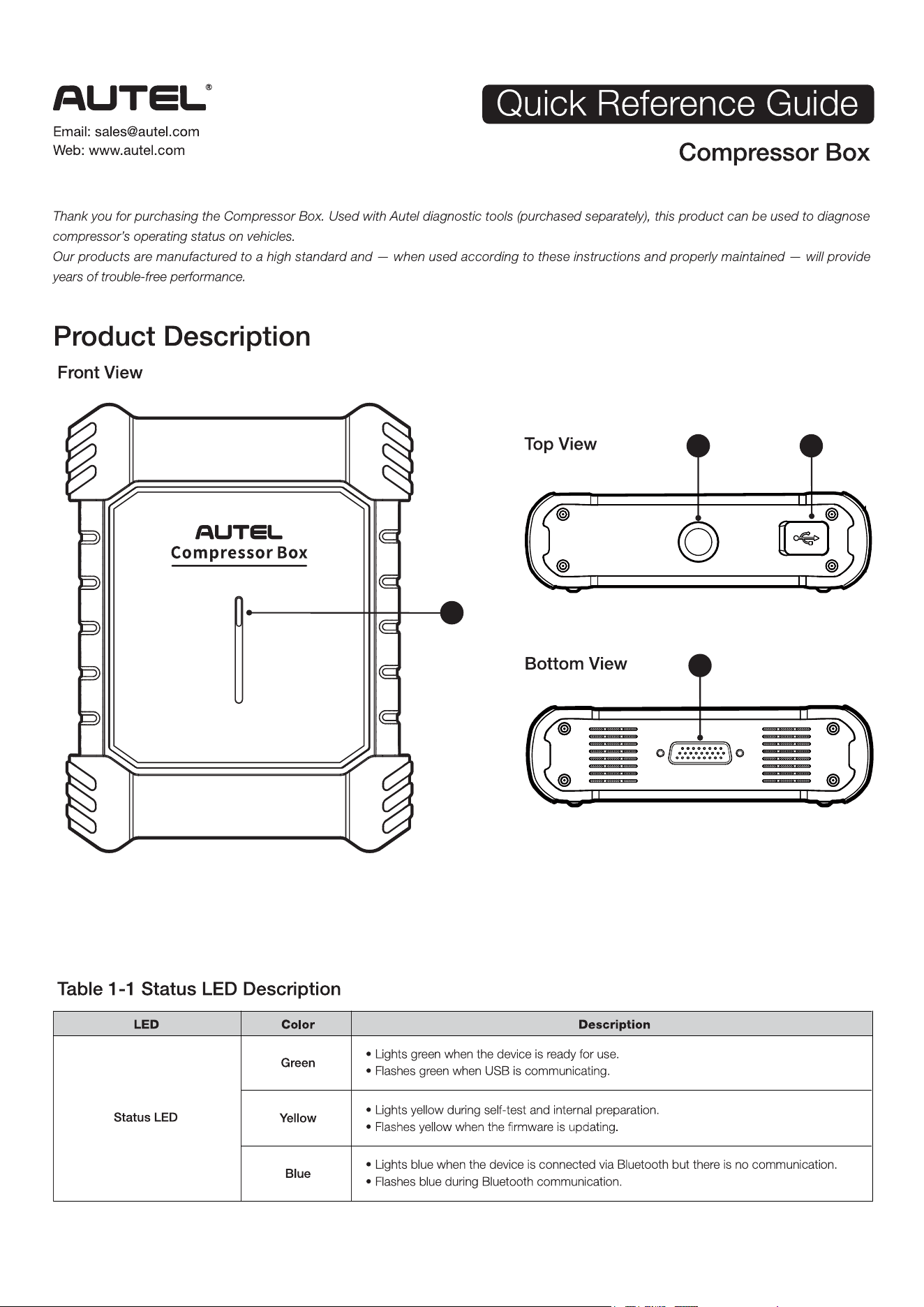
1. Status LED — refer to Table 1-1 Status LED Description for details.
2. QD Socket — connects the adjustable strap with hook for hanging the Compressor Box.
3. USB Port — connects the AC tablet for firmware updates or data interaction when Bluetooth communication fails.
4. DB26 port — connects the main cable.
4
2 3
1
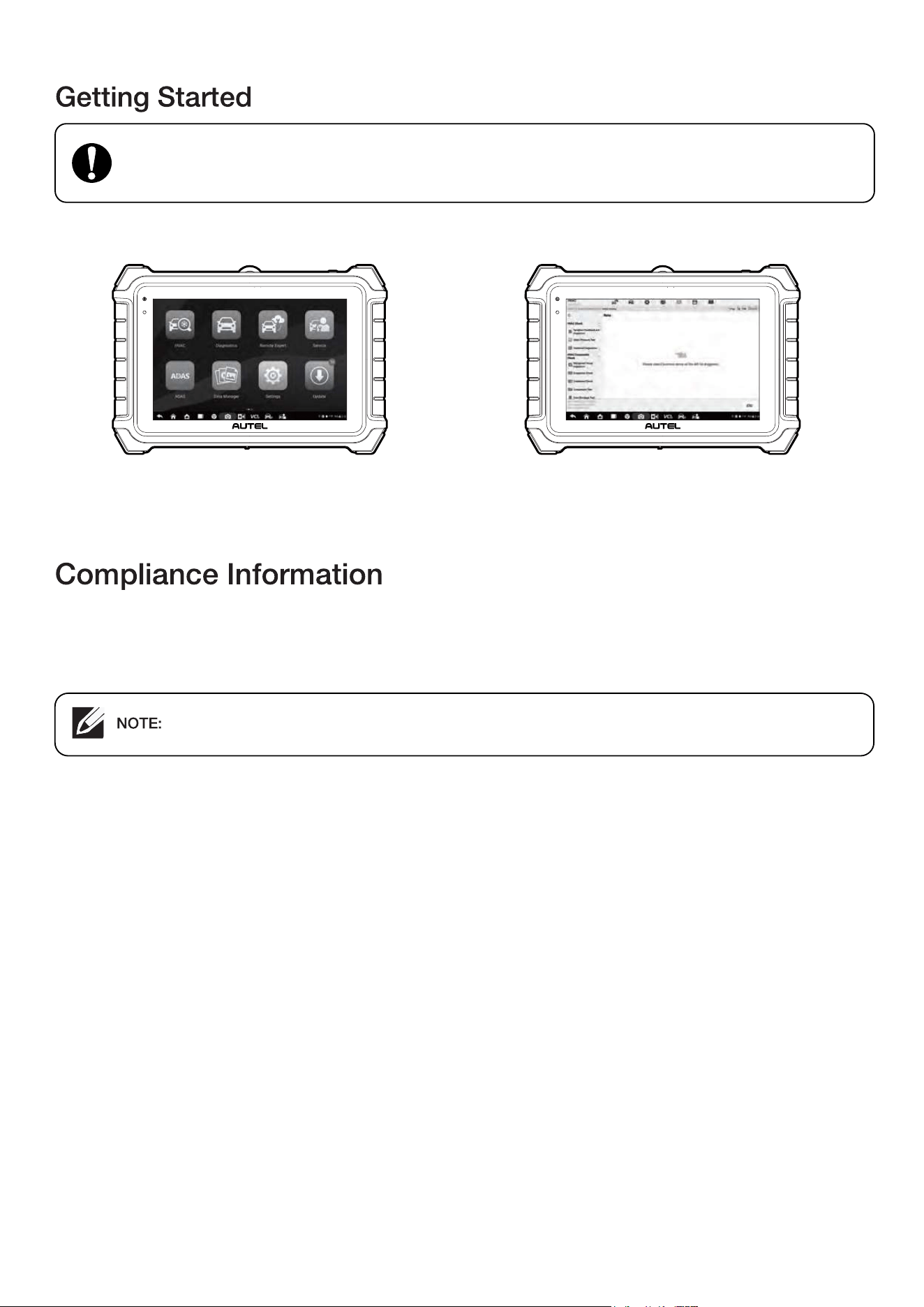
1. After connecting the AC tablet with the VCI, tap HVAC on the
AC tablet.
2. Select Compressor Test on the HVAC main menu.
3. Select Special Tool Drive on the Drive Selection screen. 4. Follow the on-screen cable connection diagram to connect the
equipment and the prompts on the screen to perform the test.
Tap Next to continue.
Before operating or maintaining this device, please read these instructions carefully, paying extra attention to
the safety warnings and precautions. Use this device correctly and with care. Failure to do so may cause damage and/or
personal injury and will void the product warranty.
WARNING:
The illustrations in this guide are for reference only. Please refer to the actual product.
Autel Intelligent Technology Corp., Ltd. hereby declares that the radio equipment type Compressor Box is in compliance with Directive
2014/53/EU.
The full text of the EU declaration of conformity is available at the following internet address:
https://www.autel.com/download.jhtml