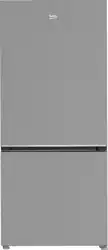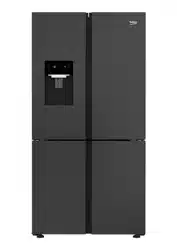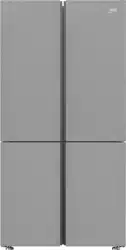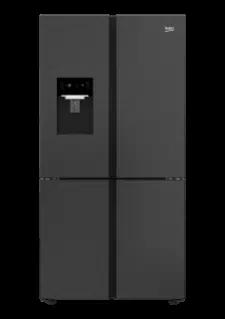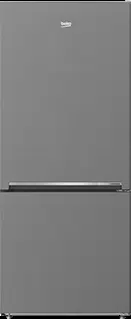
Refrigerator
User Manual
ASD2442VPS
58 9491 0000/ EN/ AB/ 16/08/2024 16:08
7290346395
EN / 2
Please read these instructions first before using your appliance
Thank you for choosing a Beko appliance.
Please take some time to read this user manual before using your appliance, to ensure you
know how to safely operate the controls and functions.
Carefully follow all unpacking and installation instructions to ensure the appliance is cor-
rectly connected and fitted prior to use.
Please write your product model and serial number on the last page of this user manual,
and store in a safe location close to the appliance for easy future reference.
This user manual may also be applicable for several other models. Differences between
models will be listed.
If you have any questions or concerns, please call our Customer Service Team or find help
and information online at www.beko.co.uk
Hazard that may result in death or injury.
Important information or useful tips on operation.
Read the user manual.
Combustible material, warning against fire hazard.
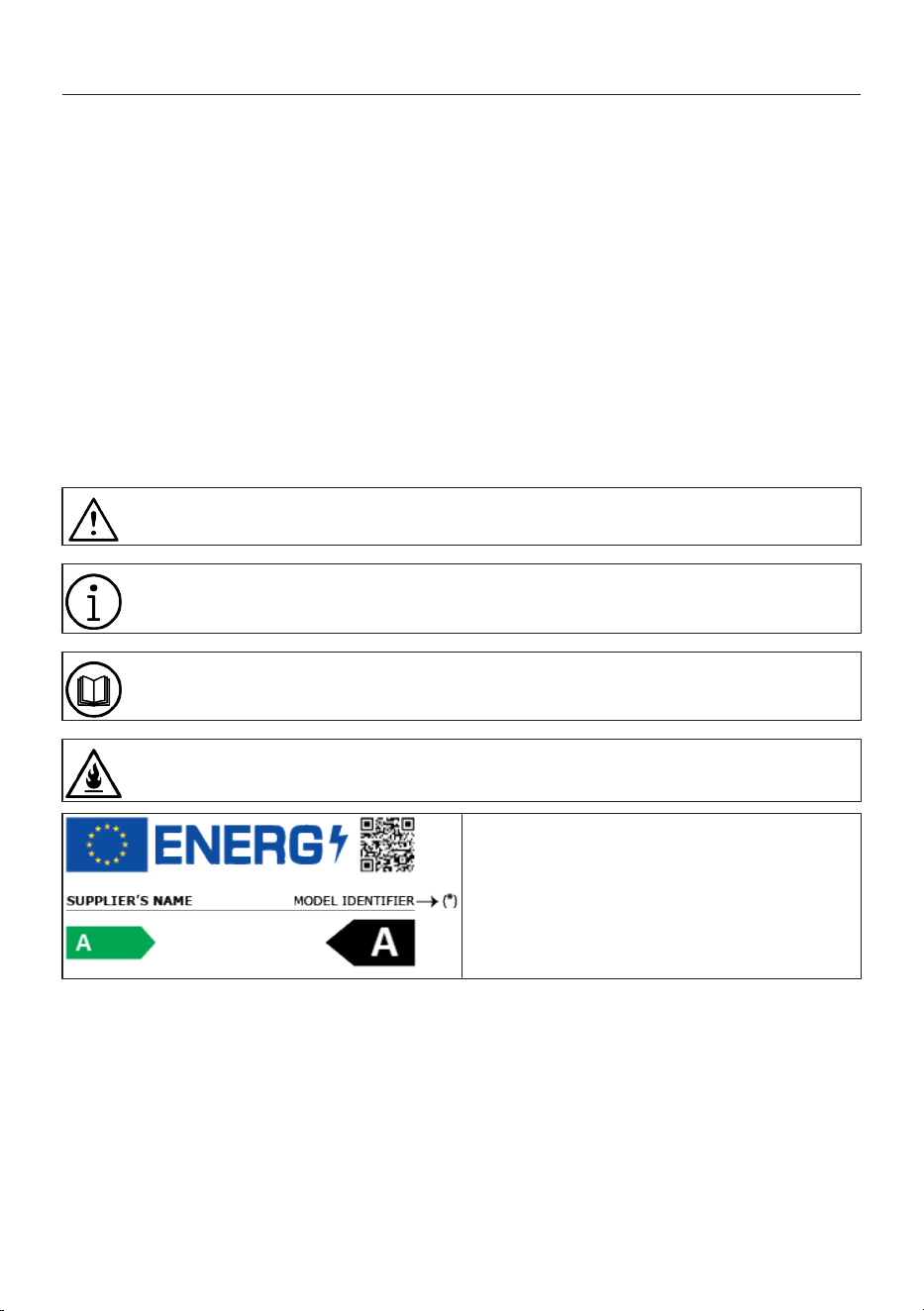
The model information as stored in the product data
base can be reached by entering following website and
searching for your model identifier (*) found on energy la-
bel.
https://eprel.ec.europa.eu/
EN / 3
Table of Content
1 Safety Instructions......................... 4
1.1 Intention of Use ............................. 4
1.2 Safety of Children, Vulnerable
Persons and Pets ..........................
4
1.3 Electrical Safety............................. 5
1.4 Handling Safety ............................. 6
1.5 Installation Safety.......................... 6
1.6 Operational Safety......................... 8
1.7 Food Storage Safety...................... 12
1.8 Maintenance and Cleaning Safety 12
1.9 Lighting .......................................... 13
1.10 Disposal of the Old Product.......... 13
2 Environmental Instructions ............ 14
2.1 Compliance with the WEEE Dir-
ective and Disposing of the
Waste Product ...............................
14
3 Your Refrigerator ........................... 15
4 Installation..................................... 16
4.1 Electrical Connection .................... 18
5 Preparation.................................... 18
5.1 What To Do For Energy Saving ..... 18
5.2 First Use ......................................... 19
5.3 Climate Class and Definitions ...... 19
6 Operating the Product.................... 19
7 Control Panel of the Product .......... 20
8 Use of Your Appliance.................... 22
8.1 Storing Food in the Freezer and
Cooler Compartment.....................
22
9 Replacing the Illumination Lamp .... 24
10 Door Open Alert ............................. 24
11 Product Features ........................... 25
11.1 The ice storage area...................... 25
11.2 Egg holder...................................... 25
11.3 Using the Water Dispenser ........... 25
11.4 Crisper............................................ 28
11.5 Crisper Technologies .................... 28
11.6 Dairy Products Cold Storage Area 29
11.7 Humidity Controlled Crisper ......... 29
12 Maintenance and Cleaning ............. 29
13 Troubleshooting............................. 31
EN / 4
1 Safety Instructions
• This section includes the
safety instructions necessary
to prevent the risk of personal
injury or material damage.
• Our company shall not be held
responsible for damages that
may occur if these instructions
are not observed.
Always have installation and repair
operations performed by manufac-
turer, authorized service or a per-
son who will be described by im-
porter company.
Use original spare parts and ac-
cessories only.
Do not repair or replace any com-
ponent of the product unless it is
clearly specified in the user
manual.
Do not perform any modifications
on the product.
1.1 Intention of Use
• This product is not suitable for
commercial use and should
not be used for a purpose
other than its intended use.
• This product is intended for
operating interiors, such as
households or similar.
For example;
In the staff kitchens of the
stores, offices and other work-
ing environments,
In farm houses,
In the units of hotels, motels or
other resting facilities that are
used by the customers,
In hostels, or similar environ-
ments,
In catering services and similar
non-retail applications.
• This product shall not be used
in open or enclosed external
environments such as vessels,
camper vans, balconies or ter-
races. Exposing the product to
rain, snow, sunlight and wind
may cause risk of fire.
1.2 Safety of Children,
Vulnerable Persons
and Pets
• This product may be used by
children aged 8 years and
older and persons with under-
developed physical, sensory or
mental capabilities or lack of
experience and knowledge if
they are being supervised or
have been given instruction
concerning use of the appli-
ance in a safe way and the
hazards involved.
• Children between 3 and 8
years are allowed to put and
take out food into/from the
cooler product.
EN / 5
• Children and pets must not
play with, climb on, or get in-
side the product.
• Children and pets must be kept
away from the cabin area
(compressor) where electrical
parts are located.
• Cleaning and user mainten-
ance must not be performed
by children unless there is
someone overseeing them.
• Keep the packaging materials
away from children. Risk of in-
jury and suffocation.
• If there is a lock available on
the product’s door, keep the
key out of children's reach.
1.3 Electrical Safety
• The product shall not be
plugged into the outlet during
installation, maintenance,
cleaning, repair, and transport-
ation operations.
• If the power cable is damaged,
it must be replaced by the per-
son sent by the manufacturer,
authorized service provider or
the importer to prevent any po-
tential danger.
• Do not tuck the power cable
under the product or to the
rear of the product. Do not put
heavy items on the power
cable. The power cable should
not be bent, crushed, and
come into contact with any
heat source.
• Use an original cable only. Do
not use cut or damaged
cables.
• Do not use an extension cord,
multi-plug or adaptor to oper-
ate your product.
• Portable multi-plugs or port-
able power supplies may over-
heat and cause fire. Thus, do
not have a multi-plug, portable
power sources behind or in the
vicinity of the product.
• Do not plug the product’s
power cord in a loose or dam-
aged power outlet. These
types of connections may
overheat and cause fire.
• The plug shall be easily ac-
cessible. If this is not possible,
a mechanism that meets the
electrical legislation and that
disconnects all terminals from
the mains (fuse, switch, main
switch, etc.) shall be available
on the electrical installation.
• The product must not be oper-
ated with an external switching
device such as a timer, or a re-
mote controlled system.
• Do not use the product when
your feet are bare or your body
is wet.
• Do not touch the plug with wet
hands.
EN / 6
• When unplugging the appli-
ance, don’t hold the power
cable, but the plug.
• Make sure that the plug is not
wet, dirty or dusty.
• Do not ever connect your
product to power saving
devices. These systems are
harmful for the product.
1.4 Handling Safety
• Make sure to unplug the appli-
ance before carrying the
product.
• Make sure to unplug the appli-
ance and remove water con-
nections before carrying the
product.
• This product is heavy, do not
handle it by yourself. Injuries
may occur if the product falls
on you. Do not bump into
places or drop the product
while transporting it.
• Always close the doors and do
not hold the product by its
doors while transporting it.
• Be careful not to damage the
cooling system and the pipes
while handling the product. Do
not operate the product if the
pipes are damaged, and con-
tact an authorized service.
1.5 Installation Safety
• To prepare the product for use,
see the information in the user
and installation manual and
make sure the electric and wa-
ter utilities are as required. If
not, call a qualified electrician
and plumber to arrange the
utilities as necessary. This
must be done by the customer.
Failure to do so may result in
electric shock, fire, problems
with the product, or injury.
• Before starting the installation,
switch off the fuse to de-ener-
gise the power line to which
the product is connected.
• This product is designed for
use at a maximum altitude of
2000 metres above sea level.
• Keep children away from in-
stallation area.
• Check for any damage on the
product before installing it. Do
not have the product installed
if it is damaged.
• Always use personal protective
equipment (gloves, etc.) during
product installation, mainten-
ance and repair. Risk of injury.
• Do not install or leave the
product in places where it may
be exposed to external ambi-
ent temperatures.

EN / 7
• Place the product on a clean,
level and hard surface and bal-
ance it with the adjustable legs
(by rotating the front feet to
the right or left). Otherwise, the
refrigerator may tip over and
cause injuries.
• The product shall be installed
in a dry and ventilated environ-
ment. Do not keep carpets,
rugs or similar covers under
the product. This may cause
risk of fire as a result of inad-
equate ventilation!
• Do not block or cover ventila-
tion holes. Otherwise, power
consumption increases and
your product may be damaged.
• When placing the product,
make sure that the supply
cable is not damaged or
pinched.
• The product must not be con-
nected to supply systems and
power sources which may
cause sudden voltage changes
(i.e. a portable solar-energy
power source). Otherwise,
damage to your product may
occur as a result of the abrupt
voltage fluctuations!
• The more refrigerant a refriger-
ator contains, the bigger its in-
stallation room shall be. In very
small rooms, a flammable gas-
air mixture may occur in case
of a gas leak in the cooling
system. At least 1 m³ of
volume is required for each 8
grams of refrigerant. The
amount of the refrigerant avail-
able in your product is spe-
cified in the Type Label.
• The product must never be
placed in such a way that
power cables, the metal hose
of the gas stove, metal gas or
water pipes come into contact
with the product's rear wall (or
the condenser).
• The installation place of the
product must not be exposed
to direct sunlight and it shall
not be in the vicinity of a heat
source such as stoves, radiat-
ors, etc. If you cannot prevent
installation of the product in
the vicinity of a heat source,
use a suitable insulation plate
and make sure the minimum
distance to the heat source is
as specified below:
– At least 30 cm away from
heat sources such as stoves,
ovens, heating units and
heaters, etc.,
– And at least 5 cm away from
electrical ovens.
• Your product has the protec-
tion class of I.
• Plug the product in a grounded
socket that conforms with the
Voltage, Current and Fre-
quency values specified in the
EN / 8
type label. The socket must
have a 10A – 16A fuse. Our
firm will not assume respons-
ibility for any damages due to
usage without earthing and
without power connection in
compliance with local and na-
tional regulations.
• The product’s power cable
must be unplugged during in-
stallation. Otherwise, risk of
electric shock and injury may
occur!
• Do not plug the product to
loose, broken, dirty, greasy
sockets or sockets that have
come out of their seats or
sockets with a risk of water
contact. These types of con-
nections may overheat and
cause fire..
• Place the power cable and
hoses (if any) of the product
so that they shall not cause a
risk of tripping over.
• Penetration of humidity and li-
quid to live parts or to the
power cord may cause short
circuit. Thus, do not use the
product in humid environ-
ments or in areas where water
may splash (e.g. garage, laun-
dry room, etc.) If the refriger-
ator is wet by water, unplug it
and contact an authorized ser-
vice.
• Do not ever connect your refri-
gerator to power saving
devices. These systems are
harmful for the product.
• There is a risk of contact with
electrical parts when removing
the electronic board cover and
the compressor rear cover (if
fitted). Do not remove the elec-
tronic board cover and the
compressor rear cover (if fit-
ted). There is a risk of electro-
cution!
1.6 Operational Safety
• Do not ever use chemical
solvents on the product. These
materials contain an explosion
risk.
• In case of a failure of the
product, unplug it (or de-ener-
gise the fuse to which it is con-
nected), and do not operate
until it is repaired by the au-
thorized service. There is a risk
of electric shock!
• Do not place flames (lighted
candle, cigarette, etc.) or heat
sources (iron, hob, oven, etc.)
on or near the product. Do not
place flammable/explosive
materials near the product...
• Do not get on the product. Risk
of falling and injury!
• Do not cause damage to the
pipes of the cooling system us-
ing sharp and piercing tools.

EN / 9
The refrigerant that sprays out
in case of puncturing the gas
pipes, pipe extensions or upper
surface coatings may cause ir-
ritation of skin and injury to the
eyes.
• Do not intervene in or damage
the coolant circuit Risk of ex-
plosion.
• Do not place and operate elec-
trical appliances inside the re-
frigerator/freezer unless it is
advised by the manufacturer.
• Do not use any procedures
other than those recommen-
ded by the manufacturer to
speed up defrosting.
• Take due care not to jam any
parts of your hands or your
body to the moving parts in-
side the product. Be careful to
prevent jamming of your fin-
gers between the refrigerator
and its door. Be careful while
opening or closing the door if
there are children around.
• Do not put ice cream, ice
cubes or frozen food to your
mouth as soon as you take
them out of the freezer. Risk of
frostbite!
• Do not touch the inner walls,
metal parts of the freezer or
food kept inside the freezer
with wet hands. Risk of frost-
bite!
• Do not place soda cans or
cans and bottles that contain
fluids that may be frozen to the
freezer compartment. Cans or
bottles may explode. Risk of
injury and material damage!
• Do not use or place materials
sensitive against temperature
such as flammable sprays,
flammable objects, dry ice or
other chemical agents in the
vicinity of the refrigerator. Risk
of fire and explosion!
• Do not store explosive materi-
als such as aerosol cans with
flammable materials inside the
product.
• Do not place cans containing
fluids over the product an open
state. Splashing of water on an
electrical part may cause an
electric shock or a fire.
• Due to risk of breaking, do not
store glass containers with li-
quid inside in the freezer com-
partment.
• This product is not intended
for storage and cooling of
medicines, blood plasma,
laboratory preparations or sim-
ilar materials and products
that are subject to the Medical
Products Directive.

EN / 10
• If the product is used against
its intended purpose, it may
cause damage to or deteriora-
tion of the products stored in-
side.
• If your refrigerator is equipped
with blue light, do not look at
this light with optical devices.
Do not stare directly at UV LED
light for a long time. Ultraviolet
rays may cause eye strain.
• Do not fill the product with
more contents than its capa-
city. Do not use any proced-
ures other than those recom-
mended by the manufacturer
to speed up defrosting. Injuries
or damages may occur if the
contents of the refrigerator fall
when the door is opened. Sim-
ilar problems may also occur
when an object is placed over
the product.
• Ensure that you have removed
any ice or water that may have
fallen to the floor to prevent in-
juries.
• Change the locations of the
racks/bottle racks on the door
of your refrigerator only when
the racks are empty. Danger of
injury!
• Do not place objects that may
fall/tip over on the product.
These objects may fall while
opening or closing the door
and cause injuries and/or ma-
terial damages.
• Do not hit or exert excessive
pressure on glass surfaces.
Broken glass may cause injur-
ies and/or material damages.
• The cooling system in your
product contains R600a refri-
gerant. The refrigerant type
used in the product is spe-
cified in the type label. This
gas is flammable. Therefore,
be careful not to damage the
cooling system and the pipes
while operating the product. In
case of damage to the pipes;
1. Do not touch the product or
the power cable.
2. Keep the product away from
potential sources of fire that
may cause the product to
catch fire.
3. Ventilate the area where the
product is placed. Do not use
a fan.
4. Contact Authorized Service.
If the product is damaged and
you observe gas leak, please
stay away from the gas. Gas
may cause frostbite if it con-
tacts your skin.
Before disposing of old products
that shall not be used any more:
1. Unplug the power cord from
the mains socket.

EN / 11
2. Cut the power cable and re-
move it from the appliance
together with the plug.
3. Do not remove the racks and
drawers from the product to
prevent children from getting
inside the appliance.
4. Remove the doors.
5. Store the product so that it
shall not be tipped over.
6. Do not allow children to play
with the scrapped product.
• Do not dispose of the product
by throwing it into fire. Risk of
explosion.
• If there is a lock available on
the product’s door, keep the
key out of children's reach.
For Products with Water Dis-
penser / Icematic
• Use only drinking water. Do not
fill the water tank with fruit
juice, milk, fizzy beverages, al-
coholic beverages or any other
liquids incompatible for use in
the water dispenser. This may
cause risk to your health and
safety.
• Do not allow the children to
play with the water dispenser
or icematic to prevent acci-
dents and injuries.
• Do not insert your hands, fin-
gers or other objects inside the
hole of the water dispenser, ice
channel or inside the container
of the icematic. This may
cause injuries or material dam-
ages.
• The hose sets supplied with
the product shall be used. Do
not use the old hose sets. Do
not extend the hoses!
• Always connect your product
to cold water inlet. Do not per-
form installation on the hot
water inlet. The pressure for
the cold water inlet shall be 90
PSi (620 kPa – 6.2 bar) max-
imum. If your water pressure
exceeds 80Psi (550 kPa – 5.5
bar) or has a water impact ef-
fect, use a pressure limiting
valve on your mains system.
Ask help from professional
plumbers if you do not know
how to control your water pres-
sure.
• High pressure may cause dam-
age to the hose connections
and pose a risk of flooding.
• Take required precautions
against the risk of freezing of
hoses. The operating water
temperature interval shall be
0.6°C (33°F) minimum and
38°C (100°F) maximum. There
is a risk of flooding if the hose
is cracked/perforated.
EN / 12
1.7 Food Storage
Safety
Please pay attention to the fol-
lowing warnings to avoid food
spoilage:
• Leaving the doors open for a
long time may cause the tem-
perature inside the product to
rise.
• Regularly clean the accessible
drainage systems in contact
with food.
• Clean the water tanks that
have not been used for 48
hours and mains-fed water
systems that have not been
used for more than 5 days.
• Store raw meat and fish
products in appropriate com-
partments within the product.
Thus, it does not drip on or
come into contact with other
foods.
• Two-star freezer compart-
ments are used for storing pre-
filled foods, making and stor-
ing ice and ice cream.
• One, two and three-star com-
partments are not appropriate
for freezing fresh food.
• If the cooling product has been
left empty for a long time, turn
off the product, defrost, clean,
and dry the product in order to
protect the housing of the
product.
1.8 Maintenance and
Cleaning Safety
• Unplug the refrigerator or de-
energise the fuse before clean-
ing it or starting to perform
maintenance.
• Do not pull by the door or door
handle if you are going to
move the product for cleaning
purposes. The door may cause
injuries if the handle is pulled
too hard.
• Do not place hands, feet or
metal objects under or behind
your product. Jamming may
occur or any sharp edge may
cause personal injuries.
• Do not wash the inside or out-
side of the product with a pres-
sure washer, steam, spray wa-
ter or pouring water. Risk of
electric shock and fire.
• When cleaning the product, do
not use sharp and abrasive
tools or household cleaning
agents, detergent, gas, gasol-
ine, thinner, alcohol, varnish,
and similar substances. Use
only cleaning and maintenance
agents that are not harmful for
food inside the product.
• Do not ever use steam or
steamed cleaning materials for
cleaning the product and thaw-
ing the ice inside it. Steam con-
EN / 13
tacts the live areas in your re-
frigerator and causes short cir-
cuit or electric shock.
• Do not use any mechanical
tools or any other tools than
the recommendations of the
manufacturer to speed up the
thawing operation.
• Take care to keep water away
from the ventilation holes,
electronic circuits or lighting of
the product. Otherwise, risk of
fire or electric shock may oc-
cur.
• Use a clean, dry cloth to wipe
the dust or foreign material on
the tips of the plugs. Do not
use a wet or damp piece of
cloth to clean the plug. Other-
wise, risk of fire or electric
shock may occur.
1.9 Lighting
Contact an authorized service
when you shall replace the LED /
bulb using for lighting.
1.10 Disposal of the Old
Product
When disposing of your old
product follow the instructions
below:
• To prevent children from acci-
dentally locking themselves
into the product, if there is
door lock, disable it.
• Splash of coolant is harmful to
the eyes. Do not damage any
part of the cooling system
while disposing of the product.
• It may be fatal if the com-
pressor oil is swallowed or if it
penetrates the respiratory
tract.
• Cooling system of your
product includes R600a gas as
specified in the type label. This
gas is flammable. Do not dis-
pose of the product by throw-
ing it into fire. Risk of explo-
sion!
• C -Pentane is used as a blow-
ing agent in insulation foam
and it is a flammable sub-
stance. Do not dispose of the
product by throwing it into fire.
EN / 14
2 Environmental Instructions
2.1 Compliance with the WEEE Dir-
ective and Disposing of the
Waste Product
This product complies with EU
WEEE Directive (2012/19/EU).
This product bears a classifica-
tion symbol for waste electrical
and electronic equipment
(WEEE).
This symbol indicates that this product
shall not be disposed with other household
wastes at the end of its service life. Used
device must be returned to offical collec-
tion point for recycling of electrical and
electronic devices. To find these collection
systems please contact to your local au-
thorities or retailer where the product was
puchased. Each household performs im-
portant role in recovering and recycling of
old appliance. Appropriate disposal of used
appliance helps prevent potential negative
consequences for the environment and hu-
man health.
Compliance with RoHS Directive
The product you have purchased complies
with EU RoHS Directive (2011/65/EU). It
does not contain harmful and prohibited
materials specified in the Directive.
Package information
Packaging materials of the product
are manufactured from recyclable
materials in accordance with our
National Environment Regulations.
Do not dispose of the packaging
materials together with the do-
mestic or other wastes. Take them
to the packaging material collection
points designated by the local au-
thorities.
Conformity with standards and
test information / Declaration of EC
conformity
Development, manufacture and
sales stages of this product con-
form to the safety rules in all relev-
ant guidelines of the European
Community. 2014/35/EU, 2014/30/
EU, 93/68/EC, IEC 60436/DIN
44990, EN 50242
EN / 15
3 Your Refrigerator
1
2
3
4
5
6
7
8
9
10
11
12
13
14
15
16
17
18
19
20
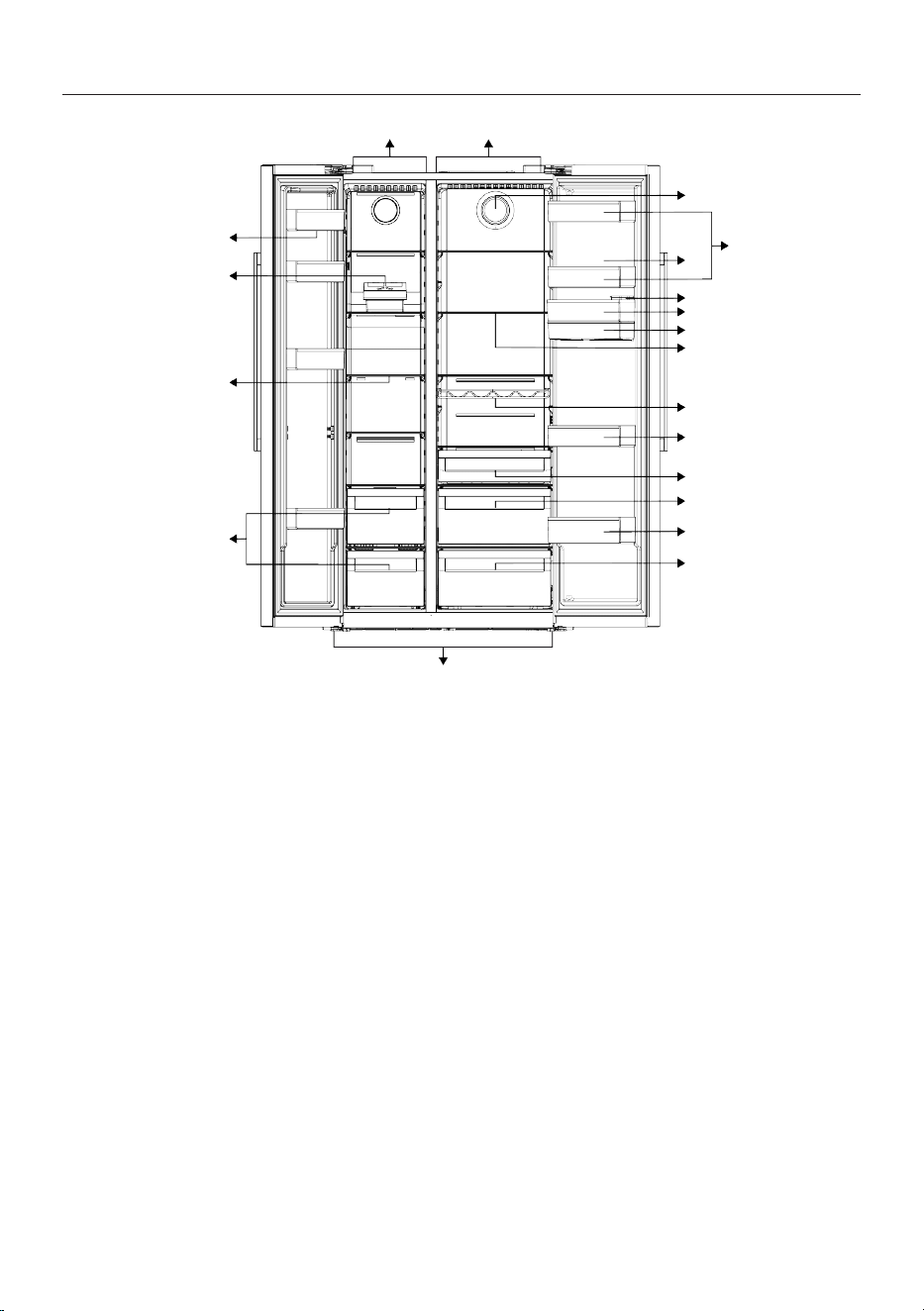
1 Freezer Compartment 2 Cooler compartment
3 Fan 4 *Cooler compartment door shelves
5 Egg holder 6 Water dispenser filling tank
7 *Cooler compartment door shelves 8 Water dispenser reservoir
9 *Cooler compartment glass shelves 10 *Bottle shelf
11 *Cooler compartment door shelves 12 *Dairy (cold storage) bin
13 *Crispers 14 *Bottle shelf
15 *Crispers 16 Adjustable legs
17 Frozen food storing compartments 18 *Freezer compartment glass shelves
19 Icematic 20 Freezer compartment door shelves
*Optional: Figures in this user manual are
schematic and may not exactly match your
product. If your product does not comprise
the relevant parts, the information pertains
to other models.
EN / 16
4 Installation
Right place for installation
Read the “Safety Instructions” sec-
tion first!
Your product requires adequate air circula-
tion to function efficiently. If the product
will be placed in an alcove, remember to
leave at least 5 cm clearance between the
product and the ceiling, rear wall and the
side walls. Check if the rear wall clearance
protection component is present at its loca-
tion (if provided with the product). If the
component is not available, or if it is lost or
fallen, position the product so that at least
5 cm clearance shall be left between the
rear surface of the product and the wall of
the room. The clearance at the rear is im-
portant for efficient operation of the
product.
*In some special models, the dis-
tance between the product and the
side walls should be 3 mm and the
distance between the product and
the rear wall should be 35 mm. (El-
egantFit)
Do not use extension or multi sock-
ets in the power connection.
The manufacturer assumes no re-
sponsibility for any damage caused
by the work carried out by unau-
thorized persons.
The product’s power cable must be
unplugged during installation. Fail-
ure to do so may result in death or
serious injuries!
If the door span is too narrow for
the product to pass, remove the
door and turn the product side-
ways; if this does not work, contact
the authorized service.
• Place the product on a flat surface to
avoid vibration
• Place the product at least 30 cm away
from the heater, stove and similar
sources of heat and at least 5 cm away
from electric ovens.
• Do not expose the product to direct sun-
light or keep keep in damp environments.
Attaching the plastic wedges
Use the plastic wedges provided with the
product to maintain sufficient space for air
circulation between the product and the
wall.
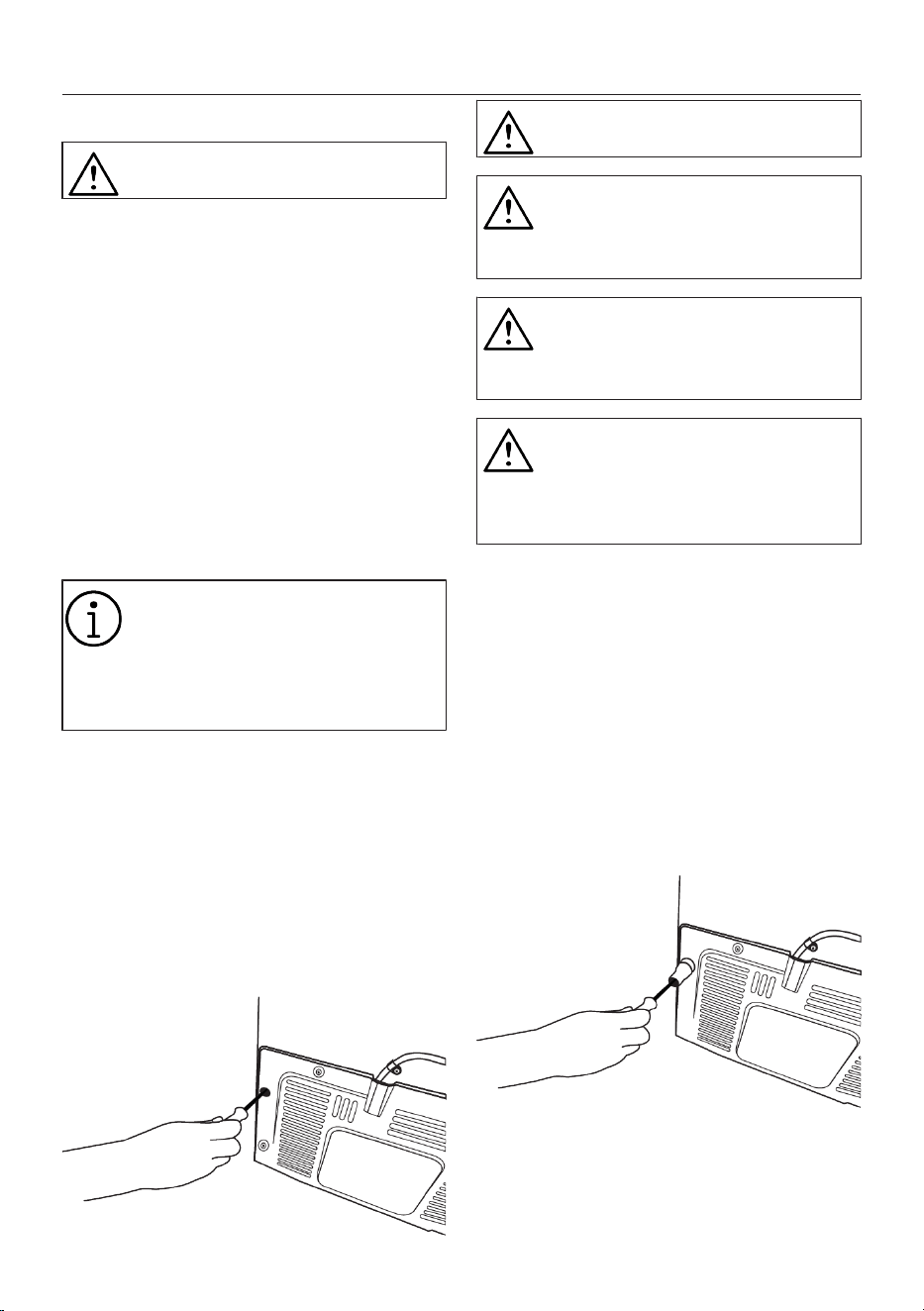
• Remove the screws on the product and
mount the screws provided with the
wedges.
• Attach 2 plastic wedges on the ventila-
tion cover as shown in the figure.
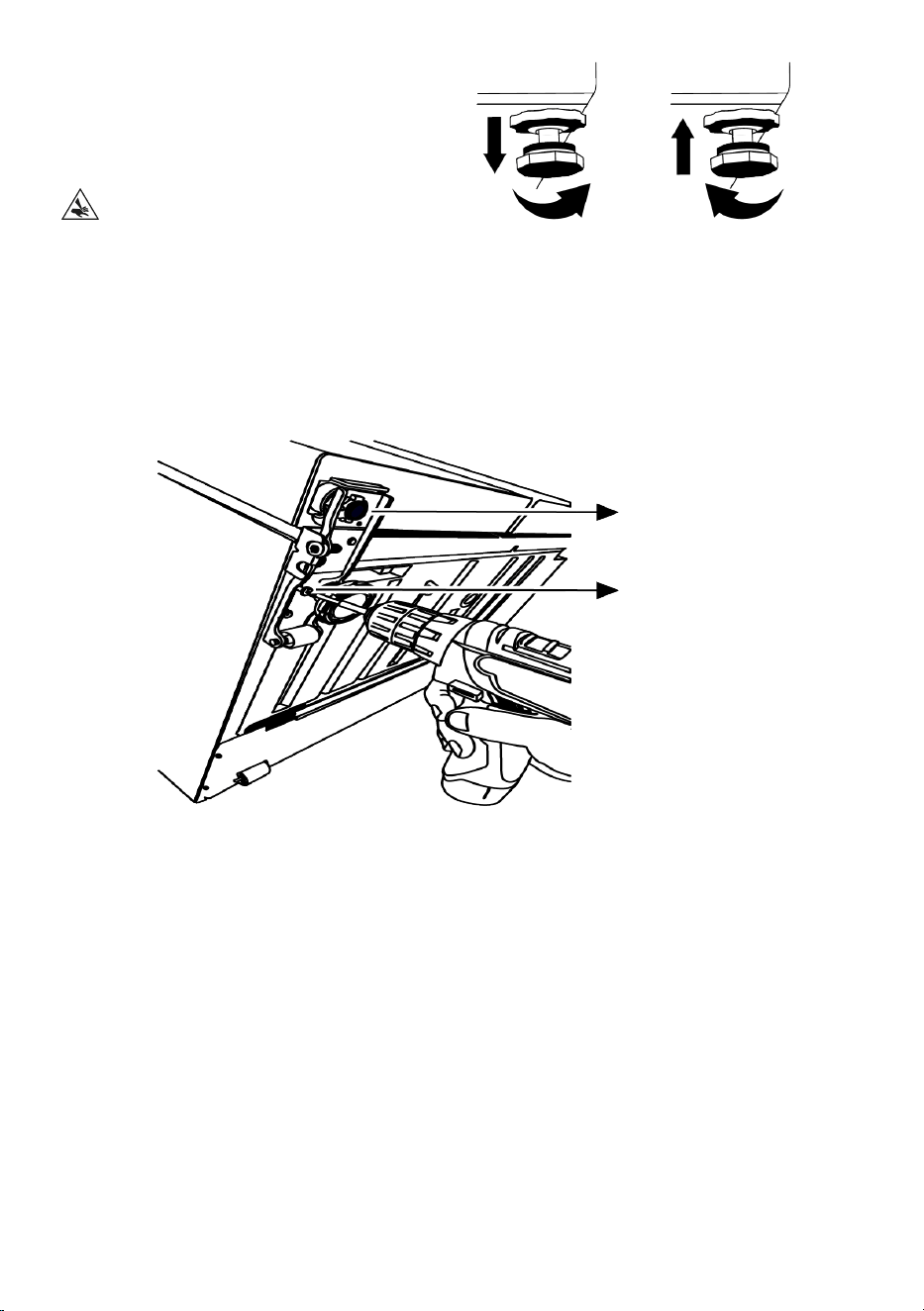
EN / 17
Adjusting the Legs
If the product is not in a balanced position,
you can adjust the balance of the product
by rotating the stands on the front right or
left.
When doing so, pay attention not to jam
your hand between the product and the
ground or between the product and the ad-
justed leg. Danger of injury!
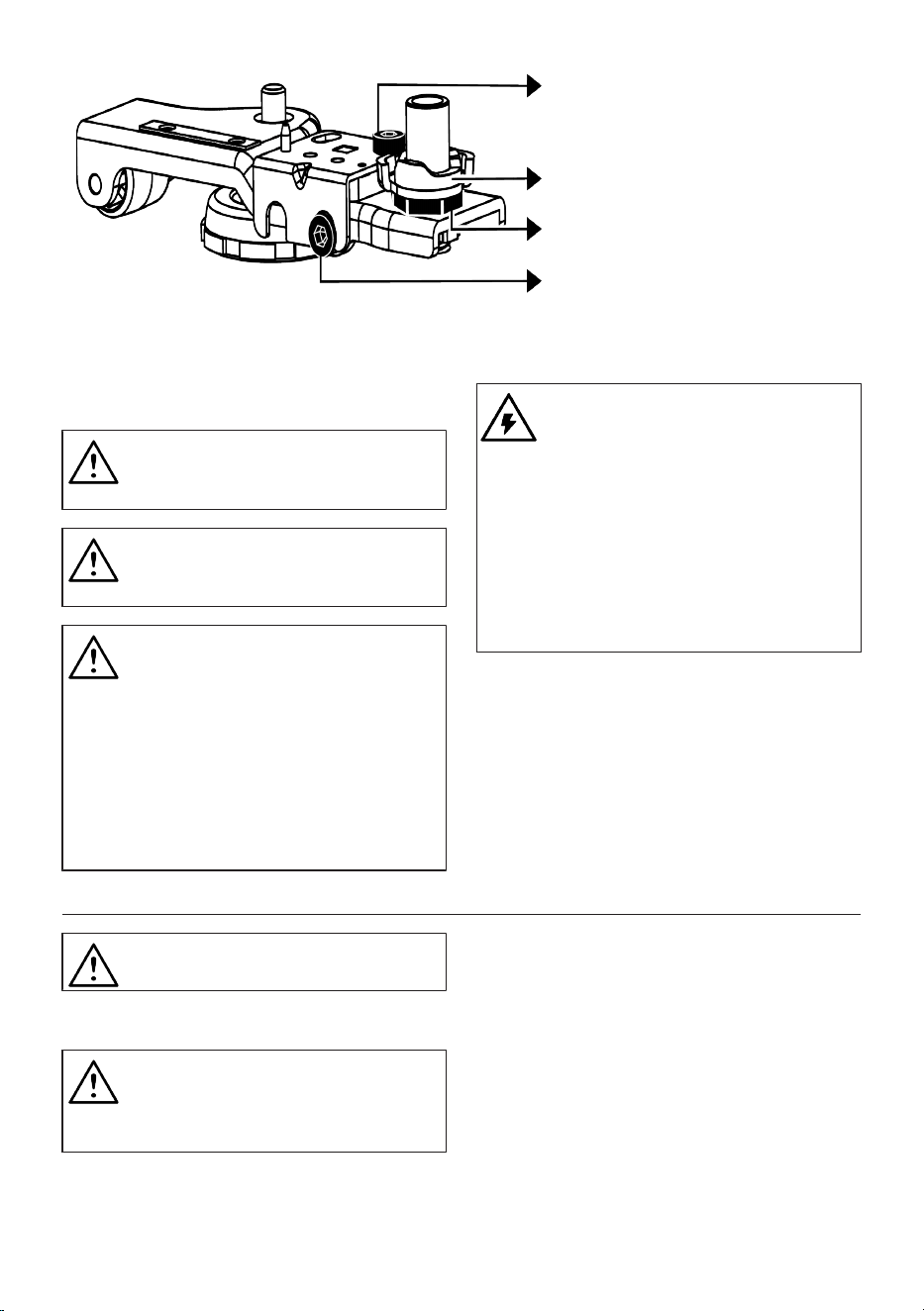
For adjusting the doors vertically,
Loosen the fixing bolt at the bottom. Turn
the adjusting bolt towards the position
(clockwise/counter clockwise) of the door.
Tighten the fixing bolt to immobilize the po-
sition.
Fixing Bolt
Fixing Bolt
For adjusting the doors horizontally,
Loosen the fixing bolt at the bottom.
Loosen the fixing bolt at the top. Turn the
adjusting bolt on the side towards the posi-
tion (clockwise/counter clockwise) of the
door. In order to immobilize the position,
tighten the fixing bolt at the top. Tighten
the fixing bolt at the bottom.
EN / 18
Fixing Bolt
Adjusting Nut
Fixing Bolt
Adjusting Bolt
4.1 Electrical Connection
WARNING: Do not use extension
cables or multi sockets in power
connection.
WARNING: Damaged power cable
must be replaced by Authorized
Service.
Hot surface warning!
The side walls of your product are
equipped with cooler pipes to en-
hance the cooling system. High
pressure fluid may flow through
these surfaces, and cause hot sur-
faces on the side walls. This is nor-
mal and it does not require servi-
cing. Be careful when you contact
these areas.
Before transport or use, never open
the control board cover on the
product. Risk of electric shock and
fire!
Our firm will not assume responsib-
ility for any damages due to usage
without earthing and without power
connection in compliance with na-
tional regulations.
The power cable plug must be eas-
ily accessible after installation.
5 Preparation
Read the “Safety Instructions” sec-
tion first!
5.1 What To Do For Energy Saving
Connecting the product to elec-
tronic energy-saving systems is
harmful, as it may damage the
product.
• This refrigerating appliance is not inten-
ded to be used as a built in appliance.
• Do not keep the refrigerator doors open
for long periods.
• Do not place hot food or beverages into
the refrigerator.
• Do not overfill the refrigerator; blocking
the internal air flow will reduce cooling
capacity.
• Since hot and humid air will not directly
penetrate into your product when the
doors are not opened, your product will
optimize itself in conditions sufficient to
protect your food. Under these circum-
stances, functions and components such
EN / 19
as compressor, fan, heater, defrost, light-
ing, display and so on will operate ac-
cording to the needs by consuming min-
imum energy.
• In case that multiple options are present,
glass shelves must be placed so that the
air outlets at the rear wall are not blocked
and preferably, in a way that air outlets
remain below the glass shelf. This com-
bination may help improving air distribu-
tion and energy efficiency.
• Using the below drawer when storing is
strongly recommended.
• Food shall be stored using the drawers in
the cooler compartment in order to en-
sure energy saving and protect food in
better conditions.
5.2 First Use
Before using your refrigerator, make sure
the necessary preparations are made in line
with the instructions in "Safety and Environ-
mental Instructions" and "Installation" sec-
tions.
• Keep the product running without placing
any food inside for 6 hours and do not
open the door, unless absolutely neces-
sary.
• The temperature change caused by open-
ing and closing of the door while using
the product may normally lead to con-
densation on door/body shelves and
glassware placed in the product.
A sound will be heard when the
compressor is engaged. It is nor-
mal for the product to make noise
even if the compressor is not run-
ning, as fluid and gas may be com-
pressed in the cooling system.
It is normal for the front edges of
the refrigerator to be warm. These
areas are designed to warm up in
order to prevent condensation.
For some models, indicator panel
turns off automatically 1 minute
after the door closes. It will be re-
activated when the door is opened
or any button is pressed.
5.3 Climate Class and Definitions
Please refer to the Climate Class on the rat-
ing plate of your device. One of the follow-
ing information is applicable to your device
according to the Climate Class.
• SN: Long Term Temperate Climate: This
cooling device is designed for use at am-
bient temperatures between 10 °C and 32
°C.
• N: Temperate Climate: This cooling
device is designed for use at ambient
temperatures between 16°C and 32 °C.
• ST: Subtropical Climate: This cooling
device is designed for use at ambient
temperatures between 16°C and 38°C.
• T: Tropical Climate: This cooling device
is designed for use at ambient temperat-
ures between 16°C and 43°C.
6 Operating the Product
Read the “Safety Instructions” sec-
tion first!
• Do not use any mechanical tools or any
other tools than the recommendations of
the manufacturer to speed up the defrost
operation.
• Do not use parts of your refrigerator such
as the door or drawers as a support or a
step. This may cause the product to trip
over or its components to be damaged.
• The product shall be used for storing
food only.
EN / 20
• Turn off the water valve if you will be
away from home (e.g. at vacation) and
you will not be using the Icematic or the
water dispenser for a long period of time.
Otherwise, water leaks may occur.
Unplugging the Product
• If you are not going to use the product for
a long time, unplug the product from the
socket.
• Remove the food to prevent odours,
• Wait for the ice to melt, clean the interior
and let it dry, leave the doors open to
avoid damaging the inner body plastics.
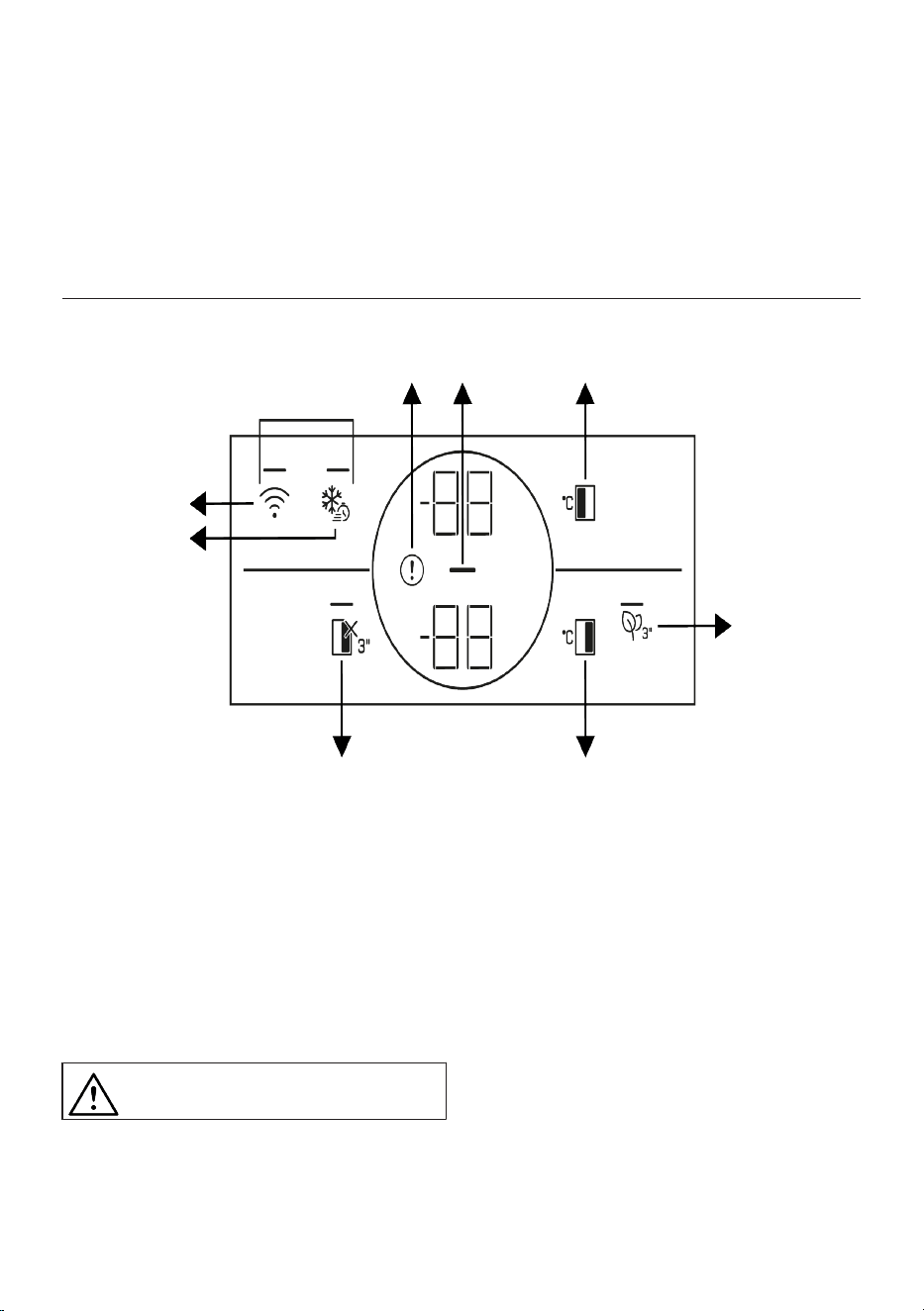
7 Control Panel of the Product
1
2
3
4
5
6
7
8
9
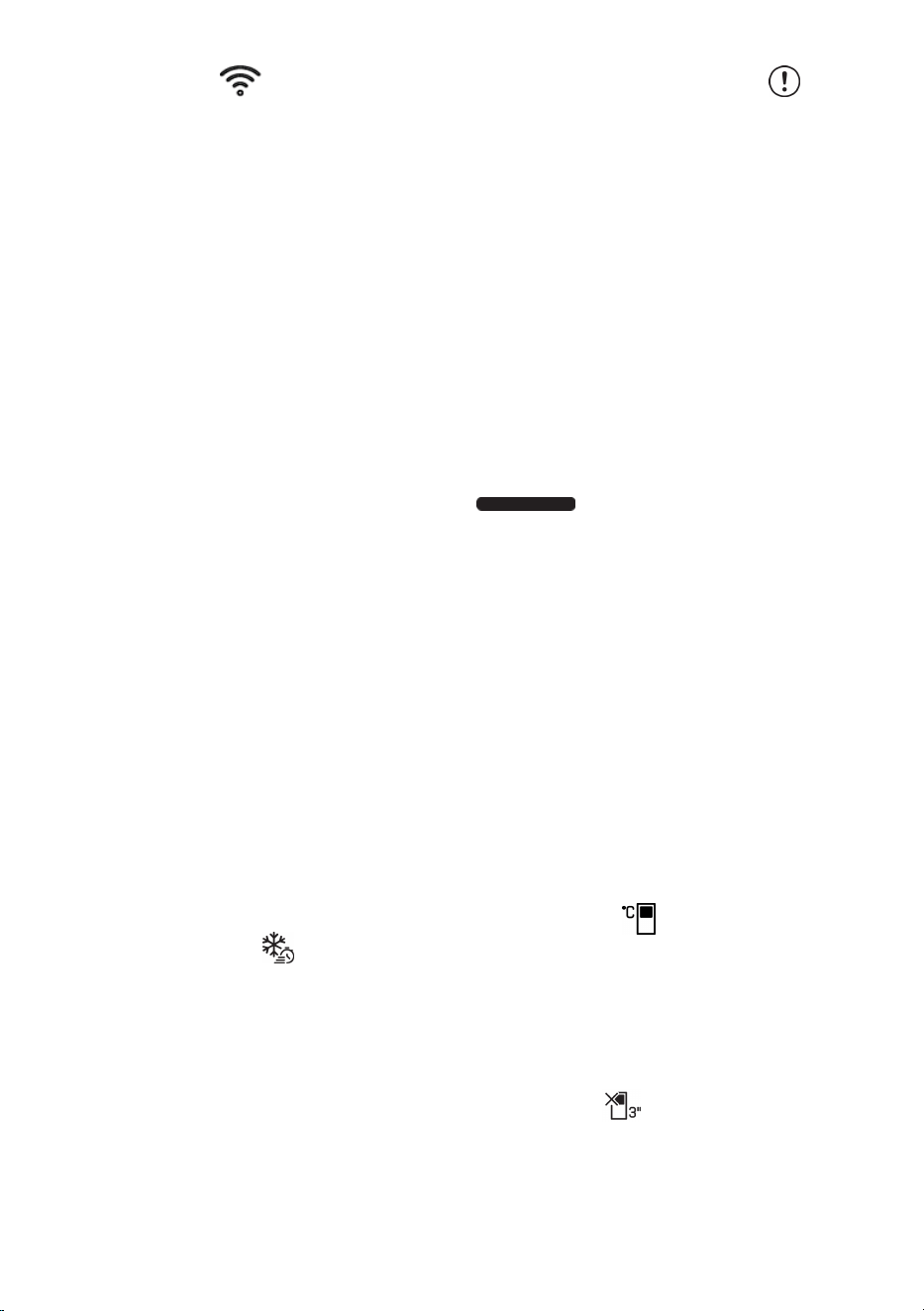
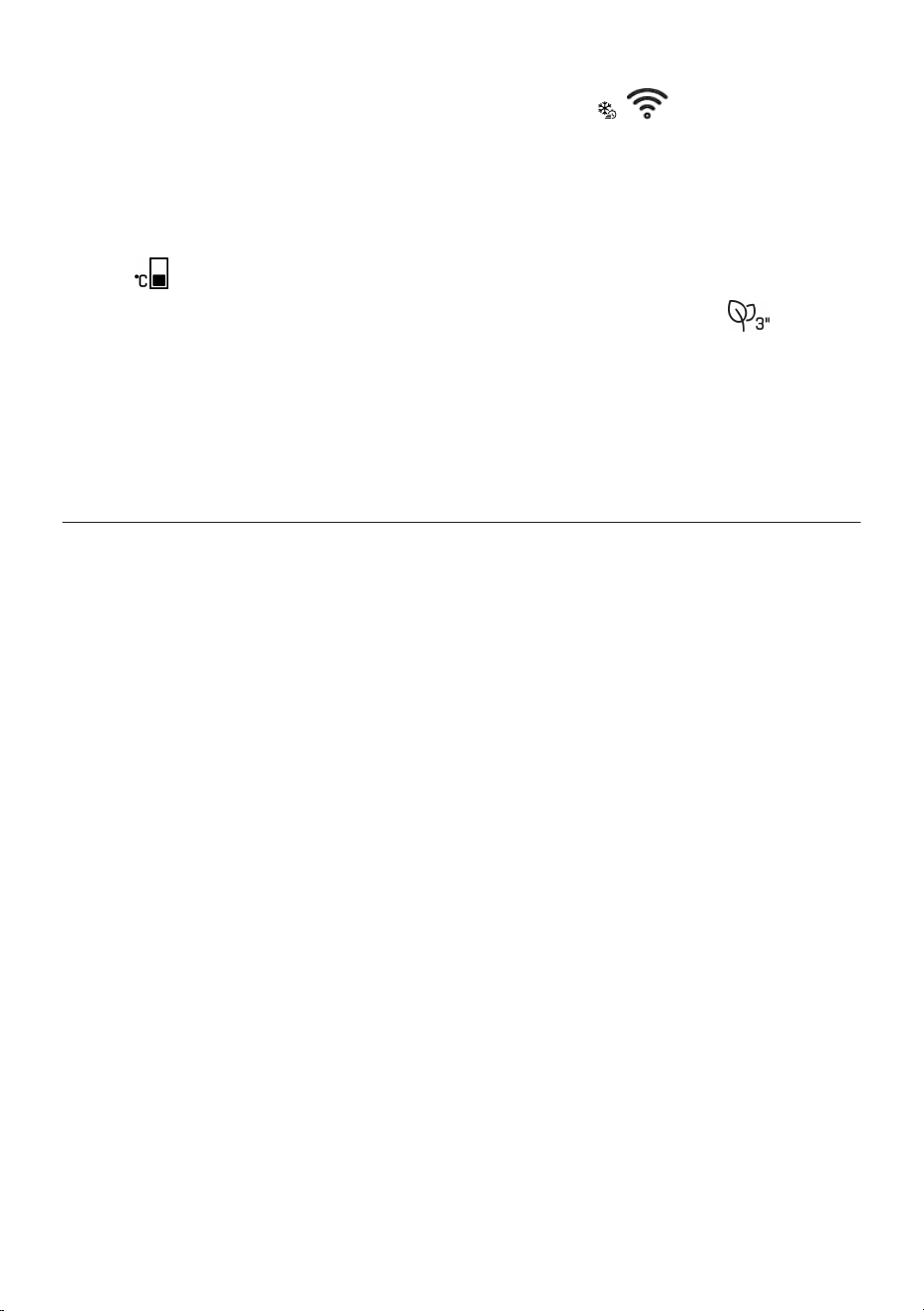
1 *Wireless 2 Quick Freezing
3 High Temperature/Fault Alert 4 Energy Saving (Display Off)
5 The Freezer Compartment Temperat-
ure Setting
6 Vacation Function
7 Cooler Compartment Temperature
Setting
8 *Key for Resetting Wireless Connec-
tion Settings
9 *Deodoriser Module Key
Read the “Safety Instructions” sec-
tion first.
*Optional: Shown functions are optional,
there may be differences of shape and loc-
ation in functions found on your appliance’s
indicator panel.
Auditory and visual functions on the indic-
ator panel will assist you in using the refri-
gerator.
EN / 21
1. *Wireless Key
You can use this key to make a wireless
connection with your product via Home-
Whiz mobile app.
When the key is pressed for a long period
(3 seconds), the wireless connection sym-
bol on the display/screen flashes slowly (at
0.5 second intervals). The home network is
introduced to the product firstly in this way.
After achieving wireless connection with
the product, wireless connection symbol il-
luminates continuously.
After completing the initial installation, you
can activate/deactivate it for pressing this
key. Wireless connection symbol illumin-
ates quickly (at 0.2 seconds intervals) until
the connection is made. When the connec-
tion is active, the wireless network symbol
will illuminate continuously.
If the connection cannot be established for
a long period, check your connection set-
tings and refer to the “Troubleshooting”
section provided in the user manual.
Use HomeWhiz application for wireless
connection. You can find the installation
steps in the application during installation.
The installation steps are described on the
application during installation.
You may access the application by reading
the QR code available on the HomeWhiz la-
bel on the product. Application is offered
through App Store for IOS devices, and
through Play Store for Android devices.
Visit https://www.homewhiz.com/ address
for detailed information.
2.Quick Freezing Key
When you press the quick freezing key, the
LED on the key is illuminated and the quick
freezing function will be activated. Freezer
compartment temperature is set to -27
Celsius. Press the key again to cancel the
function. The quick freezing function will be
cancelled automatically. To freeze a large
amount of fresh food, press the quick
freezing key before placing the food in the
freezer compartment.
3. High temperature / fault alert
This indicator will be active when your refri-
gerator cannot perform adequate cooling
or in case of any sensor error. “E” will be
displayed on the freezer compartment tem-
perature indicator and figures such as
1,2,3... will be displayed on the cooler com-
partment temperature indicator. These fig-
ures provide information to the authorized
service on the error that has occurred.
Exclamation mark may be displayed for a
while when you load warm food to the
freezer compartment or keep the door open
for a long period of time. This is not a fault,
this warning will be removed when the food
is cooled down or when any key is pressed.
4. Energy Saving (Display Off) Indicator
Energy saving function is enabled automat-
ically and the energy saving symbol lights
up when the door of the product is not
opened or closed for some period of time.
When you activate the energy saving func-
tion, all symbols on the screen other than
the energy saving symbol will be turned off.
When you activate the energy-saving func-
tion, if you press any key or open the door
of the product, the energy saving function
of the refrigerator will be deactivated and
the symbols on the screen will return to
normal. The energy saving function is a
function activated ex-factory and cannot be
cancelled.
5. The Freezer Compartment Temperat-
ure Setting Key
In order to set freezer compartment tem-
perature, press on this key. When you press
on this key, the freezer compartment tem-
perature can be set to
-18,-19,-20,-21,-22,-23,-24 Celsius values.
6. Cooler Compartment Off (Vacation)
Function Key
Press on the key for 3 seconds to activate
the vacation function. Vacation mode is ac-
tivated and the LED on the key is illumin-
ated. “- -” will be displayed on the Cooler
Compartment temperature indicator and
EN / 22
the cooler compartment does not actively
perform cooling. When you activate this
function, it is not suitable to store your food
in the cooler compartment. Other compart-
ments will continue to cool according to
their adjusted temperatures. Press the key
for 3 seconds again to cancel this function.
7. Cooler Compartment Temperature Set-
ting Key
In order to set cooler compartment temper-
ature, press on this key. When you press on
this key, the cooler compartment temperat-
ure can be set to 8,7,6,5,4,3,2 and 1 Celsius
values.
8. *Key for Resetting Wireless Connec-
tion Settings +
To reset the wireless connection settings,
press on Quick freezing and Wireless con-
nection keys simultaneously for 3 seconds.
All user information recorded previously are
removed on a product where wireless con-
nection settings are reset/restored to fact-
ory defaults.
9. *Deodoriser Module Key
Press this key for 3 seconds to activate/de-
activate the deodoriser feature. When the
deodoriser feature is active, the LED on the
respective key is illuminated. When the fea-
ture is active, the deodoriser module will be
operated periodically.
8 Use of Your Appliance
8.1 Storing Food in the Freezer and
Cooler Compartment
Storing food in the freezer compartment
• You can activate Quick Freezing function
4-6 hours before freezing function and
perform a faster cooling.
• Bring hot meals to the room temperature
before placing them in the freezer com-
partment.
• Foods to be frozen must be divided into
portions according to a size to be con-
sumed, and frozen in separate packages.
• It is recommended to pack the foods be-
fore placing them in the freezer.
• In order to prevent expiration of storage
time, write the freezing date, time and
name of the product on the package ac-
cording to the storage times of different
foods.
• Consume the foods you have defrosted
quickly. Defrosted foods cannot be
frozen again unless they are cooked. It is
not safe to consume the refrozen fresh
foods without cooking after they are de-
frosted.
• As you freeze fresh foods, do not bring
them in contact with already frozen
foods. Otherwise, frozen foods will be de-
frosted.
Storing the foods, which are sold frozen
• Always follow the instructions of the pro-
ducer in relation to the time during which
you are required to store your foods. Do
not excess the time specified in these in-
structions!
• In order to protect the quality of the food,
keep the time interval between purchas-
ing transaction and storing as short as
possible.
• Buy frozen food which are stored at –18
°C or lower temperatures.
• Avoid buying foods whose packages are
covered with ice etc. This means that the
product could be partially defrosted and
refrozen. Temperature impacts the qual-
ity of the food.
• Do not excess the storing time recom-
mended by the food producer. Remove
only the food as much as you need from
the freezer.
• Except the cases where extreme circum-
stances are available in the environment,
if your product (on the recommended set
values table) is set to the specified set
values, the food keep their freshness for
a longer time both in the fresh product
compartment and freezer compartment.
EN / 23
• If fresh food compartment is set to a
lower temperature, fresh fruits and veget-
ables may be partially frozen.
Quick freezing
1. Activate the quick freezing function 24
hours before placing your fresh foods.
2. After 24 hours after pressing the but-
ton, place your food that you want to
freeze in the third or fourth shelves
with higher freezing capacity.
3. The quick freezing function will be
automatically deactivated after 24
hours.
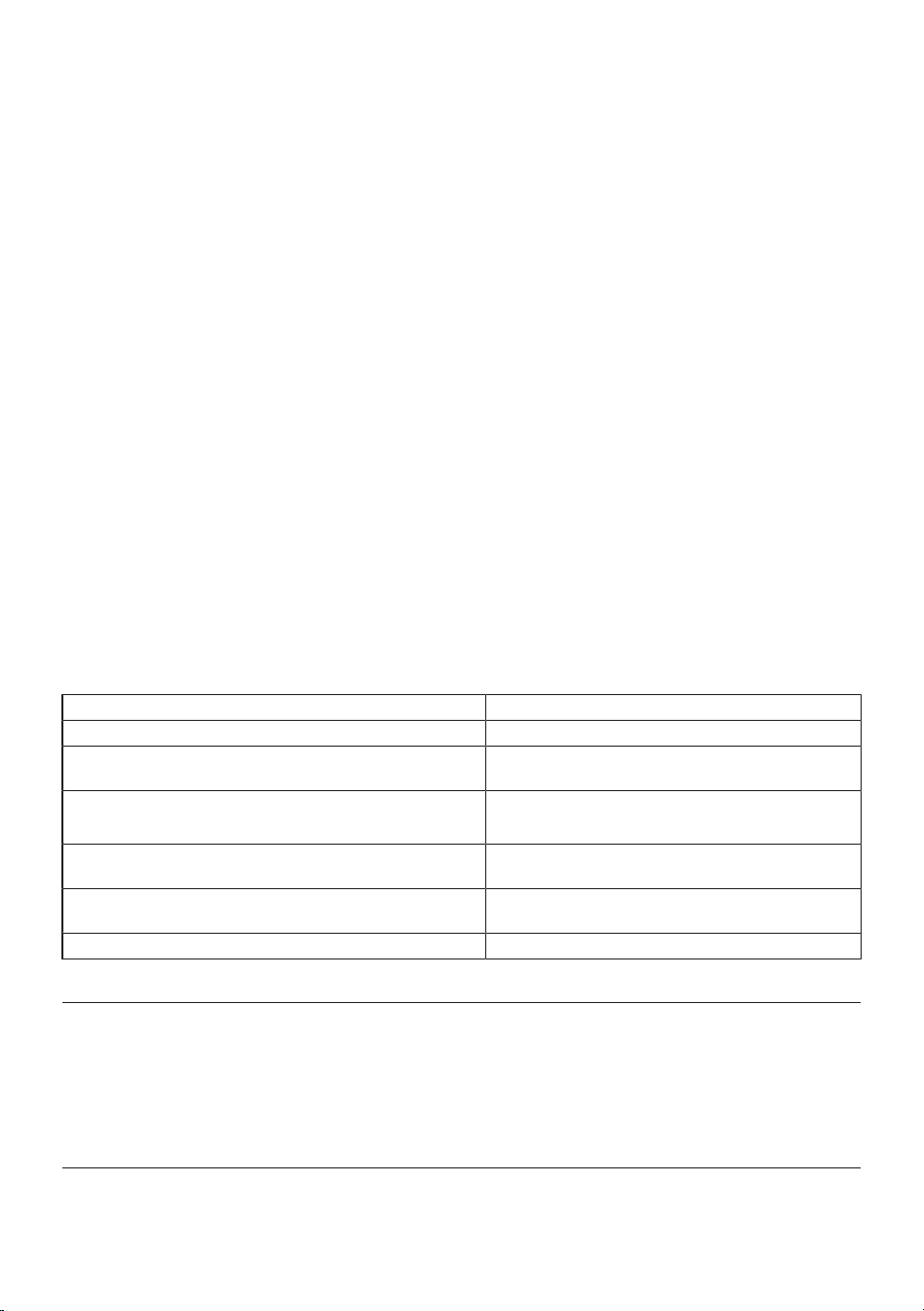
Recommended set values table
Freezer Compart-
ment Setting
Fridge Compart-
ment Setting
Remarks
-18°C 4°C
This is the default, recommended setting. This setting is recommended
if ambient temperature is below 30°C.
-20, -22 or -24 °C 4°C
These settings are recommended for ambient temperatures exceeding
30°C.
Quick Freeze 4°C
Use when you want to freeze your food in a short time. When the pro-
cess ends, the product’s settings will return to previous position.
-18°C or colder 2°C
Use these settings if you believe the cooler compartment is not cold
enough due to ambient temperature or frequently opening the door.
Freezer details
As per the IEC 62552 standards, the freezer
must have the capacity to freeze 4,5 kg of
food items at -18°C or lower temperatures
at 25°C room temperature in 24 hours for
each 100 litres of freezer compartment
volume.
Food products can only be preserved for
extended periods at or below temperature
of -18 °C.
You can keep the foods fresh for months
(in freezer at or below temperatures of -18
°C).
The food products to be frozen must not
contact the already-frozen food inside to
avoid partial defrosting.
Boil the vegetables and filter the water to
extend the frozen storage time. Place the
food in air-tight packages after filtering and
place in the freezer. Bananas, tomatoes,
lettuce, celery, boiled eggs, potatoes and
similar food items should not be frozen. In
case these foods are frozen, only nutri-
tional values and eating qualities will be
negatively affected. A rotting that would
threaten human health is not in question.
Placing the food
Freezer compartment shelves:Different
frozen foods like meat, fish, ice cream, ve-
getables etc.
Cooler compartment shelves:Food items
inside pots, capped plate and capped
cases, eggs (in closed case)
Cooler compartment door shelves:Small
and packaged food or beverages
Crisper:Vegetables and fruits
Fresh food compartment:Delicatessen
(breakfast food, meat products to be con-
sumed in short time)
Storing food in the cooler compartment
• Compartment temperatures rise promin-
ently if compartment door is opened and
closed frequently and kept open for a
long time, this can reduce the life span of
the food and cause the food to spoil.
• In order not to cause odour and taste
changes, the food should be stored in the
closed containers.
• Do not store too much food in your refri-
gerator. To achieve a better and homo-
geneous cooling, place the food separ-
ately in a way that cold air can wander
through them.
• Provide air flow by leaving a space
between the food and internal wall. If you
lean the food against the rear wall, the
food may freeze.
• Bring cooked hot meals to the room tem-
perature before placing them in the refri-
gerator. Then, you can place the tepid
EN / 24
meal in the lower shelves of your refriger-
ator. Do not place the tepid meals close
to the foods which may easily spoil.
• Defrost your frozen food in the fresh food
compartment. Thereby, you can cool
fresh food compartment by using frozen
food and save energy.
• Storing unripe tropical fruits (mango,
melon varieties, papaya, banana, pine-
apple) in the refrigerator may speed up
the ripening process. This is not recom-
mended because it will cause shorter
storage time.
• You should store onions, garlics, gingers
and other root vegetables in dark and
cold room conditions, not in the refriger-
ator.
• If you notice that a food has spoiled in
the refrigerator, throw away that food and
clean the accessories which have come
into contact with it.
• In order to cool the meals like soups and
stews, which are cooked in the large
pots, quickly, you can put them in the re-
frigerator by separating them into their
own shallow containers.
• Do not place unpackaged food close to
eggs.
• Keep the fruits and vegetables separately
and store each variety together (for ex-
ample; apples with apples, carrots with
carrots).
• Take green vegetables out of the plastic
bag and place them in the refrigerator
after wrapping them in a paper towel or
drying cloth. If you wash this type of food
before placing them in the refrigerator, re-
member to dry them.
• You can both create a damp environment
and provide an air flow by keeping fruits
and vegetables, which are prone to dry-
ing, in the perforated or unsealed plastic
bags.
• Except the cases where extreme circum-
stances are available in the environment,
if your product (on the recommended set
values table) is set to the specified set
values, the food keep their freshness for
a longer time both in the fresh product
compartment and freezer compartment.
Store different food in different places ac-
cording to their properties.
Food Location
Egg Door Shelf
Dairy products (butter, cheese)
If available, zero degree (for breakfast food) compart-
ment
Fruits, vegetables and greenery
Fruit-vegetable compartment, crisper or
EverFresh+ compartment (if available)
Fresh meat, poultry, fish, sausage etc. Cooked foods
If available, zero degree (for breakfast food) compart-
ment
Ready to serve foods, packaged products, canned foods and
pickles
Top shelves or door shelf
Beverages, bottles, spices and snacks Door Shelf
9 Replacing the Illumination Lamp
Call the Authorized Service when the Bulb/
LED used for lighting in your refrigerator
will be replaced.
Lamp(s) used in this appliance cannot be
used for house lighting. Intended use of
this lamp is to help the user place food into
the refrigerator / freezer safely and com-
fortably.
10 Door Open Alert
The door open alert system of your refriger-
ator may differ depending on the model.
EN / 25
Version 1;
If the door of the product remains open for
a certain time (between 60 s and 120 s), an
audio warning signal sounds; depending on
the product model, a visual warning signal
(light flash) can also be displayed. If you
close the door of the device or press a but-
ton on the screen of the device, if any, the
warning sound will stop.
Version 2;
If the door of the device remains open for a
certain period of time (between 60 s and
120 s), the door open alert is sounded. The
door open alert is sounded gradually. First,
an audible warning starts to sound. After 4
minutes, if the door is still not closed, a
visual warning (lighting flash) is activated.
The door open alert will be delayed for a
certain period of time (between 60 s and
120 s) when any key on the product screen,
if any, is pressed. Then the process will
start again. When the device door is closed,
the door open alert will be cancelled.
11 Product Features
11.1 The ice storage area
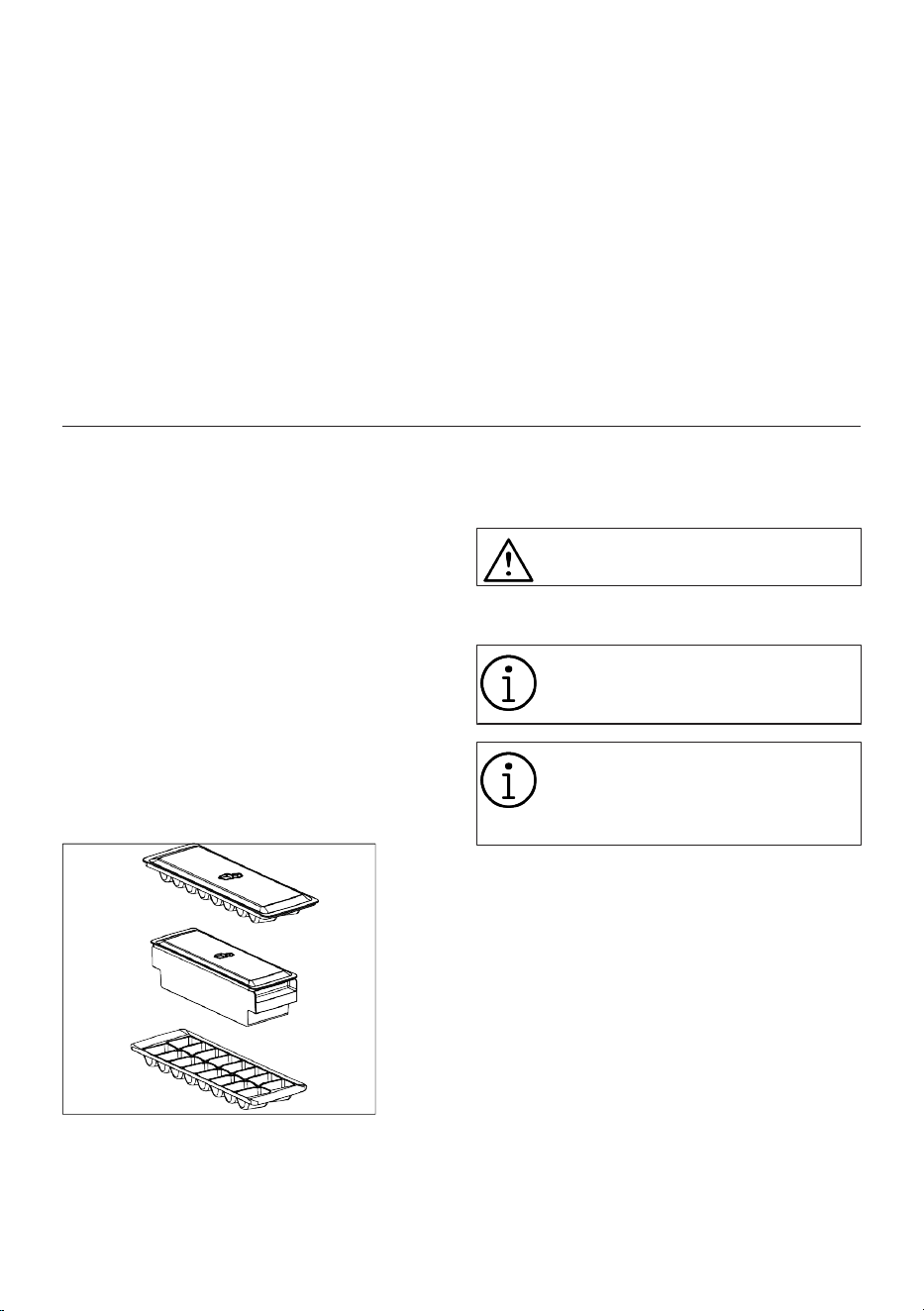
Ice Container
Ice bucket allows you take ice easily from
the refrigerator.
Using the ice bucket
1. Take the ice bucket out of the freezer
compartment.
2. Fill the ice bucket with water.
3. Place the ice bucket into the freezer
compartment. The ice will be ready
after approximately two hours.
4. Take the ice bucket from the freezer
compartment and bend in slightly over
the holder that you are going to serve.
Ice will easily pour into the serving
holder.
11.2 Egg holder
You can place the egg holder on the door or
body shelf you wish.
If the egg holder is to be placed on the body
shelf, we recommend you to choose colder
lower shelves.
Never place the egg holder on the
freezer compartment
11.3 Using the Water Dispenser
The first few glasses of water taken
from the fountain will normally be
warm.
If you have not used the water dis-
penser for a long time, dispose of
the first few glasses of water to get
clean water.
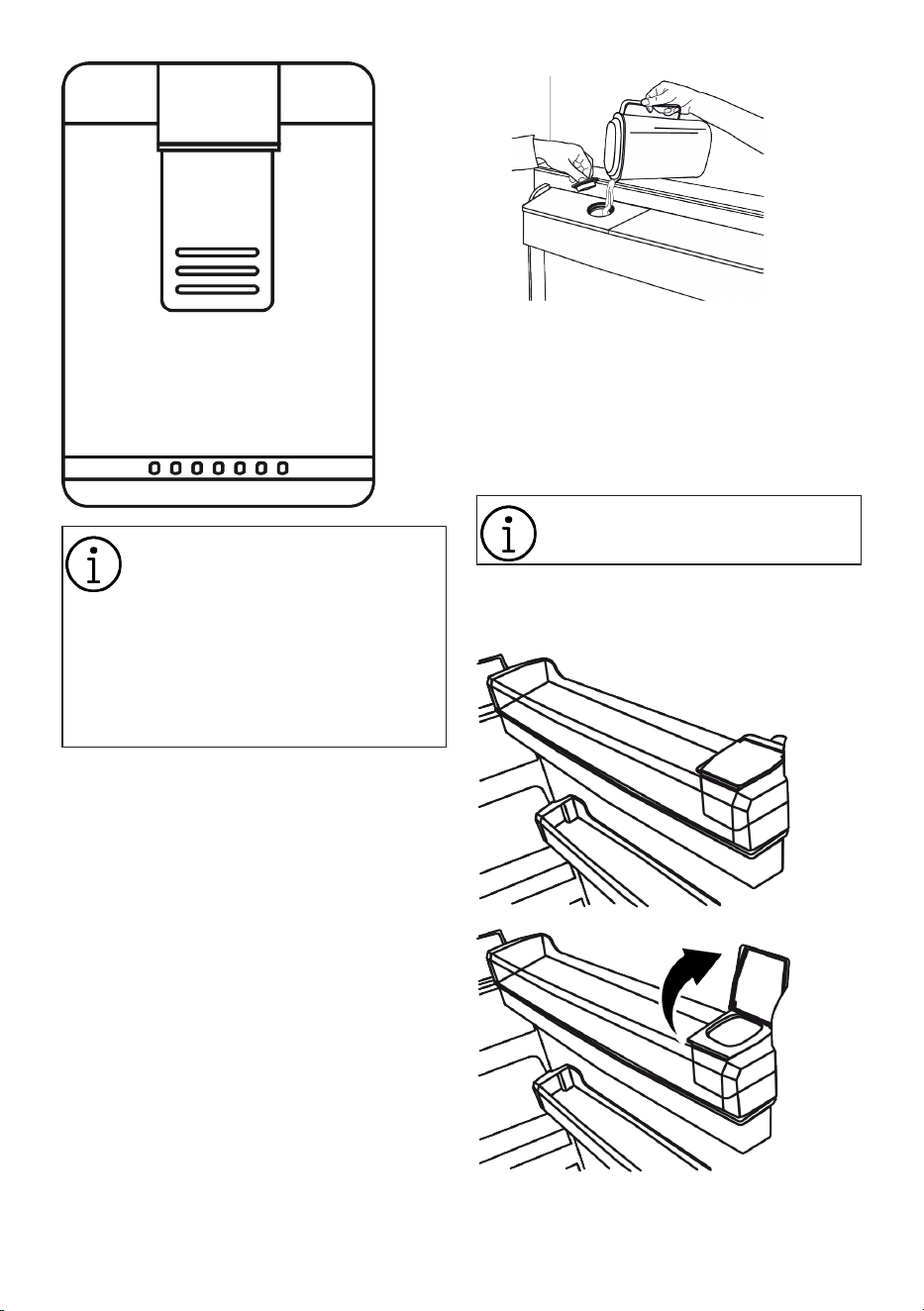
1. Press on the arm of the water dis-
penser with your glass. It would be
easier to press on the arm with your
hand if you are using a soft plastic
glass.
2. Release the arm after filling your glass
with water as you desire.
EN / 26
The amount of water flow from the
fountain depends on the pressure
you apply on the arm. Release the
pressure on the arm slightly as the
water level in your glass/container
is increased to prevent overflow.
Water shall drip if you press the
arm slightly; this is normal and it is
not a malfunction.
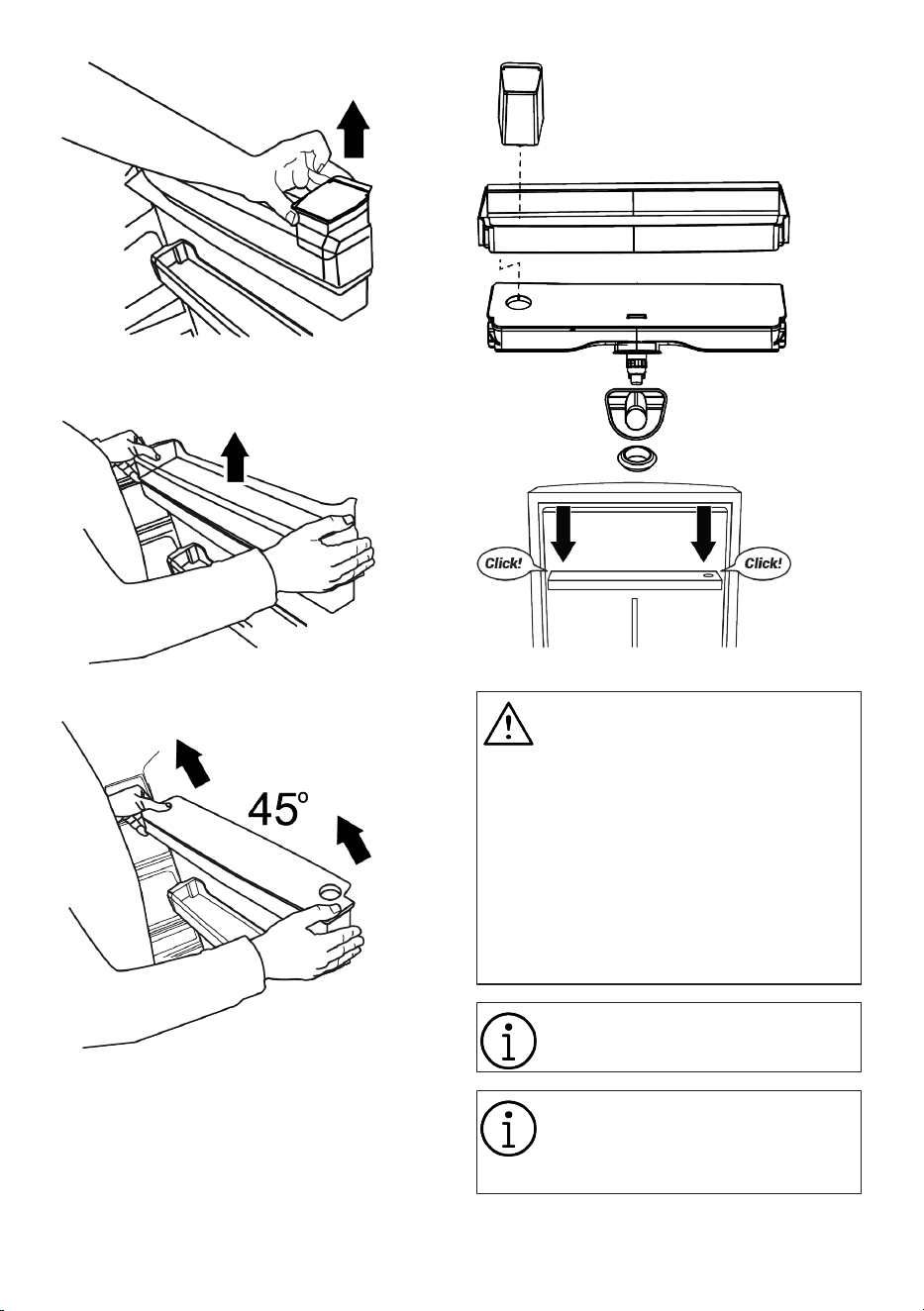
Filling the water tank of the water dis-
penser
1. Open the lid of the water tank as
shown in the figure. Fill in pure and
clean drinking water. Close the lid.
Water reservoir capacity is 3 litres,
do not overfill.
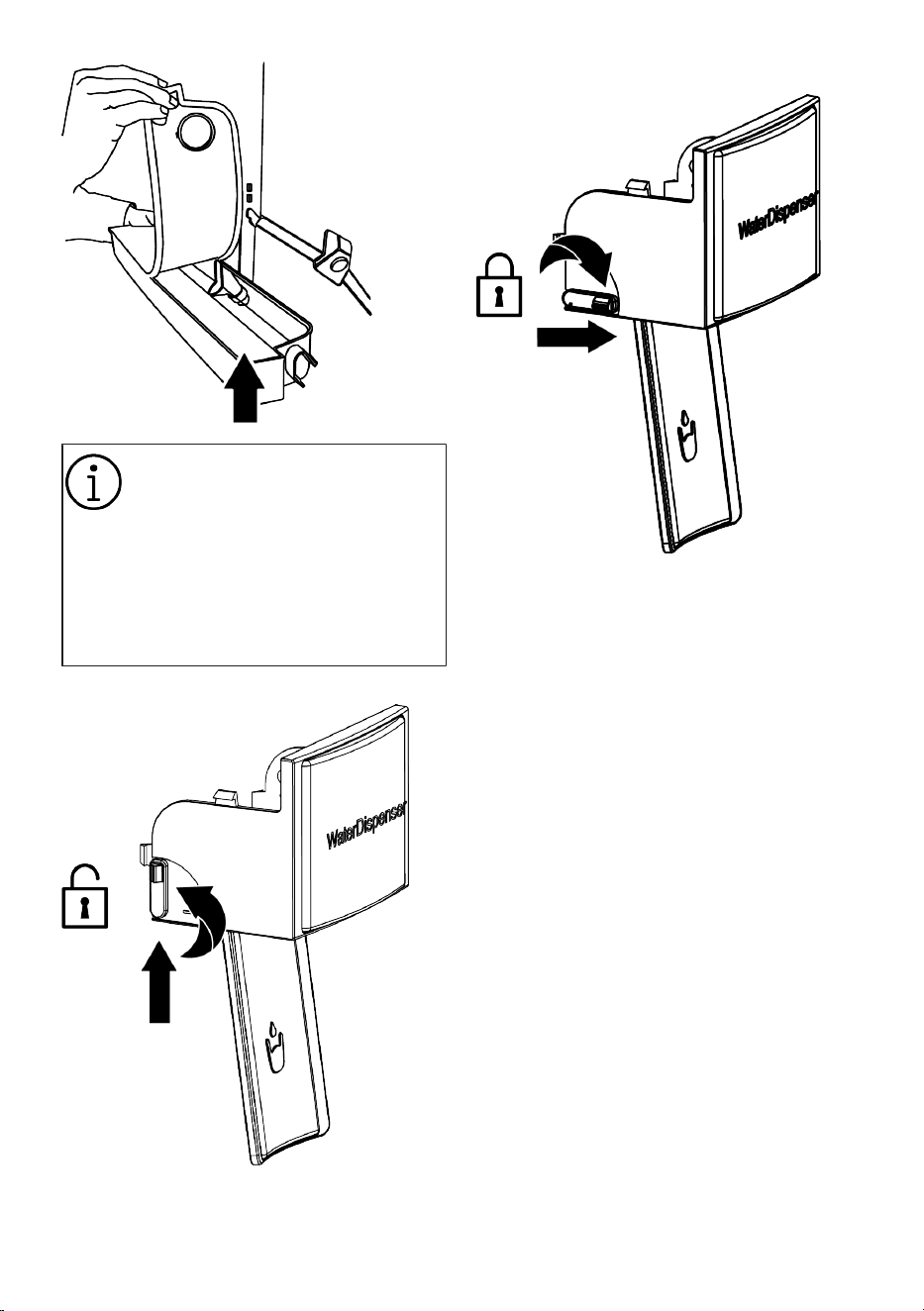
Cleaning the water tank
1. Remove the water filling reservoir in-
side the door shelf.
EN / 27
1. Detach by holding both sides of the
door shelf.
2. Hold both sides of the water tank and
remove at 45° angle.
3. Remove and clean the water tank lid.
Do not fill the water tank with fruit
juice, fizzy beverages, alcoholic
beverages or any other liquids in-
compatible for use in the water dis-
penser. Using such liquids will
cause malfunction and irreparable
damage in the water dispenser. Us-
ing the fountain in this way is not
within the scope of warranty. Cer-
tain chemicals and additives in
such beverages / liquids may cause
material damage to the water tank.
Use clean drinking water only.
NOTICE
Do not wash the components of the
water tank and water dispenser in
the dishwasher.
EN / 28
Before using the water dispenser in
the product, check whether the
Child Lock is active or not. Look at
the information in the figures about
the Child lock ON/OFF positions to
check.
Make sure that the Child lock ex-
actly closes as in the figure when it
is turned OFF.
Child lock is on like this.
Child lock is off like this.
11.4 Crisper
The refrigerator's crisper is designed to
keep vegetables fresh by preserving their
humidity. For this purpose, the overall cold
air circulation is intensified in the crisper.
Keep fruits and vegetables in this compart-
ment. Keep the green-leaved vegetables
and fruits separately to prolong their life.
11.5 Crisper Technologies
Blue Light
Fruits and vegetables stored in the crispers
that are illuminated with a blue light con-
tinue their photosynthesis by means of the
wavelength effect of blue light and thus
preserve their vitamin content.
HarvestFresh
Fruits and vegetables stored in crispers illu-
minated with theHarvestFresh technology
preserve their vitamins for a longer time
thanks to the blue, green, red lights and
dark cycles, which simulate a day cycle.
When the door of your refrigerator is
opened during the dark period of theHar-
vestFresh technology, your refrigerator
shall sense this automatically and illumin-
ate the crisper with one of the blue, green
EN / 29
or red lights respectively for your conveni-
ence. After you have closed the door of the
refrigerator, the dark period will continue,
representing the night time in a day cycle.
11.6 Dairy Products Cold Storage
Area
Cold Storage Drawer
The Cold Storage Drawer can reach lower
temperatures in the cooler compartment.
Use this drawer for delicatessen products
(salami, sausage, etc.) and dairy products
that require colder storage conditions, or
for meat, chicken or fish to be consumed
quickly. It is not suitable to store fruits and
vegetables in this drawer.
11.7 Humidity Controlled Crisper
Everfresh
With the humidity controlled crisper feature,
the humidity of vegetables and fruits is
kept under control and the food is kept
fresh for a longer period of time.
We recommend that you place leafy veget-
ables such as lettuce, spinach and similar
vegetables that are sensitive to moisture
loss in the crisper, not upright on their
roots, but as horizontally as possible.
When placing the vegetables, place heavy
and hard vegetables at the bottom and light
and soft ones on the top, taking into ac-
count the specific weights of vegetables.
Never leave vegetables in plastic bags in
the crisper. Leaving them in plastic bags
causes vegetables to rot in a short time.
In situations where contact with other ve-
getables is not preferred, use packaging
materials such as paper that has a certain
level of porosity in terms of hygiene.
Do not put fruits that have a high ethylene
gas production such as pear, apricot, peach
and particularly apple in the same crisper
with other vegetables and fruits. The ethyl-
ene gas coming out of these fruits might
cause other vegetables and fruits to mature
faster and rot in a shorter period of time.
12 Maintenance and Cleaning
WARNING:
Read the “Safety Instructions” sec-
tion first.
WARNING:
Before cleaning your refrigerator,
unplug it or de-energize the fuse to
which it is connected.
Do not place your hands, feet or metal ob-
jects under the refrigerator or between the
refrigerator and the floor for whatsoever
reason. Jamming may occur or any sharp
edge may cause personal injuries.
• Do not use sharp or abrasive tools to
clean the product. Do not use materials
such as household cleaning agents,
soap, detergents, gas, gasoline, thinner,
alcohol, wax, etc.
• The dust shall be removed from the vent-
ilation grill on the rear of the product at
least once a year (without opening the
cover). Clean the product with a dry cloth.
For products with Water Dispenser / Ice
Maker
• If the water in the water tank has waited
for 2-3 weeks, it shall be replaced.
• The water tank and the components of
the water dispenser shall not be washed
in dishwashers.
• Melt a teaspoonful of carbonate in half a
litre of water. Moisten a piece of cloth in
the water and wring out. Wipe the device
with this cloth and dry off thoroughly.
• Take care to keep water away from the
lamp's cover, LED lighting glass, vent
holes or other electrical parts. Risk of
electric shock and short circuit!
• Do not open live sections (control board
cover, compressor rear cover if any, etc.)
without the presence of an authorized
EN / 30
person and do not perform any cleaning,
maintenance or repair here. If your
product has no cover in the compressor
section, do not touch this are with your
hands or with any object. Risk of electric
shock and injury!
• Clean the door with a damp cloth. Re-
move door and body racks, as well as all
contents within the refrigerator. Remove
the door racks by lifting them upwards.
Clean and dry the racks, then attach back
in place by sliding from above.
• Do not use chlorinated water or cleaning
products on the exterior surface and
chrome coated parts of the product.
Chlorine will cause rust on such metallic
surfaces.
• Do not place your hands, feet or metal
objects under the refrigerator. Jamming
may occur or any sharp edge may cause
personal injuries..
• Do not use sharp and abrasive tools,
soap, house cleaning materials, deter-
gents, gas, gasoline, varnish and similar
substances to prevent deformation of
and removal of prints on the plastic part.
Use warm water and a soft cloth for
cleaning, and then dry it.
On the products without a No-Frost fea-
ture;
• Water droplets and icing up to a thick-
ness of a finger may occur on the rear
wall of the freezer compartment. Do not
clean, and never apply oils or similar ma-
terials.
• Use a mildly dampened micro-fibre cloth
to clean the external surface of the
product. Sponges and other types of
cleaning clothes may cause scratches.
• To clean all removable components dur-
ing the cleaning of the interior surface of
the product, wash these components
with a mild solution consisting of soap,
water and carbonate. Wash and dry thor-
oughly. Prevent contact of water with illu-
mination components and the control
panel.
• Take care to keep water away from the
lamp's cover and other electrical parts.
• Clean the door with a damp cloth. Re-
move all contents to remove the door
and body racks. Remove the door racks
by lifting them upwards. Clean and dry
the shelves, then attach back in place by
sliding from above.
• Do not use chlorinated water or cleaning
products on the exterior surface and
chrome coated parts of the product.
Chlorine will cause rust on such metallic
surfaces.
• Do not use sharp and abrasive tools,
soap, house cleaning materials, deter-
gents, gas, gasoline, varnish and similar
substances to prevent deformation of
and removal of prints on the plastic part.
Use warm water and a soft cloth for
cleaning, and then dry it.
• On the products without a No-Frost fea-
ture, water droplets and icing up to a
thickness of a finger may occur on the
rear wall of the cooler compartment. Do
not clean, and never apply oils or similar
materials.
• Use only a mildly dampened micro-fibre
cloth to clean the external surface of the
product. Sponges and other types of
cleaning clothes may cause scratches.
• To clean all removable components dur-
ing the cleaning of the interior surface of
the product, wash these components
with a mild solution consisting of soap,
water and carbonate. Wash and dry thor-
oughly. Prevent contact of water with illu-
mination components and the control
panel.
ATTENTION:
Do not use vinegar, rubbing alcohol
or other alcohol based cleaning
agents on any interior surface.
Stainless Steel External Surfaces
Use a non-abrasive stainless steel cleaning
agent and apply it with a soft lint-free cloth.
To polish, gently wipe the surface with a mi-
cro-fibre cloth dampened with water and
use dry polishing chamois. Always follow
the veins of the stainless steel.
EN / 31
Preventing Odours
The product is manufactured free of any
odorous materials. However, inappropri-
ately storing food and improper cleaning of
internal surfaces may lead to odours.
• To avoid this, clean the inside with car-
bonated water every 15 days.
• Keep the foods in sealed holders, as mi-
cro-organisms arising from foods kept in
unsealed containers will cause bad
odour.
• Do not keep expired and spoilt foods in
the refrigerator.
Protecting Plastic Surfaces
Oil spilled on plastic surfaces may damage
the surface and must be cleaned immedi-
ately with warm water.
13 Troubleshooting
Read the “Safety Instructions” sec-
tion first!
Check this list before contacting the ser-
vice. Doing so will save you time and
money. This list includes frequent com-
plaints that are not related to faulty work-
manship or materials. Certain features
mentioned herein may not apply to your
product.
WARNING: If the problem persists after fol-
lowing the instructions in this section, con-
tact your vendor or an Authorized Service.
Do not try to repair the product.
The refrigerator is not working.
• The power plug is not fully settled. >>>
Plug it in to settle completely into the
socket.
• The fuse connected to the socket power-
ing the product or the main fuse is blown.
>>> Check the fuse.
Condensation on the side wall of the
cooler compartment (MULTI ZONE,
COOL CONTROL and FLEXI ZONE).
• The door is opened too frequently. >>>
Take care not to open the product's door
too frequently.
• The environment is too humid. >>> Do
not install the product in humid environ-
ments.
• Foods containing liquids are kept in un-
sealed holders. >>> Keep the foods con-
taining liquids in sealed holders.
• The product's door is left open. >>> Do
not keep the product's door open for long
periods.
• The thermostat is set to a very cool tem-
perature. >>> Set the thermostat to an ap-
propriate temperature.
Compressor is not working.
• In case of sudden power failure or pulling
the power plug off and putting back on,
the gas pressure in the product's cooling
system is not balanced, which triggers
the compressor thermic safeguard. The
product will restart after approximately 6
minutes. If the product does not restart
after this period, contact the service.
• Defrosting is active. >>> This is normal
for a fully-automatic defrosting product.
The defrosting is carried out periodically.
• The product is not plugged in. >>> Make
sure the power cord is plugged in.
• The temperature setting is incorrect. >>>
Select the appropriate temperature set-
ting.
• The power is out. >>> The product will
continue to operate normally once the
power is restored.
The refrigerator's operating noise is in-
creasing while in use.
• The product's operating performance
may vary depending on the ambient tem-
perature variations. This is normal and
not a malfunction.
The refrigerator runs too often or for too
long.
• The new product may be larger than the
previous one. Larger products will run for
longer periods.

EN / 32
• The room temperature may be high. >>>
The product will normally run for long
periods in higher room temperature.
• The product may have been recently
plugged in or a new food item is placed
inside. >>> The product will take longer to
reach the set temperature when recently
plugged in or a new food item is placed
inside. This is normal.
• Large quantities of hot food may have
been recently placed into the product.
>>> Do not place hot food into the
product.
• The doors were opened frequently or
kept open for long periods. >>> The warm
air moving inside will cause the product
to run longer. Do not open the doors too
frequently.
• The freezer or cooler door may be ajar.
>>> Check that the doors are fully closed.
• The product may be set to a temperature
that is too low. >>> Set the temperature
to a higher degree and wait for the
product to reach the adjusted temperat-
ure.
• The cooler or freezer door washer may
be dirty, worn out, broken or not properly
settled. >>> Clean or replace the gasket.
Damaged / torn door washer will cause
the product to run for longer periods to
preserve the current temperature.
The freezer temperature is very low, but
the cooler temperature is adequate.
• The freezer compartment temperature is
set to a very low degree. >>> Set the
freezer compartment temperature to a
higher degree and check again.
The cooler temperature is very low, but
the freezer temperature is adequate.
• The cooler compartment temperature is
set to a very low degree. >>> Set the
cooler compartment temperature to a
higher degree and check again.
The food items kept in cooler compart-
ment drawers are frozen.
• The cooler compartment temperature is
set to a very low degree. >>> Set the
cooler compartment temperature to a
higher degree and check again.
The temperature in the cooler or the
freezer is too high.
• The cooler compartment temperature is
set to a very high degree. >>> Temperat-
ure setting of the cooler compartment
has an effect on the temperature in the
freezer compartment. Wait until the tem-
perature of relevant parts reach the suffi-
cient level by changing the temperature
of cooler or freezer compartments.
• The doors were opened frequently or
kept open for long periods. >>> Do not
open the doors too frequently.
• The door may be ajar. >>> Fully close the
door.
• The product may have been recently
plugged in or a new food item is placed
inside. >>> This is normal. The product
will take longer to reach the set temperat-
ure when recently plugged in or a new
food item is placed inside.
• Large quantities of hot food may have
been recently placed into the product.
>>> Do not place hot food into the
product.
Shaking or noise.
• The surface is not flat or durable >>> If
the product is shaking when moved
slowly, adjust the stands to balance the
product. Also make sure the ground is
sufficiently durable to bear the product.
• Any items placed on the product may
cause noise. >>> Remove any items
placed on the product.
• The product is making noise of liquid
flowing, spraying etc.
• The product's operating principles in-
volve liquid and gas flows. >>> This is
normal and not a malfunction.
EN / 33
There is sound of wind blowing coming
from the product.
• The product uses a fan for the cooling
process. This is normal and not a mal-
function.
There is condensation on the product's
internal walls.
• Hot or humid weather will increase icing
and condensation. This is normal and not
a malfunction.
• The doors were opened frequently or
kept open for long periods. >>> Do not
open the doors too frequently; if open,
close the door.
• The door may be ajar. >>> Fully close the
door.
There is condensation on the product's
exterior or between the doors.
• The ambient weather may be humid, this
is quite normal in humid weather. >>>
The condensation will dissipate when the
humidity is reduced.
The interior smells bad.
• The product is not cleaned regularly. >>>
Clean the interior regularly using sponge,
warm water and carbonated water.
• Certain holders and packaging materials
may cause odour. >>> Use holders and
packaging materials without free of
odour.
• The foods were placed in unsealed hold-
ers. >>> Keep the foods in sealed hold-
ers. Micro-organisms may spread out of
unsealed food items and cause bad
odour.
• Remove any expired or spoilt foods from
the product.
The door is not closing.
• Food packages may be blocking the
door. >>> Relocate any items blocking
the doors.
• The product is not standing in full upright
position on the ground. >>> Adjust the
stands to balance the product.
• The surface is not flat or durable >>>
Make sure the surface is flat and suffi-
ciently durable to bear the product.
The crisper is jammed.
• The food items may be in contact with
the upper section of the drawer. >>> Re-
organize the food items in the drawer.
Temperature on the product surface.
• High temperature may be observed
between two doors, on the side panels
and on the rear grill area while your
product is operated. This is normal and it
does not require servicing.
Fan continues to operate when the door
is opened.
• Fan may continue to operate when the
freezer door is open.
WARNING: If the problem persists
after following the instructions in
this section, contact your vendor or
an Authorized Service. Do not try to
repair the product. This is normal.
DISCLAIMER / WARNING
Some (simple) failures can be adequately
handled by the end-user without any safety
issue or unsafe use arising, provided that
they are carried out within the limits and in
accordance with the following instructions
(see the “Self-Repair” section).
Therefore, unless otherwise authorized in
the “Self-Repair” section below, repairs
shall be addressed to registered profes-
sional repairers in order to avoid safety is-
sues. A registered Professional repairer is a
professional repairer that has been granted
access to the instructions and spare parts
list of this product by the manufacturer ac-
cording to the methods described in legis-
lative acts pursuant to Directive 2009/125/
EC.
However, only the service agent (i.e.au-
thorized professional repairers) that you
can reach through the phone number given
in the user manual/warranty card or
through your authorized dealer may
EN / 34
provide service under the guarantee terms.
Therefore, please be advised that repairs
by professional repairers (who are not au-
thorized by) Beko shall void the guarantee.
Self-Repair
Self-repair can be done by the end-user
with regard to the following spare
parts:door handles,door hinges, trays, bas-
kets and door gaskets (an updated list is
also available support.beko.com as of 1st
March 2021).
Moreover, to ensure product safety and to
prevent risk of serious injury, the mentioned
self-repair shall be done following the in-
structions in the user manual for selfrepair
or which are available in sup-
port.beko.com . For your safety, unplug the
product before attempting any self-repair.
Repair and repair attempts by end-users for
parts not included in such list and/or not
following the instructions in the user manu-
als for self-repair or which are available in
support.beko.com, might give raise to
safety issues not attributable to Beko, and
will void the warranty of the product.
Therefore, it is highly recommended that
end-users refrain from the attempt to carry
out repairs falling outside the mentioned
list of spare parts, contacting in such cases
authorized professional repairers or re-
gistered professional repairers. On the con-
trary, such attempts by end-users may
cause safety issues and damage the
product and subsequently cause fire, flood,
electrocution and serious personal injury to
occur.
By way of example, but not limited to,the
following repairs must be addressed to au-
thorized professional repairers or re-
gistered professional repairers:compressor,
cooling circuit, main board,inverter board,
display board, etc.
The manufacturer/seller cannot be held li-
able in any case where end-users do not
comply with the above.
The spare part availability of the refriger-
ator that you purchased is 10 years.During
this period, original spare parts will be avail-
able to operate the refrigerator properly
The minimum duration of guarantee of the
refrigerator that you purchased is 24
months.
This product is equipped with a lighting
source of the "G" energy class.
The lighting source in this product shall
only be replaced by Professional repairer.
Beko UK and ROI Standard MANUFACTURER Guarantee Terms
AND Conditions
Your new Beko product is guaranteed
against faulty materials, defective compon-
ents or manufacturing defects.
The standard guarantee starts from the date of original purchase of the product and lasts for a period of twelve
(12) months unless Beko plc (the “Manufacturer”) agrees to extend the guarantee for the product in writing.
If you have any questions about the guaran-
tee on your product (including how long it is
valid), please contact your retailer or our
Customer Service Team on 0333 207 9710
(UK and Northern Ireland) or 01 862 3411
(Republic of Ireland)
This guarantee does not in any way dimin-
ish or affect your statutory rights in connec-
tion with the product. This guarantee is in
addition to your statutory rights as a con-
sumer. If you have any questions about
these rights, please contact the retailer
from which you purchased the product. In
certain circumstances, it is possible that
your statutory rights may offer additional or
higher levels of protection than those
offered under the terms of this guarantee.
What is covered by this guarantee?
• Repairs to the product required as a res-
ult of faulty materials, defective compon-
ents or manufacturing defects.
• Functional replacement parts to repair a
product.

EN / 35
• The costs of a Beko plc Authorised Ser-
vice Representative or Approved Engin-
eer (together the “Service Representat-
ives”) to carry out the repair.
What is not covered?
• Transit and delivery damage.
• Cabinet or appearance parts, including
but not limited to control knobs, flaps
and handles.
• Accessories and/or consumable items
including but not limited to ice trays,
scrapers, cutlery baskets, filters and light
bulbs.
• Repairs necessary as a direct or indirect
result of:
– Accidental damage, misuse or abuse
of a product.
– An attempted repair of a product by
anyone other than a Service Repres-
entative.
– Installation or use of a product where
such installation or use fails to meet
the requirements contained in this
guarantee or the User Instructions
Booklet.
• Repairs to a product operated at any time
on commercial or non-residential house-
hold premises (unless we have previously
agreed to the installation environment).
This guarantee is limited to the cost of re-
pairing the product. To the extent permitted
by law, the Manufacturer does not accept
and will not be held liable for any financial
loss incurred in connection with the failure
of any product to operate in accordance
with the expected standards. Such financial
loss includes but is not limited to loss
arising from:
• Time taken off work.
• Damaged food, clothing or other items.
• Meals taken at restaurants or from
takeaways.
• General compensation for inconveni-
ence.
Important Notes
1. Your product is designed and built for
domestic household use only.
2. The guarantee will automatically be
void if the product is installed or is
used in commercial or non-residential
domestic household premises, unless
we have previously agreed to the in-
stallation environment.
3. The product must be correctly in-
stalled, located and operated in accord-
ance with the instructions contained in
the User Instructions Booklet provided
with your product.
4. Professional installation by a qualified
electrical domestic appliance installer
is recommended for all Washing Ma-
chines, Dishwashers and Electric Cook-
ers (as incorrect installation may result
in you having to pay for the cost of re-
pairing the product).
5. Gas Cookers must be professionally in-
stalled by a Gas Safe (or Gas Networks
Ireland for Republic of Ireland) re-
gistered gas installer.
6. This guarantee is given in respect of
products purchased and used within
the United Kingdom and the Republic
of Ireland.
7. This guarantee is effective from the ini-
tial date of purchase of a new product
from an authorised retailer and will be
void if the product is resold.
8. This guarantee does not apply to
graded sales (where the product is pur-
chased as a “second”).
9. Possession of a copy of these terms
and conditions does not necessarily
mean that a product has the benefit of
this guarantee. If you have any ques-
tions, please call our Customer Service
Team on the number set out above.
10. The Manufacturer reserves the right to
terminate the guarantee if its staff or
representatives are subjected to phys-
ical or verbal abuse in the course of
carrying out their duties.
11. Optional extras, where available (i.e.
extendable feet) are supplied on a
chargeable basis only.

EN / 36
Does Beko offer replacements?
This is a repair-only guarantee. On occa-
sion, the Manufacturer may at its sole dis-
cretion, replace your product with a new
product instead of carrying out a repair.
Where a replacement is offered, this would
normally be an identical model but when
this is not possible, a model of similar spe-
cification will be provided. Subject to agree-
ment, the Manufacturer will cover the costs
and arrange for the delivery of the new
product and for the return of the old
product. Any costs related to disconnecting
the faulty product and installing the re-
placement product will not be borne by the
Manufacturer unless previously agreed to
in writing. The original guarantee will con-
tinue to apply to the replacement product;
the new product will not come with a new
guarantee.
When will the repair take place?
Our Service Representatives work Monday
to Friday 9.00am to 5.00pm. Appointments
outside these hours may be possible at the
sole discretion of the Manufacturer but
cannot be guaranteed. Whilst our Service
Representatives will endeavour to minimize
inconvenience and to meet requests for
specific timed appointments, this cannot
be guaranteed. We will not be liable for
delays or if it is unable to carry out a repair
because a convenient appointment cannot
be arranged.
Will there be any charge for the repairs?
It is your responsibility to provide evidence
to the Service Representative that your
product is covered by this guarantee with a
proof of purchase. The Manufacturer re-
serves the right to charge for the reason-
able cost of any service call if:
• You cannot provide evidence that your
product is covered by this guarantee.
• Where a service call has been made and
the Service Representative finds that
there is no fault with your product.
• That your product has not been installed
or operated in accordance with the User
Instructions Booklet.
• That the fault was caused by something
other than faulty materials, defective
components or manufacturing defects.
• For missed appointments.
Payment of these costs are due immedi-
ately upon the Service Representative
providing you with an invoice. The Manu-
facturer reserves the right to terminate the
guarantee if you fail to pay the costs for the
service call in a timely manner.
If you are a resident of the United Kingdom,
this guarantee will be governed by English
law and subject to the exclusive jurisdiction
of the English Courts, save where you live in
another part of the United Kingdom, in
which case the governing law and exclusive
jurisdiction of the courts of that country will
apply.
If you are resident in the Republic of Ire-
land, this guarantee will be governed by Ir-
ish law and the Irish courts will have exclus-
ive jurisdiction.
This guarantee is provided by Beko plc.
Beko House, 1 Greenhill Crescent, Watford,
Hertfordshire. WD18 8QU.
Beko plc is registered in England and Wales
with company registration number
02415578.
Beko UK AND ROI Built-In Appliances Guarantee Terms AND Conditions
If you have purchased a American style fridge freezer, built-in or integrated appliance, and registered it within 90
days of purchase by completing our online registration form or our by calling our telephone registration line, then
the standard 12 month guarantee will be extended to 24 months, under the same terms and conditions as detailed
in our Standard Guarantee Terms and Conditions.

EN / 37
Beko UK and ROI PARTS GUARANTEE
Terms AND Conditions
This 10 year parts guarantee relates to
Beko products.To confirm if your Beko ap-
pliance has our 10-year parts guarantee
you can visit our website at beko.co.uk/
guarantee-terms or telephone our registra-
tions team on 0800 497 0683.
The Parts guarantee terms and conditions
are in addition to our Standard guarantee
terms and conditions detailed in the previ-
ous section.
In order to activate the 10 year parts guarantee you MUST register the appliance within 90 days of the original
purchase date. You can register by visiting our websites. For UK customer visit beko.co.uk/register or phone 0800
497 0683. For ROI customers visit beko.ie/register or phone 1803 000 081. Our Beko branded appliances carry
FREE replacement parts for the first 10 years, provided they are fitted by our Service Representatives, at the ap-
plicable labour charge.
Beko free standing appliances come with a
12 month parts and labour guarantee as
standard.
Beko built-in, integrated appliances or
American fridge freezers come with a 12
month parts and labour guarantee as
standard. This is extended to 24 months,
free of charge, upon registration within 90
days of the purchase of the appliance.
When you register your appliance for addi-
tional guarantee, you will automatically ac-
tivate the 10 year parts guarantee. You do
not need to register twice.
To make a claim against your Beko Parts
Guarantee (the “Guarantee”), all customer
and product details must be registered with
Beko plc using the procedure outlined be-
low:
1. This extra 9 years (for free standing ap-
pliances) or 8 years (for built-in or in-
tegrated appliances or American fridge
freezers) guarantee is only effective
after the expiration of the standard
manufacturer’s guarantee.
2. It is only valid for certain models of
Beko branded products serviced or re-
paired by Beko plc Authorised Service
Representative and Own Engineers (the
“Service Representative”) and does not
cover any labour charge or any:
– Components including but not limited
to cabinet or appearance parts, control
knobs, flaps and handles.
– Accessories and/or consumable items
including but not limited to ice trays,
scrapers, cutlery baskets, filters and
light bulbs.
3. To activate your guarantee, you MUST
register your appliance within 90 days
of the original purchase date, For UK
customers, visit beko.co.uk/register or
phone 0800 497 0683. For ROI custom-
ers visit beko.ie/register or phone 1803
000 081.
4. Registrations made after 90 days of
the original purchase date, may be re-
quired to pay an additional fee to activ-
ate the 10 year free parts guarantee.
5. Any repair must be carried out by a Ser-
vice Representative and booked dir-
ectly with Beko plc.
6. Labour for the repair is not included in
this guarantee and is chargeable at the
time of booking a repair.
7. The repair is guaranteed for 3 months
for the same defect.
8. In the unlikely event that the appliance
is beyond economical repair we may at
the sole discretion of Beko plc offer
you an appliance at a reduced price.
Our call out fee will still apply.
9. If the fault can’t be identified and the
appliance is functioning normally a call
out fee will apply.
10. The guarantee is not transferable and
cannot be exchanged for cash.
11. There are no alternative or additional
offers to this guarantee.
12. The guarantee is exclusive of the man-
ufacturer’s standard guarantee.
13. All repair pricing can be found here
beko.co.uk/guarantee-terms (UK & ROI).
Alternatively contact our Customer Ser-
vices Team for further information.
EN / 38
14. All prices are subject to change without
notice.
15. We reserve the right to amend, modify,
update, or change these Terms and
Conditions at any time. Any such
changes will be effective immediately
upon being posted on our website or
through other communication meth-
ods. Your continued use of our ser-
vices after the posting of changes con-
stitutes your acceptance of such
changes. It is your responsibility to re-
view these Terms and Conditions peri-
odically to ensure you are aware of any
updates.
16. The Terms and Conditions shown
above are in addition to the standard
terms and conditions of your product
guarantee. Please read and refer to
such Terms and Conditions when mak-
ing any claim.
17. We may use the information you
provide for marketing purposes and to
analyse your purchasing preferences.
We may keep your information for a
reasonable period for these purposes
in accordance with the applicable Data
Protection Laws and General Data Pro-
tection Regulations (GDPR). You can
opt into this service during the registra-
tion process. Further details are avail-
able at beko.co.uk/cookie-and-privacy-
policy
18. These Terms and Conditions are gov-
erned by the laws of England and
Wales; manufacturer: Beko plc, Beko
House, 1 Greenhill Crescent, Watford
WD18 8QU. Company Registration
Number: 02415578.
HOW TO OBTAIN SERVICE FOR YOUR
APPLIANCE
Please keep your purchase receipt or other
proof of purchase details in a safe place;
you will need to have this documentation
available should the product require atten-
tion under guarantee.
Please take a few moments to complete the details below, as you will need this information when you call us, or to
use our online services. For help please visit beko.co.uk/support/model-finder.
• The product model number is printed on
the Operating Instruction Booklet / User
guide
• The product model and serial number is
printed on the Rating Label affixed to the
appliance.
• The Retailer (Purchased from) and Date
of purchase will be printed on your pur-
chase receipt or other proof of purchase
paperwork
• Recording of these details alone will not
count as proof of purchase. A valid proof
of purchase is required for requesting
service under guarantee.
Model number Serial number Purchased from Date of purchase
For service under guarantee or for
product advice please call our Customer
Service Team
Before requesting service please check
the troubleshooting guide in the Operat-
ing Instructions booklet or our video
support found beko.co.uk/support/how-
to-guides, as a charge may be levied
where no fault is found, even though
your product may still be under guaran-
tee.
After arranging a service visit please en-
sure the area around the product must be
easily accessible to the Service Represent-
ative, without the need for cabinets or fur-
niture to be removed or moved.
EN / 39
It is your responsibility to ensure our
Service Representatives have a clean
and safe environment to carry out any
repairs.
Please have your Model number and Serial number available when you call us, as you will be required to provide it
prior to booking a service visit
UK Mainland & Northern Ireland:
0333 207 9710
Landline or mobile calls to 0333 numbers
cost no more than calls to geographic num-
bers 01 or 02 and are charged at the basic
rate. Calls from landlines and mobiles are
included in free call packages but please
check with your telephone service provider
for exact call charges.
Republic of Ireland:
01 862 3411
Service once the manufacturers guaran-
tee has expired
If you have purchased an extended guaran-
tee please refer to the instructions con-
tained within the extended guarantee
agreement document, otherwise please call
us using the appropriate number above,
where service can be obtained at a charge.
If you do not have any extended guarantee
you can call the Customer Services Team
for UK customers on 0330 123 1750 and
ROI customers on 01 862 3411
Contact us though our website
Send us a secure message through our on-
line contact us form. Please visit our web-
site, click Contact Us and choose a product
support topic from the list of options. Com-
plete the required details and click send
message.
Product registrations
For UK registrations please visit
beko.co.uk/register and for the Republic of
Ireland visit beko.ie/register.