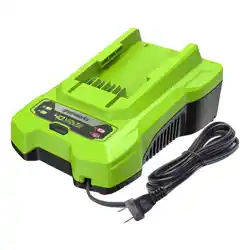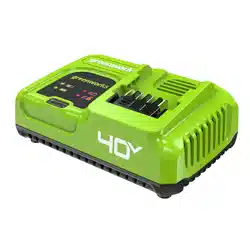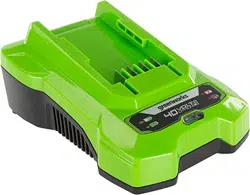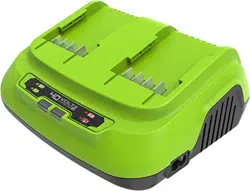
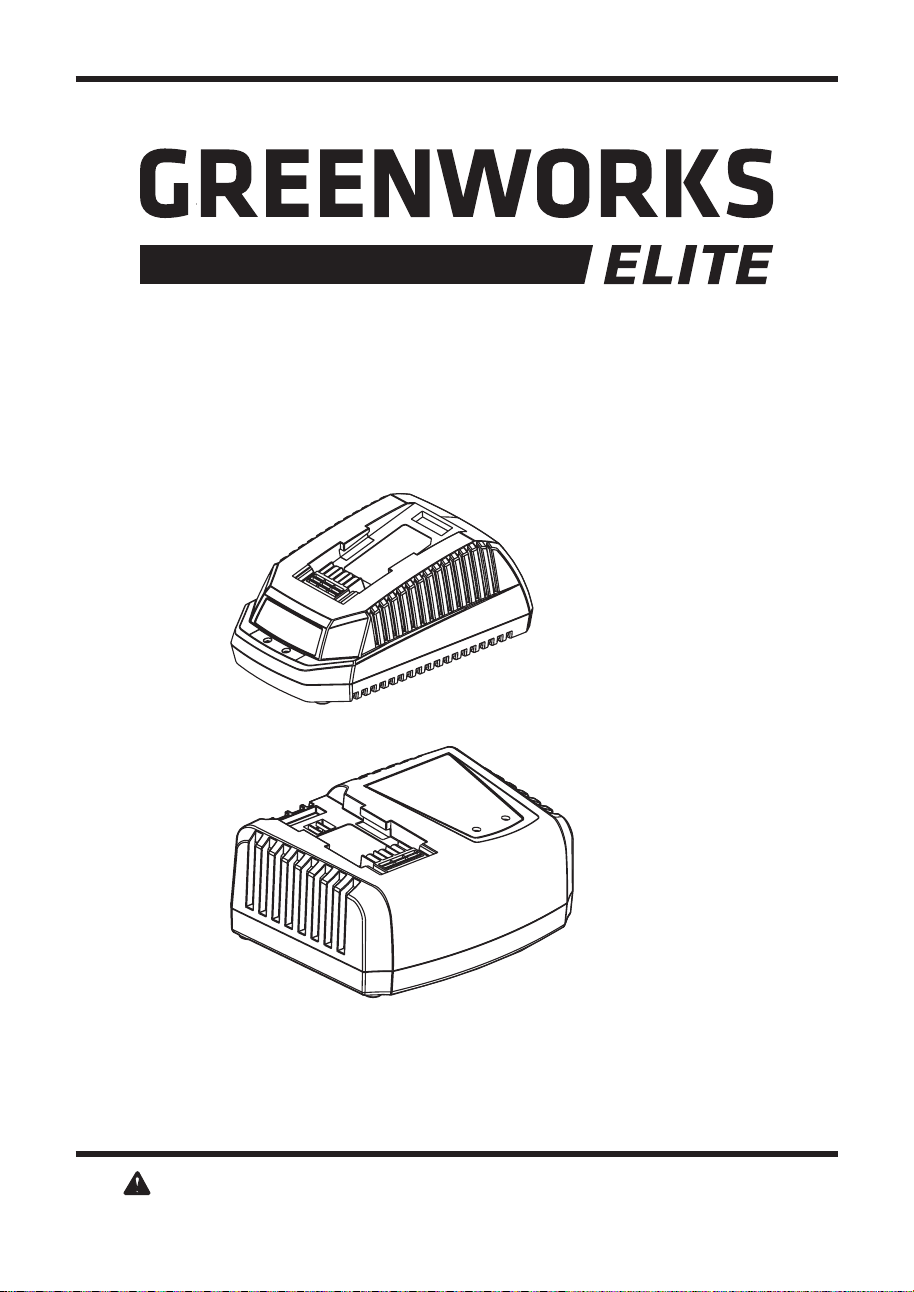
40V LITHIUM-ION BATTERY CHARGER
Read all safety rules and instructions carefully before operating this tool.
Owner’s Manual
TOLL-FREE HELPLINE: 1-833-493-5483
C-220
C-400
www.greenworkselite.com

2
CONTENTS
Contents .............................................................................................................................. 2
Product Specications ......................................................................................................... 2
Important Safety Instructions .............................................................................................. 3
Symbols ............................................................................................................................... 5
Know Your Charger .............................................................................................................. 6
Operation ............................................................................................................................. 7
Maintenance ...................................................................................................................... 10
Troubleshooting................................................ ....................................................................11
Limited Warranty.................................................................................................................... 12
PRODUCT SPECIFICATIONS
CHARGER WARRANTY
CHARGEUR
GARANTIE DE
GARANTÍA DE LA
CARGADOR
YEAR/ANS/AÑOS
40V Lithium-ion Battery Charger
Model ............................................................................................................................C-220
Input ......................................................................................................120VAC 50/60Hz 1.5A
Output .................................................................................................................40V DC 2.2A
Weight .......................................................................................................... 1.48 lbs (0.67 kg)
Class .................................................................................................. Class 2 Battery Charger
40V Lithium-ion Battery Charger
Model ............................................................................................................................C-400
Input .......................................................................................... 120VAC 50Hz/60Hz 2.6A max
Output ................................................................................................................... 40V DC 4A
Weight .......................................................................................................... 2.29 lbs (1.04 kg)
3
IMPORTANT SAFETY INSTRUCTIONS
IMPORTANT SAFETY INSTRUCTIONS – SAVE
THESE INSTRUCTIONS
DANGER – TO REDUCE THE RISK OF FIRE OR
ELECTRIC SHOCK, CAREFULLY FOLLOW THESE
INSTRUCTIONS
Read and understand all instructions before using this product.
Failure to follow all
instructions listed below may result in electric shock, re, and/or serious personal injury.
WARNING
FOR INDOOR USE ONLY.
CAUTION
Risk of Electric Shock.
Dry location use only.
Store indoors, and do not expose to rain or water, avoid direct sunshine.
CAUTION
RISK OF FIRE OR ELECTRIC SHOCK, DO NOT CONNECT OUTPUT TERMINALS.
CAUTION
CHARGE ONLY RECHARGEABLE GW ELITE 40V LI-ION BATTERY PACK L-300 /
L-600, OTHER TYPES OF BATTERIES MAY BURST CAUSING PERSONAL INJURY AND
DAMAGE.
• SAVE THESE INSTRUCTIONS - This manual contains important safety and operating
instructions for battery charger C-220 / C-400.
• Before using battery charger, read all instructions and cautionary markings on battery
charger, battery, and product using battery.
• To reduce the risk of fire and electric shock, store in a temperature- and humidity-
controlled indoor area relatively free of conductive contaminants.
• Use of an attachment not recommended or sold by the battery charger manufacturer
may result in a risk of re, electric shock, or injury to persons.
Following this rule will
reduce the risk of electric shock, re, or serious personal injury.
• Do not abuse cord or charger. Never use the cord to carry the charger.
Do not pull the
charger cord rather than the plug when disconnecting from the electrical outlet. Damage to
the cord or charger could occur and create an electric shock hazard. Bring to an authorized
service center if cords are damaged.
• Do not operate charger if it has received a sharp blow, been dropped, or otherwise
damaged in any way.
Take it to an authorized service center for electrical check to determine
4
IMPORTANT SAFETY INSTRUCTIONS
if the charger is in good working order.
• Do not cover the ventilation slots on the top of the charger.
Do not set the charger on a
soft surface i.e. blanket, pillow. Keep the ventilation slots of the charger clear.
• Do not probe the charger with conductive materials.
• Do not disassemble charger.
Take it to an authorized service center when service or repair
is required. Incorrect reassembly may result in a risk of electric shock or re.
• Disconnect charger from the power supply when not in use.
This will reduce the risk of
electric shock or damage to the charger if metal items should fall into the opening. It also will
help prevent damage to the charger during a power surge.
• Do not use a damp cloth or detergent to clean the battery or battery charger.
Clean /
wipe down with a dry cloth.
• Do not allow the battery pack or charger to overheat.
If they are warm, allow them to cool
down. Recharge only at room temperature.
• Unplug the charger before cleaning and when there is no battery pack in the charger.
• Do not try to connect two chargers together.
• Do not allow liquid inside the charger.
• Do not try to use the charger for any other purpose than what is presented in this
manual.
• Save these instructions.
Refer to them frequently and use them to instruct others who
may use this tool. If you loan someone this tool, loan them these instructions also to prevent
misuse of the product and possible injury.
• Conrm the voltage in each country before using the charger.
• If the shape of the plug does not t the power outlet, use an attachment plug adaptor
of the proper conguration for the power outlet.
WARNING(PROPOSITION 65)
This product and some dust created by power sanding, sawing, grinding, drilling, and other
construction activities may contain chemicals, including lead, known to cause cancer, birth
defects or other reproductive harm.
Wash hands after handling.
5
SYMBOLS
Some of the following symbols may be used on this product. Please study them and learn their
meaning. Proper interpretation of these symbols will allow you to operate the product better and
safer.
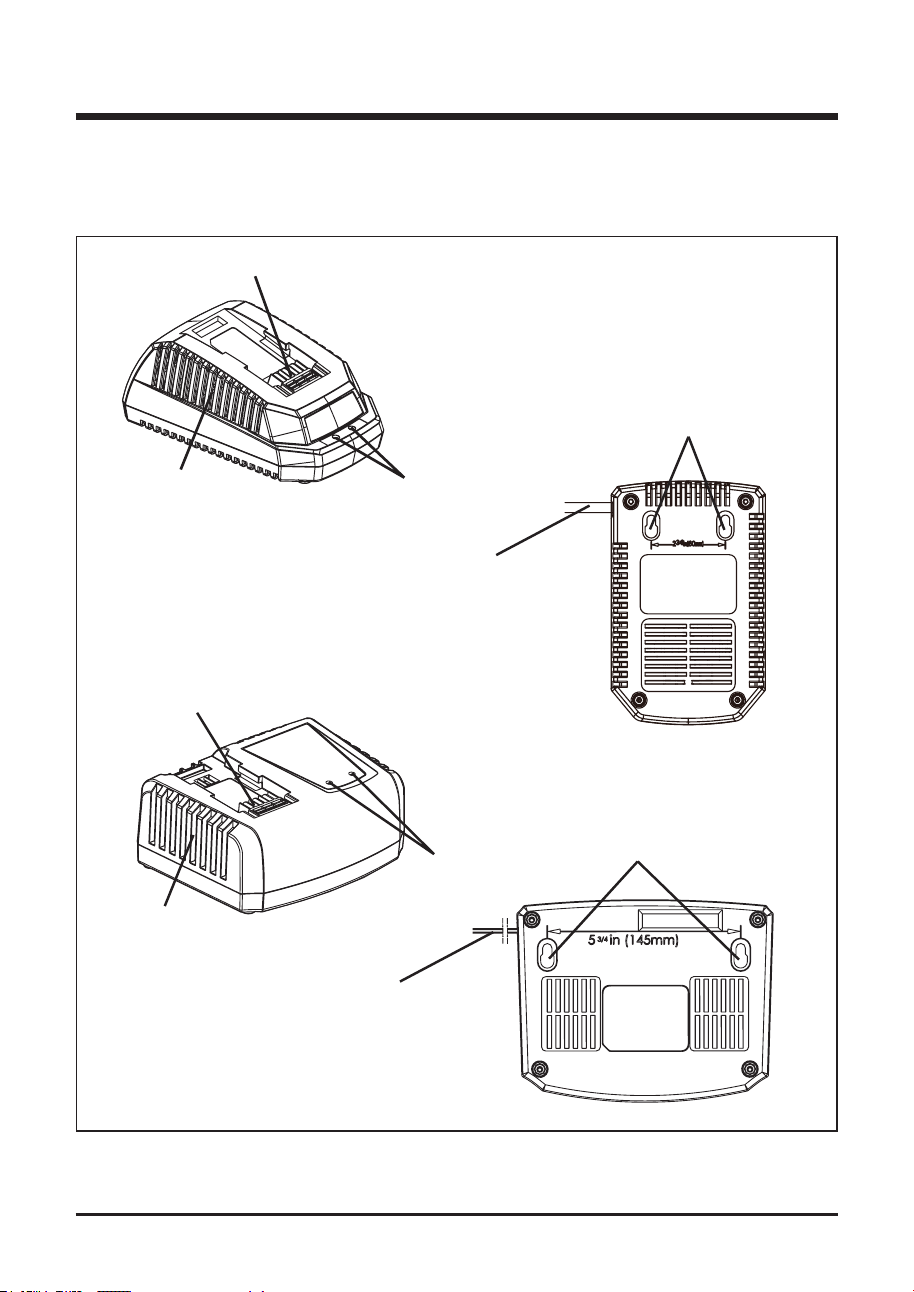
SYMBOL NAME DESIGNATION/EXPLANATION
V Volts Voltage
Hz Hertz Frequency (cycles per second)
W Watts Power
Direct Current Type or a characteristic of current
Wet Conditions Alert Do not expose to rain or use in damp locations.
Read The Operator’s Manual
To reduce the risk of injury, user must read and
understand operator’s manual before using
this product.
Safety Alert Precautions that involve your safety.
The following signal words and meanings are intended to explain the levels of risk associated
with this product.
SYMBOL SIGNAL MEANING
DANGER
Indicates an imminently hazardous situation, which, if not avoided,
will result in death or serious injury.
WARNING
Indicates a potentially hazardous situation, which, if not avoided,
could result in death or serious injury.
CAUTION
Indicates a potentially hazardous situation, which, if not avoided,
may result in minor or moderate injury.
CAUTION
(Without Safety Alert Symbol) Indicates a situation that may result
in property damage.
6
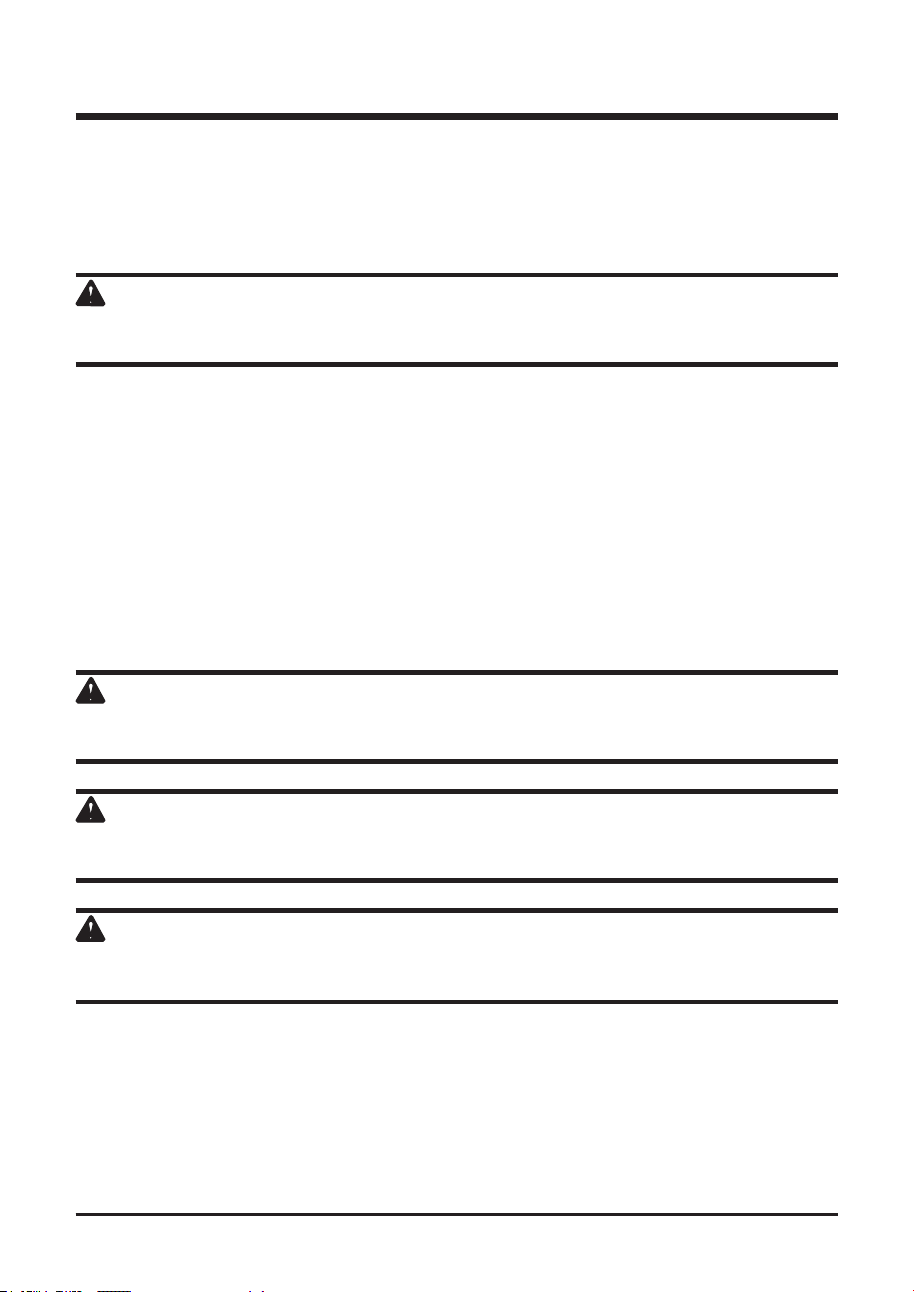
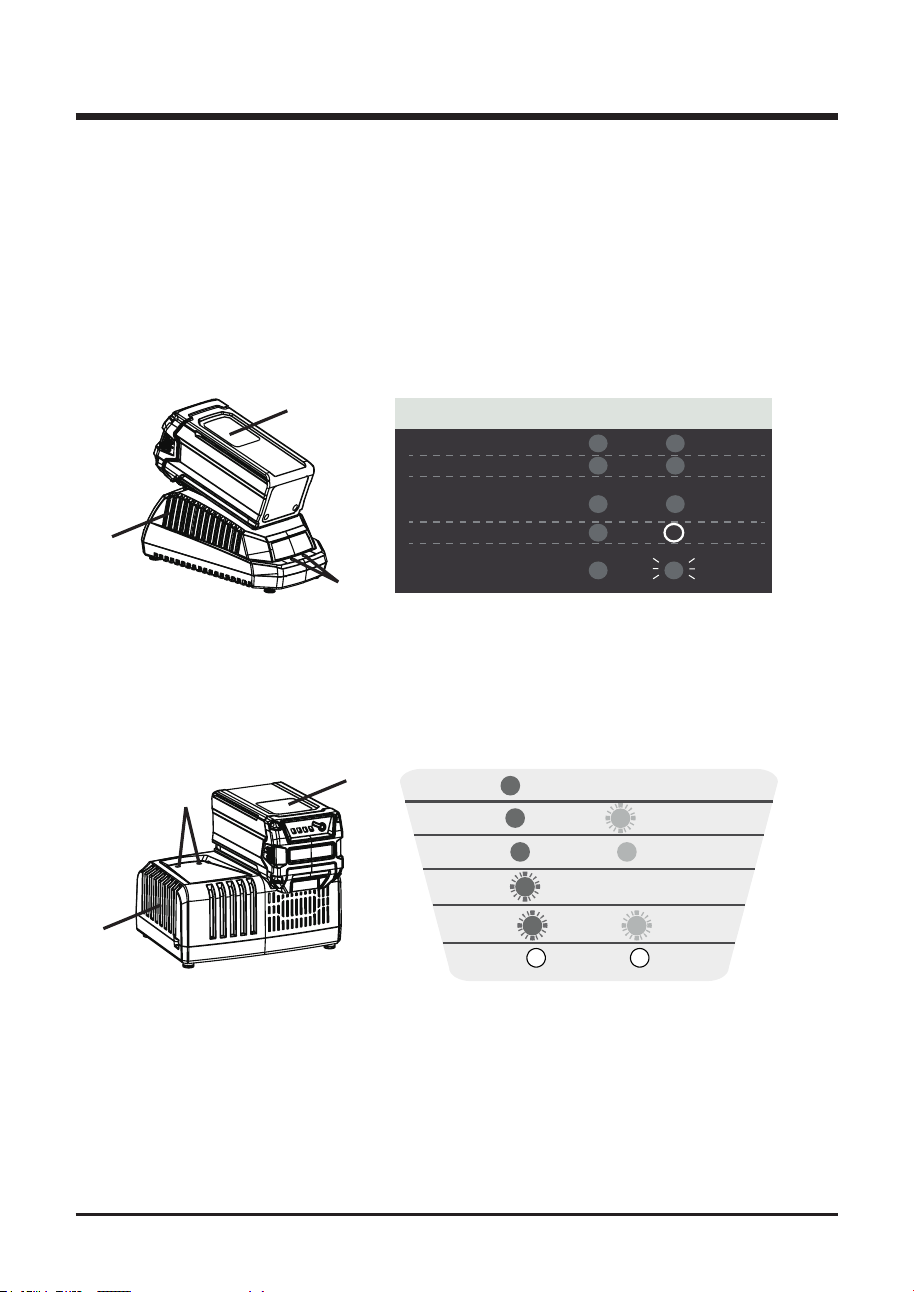
KNOW YOUR CHARGER
The safe use of this product requires an understanding of the information on the product and in
this operator’s manual as well as a knowledge of the project you are attempting. Before using
this product, familiarize yourself with all operating features and safety rules.
Electrical Contacts
LED Lights
Cooling Air Port
LED Lights
Electrical Contacts
Cooling Air Port
Wall Mounting Holes
Power Cord
Power Cord
Wall Mounting Holes
7
OPERATION
This device complies with Part 15 of the FCC Rules. Operation is subject to the following two
conditions:
(1) This device may not cause harmful interference.
(2) This device must accept any interference received, including interference that may cause
undesired operation.
WARNING
Changes or modications to this unit not expressly approved by the manufacturer for compliance
could void the user’s authority to operate the equipment.
NOTE
: This equipment has been tested and found to comply with the limits for a Class B digital
device, pursuant to Part 15 of the FCC Rules.
These limits are designed to provide reasonable protection against harmful interference in a
residential installation. This equipment generates, uses and can radiate radio frequency energy
and, if not installed and used in accordance with the instructions, may cause harmful interference
to radio or television reception, which can be determined by turning the equipment off and on, the
user is encouraged to try to correct the interference by one or more of the following measures:
• Reorient or relocate the receiving antenna.
• Increase the separation between the equipment and the receiver.
• Connect the equipment into an outlet on a circuit different from that to which the receiver is
connected.
• Consult the dealer or an experienced radio/TV technician for help.
WARNING
Do not allow familiarity with products to make you careless. Remember that a careless fraction of a
second is sufcient to inict serious injury.
WARNING
Do not use any attachments or accessories not recommended by the manufacturer of this product.
The use of attachments or accessories not recommended can result in serious personal injury.
CAUTION
Charge in a well ventilated area. Do not block charger vents. Keep them clear to allow proper
ventilation.
CHARGING PROCEDURE
NOTE
: The battery is not shipped fully charged. It is recommended to fully charge before rst
use to ensure that maximum run time can be achieved. This lithium-ion battery will not develop a
memory and may be charged at any time.
8
OPERATION
Low voltage charging:
If the battery has been stored with little to no charge for a long period of time, the charger will go
into recovery mode, which will take 20 hrs to fully charge the battery. This will enhance the life of
the battery. Once it is fully charged, the next charge will return to standard charging.
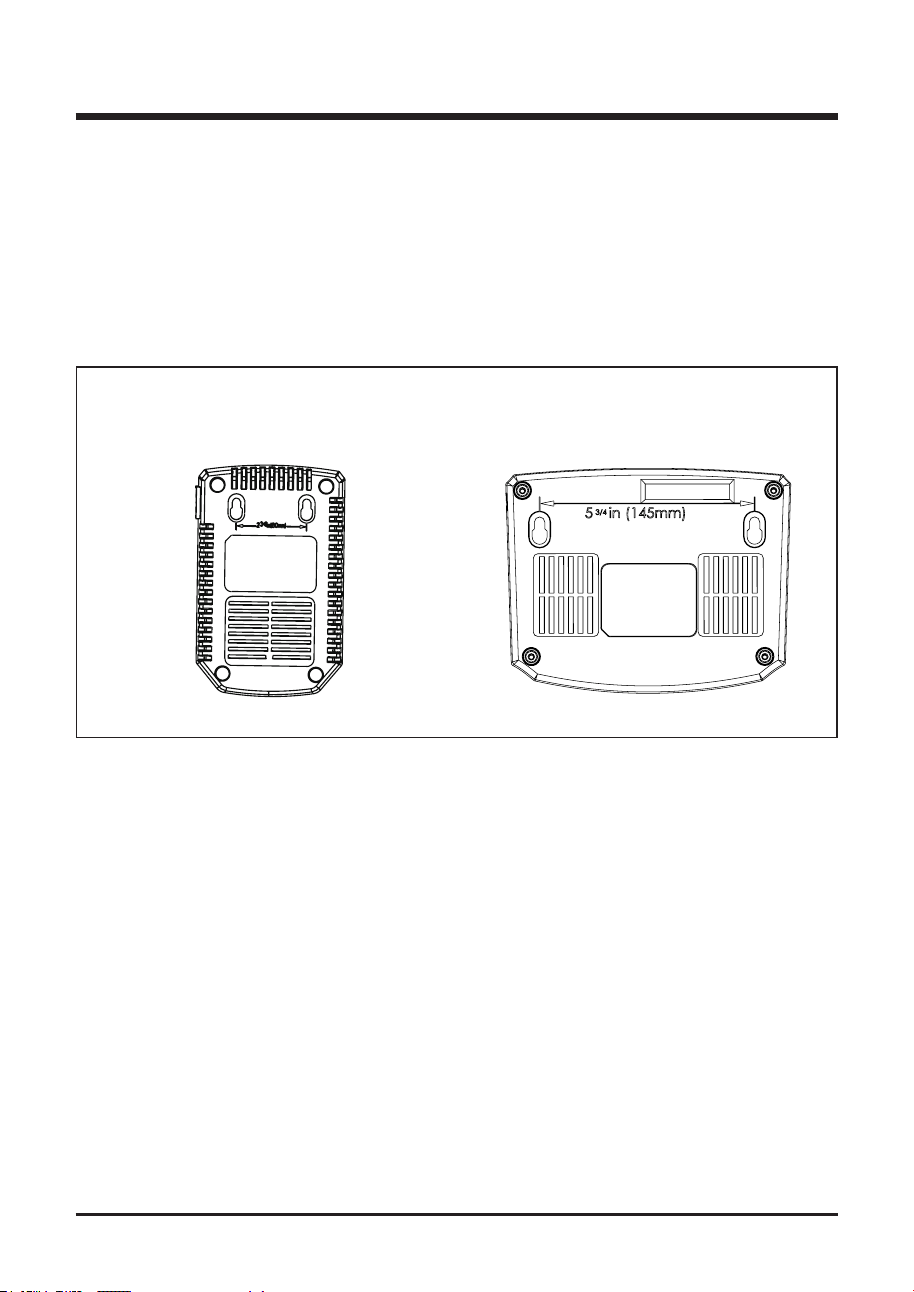
1. Plug the charger (1) into an AC power outlet.
2. Insert the battery pack (2) into the charger (1).
This is a diagnostic charger. The Charger LED Lights (3) will illuminate in specic order to
communicate the current battery status. They are as follows:
False Defect Note:
When the battery is inserted into the charger, and the status LED ashes, remove the battery
from the charger for 1 minute, then reinsert. If the status LED indicates normal than the battery
pack is good. If the status LED is still blinking, remove the battery pack and unplug the charger.
Wait 1 minute and plug the charger back in and reinsert the battery pack. If the status LED
indicates normal than the battery pack is good. If the status LED is still blinking then the battery
pack is defective and needs to be replaced.
False Defect Note:
When the battery is inserted into the charger, LED 1 ashes RED and LED 2 ashes Green,
remove the battery from the charger for 1 minute, then reinsert. If the status LEDs indicate
normal, then the battery pack is good. If the status LED 1 and LED 2 are still blinking, remove the
battery pack and unplug the charger. Wait 1 minute and plug the charger back in and reinsert the
battery pack. If the status LEDs indicate normal than the battery pack is good. If the status LED 1
and LED 2 are still blinking then the battery pack is defective and needs to be replaced.
CHARGING PROCEDURE (LED INDICATOR)
BATTERY IS CHARGING:
FULLY CHARGED:
BATTERY IS TOO WARM:
(REMOVE FOR APPROX. 30
MINUTES TO ALLOW TO COOL)
DEFECTIVE BATTERY:
(REMOVE AND REPLACE WITH
NEW BATTERY IF THIS OCCURS)
NO BATTERY PRESENT
GREEN
ORANGE
OFF
RED
RED RED
RED
RED
RED
RED
BLINKING
C-200
C-400
2
1
3
2
1
3
STAND BY
RED OFF
OFF
RED
RED
LED 1
BLINKING
RED
BLINKING
GREEN
BLINKING
GREEN
BLINKING
RED
CHARGING
FULLY CHARGED
HIGH TEMP.
ERROR
GREEN
LED 2
9
OPERATION
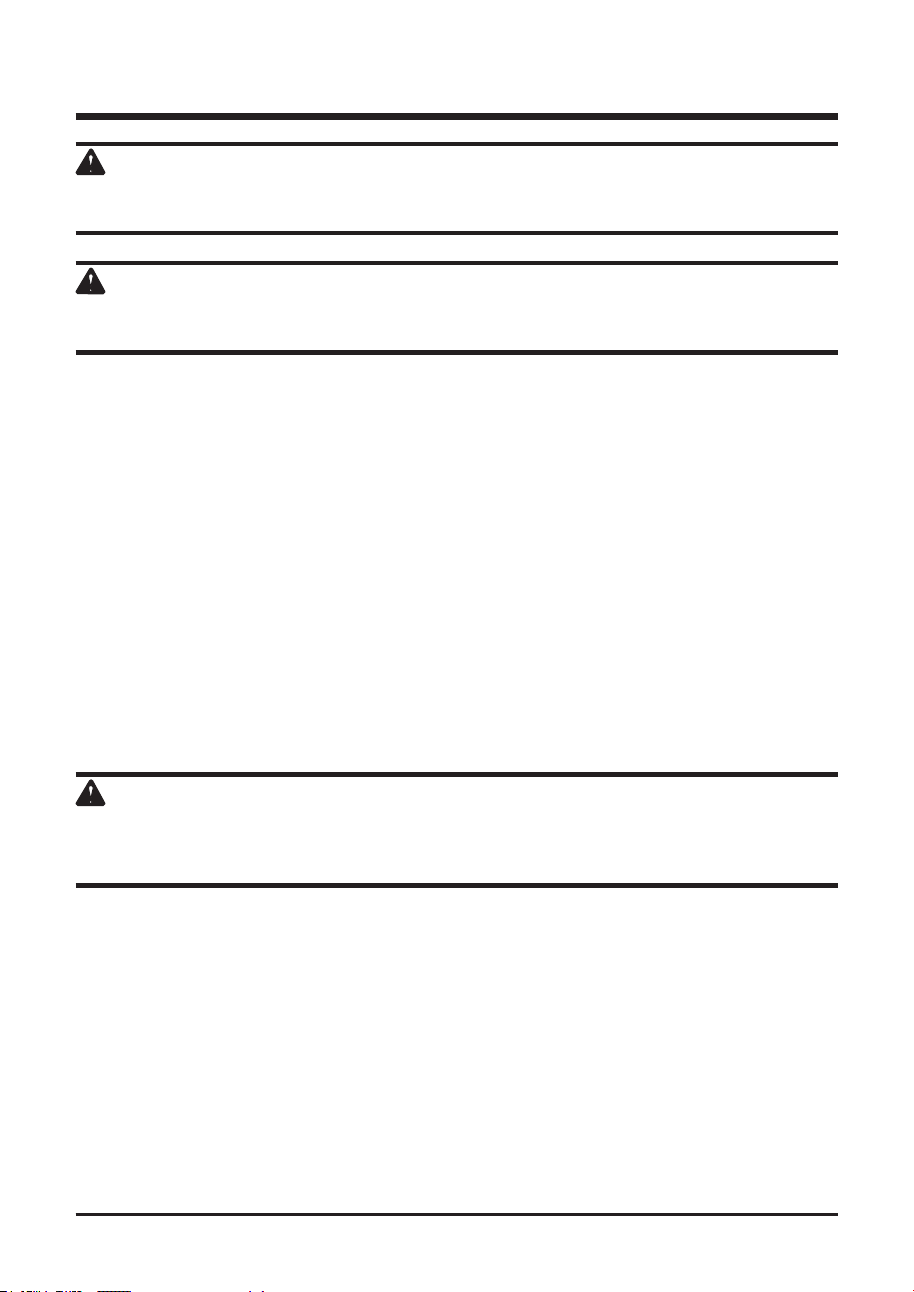
CHARGER MOUNTING
1. This charger can be installed hanging on a wall using two #8 screws (not included).
2. Locate the placement for the charger to be wall mounted.
3. If fastening to wood studs use 2 wood screws (not included).
4. C-220: Drill two holes 2 3/8 in. on center ensuring they are level.
C-400: Drill two holes 5 3/4 in. on center ensuring they are level.
5. If fastening to drywall use wall anchors (not included) and screws to secure the charger to the
wall.
6. This power unit is intended to be correctly orientated in a vertical or oor mount position.
NOTE
: If the battery and the charger won’t be used for a long time, remove the battery from the
charger and pull out the AC power plug.
C-200 C-400
10
MAINTENANCE
WARNING
To avoid serious personal injury, always remove the battery pack from the tool when cleaning or
performing any maintenance.
WARNING
When servicing, use only identical GW ELITE replacement parts. Use of any other parts may
create a hazard or cause product damage.
GENERAL MAINTENANCE
• Brush or blow dust and debris out of the air vents using compressed air or a vacuum. Keep
the air vents free of obstructions, sawdust, and wood chips. Do not spray, wash, or immerse
the air vents in water. Always wear safety goggles or safety glasses with side shields when
using compressed air to clean the tool. If the operation is dusty, also wear a dust mask
.
• Wipe off the housing and the plastic components using a dry, soft cloth. Do not use strong
solvents or detergents on the plastic housing or plastic components. Certain household
cleaners may cause damage and may cause a shock hazard.
STORAGE
• Always remove the battery pack before storing the charger or anytime the charger is
unplugged.
• Do not place the battery pack in the sun or a warm environment. Keep at normal room
temperature.
• If the battery will not be used for 3 months or more, please store the battery in a room
temperature environment. Please fully charge before storage.
WARNING
Do not at any time let brake uids, gasoline, petroleum-based products, penetrating oils, etc. to
come in contact with plastic parts. Chemicals can damage, weaken or destroy plastic which may
result in serious personal injury.
11
TROUBLESHOOTING
11
PROBLEM CAUSE SOLUTION
Charger doesn't work. Charger
shows defective mode (LED
ashes Red).
Battery pack or charger is
defective or bad connection
between the battery pack and
charger.
1. Try to remove and reinsert
the battery pack in the
charger.
2. Try charging a different
battery pack.
3. Unplug the charger and wait
until the red LED goes out,
then reconnect the plug to
the power supply.
Charger doesn't work. Charger
shows evaluation mode (LED
indicates Red solid ON).
Battery pack is too hot or too
cold.
Allow the battery pack to reach
normal temperature. Charging
will begin when battery
pack returns to 3
°
C-47
°
C
(37°F-117°F).

12
LIMITED WARRANTY
12
GREENWORKS ELITE
hereby warranties this product, to the original purchaser with proof of
purchase, for a period of two (2) years against defects in materials, parts or workmanship.
GREENWORKS ELITE
, at its own discretion will repair or replace any and all parts found to
be defective, through normal use, free of charge to the customer. This warranty is valid only for
units which have been used for personal use that have not been hired or rented for industrial/
commercial use, and that have been maintained in accordance with the instructions in the owners’
manual supplied with the product from new.
ITEMS NOT COVERED BY WARRANTY:
1. Any part that has become inoperative due to misuse, commercial use, abuse, neglect,
accident, improper maintenance, or alteration; or
2. The unit, if it has not been operated and/or maintained in accordance with the owner's
manual; or
3. Normal wear, except as noted below;
4. Routine maintenance items such as lubricants, blade sharpening;
5. Normal deterioration of the exterior nish due to use or exposure.
GREENWORKS ELITE HELPLINE:
Warranty service is available by calling our toll-free helpline, at
1-833-493-5483
.
TRANSPORTATION CHARGES:
Transportation charges for the movement of any power equipment unit or attachment are the
responsibility of the purchaser. It is the purchaser’s responsibility to pay transportation charges for
any part submitted for replacement under this warranty unless such return is requested in writing
by
GREENWORKS ELITE
.
CHARGER WARRANTY
CHARGEUR
GARANTIE DE
GARANTÍA DE LA
CARGADOR
YEAR/ANS/AÑOS

TOLL-FREE HELPLINE: 1-833-493-5483
Rev: 00 (12-09-17)
Greenworks Tools
PO Box 1238
Mooresville, NC 28115