
1
Product Instructions
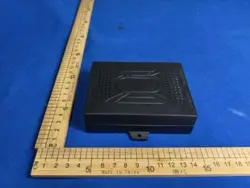
Music Control Box
Model: KDDYM006
2
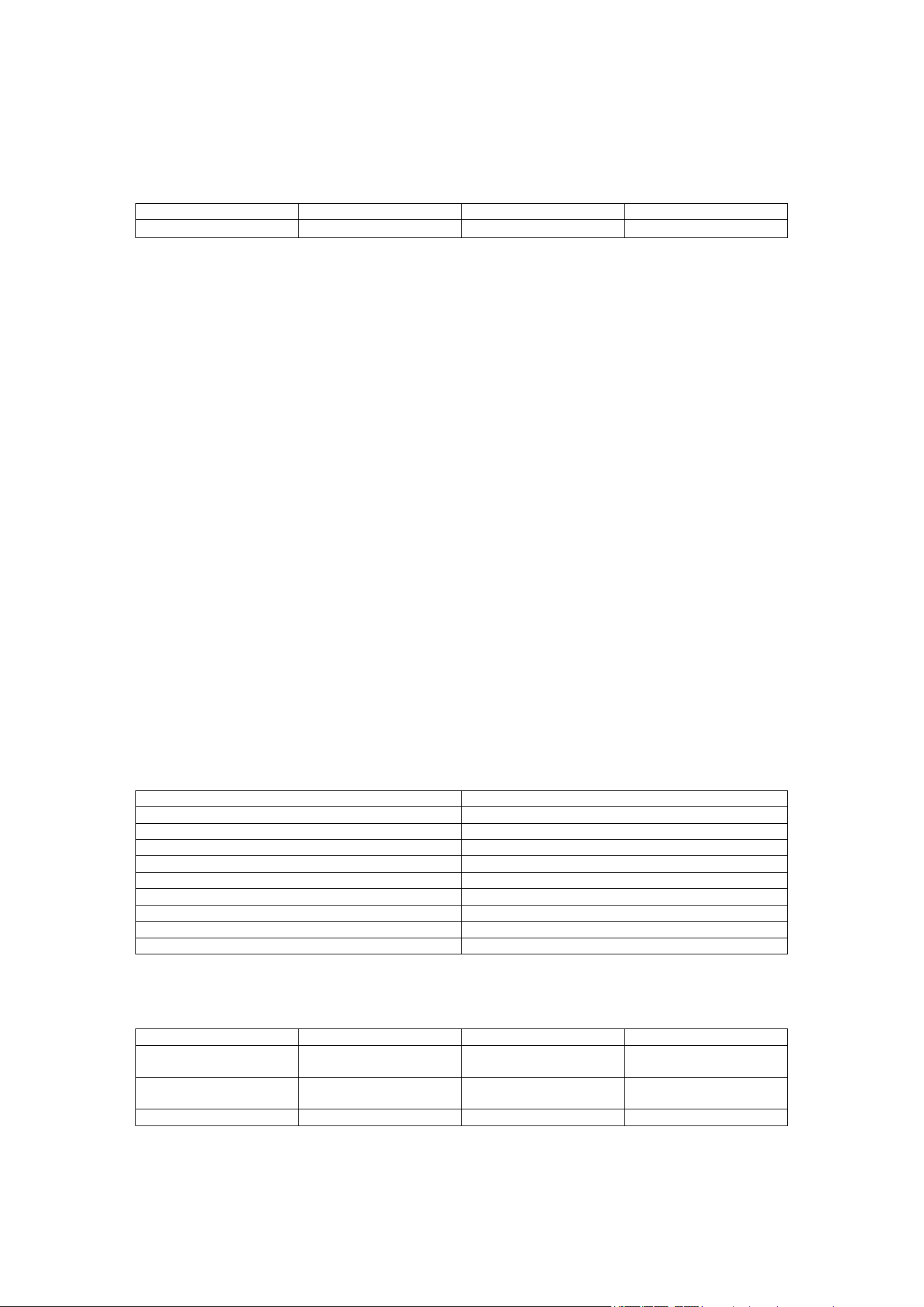
Revision History
Mark Date
V
ersion Revision Content
2026.6.11 V1.0 First Release
I. Product Overview
This music control box is an intelligent audio tactile feedback system integrating Bluetooth audio
reception, full-range stereo output, multi-mode vibration, and rhythm light strip control. The
product supports wireless hand controller command reception, and is suitable for single/double
bed audio rhythm systems, enabling synchronous control of music playback, vibration feedback,
and light rhythm.
II. Main Features
1. Supports Bluetooth V5.3 wireless audio reception, playback latency ≤120ms
2. Built-in 2-channel full-range speakers, 2-channel vibration motors, 1-channel programmable
RGB light
3. Supports master-slave cascading and audio rhythm synchronization
4. Supports light strip rhythm mode, breathing mode, and fixed color mode
5. Supports vibration motor rhythm, fixed vibration, and multiple preset vibration modes
6. Supports low-power mode
7. Serial communication control, supports external control box and wireless hand controller
linkage
8. Compact structure, easy to integrate into bed systems
III. Electrical Specifications
Item Specification
Power Supply Voltage DC 29V (Rated)
Bluetooth Name REV-HARMONIQ
Communication Method Serial, Baud Rate 115200, 3.3V Level
Bluetooth Version V5.3
Bluetooth Communication Distance >10 meters
Music Playback Latency ≤120ms
Full-range Speaker Power 2 × 15W @ 4Ω
Vibration Motor Voltage 24V
Light Strip Voltage 24V
IV. Channel Function Description
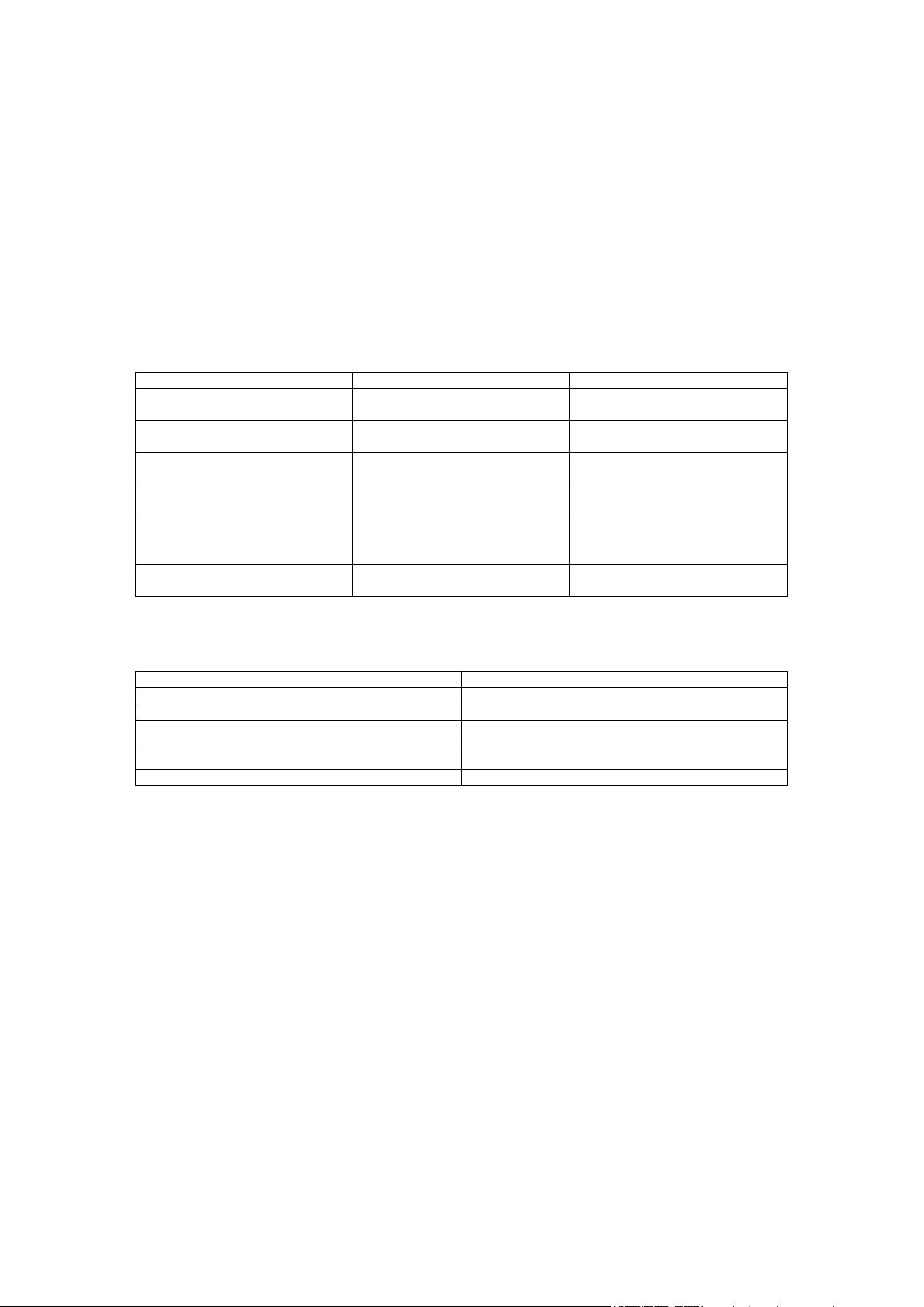
Channel Function Description Output Power (RMS) Load Impedance
Motor Channel (L/R) Drive vibration motor or
tactile device
2 × 5W —
Full-range Stereo
Channel (L/R)
Main audio output 2 × 15W 4Ω
Light Strip Music rhythm 1 × 5W
—
3
V. Protection Functions
1. Over-temperature Protection: Output is shut off when chip temperature exceeds safe value
2. Over-current Protection: Automatic current limiting when output is short-circuited or overloaded
3. Short-circuit Protection: Automatically enters protection state when output is short-circuited
4. DC Protection: Automatically shuts off output when DC offset occurs
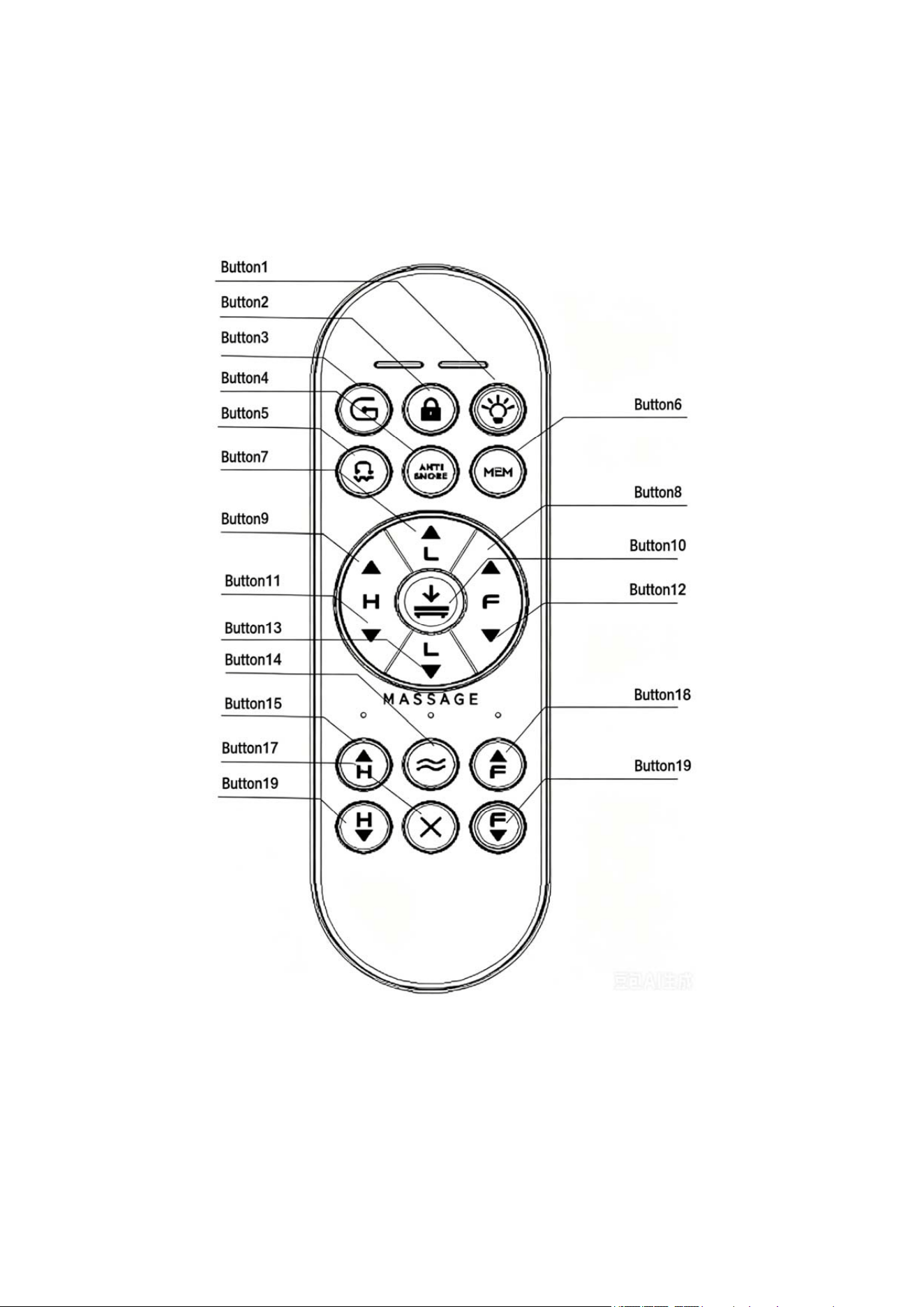
VI. Interface Definitions
Top Cover Mark / Position Actual Hardware Function Interface Type / Description
IN (Top Right) Sync Input Interface Amplifier control box cascading /
sync signal input
OUT (Top Middle) Sync Output Interface Amplifier control box cascading /
sync signal output
Motor-Box (Top Left) Control Serial Interface Main control and motor / light
strip control serial port (TTL)
SPEAKER (Bottom Left) Full-range Speaker Output Left and right channel amplifier
output (connect to speakers)
MASSAGE (Bottom Right) Vibration Motor Interface Two-channel vibration motor
amplifier output (connect to
massage vibrators)
RGB (Bottom Right) RGB Light Strip Interface One-channel RGB light strip
control output (PWM/24V)
VII. Mechanical Dimensions and Environmental Requirements
Item Specification
PCB Dimensions See Figure
Mounting Method Screw fixation or plug-in
Operating Temperature -10°C ~ +45°C
Storage Temperature -20°C ~ +50°C
Operating Humidity 10% ~ 90% RH, non-condensing
Cooling Method Heat sink
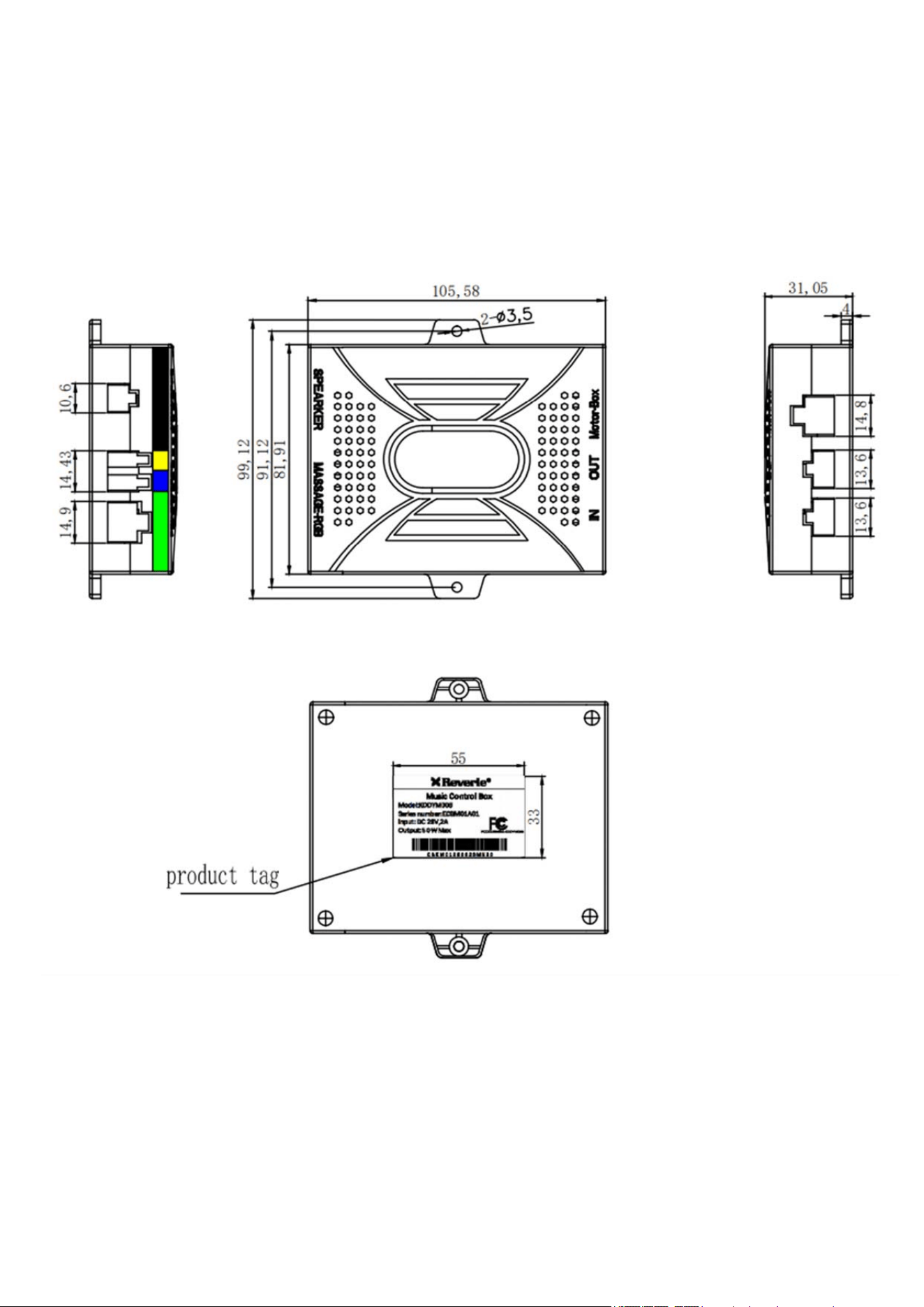
4
VIII. Product Outline Drawing (Unit: mm)
5
IX. Operating Instructions
6
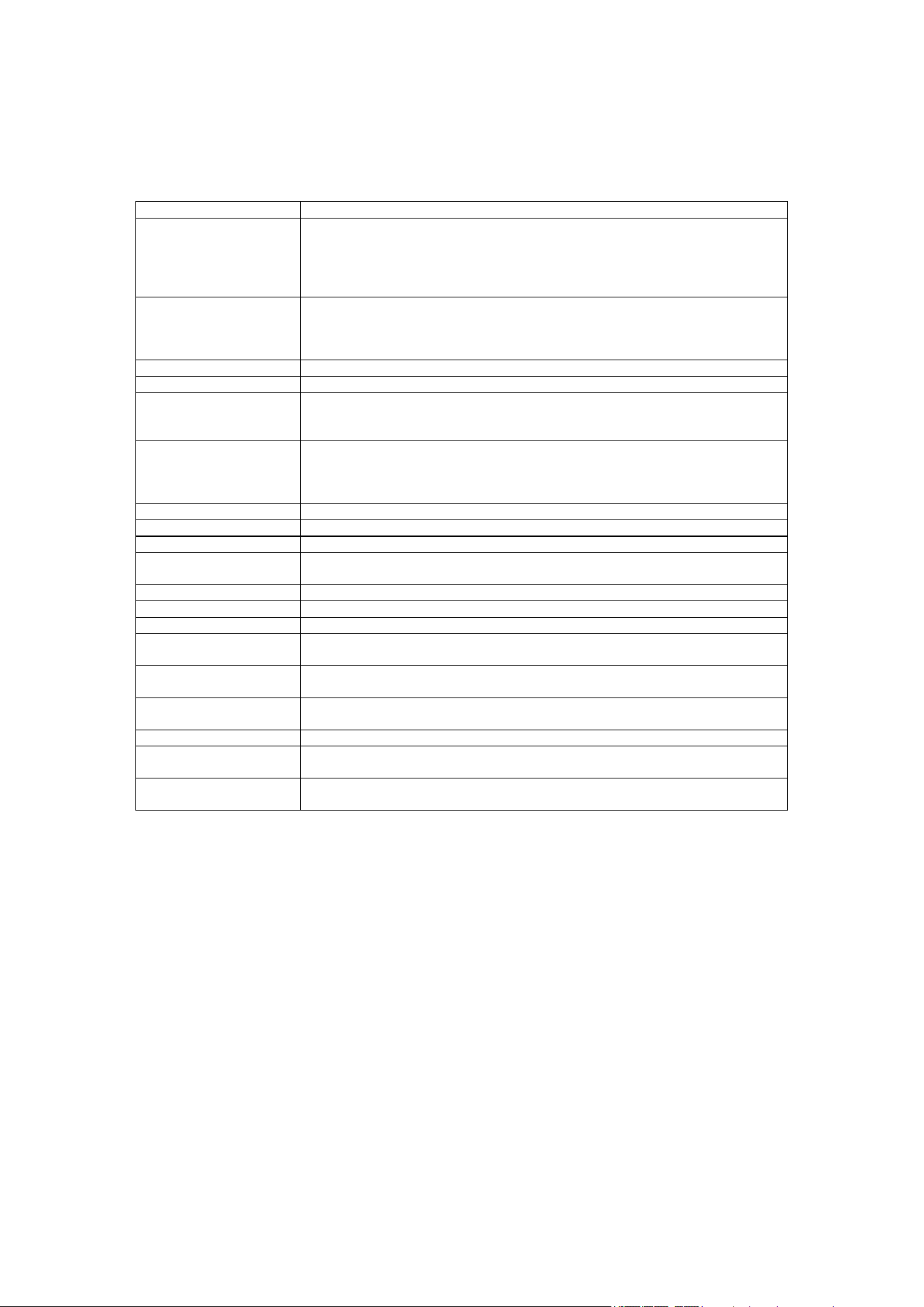
1. Hand Controller Functions:
Button No. Function
1 When in audio rhythm mode (short press button 7 to open audio rhythm
mode) or when vibrators are in fixed/pattern vibration, short press button 1 to
only control the light strip on/off; When not in audio rhythm mode and vibrators
are not vibrating, each short press of button 1 cycles the light strip color
(White, Red, Orange, Yellow, Green, Blue, Purple, Off, White, Red...)
2 Long press button for 3s, backlight flashes 2 times, child lock activated; other
buttons pressed will cause backlight to flash 3 times; Long press button again
for 3s, backlight flashes 3 times, child lock released, other button functions
restored
3 Short press button, actuator runs to zero-gravity position and stops
4 Short press button, actuator runs to anti-snore position and stops
5 Short press button to enable audio rhythm mode (vibrators and light strip are
both in audio rhythm mode); during music playback, light strip and vibrators
will change with the rhythm; Short press button to exit audio rhythm mode
6 Short press button, actuator runs to M1 position and stops; Long press 3s to
set memory M1 position (previous position is overwritten, control box receiver
buzzer beeps 1 time); after memory position is set, short press to run actuator
to M1 position
7 Waist actuator retracts, press to execute, release to stop
8 Leg actuator extends, press to execute, release to stop
9 Head actuator extends, press to execute, release to stop
10 Head and leg actuators retract to bottom, waist actuator extends to top, short
press to execute
11 Head actuator retracts, press to execute, release to stop
12 Leg actuator retracts, press to execute, release to stop
13 Waist actuator extends, press to execute, release to stop
14 Each short press of button switches head and leg vibrator vibration modes (1-
2-3-4-1-2-3-4... cycling in sequence)
15 Foot vibration motor intensity enhancement (total 10 levels), each press
gradually increases intensity
16 Head vibration motor intensity enhancement (total 10 levels), each press
gradually increases intensity
17 Short press button, head and leg vibration motors stop working
18 Foot vibration motor intensity reduction (total 10 levels), each press gradually
decreases intensity until off
19 Head vibration motor intensity reduction (total 10 levels), each press gradually
decreases intensity until off
Notes:
① After hand controller button 5 enables audio rhythm, buttons 14, 15, 16, 17, 18, 19 are invalid;
② Synchronization function: AUX input (IN) must be connected to another control box's output
(OUT) interface. It is prohibited to connect two control boxes directly with AUX input (IN) to AUX
input (IN), or AUX output (OUT) to AUX output (OUT); incorrect connection will only affect
functionality and will not damage the control box; the control box connected to AUX output (OUT)
is the master (Bluetooth open machine), and the one connected to AUX input (IN) is the slave;
after AUX input (IN) is connected to another control box's AUX output (OUT), it can only be used
as a slave, and Bluetooth cannot be searched or connected;
③ Search for Bluetooth name REV-HARMONIQ to pair and connect; after system power-off, the
Bluetooth status will be refreshed and re-searching and pairing connection is required.

7
2. Precautions:
① Before use, please be sure to connect wires correctly according to the system connection
diagram, then turn on the main power;
② Children, elderly and disabled persons should use under supervision;
③ Do not plug or unplug any connecting cables when the power is on, as this may cause
operational malfunction; if this occurs, cut off the main power and reconnect after approximately
30s;
④ Before first use, the wireless hand controller should be paired with the KD control box as
follows:
a. Press and hold the pairing button on the KD control box for 3S, the indicator light will be in
fast flashing state, release the button;
b. Within 15s, press button 8 + button 9 on the hand controller, the control box indicator light
stops flashing, buzzer sounds 1 time, indicating successful pairing, control box indicator light
stays on;
c. After successful pairing, operate the buttons and corresponding functions will begin to
execute;
⑤ The method to unpair is as follows:
a. Press and hold the pairing button on the KD control box for 3S, the indicator light will be in
fast flashing state, release the button;
b. Within 15s, press button 11 + button 12 on the hand controller, the control box indicator light
stops flashing, buzzer sounds 1 time, indicating successful pairing removal, control box indicator
light stays on;
c. After successful pairing removal, operate the buttons and corresponding functions will be
invalid;
⑥ The KD control box can be paired with two hand controllers; if paired with a third, the first one
will be cleared.
⑦ It is not recommended to operate multiple actuators simultaneously, except for special
functions;
⑧ Please replace the hand controller battery in time; when not in use for a long time, remove the
battery.

8
FCC Statement
This device complies with Part 15 of the FCC Rules. Operation is subject to the following two
conditions:
(1) this device may not cause harmful interference, and
(2) this device must accept any interference received, including interference that may cause undesired
operation.
This device has been tested and found to comply with the limits for a Class B digital device, pursuant
to Part 15 of the FCC Rules. These limits are designed to provide reasonable protection against
harmful interference in a residential installation. This device generates, uses and can radiate radio
frequency energy and, if not installed and used in accordance with the instructions, may cause harmful
interference to radio communications.
However, there is no guarantee that interference will not occur in a particular installation. If this
device does cause harmful interference to radio or television reception, which can be determined by
turning the device off and on, the user is encouraged to try to correct the interference by one or more
of the following measures:
--Reorient or relocate the receiving antenna.
--Increase the separation between the device and receiver.
--Connect the device into an outlet on a circuit different from that to which the receiver is connected.
--Consult the dealer or an experienced radio/TV technician for help.
Changes or modifications not expressly approved by the party responsible for compliance could void
the user's authority to operate the equipment.
RF warning for portable device:
The device has been evaluated to meet general RF exposure requirement. The device can be used in
portable exposure condition without restriction.