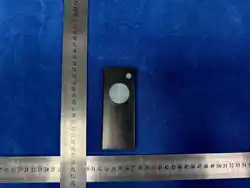
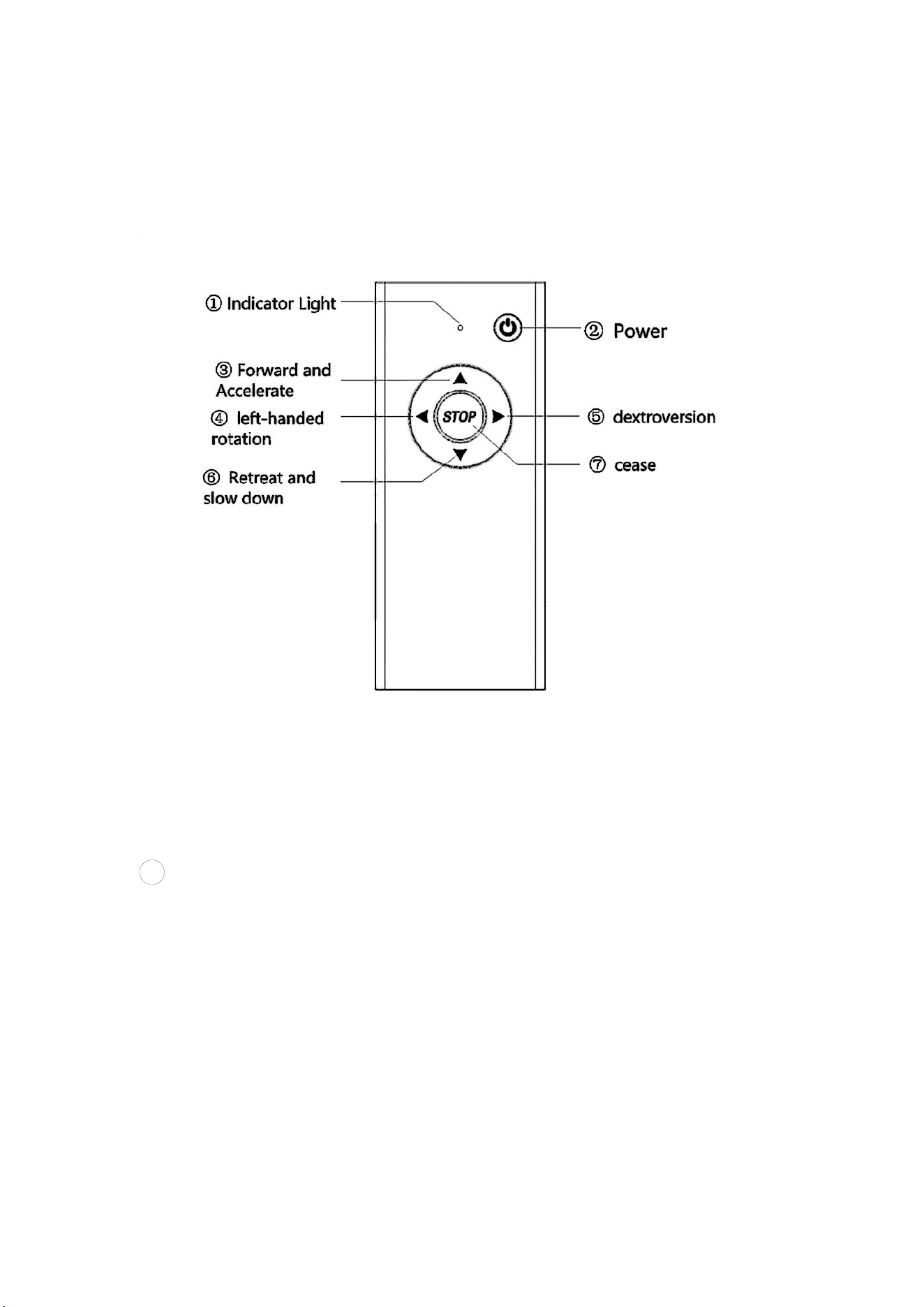
Remote Control Function Description
Warning: When operating the cart with the remote control, please pay attention to the
surrounding environment to avoid personal injury or loss of items due to improper use.
1
indicator light
The indicator lights are red and green.
When the battery is about more than 10%, the indicator light is green.
When the battery is about less than 10%, the indicator light is red.
When in use, the indicator light will flash quickly when the button is pressed.
When the cart is moving, the indicator light "breathes" according to the speed of the cart.
When the remote control is not successfully connected to the cart, it will flash twice continuously
after each button is pressed.

2 Power
When the remote control is turned off, the power indicator light goes out.
When the remote control is turned off, long press the power button until the power indicator light
is on and the power is turned on.
When the remote control is on, the power indicator light is on.
When the remote control is on, long press the power button until the power indicator light goes out
and the shutdown is complete.
3 forward and accelerate
Press this button to increase the speed by one gear. The maximum is +4 gears.
Press this button while the cart is in motion
4
left-handed rotation
Press this button to turn left when the cart is parked or moving
5 dextroversion
When the cart is parked or moving, press this button to turn right
6 Retreat and slow down
Press this button to reduce the speed by one gear. The maximum reduction is-4 gears.
Press this button to reduce the gear while the cart is in motion.
7
cease
When the cart is in motion, press this button to stop immediately and adjust the gear to 0.
When the cart stops, long press this button for 10s to enter the pairing mode, and the indicator
light will be on. Long press the cart signal button for 3s to enter the pairing mode. When there is a
remote control and a cart in the nearby pairing mode, the remote control will be paired quickly,
and the indicator light will be off after the pairing is successful.
When the trolley stops, the remote control will enter the sleep mode after 10s (cannot perform
remote control function). Long press this key until the indicator light is on (about 1s) to release the
sleep mode.
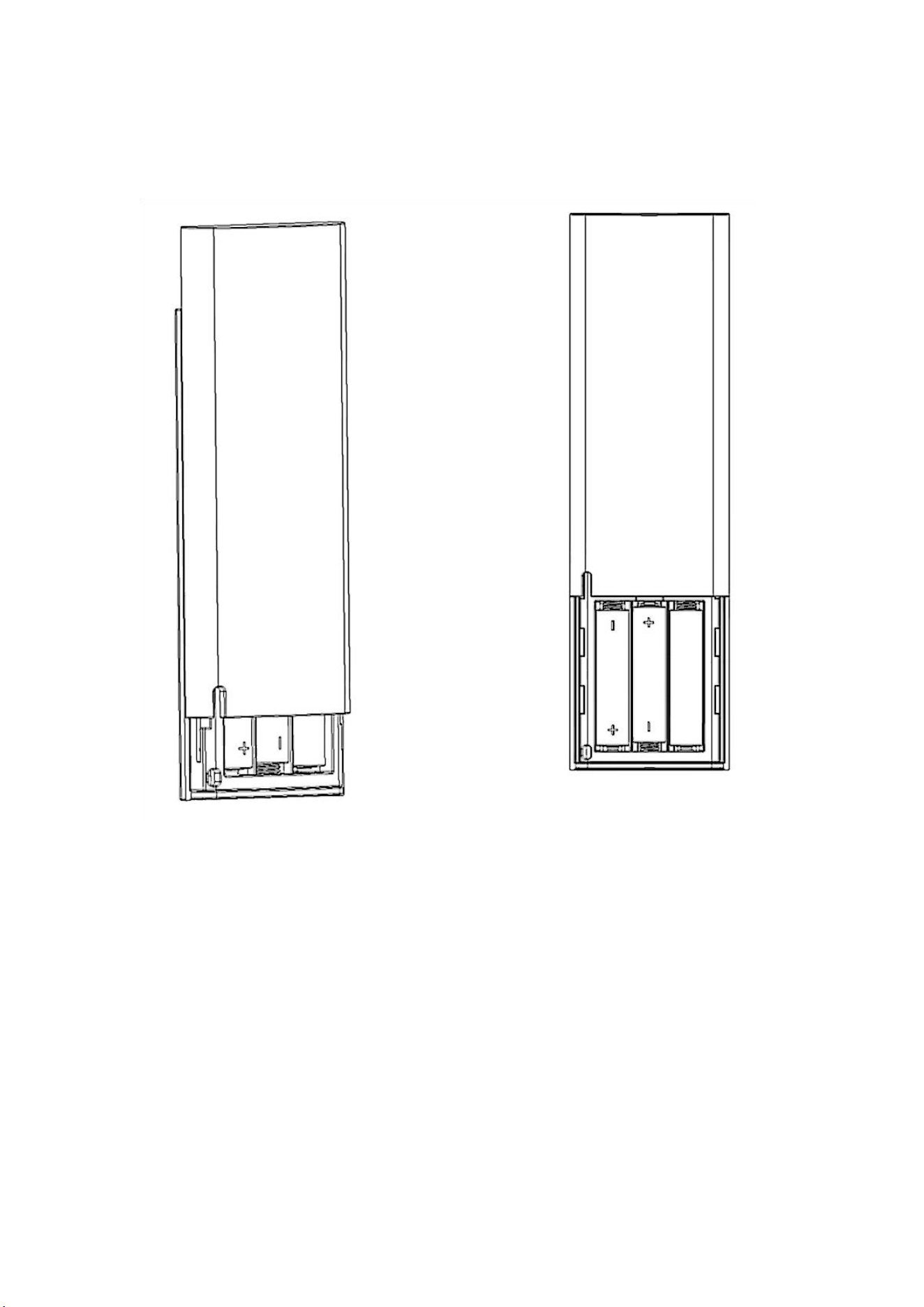
Remote control battery
warn:
Install the battery compartment correctly in the positive and negative direction. Reverse
installation may cause leakage or damage.
Do not mix new and old batteries, alkaline/carbon batteries or rechargeable/non-rechargeable
batteries.
The battery must be installed by an adult to prevent children from contact.
Contains AAA battery. Ingestion may cause chemical burns and is life-threatening within 2 hours.
Seek medical attention immediately if ingested.
Waste batteries are hazardous waste and should be sent to the designated recycling point.
When not in use for a long time, remove the battery and store it in a cool and dry place away from
fire source.

How to operate
1
firing
After inserting the battery, the indicator light will be on for 3s and then the indicator light will
be off. The trolley will enter the standby state.
Long press the on/off button until the indicator light is on to complete the start
2
Manually control the speed
When the cart stops, you can turn the knob to adjust the speed. However, the knob can only
be turned from the closed state to take effect.
When the vehicle is stopped, the knob is not in the off state. Press the on/off button to
perform the constant speed operation. The cart will set the forward speed according to
the position of the knob. Of course, you can also change the speed during the forward
process by the knob or remote control.
△▽
◁▷
When the vehicle is stopped or moving, each time the Distance function key is pressed, the
trolley moves forward 10m, up to 30m per trip.
3
remote control
The internal gear of the trolley includes-4, -3, -2, -1, 0, 1, 2, 3, 4 gears.
Among them, -4, -3, -2 and-1 are the reverse gear, 0 is the stop gear, and 1, 2, 3 and 4 are the
forward gear.
When the remote control car stops, the gear is in 0 gear. Press "△" on the remote control, and
the handcart becomes 1 gear. Press "△" again, and the gear becomes 2 gear. If you press "▽"
at this time, the gear will become 1 gear. Press "▽" again, and the gear becomes 0 gear. Press
"▽" again, and the gear will become-1 gear.
In any case, pressing the "◁, ▷" cart will turn.
4
Switch between manual and remote control
In manual mode, in addition to Distance function, the remote control can be directly
controlled by "△, ▽, △, ▷" and stop.

At Distance function, the remote control can be directly controlled by "◁, ▷" and stop.
When controlled remotely, only the "on/off" button of the trolley is supported to stop the
movement of the trolley.
5
Remote control pairing
Step 1: Long press "Distance function" on the cart and hold for 3s. All indicators will flash.
Step 2: Long press the "stop" button on the remote control for 10s, and the indicator light will be
on.
Step 3: Wait for a short time, the remote control indicator light is off, the trolley signal light is
normally on, and the pairing is successful.
FCC Statement
Changes or modifications not expressly approved by the party responsible for compliance could void
the user’s authority to operate the equipment.
This device complies with part 15 of the FCC rules. Operation is subject to the following two
conditions: (1) this device may not cause harmful interference, and (2) this device must accept any
interference received, including interference that may cause undesired operation.
NOTE: This equipment has been tested and found to comply with the limits for a Class B digital device,
pursuant to part 15 of the FCC Rules. These limits are designed to provide reasonable protection
against harmful interference in a residential installation. This equipment generates uses and can
radiate radio frequency energy and, if not installed and used in accordance with the instructions, may
cause harmful interference to radio communications. However, there is no guarantee that interference
will not occur in a particular installation. If this equipment does cause harmful interference to radio or
television reception, which can be determined by turning the equipment off and on, the user is
encouraged to try to correct the interference by one or more of the following measures:
• Reorient or relocate the receiving antenna.
• Increase the separation between the equipment and receiver.
• Connect the equipment into an outlet on a circuit different from that to which the receiver is
connected.
• Consult the dealer or an experienced radio/TV technician for help important
announcement
FCC Regulatory Compliance
This device is also designed to meet the requirements for exposure to radio waves
established by the Federal Communications Commission (USA).