255895
SF103-36
2
and dust.
licensed
19.The heater has a safety device that makes it stop working
once the inner temperature reaches 85º (±2°C). To reset the
appliance, turn heater off and disconnect power, let it cool off
for 10 minutes and plug back in.
20. SAVE THESE INSTRUCTIONS.
tap (outlet/power strip).
fire, electric shock or injury to persons.
3
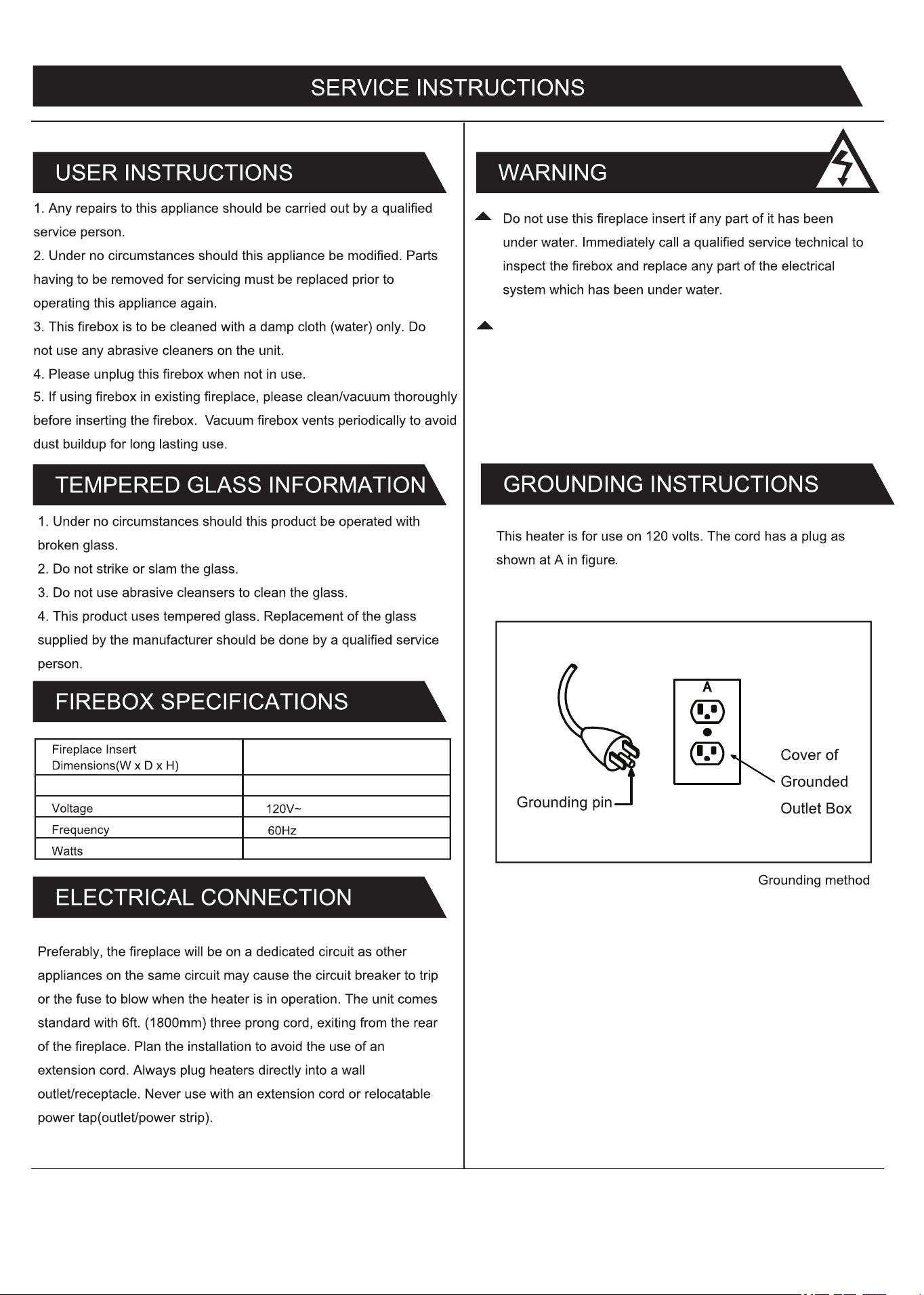
13 kg / 14.9 kg
1400 Watts
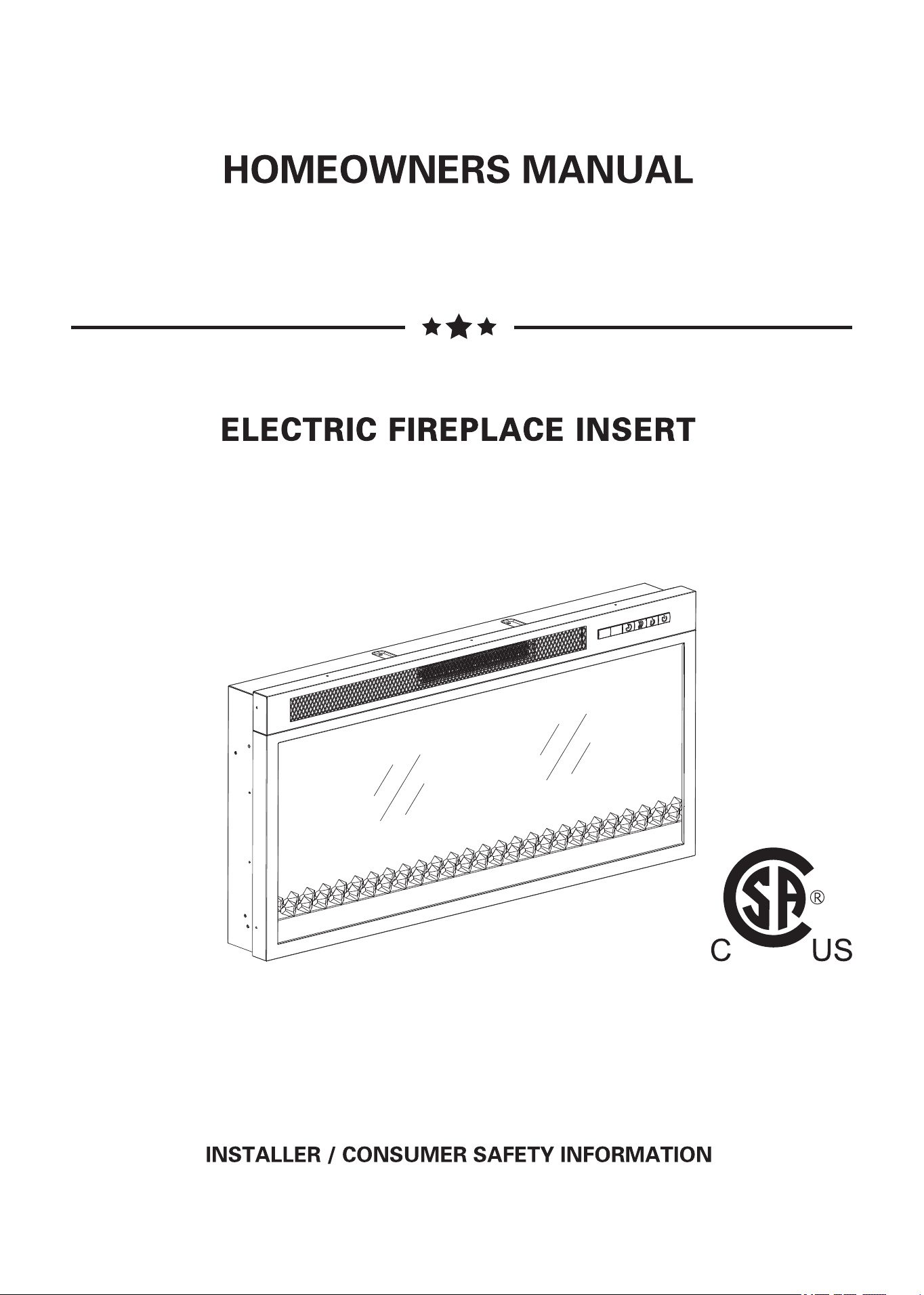
36 x 5 3/8 x 18 inch
Net Weight / Gross Weight
91.4 x 13.7 x 45.7 cm
During any service of this appliance, the power to the unit must
be turned off. First turn the main power switch to the "OFF"
position. Then remove the electrical plug from the wall outlet.
4
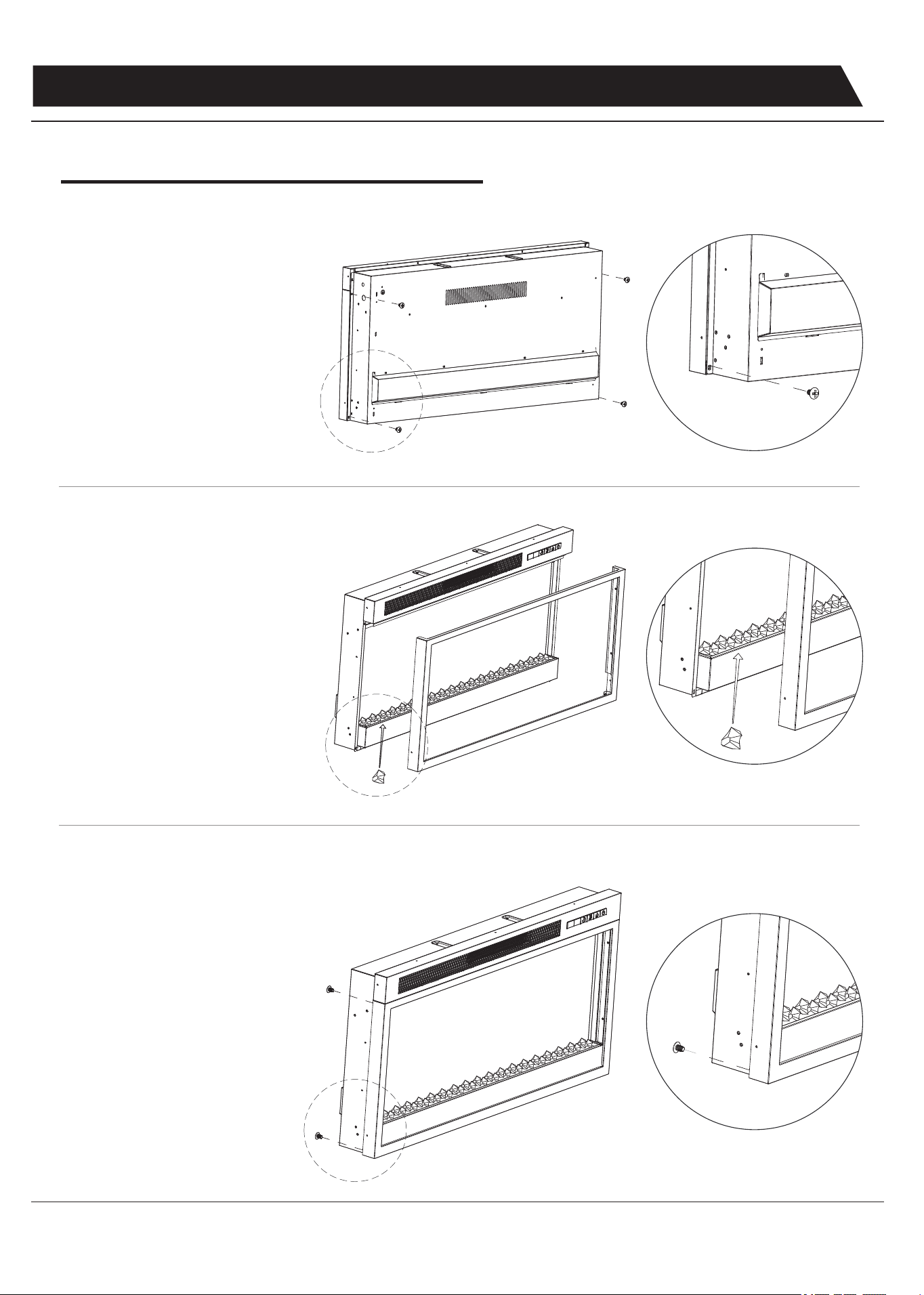
Before installing the fireplace into the mantel or stand
ASSEMBLY INSTRUCTIONS
1. Use a phillips head screwdriver
(not provided) to unscrew 4
screws (2 screws each side)
located at the back side of the
fireplace to remove the glass front
from the unit.
2. Carefully lift the glass front to
take it out from the fireplace, and
put it on a clean and soft surface
to avoid any scratches. Arrange
the ember bed (acrylic crystals)
along the insert window ledge at
the front of the fireplace.
3. Secure the glass front by fastening
back 4 screws from the back of
fireplace.
INSTALLATION-CRYSTALEMBER
5
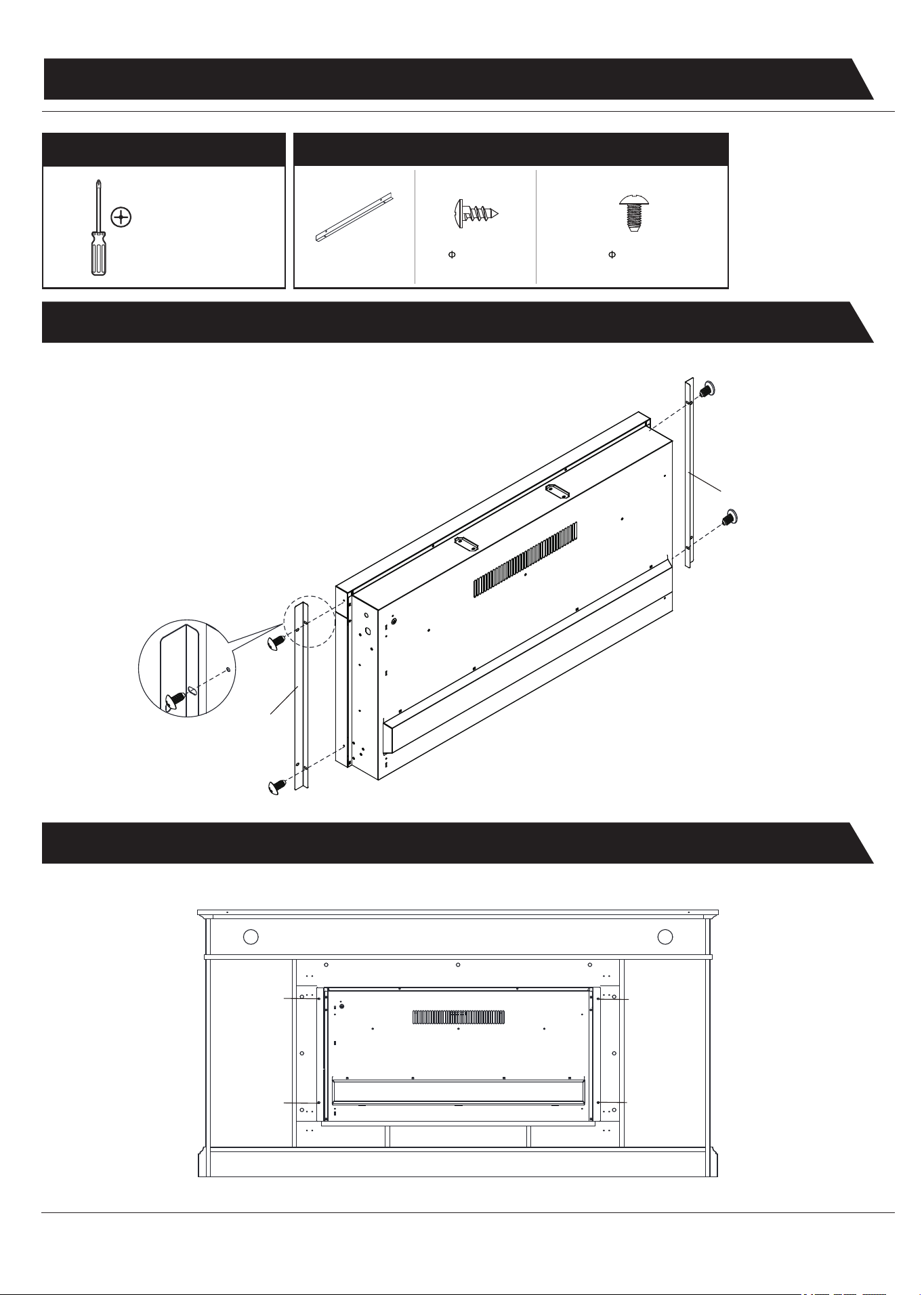
2. INSTALLING THE FIREPLACE INSERT
1. ATTACHING THE METAL TRIMS
ASSEMBLY INSTRUCTIONS
BB
BB
CC
CC
CC
CC
Phillips
Screwdriver
(not included)
BB x 2
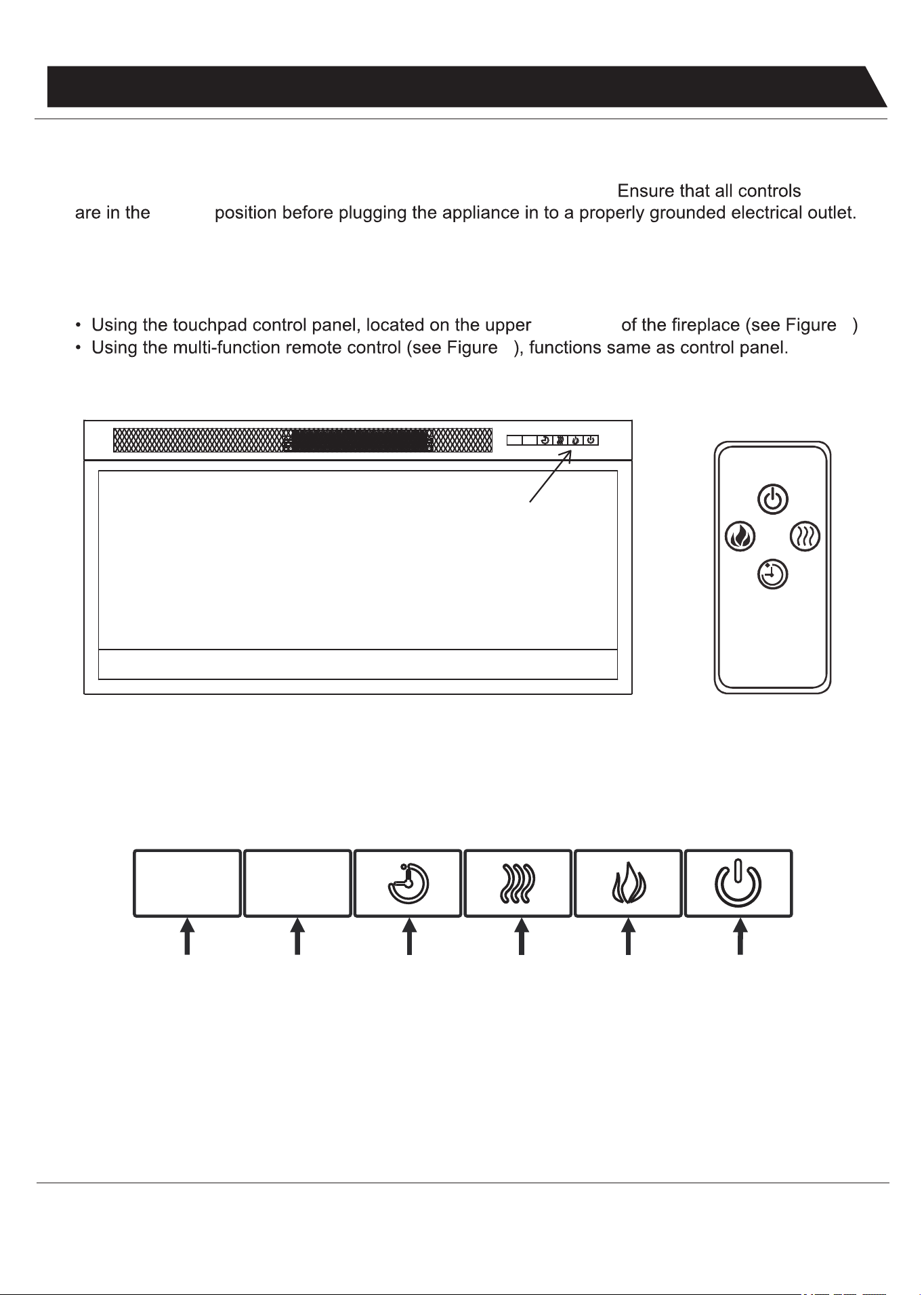
REQUIRED TOOLS
HARDWARE
4 X 10mm
DD x 5
4 X 6mm
CC x 5
6
OPERATING INSTRUCTIONS
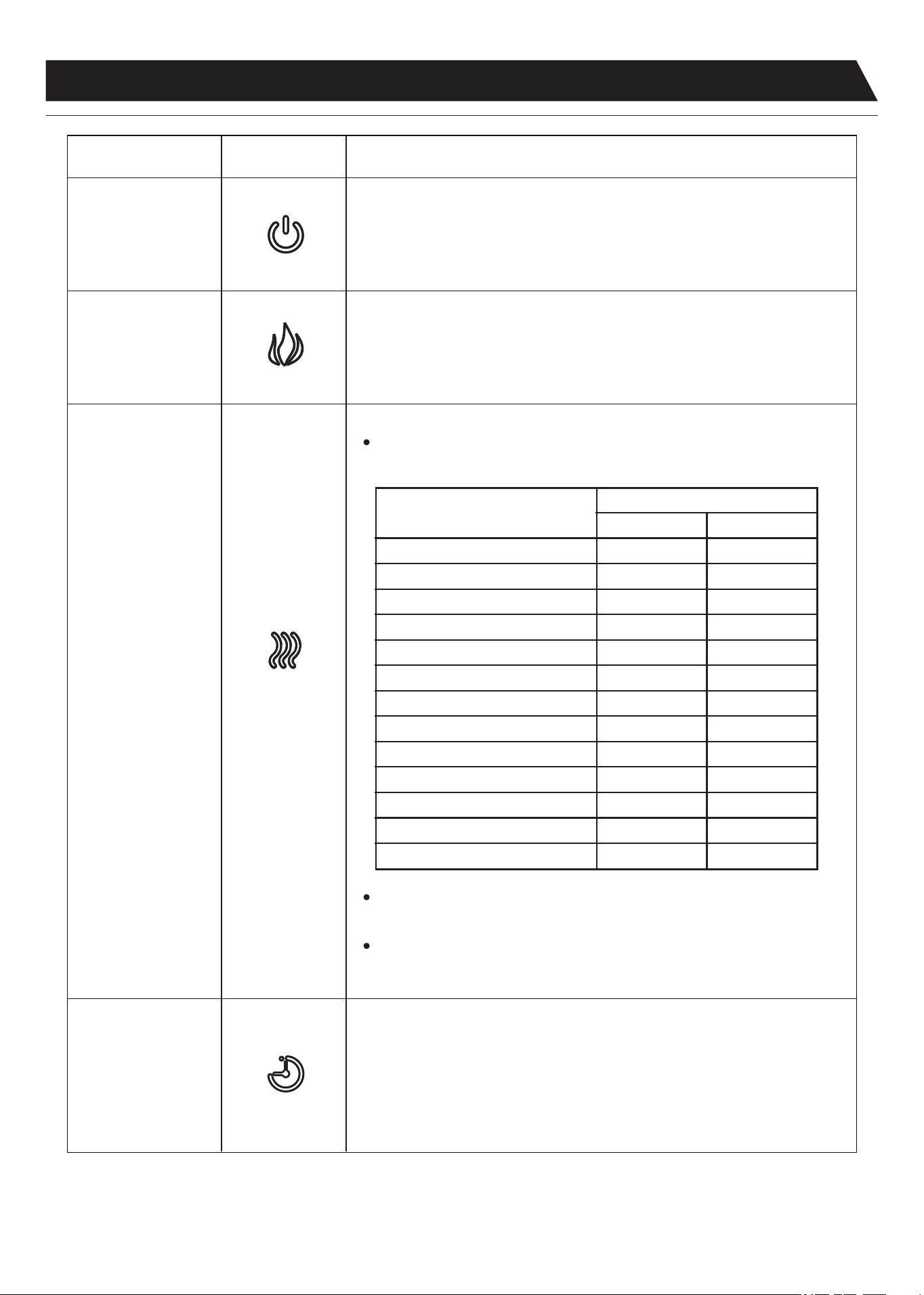
The Fireplace control functions can be accessed in two ways:
Using the Control Panel
Display
Screen
Indicator
Screen
Timer Heater Flame Power
Read all instructions and warnings prior to operating the appliance.
“OFF”
right-hand 1
2
Figure 1 Figure 2
Control Panel
When a function is changed from the control panel or remote there will be a corresponding
indicator displayed. The indicator colors corresponding to different functions are as follows:
Red -- Flame function
Blue -- Heater function
Green -- Timer function
7
OPERATING INSTRUCTIONS
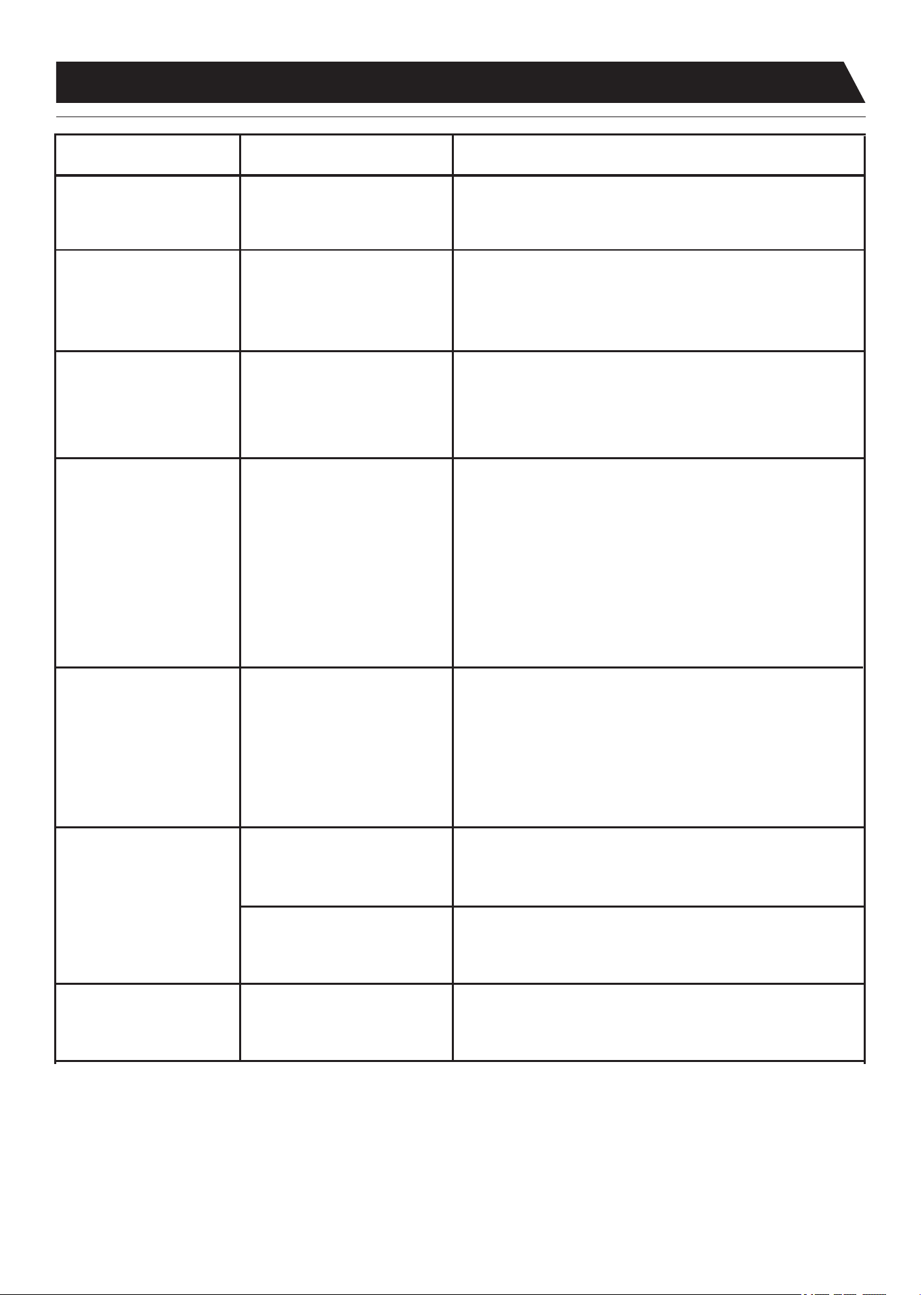
FUNCTION ICON DESCRIPTION
FLAME
Press the FLAME button to set the brightness of flame effect.
Change the flame brightness by pressing flame button repeatedly.
The brightness level of flame is as follows: max-high-medium-low-min. And
the display shows 5-4-3-2-1 accordingly.
Press the POWER button to turn on the unit; press again to turn off the unit.
Press the timer button repeatedly will cycle through the following timer settings:
30 minutes, 1, 2, 3, 4, 5, 6, 7, 8, 9 hours and off. And the display shows
30-1H-2H-3H-4H-5H-6H-7H-8H-9H-0 accordingly.
The fireplace/heater will turn off after settled interval period.
HEATER
Press the HEATER button repeatedly will cycle through the following
heat settings:
To change between °F and °C press and hold the HEATER button on the
control panel for 5 seconds.
Temperature setting
Display screen
Turn on the heater
ON ON
st
1 level
nd
2 level
rd
3 level
th
4 level
th
5 level
th
6 level
th
7 level
th
8 level
th
9 level
th
10 level
th
11 level
Turn off the heater NONE NONE
°F
1762
1864
1966
2068
2170
2272
2374
2476
2578
2680
2782
Note: When the heating function is turned off, the LED indicator flashes five
times in blue color.
POWER
TIMER
°C
8
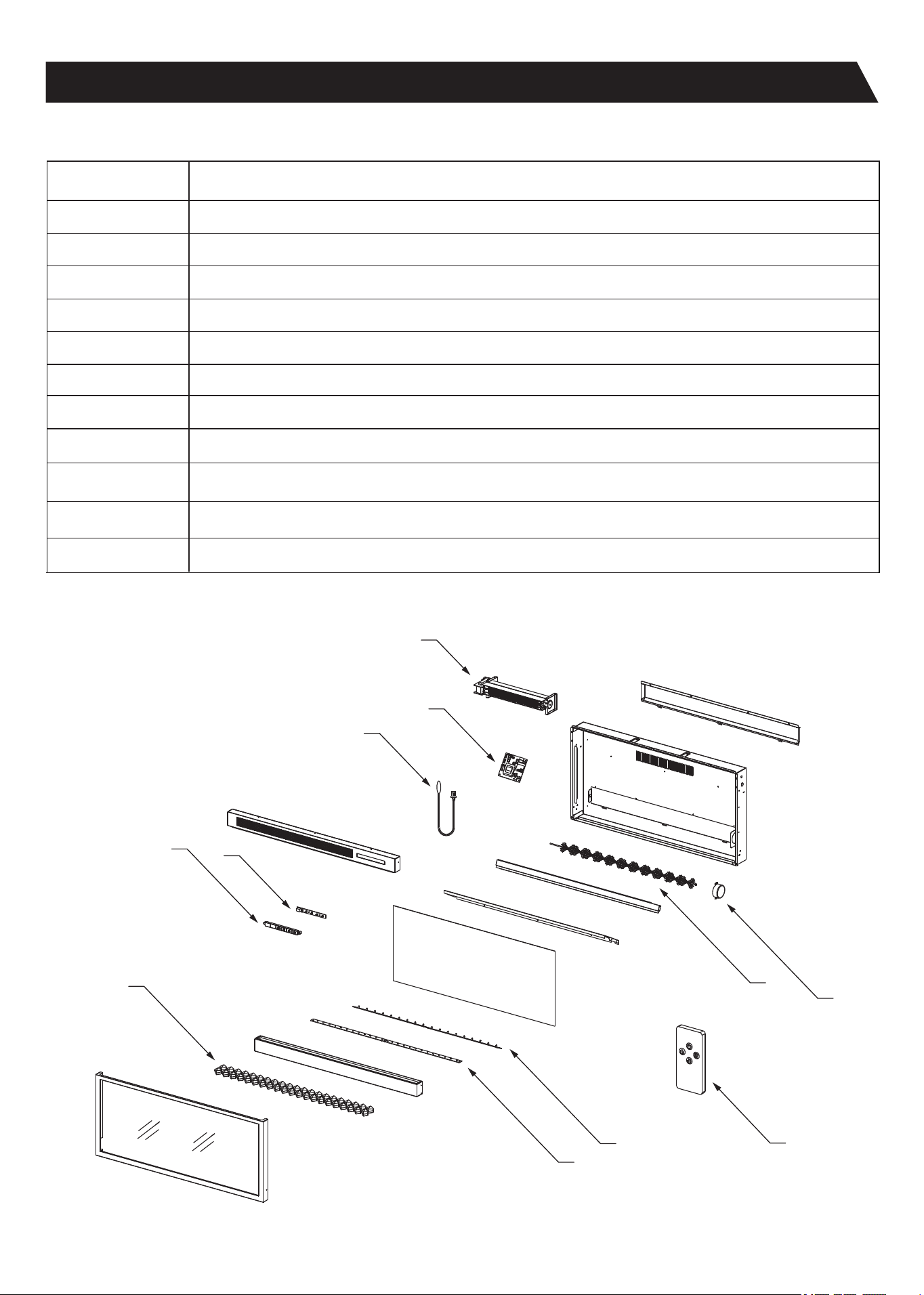
Display shows “E1”.
There is no power.
Power cord gets warm.
The remote control is
not working.
The noise when the heater
is on is louder than normal.
Abnormal noise when the
heater is not on and the
flame effect is on.
Contact customer service for a replacement thermostat sensor.
Check that unit is plugged into a standard 120V outlet. Press the
power button several times and make sure the power is set to
the “ON” position.
Adjust the temperature settings to ensure that the thermostat is
set higher than the current room temperature.
Check your heater cord and plug connections. Faulty wall outlet
connections or loose plugs can cause the outlet or plug to
overheat. Be sure the plug fits tight in the outlet. Heaters draw
more current than small appliances, overheating of the outlet
may occur even if it has not occurred with the use of other
appliances. During use check frequently to determine if your
plug outlet or faceplate is HOT! If so, discontinue use of the
heater and have a qualified electrician check and/or replace the
faulty outlet(s).
Change the remote battery.
b. Contact Customer Service for a new heater/blower assembly.
Contact Customer Service for a new spinner motor.
The heater does not blow
warm air.
The thermostat sensor is
broken or disconnected.
There is no power to the unit.
Thermostat setting is preventing
heater from turning on.
Normal operation.
There is no battery or the
signal is poor.
a. The air intakes are dirty or
obstructed.
b. The blower/heater assembly
is defective.
The spinner motor is defective.
a. Check the air intakes for obstructions or high dust build up.
Operate remote control at a slow measured pace.
Press the remote control buttons with an even motion and gentle
pressure. Repeatedly pressing buttons in rapid succession may
cause the transmitter to malfunction.
POSSIBLE CAUSEPROBLEM CORRECTIVE ACTION
TROUBLESHOOTING GUIDE
9
REPLACEMENT PARTS LIST AND EXPLODED VIEW
Flame Generator Drive Motor
Heater/Blower Assembly
Main Circuit Board
Control Panel Circuit Board
Flame Effect Circuit Board
Flame Generator/Spinner
Remote Control
Control Panel Buttons
Part Name
Thermostat Sensor
Crystal Bed
Emberbed Circuit Board
Some parts and specifications may change without notice.
Part
1
2
3
5
9
10
11
6
4
7
8
1
10
8
9
11
3
2
4
5
6
7
10
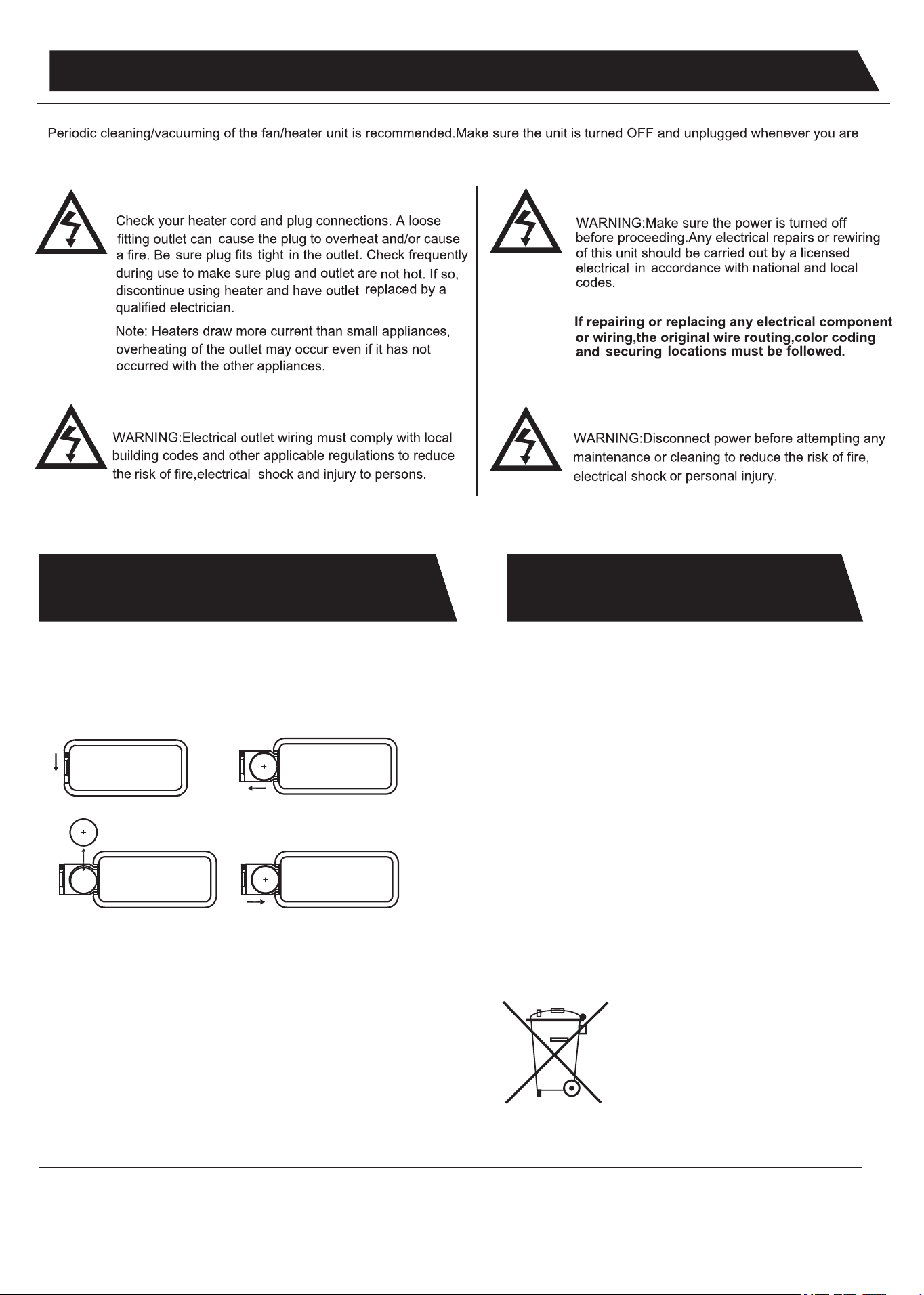
REPLACING THE REMOTE
CONTROL BATTERY
DISPOSING OF USED
BATTERIES
When the remote control stops operating or its range seems reduced,
Please operate the remote control at a slow measured pace. Press
the remote control buttons with an even motion and gentle pressure.
Repeatedly pressing buttons in rapid succession may cause the
transmitter to malfunction.
it is time to replace the battery with new ones.
Do not mix alkaline, standard (carbon-zinc), or rechargeable (ni-cad,
ni-mh, etc) batteries.
Battery should be removed if the product is to be left unused for a
long time.
The batteries may contain hazardous substances that could
endanger the environment and human health.
By correctly disposing of used batteries, you prevent potential
negative consequences for the environment and human
health. Recycling used materials also preserves our natural
resources.
For more information about collecting and recycling used
batteries, please contact your local municipality, your waste
disposal service or the store where you purchased this product.
3 volt lithium coin cell type 2025.
NOTE:
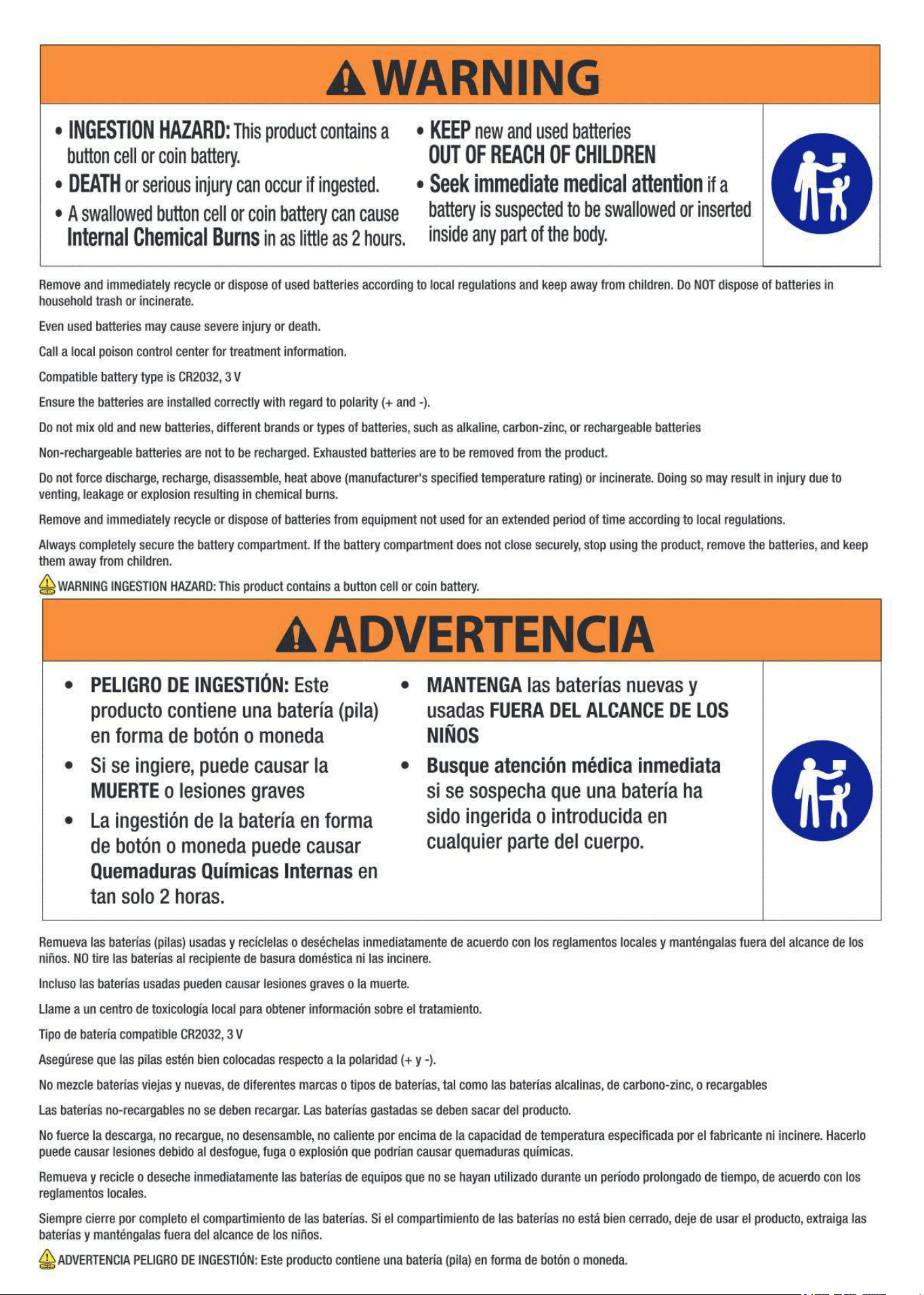
Caution for Ingestion.
1 2
3
4
cleaning the appliance.
INSTRUCTIONS
Used batteries must not be processed with municipal waste.
Instead they should be brought to the appropriate collection
point for recycling.
11
12