WARNING
WARNING
USER GUIDE
For product assistance &
missing or replacement parts:
WE CAN HELP
THIS GUIDE
CONTAINS
IMPORTANT SAFETY
INFORMATION.
PLEASE READ AND
KEEP FOR FUTURE
REFERENCE.
1-888-516-2630
7 DAYS/WEEK
7:00am - 9:00pm CST
Find more at
Walmart.com
HOVAN36017802_EN_October 18, 2025_V1
Wireless Silent 5-Button Mouse
2. INSTALLING RECEIVER
AA
Take out
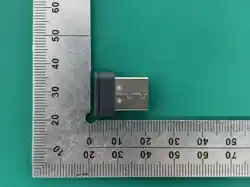
USB nano receiver.
Insert it into available
USB-A port.
8
Warranty
Contact Manufacturer for Additional Information
YEAR LIMITED WARRANTY
COVERING DEFECTIVE PARTS
1
Specifications
Dimensions
4.16 x 2.45 x 1.52 inch
10.5 x 6.2 x 3.8 cm
Operating System
Windows® 7/8/10/11
or later, MacOS 10.5
or later, Chrome OS
Buttons
5
10 11
Problem Cause Solution/Prevention
Mouse is not
working
The USB nano
receiver is not
plugged in
tightly
Battery placed in
the wrong
direction
The USB port on
computer may
have an issue
Try a dierent USB port.
If the device is connected
through a USB hub or
extender, try plugging
directly into the USB port
of your laptop/PC.
Ensure the USB nano
receiver is pushed in all
the way.
Match + and - signs on
battery to signs in battery
compartment.
Troubleshooting
4
Overview
x 1x 1
BATTERY
COVER
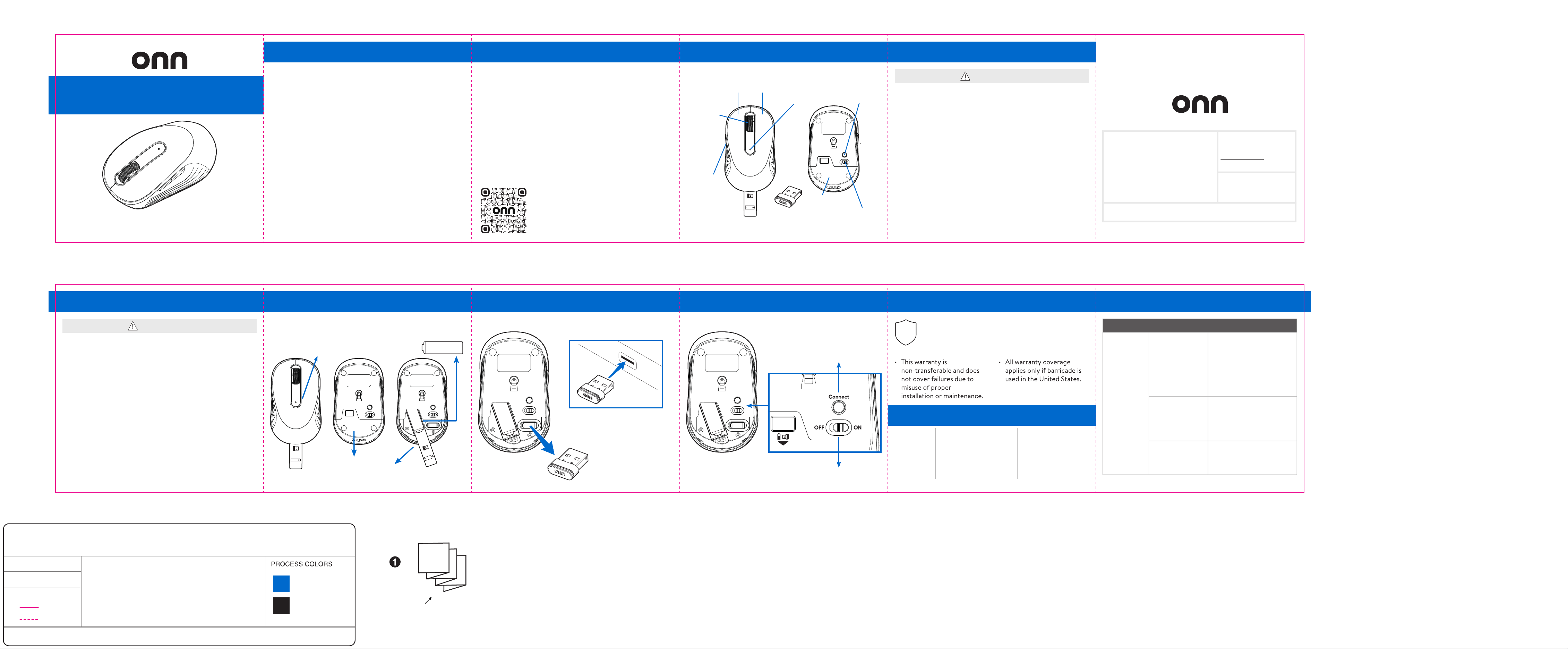
CONNECT
SCROLL
WHEEL
MIDDLE
BUTTON
BACK
FORWARD
BUTTON
RIGHT
BUTTON
LEFT
BUTTON
USB
NANO RECEIVER
ON/OFF
SWITCH
LED
INDICATOR
PULL TAB
Operation, Setting Up Mouse
x 1x 1
x 1x 1
AA
1. ACTIVATING BATTERY
2. Remove
insulating pull tab.
1. Remove
battery cover.
Note: Replace batteries when
low battery LED indicator blinks.
3. Insert 1 x AA battery.
AA
7
2
Contents & Information
CONTENTS & INFORMATION . . . . . . . . . . . . . . . . . . . . . 2-3
OVERVIEW . . . . . . . . . . . . . . . . . . . . . . . . . . . . . . . . . . . . . . . 4
SAFETY PRECAUTIONS . . . . . . . . . . . . . . . . . . . . . . . . . . .5-6
OPERATION . . . . . . . . . . . . . . . . . . . . . . . . . . . . . . . . . . . . . . 7
Setting Up Mouse . . . . . . . . . . . . . . . . . . . . . . . . . . . . . . .7-9
WARRANTY . . . . . . . . . . . . . . . . . . . . . . . . . . . . . . . . . . . . . .10
SPECIFICATIONS . . . . . . . . . . . . . . . . . . . . . . . . . . . . . . . . .10
TROUBLESHOOTING . . . . . . . . . . . . . . . . . . . . . . . . . . . . . . 11
3
FEATURES
• 5 Silent Clickable buttons, scroll wheel, and on/o switch
• 1600 DPI sensitivity
• 2.4GHz Wireless connection with USB nano receiver
(stores in battery compartment when not in use)
• Windows, MacOS, and ChromeOS compatible
• USB Plug-and-play
SCAN HERE FOR MORE
PRODUCT INFORMATION
AND LEAVE US A REVIEW!
HOVAN36017802
5
FCC compliance statement
This equipment has been tested and found to comply with the limits
for a Class B digital device, pursuant to Part 15 of the FCC Rules.
These limits are designed to provide reasonable protection against
harmful interference in a residential installation. This equipment
generates, uses and can radiate radio frequency energy and, if not
installed and used in accordance with the instructions, may cause
harmful interference to radio communications. However, there is no
guarantee that interference will not occur in a particular installation.
If this equipment does cause harmful interference to radio or
television reception, which can be determined by turning the
equipment o and on, the user is encouraged to try to correct the
interference by one of the following measures:
- Reorient or relocate the receiving antenna.
- Increase the separation between the equipment and receiver.
- Connect the equipment into an outlet on a circuit dierent
from
that to which the receiver is connected.
Safety Precautions
- Consult the dealer or an experienced radio/TV technician for help.
This device complies with Part 15 of the FCC Rules. Operation is
subject to the following two conditions: (1) This device may not cause
harmful interference, and (2) this device must accept any
interference received, including interference that may cause
undesired operation.
Radiation Exposure Statement:
The product comply with the FCC portable RF exposure limit set
forth for an uncontrolled environment and are safe for intended
operation as described in this manual. The further RF exposure
reduction can be achieved if the product can be kept as far as
possible from the user body or set the device to lower output power
if such function is available.
FCC Caution: Any changes or modifications not expressly approved
by the party responsible for compliance could void the user's
authority to operate this equipment.
6
AA
3. POWER ON
Turn on power.
Press Connect
if device has
lost connection.
9
折線 折線
折線 折線
折線
折線
折線
折線
折線
折線
印刷順序:印1色+1特色,*雙面印刷,左右彈簧折5折
紙 質:70g双胶纸
尺 寸:
未折合前-寬22.5 x 長3.75 inch
折合後-寬3.75 x 長3.75 inch (9.525 x 9.525 cm)
製作者:Megan簽 核:
REV. 1
DATE: 2025.12.12
Project Name: HOVAN36017802 (G7K_Wireless Silent 5-Button
Mouse) Walmart USA-onn USER GUIDE (Vietnam)_V1_Outline_20251212.ai
比例1:1
裁切線
折線
Pantone 285C
K:100
封面朝上,左右彈簧折5折
封面