
User Manual
Precautions for Use................................................................................................1
Product Features....................................................................................................2
Parameter and Specification....................................................................................3
Dimension and Interface diagram ...........................................................................4
Installing Instructions ...............................................................................................5
Package and Accessories ..........................................................................................6
Problem and Solution.................................................................................................7
OmniControl Touch Panel
GK-SM08P

- 1 -
1. Precautions for Use
1. The equipment is for indoor use only.
2. To reduce the risk of fires or electric shock, do not expose the equipment to rain or
moisture.
3. Do not subject the equipment to severe shocking
4. Prevent any foreign matter falling int the external slot.
5. Do not open the case of the equipment. There is a risk of electric shock,and there are no
user serviceable parts inside. Opening the case will void your warranty.
2. Product Features
1. Capacitive full-screen touch, 8-inch IPS display, 800*1280 resolution.
2. Music Player: support MP3, WAV, WMA, FLAC, DTS, APE, AC3, OGG and other audio
formats.
3. Bluetooth : supports pairing of external Bluetooth devices such as mobile phones to
achieve audio playback.
4. Time calendar: support clock and calendar display functions.
5. Setting function: setting host related functions
6. Memory card function: externally insert TF card, support 32GB TF card.
7. Type C function: plug in a type C for transfer data
8. Multi play modes: support single play, random play, sequential play, single loop, all loop
play mode.
9.Display: After setting the screen , the screen can display the date and time.
10. Support shutdown and restart.
11. Support firmware online upgrade
12. Built-in WIFI wireless connection
13. 485: can support external input control, can also output control external intelligent
equipment
14.Touch function:Multi-touch and touch wake up

- 2 -
3.Parameter and Specification
1. Equipment parameters:
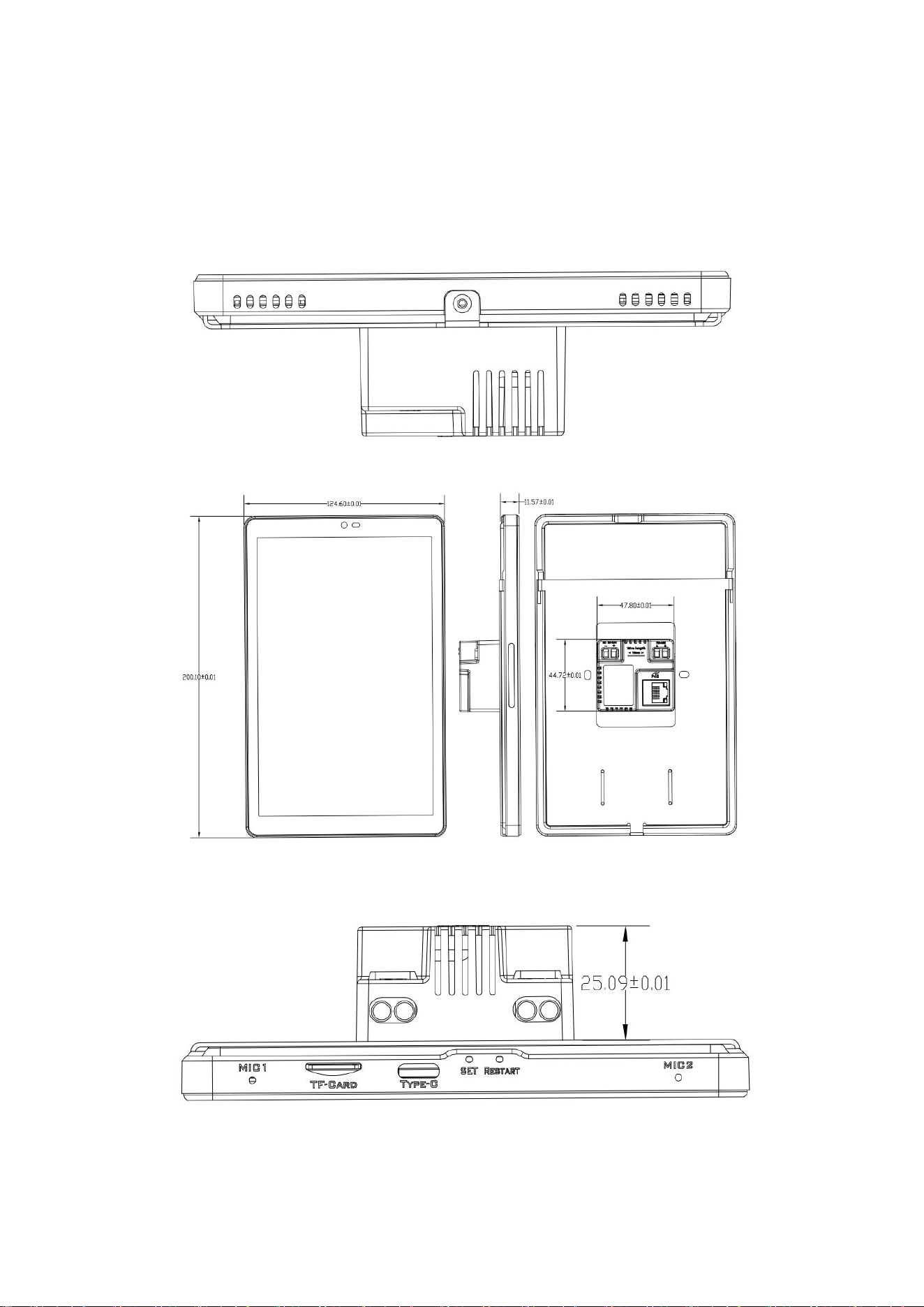
Outer wall dimensions: 200.10 (length) x 124.6 (width) x 11.57 (thickness) mm
Embedded box size: 47.8 (length) x 44.72 (width) x25.09 (depth) mm
86box size :80(length) x 80 (width) x37 (depth) mm
2. Rated power of the whole machine: 24W
3. Input voltage: DC 12V
4. Display: 8-inch IPS display
5. Resolution: 800*1280
6. CPU: RK3566 Quad-Core ARM Cortex-A55,up to 1.8GHz
7. Operating memory: 2GB
8. Storage memory: 16GB
9. Support external expansion memory card: 32G (TF card)
10. Cooling method: air cooling
No.
Item
SPEC
1
CPU
RK3566 Quad-Core ARM Cortex-A55,up to 1.8GHz
2
O/S
Android 11
3
DRAM
2GB
4
Memory
16GB
5
LCD
8 inch
6
LCD Resolution
800*1280
7
Touch screen
Capacitive touch panel
8
WiFi
802.11b/g/n
9
Ethernet
10M/100M Ethernet
10
Bluetooth
Bluetooth 4.0
11
TF Card
Support
12
RS485
RS485*1
13
POE
IEEE 802.3 at/af
14
AUX
Support
15
Audio format
MP2,MP3,AAC etc.
16
Power suply
DC 12V , 50HZ
17
Interfaces
Type C,TF card ,Mic*2 ,Speaker,RJ45 ,RS485,DC 12V
18
Product Dimension
200.10mm*124.6mm*37.7mm
19
Installation method
in wall & embedded 86 box
20
Power consumption
2x10W MAX
21
Install box Dimension
47.8 (length) x 44.72 (width) x25.09 (depth) mm
22
Video/Audio format
MP3、WAV、WMA、FLAC、DTS、APE、AC3、OGG
- 3 -
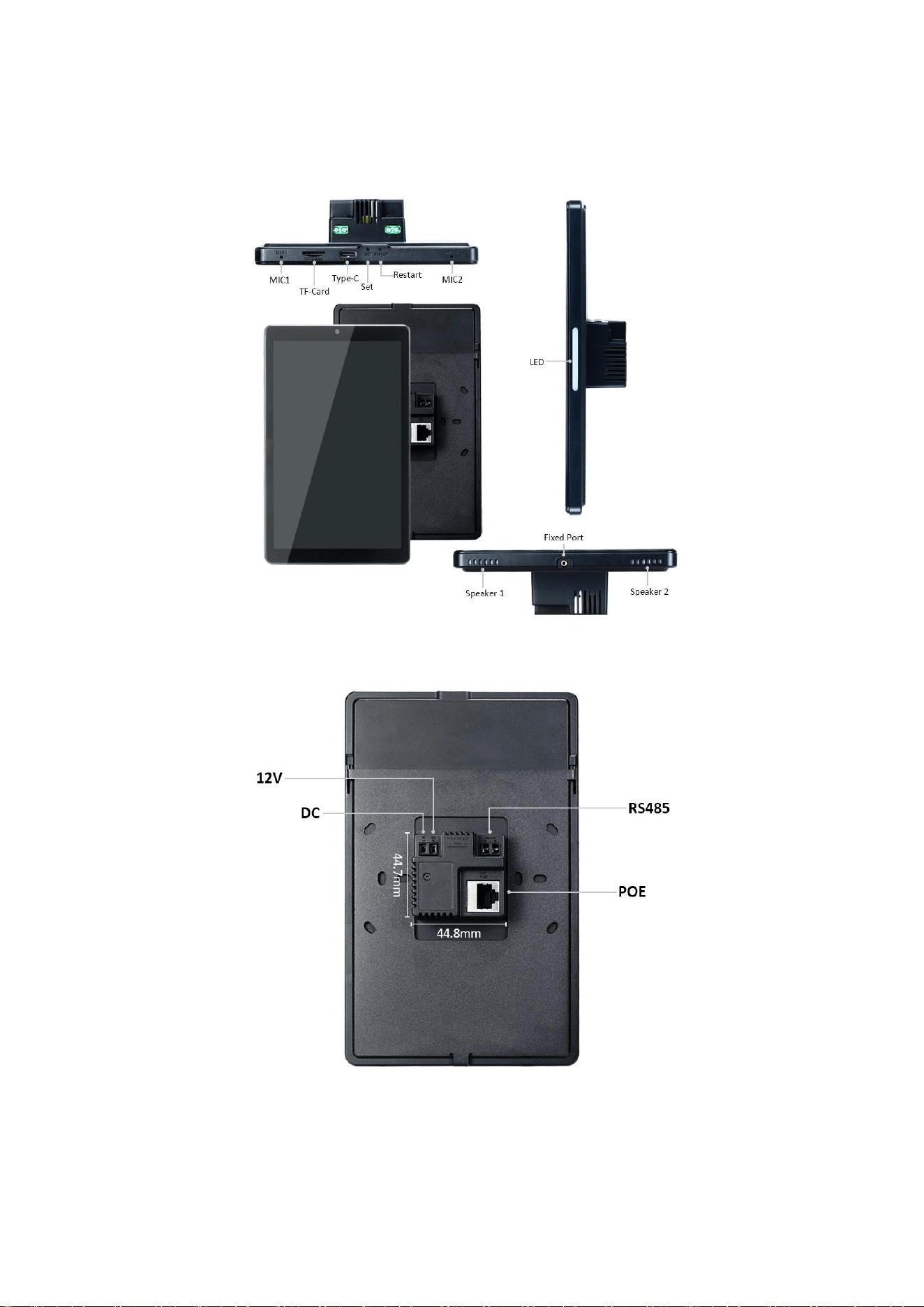
4.Product Interface diagram
- 4 -
Dimension and Drawings
- 5 -
5.Install Instructions
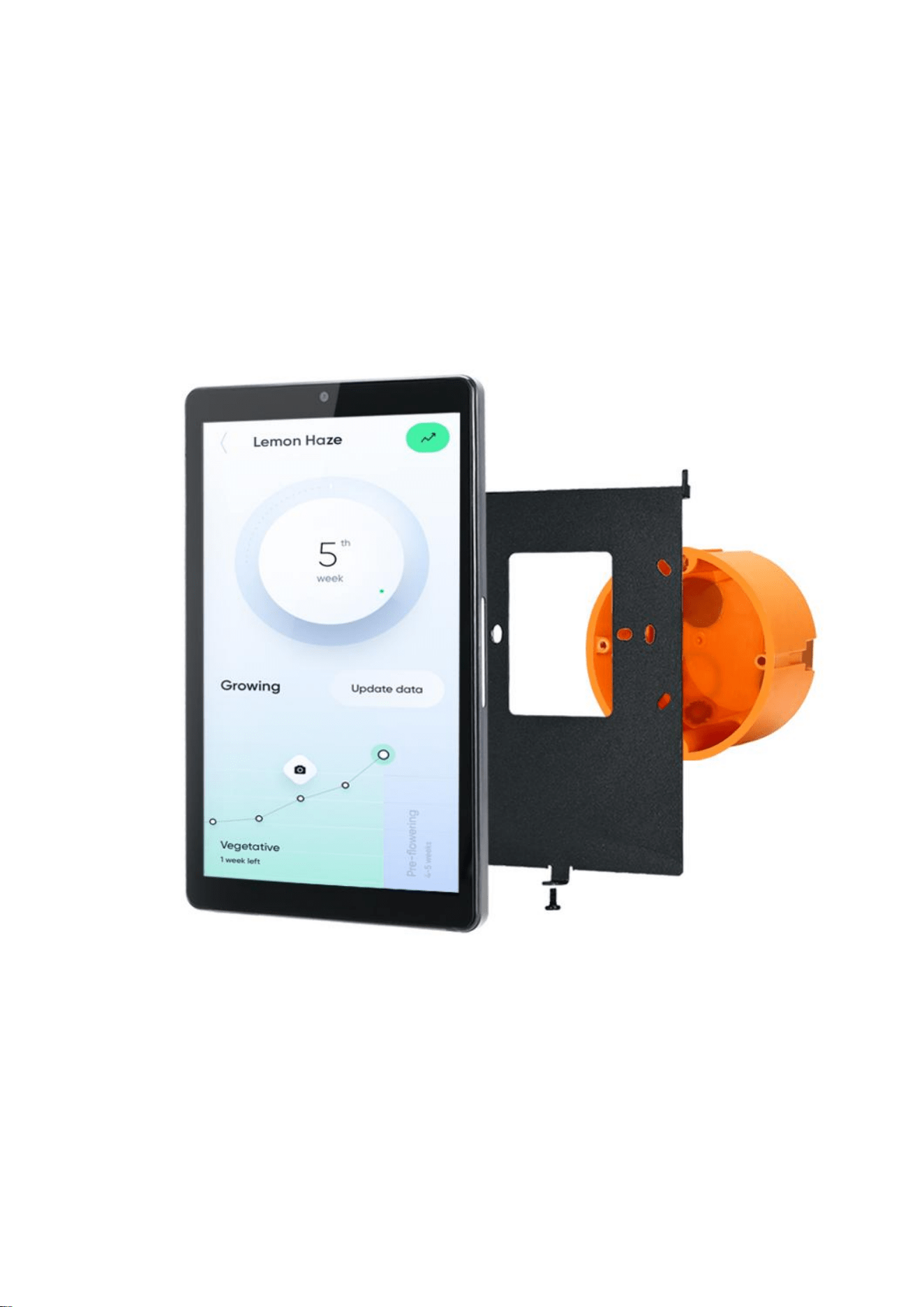
In Wall-mount on European single-gang switch box
- 6 -
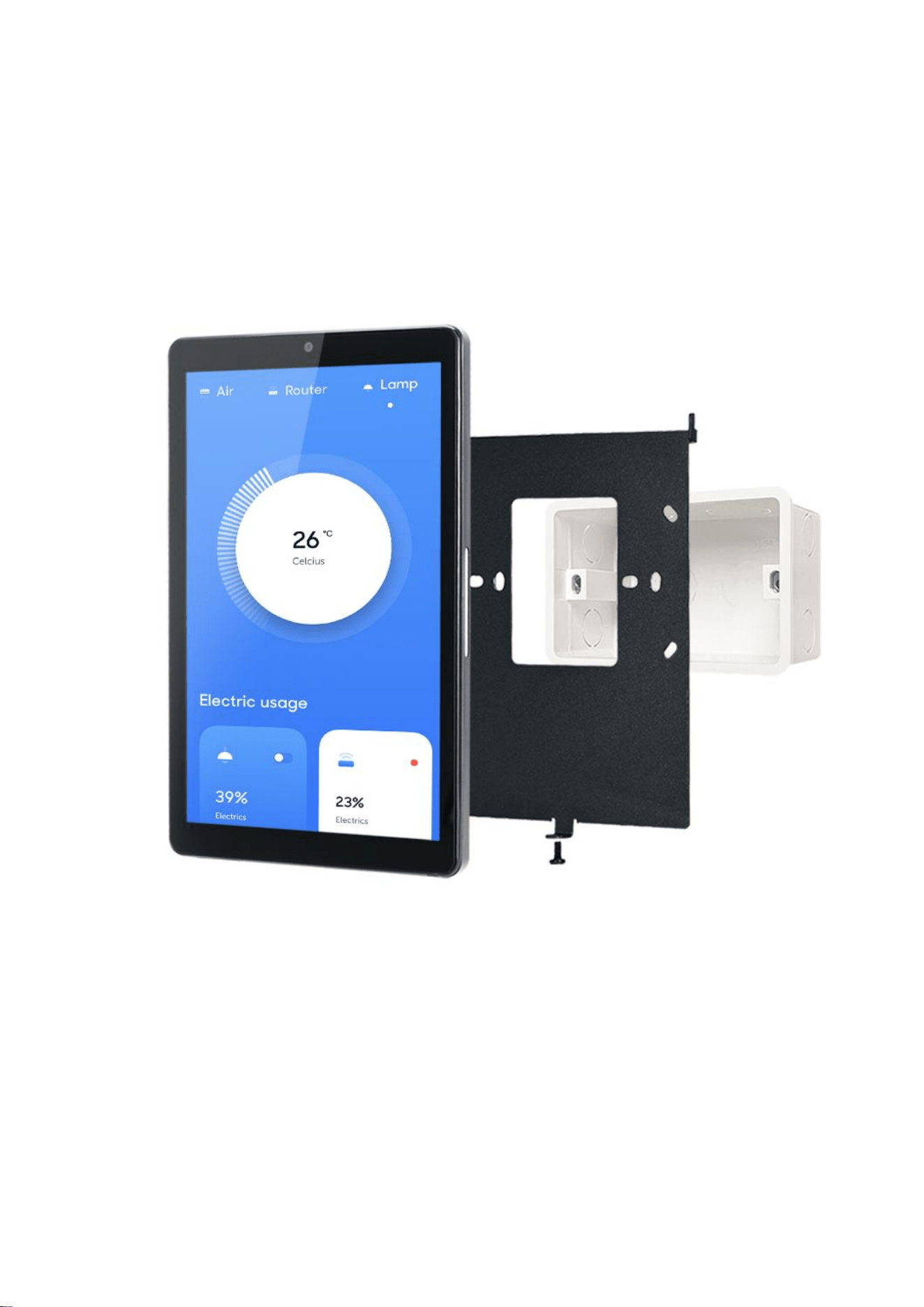
In Wall-mount on US standard single gang electrical box
- 7 -
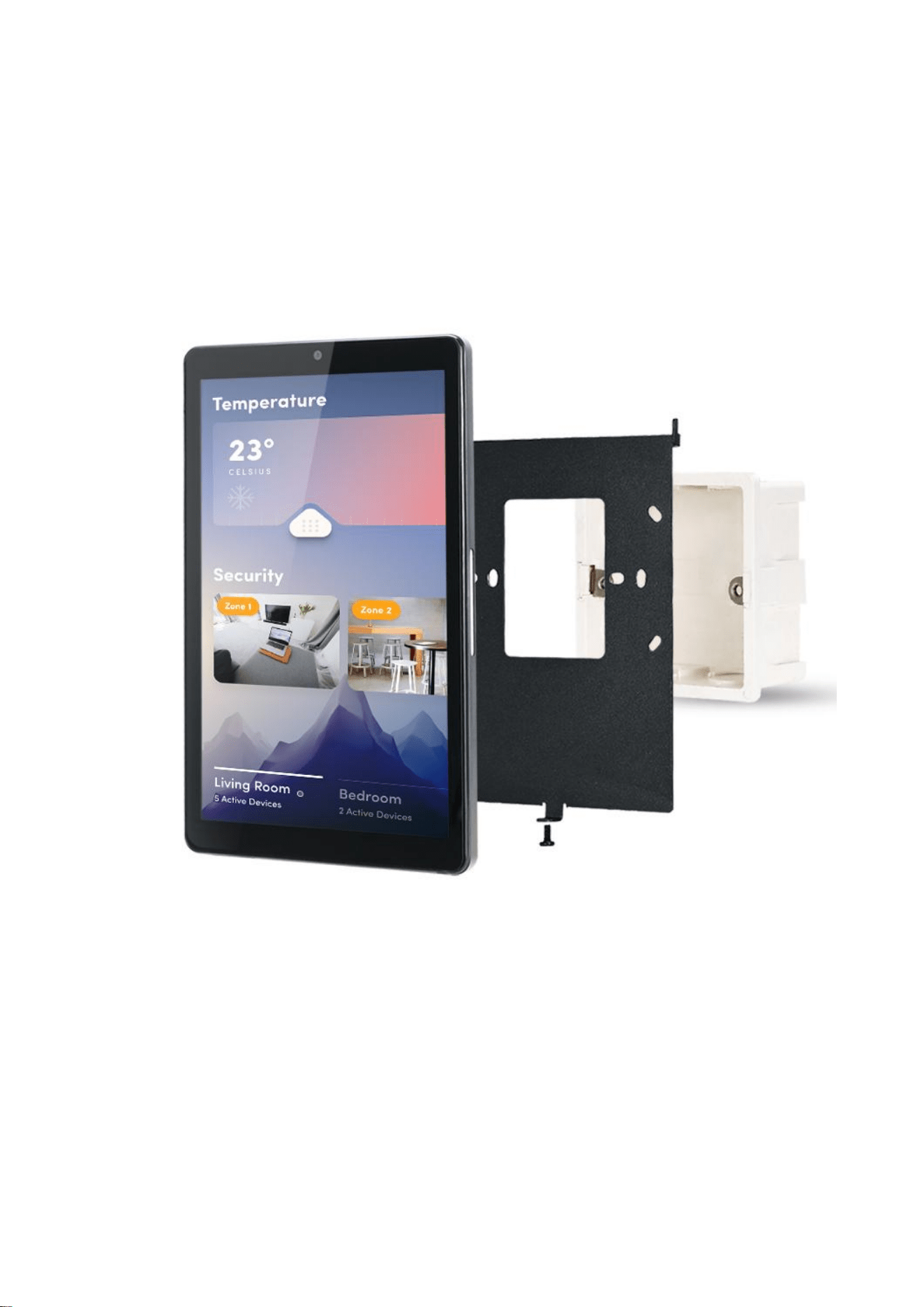
In Wall-mount on International standard 86 electrical box
- 8 -
6.Package and Accessories
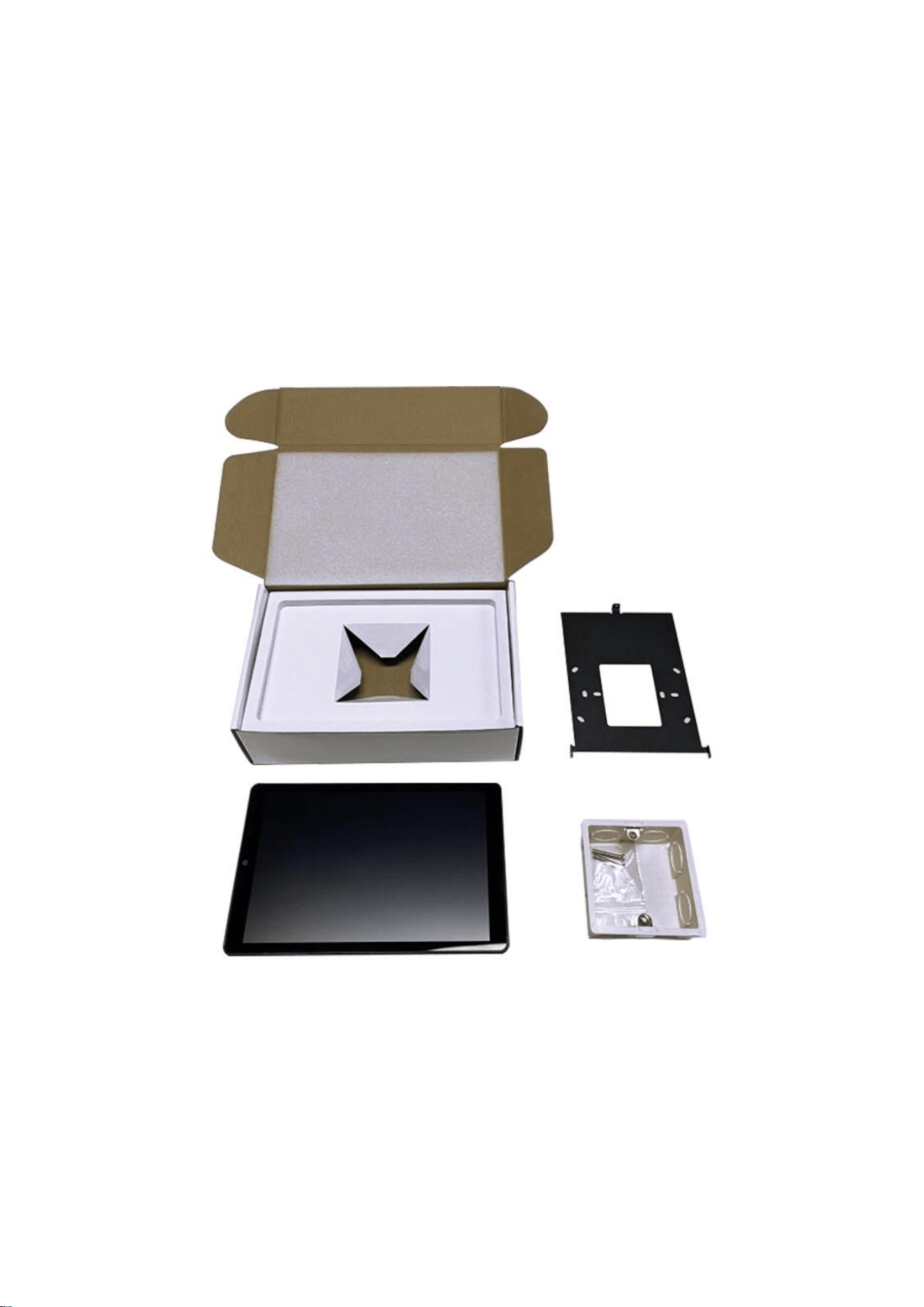
Please make sure all of the following are present when you unpack your Android
Tablets.

- 9 -
7.Problem and solution
Not turn on
1.Check whether the power cord is installed correctly.
2. Check whether the power switch is turned on.
3.Check POE is standard 48V or not .
No sound
1.Check if mute is set.
T card/U disk playback is abnormal
1. Can not be read, replace the T card/U disk to read again.
2. Check if the song format is correct.
Cannot connect to Bluetooth
1. Whether the host is connected to other devices.
2. Whether the mobile phone is enabled to search for Bluetooth devices.
Dead
1. Turn off the power switch and restart.

NOTE: This equipment has been tested and found to comply with the limits for
a Class B digital device, pursuant to part 15 of the FCC Rules. These limits are
designed to provide reasonable protection against harmful interference in a
residential installation. This equipment generates, uses and can radiate radio
frequency energy and, if not installed and used in accordance with the
instructions, may cause harmful interference to radio communications.
However, there is no guarantee that interference will not occur in a particular
installation. If this equipment does cause harmful interference to radio or
television reception, which can be determined by turning the equipment off and
on, the user is encouraged to try to correct the interference by one or more of
the following measures:
- Reorient or relocate the receiving antenna.
- Increase the separation between the equipment and receiver.
-Connect the equipment into an outlet on a circuit different from that to which
the receiver is connected.
-Consult the dealer or an experienced radio/TV technician for help.
Changes or modifications not expressly approved by the party responsible for
compliance could void the user's authority to operate the equipment.
This device complies with Part 15 of the FCC Rules. Operation is subject to the
following two conditions:
(1) this device may not cause harmful interference, and (2) this device must
accept any interference received, including interference that may cause
undesired operation.
RF Exposure Warning Statements:
This equipment complies with FCC radiation exposure limits set forth for an
uncontrolled environment. This equipment shall be installed and operated with
minimum distance 20cm between the radiator & body.