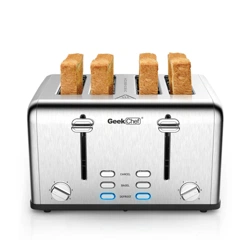
Model No.: GTS4F
User Manual
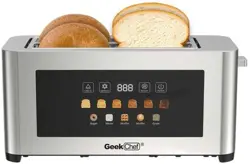
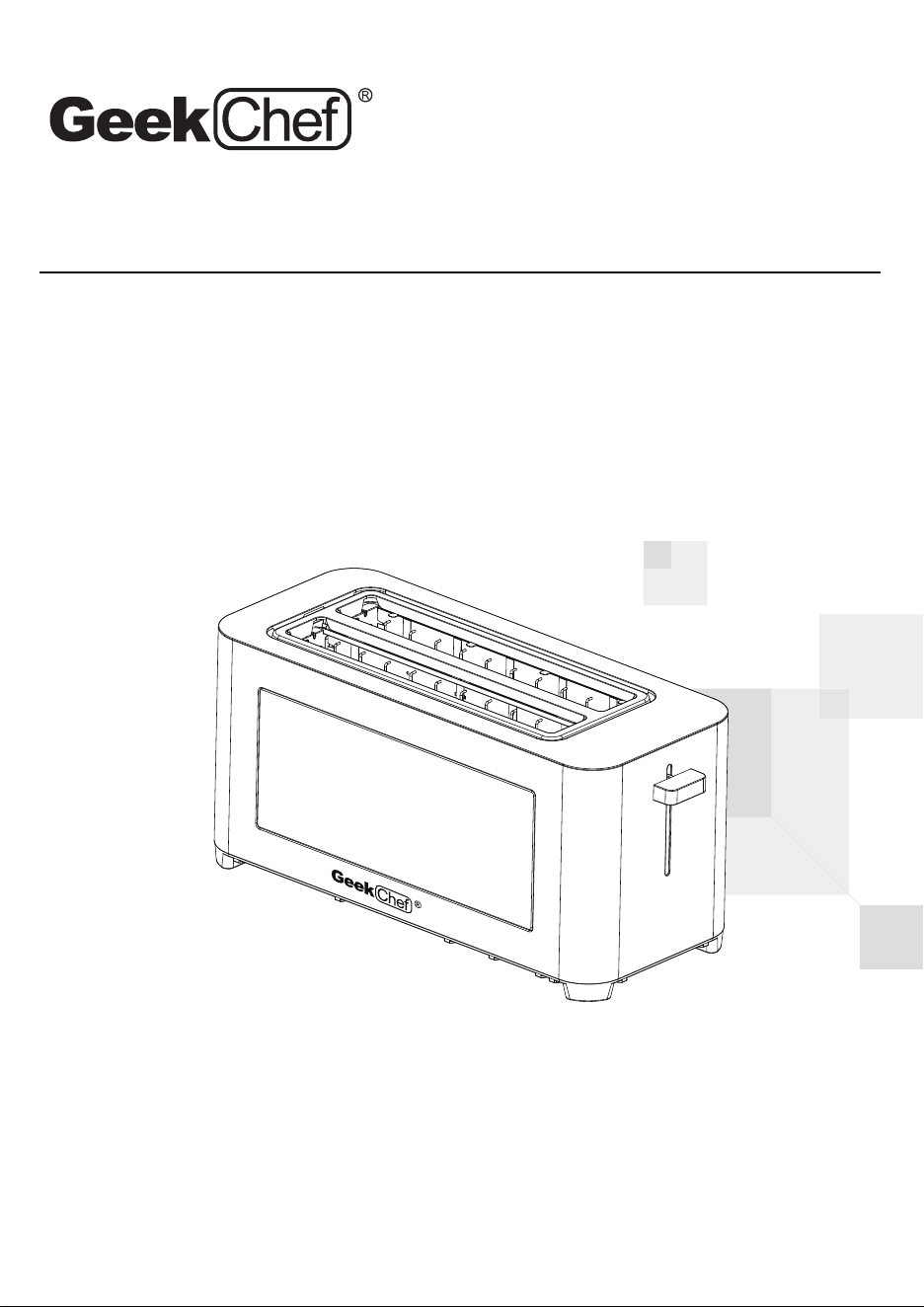
Toaster
Toll Free: 1-844-801-8880
IMPORTANT: Read the instructions carefully before operating the
appliance and keep them for future reference.
Model No.: GTS4F
Power : 1300W
Voltage: 120V~ 60Hz
Safety Instructions
How To Use
Cleaning And Maintenance
2
4
9
Troubleshooting 11
Limited Warranty 13
TECHNICAL SPECIFICATIONS
TABLE OF CONTENTS
Scan the QR code for more
assistance and support.

SAFETY INSTRUCTIONS
2
IMPORTANT SAFETY INSTRUCTIONS
Read all instructions, product labels and warnings before using the toaster.
Proper precautions must be taken to prevent the risk of burns, fires, or other
injury to persons or damage to property.
1. Check that the mains voltage corresponds with the rating of the appliance
before operating.
2. Do not touch hot surfaces-Use handles or knobs.
3. To protect against electric shock, do not immerse cords, plugs or appliances in
water or any other liquid.
4. Do not leave any appliance unattended while it is operating.
5. Close supervision is necessary when any appliance is used by or near children
or infirm persons.
6. Unplug from outlet when not in use or before cleaning.
7. Allow to cool before putting on or taking off any parts.
8. Do not aerate the appliance with a damaged cord or plug, or after the appliance
has been damaged in any manner.
9. If the supply cord or appliance is damaged, it must be replaced by the manufacturer
or its service agent or a similarly qualified person in order to avoid a hazard.
10. The use of accessory attachments not recommended by the appliance
manufacturer may cause injuries.
11. Do not use outdoors.
12. Do not let the cord hang over the edge of a table or counter or let it come into
contact with any hot surfaces.
13. To disconnect-remove the plug from the outlet.
14. Do not pull plug out by the cord.
15. Do not use this product for anything other than intended use.
16. This product is intended for household use only.
17. No liability can be accepted for any damage caused by noncompliance with
these instructions or any other improper use or mishandling.
18. Use the toaster without bread for the first time. There will be some smoke at
first; this is normal.
19. The toaster reaches very high temperatures, particularly in the area of the
openings for the bread.
20. Bread may burn. Therefore this toaster must not be used near or below curtains
and other combustible materials.
21. Do not place the cable or any other object over the bread openings whilst the
toaster is in operation.
3
SAFETY INSTRUCTIONS
3
22. Do not attempt to dislodge food while the toaster is in operation.
23. Toasting lever must be in the‘UP’ position before attaching or disconnecting
the plug from wall outlet.
24. Do not insert metal objects or other utensils into the toaster, as this will cause
an electric shock or cause a fire.
25. Do not leave the toaster unattended whilst in operation.
26. This appliance can be used by children aged from 8 years and above and
persons with reduced physical, sensory or mental capabilities or lack of
experience and knowledge if they have been given supervision or instruction
concerning use of the appliance in a safe way and understand the hazards
involved. Children shall not play with the appliance. Cleaning and user
maintenance shall not be made by children unless they are older than 8 and
supervised.
27. Keep the appliance and its cord out of reach of children less than 8 years old.
28. The surfaces are liable to get hot during use.
29. The appliances are not intended to be operated by means of an external timer
or separate remote-control system.
30. The door or the outer surface may get hot when the appliance is operating.
31. HOT SURFACES- RISK OF BURNS
CAUTION: HOT SURFACE!
FOR HOUSEHOLD USE ONLY
SAVE THESE INSTRUCTIONS
1
4
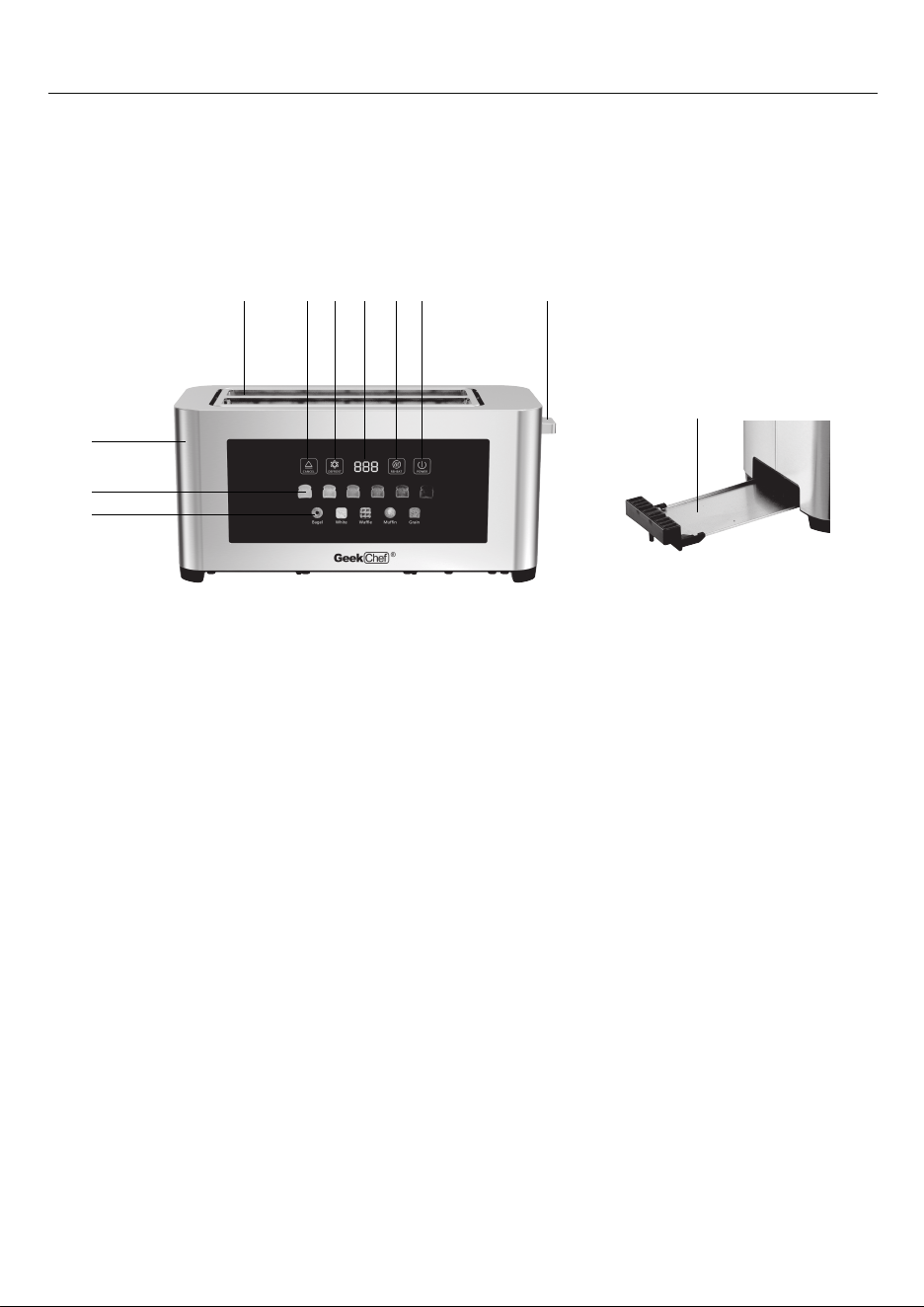
CONTROL PANEL
1. Bread slots
2. Cancel button/Stop
3. Defrost button/Defrost
4. Countdown timer
5. Reheat button/Reheat
6. Power button/On or Off
7. Bread Lever
8. Stainless steel housing
9. Toaster darkness control /level 1-6
10. Bread mode control/ Bagel, White, Waffle,
Muffin, Grain
11. Crumb tray
HOW TO USE
7
11
8
9
10
2 3 4 5 6
5
TIPS FOR IDEAL TOASTING RESULTS
1. Different types of bread have varying moisture content. Therefore, the same
toast darkness setting can produce different results.
2. For bread that is slightly dry, use a lower toast darkness setting.
3. For fresh bread or whole grain bread, use a higher toast darkness setting.
4. Bread with an irregular surface requires a higher toast darkness setting.
5. Thick bread slices need more time for toasting; it may even be necessary to
toast the bread a second time.
6. When toasting raisin bread, remove all raisins from the surface, since
otherwise they could burn.
7. If you toast only one slice, please select a low toast darkness setting.
8. If you toast several slices one after the other, the bread will be somewhat
darker at the same toast darkness setting.
9. To toast frozen bread, waffles, etc. Please use the Defrost button.
10. You can choose the corresponding bread mode to get better toasting results.
BEFORE USING THE APPLIANCE THE FIRST TIME
1. Remove all packaging materials and any transport safety devices.
2. Confirm that all accessories mentioned have been supplied.
3. Clean the toaster with a damp cloth.
4. Confirm that all components are properly assembled and the appliance is placed
firmly.
5. Insert the Removable Crumb Tray into the crumb tray slot.
6. Make certain that the Bread Lever is in the uppermost position before plugging
in the toaster's power cord.
lt is important to carefully remove all packing and
shipping materials (in the slots and under the Bread
Lever) as well as any price-tags, but do not remove
any warning rating label on the appliance.
Ensure that there are no foreign objects (i.e.packing
materials) in the slots before operating the appliance.
HOW TO USE
Caution :

10. Before using the toaster for the first time, you will have to perform a toasting
process without bread. Press the bread lever down until it latch into place.
11. When the toasting is finished, the toast levers automatically jump up.
You may now start toasting bread.
12. After completion of the heating cycle the bread is automatically ejected and
all the indicator lights on, you can press the POWER button to light off.
13. If no operation occurs in 90 seconds, all the lights will be off and you need to
press the POWER button for further operation. The selected function will be
flashing.
14. If there is no bread mode selected , it will be started normal toasting.
HOW TO USE
6
Inserting the bread into the Bread Slots and toasting:
1. Prepare the toaster as described in the section “Before using the appliance the
first time".
2. Using a sharp knife, cut the food (bread or similar cakes and pastries) in slices
of even thickness and appropriate size: max. 4.7x4.7inch , 0.2 to 0.9 inch thick.
Try to get a smooth cut and remove the crumbs.
3. Place the bread slices in the slots in the toasting chamber.
4. Set the desired toast darkness with the darkness controls. You can select from
give toast darkness: Level 1 is very light, and Level 6 is very dark. For the first
use, it is recommended to select a medium browning level (example: 3 or 4).
5. Press the Bread Lever down until it locks into place. The indicator lamp for
“CANCEL' lights up (white color light) and the toaster starts toasting.
USING YOUR TOASTER
To Toast Your Bread:
7. Select a location for the toaster. The location should be:
- A flat,heat-resistant,non-flammable surface.
- At least three inches away from walls or the back of countertops.
- Al least one foot away from any cabinet or shelving that may be above the
toaster.
- Away from flammable materials, such as curtains and wall fabric.
- Away from a gas stove flame or electric element.
8. Make sure that there is enough space between the toaster and the wall or
other appliances, as the toaster will become hot during operation.
9. Connect the appliance to the mains supply by means of the lead cable
(120 V~, 60 Hz).
HOW TO USE
7
6. When the bread has been toasted to the set darkness, it is automatically
ejected. The appliance shuts off automatically.
The Bread Lever will not engage in the browning position
unless the toaster is connected to the power supply.
Note:
1. You can interrupt the toasting cycle any time by pressing
the “CANCEL" button.
2. The required browning level depends on your special liking
and the type andfreshness of the toasted cakes and
pastries. For example: a short toasting time (low browning
level) is sufficient for toasting raisin pastry and fine white
bread, but for toasting rye bread, you must select a higher
browning level to get a similar result.
3. Smaller bread slices may be removed easier by lifting the
Bread Lever to the HIGH LIFT position (approx.2CM above
the middle position).
4. Ensure to make an even and smooth cut. Use a sharp
bread knife for cutting. Remove crumbs and protruding rims,
especially when crisping up halved rolls.
5. When toasting several slices at a time, the slices should be
of equal size and freshness to ensure even toasting.
6. When toasting two slices of bread, place one slice in the
center of each bread slot.
7. When toasting one slice of bread, place the slice in the
center of either bread slot.
Tips:
1. Insert the bagel into the bread slots.
2. Set the desired darkness with the darkness control.
3. Press the Bagel button. The Bagel light will illuminate to indicate your selection.
4. Press the Bread Lever down until it locks.
5. After the desired level of darkness has been reached, the food will pop up
automatically. The Bread Lever will return to the up position and the indicator
To Toast Your Bagel:
HOW TO USE
8
lights will turn off.
6. Carefully remove the toasted bagel from the bread slots.
The Defrost function first thaws out the bread and then toasts it, which means
that the thawing cycle lasts somewhat longer than the normal toasting cycle.
1. Place the bread slices in the slots in the toasting chamber.
2. Select the desired toast darkness setting.
3. We recommend the following toast darkness settings:
Light for bread from the refrigerator or thin frozen bread slices.
Medium for frozen waffles.
Dark for thicker frozen bread slices and for rolls and thick toast slices.
4. Then press the “Defrost" button right away. The indicator lamp on this button
lights up.
5. Press the Bread Lever down until it locks into place.
6. The bread is thawed and toasted.
7. You can interrupt the cycle any time by pressing the “CANCEL" button.
8. After completion of the thawing cycle the bread is automatically ejected
and the indicator lights go out. The appliance shuts off automatically.
To Toast Frozen Food:
Never insert your fingers or metallic utensils into the
bread slots.
Toaster food can be very hot. Handle with care.
Warning :
Toast is the default setting if no food or function select
buttons are chosen.
Note:
Press the CANCEL button. The toaster will stop toasting immediately and the
food will pop up automatically.
Using the CANCEL function:
9
1. Always the appliance to cool before cleaning.
2. Before cleaning, always turn off the appliance and unplug it from the power supply.
3. Do not immerse the appliance and power cord in water or other liquids or
wash them in the dishwasher.
4. Wipe off the toaster with a damp cloth and a little dish washing detergent.
Do not use any abrasive scouring agents, steel wool, metal objects, hot
cleaning agents or disinfectants, since they can damage the appliance.
5. To remove jammed bread slices, unplug the toaster and turn it over and shake
lightly.
Never attempt to remove stuck bread slices with sharp or pointed tools or
silverware.
6. Remove crumb and any small pieces of bread from the crumb tray regularly.
To do this, pull the crumb tray with a damp cloth, then dry it thoroughly and
push it back into the appliance.
7. The appliance must be completely dry before you use it again.
Crumbs will accumulate in the crumb tray and could
catch fire if not emptied periodically.
Warning :
Your toaster has been designed for optimum toast balance.
Some elementson the inside of the toaster may glow more
brightly than others when in use.This is part of normal toaster
operation.
To remove food jammed in the bread slots:
Unplug the toaster and removethe food once the toaster has
cooled down.
Do not place food on top of toaster while it is warming.
Do not try to force the food out with the toast lift lever.
This may damage the toaster.
Tips:
CLEANING AND MAINTENANCE

10
CLEANING AND MAINTENANCE
Store the entire appliance on a clean and dry surface, where it may not tilt or fall
and no other objects could fall on it and where it is safe from frost and
inadmissible strain (mechanical or electric shock, heat, moisture, direct sunlight)
and where it is out of reach of young children. Do not place any hard or heavy
objects on the appliance or any parts of it.
Always switch off the appliance by pressing the CANCEL button and unplug
the powerconnector if the appliance is not in use.
If the appliance is not in use for a long period of time, clean the appliance
before storage.
If required, wind the power cord around the cord storage in the bottom of the
appliance.
Storage

TROUBLESHOOTING
TROUBLESHOOTING
1. Nothing happens when l press the bread lever or buttons:
Make sure the power cord is correctly plugged into the electrical outlet.
2. Bread Isn't Browning / Not Heating
Browning Setting Too Low: Adjust the browning control to a darker setting.
Make sure the power cord is not damaged in any way.
3. Toast is Burnt or Too Dark
Browning Setting Too High: Lower the browning control to a lighter setting.
Different bread types (e.g., white, whole wheat, artisan) may require different
settings.
Moisture Content: Very dry bread (like day-old bagels) will brown faster.
Try a lower setting. For frozen breads, use Defrost function to allow for extra
time to defrost.
4. Toaster Won't Stay Down / Lever Pops Up Immediately
Crumb Buildup: Food crumbs can interfere with the internal latch mechanism.
Unplug the toaster and let it cool complete, thoroughly clean the crumb tray
and the inside of the slots (shake it gently over a trash can).
Wrong Setting: Ensure you are pushing the lever down until it clicks and locks
into place.
5. Uneven Toasting (One Side Darker)
Heating Element Issue: This could indicate a faulty heating element.
If the toaster is new, contact customer support. If it's old, it may be time for
a replacement.
Bread Placement: For two-slot toasters, try placing only one piece of bread
in the center of the slot.
6. Toaster Smokes or Smells
Crumb Buildup: A full crumb tray can be a fire hazard and may block
Make sure the electrical outlet is operative by plugging in another appliance.
lf it's not, please check the circuit breakers or fuses in your home.
11

TROUBLESHOOTING
New Toaster Smell: A slight odor during the first few uses is normal as man-
ufacturing oils burn off. Ensure the area is well-ventilated.
heating elements. Oil and food particles accumulated in the crumb tray can
burn. Unplug the toaster, let it cool completely, and empty the crumb tray.
Wipe the inside with a dry cloth or a soft brush.
12
7. Food Gets Stuck / Doesn't Pop Up
Small Items: Avoid toasting very small items that can fall through the slots
and get stuck. Always use the right size for the food.
Sticky Residue: sugary items like pastries or frorozen waffles can melt and
stick. Unplug the toaster and let it cool completely before carefully removing
any stuck debris. Never use a metal utensil, as it can damage the elements
and cause electric shock. Use wooden or plastic tongs.

LIMITED WARRANTY
LIMITED WARRANTY
For warranty or repair service: Call 1-844-801-8880 and choose the appropriate prompt,
or email [email protected]. Please have your Product’s model number, date
code(on rating label),your name, address, city, state, zip code and phone number ready.
THIS LIMITED WARRANTY DOES NOT APPLY TO :
Geek Technology Co., Ltd. warrants to the original consumer or purchaser this Geek Chef
Toaster Maker is free from defects in material or workmanship for a period of One (1) year
from the date of purchase. If any such defect is discovered within the warranty period,
Geek Technology Co., Ltd. at its discretion, will repair or replace the Product at no cost.
This limited warranty is good only to the original purchaser of the product and effective only
when used in United States.
13
NO OTHER WARRANTY IS APPLICABLE TO THIS PRODUCT. THIS WARRANTY IS IN LIEU
OF ANY OTHER WARRANTY, EXPERSS OR IMPLIED. INCLUDING WITHOUT LIMITATION,
ANY WARRANTY OF MERCHANTABILITY OR FITNESS FOR A PARTICULAR PURPOSE.
TO THE EXTENT ANY IMPLIED WARRANTY IS REQUIRED BY LAW. IT IS LIMITED IN
DURATION TO THE EXPRESS WARRANTY PERIOD ABOVE. NEITHER THE MANUFAC-
TURER NOR ITS U.S.DISTRIBUTOR SHALL BE LIABLE FOR ANY INCIDENTAL,
CONSEQUENTIAL, INDI RECT, SPECIAL, OR PUNITIVE DAMAGES OF ANY NATURE.
INCLUD ING WITHOUT LIMITATION. LOST REVE- NUES OR PROFITS, OR ANY OTHER
DAMAGE WHETHER BASED IN CONTRACT,
TORT, OR OTH ERWISE, SOME STATES
AND/OR TERRITORIES DO NOT ALLOW THE EXCLUSION OR LIMITATION OF INCIDEN-
TAL OR CONSEQUENTIAL DAMAGES OR LIMITATIONS ON HOW LONG AN IMPLIED
WARRANTY LASTS. SO THE ABOVE EXCLUSION OR LIMITATION MAY NOT APPLY TO
YOU. THIS WARRANTY GIVES YOU, THE ORIGINAN PURCHASER, SPECIFIC LEGAL
RIGHTS AND YOU MAY ALSO HAVE OTHER RIGHTS THAT VARY FROM STATE TO
STATE OR TERRITORY TO TERRITORY.
1. Failure of product to perform during power failures and interruptions or inadequate electrical
service.
2. Damage caused by transportation or handling.
3. Damage caused to the product by accident, vermin, lightning, winds, fire, floods, or acts of God.
4. Damage resulting from accident, alteration, misuse, abuse, or improper installation, repair, or
maintenance. Improper u
se includes using an external device that alters or converts the voltage
or frequency of electricity.
5. Any unauthorized product modification, repair by unauthorized repair center, or use of
non-approved replacement parts.
6. Abnormal cleaning and maintenance as described in the user's manual.
7. Use of accessories or components that are not compatible with this product.

Version Update
--2025.08
Geek Technology Co., Ltd.
120 US Route 46,
Parsippany, NJ 07054
Toll Free 1-844-801-8880