MUCAPSO M1
User Manual
ENGLISH
Pocket Wireless Charging Speaker
Specificaon
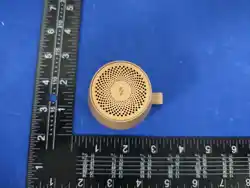
Size:
58.5 x 58.5 x 40 mm
Weight : 88.5 g
3-Year Limited Warranty
Made in China
Pocket Wireless Charging Speaker
Model Name: MUCAPSO M1
Baery Capacity: 600mAh / 3.7V / 2.22Wh
Input : USB-C: 5V⎓ 3A / 9V⎓ 2.5A
Output:
Magnec Wireless Charger: 5W, 7.5W, 10W, 15W
Speaker Power: 3W
•
Product Introducon
Light Mode TWS Mode
How to use
USB-C input
Power
Button
FCC Statement :
This device complies with Part 15 of the FCC Rules. Operation is subject to the following two conditions:
(1) This device may not cause harmful interference, and (2) this device must accept any interference received, including interference that may cause
undesired operation.
Warning: Changes or modifications not expressly approved by the party responsible for compliance could void the user's authority to operate the
equipment.
Note: This equipment has been tested and found to comply with the limits for a Class B digital device, pursuant to Part 15 of the FCC Rules. These limits are
designed to provide reasonable protection against harmful interference in a residential installation.
This equipment generates, uses, and can radiate radio frequency energy and, if not installed and used in accordance with the instructions, may cause
harmful interference to radio communications. However, there is no guarantee that interference will not occur in a particular installation. If this equipment
does cause harmful interference to radio or television reception, which can be determined by turning the equipment off and on, the user is encouraged to
try to correct the interference by one or more of the following measures:
(1) Reorient or relocate the receiving antenna.
(2) Increase the separation between the equipment and receiver.
(3) Connect the equipment into an outlet on a circuit different from that to which the receiver is connected.
(4) Consult the dealer or an experienced radio / TV technician for help.
FCC Radiation Exposure Statement:
This equipment complies with FCC radiation exposure limits set forth for an uncontrolled environment. This equipment should be installed and
operated with minimum distance of 20 cm between the radiator and your body. This transmitter must not be co-located or operating in
conjunction with any other antenna or transmitter.
ADAM elements International Co., Ltd.
www.adamelements.com
[email protected] +886-2-2738-9900
Éléments
d'emballage
XXXXXXXXXXXXXX
FCC ID: 2ABY9MUCAPSO-M1
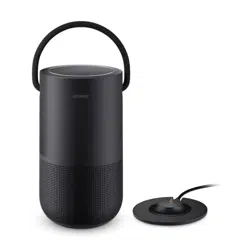
Magnetic Charger
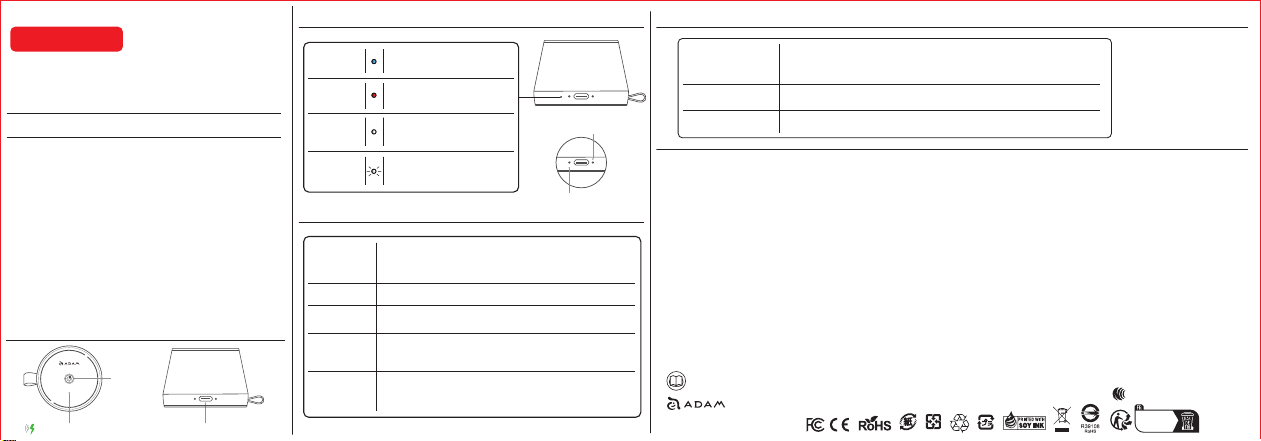
Blue light flashes when not connected.
Blue light steady when connected.
Bluetooth Indicator
Red light flashes while charging.
Red light turns off when fully charged.
Charging Indicator
Wireless Charging
Indicator
Foreign Object
Detecon (FOD)
Indicator
White light turns on when charging a
phone wirelessly.
White light turns off when the phone
is fully charged.
White light flashes when foreign object
detected (wireless charging disabled).
White light steady/off when object removed
(wireless charging resumes).
Power on / off
Press and hold the power buon for 3 seconds to turn the device on or off.
Bluetooth will be acvated automacally when the device powers on.
The device will automacally power off if Bluetooth is not connected or if
the Bluetooth connecon is disconnected for 5 minutes.
Play / Pause
Short-press to play or pause music.
TWS Connect /
Disconnect
Double-press the power buon to connect or disconnect TWS.
Bluetooth
Disconnect /
Reconnect
Call Mode
Triple-press the power buon to disconnect or reconnect Bluetooth
(including in TWS mode).
• Short-press to answer or end a call.
• Press and hold to reject an incoming call.
• Calls can also be managed via voice control:
Say “ YES ” to answer the call, or “ NO ” to reject the call.
Pairing Mode
Power on both devices and double-click either power buon to pair; a tone confirms,
and funcons are synchronized.
Disconnecng TWS
Double-click power buon on either device to disconnect TWS.
Reconnect TWS
Double-click the power buon on Device A or B again to re-pair TWS.
Please scan the QR code on the
packaging for the user manual.
Bluetooth
Charging Indicator