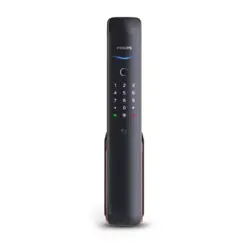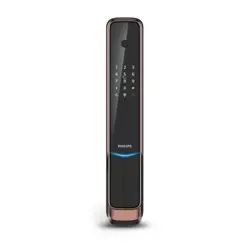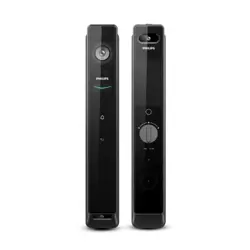
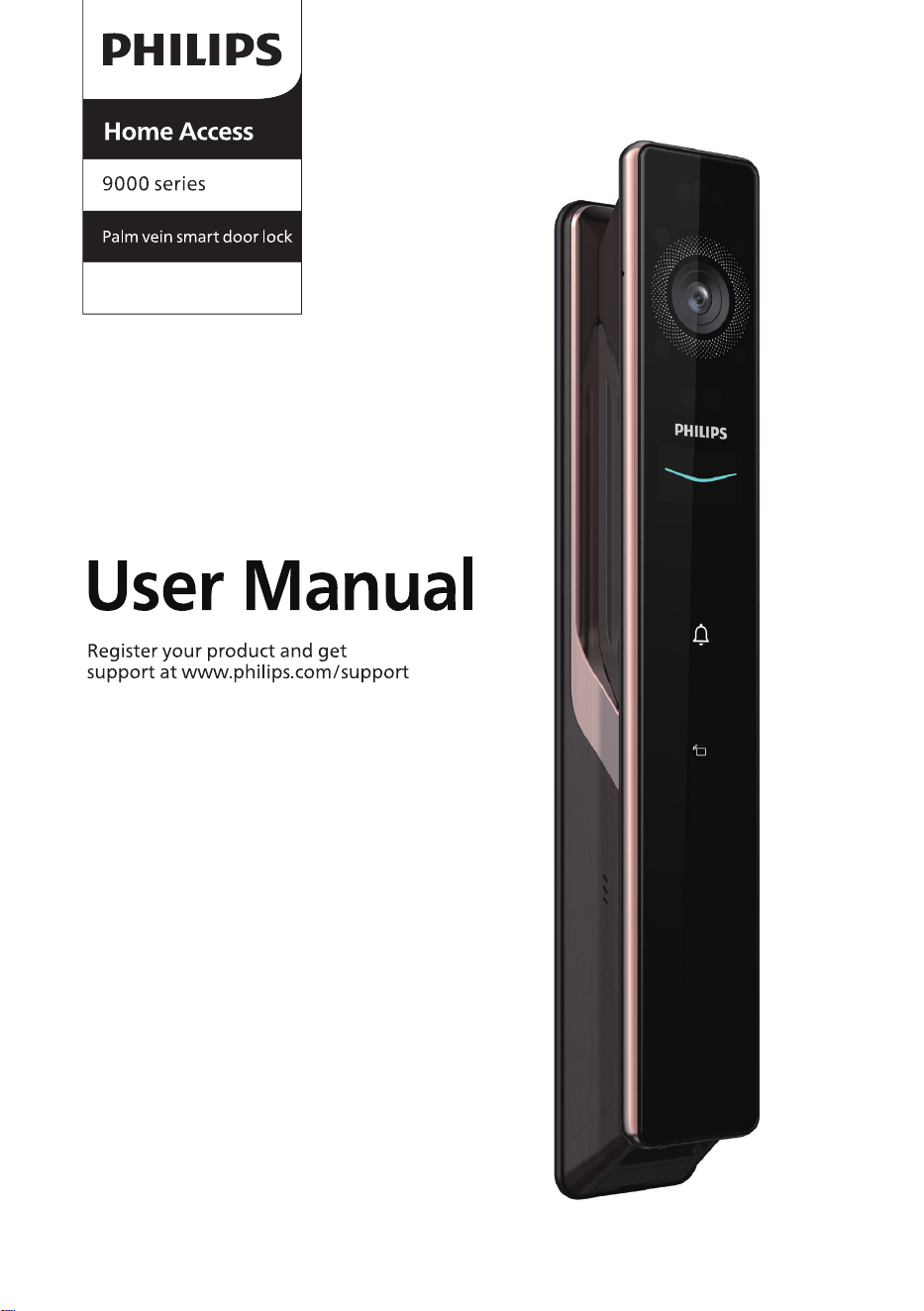
9000系列
DDL902-MVP-11HW
掌静脉人脸可视智能门锁
EasyKey
DDL902-MFVP-11HWS

1
2
3
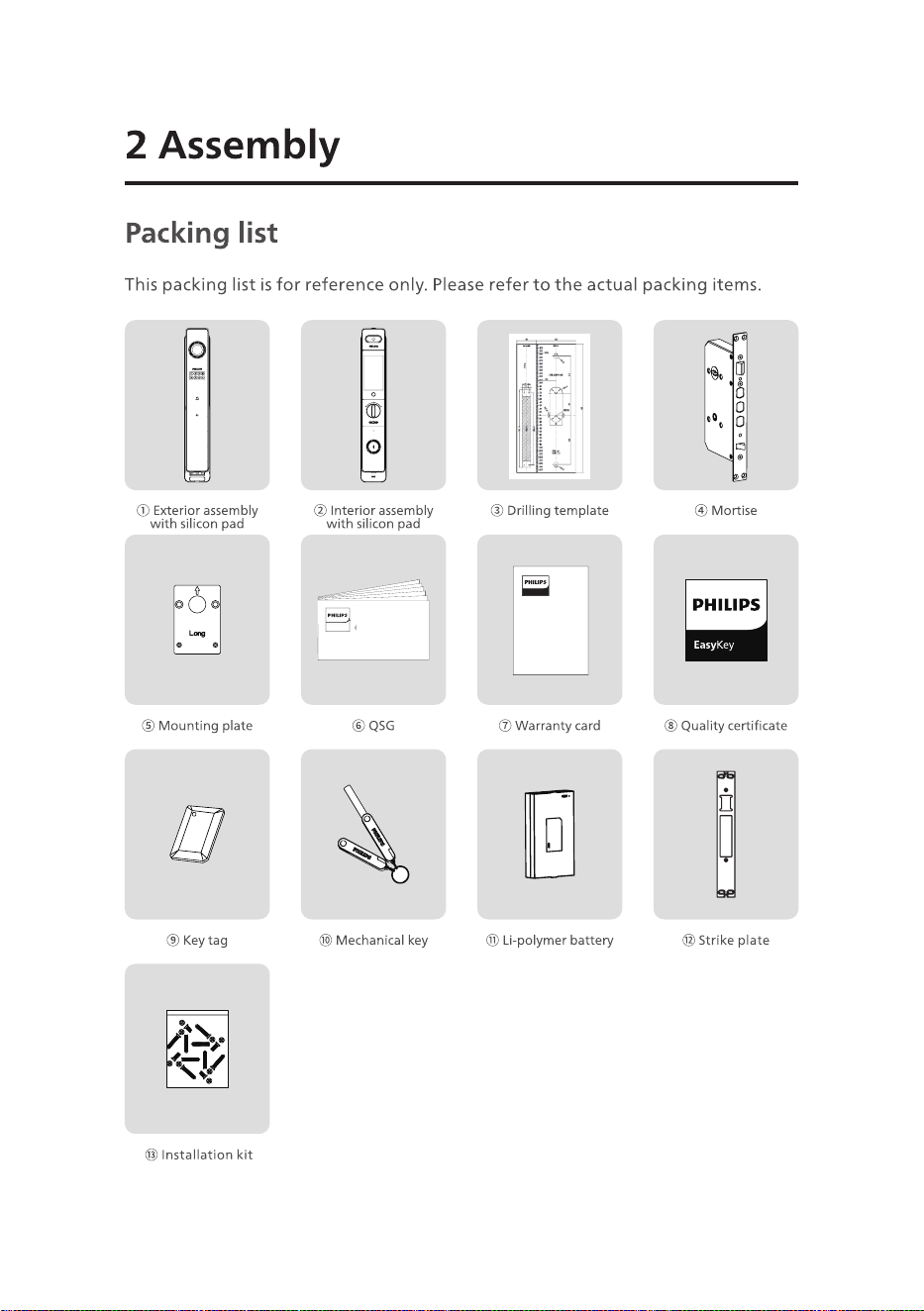
Warr anty
Card
Easy
Key
Quick Start
Guide
Easy Key
4
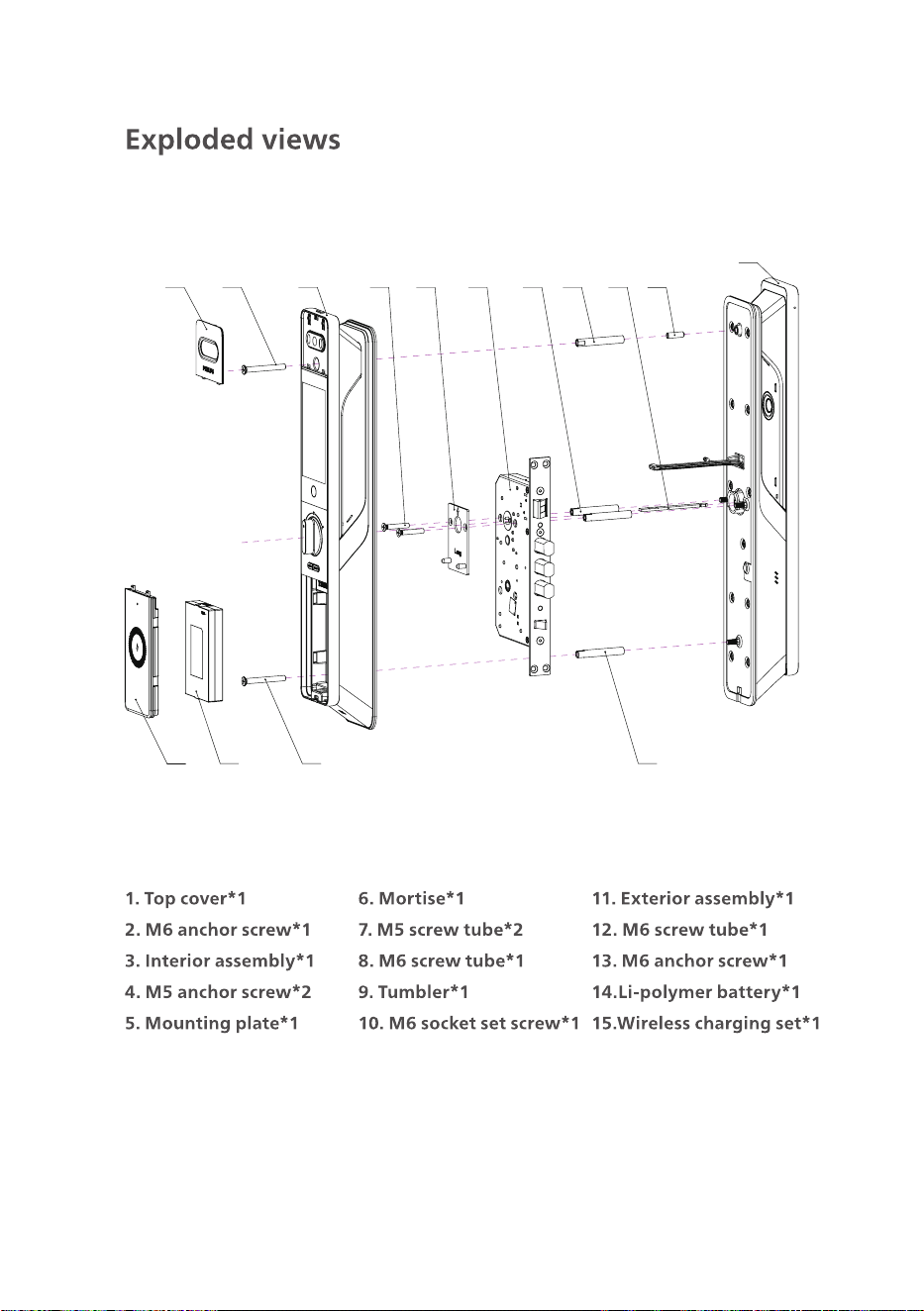
1 2 3 4 5 6 7 8 9 10
11
12131415
5
1
3
2
Attention:
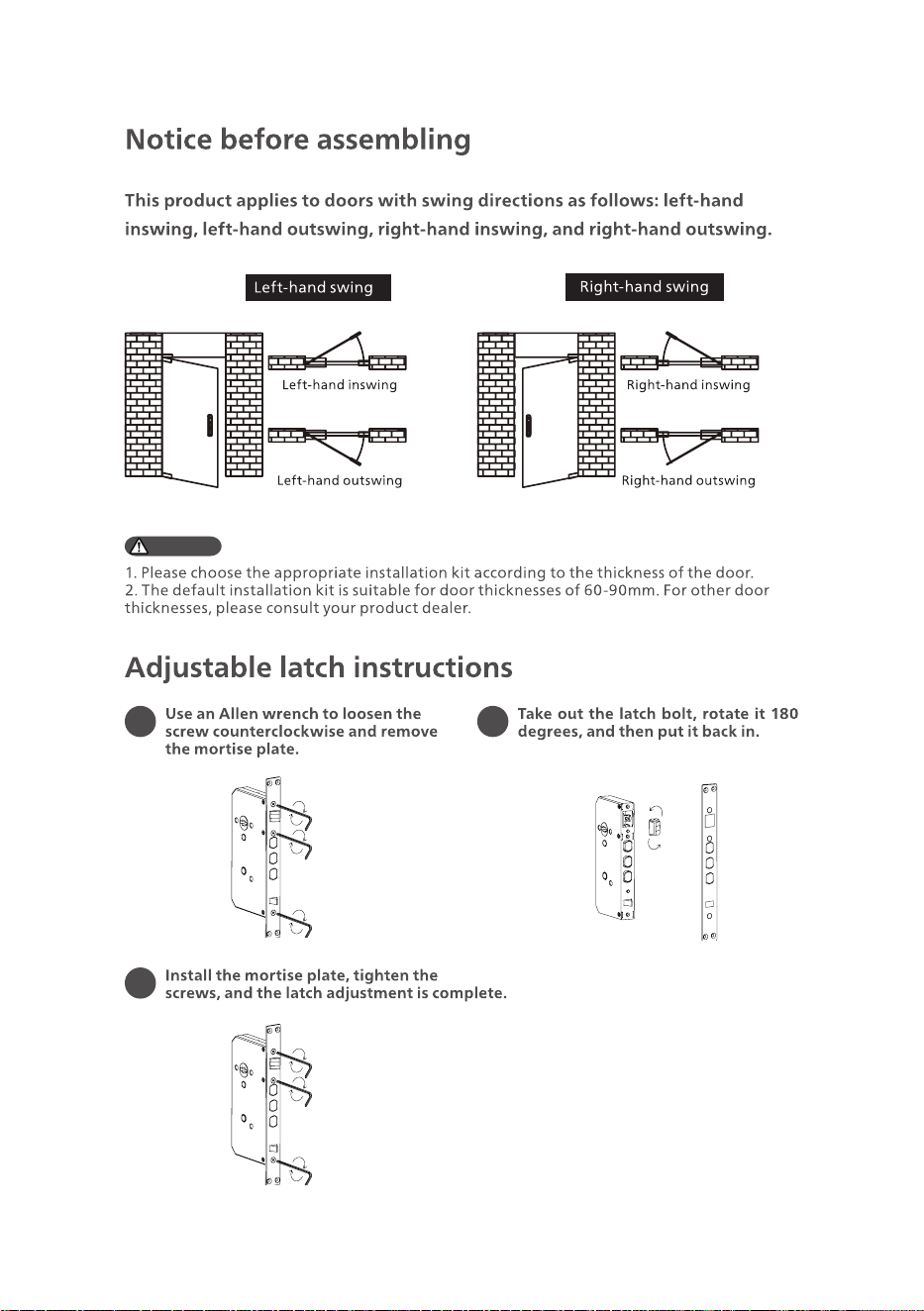
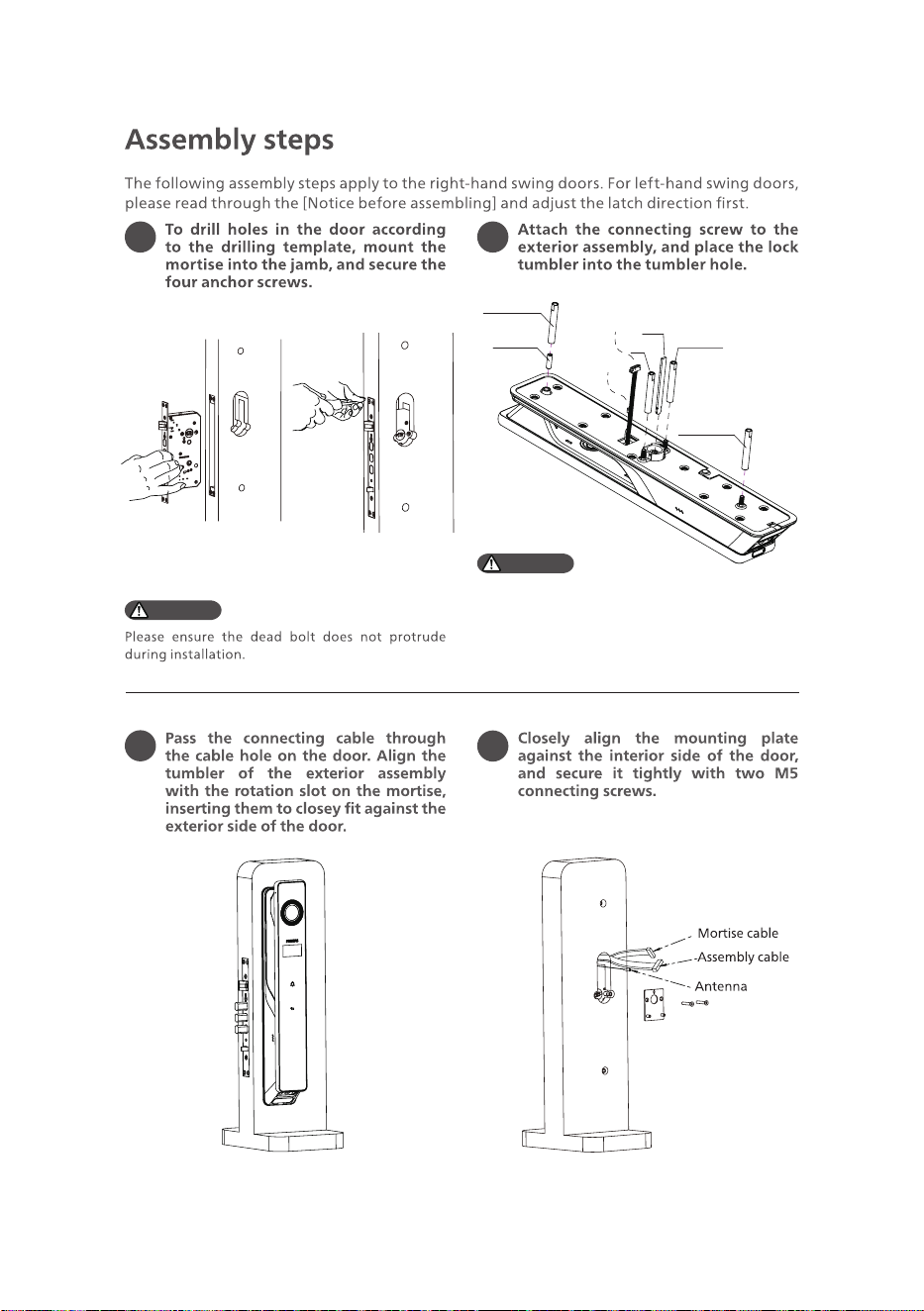
Latch bolt
Mortise plate
Allen wrench
Mortise plate
Allen wrench
6
1 2
3
4
Attention:
1. Please select the appropriate length of tumbler
and screws according to the door thickness.
2. Tumbler cutting requirements: After inserting
the tumbler into the mortise, the exposed length
of the tumbler should be 2-12mm above the door
surface.
Attention:
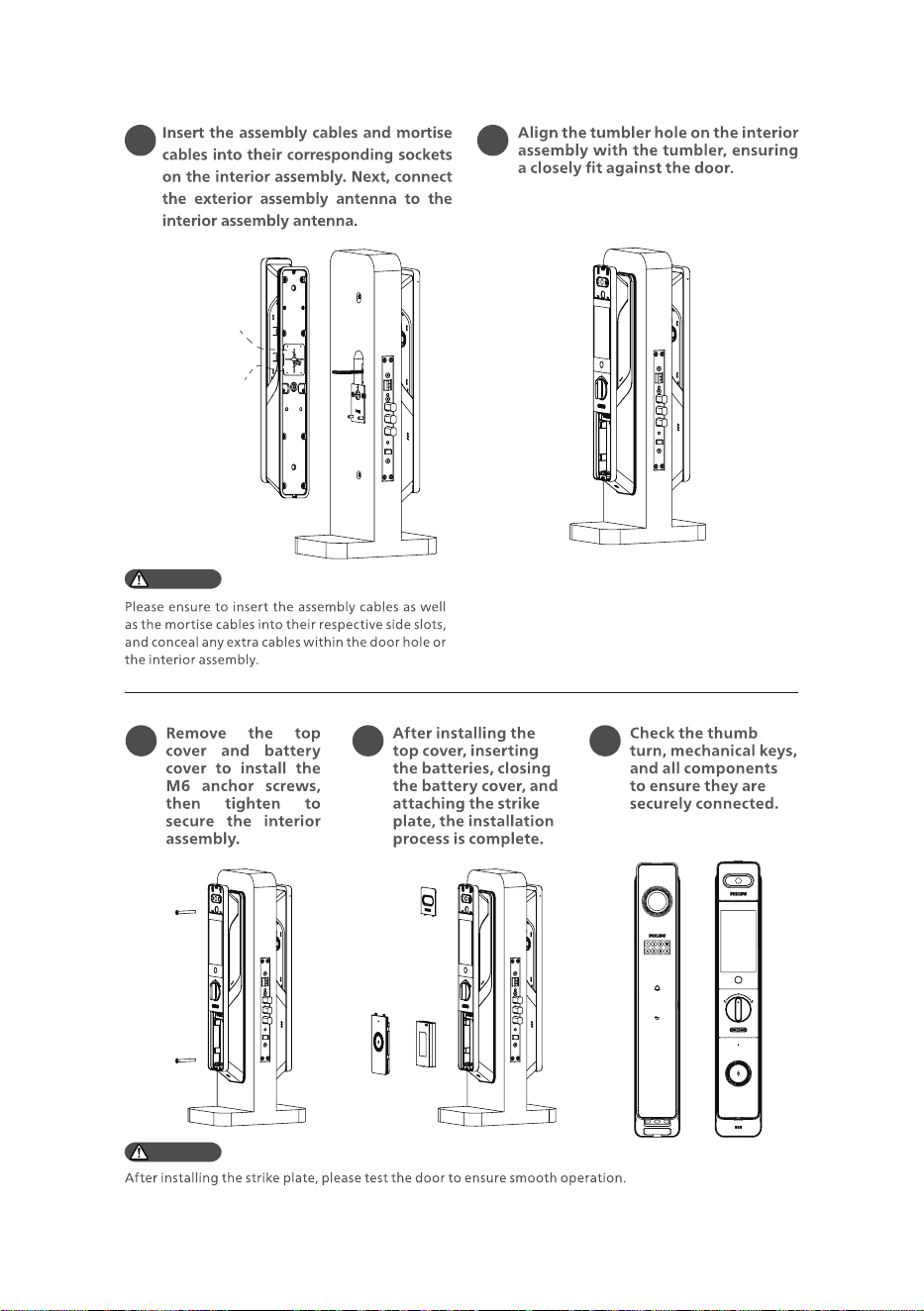
M6 screw tube
M6 screw tube
M5 screw tube
M5 screw
tube
Tumbler
Assembly cable
Antenna
M6 socket
set screw
7
5 6
7 8 9
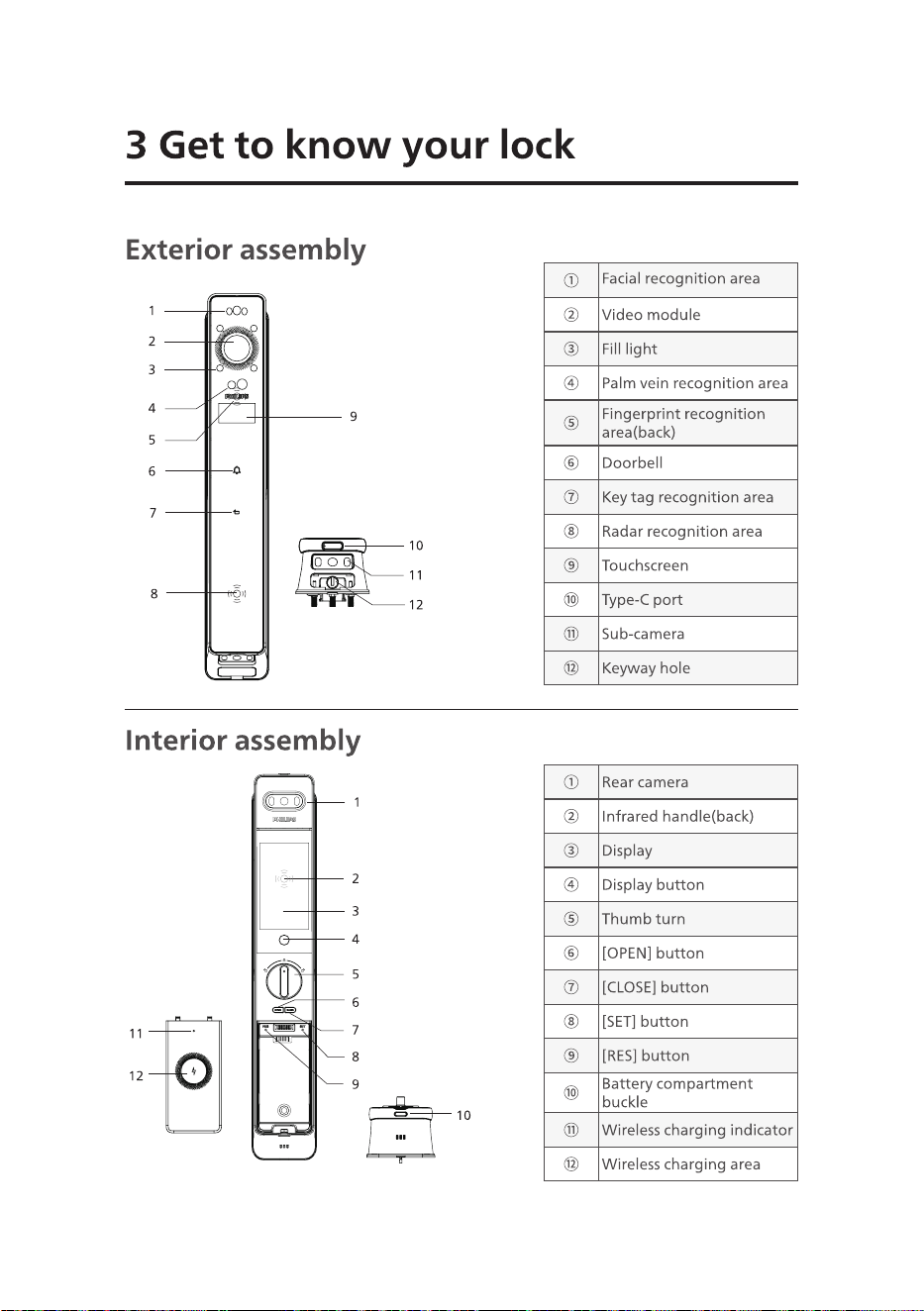
Attention:
Attention:
Mortise cable socket
Assembly cable socket
8
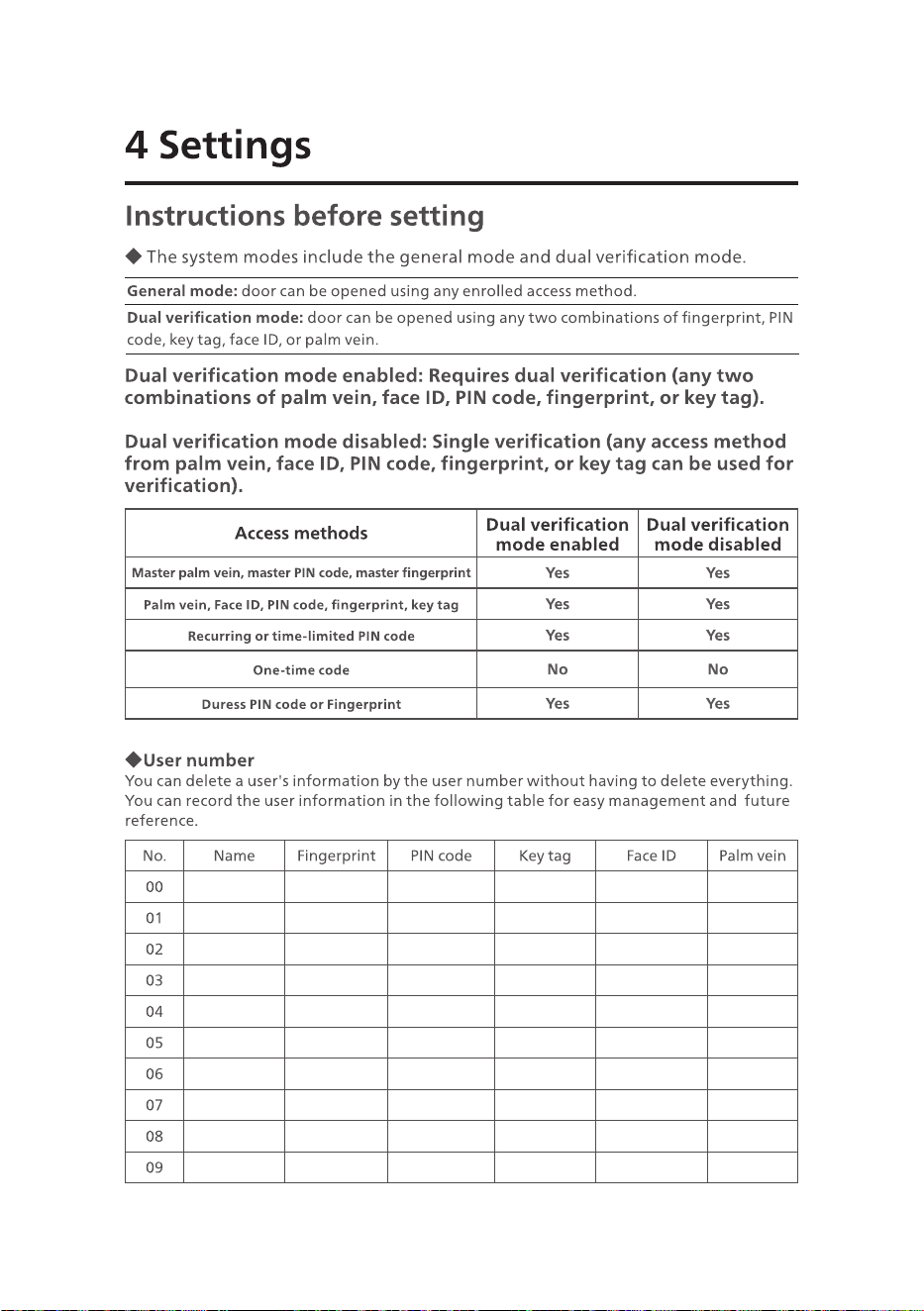
①
Facial recognition area
②
Video module
③
Fill light
④
Palm vein recognition area
⑤
Fingerprint recognition
area(back)
⑥
Doorbell
⑦
Key tag recognition area
⑧
Radar recognition area
⑨
Touchscreen
⑩
Type-C port
⑪
Sub-camera
⑫
Keyway hole
①
Rear camera
②
Infrared handle(back)
③
Display
④
Display button
⑤
Thumb turn
⑥
[OPEN] button
⑦
[CLOSE] button
⑧
[SET] button
⑨
[RES] button
⑩
Battery compartment
buckle
⑪
Wireless charging indicator
⑫
Wireless charging area
9
No. Name Fingerprint PIN code Key tag Face ID Palm vein
00
01
02
03
04
05
06
07
08
09
Access methods
Dual verication
mode enabled
Dual verication
mode disabled
Master palm vein, master PIN code, master ngerprint
Yes Yes
Palm vein, Face ID, PIN code, ngerprint, key tag
Yes Yes
Recurring or time-limited PIN code
Yes Yes
One-time code
No No
Duress PIN code or Fingerprint
Yes Yes
10
Master
ngerprint
Master
palm vein
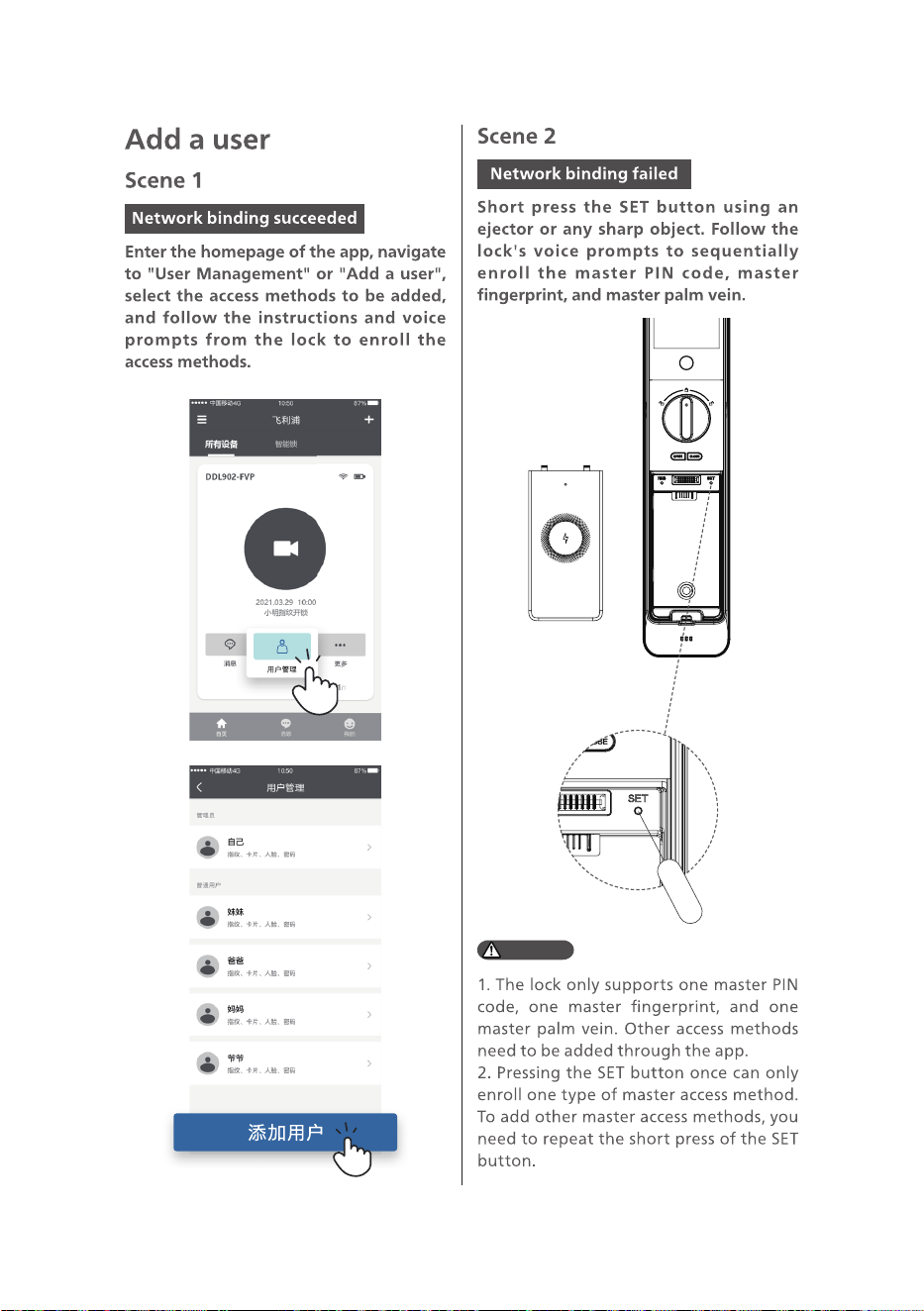
Attention:
11
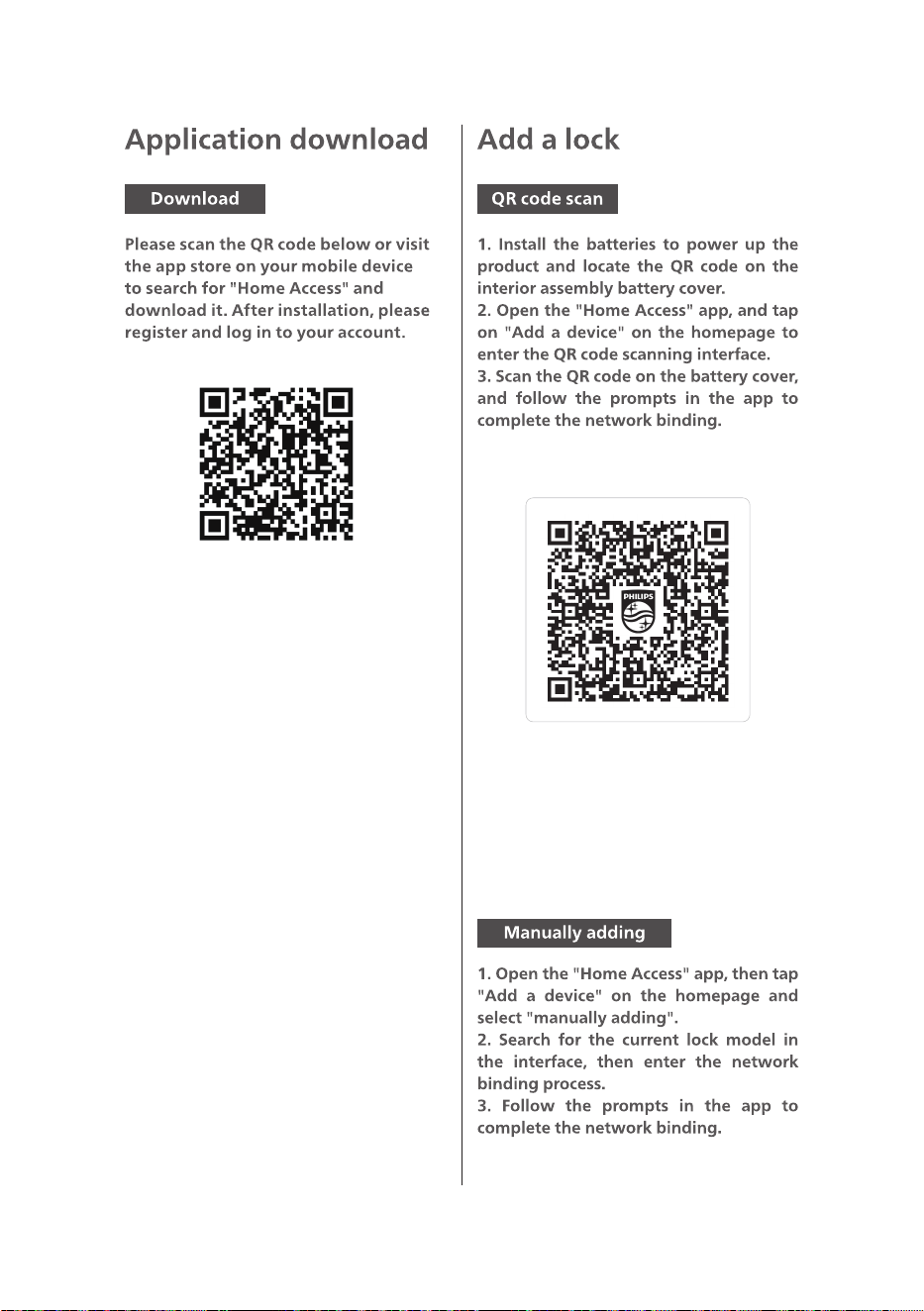
Network binding QR code
12
Attention:
13
14
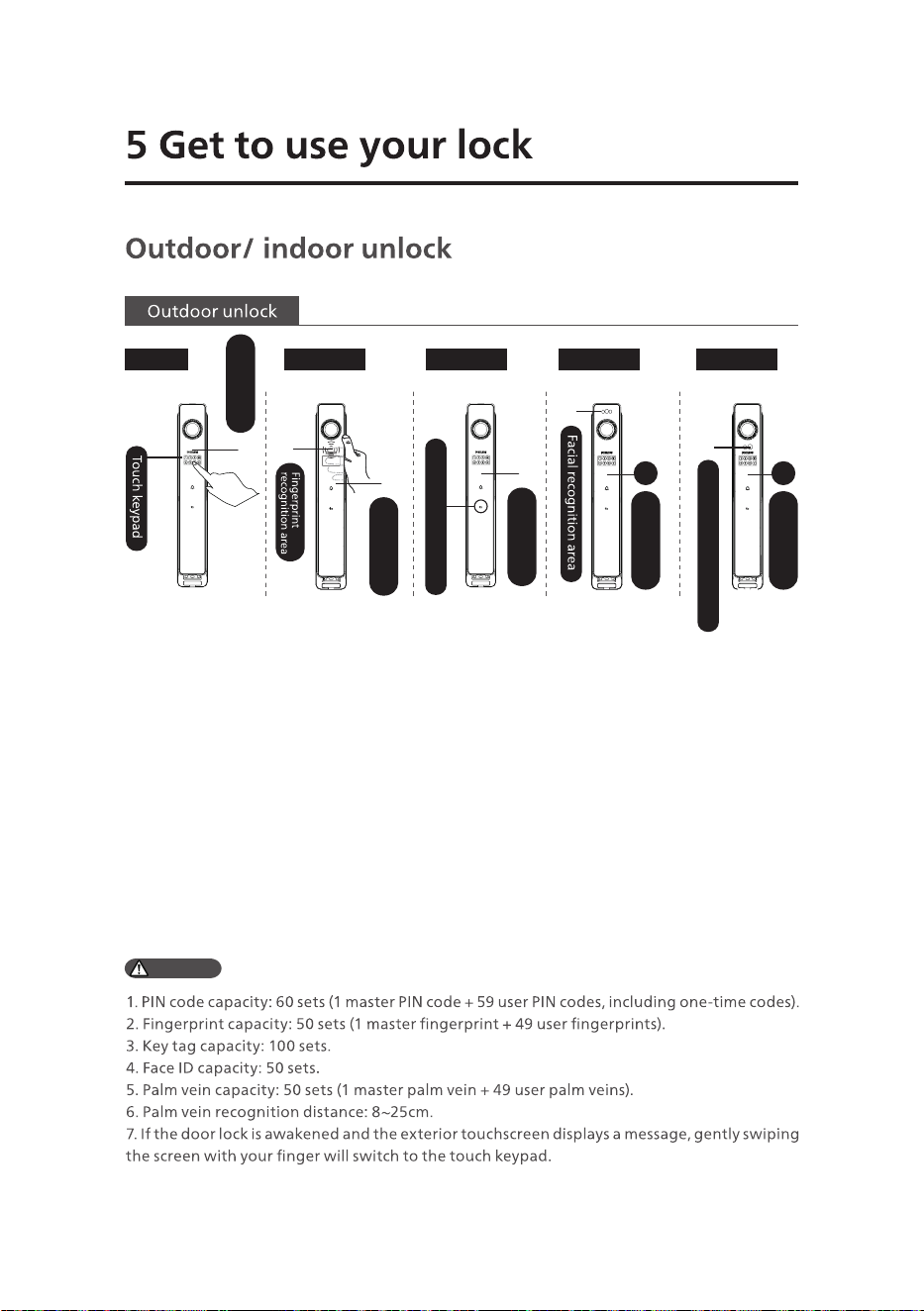
①Touch to wake
up the exterior
touchscreen. Once the
blue indicator stops
breathing, the keypad
will appear. Enter the
pre-set PIN code and
press [#] to conrm.
①Place the
enrolled nger on
the back ngerprint
sensor of the touch
keypad.
①Place the
enrolled key
tag properly
on the key tag
recognition area.
①Stand in front of
the face recognition
area if you have
already enrolled your
face ID.
①Align your
palm in front of
the palm vein
recognition
area if you have
already enrolled
your palm vein.
②After the voice
prompt "Door
opened", push or pull
the handle to open
the door.
②After the voice
prompt "Door
opened," push or
pull the handle to
open.
②After the
voice prompt
"Door opened",
push or pull the
handle to open
the door.
②After the voice
prompt "Door
opened", push or
pull the handle
to open the door.
②After the
voice prompt
"Door opened",
push or pull the
handle to open
the door.
PIN code
2
2
Key tag recognition area
Palm vein recognition area
Push/pull the
handle to unlock
Push/pull the
handle to unlock
Push/pull the
handle to unlock
Push/pull the
handle to unlock
Push/pull the
handle to unlock
Fingerprint Key tag
Face ID Palm vein
Attention:
15
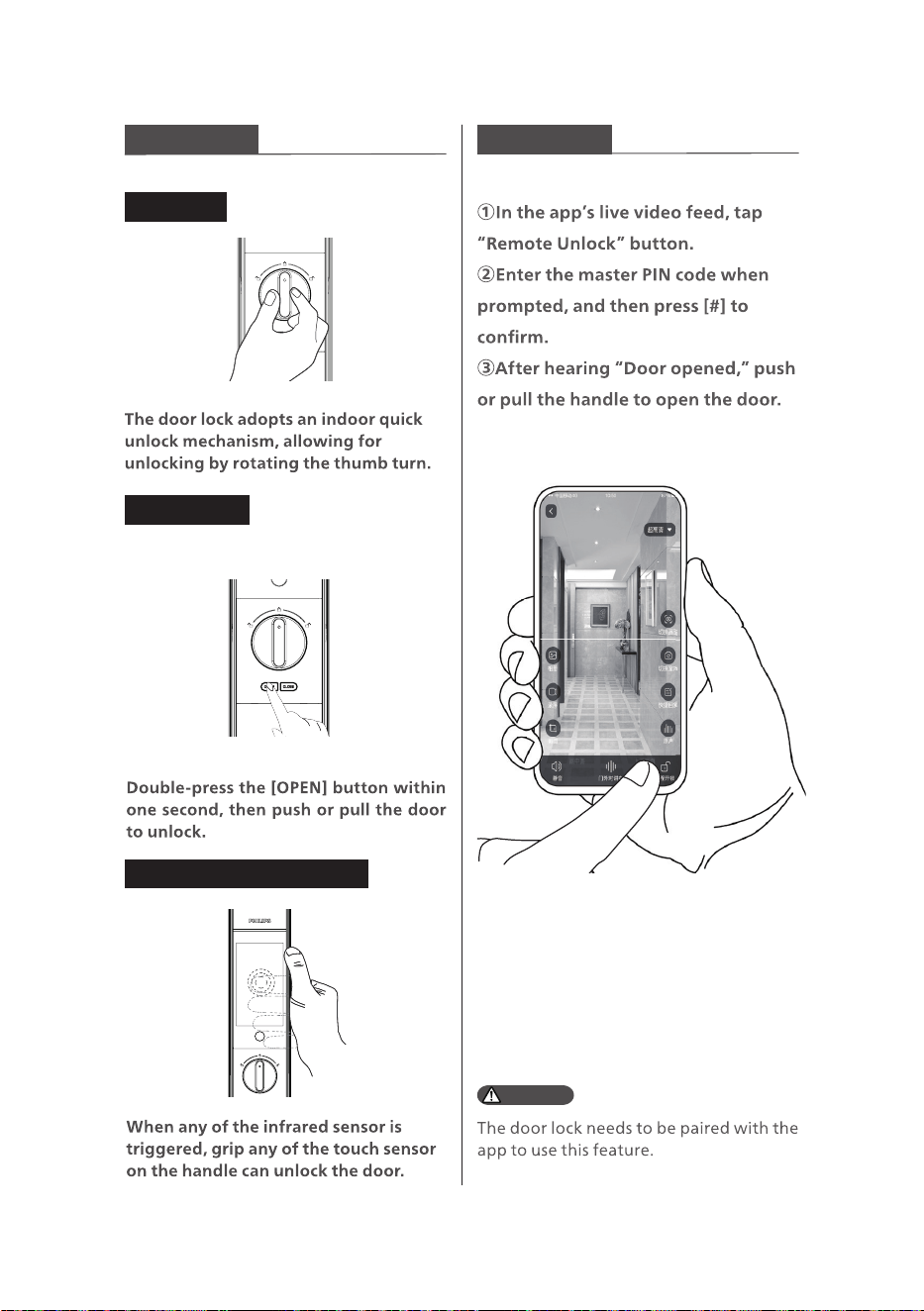
Indoor unlock Remote unlock
Thumb turn
[OPEN] button
Indoor infrared sensor unlock
Attention:
16
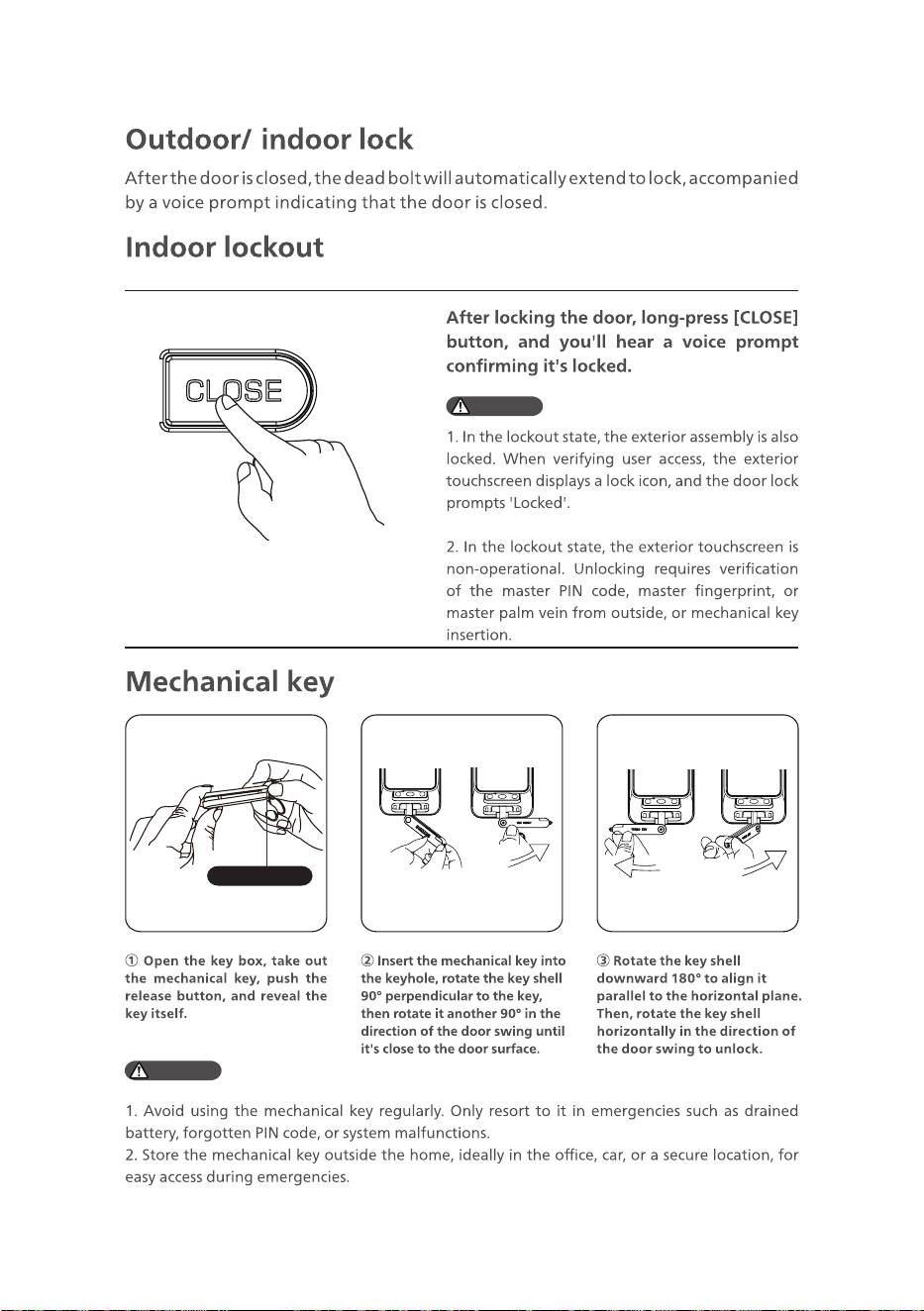
Release switch
Attention:
Attention:
17
Attention:
Attention:
18
19
Attention:
20
Attention:
Attention:
21
Attention:
22
23
Attention:
24
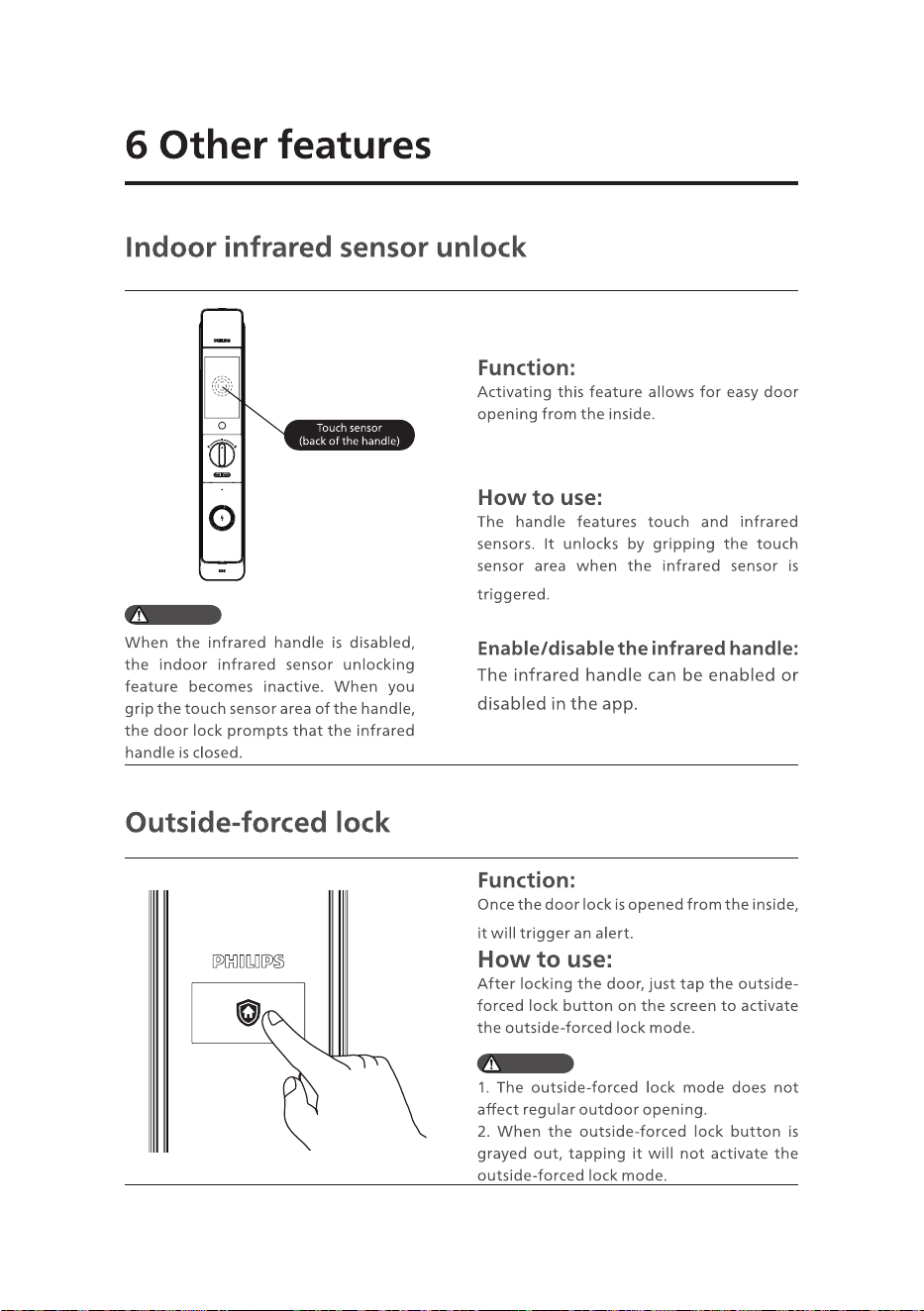
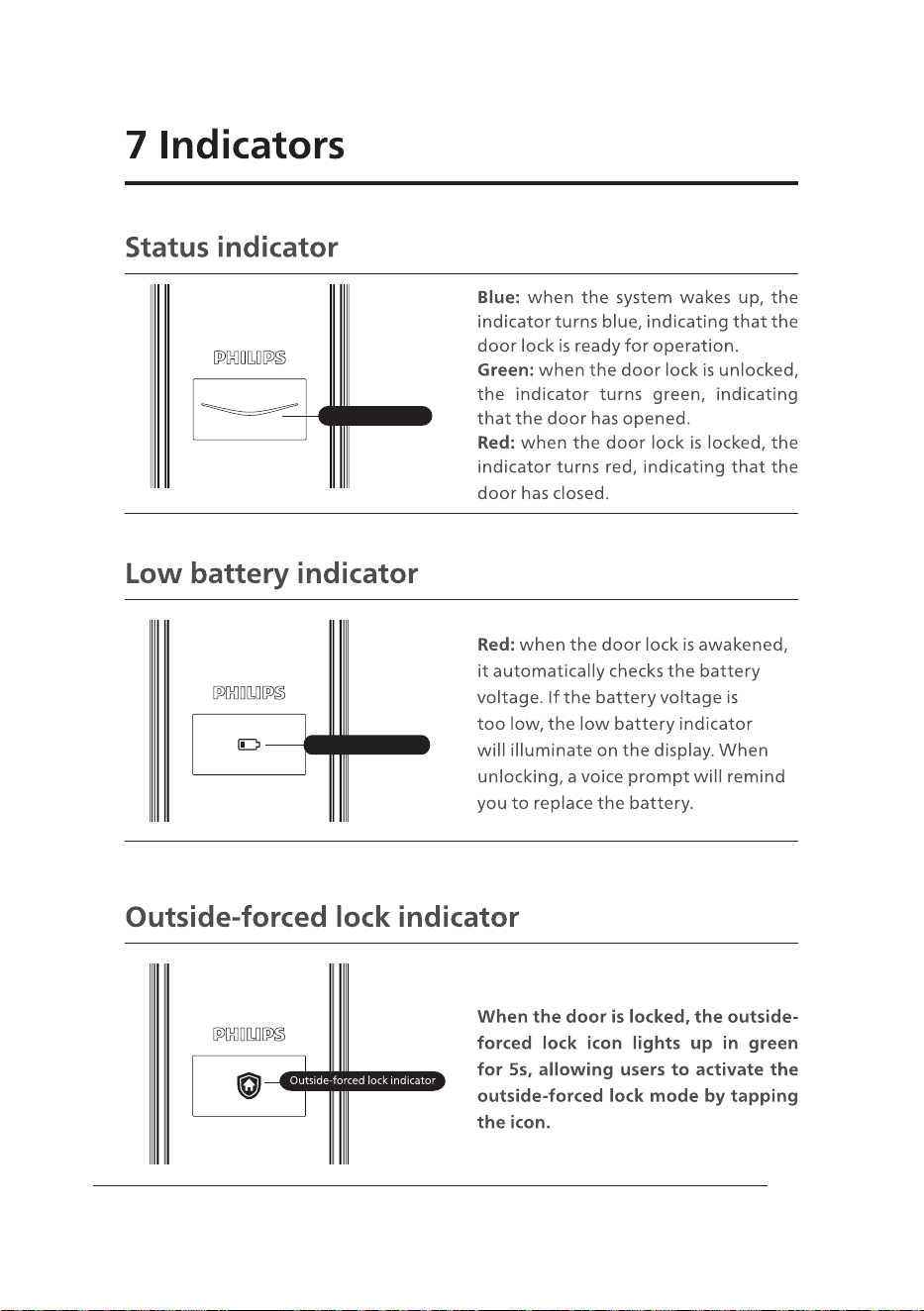
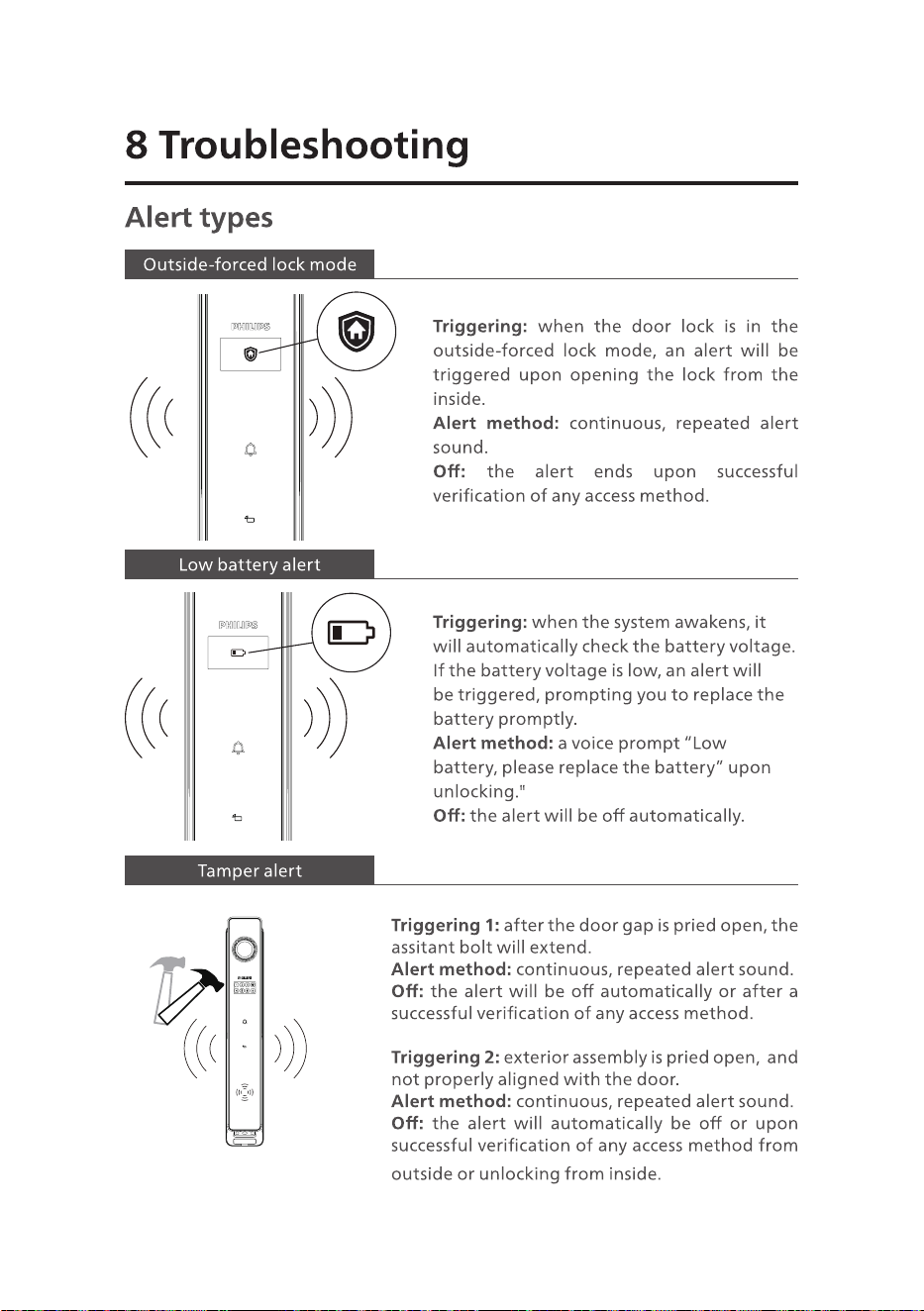
Status indicator
Low battery indicator
25
Attention:
26
27
Attention:
28
Attention:
Attention:


Philips and the Philips Shield Emblem are registered trademarks of Koninklijke Philips N.V.
and are used under license. This product has been manufactured by and is sold under the
responsibility of Shenzhen Conex Intelligent Technology Co., Ltd., and Shenzhen Conex
Intelligent Technology Co., Ltd. is the warrantor concerning this product.