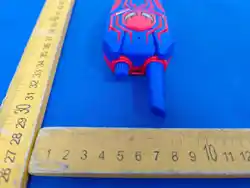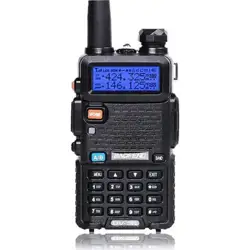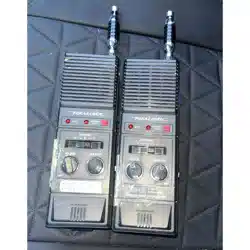
Walkie Talkie
User Manual
Before using this product,
please read the user manual carefully.
The manual is for reference only;
ĂĐƚƵĂůŽƉĞƌĂƟŽŶƐŚĂůůďĞďĂƐĞĚŽŶƚŚĞƉŚLJƐŝĐĂůƉƌŽĚƵĐƚ
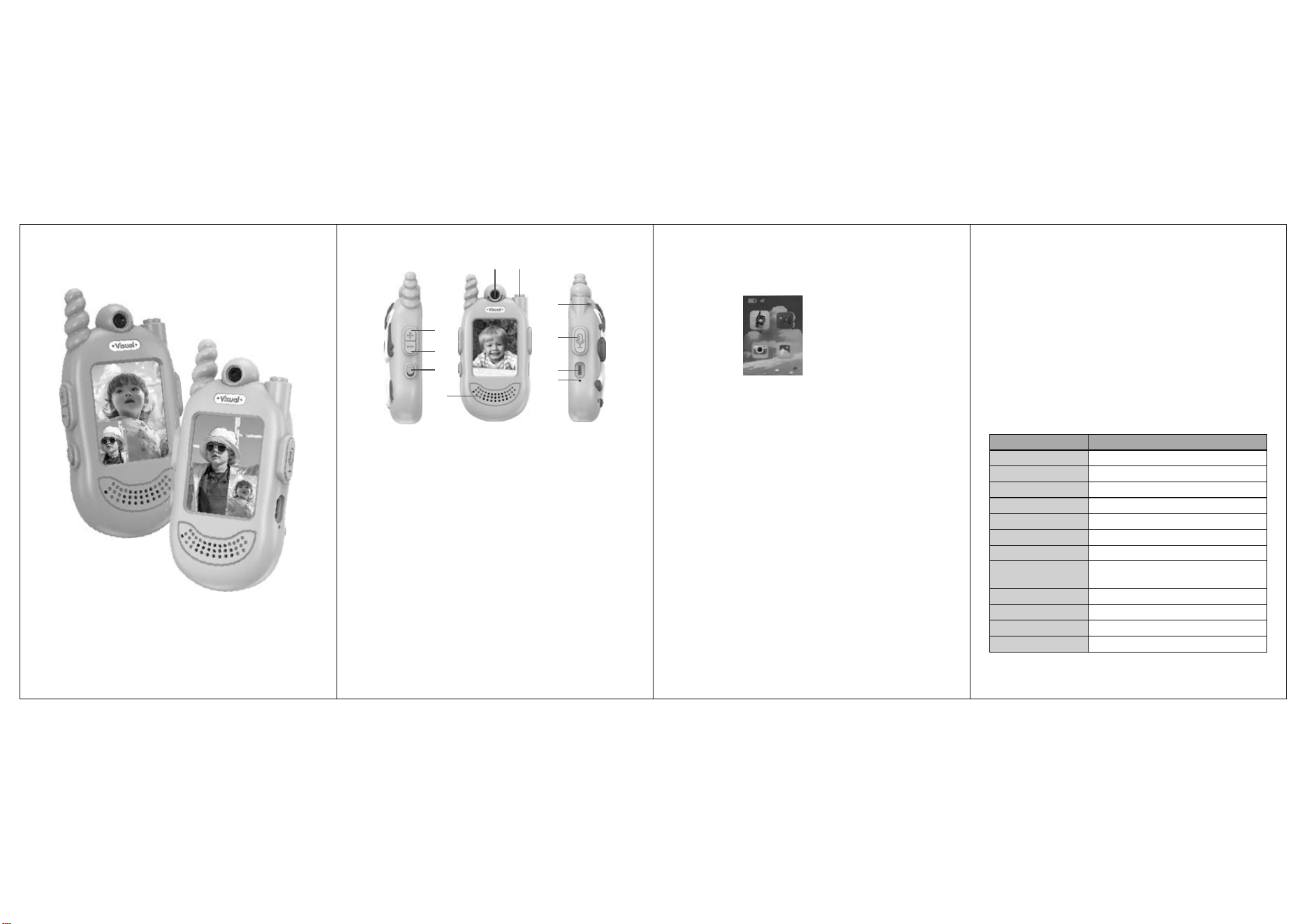
1. Product structure
WƌŽĚƵĐƚĚĞƐĐƌŝƉƟŽŶ
1) ON/OFF
ϮͿsŽůͲEĞdžƚĨƵŶĐƟŽŶĂůŵĞŶƵ
ϯͿsŽůнWƌĞǀŝŽƵƐĨƵŶĐƟŽŶĂůŵĞŶƵ
ϰͿϭϴϬΣZŽƚĂƟŽŶŽĨƚŚĞůĞŶƐ
5) Shortly press "return to the previous menu". During Video Talking, keep pressing
it to enter "Tone-changing Mode".
6) Microphone.
7) Tether.
ϴͿ^ŚŽƌƚůLJƉƌĞƐƐΗŽŶĮƌŵΗŬĞĞƉƉƌĞƐƐŝŶŐΗtĂůŬŝĞͲdĂůŬŝĞΗ
9) Type-C charging port.
10) Charging indicator light.
Ϯ ^ǁŝƚĐŚͲKEK&&ĨƵŶĐƟŽŶ
ϭtŚĞŶƚŚŝƐƉƌŽĚƵĐƚůĞĂǀĞƐƚŚĞĨĂĐƚŽƌLJƚŚĞKEK&&ƉŽǁĞƌƐǁŝƚĐŚŝƐƵŶĚĞƌƚŚĞ
ΗK&&ΗƉŽƐŝƟŽŶ
ϮdƵƌŶƚŚĞƉŽǁĞƌƐǁŝƚĐŚƚŽΗKEΗƚŽƐǁŝƚĐŚŽŶ
ϯtŚĞŶƵƐŝŶŐƚŚŝƐƉƌŽĚƵĐƚĨŽƌƚŚĞĮƌƐƚƟŵĞƉůĞĂƐĞĚŽĨƵůůLJĐŚĂƌŐĞŝƚ
ϯ ŚĂƌŐŝŶŐŝŶĚŝĐĂƟŽŶ
ϭhƐĞƚŚĞĐŚĂƌŐŝŶŐĐĂďůĞŝŶĐůƵĚĞĚŝŶƚŚŝƐƉƌŽĚƵĐƚĐŽŶŶĞĐƚŝƚƚŽƚŚĞĐŚĂƌŐĞƌĂŶĚ
ƚŚĞƉŽǁĞƌŝŶĚŝĐĂƚŽƌΗƌĞĚůŝŐŚƚΗǁŝůůďĞΗKEΗtŚĞŶĨƵůůLJĐŚĂƌŐĞĚƚŚĞĐŚĂƌŐŝŶŐ
ŝŶĚŝĐĂƚŽƌůŝŐŚƚǁŝůůĂƵƚŽŵĂƟĐĂůůLJƚƵƌŶŽī
Ϯ^ƉĞĐŝĮĐĂƟŽŶĂĚĂƉƚĂďůĞƚŽƚŚŝƐĐŚĂƌŐĞƌϱsϭϬ
ϰ /ŶƚƌŽĚƵĐƟŽŶƚŽďĂƐŝĐŽƉĞƌĂƟŽŶŽĨƚŚĞŬĞLJƐĂŶĚ
ĨƵŶĐƟŽŶƐ
ϭdƵƌŶƚŚĞƉŽǁĞƌƐǁŝƚĐŚƚŽƚŚĞΗKEΗƉŽƐŝƟŽŶĂŶĚƚŚŝƐƉƌŽĚƵĐƚǁŝůůĂƵƚŽŵĂƟĐĂůůLJ
ƐǁŝƚĐŚŽŶĂŶĚĞŶƚĞƌƚŚĞDĂŝŶ/ŶƚĞƌĨĂĐĞ
ϮtŚĞŶƚŚĞŽƚŚĞƌƉůĂLJĞƌΖƐtĂůŬŝĞͲƚĂůŬŝĞŝƐƵŶĚĞƌƚŚĞΗKEΗƐƚĂƚĞsŝĚĞŽdĂůŬŝŶŐŝƐ
defaulted. One player presses the Key 8 to make a call and the other player also
ƉƌĞƐƐĞƐƚŚĞ<ĞLJϴƚŽĂŶƐǁĞƌŽƚŚƉůĂLJĞƌƐǁŝůůĂƵƚŽŵĂƟĐĂůůLJĐŽŶŶĞĐƚĂŶĚĚŝƐƉůĂLJ
the images of each other.
ϯŌĞƌĐŽŶŶĞĐƟŶŐƚŚĞsŝĚĞŽͲƚĂůŬŝŶŐƉůĞĂƐĞŬĞĞƉƉƌĞƐƐŝŶŐŝƚƚŽŝŶŝƟĂƚĞǀŽŝĐĞƚĂůŬŝŶŐ
ĨƵŶĐƟŽŶŬĞĞƉƉƌĞƐƐŝŶŐŝƚĨŽƌƚĂůŬŝŶŐǁŚŝůĞƌĞůĞĂƐĞƚŽĮŶŝƐŚƚĂůŬŝŶŐĂŶĚƐĞŶĚŽƵƚ
tone message.
4. Short press the 5 key to return to the main interface, long press the 5 key to enter
voice changing mode, long press the 8 key to apply voice changing, and press the
ϱŬĞLJĂŐĂŝŶƚŽƐǁŝƚĐŚƚŽƚŚĞŶĞdžƚƚŽŶĞĐŽůŽƌĂŶĚƚŚĞƌĞĂƌĞƚŚƌĞĞŵŽĚĞƐƚŽĐŚŽŽƐĞ
from.
5. Keep pressing Key 8 to conduct voice talking. This product Talking Party ends the
ĐŽŶǀĞƌƐĂƟŽŶďLJƌĞůĞĂƐŝŶŐƚŚĞtĂůŬŝĞͲƚĂůŬŝĞŬĞLJĐĂŶƚŚĞZĞĐĞŝǀŝŶŐWĂƌƚLJƉƌĞƐƐƚŚĞ
tĂůŬŝĞͲƚĂůŬŝĞŬĞLJƚŽƐĞŶĚŽƵƚƚŚĞǀŽŝĐĞŵĞƐƐĂŐĞƐ
ϲ>ŽŶŐƉƌĞƐƐƚŚĞϯŬĞLJƚŽƐǁŝƚĐŚƚŚĞǀŝĚĞŽǁŝŶĚŽǁĚŝƐƉůĂLJĂŶĚLJŽƵĐĂŶĂĚũƵƐƚĨŽƵƌ
display modes.
ϳsŽůƵŵĞĚũƵƐƚŵĞŶƚsŽůнͲ
ϭͿ^ŚŽƌƚůLJƉƌĞƐƐƚŚĞ<ĞLJΗϮΗƚŽƚƵƌŶĚŽǁŶƚŚĞǀŽůƵŵĞ
2) Short press the Key "3" to turn up the volume.
ϴ^ǁŝƚĐŚͲŽīŽĨƚŚĞƉƌŽĚƵĐƚ
tŚĞŶƚŚŝƐƉƌŽĚƵĐƚŝƐŶŽƚƵƐĞĚƉůĞĂƐĞƉƵůůƚŚĞƚŽŐŐůĞƐǁŝƚĐŚƚŽƚŚĞΗK&&ΗƉŽƐŝƟŽŶ
ϵĞĐŽĚŝŶŐĂŶĚĐŽŶŶĞĐƟŶŐŵĞƚŚŽĚƐŽĨƚŚĞƉƌŽĚƵĐƚƐ
Ϯϰ'ƚƌĂŶƐŵŝƐƐŝŽŶĂŶĚƌĞĐĞƉƟŽŶŵĞƚŚŽĚĂƌĞĂƉƉůŝĞĚŽŶƚŚŝƐƉƌŽĚƵĐƚ
ϮƉŝĞĐĞƐŽĨtĂůŬŝĞͲdĂůŬŝĞƐĂƌĞŝŶĐůƵĚĞĚŝŶĞĂĐŚƉĂĐŬĂŐĞ
ϭϬ'ĂŵĞŵŽĚĞ
WƌĞƐƐƚŚĞsŽůƵŵĞнͲŬĞLJƚŽƐĞůĞĐƚĂŶĚŵŽǀĞƚŽϮͿWƌĞƐƐƚŚĞŽŶĮƌŵtĂůŬŝĞͲƚĂůŬŝĞ
Key to enter the Game Mode.
༃sŝĚĞŽͲƚĂůŬŝŶŐ
༄'ĂŵĞ
༅ĂŵĞƌĂ
༆WŚŽƚŽĂůďƵŵ
ϱ WƌŽĚƵĐƚ^ƉĞĐŝĮĐĂƟŽŶƐ
ĂƵƟŽŶtĞƌĞƐĞƌǀĞƐĞǀĞƌLJƌŝŐŚƚƚŽĐŚĂŶŐĞŝƚƐĚĞƐŝŐŶĂŶĚƐƉĞĐŝĮĐĂƟŽŶƐǁŝƚŚŽƌ
ǁŝƚŚŽƵƚƉƌŝŽƌŶŽƟĐĞ
1
2
3
8
9
5
4
6
10
7
ϭͿ^ŚŽƌƚůLJƉƌĞƐƐƚŚĞsŽůнͲŬĞLJƚŽŵŽǀĞƵƉĂŶĚĚŽǁŶ
ϮͿ^ŚŽƌƚůLJƉƌĞƐƐ<ĞLJϱƚŽƌĞƚƵƌŶƚŽƚŚĞDĂŝŶ/ŶƚĞƌĨĂĐĞ
ϭϭĂŵĞƌĂDŽĚĞ
^ŚŽƌƚůLJƉƌĞƐƐƚŚĞsŽůƵŵĞнͲŬĞLJƚŽŵŽǀĞƚŽϯͿWƌĞƐƐƚŚĞŽŶĮƌŵtĂůŬŝĞdĂůŬŝĞ
key to enter Camera Mode.
ϭͿ^ŚŽƌƚůLJƉƌĞƐƐƚŚĞŽŶĮƌŵtĂůŬŝĞͲƚĂůŬŝĞŬĞLJƚŽƚĂŬĞĂƉŚŽƚŽ
ϮͿ^ŚŽƌƚůLJƉƌĞƐƐƚŚĞ<ĞLJϱƚŽƌĞƚƵƌŶƚŽƚŚĞDĂŝŶ/ŶƚĞƌĨĂĐĞ
ϭϮůďƵŵDŽĚĞ
^ŚŽƌƚůLJƉƌĞƐƐƚŚĞsŽůƵŵĞнͲŬĞLJƚŽŵŽǀĞƚŽϰͿ^ŚŽƌƚůLJƉƌĞƐƐŽŶĮƌŵ
dŽŶĞͲĐŚĂŶŐŝŶŐŬĞLJƚŽĞŶƚĞƌůďƵŵDŽĚĞ
ϭͿ^ŚŽƌƚůLJƉƌĞƐƐsŽůƵŵĞнͲŬĞLJƚŽŵŽǀĞůĞŌŽƌƌŝŐŚƚƚŽƐĞůĞĐƚĂŶŝŵĂŐĞ
ϮͿ<ĞĞƉƉƌĞƐƐŝŶŐƚŚĞŽŶĮƌŵdŽŶĞͲĐŚĂŶŐŝŶŐŬĞLJƚŽĂƉƉĞĂƌƚŚĞĞůĞƚĞDĞŶƵ
ƐŚŽƌƚůLJƉƌĞƐƐƚŚĞsŽůƵŵĞнͲŬĞLJƚŽĐŚŽŽƐĞǁŚĞƚŚĞƌƚŽĚĞůĞƚĞŽŶĞŽƌĂůůƉŝĐƚƵƌĞƐ
ϯͿ^ŚŽƌƚůLJƉƌĞƐƐƚŚĞ<ĞLJϱƚŽƌĞƚƵƌŶƚŽƚŚĞDĂŝŶ/ŶƚĞƌĨĂĐĞ
Ϯϰ'ƚƌĂŶƐŵŝƐƐŝŽŶĂŶĚƌĞĐĞƉƟŽŶ
ϮϬ/ŶĐŚ
^WϬϯϵƉŝdžĞůϯϬt
ϯϳsϱϬϬŵ,
-20°C
ν
60°C
English
-0°C
ν
40°C
ďŽƵƚϭϬϬͲϯϬϬŵĞƚĞƌƐ;hŶĚĞƌďĂƌƌŝĞƌͲĨƌĞĞ
ĐŽŶĚŝƟŽŶƐͿ
109*55*27.5mm
58.3 g
ďŽƵƚϭϮϬŵŝŶƵƚĞƐ
150 min
&ƵŶĐƟŽŶ WĂƌĂŵĞƚĞƌ^ƉĞĐŝĮĐĂƟŽŶ
Screen
Connect
Lens
ĂƩĞƌLJĐĂƉĂďŝůŝƚLJ
language
KƉĞƌĂƟŶŐƚĞŵƉĞƌĂƚƵƌĞ
Storage temperature
īĞĐƟǀĞƚƌĂŶƐŵŝƐƐŝŽŶ
distance
Product size
ŚĂƌŐŝŶŐƟŵĞ
ĂƩĞƌLJůŝĨĞ
EĞƚǁĞŝŐŚƚ

This device complies with Part 15 of the FCC Rules. Operation is subject to
the following two conditions: (1) this device may not cause harmful
interference, and (2) this device must accept any interference received,
including interference that may cause undesired operation.
Changes or modifications to this unit not expressly approved by the party
responsible for compliance could void the user’s authority to operate the
equipment.
NOTE: This equipment has been tested and found to comply with the limits
for a Class B digital device, pursuant to Part 15 of the FCC Rules. These
limits are designed to provide reasonable protection against harmful
interference in a residential installation. This equipment generates uses and
can radiate radio frequency energy and, if not installed and used in
accordance with the instructions, may cause harmful interference to radio
communications. However, there is no guarantee that interference will not
occur in a particular installation. If this equipment does cause harmful
interference to radio or television reception, which can be determined by
turning the equipment off and on, the user is encouraged to try to correct
the interference by one or more of the following measures:
-- Reorient or relocate the receiving antenna.
-- Increase the separation between the equipment and receiver.
-- Connect the equipment into an outlet on a circuit different from that to
which the receiver is connected.
-- Consult the dealer or an experienced radio/TV technician for help.
This device and its antenna(s) must not be co-located or operation in
conjunction with any other antenna or transmitter.
Radiation Exposure Statement
The device has been evaluated to meet general RF exposure requirement
in portable exposure condition without restriction.