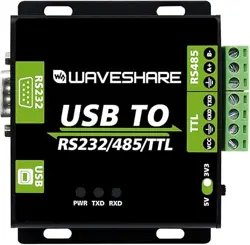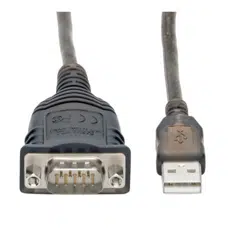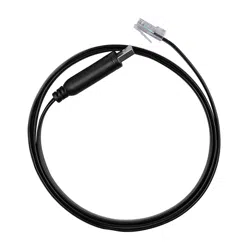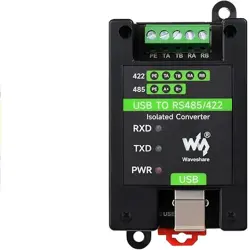

USB TO RS485/422
FT232 RS485 RS422
RS422, RS485
USB TO RS485/422
Overview
Introduction
USB TO RS485/422, an industrial-grade USB to RS485/422 isolated converter, adopts the
original FT232RNL, an industrial rail case design, built-in protection circuits such as power
isolation, ADI magnetic coupling isolation, and TVS. USB TO RS485/422 is easy to operate,
and can automatically transmit and receive without delay. It features fast communication
speed, stability, reliability, and safety, which can be applied to various industrial control
devices or applications with high communication requirements.
Features
Onboard Original FT232RL and SP485EEN chip. Fast communication, stable and reliable, better compatibility.
Onboard unibody power supply isolation, provides stable isolated voltage and needs no extra power supply for the isolated
terminal.
Onboard unibody digital isolation, allows signal isolation, high reliability, strong anti-interference, and low power consumption.
Onboard TVS (Transient Voltage Suppressor), effectively suppresses surge voltage and transient spike voltage in the circuit,
lightning-proof & anti-electrostatic.
Onboard self-recovery fuse and protection diodes, ensure the current/voltage stable outputs, provide over-current/over-voltage
proof, and improve shock resistance.
Onboard 15KV ESD isolation protection and 600W lightning-proof & anti-surge protection.
Onboard 120R terminal resistor on the RS485/RS422 ports, enable by default, configurable by jumper.
3x LEDs for indicating the power and transceiver status.
Industrial rail-mount ABS case design, small in size, easy to install, and cost-effective.
Specification
Model Industrial grade isolated USB to RS485/422 converter
Baud Rate FT232RNL 300bps ~ 3Mbps
Host Port USB
Device Port RS485/422
USB Port
Operating Voltage 5V
Interface Type USB-B
Connector 200mA self-recovery fuse, ESD protection
Transmission
Distance
About 5m
RS485/422 Interface
Interface Screw Terminal
RS485 Interface A+, B-, PE
RS422 Interface TA, TB, RA, RB, PE
Direction Control Hardware automatic control
Interface Protection
600W lightningproof, anti-surge, and 15KV ESD protection (onboard 120R balancing
resistor)
Transmission
Distance
About 1200m (at low rates)
Transmission Mode
Point-to-multi points (up to 32 nodes, it is recommended to use repeaters for 16 nodes or
more)
Indicator
PWR Red power indicator, lights up when there is a USB connection and voltage is detected
TXD Green TX indicator, light up when the USB port sends data
RXD Blue RX indicator, lights up when the device ports send data back
Operating
Environment
Temperature Range -15
℃
~ 70
℃
Humidity Range 5%RH~95%RH
Operating System Mac, Linux, Android, WinCE, Windows 10 / 8.1 / 8 / 7 / XP
Appearance
Enclosure Rail-mount ABS case, suitable for 35mm DIN rail
Outline Dimensions 81.9 × 54.0 × 32.0mm
Interface Introduction
Interface PE TA TB RA RB
RS422
Signal
ground
Send differential signal
positive T+
Send differential signal
negative T-
Receive differential signal
positive R+
Receive differential signal
negative R-
RS485
Signal
ground
Differential signal positive
A+
Differential signal
negative B-
NC NC
120R Matching Resistor Setting Description
Description: The RS422 and RS485 interfaces of this product also have a built-in 120R enabl ing resistor, which is enabled by default,
and the user can remove the case to modify the settings as needed.
Modification method: Modify the yellow jumper cap at the red frame.
Dimensions
Software Installation
USB Driver Installation
The first method: download the driver wizard from the Internet, and automatically detect and install the driver.
The second method: Manually install the driver (the following uses WIN7 installation as an example).
Connect the device to the computer via a USB cable, and check the device manager, the serial port number has a yellow
exclamation mark, indicating that the driver is not installed.
You can download the software installation package on the official website WIKI, ( There must be a path here) Double-click .
Click Extract:
Click Next:
Check I accept this agreement (A), and then click Next:
Click Finish, and check the computer device manager at this time, you can see that the port number is already available for normal
use.
Hardware Test
Test environment: PC (Windows system)
Required accessories:
USB TO RS485/422 x 2pcs
Adapter cable
RS485 test
Connect the RS485 interface of the USB TO RS485/422 module, that is, connect TA --> TA to TB --> TB. The hardware connection
diagram is as follows:
Note: The RS485 interface of this product also has a built-in 120R enabling resistor, which is turned on by default. Users can remove
the case to modify the settings according to their needs. If signal isolation is required,
PE can also be connected to the ground.
Open two SSCOM serial port debugging assistants on the computer, open the corresponding port number, set the same baud rate,
and click Send at regular intervals to receive and send normally. The test results are shown in the figure below:
RS422 Test
Connect two sets of USB TO RS485/422 together for communication. When the RS422 interface is connected, cross-connection is
required, as shown in the figure below:
Note: The RS485 interface of this product also has a built-in 120R enabling resistor, which is turned on by default. Users can remove
the case to modify the settings according to their needs. If signal isolation is required,
PE can also be connected to the ground.
On the PC, open two SSCOM, open the corresponding port number, set the same baud rate, and click Send at regular intervals to
send and receive normally. The screenshot of the software is shown below:
Resource
Software
VCP Driver (or download from F TDI official website ):
FT232 Driver-Windows-32bit
FT232 Driver-Windows-64bit
MAC FT232 Driver-MAC-64bit
Sscom Windows
Sscom Android
Putty.zip
Datasheet
DS_FT232RN.pdf
FT232R.pdf
SP481E SP485E.pdf
FAQ
Question:It cannot be used on non-windows systems, how to solve it?
Answer:
If you encounter a system other than windows that cannot be used normally, you can enter the official website link below and
use it after installing the corresponding system driver:
https://www.ftdichip.cn/Drivers/D2XX.htm
Question:Does it support Linux system?
Answer:
Compatible with multiple systems, support Win7/8/8.1/10, Mac, Linux, Android, WinCE, and other systems.
Question:What should I do if the short-distance communication of RS485 is abnormal?
Answer:
Remove the 120-ohm terminal resistor of RS485.
Question:Does the module have a 120-ohm balance resistor on board?
Answer:
Yes, if you need to modify the 120R resistor, you can remove the case for setting, see the yellow jumper cap at the red box in the
picture below:
Support
If you require technical support, please go to the page and open a ticket.
To Top
Overview
Introduction
Features
Specification
Interface Introduction
120R Matching Resistor Setting Description
Dimensions
Software Installation
USB Driver Installation
Hardware Test
RS485 test
RS422 Test
Resource
Software
Datasheet
FAQ
Support
Login / Create Account