
USB TO RS232/485/TTL User Manual
share awesome hardware
USB TO RS232/485/TTL
User Manual
Overview
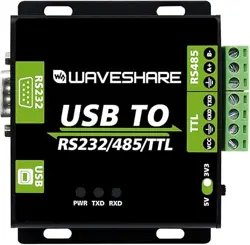
This is an industrial USB to RS232/485/TTL isolated converter with original FT232RL
inside. It features embedded protection circuits such as power isolation, ADI magnetical
isolation, and TVS diode, etc. What's more, the USB TO RS232/485/TTL comes with an
aluminium alloy enclosure, make it solid and durable to work.
The USB TO RS232/485/TTL is very easy to use, fully automatic transceiving without
delay. Due to its fast communication, stability, reliability, and safety, it is an ideal choice
for industrial control equipments and/or applications with high communication
requirement.
Features
USB TO RS232, USB TO RS485, USB TO TTL (UART)
Adopt original FT232RL, fast communicating, stable and reliable, better
compatibility
Onboard unibody power supply isolation, provides stable isolated voltage, needs
no extra power supply for the isolated terminal
Onboard unibody magnetical isolation, allows signal isolation, high reliability,
strong anti-interference, low power consumption
Version:V1.3,Date:20181108 1 / 13

USB TO RS232/485/TTL User Manual
share awesome hardware
Onboard TVS (Transient Voltage Suppressor), effectively suppress surge voltage
and transient spike voltage in the circuit, lightning-proof & anti-electrostatic
Onboard self-recovery fuse and protection diodes, ensures the current/voltage
stable outputs, provides over-current/over-voltage proof, improves shock
resistance
Fully automatic transceiver circuit with no delay, ensures the USB port
communicates with different interfaces fastly and stably, without interfering each
other
Onboard TTL serial 3.3V/5V voltage translator, config the TTL level via switch
Aluminium alloy enclosure with sand blasting and anodic oxidation, CNC process
opening, solid and durable
3 LEDs for indicating the power and transceiver status
High quality USB-B and RS232 connectors, smoothly plug/pul
Specifications
Product type: industrial ADI magnetical isolation converter
Baudrate: 300-921600bps
Host port: USB
Device port: RS485/RS232/TTL
USB:
Operating voltage: 5V
Connector: USB-B
Protection: 200mA self-recovery fuse, isolated output
Version:V1.3 ,Date:20181108 2 / 13

USB TO RS232/485/TTL User Manual
share awesome hardware
Transmission distance: ~5m
RS485:
Connector: screw terminal
Pins: A+, B-, GND
Direction control: hardware automatic control
Protection: 600W lightning-proof and surge-suppress, 15KV ESD protection
(reserved 120 R balancing resistor solder pads)
Transmission distance: ~1200m
Transmission mode: point-to-multipoints (up to 32 nodes, it is recommended
to use repeaters for 16 nodes or more)
RS232:
Connector: DR9 male
Protection: TVS diode, surge protection, ESD protection
Transmission distance: ~15m
Transmission mode: point-to-point
TTL (UART):
Operating voltage: 3.3V/5V
Connector: screw terminal
Pins: TXD, RXD, GND
Protection: clamp protection diode, over-voltage/negative-voltage proof,
shock resistance
Transmission mode: point-to-point
Version:V1.3 ,Date:20181108 3 / 13

USB TO RS232/485/TTL User Manual
share awesome hardware
LED indicators:
PWR: red power indicator, light up when there is USB connection and voltage
is detected
TXD: green TX indicator, light up when the USB port sends data
RXD: blue RX indicator, light up when the device ports send data back
Operating environment:
Temperature: -15℃ ~ 70℃
Humidity: 5%RH ~ 95%RH
Operating system: Windows 10 / 8.1 / 8 / 7 / XP
Note: There is a pad reserved for 120R balancing resistance. Recommend you to weld
120Ω resistors to the first and last devices if you connect many devices at the same
time.
Version:V1.3 ,Date:20181108 4 / 13

USB TO RS232/485/TTL User Manual
share awesome hardware
CONECTENT
Overview
.......................................................................................................................................................
1
Features
................................................................................................................................................
1
Specifications
......................................................................................................................................
2
Driver Installation
......................................................................................................................................
6
Testing
.........................................................................................................................................................
10
Interfaces
...........................................................................................................................................
10
RS232
..................................................................................................................................................
10
RS485
..................................................................................................................................................
11
TTL
........................................................................................................................................................
12
Version:V1.3,Date:20181108 5 / 13
USB TO RS232/485/TTL User Manual
share awesome hardware
Driver Installation
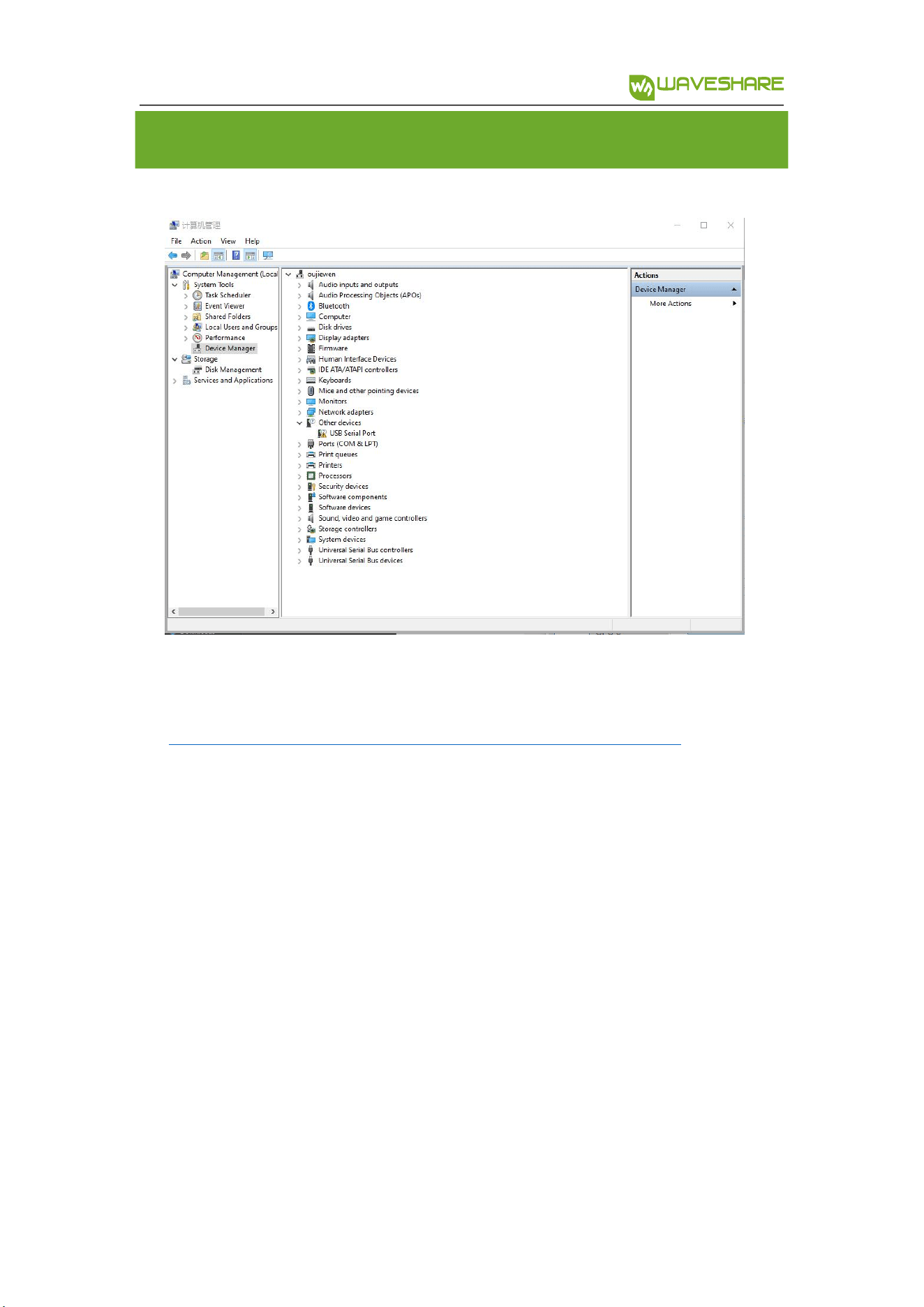
1. Connect module to PC, if you find that a yellow exclamation symbol occur as below,
driver is required.
2. Download the driver from Waveshare Wiki
https://www.waveshare.com/wiki/USB_TO_RS232/485/TTL#Resources
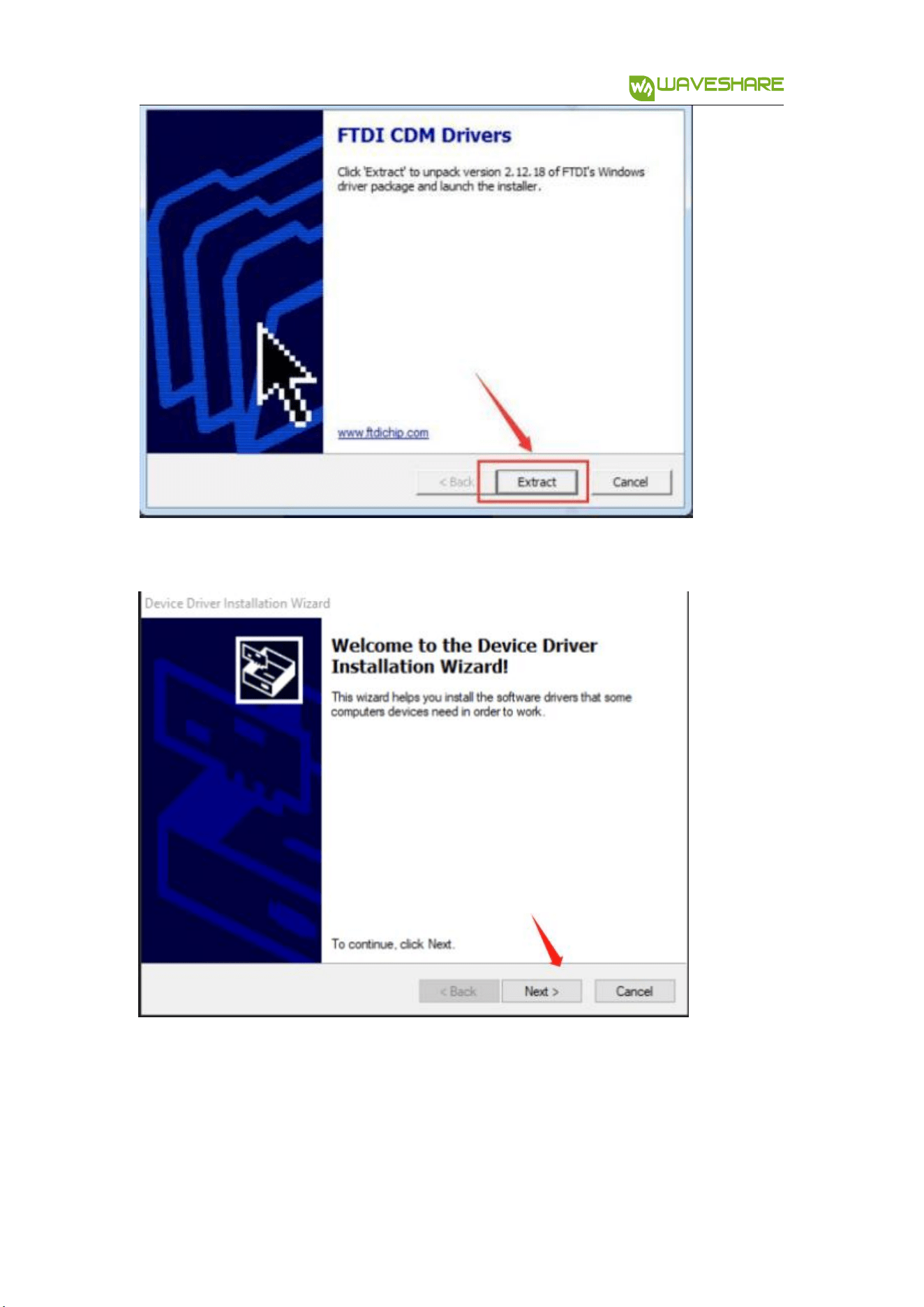
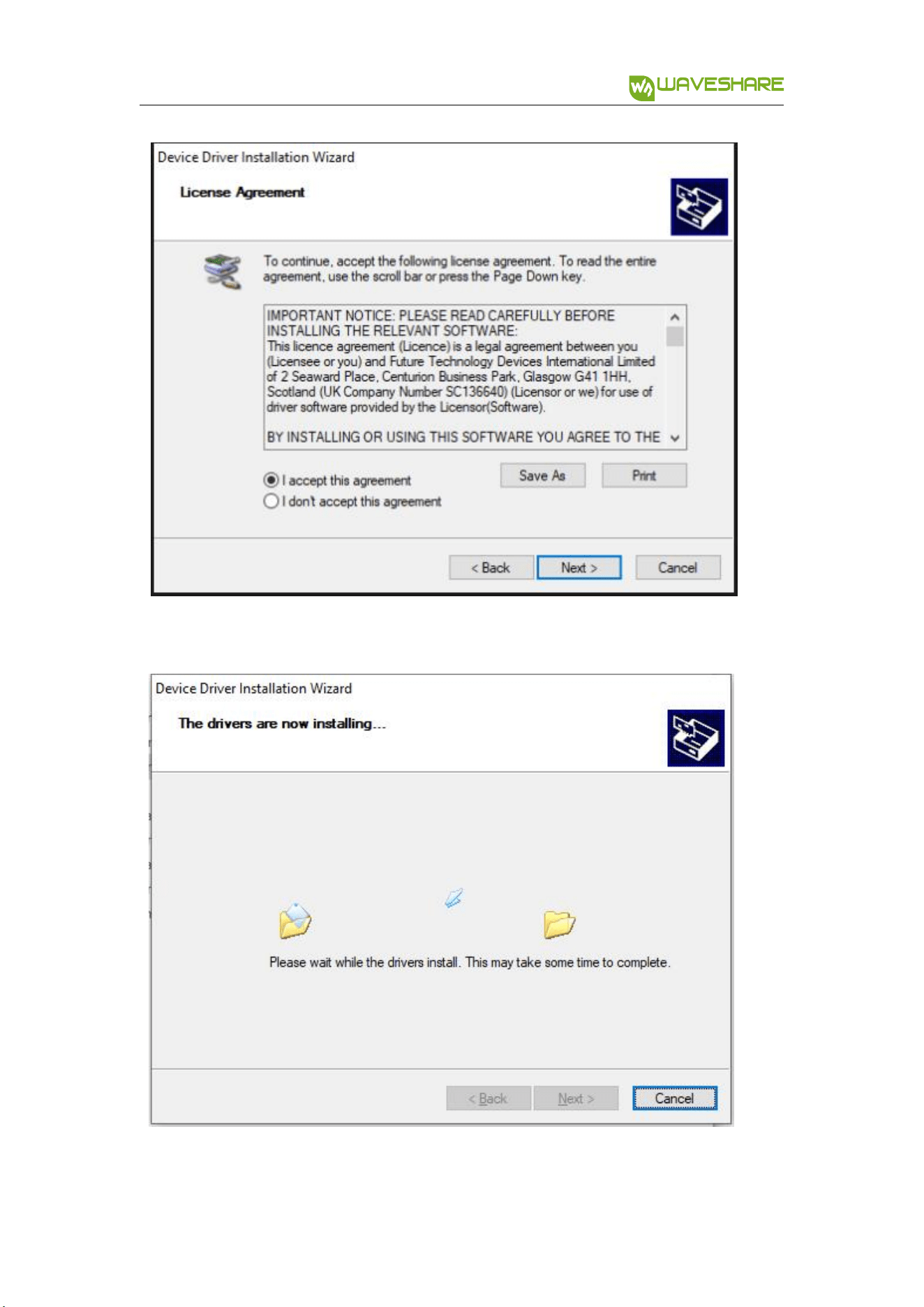
3. After downloading, extract and install it
Version:V1.3 ,Date:20181108 6 / 13
USB TO RS232/485/TTL User Manual
share awesome hardware
4. Click Extract:
5. Click Next Step:
Version:V1.3 ,Date:20181108 7 / 13
USB TO RS232/485/TTL User Manual
share awesome hardware
、
Version:V1.3 ,Date:20181108 8 / 1
USB TO RS232/485/TTL User Manual
share awesome hardware
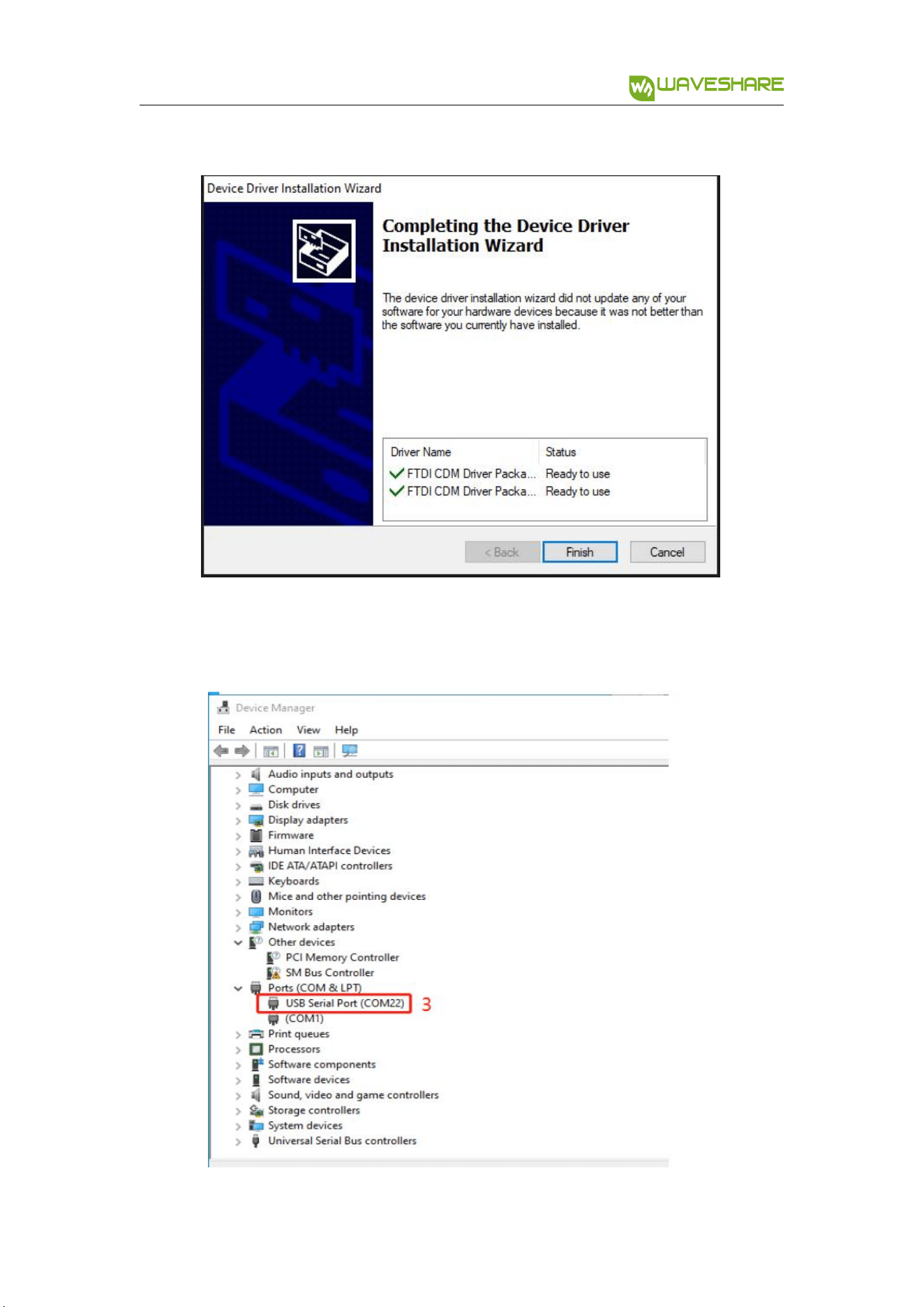
6. After installing, you can check if the yellow exclamation symbol disappear.
Version:V1.3 ,Date:20181108 9 / 13
USB TO RS232/485/TTL User Manual
share awesome hardware
Testing
INTERFACES
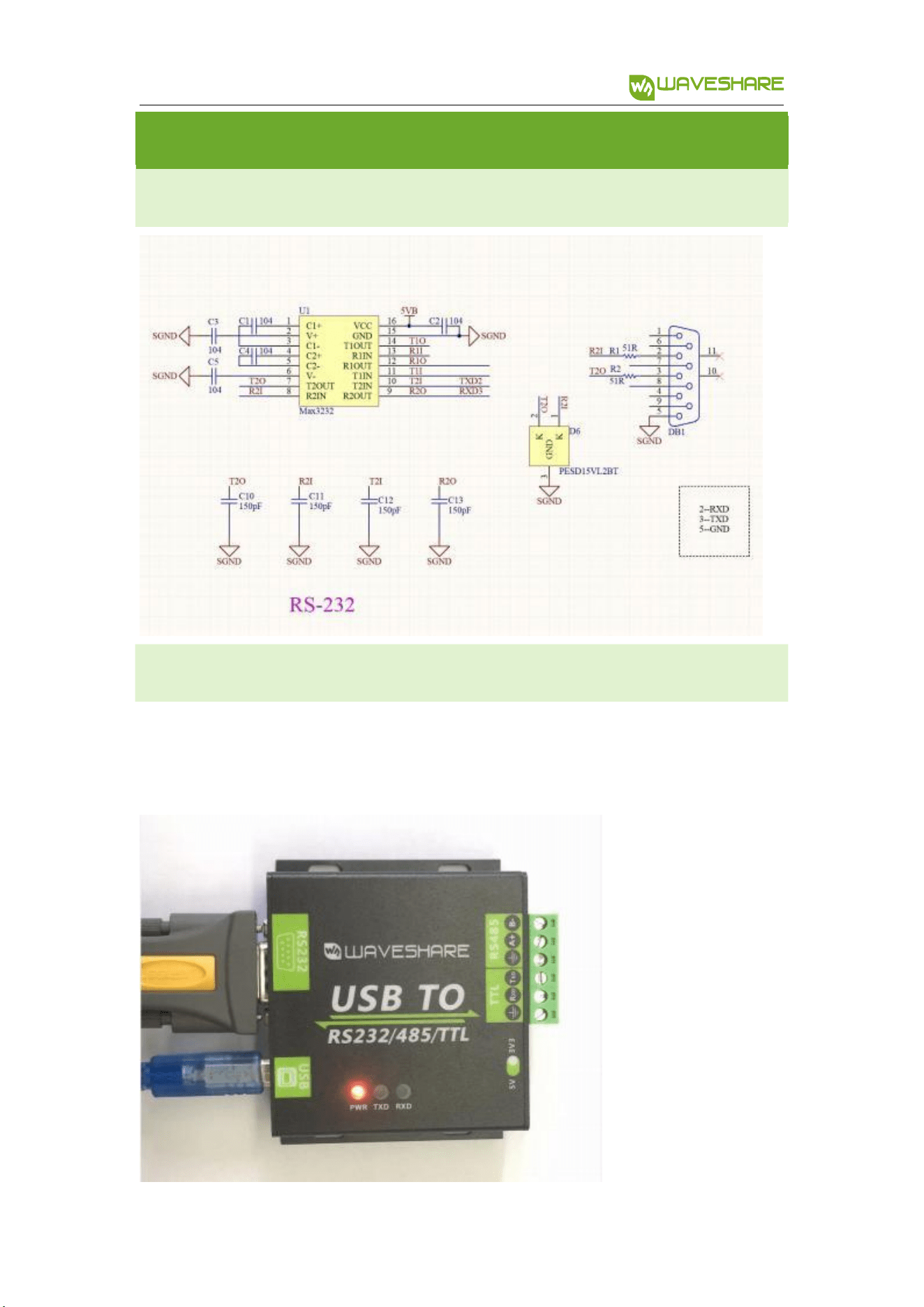
RS23 2
Connect RS232 and USB interface to PC. Open two Serial Assistance Software and set
them with same baudrate, test them as below:
Version:V1.3,Date:20181108 10 / 13
USB TO RS232/485/TTL User Manual
share awesome hardware
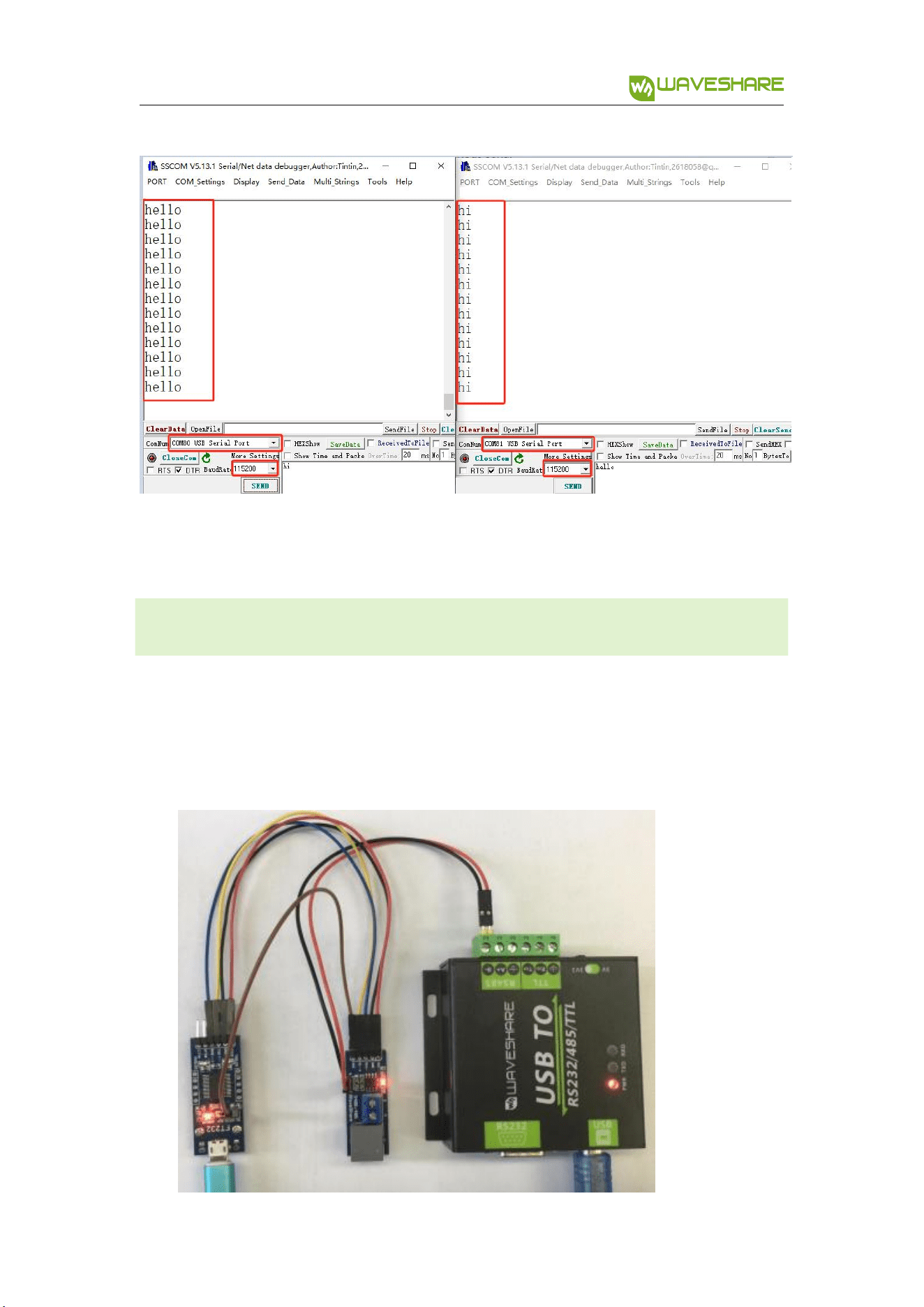
RS48 5
Connect RS485 interface to RS485 interface of target board (here we use our RS485
board to test), A to A and B to B. Open two Serial Software on PC and test it. ( Note that
RS485 Board should pull-high RSE to send data and pull0download it to receive))
Version:V1.3,Date:20181108 11 / 13
USB TO RS232/485/TTL User Manual
share awesome hardware
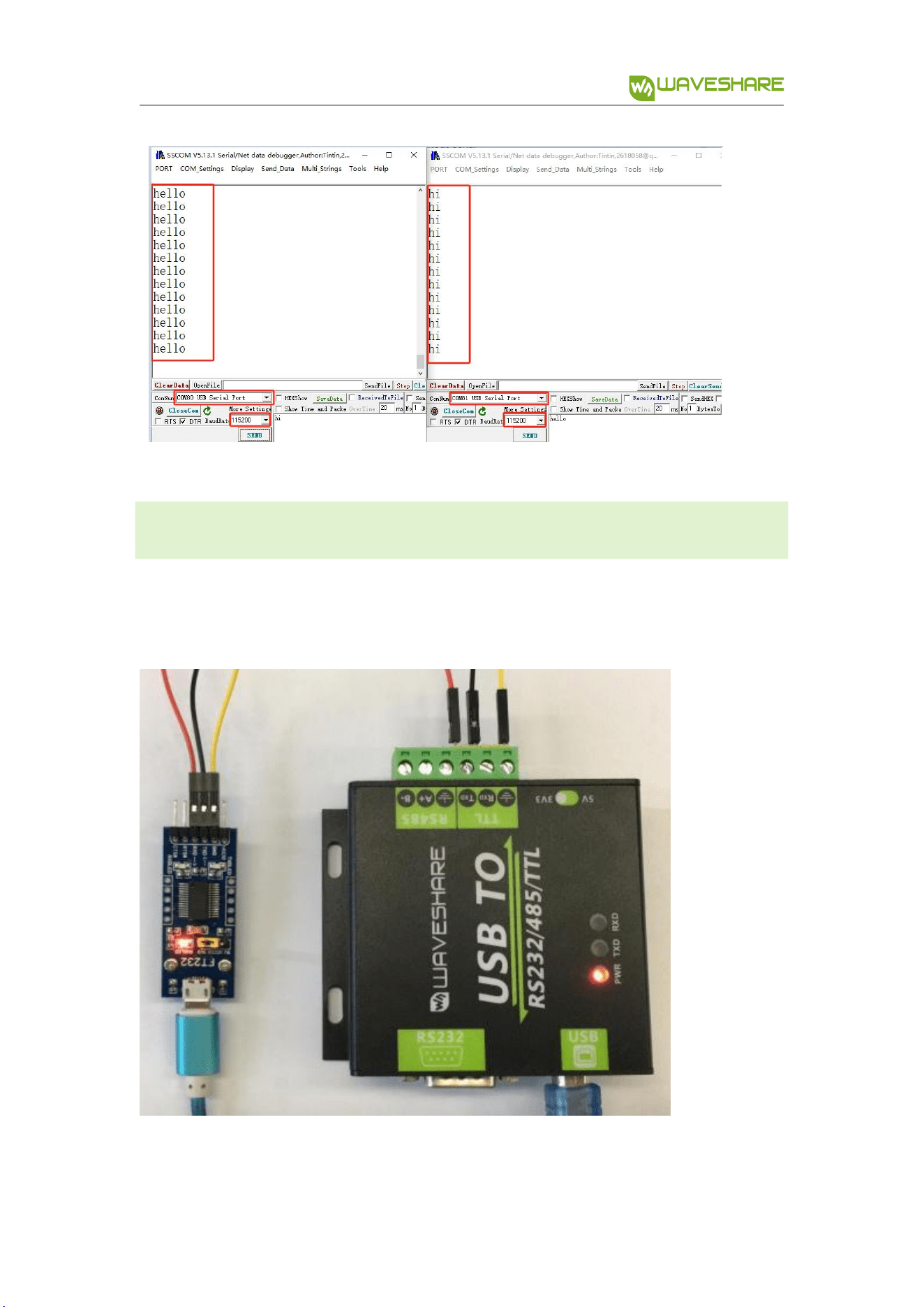
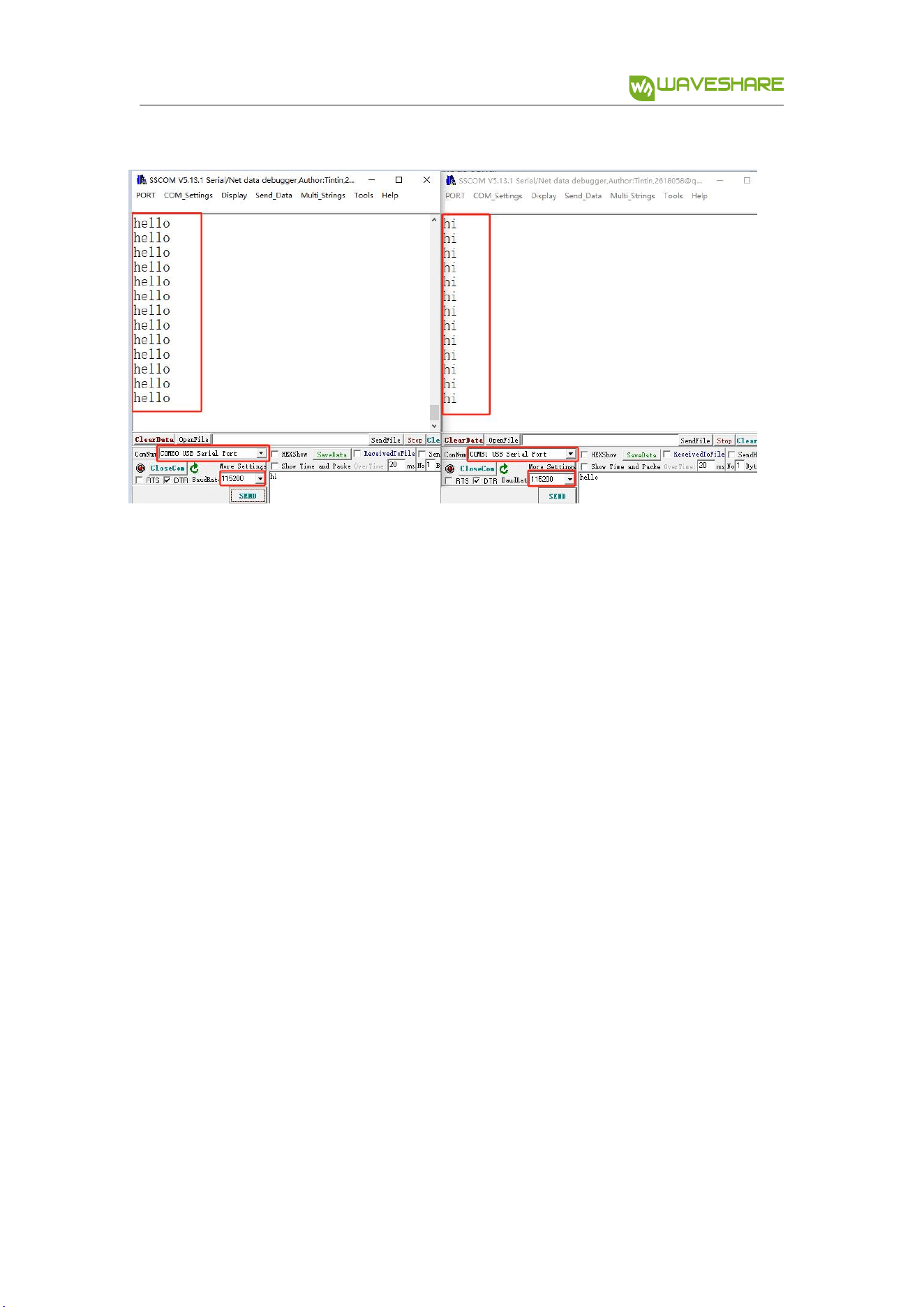
TTL
Connect TTL interface to other UART board and connect to PC, open two Serial
software and test:
Version:V1.3,Date:20181108 12 / 13
USB TO RS232/485/TTL User Manual
share awesome hardware
Version:V1.3 ,Date:20181108 13 / 13