
2
CONTENTS
3
SAFETY WARNINGS
4
•
•
•
•
•
•
•
•
•
•
•
•
•
•
•
•
•
•
•
SAFETY WARNINGS
5
•
•
•
•
•
•
•
•
•
•
•
•
℃
•
℃
•
6
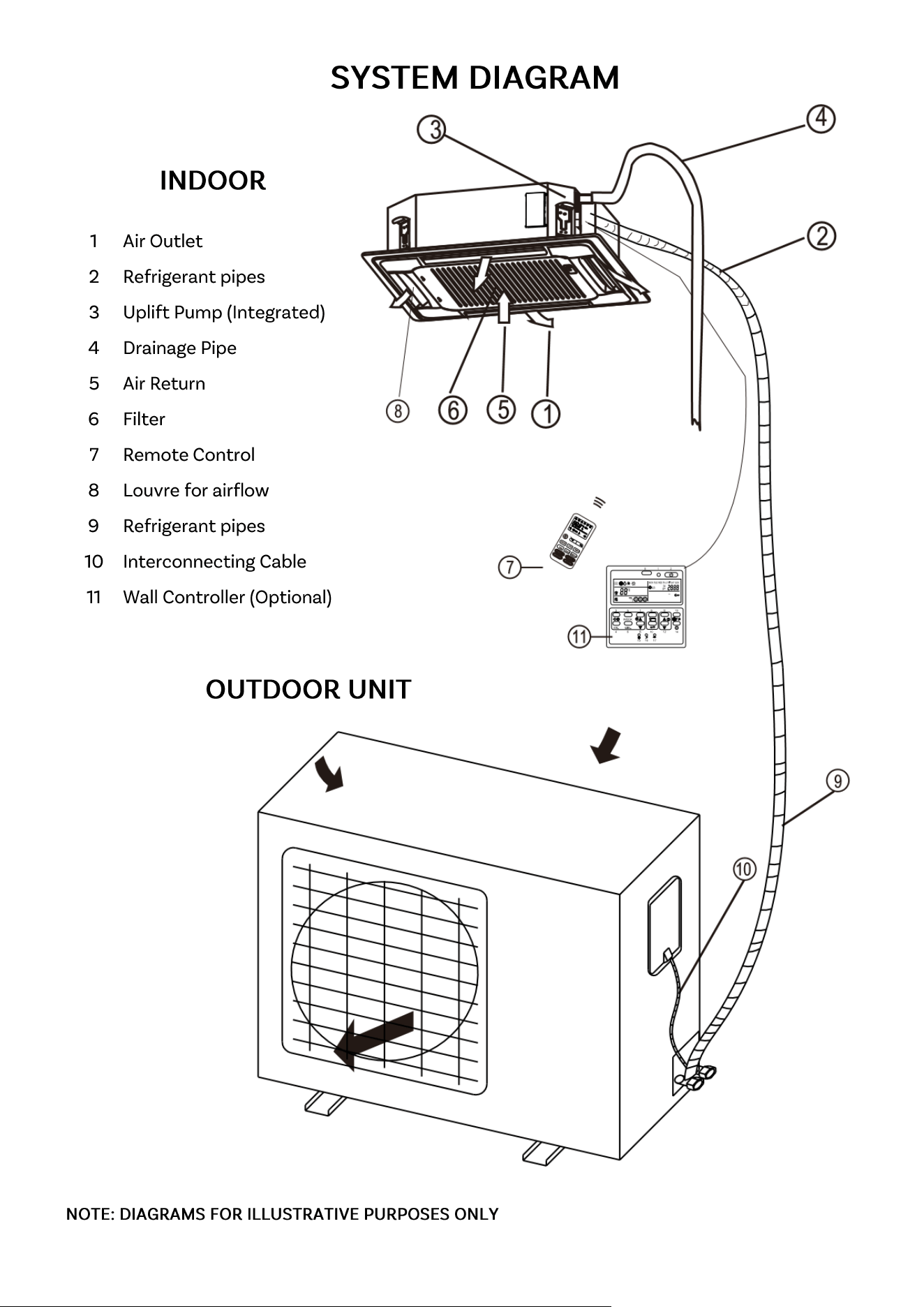
7
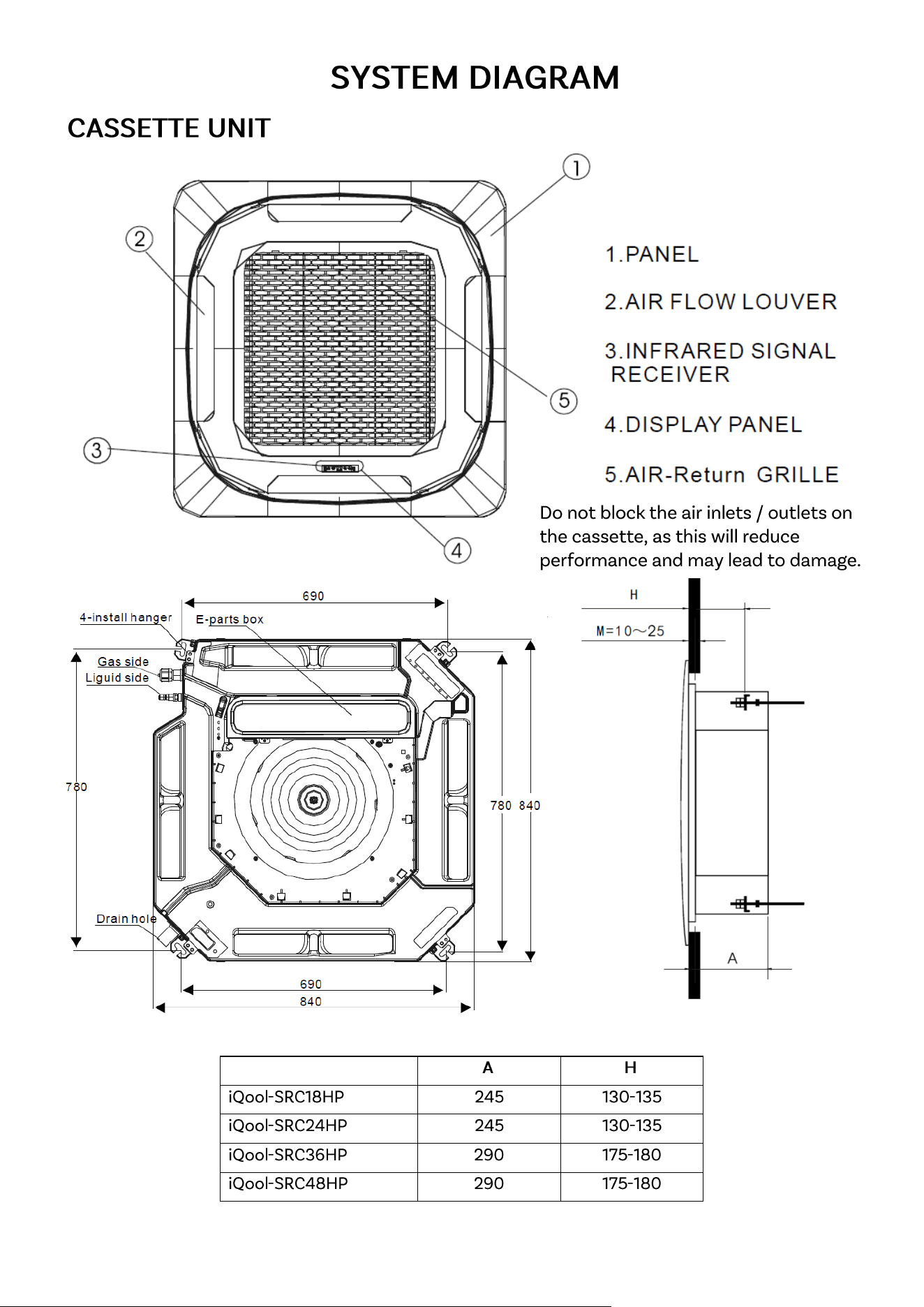
8
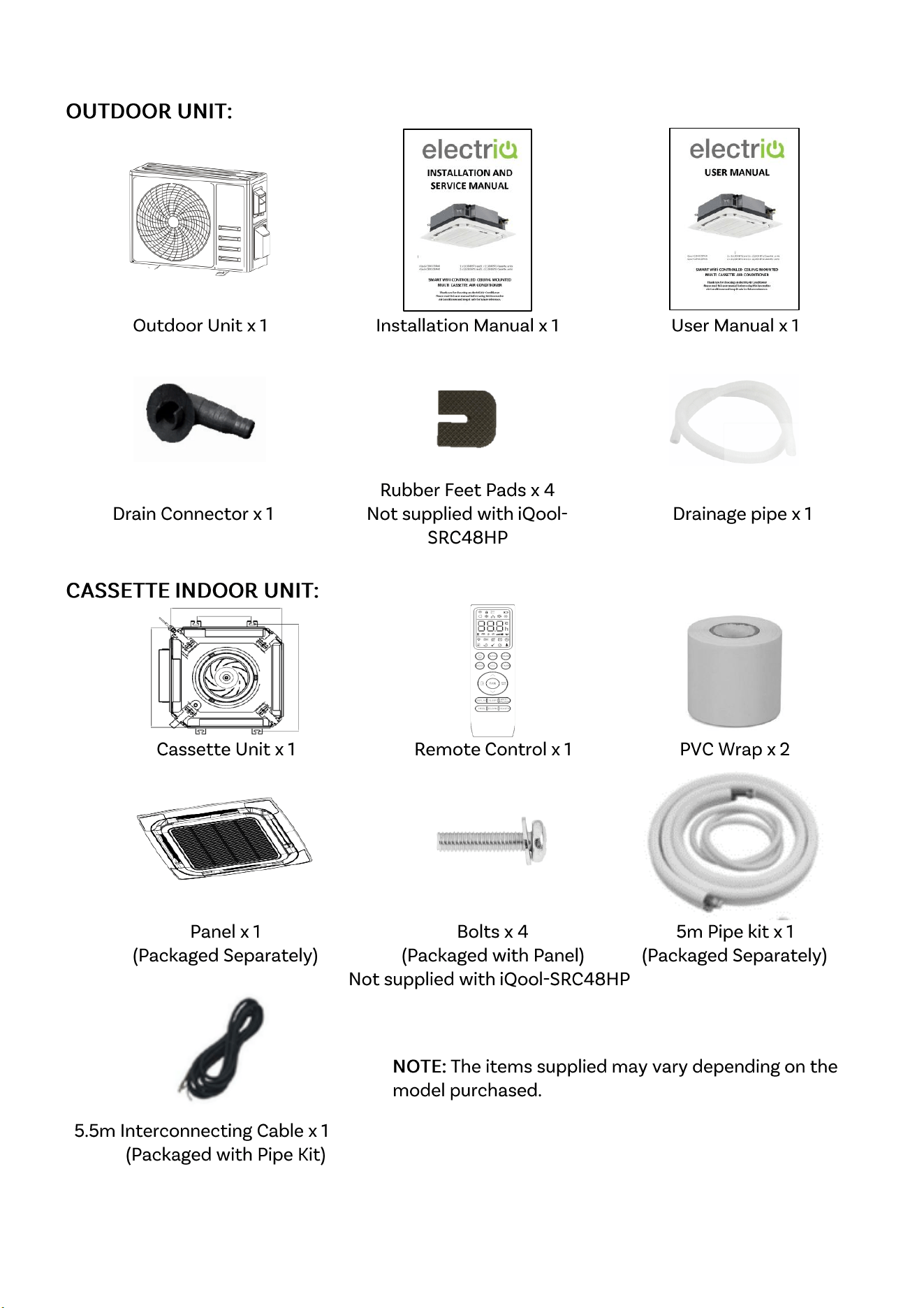
PARTS LIST
9
INSTALLATION INFORMATION
10
•
•
•
•
•
•
•
•
•
•
•
•
•
•
•
This air conditioner also supports the addition of an optional wired controller
model number: IQOOL-WIREDCASCTRL
Please refer to the manual for the controller for guidance on its operation.
HOW TO OPERATE YOUR AIR CONDITIONER
11
HOW TO OPERATE YOUR AIR CONDITIONER
12
HOW TO OPERATE YOUR AIR CONDITIONER
13
HOW TO OPERATE YOUR AIR CONDITIONER
14
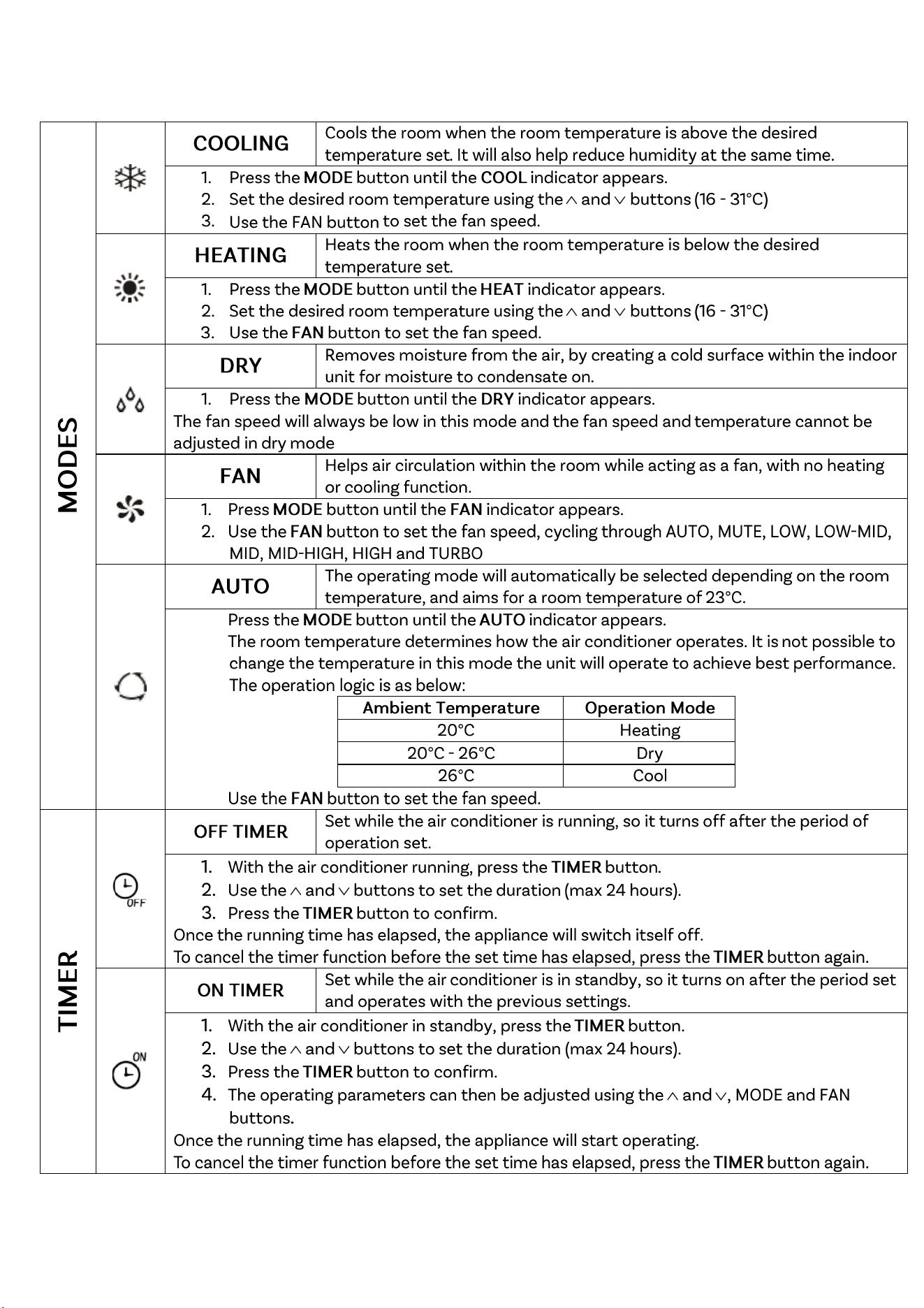
UNDERSTANDING THE FUNCTIONS
15
1.
2.
˂
˃
3.
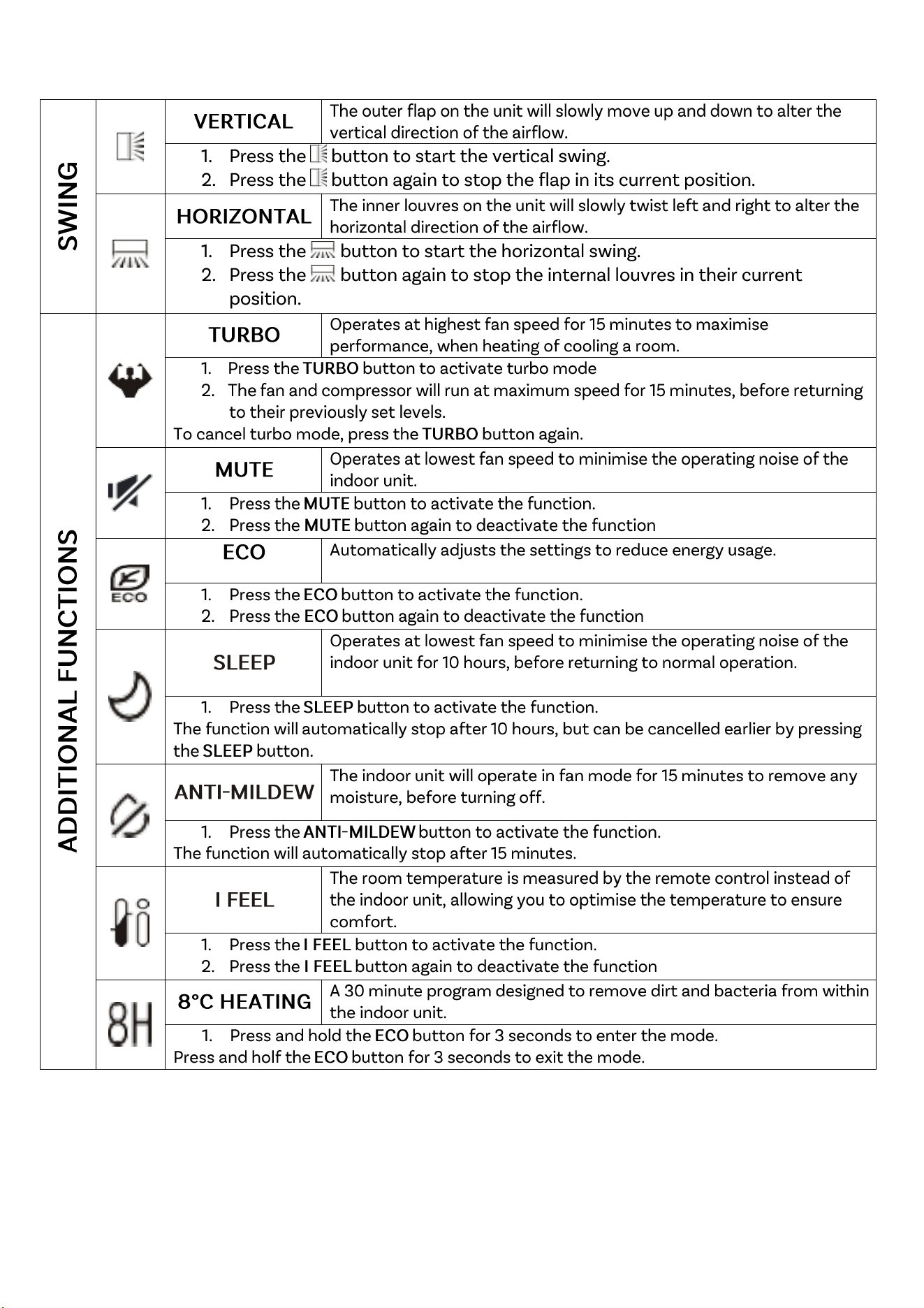
UNDERSTANDING THE FUNCTIONS
16
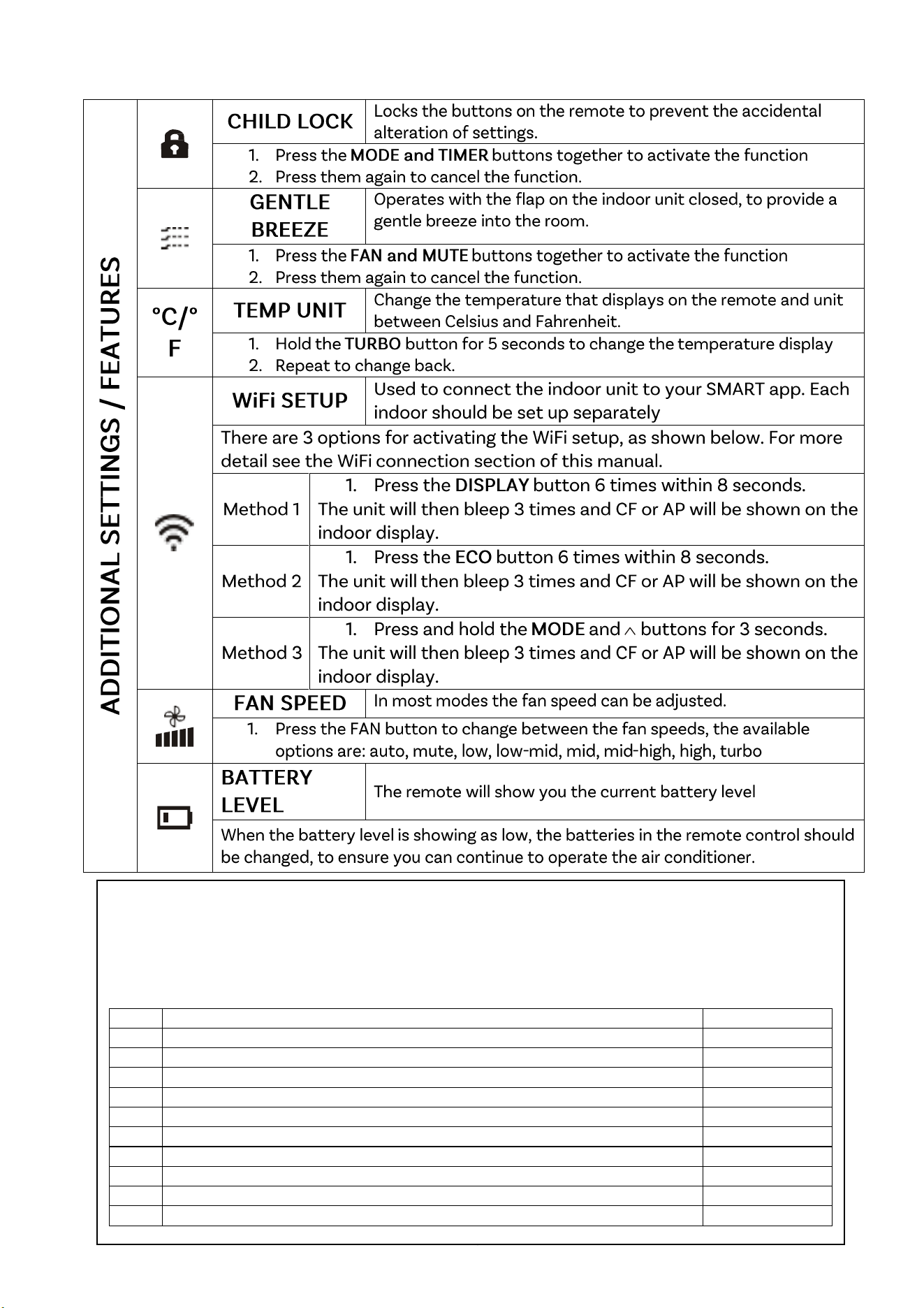
UNDERSTANDING THE FUNCTIONS
17
HOTEL MENU (IQOOL-SRC48HP ONLY)
The IQOOL-SRC48HP has an additional HOTEL mode, which allows features to be restricted and alteration to be
made to operation. To enter the setup, within 20 seconds of inserting the batteries into the remote, press the
power button, followed by holding the FAN and DOWN buttons for 5 seconds. The remote will then display E1.
Within this menu use the UP and DOWN buttons to navigate/ change values, FAN to select, and MODE to confirm.
CODE
DESCRIPTION
PARAMETERS
E1
Auto Start following power failure
ON / OFF
E2
Swing Memory Function
ON / OFF
E3
Cooling and Heating Mode (Set the unit as cooling only or heating only)
CC / CH / HH
E4
Minimum temperature
16 to 25
E5
Maximum Temperature
26 to 31
E6
Dry Contact delay time (minutes)
0 to 6
E7
Dust Filter Clean Reminder
ON / OFF
E8
Heating temperature compensation
0 to 6
E9
Cooling temperature compensation
0 to 6
F1
Modbus Address Control (to allow connection to Centralized control unit)
00 to FF
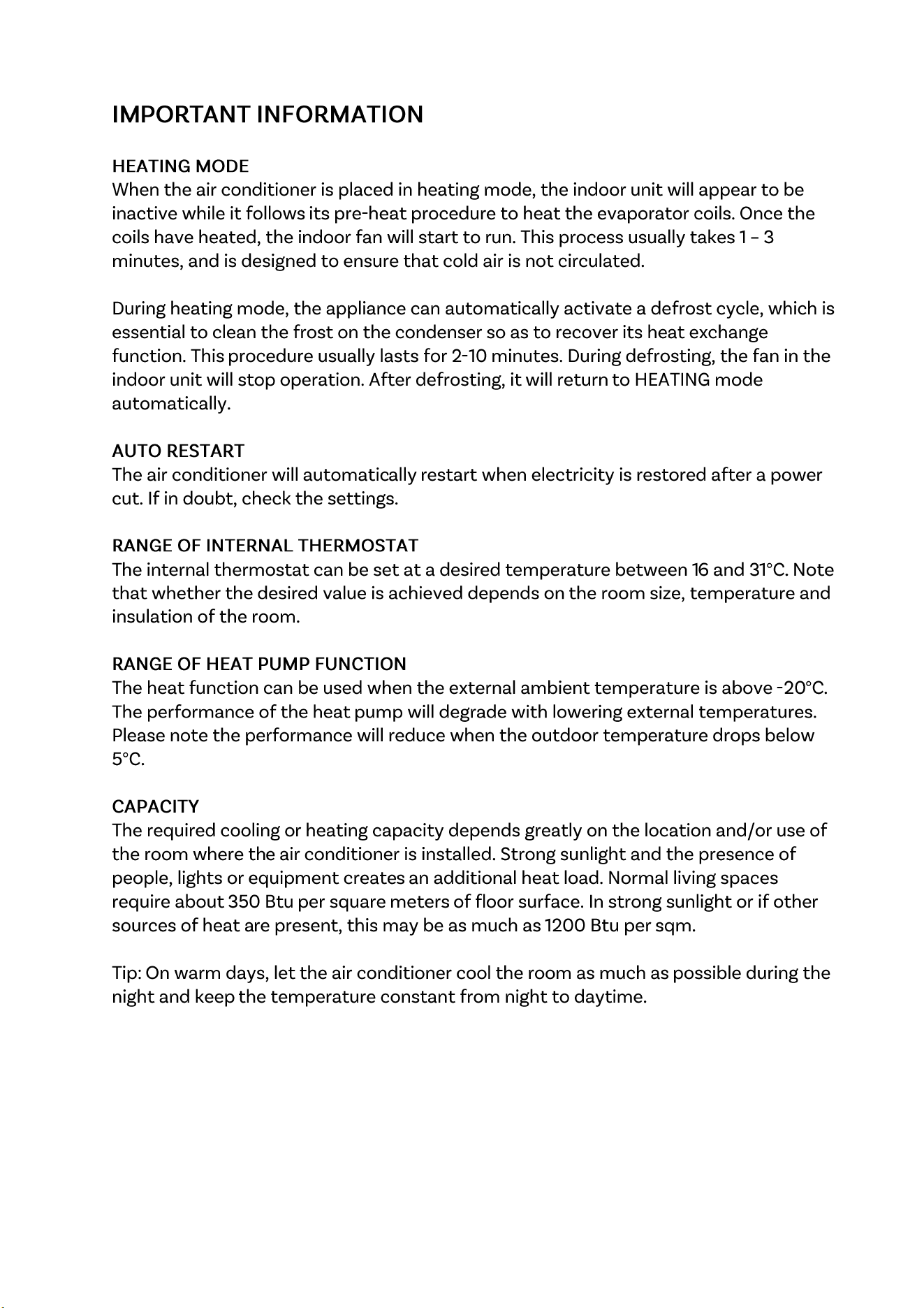
UNDERSTANDING THE FUNCTIONS
18
SETTING UP THE WiFi APP
19
•
•
•
•
SETTING UP THE WiFi APP
20
SETTING UP THE WiFi APP
21
SETTING UP THE WiFi APP
22
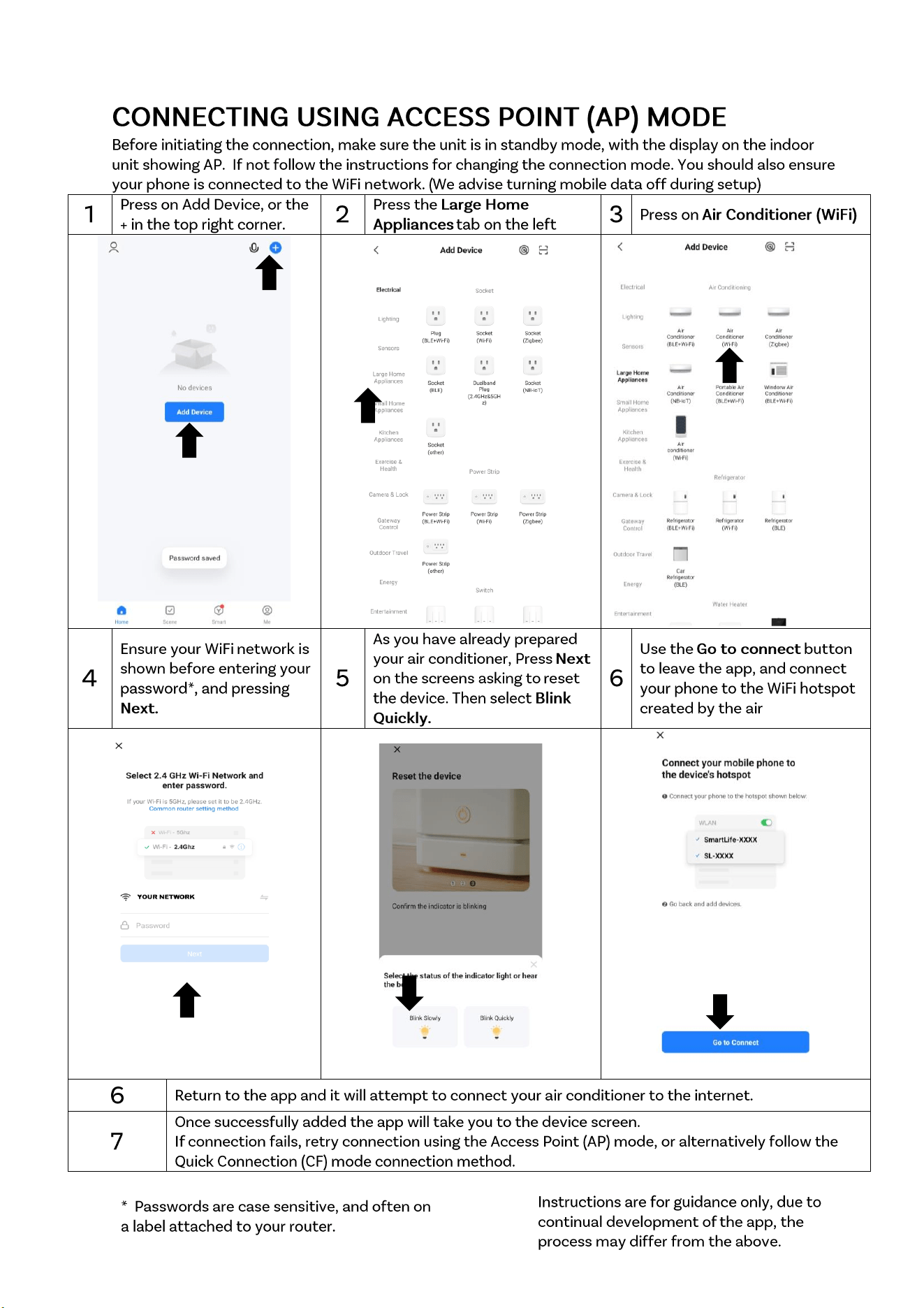
SETTING UP THE WiFi APP
23
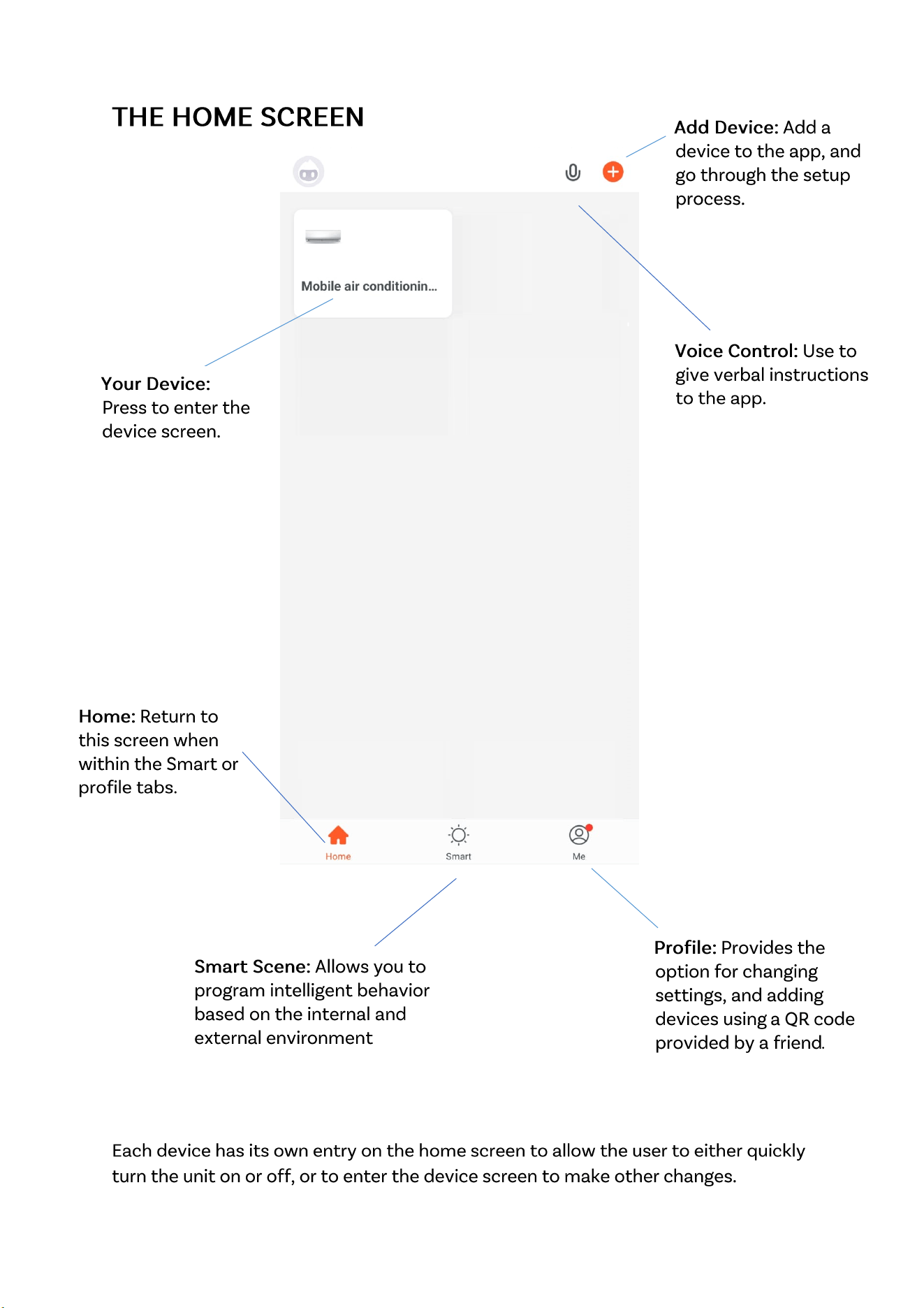
SETTING UP THE WiFi APP
24
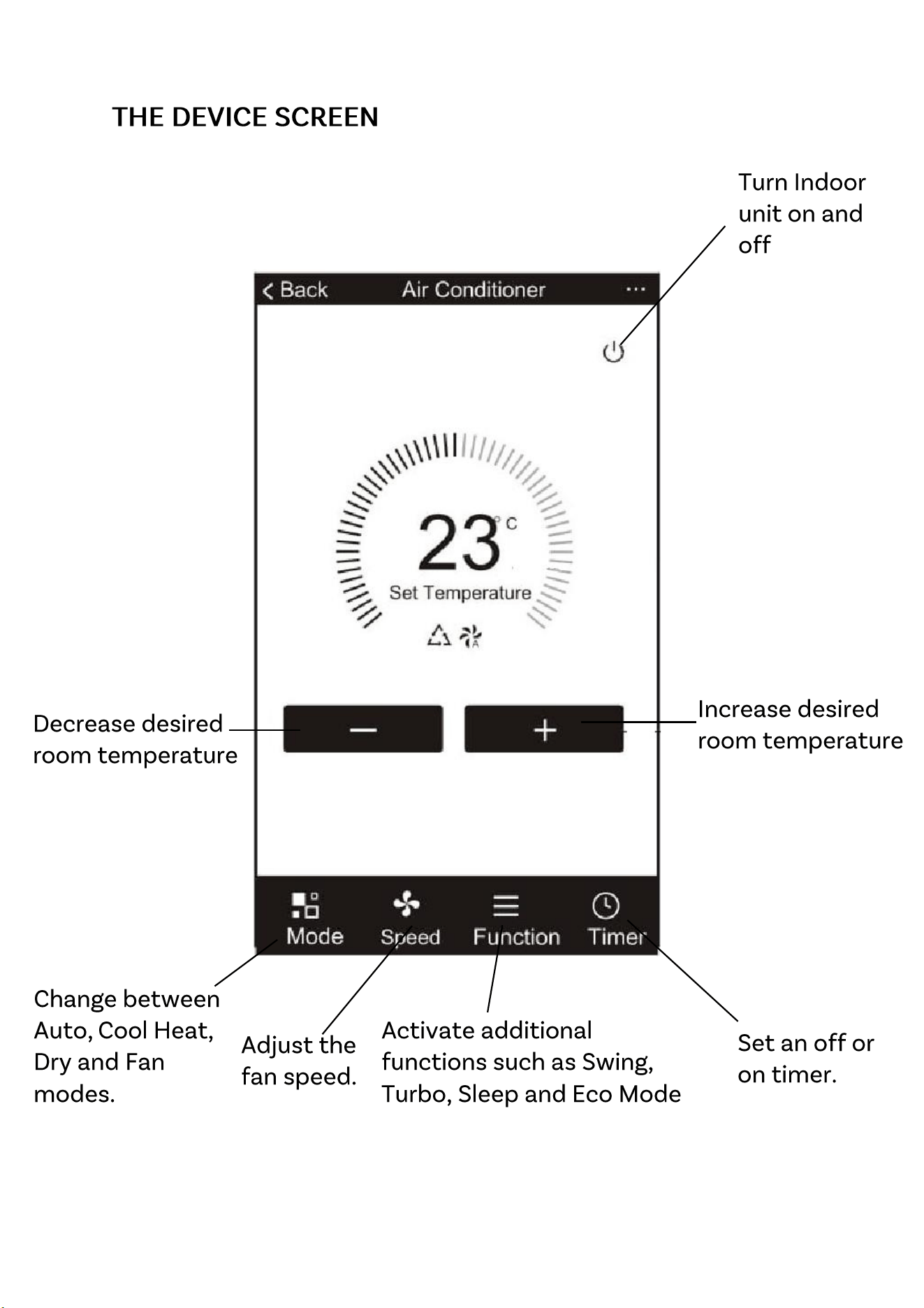
SETTING UP THE WiFi APP
25
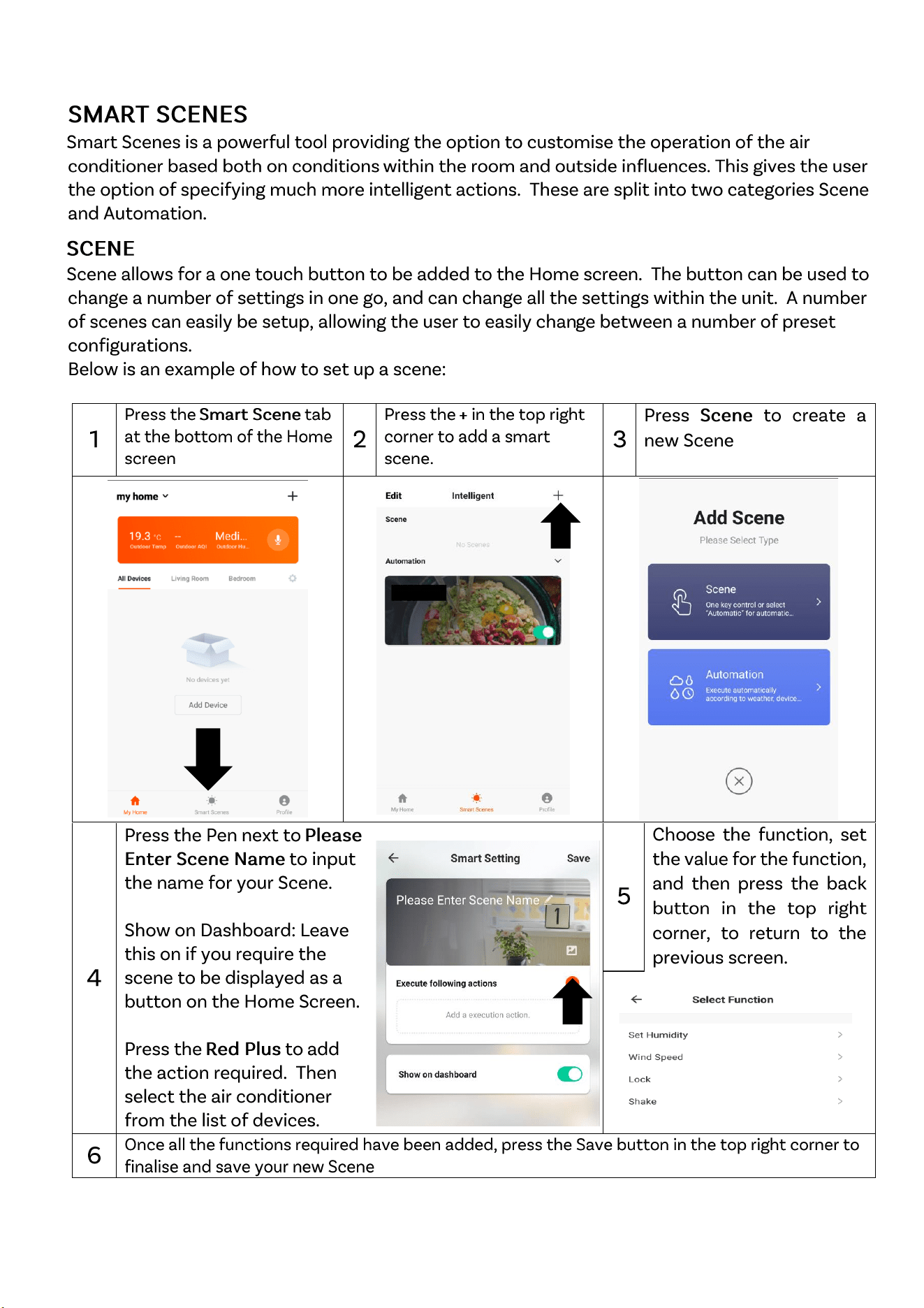
SETTING UP THE WiFi APP
26
SETTING UP THE WiFi APP
27
SETTING UP THE WiFi APP
28
29
•
•
•
•
•
<40
104
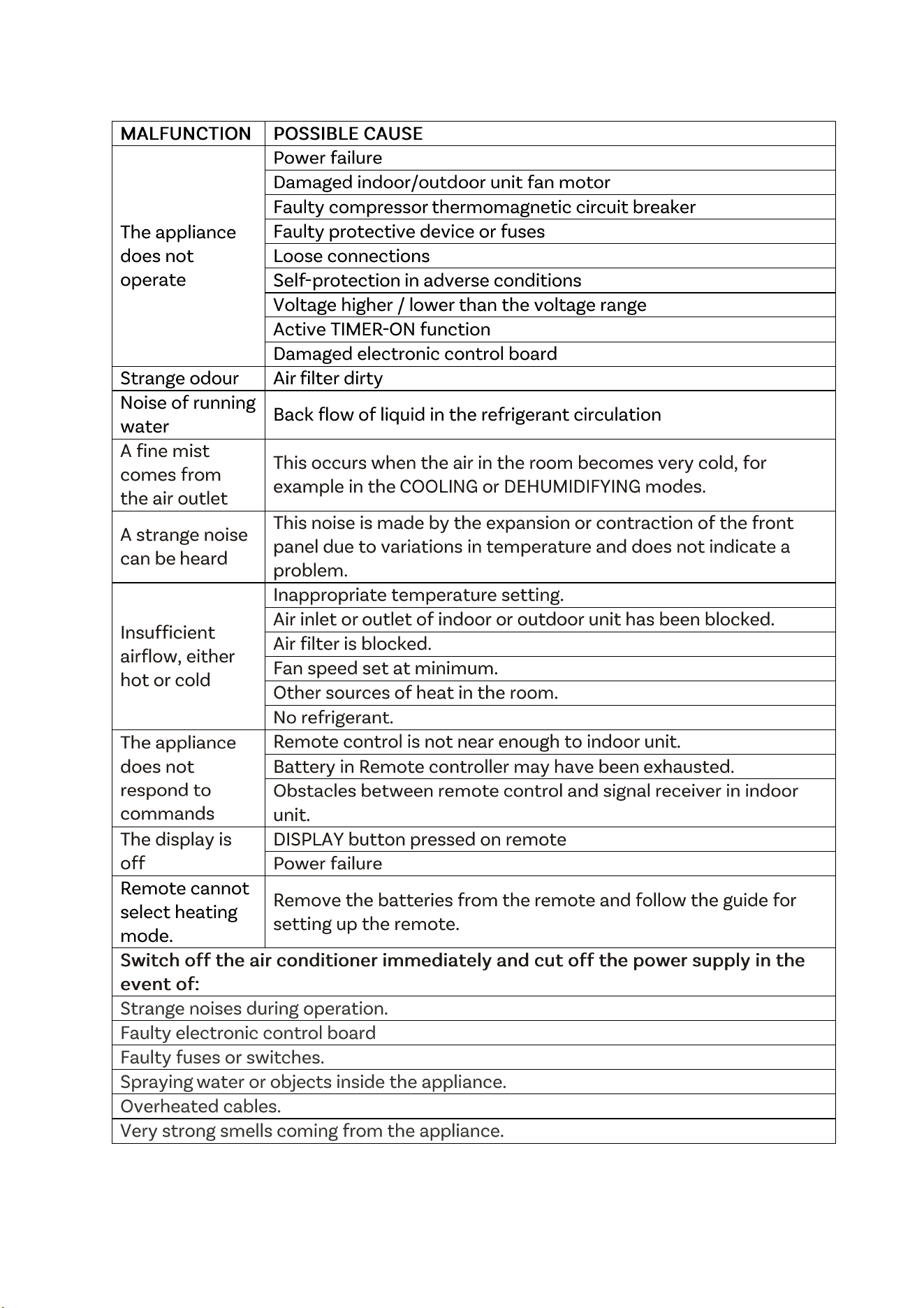
TROUBLESHOOTING AND SELF DIAGNOSIS
31
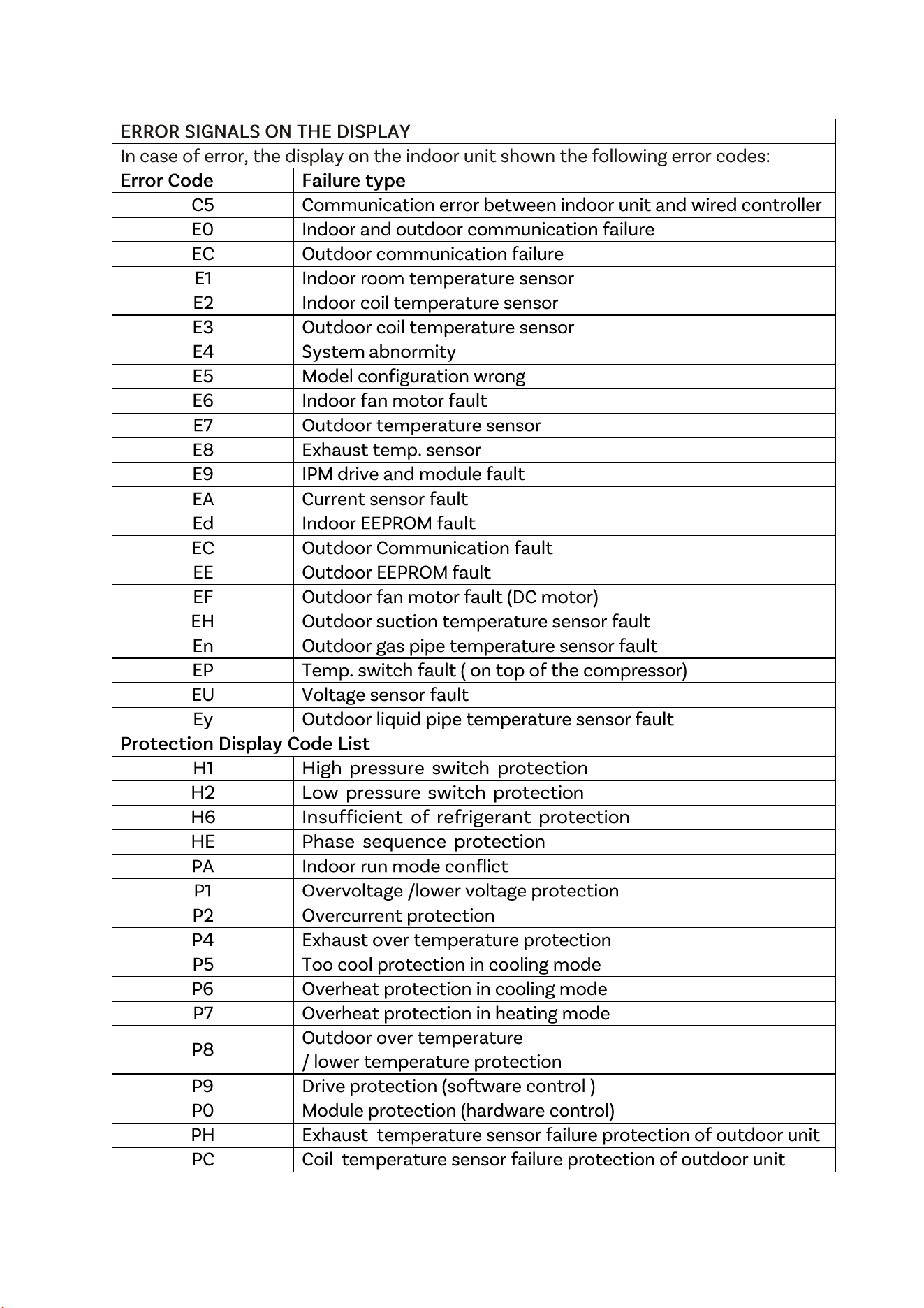
TROUBLESHOOTING AND SELF DIAGNOSIS
32
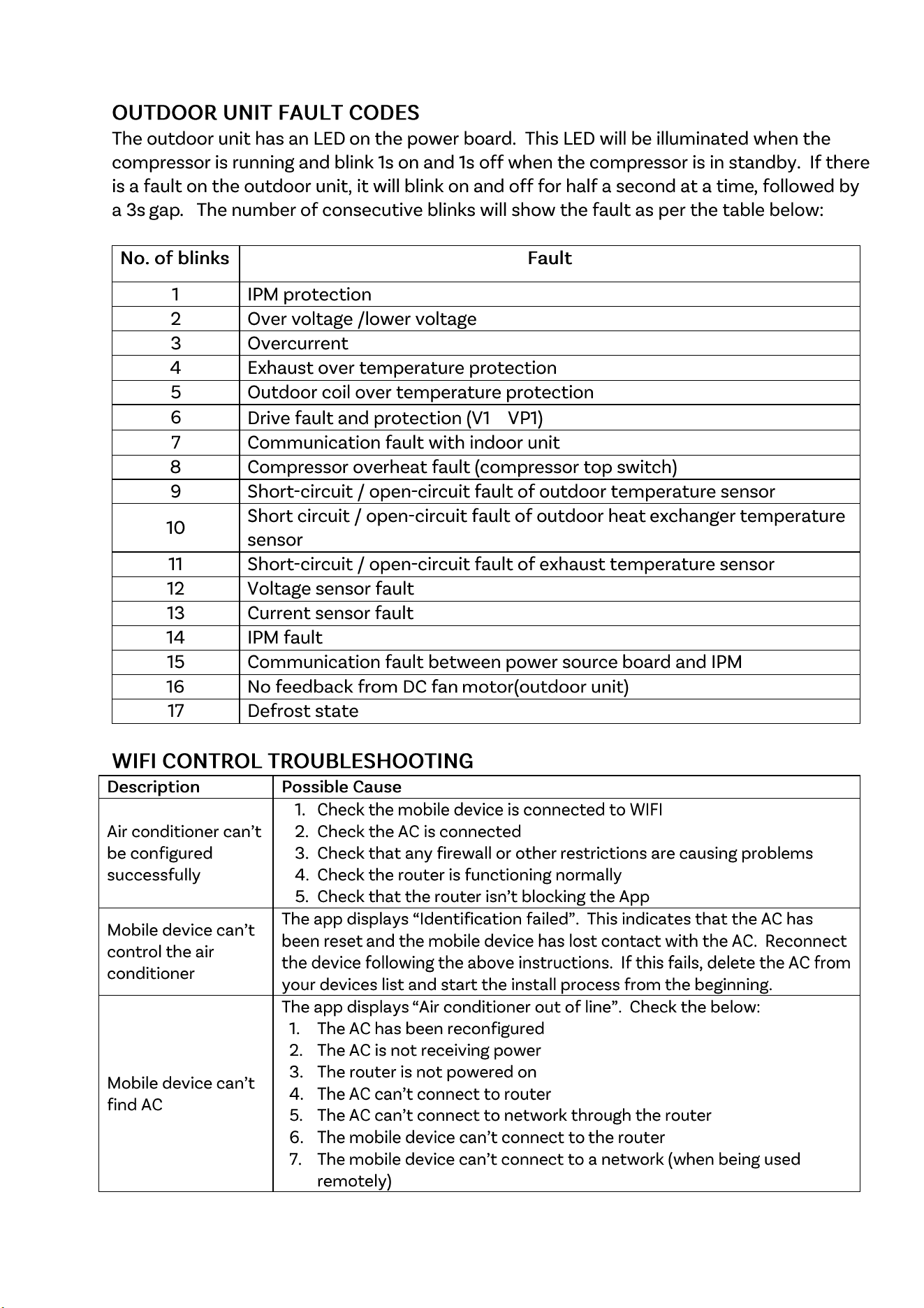
TROUBLESHOOTING AND SELF DIAGNOSIS
33
,
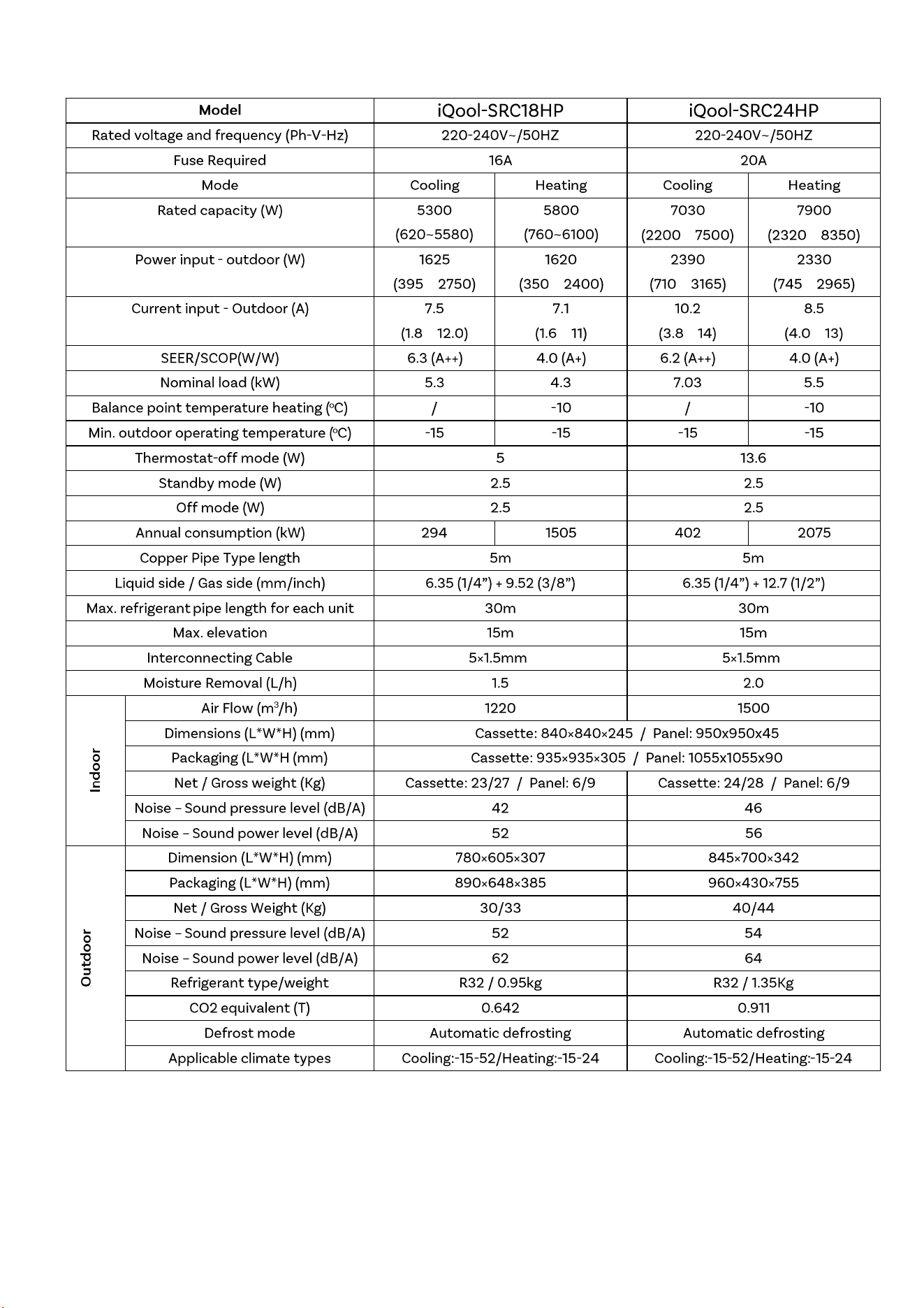
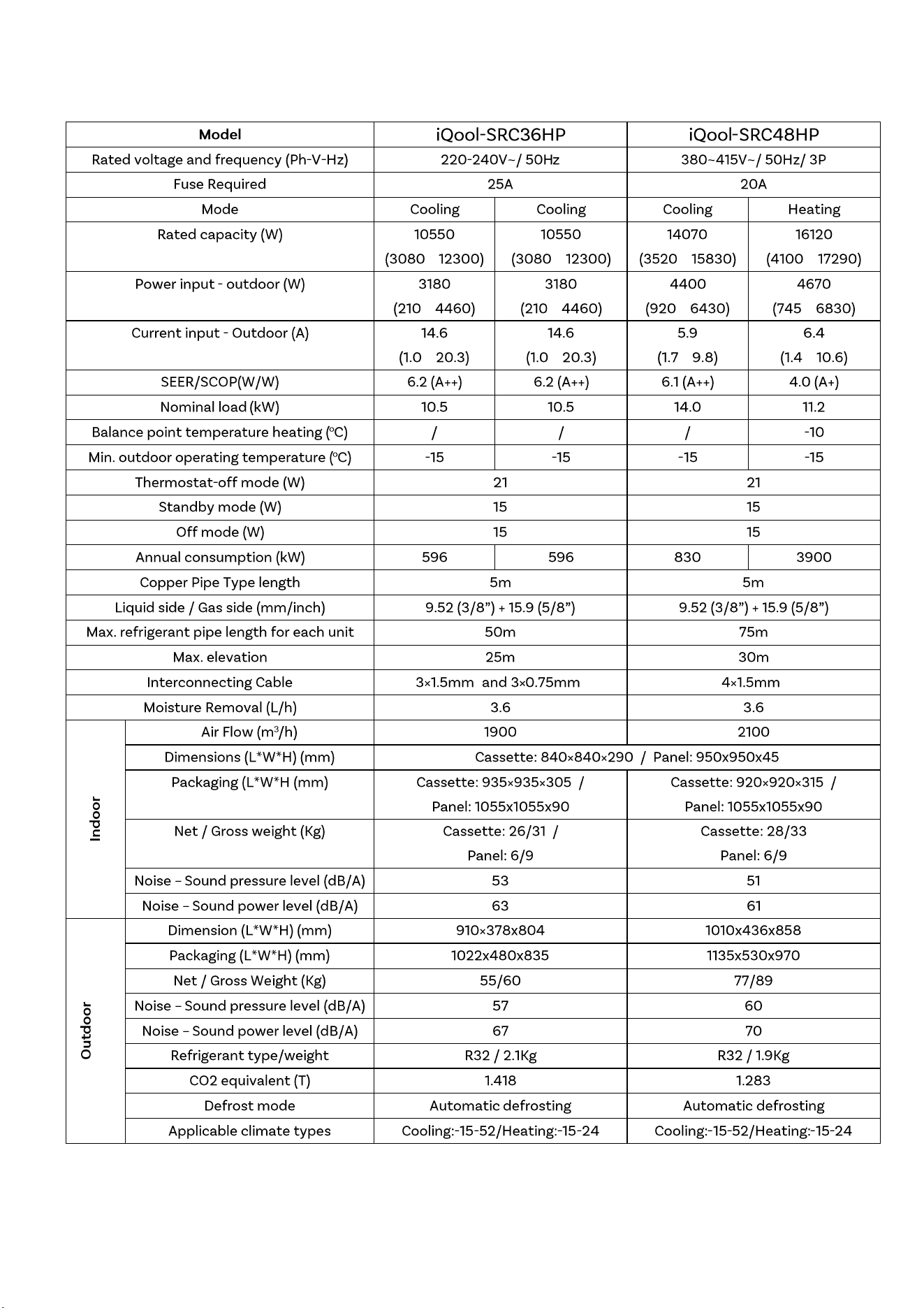
TECHNICAL SPECIFICATION
34
~
~
~
~
~
~
~
~
~
~
²
²
Due to continuous product development process
specification may change
TECHNICAL SPECIFICATION
35
~
~
~
~
~
~
~
~
~
~
~
~
² ²
²
SUPPORT
37