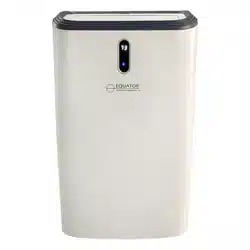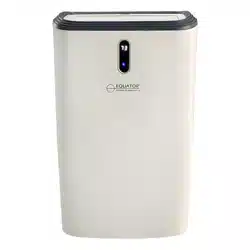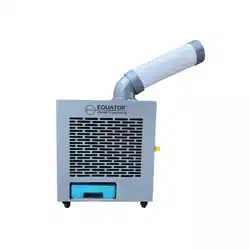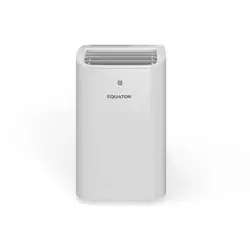
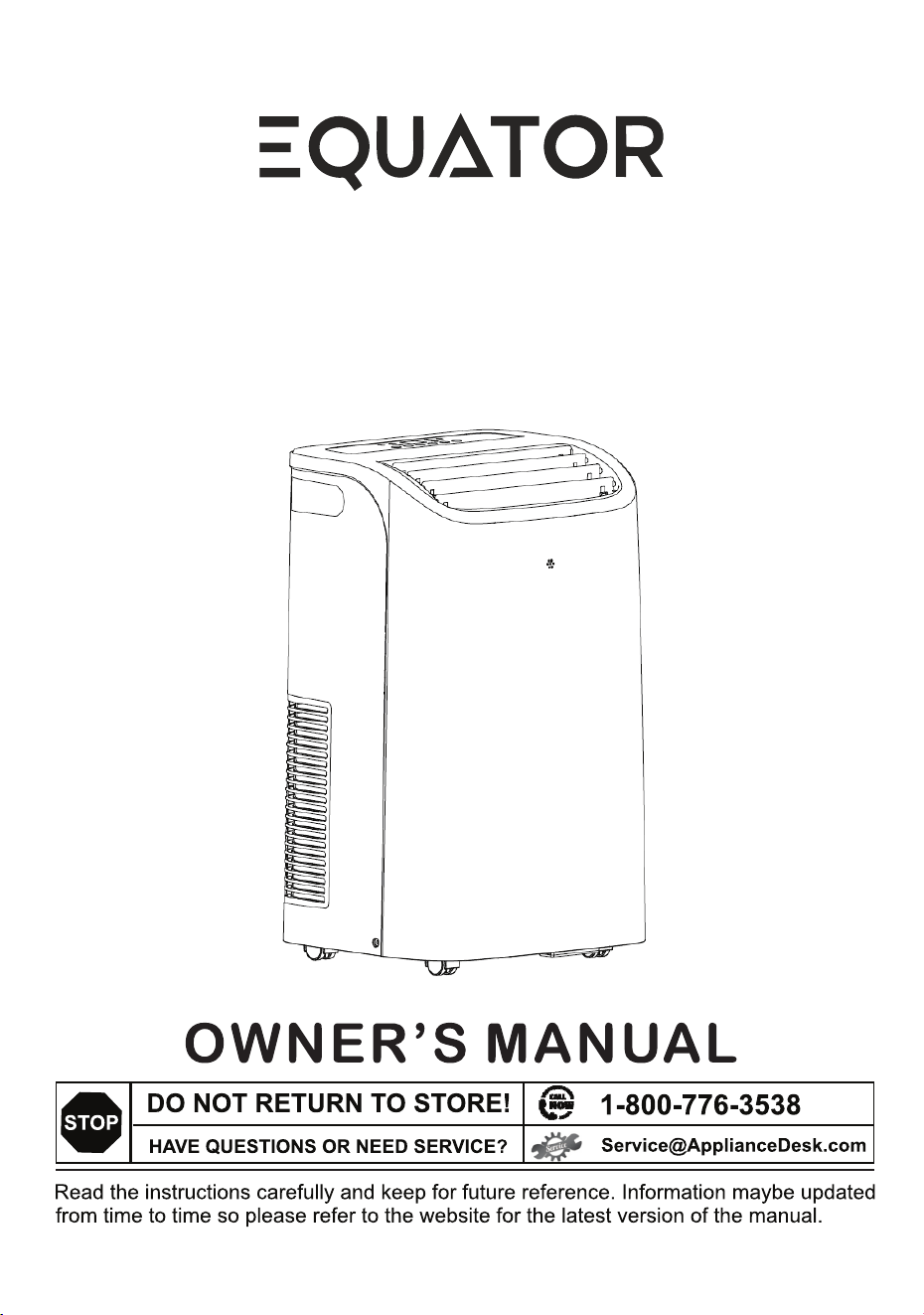
Model: PAC 162R
Portable Air Conditioner
with Inverter Technology
- INDOOR -

PAC 162R
3
480 m/h
700 sq. ft.
115V / 60Hz
≤56 dB(A)
54.7 lbs
27.1” x 16.5” x 14.1”
Congratulations on your new Indoor Portable Air Conditioner!
4-in-1 appliance can be used as an air conditioner, fan,
dehumidifier or heater.
In addition to its contemporary design, this is a highly sophisticated
engineered product that will give you many years of satisfaction.
Here are some of the best reasons for buying your appliance for the
ultimate comfort experience:
Portable unit allows you to move and install in any room.
Filters clean the air you breathe and are washable.
Sleek panel and remote control make it easy to use.
Inverter technology achieves efficient and quiet cooling by adjusting
compressor speed to match the room temperature
Turbo function cools the room very quickly by boosting the AC to
maximum power for rapid cooling in a short time
Heat pump technology provides efficient heating by moving heat in
or out in one system
Add Ambient temperature
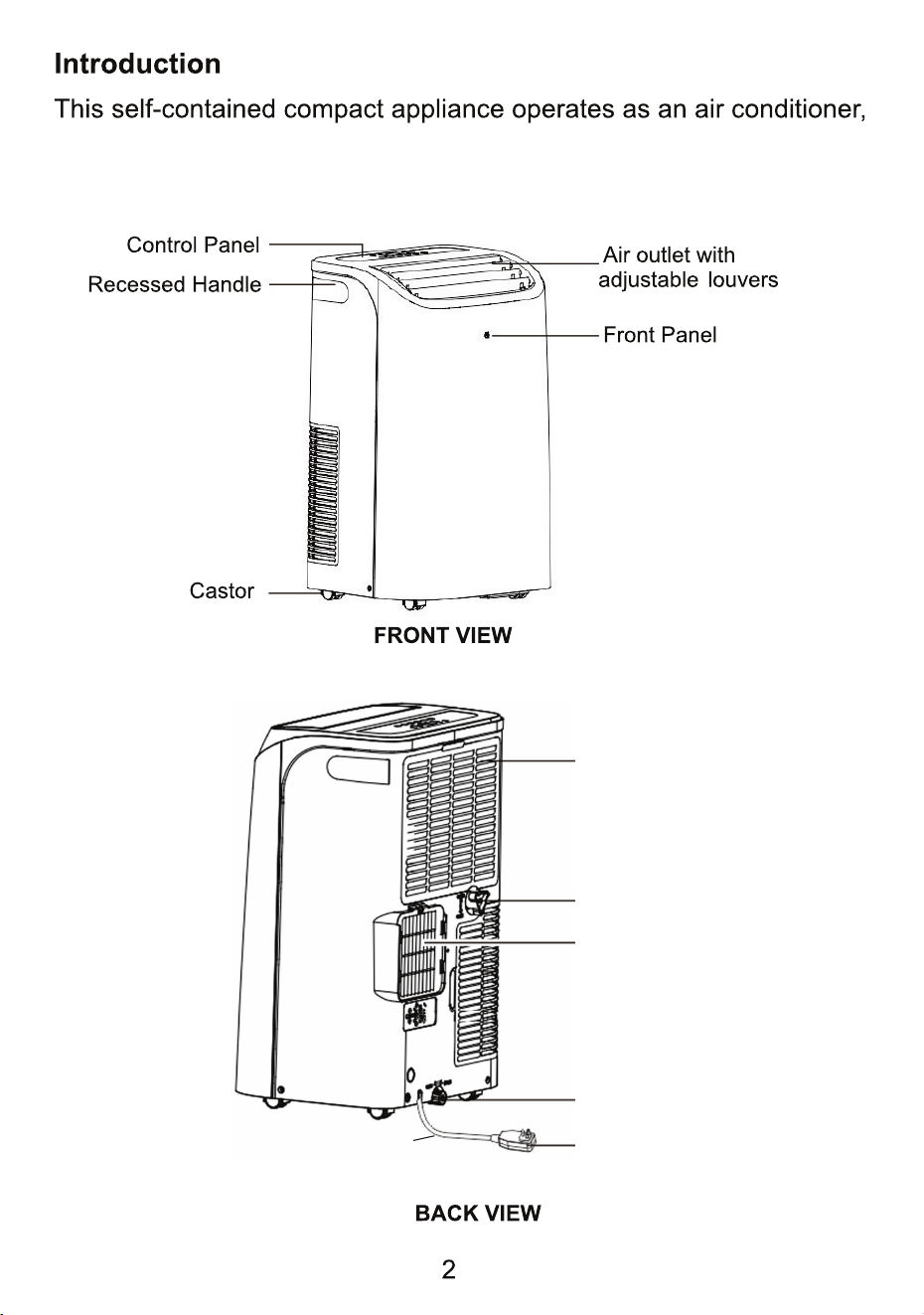
Power Cord
air purifier/fan, heater or dehumidifier. It is easily portable with castors
and does not require permanent installation.
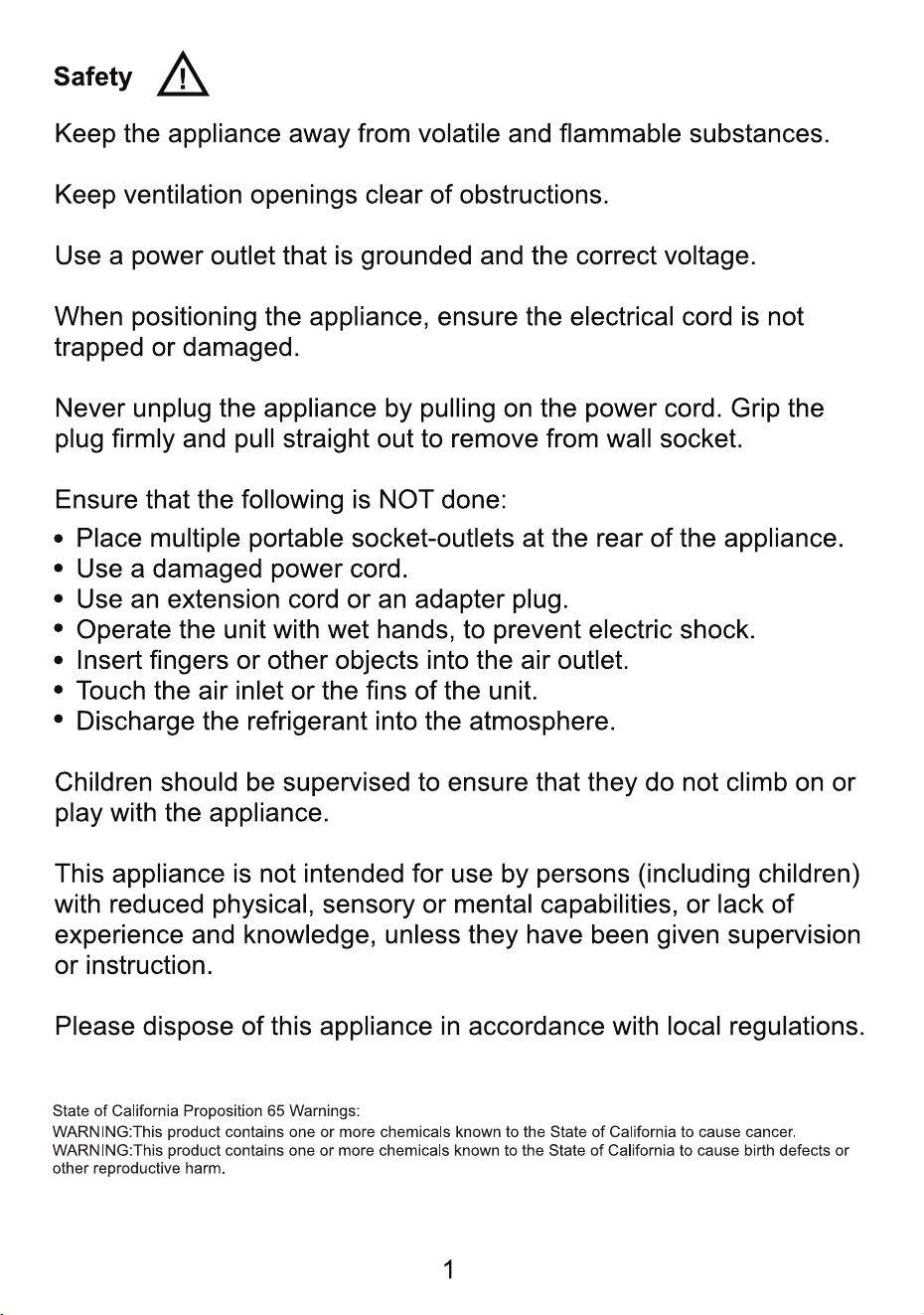
Inside Air Inlet
with Air Filter
Upper Drain Outlet
Air Exhaust
Lower Drain Outlet
with Sealing Plug
Plug
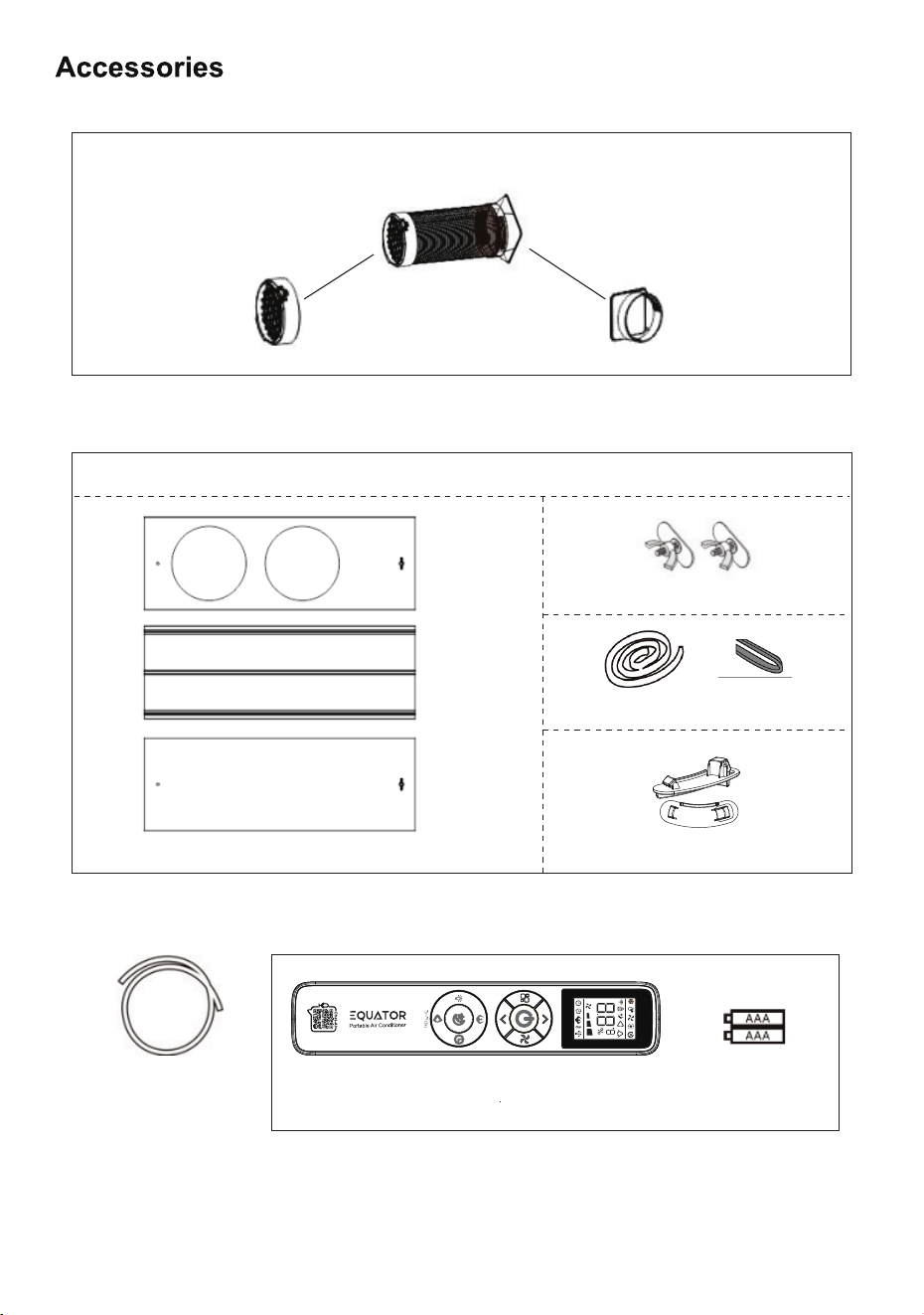
Inlet and Exhaust
Hoses (2)
Window Kit
Hose Connector
to Window (2)
Hose Connector
to Unit (2)
Drain Hose (1)
Remote Control
Batteries (2)
(Included)
Butterfly Bolts (2)
Foam Seals
Window Panels
Hose Assembly
Hose Fasteners (2)
3
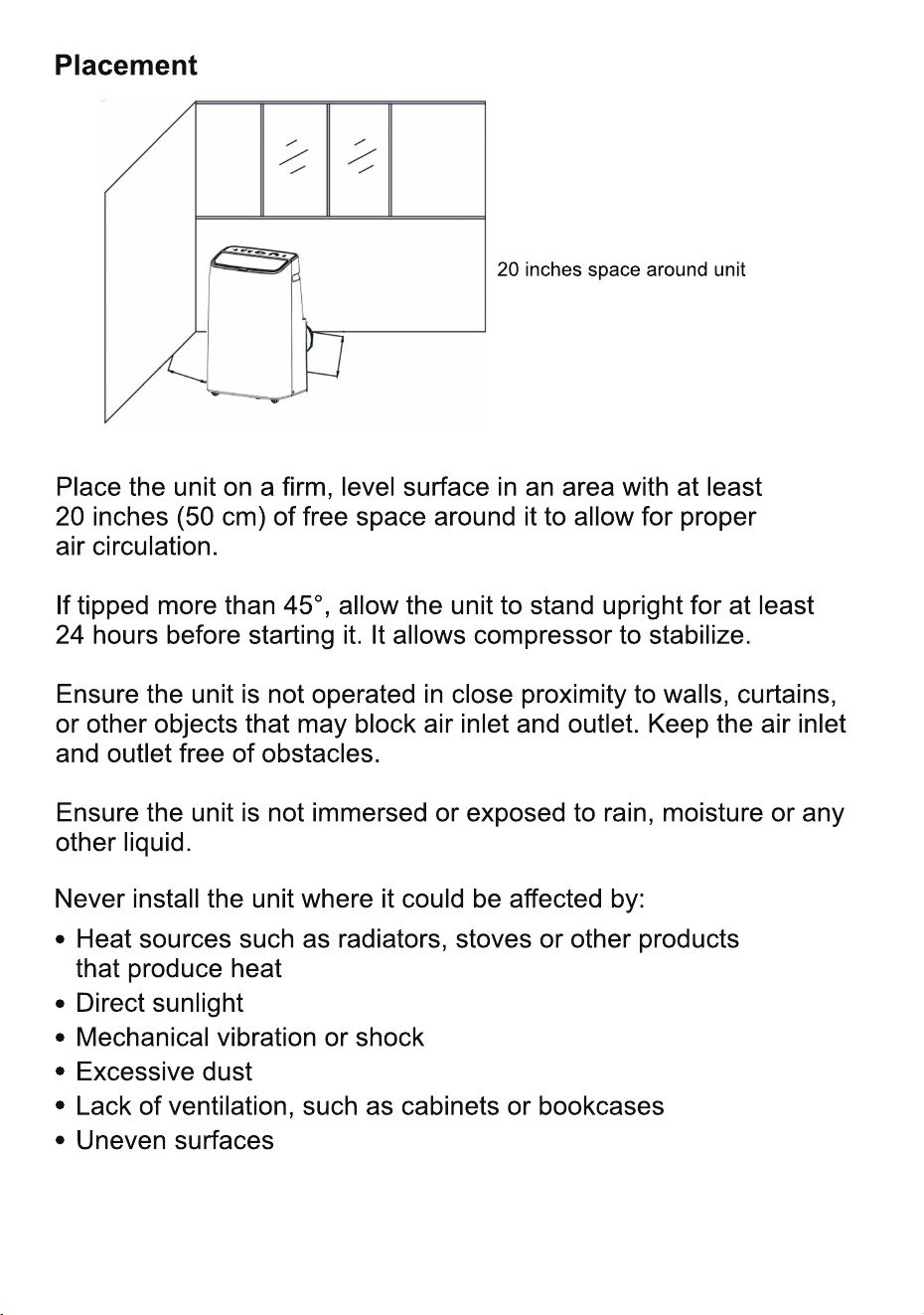
20” (50 cm)
20”
(50 cm)
4
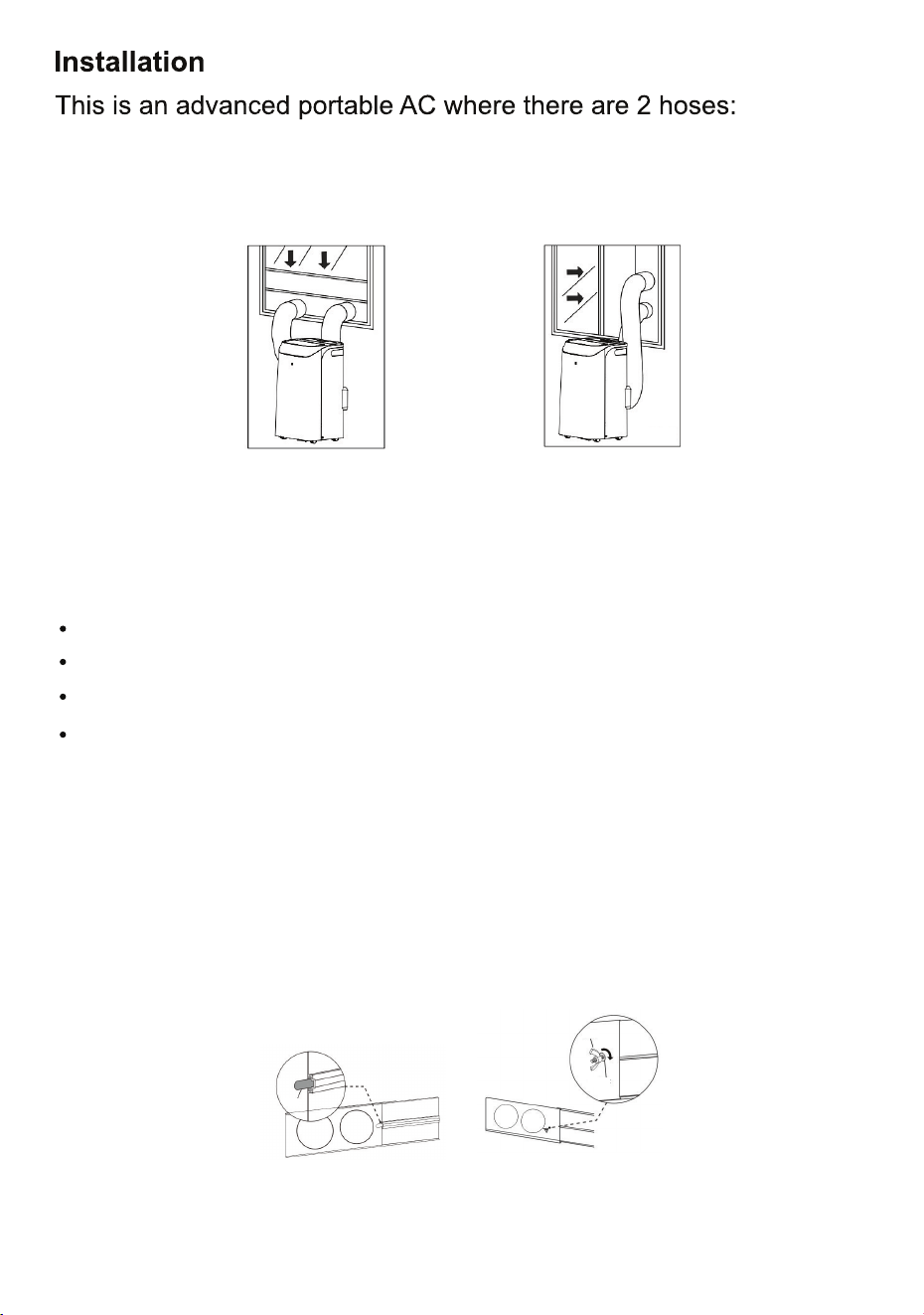
Prepare the Window Kit to install in the window
Step 1: Measure the window and arrange the 3 panels to fit the
window by sliding the panels together. The panel with the groove
goes in the middle and the other 2 panels on either side.
Three panels
Tabs and Bolts to connect the panels
Clips to attach the hoses to the window
The Window Kit includes:
Foam Seal Strips to close any gaps between the Window Kit and
the window (optional).
Step 2: Secure the panels to each other by attaching them with the
tabs and butterfly bolts (but don't tighten them yet) as shown in Fig. 2.
The hoses can be attached either vertically or horizontally. See Fig. 1.
Fig. 1
Fig. 2
5
The right hose brings fresh air into the unit. The left hose blows hot
exhaust air to the outdoors.
Horizontally - either
position
Vertically - Hot air
hose on top
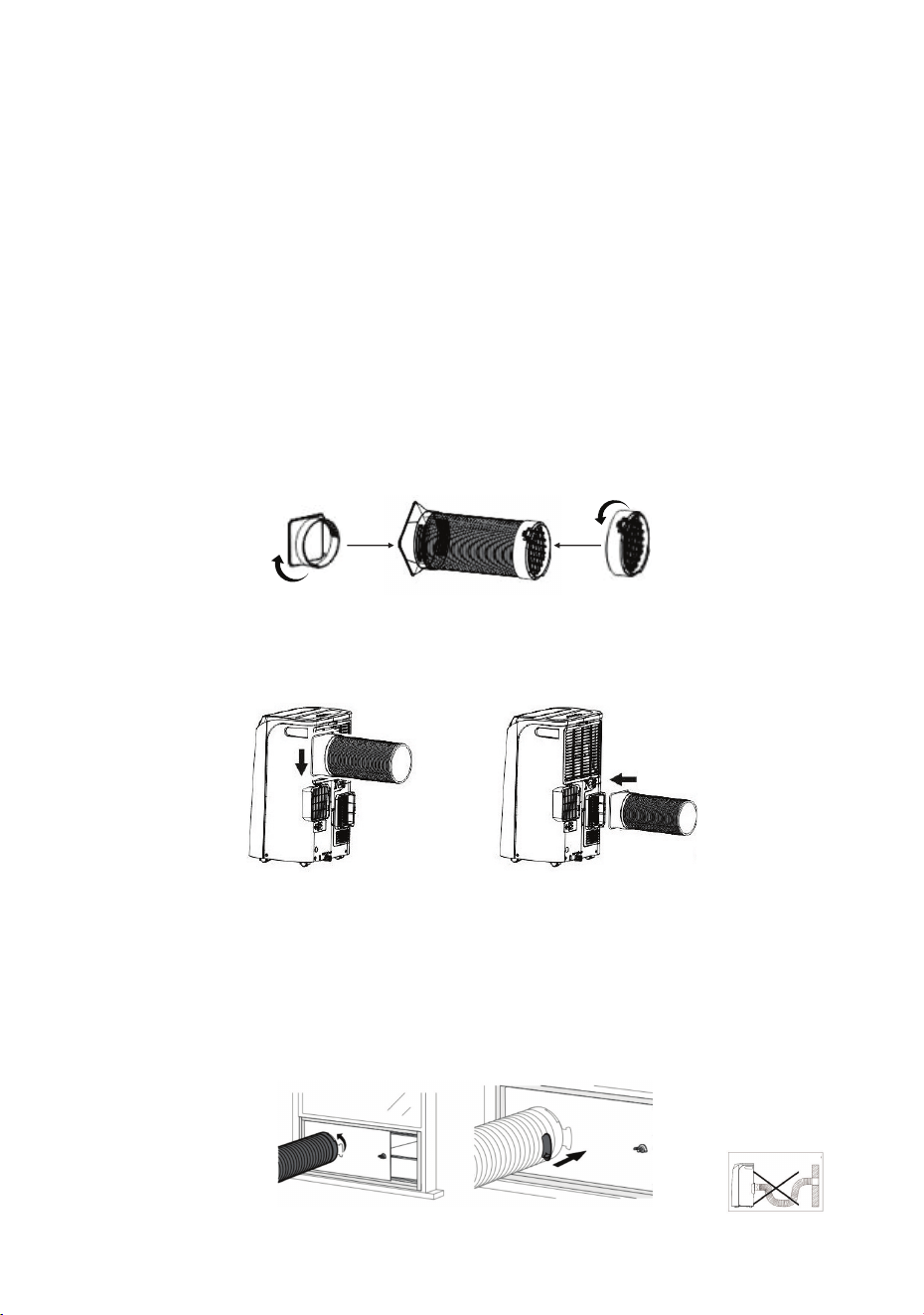
Attach the hoses to the unit and to the Window Kit
Step 4: Place the assembled panels in the window opening and
adjust the length for a secure fit. Then tighten the bolts to secure the
panels in place.
Step 5: The Hose Connectors to the unit and to the window are
already attached to the hoses. Please check that they are attached
securely. If they are loose or not connected correctly, see the diagram
to ensure that the hose connections are correct. (Fig. 3).
Step 7: Attach the other end of the hoses into the window kit openings
by inserting and rotating counterclockwise by half a turn. Then fasten
and secure the hoses to the Window Kit with the Clips. See Fig. 5.
The hoses can be extended, however, ensure that there are no kinks
or bends in the hoses so there is adequate air flow. Do not over
extend the hoses.
Step 6: Attach the hoses to the unit by sliding the connectors into the
left and right slots as shown in Fig. 4.
slide
horizontally
into right slot
slide
vertically
down into
left slot
Fig. 4
Step 3: The Foam Seal Strips can be used to line the inside frame of
the window. This is optional. The adhesive strip can be used to line
the sides and top. The foam non-adhesive strip can be placed at the
base of the window. The window kit panels will be placed on top of
this strip.
Fig. 3
Fig. 5
6
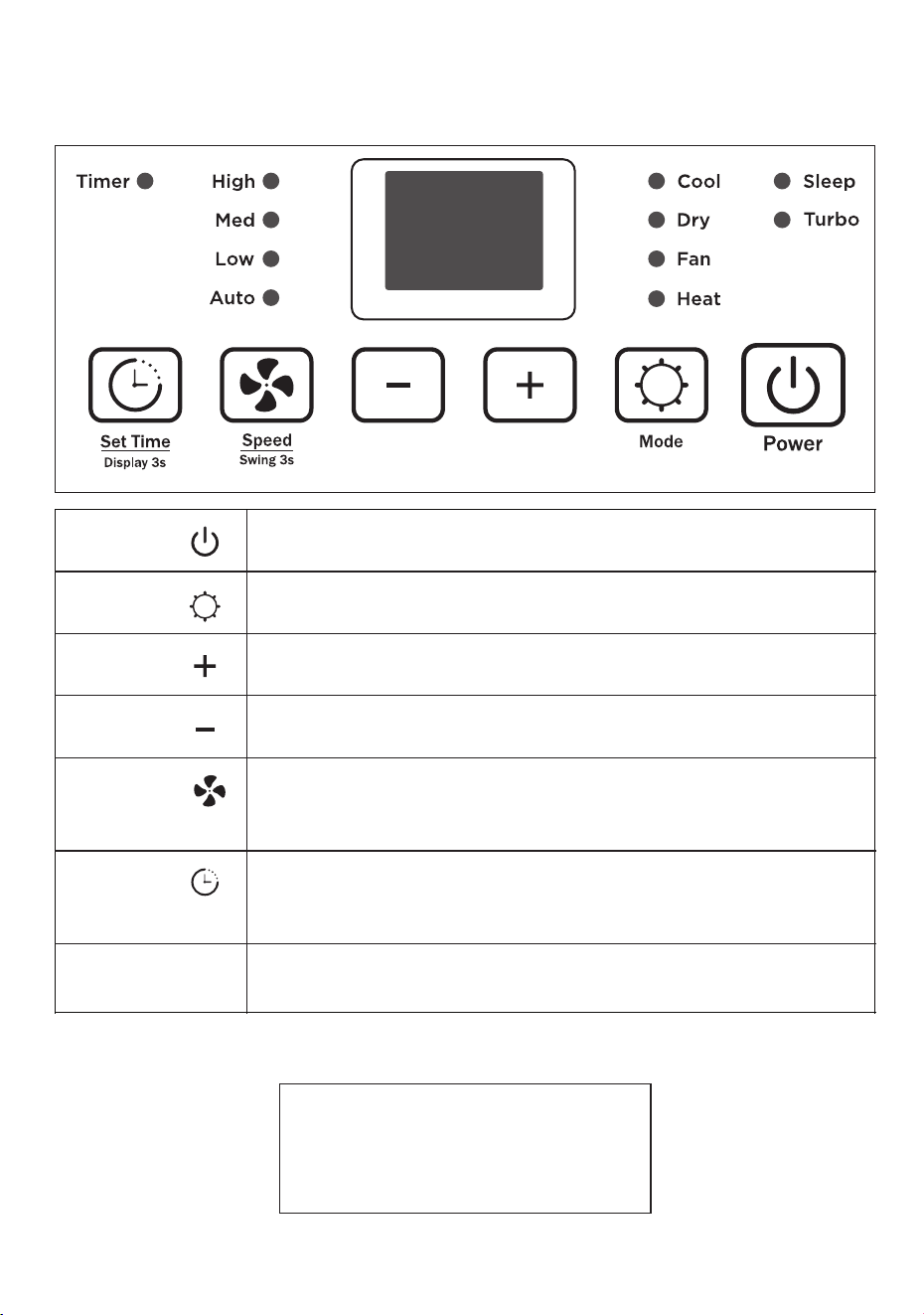
1 2
4
6 7 8 9
5
10
Power
Switch the unit on or off
Mode
Select Cool, Dry, Fan or Heat
Increase
Increase desired temperature or timer setting
Decrease Decrease desired temperature or timer setting
Fan Speed Select fan speed: High, Medium, Low or Auto
Press and hold for 3 seconds to select swing
Set Time
Set a time for the unit to automatically start or stop
Press and hold for 3 seconds to turn on or o ffDisplay
Display
Displays temperature, humidity or timer setting
Control Panel
Note: Sleep and Turbo functions are set using the remote control.
7
Press the buttons on the Control Panel to operate the appliance.
o o
Cool Mode: 64F – 95F
o o
Heat Mode: 50F – 77F
Indoor Ambient Temperature
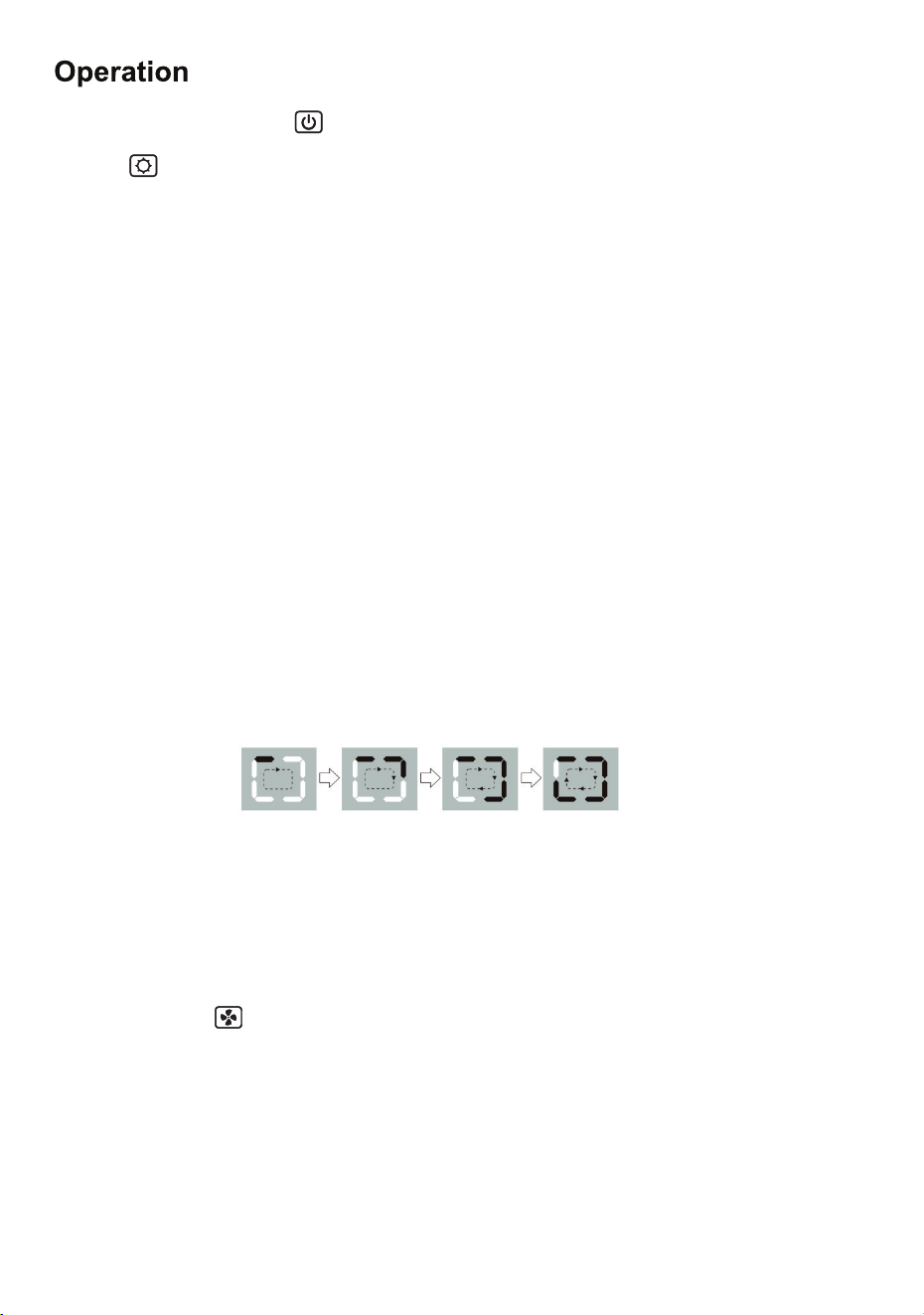
Mode selects the desired operation mode: Cool, Fan, Dry or Heat.
The light next to your selection will illuminate.
Press Power button to turn the unit on or off.
In Cool mode the air conditioner stops if the room temperature is
lower than the selected temperature.
8
Fan mode or Cool mode are automatically selected based on the
ambient room temperature.
o o
If below 77F (25C), the appliance will operate in Fan mode.
o o
If above 77F (25C), the appliance will operate in Cool mode with
air conditioning.
Press Speed repeatedly to select High, Med, Low or Auto.
When Auto Speed is selected, the speed adjusts automatically based
on the ambient room temperature.
The – and + buttons lets you select the desired temperature, which
will display on the Control Panel screen. The temperature can be set
o o
from 61 F ~ 88 F.
In Fan mode there is no cooling, only ventilation and the hoses do not
need to be attached to the unit.
In Heat mode, moisture is removed from the air and water collects
inside the unit. Connect the Drain Hose provided to the lower
drain outlet at the back of the unit. This allows the water to drain out.
If the water tank gets full, the unit will stop and “F1” will display.
Once the tank has been emptied, the unit will start again.
In Dry mode, the dehumidifier removes moisture from the air and
blows it out the window. Use the - or + buttons to select the humidity
level, ranging from 30% - 70%. The fan speed is set automatically
and cannot be selected.
When you press Mode repeatedly, the following is seen on
the display:
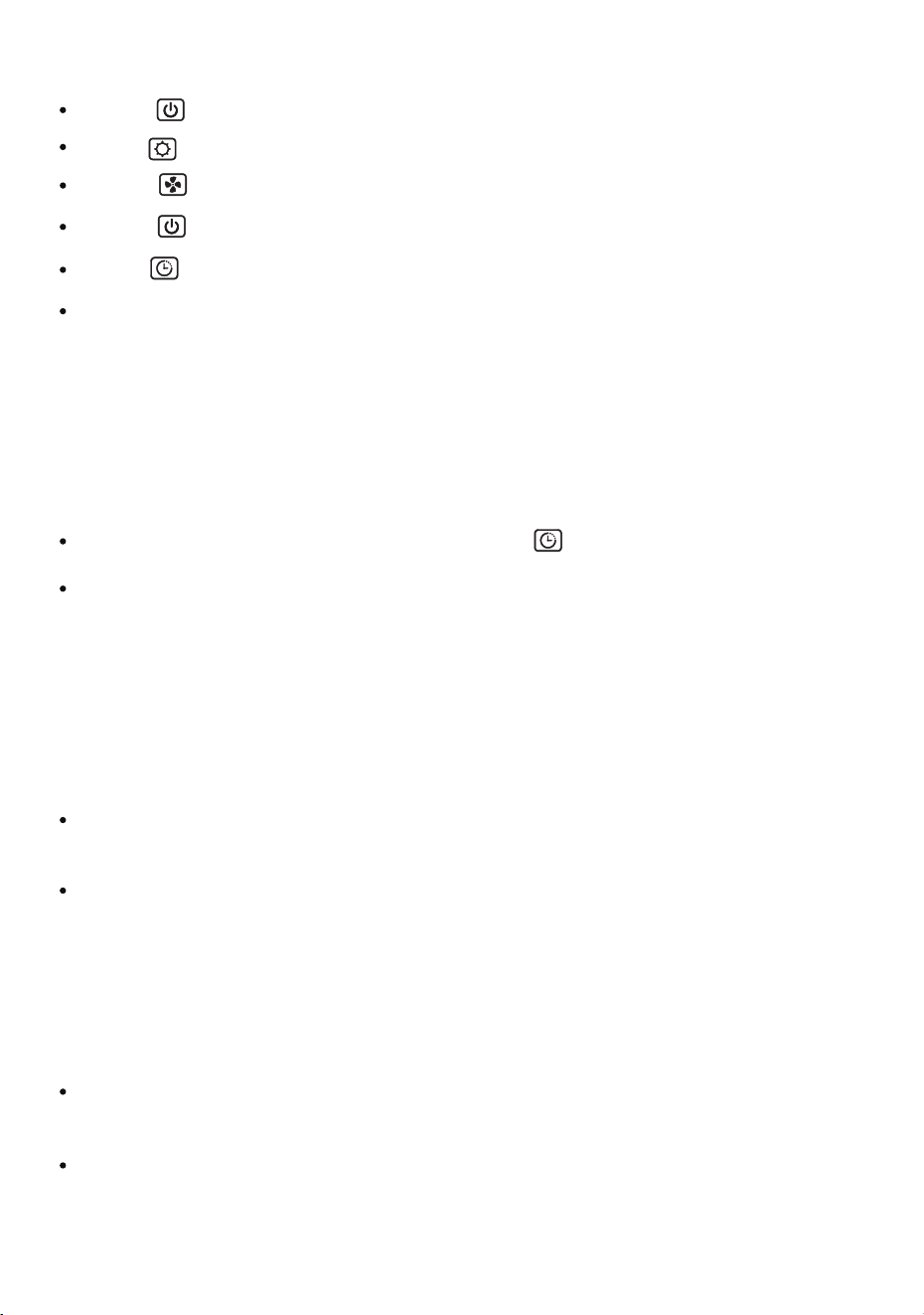
While the unit is operating press Timer . The Display will flash.
Set Timer to start - Press the following:
Power turns the unit on
Mode selects the desired operation
Speed selects the desired fan speed
Power turns the unit off
Timer Display will flash
Set the delay time from 0.5 to 24 hours. Press - or + to select the
time (in hours) for the unit to start.
The Timer to start is now set and the indicator light will illuminate
at the top left of the Control Panel. To cancel, press the Timer
button again.
Set Timer to stop
Set the stop time from 0.5 to 24 hours. Press - or + to select the
time (in hours) for the unit to stop.
The Timer to stop is now set and the indicator light will illuminate
at the top left of the Control Panel. To cancel, press the Timer
button again.
9
Press and hold again, and the auto swing function will stop.
Auto Swing
Press and hold the Timer button for 3 seconds to turn o ffthe
Display screen.
Press and hold the Speed button for 3 seconds to move the
louvers up and down, instead of a steady air flow.
Display off
Press and hold again, and the Display screen will come on.
To change the temperature display between ˚C and˚ F, press
- or + buttons simultaneously for 3 seconds.
Temperature Display
10
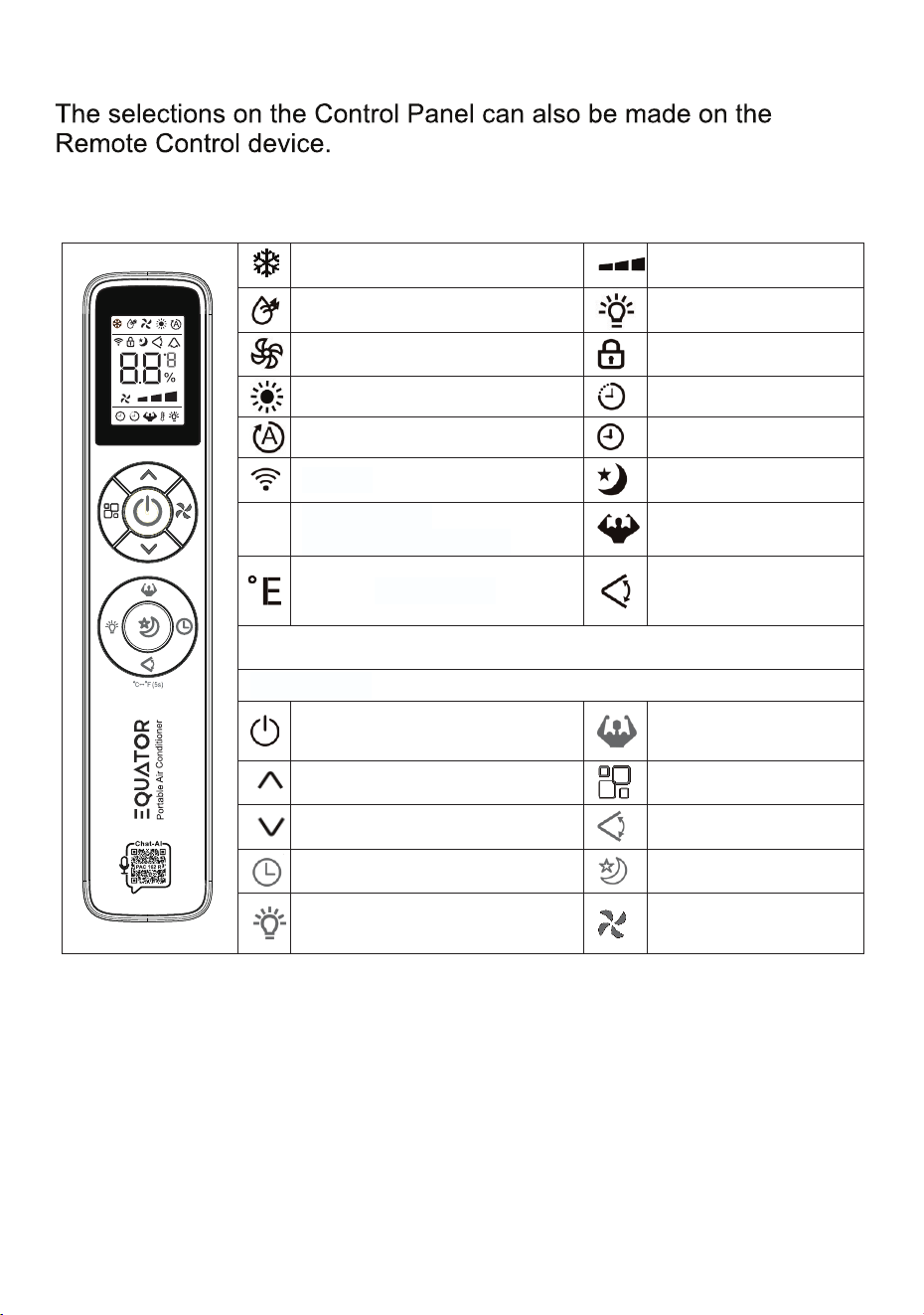
Remote Control
Press these buttons on the remote control to operate the appliance:
Coolingmode Fanspeed
Drymode Light
Fanmode Childlock
Heatingmode (ineffective) Timeron
Smartmode Timeroff
Signal Sleep
Displaydigits
temperatureorhours
Turbo
℃
or
℉
temperature
Swing
Buttonicon
On/Offbutton Turbobutton
Increasebutton Modebutton
Decreasebutton Swingbutton
Timerbutton Sleepbutton
Lightbutton Fanspeedbutton
8.8
11
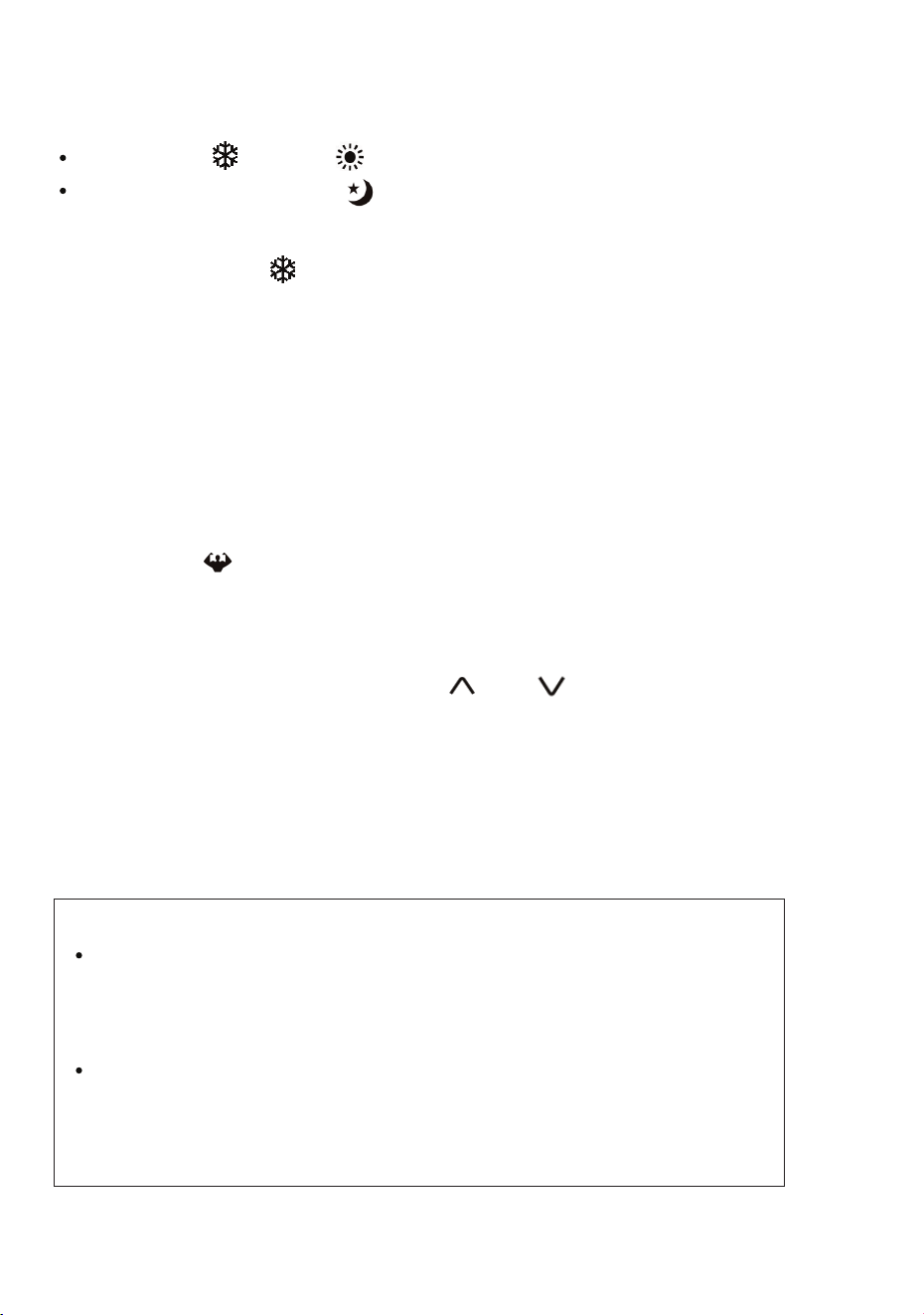
The Display screen will reduce brightness, and the fan speed will be
low. In Cool mode , the temperature will increase by one degree in
2 hours, and the temperature will be maintained for 6 hours and then
turn off. The temperature and humidity changes are gradual to ensure
comfort and uninterrupted sleep. Cancel the Sleep mode by pressing
the Sleep button.
Select Cool or Heat mode
Press the Sleep button
Sleep Mode
Turbo
To cool an area quickly, use the Turbo function. The Turbo function
sets a pre-set temperature of 61˚F (16˚C) and high fan speed.
Press Turbo and the symbol flashes and starts cooling.
To cancel, press it again.
Sleep and Turbo functions can only be set using the Remote.
Child Lock
Press and hold for 3 seconds the and symbols on the remote
control to activate Child Lock. Repeat this to cancel.
If Child Lock is pressed on the Remote, it will not operate. However,
the appliance can be operated from the Control Panel.
Child Lock can only be done with the remote and not on the
Control Panel.
If the outdoor temperature is too low or too high,
the PAC will show Error Code EC on the Control Panel.
Ensure that the outdoor temperature is in the range of
17.6˚F (-8˚C) and 132˚F (55˚C).
Overload Protection - In the event of power loss,
there is a 3-minute delay before the compressor restarts.
This is to protect the compressor.
NOTE
12
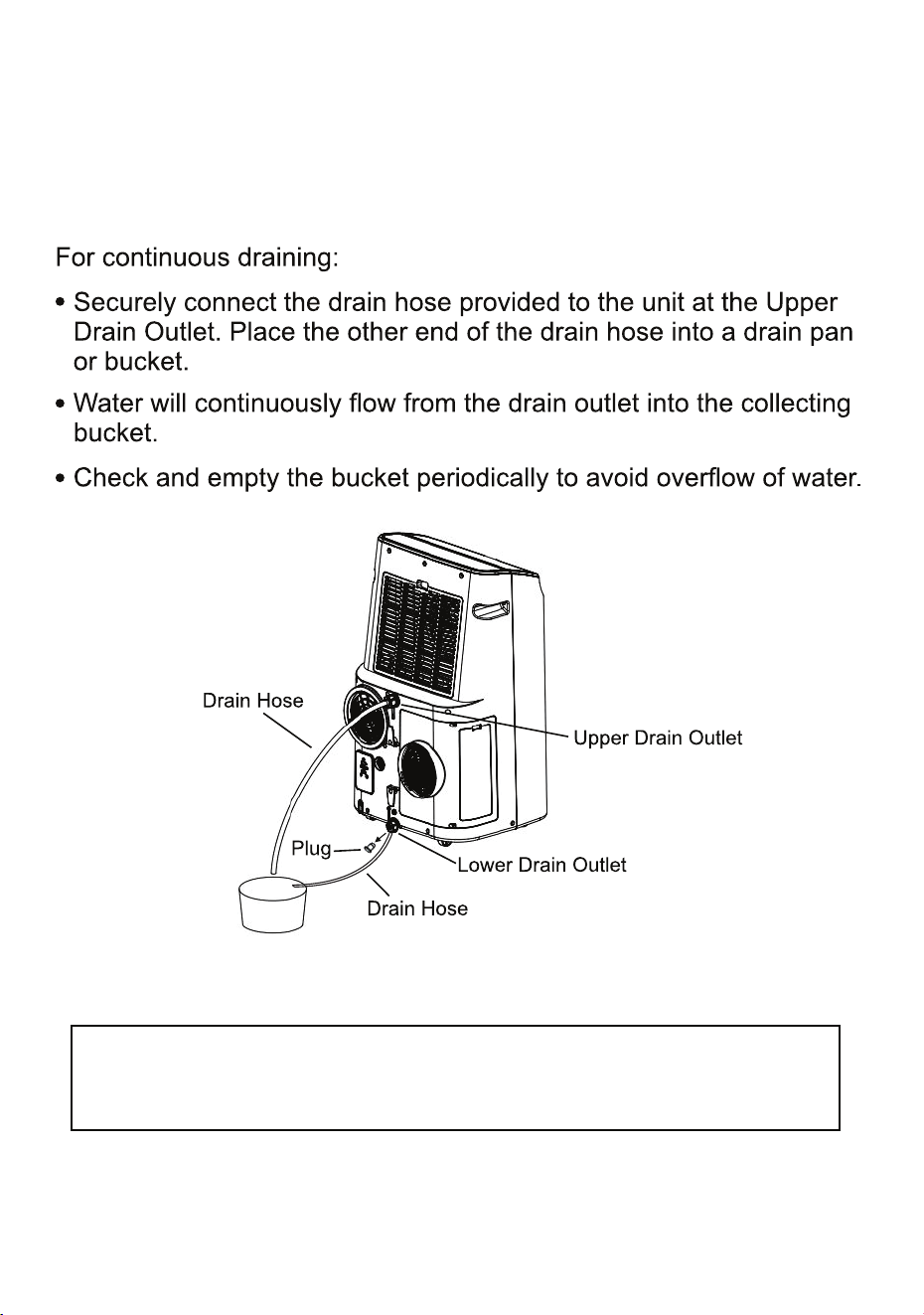
Water Drainage
Water collects in the unit and needs to be drained either continuously
or when it gets full. Water can be drained either from the Upper Drain
Outlet or from the Lower Drain Outlet. But, in the Heat mode, water
will drain only from the Lower Drain Outlet.
Fig. 6
Note: When the water collection tank in the unit gets full, an
error code of “F1” will be displayed on the Control Panel.
(for Heat Mode)
13
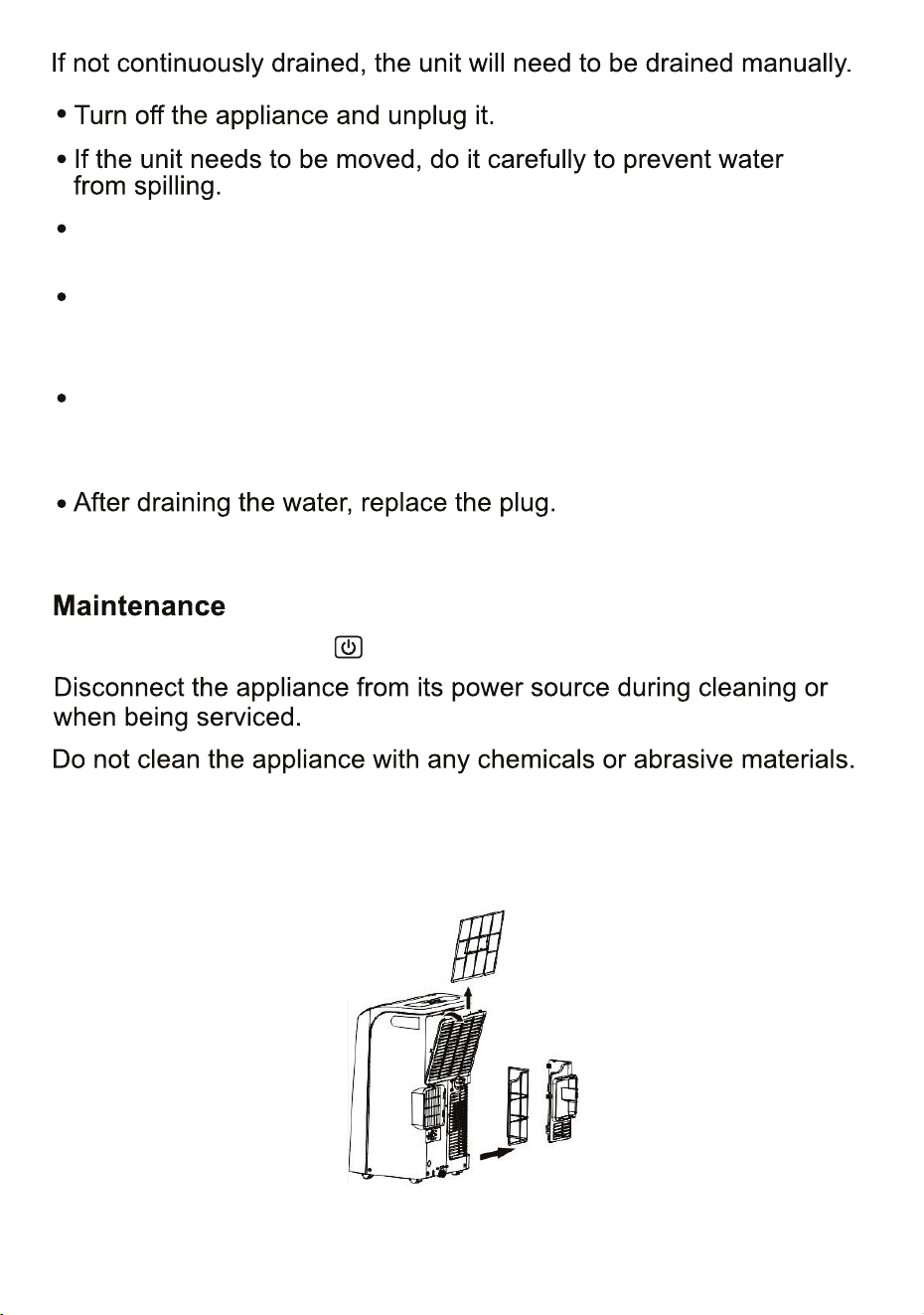
Wipe the surface of the appliance with a damp cloth and then a dry
cloth. Remove the filters and rinse (Fig. 7). Wipe the filters dry or air
dry and then replace them.
Press the Power button to turn the unit off.
Fig. 7
Place the other end of the drain hose into a drain pan below Lower
Drain Outlet. Ensure that the end of the hose is not submerged in
the collected water, otherwise it can cause an air lock in the hose.
Tilt the unit slightly backwards up to 20 degrees, to drain completely.
Ensure that the water flows freely and the hose is straight and not
kinked, bent or obstructed in any way.
Remove the Lower Drain Plug and securely connect the drain hose
provided to the unit at the Lower Drain Outlet.
14
Clean the air filter
as necessary
Unpleasant
smell
Clean air filterAir filter clogged
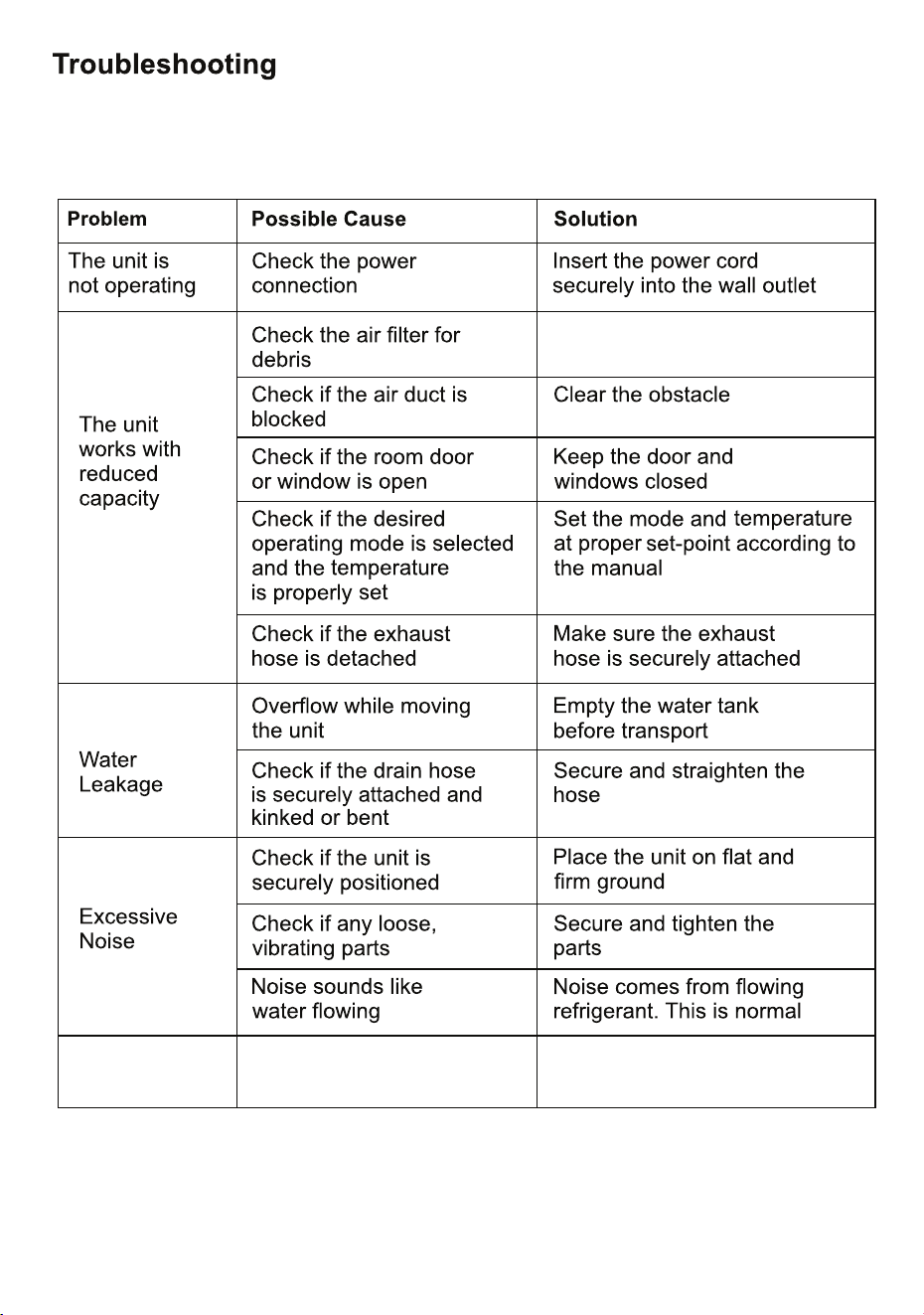
Note: After shutting down the unit, please wait for at least 3 minutes before restarting.
In most cases, when your Portable AC fails to work, the problems arising
can be easily solved without having to call for a technician. Before calling
for assistance, always check these points.
15
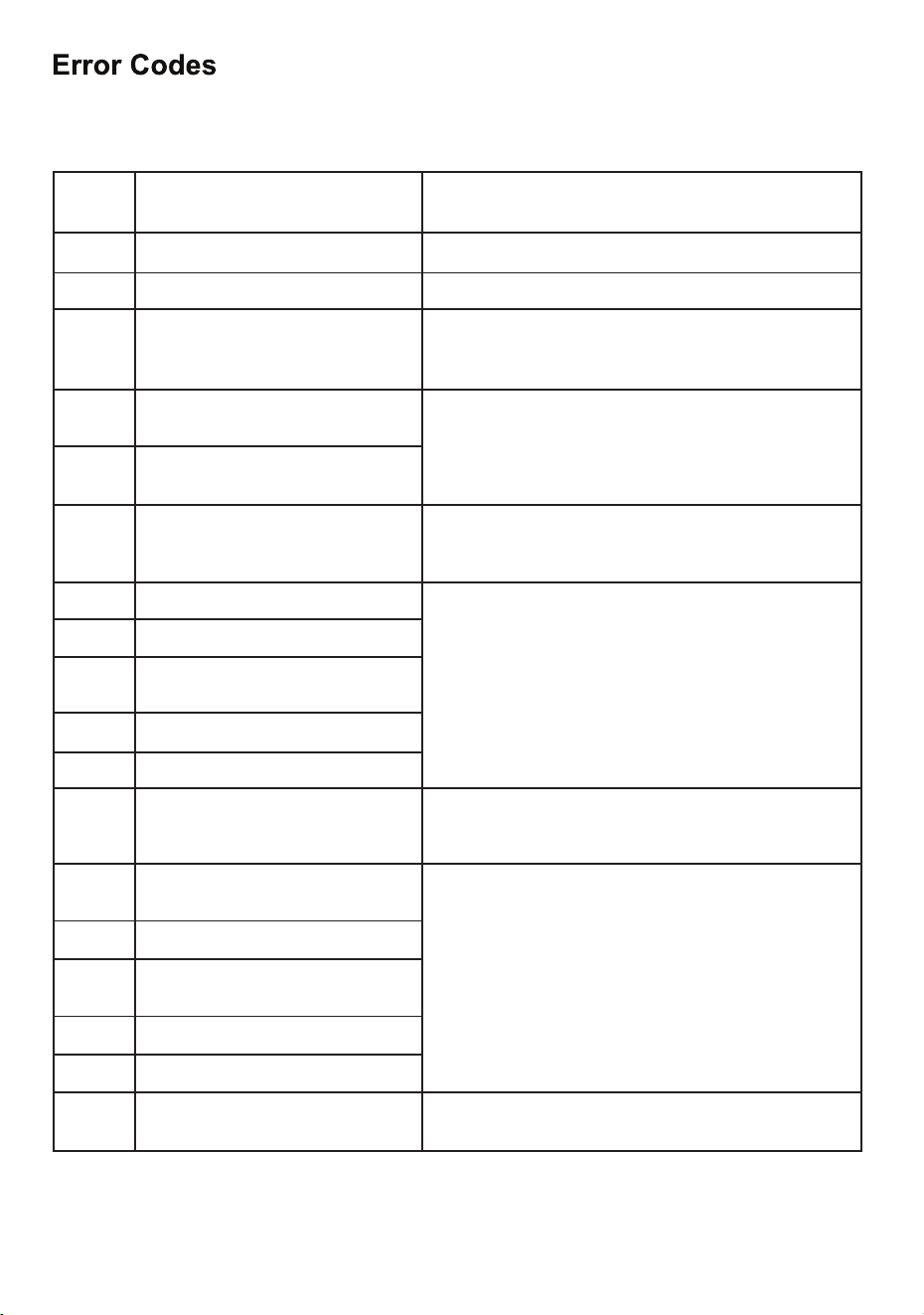
If the following Error Codes are displayed, first check the Troubleshooting Guide
and contact Customer Service to resolve problems.
Error
Codes
Possible Causes
Solutions
F1
High Water Level
Remove the drain plug to drain water
F2
The input voltage is too low
Ensure 115V voltage
F3
High voltage
1. Ensure outdoor temperature is not above 131°F
(55°C)
2. Ensure exhaust hose is not blocked
F4
Indoor fan does not rotate or has
abnormal speed
F5
Outdoor DC fan does not rotate or
has abnormal speed
F6
No communication between
indoor and outdoor units or
abnormal outdoor power supply
F7
Inverter Drive & Module Fault
F8
Compressor does not start
F9
Inverter module overheating or too
much current
FA
Indoor EEPROM Fault
FC
Outdoor EEPROM Fault
E0
Faulty communication between
main board and display panel
Ensure secure connection between Main Board and
Display Panel.
Call Customer Service if not resolved
E1
Indoor Temperature &
Humidity Sensor Fault
E2
Indoor Coil Temperature Sensor
E3
Outdoor Temperature Sensor
Fault
E4
Outdoor Coil Temperature Sensor
E6
Discharge Temperature Sensor
E7
Compressor current is lower than
1 amp
Ensure adequate electrical supply
Replace part if recommended by Customer Service
Replace part if recommended by Customer Service
Replace part if recommended by Customer Service
Replace PCB part if recommended
by Customer Service
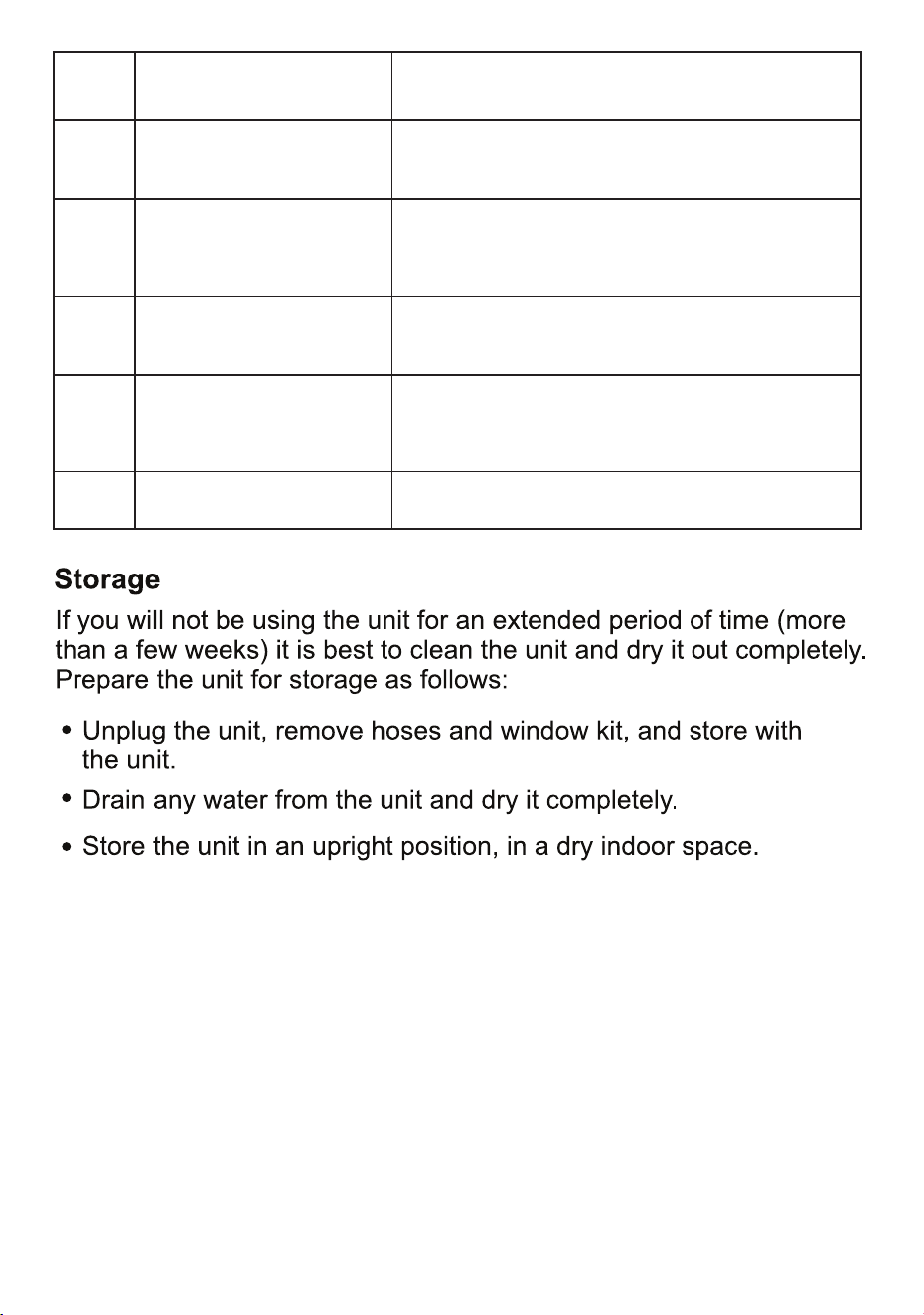
Error
Codes
Possible Causes
Solutions
E8
Discharge temperature is too
high
The unit is equipped with overheat protection
and shuts down. Wait for some time to let the
appliance cool down and then restart it
E9
Indoor hose temperature is too
low
1. Check if temperature of the unit is too low
(below 64.4°F (18°C))
2. At correct temperatures, and the unit will resume
operation automatically after a few minutes
EA
Outdoor hose temperature is
too high
1. Check if the outdoor temperature for unit operation is
too high (above 131°F (55°C))
2. Ensure the exhaust hose is not blocked
EC
Outdoor temperature is too
high or too low
Check if the outdoor temperature is too high (above
131°F (55°C)) or too low (below 17.6°F (-8°C)).
Restore to correct temperature range and then power the
unit on again
EF
Indoor hose temperature is too
high
1. Ensure correct temperature range
2. Ensure filter is clean and hose is not blocked.
16