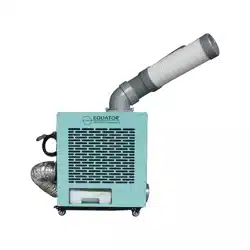
Please read the instructions carefully and keep for future reference. Information may be
updated from time to time so please refer to the website for the latest version of the manual.
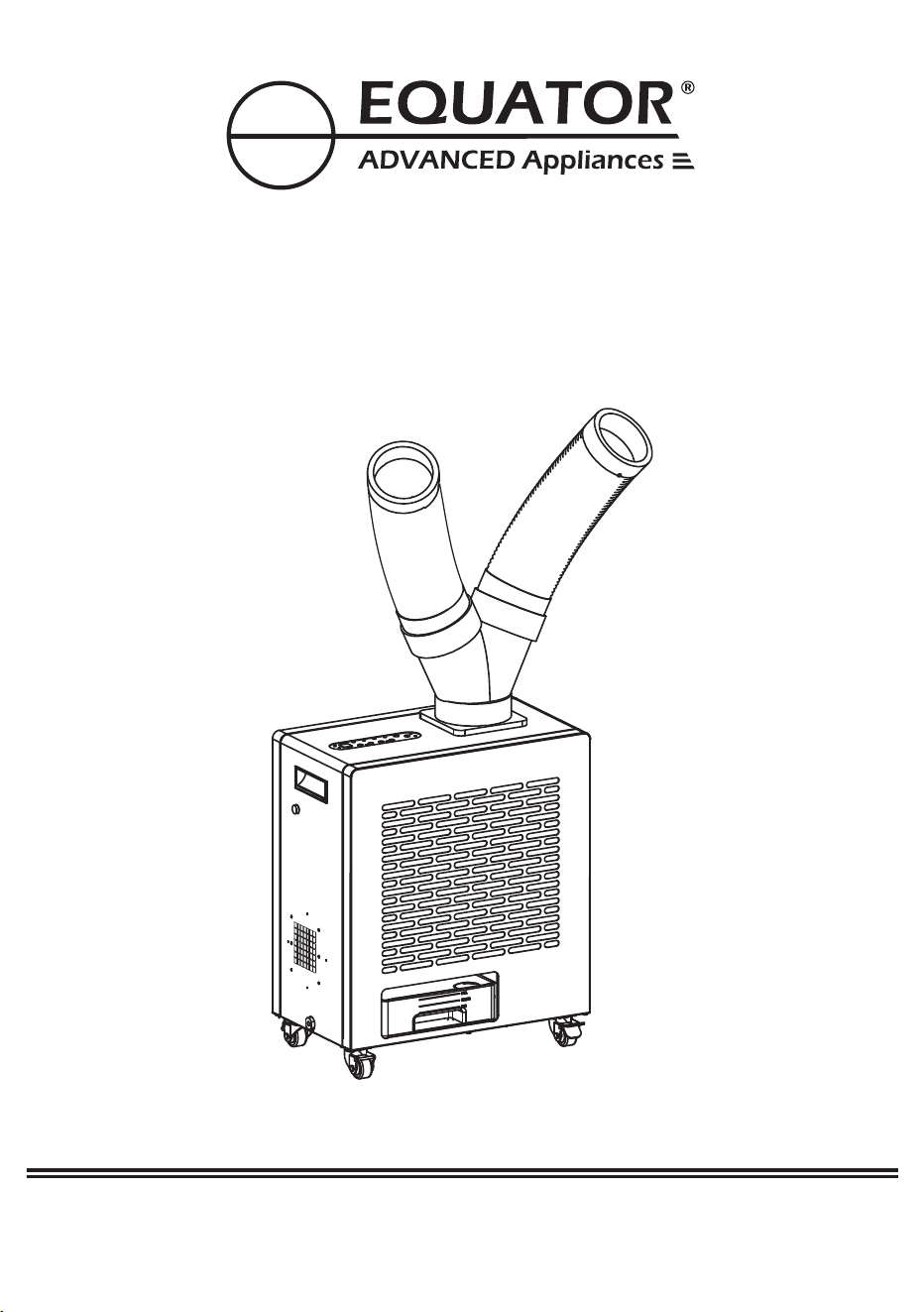
OWNER’S MANUAL
Model - OAC 4000
OUTDOOR / INDOOR AIR CONDITIONER
Cooling / Heating
Breakage of hoses
Equator
Equator
Equator
1
Equator Appliances
Equator
2
Chat-AI
1. Scan Chat-AI
Open Smart Phone
Open Camera
Click the Link
2. Register online at ApplianceDesk.com/Warranty
3. Chat-AI is also used to obtain Product Information,
Manuals and Updates
Congratulations on your new Indoor / Outdoor Air Conditioner!
In addition to its contemporary design, this is a highly sophisticated
engineered product that will give you many years of satisfaction.
Here are some of the best reasons for buying your appliance:
Air Conditioner + Heater + Fan
Portable with casters for outdoor or indoor use
Dual 360 degree rotating hoses
Remote control and sensor
All metal, waterproof construction
3
In Outdoors. Eg: Garden.
Kept indoors and Hot Air Exhaust Outdoor. Eg: Shops, Garages, etc.
Kept Outdoors and cold air hoses inside the room. Hot air is exhausted
outdoors. Eg: Cabin.
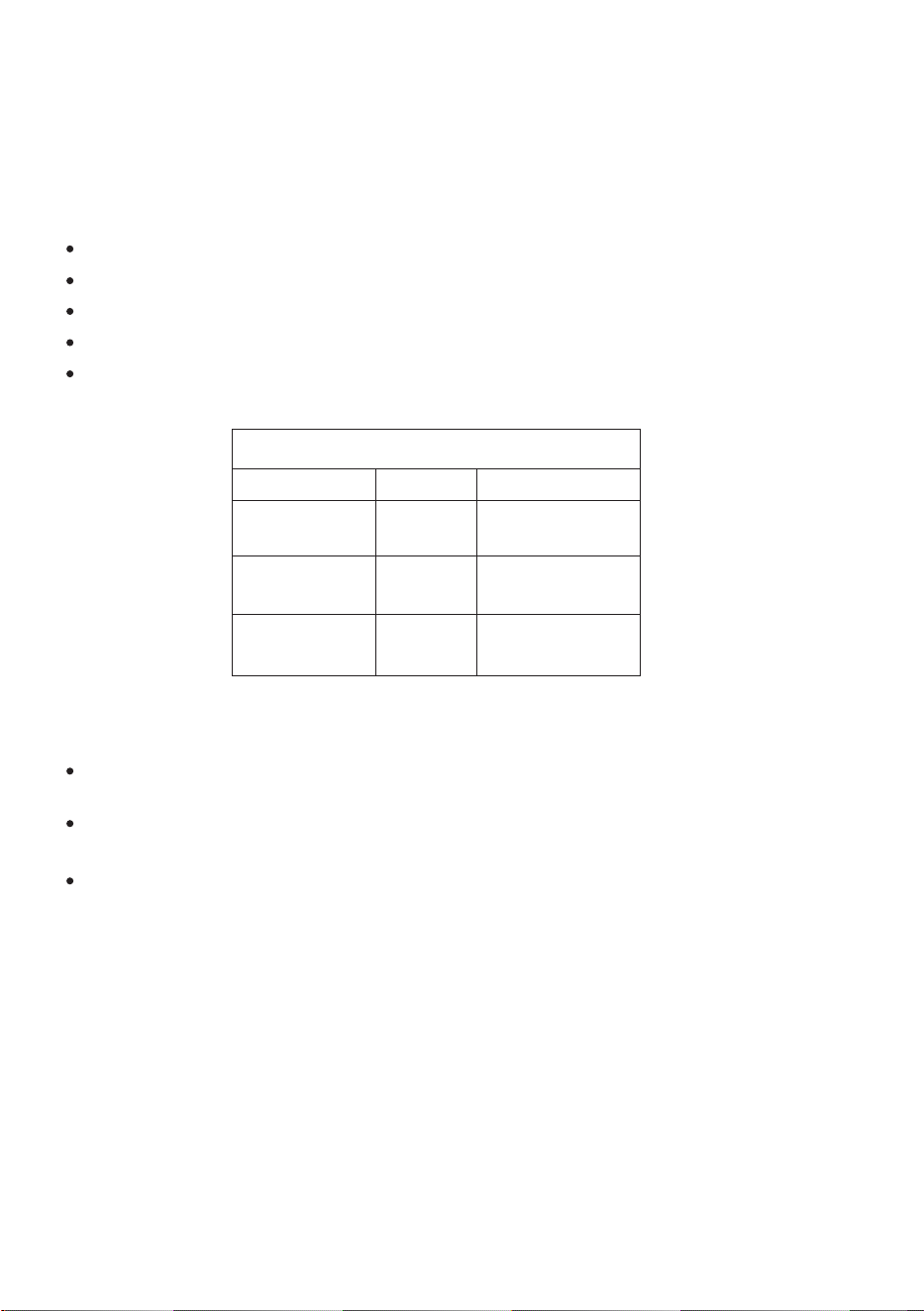
The unit can be used in following ways:
Unit Location
Cooling
Hot Air Exhaust
Outdoors
Eg: Garden
Indoors
Eg: Shop
Outdoors
Eg: Cabin
Outdoors
Indoors
Indoors
Outdoors
Outdoors
Outdoors
USES
If the Unit is Outdoors, you can operate it with remote with the sensor
cord located inside the room. It will detect the temperature of room
and can be operated by remote.

Safety
Keep the appliance away from volatile and flammable
substances.
Keep ventilation openings clear of obstructions.
When positioning the appliance, ensure the electrical cord is
not trapped or damaged.
Do not place multiple portable socket-outlets at the rear of
the appliance.
Never unplug the appliance by pulling on the power cord.
Grip the plug firmly and pull straight out to remove from wall socket.
Do not use an extension cord and a damaged power cord .
Do not operate the unit with wet hands, to prevent electric shock.
Children should be supervised to ensure that they do not climb
on or play with the appliance.
This appliance is not intended for use by persons (including
children) with reduced physical, sensory or mental capabilities,
or lack of experience and knowledge, unless they have been
given supervision or instruction.
Please dispose of this appliance in accordance with local
regulations.
WARNING: This product contains chemical known to the State of California
to cause cancer and birth defects or other reproductive harm.
California Proposition 65
4
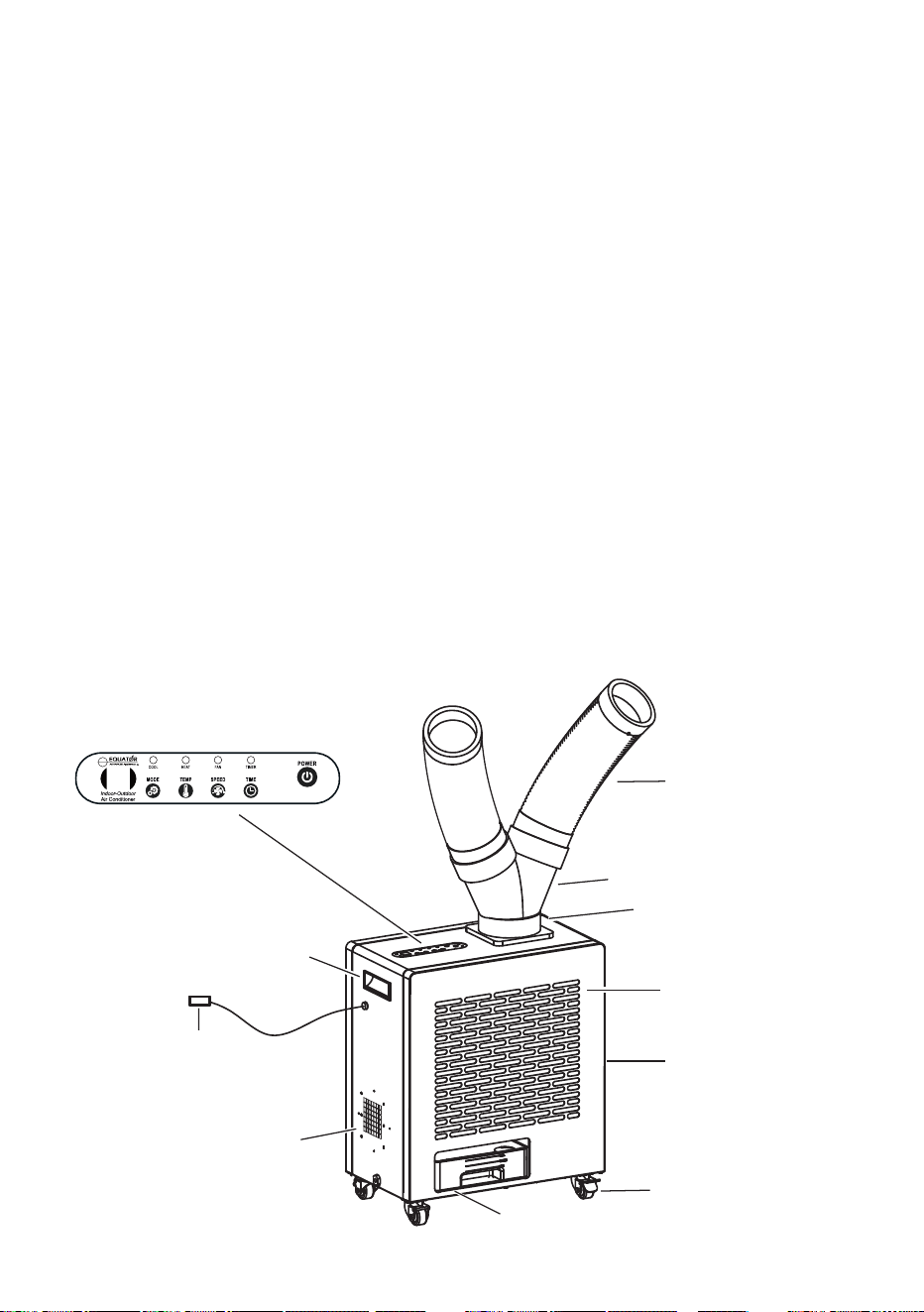
Flexible Hoses
Control Panel
Air Intake
Screen
Fan Exhaust
Recessed
Handle
Caster
Water Tank
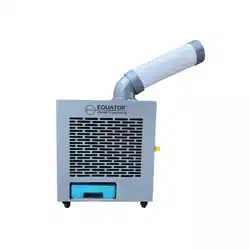
The OAC 4000 is a 3-in-1 appliance that can be used as an Air
Conditioner, a Heater and a Fan, and can be used outdoors or
indoors. It is rated IP24 which is suitable for outdoor use. The
OAC 4000 has anti-rust and anti-corrosion coating, and electrical
parts are waterproof. The appliance is conveniently portable, with
a recessed handle and four 360˚rotating wheels which enables
easy movement, and the wheels can lock for safety.
The OAC 4000 pulls ambient air through the Air Intake Screen
and blows out air through two Flexible Hoses which can be
rotated 360˚and positioned to blow air to desired areas. For
cooling, the ambient air circulates through a compressor to blow
cool air. For heating, the ambient air circulates through a heating
element to blow hot air.
The functions can be set from the Control Panel or by using a
remote control. The Mode can be selected for Cool, Heat or Fan.
The temperature can be selected, and the timer can be set for
duration of operation.
Description
Hose Connector
Base
Air Filter
(Inside)
5
Sensor
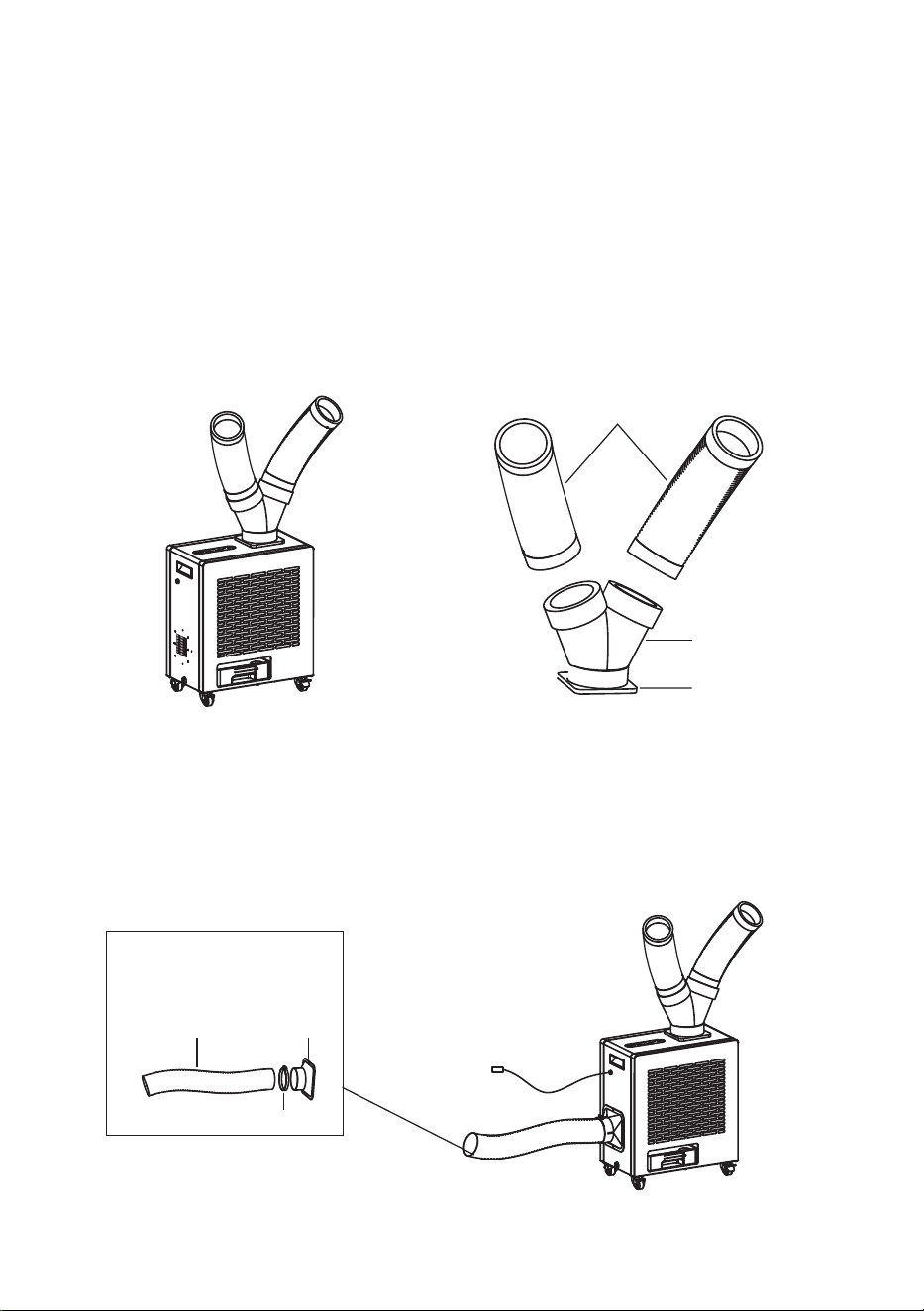
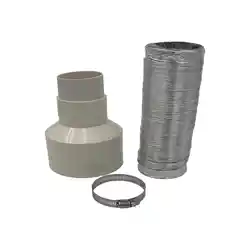
Use the Flange and Clamp in the Hot Air Exhaust Kit, to attach the
15-foot Hot Air Exhaust Hose over the Fan Exhaust. The purpose
of attaching the exhaust hose is to blow hot air away from the area
being used, thereby maintaining the comfort level.
The OAC 4000 is easy to use and requires only a few quick steps
to assemble the parts. Most of the appliance is already assembled
and only requires the Flexible Air Hoses to be attached to the
main unit.
Attach the Hose Connector to the Base by turning counterclockwise.
When firmly installed there will be a click. Attach the Flexible Air
Hoses to the other end of the Hose Connector by turning
counterclockwise.
Assembly
Flexible Hoses
Hose Connector
Base
6
15 foot
Exhaust hose
Clamp
Hot Air Exhaust Kit
(optional)
Flange
Hot Air Exhaust Hose (optional)

Placement
The OAC 4000 is designed for outdoor or indoor use and is portable.
The compact size and casters enable it to be moved easily.
Place the appliance away from sources of heat and high humidity.
Place the appliance in a covered area to protect from direct sunlight
and heavy rainfall for greater longevity.
Ensure there is adequate ventilation around the appliance. The Air
Intake Screen and Flexible Hoses should be more than
1 foot (30 cm) away from walls or other obstructions. The vent
exhausting the hot air should be 3 feet (90 cm) from any object
or structure.
When moving the appliance do not tilt it more than 45 degrees.
Place the appliance on a flat level surface and lock the casters.
Check the plug and cable before connecting the power and
ensure it is 110 voltage.
When using indoors, place the OAC near a door or window.
Please attach the 15 foot Hot Air Exhaust Hose and ensure
that the hose exhaust is pointing out of the room.
7
Operation
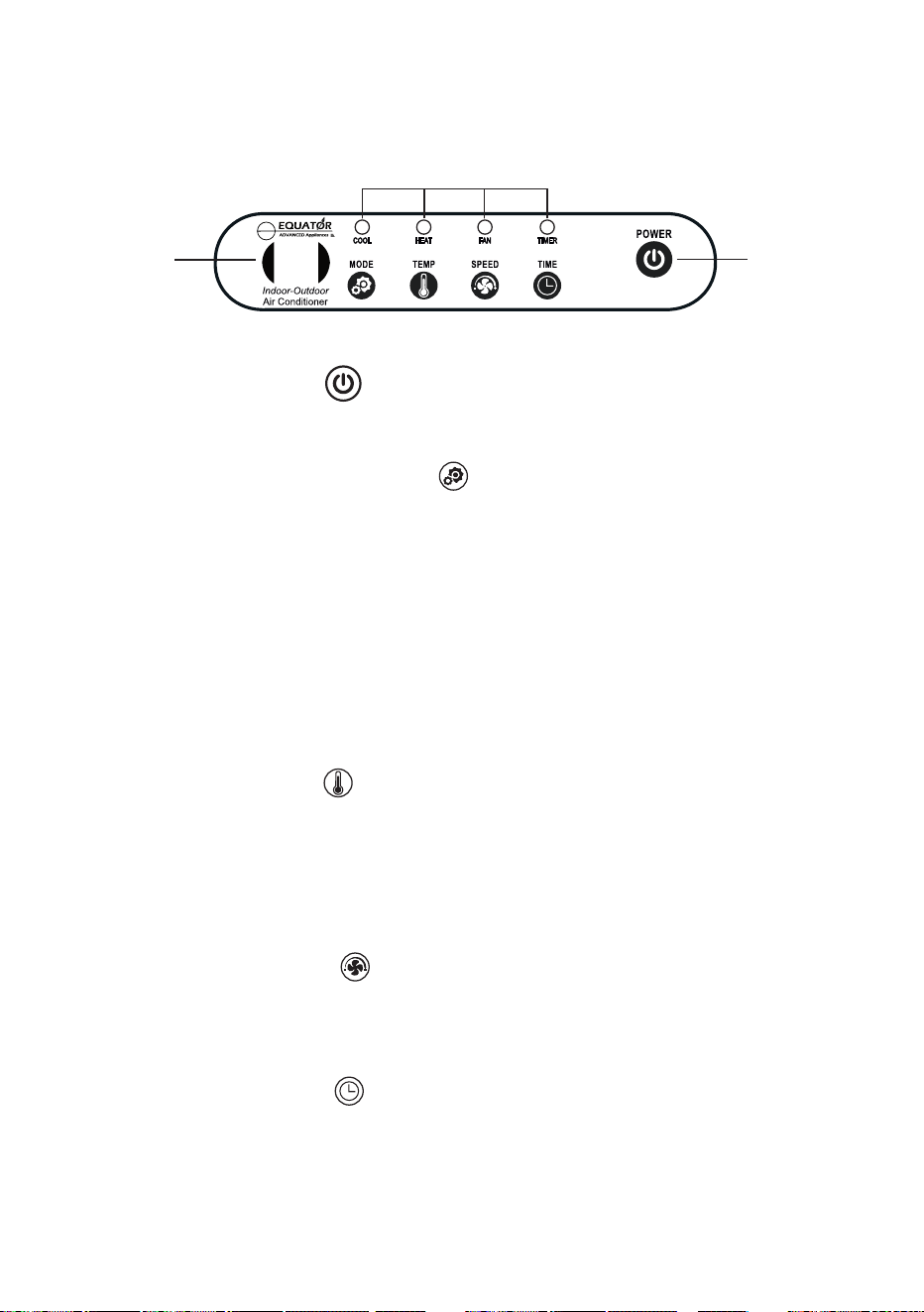
Power
Button
Indicator Lights
Display
Panel
8
Control Panel
Press the Power icon to turn On the appliance.
The OAC 4000 has 3 functions or Modes: Cool, Heat and Fan.
Press and hold the MODE icon to select cool, warm or ambient
air to blow from the 2 Flexible Hoses. The Indicator Light above the
selected mode will illuminate and also show it on the Display Panel.
Cool mode – CO and blue light
Heat mode – HE and red light
Fan mode – Fn and white light
Press the TEMP icon to select the temperature of air blowing
from the hoses. The indoor temperature range for operating the
appliance
o
is 50-99 F. Each time you press the icon, the temperature
on the Display will increase in one-degree increments. The temperature
o
ranges from 23-131 F.
Press the SPEED icon to select high or low speed of the air
blowing through the hoses. L or H will show on the Display.
Low speed is the default.
Press the TIMER icon if you want to set a duration of time for
the appliance to operate. If no time is set, the Display will show the
default “00”. Each time the icon is pressed the time increases in
one-hour increments up to 12 hours, and the Display will show
01, 02, etc.
Control Panel Display and Indicator Lights:
Operate the OAC by using either the Control Panel or the Remote.

9
Sensor
A Sensor wire can be plugged into the OAC 4000, which allows
the appliance to operate using a Remote. This is useful when
using the appliance indoors. The functions on the Remote are
the same as those on the Control Panel.
Exhaust Air and Condensate
A fan motor blows hot air exhaust out through the back of the
unit. There is an optional Hot Air Exhaust Kit, that can be used to
attach a 15-foot Hot Air Exhaust Hose over the exhaust outlet.
This allows the exhaust air to be discharged at a distance away
from where the appliance is being used. Especially if the
appliance is being used indoors, the Hot Air Exhaust Hose
can be positioned to expel the exhaust air outdoors.
Condensate is collected in a Water Tank at the base of the
appliance or can be discharged directly to a designated area.
Additional Features
Power-off Memory
The OAC 4000 has a memory feature which remembers the
settings when a power failure occurs. When power is restored,
OAC will automatically start and operate based on the settings
that have previously been selected.
Safety shutdown
To prevent overheating, the appliance shuts down automatically
after continuously working for 12 hours.
Compressor protection
After turning off the appliance, wait 5 minutes to turn it on again.
It cannot be turned on immediately. If operating the Cool mode,
the compressor needs 3 minutes to restart and blow cool air.
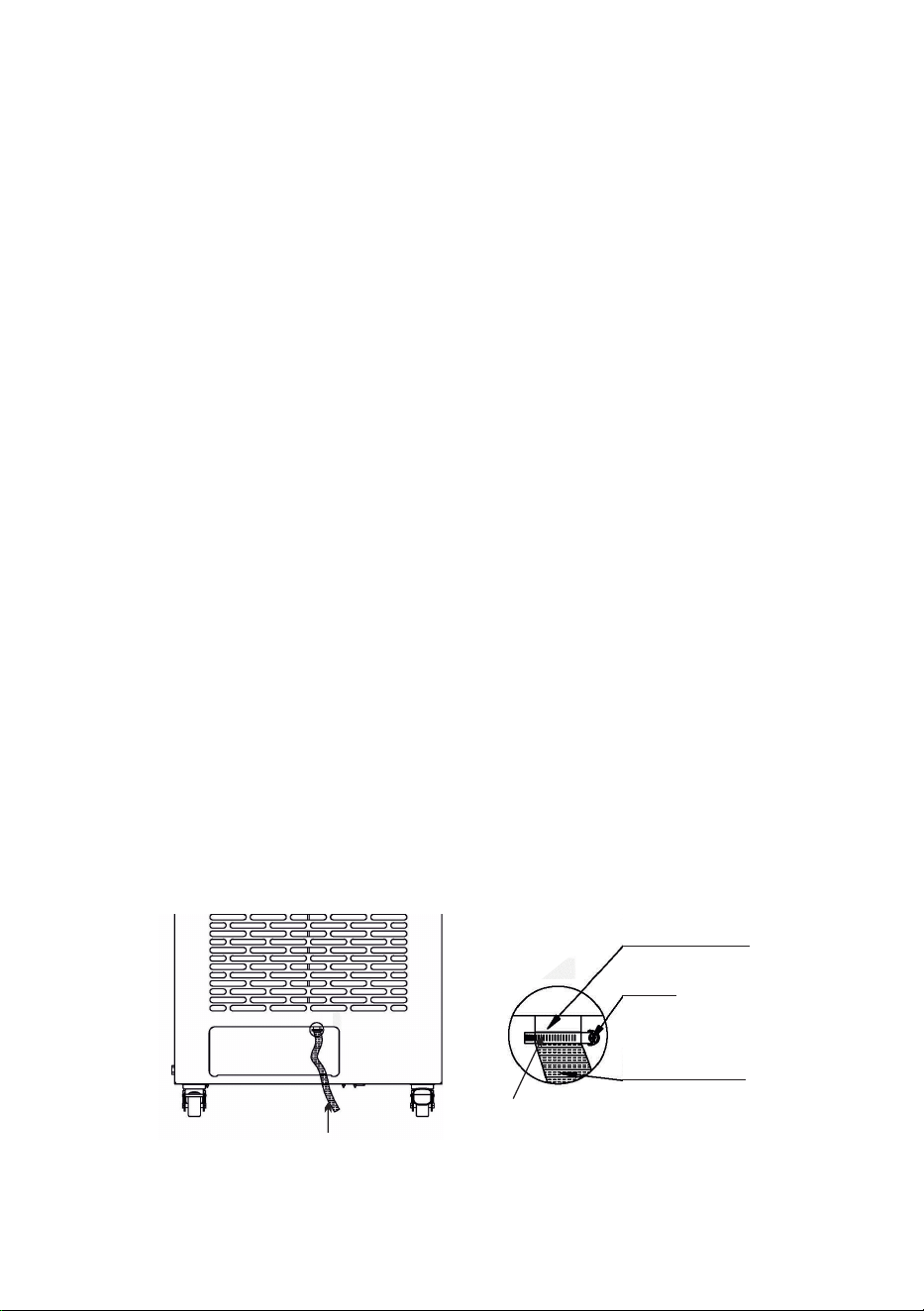
In the course of operating the OAC, condensate water is produced.
The water can either be collected in the Water Tank or can be
discharged directly outdoors through a Drainage Hose included
with the unit.
Water Tank and Drainage Hose
Water Tank
The Water Tank is located at the bottom of the OAC. It is important
to empty the tank in a timely manner. Check the water level every
2-3 days.
Turn the power off before emptying the Water Tank.
Remove the Water Tank, discard the water and then replace it
again before turning the OAC on. Do not move the OAC when it is
full of water.
Drainage Hose
Remove the Water Tank.
Attach the Drainage Hose directly onto the outlet where it enters
the Water Tank cavity. The Hose can be held in place with the
Hose Clip provided.
Use a Phillips screwdriver to screw on the Hose Clip. This will keep
the Drainage Hose secured.
Drainage Outlet
Screw
Drainage Hose
Drainage Hose
Hose Clip
10
Maintenance
Make sure the power cord is unplugged before moving or
cleaning the OAC.
Clean the outside and inside of the appliance regularly, using
water and mild detergent.
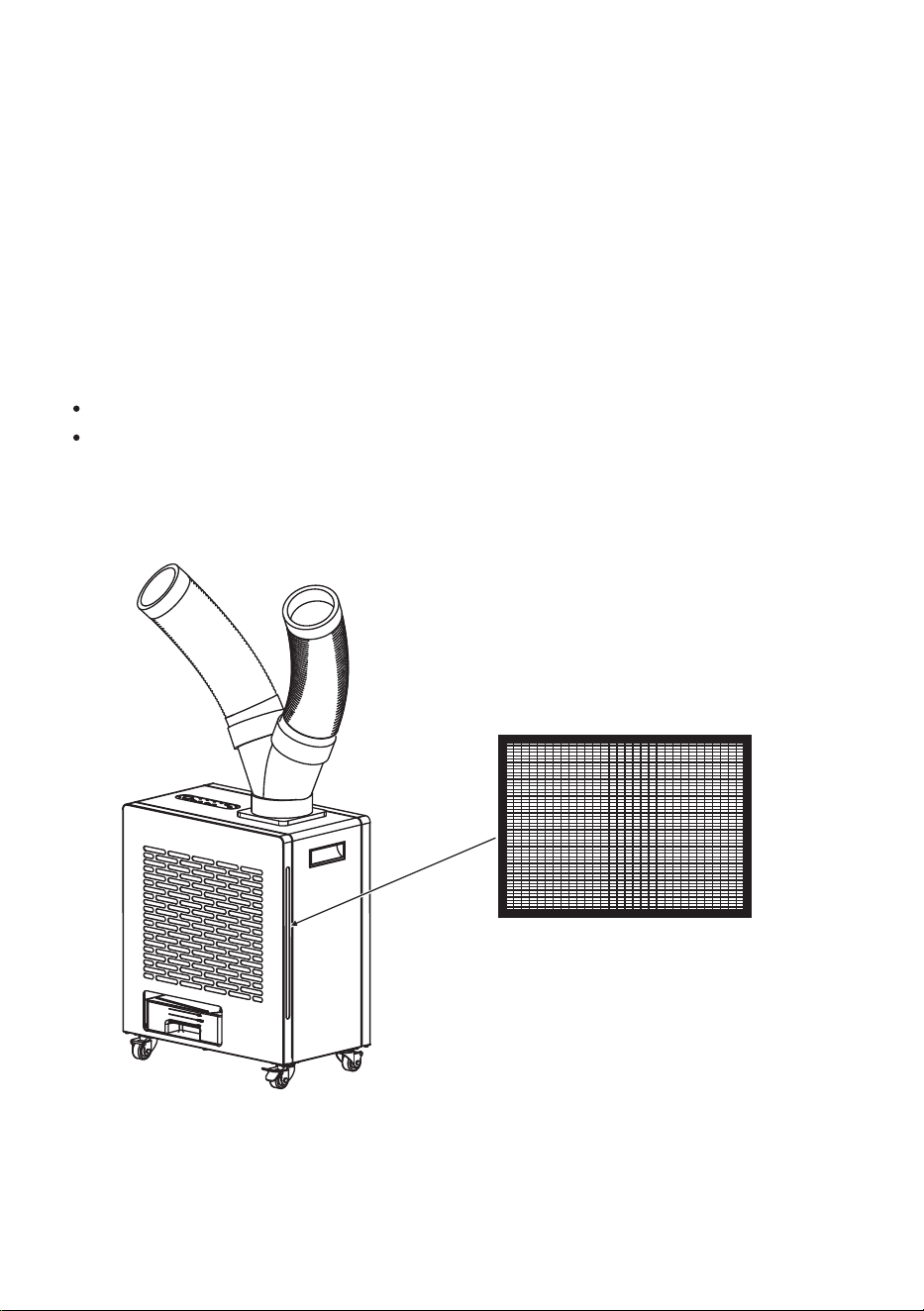
Remove the filter by pulling straight out from the slot. Clean and
wash the filter. Before reinstalling, it should be completely dry.
.
Empty the Water Tank and let it dry completely.
Once dry, cover the OAC and store in an upright position.
Before storing for an extended time:
11
Air Filter
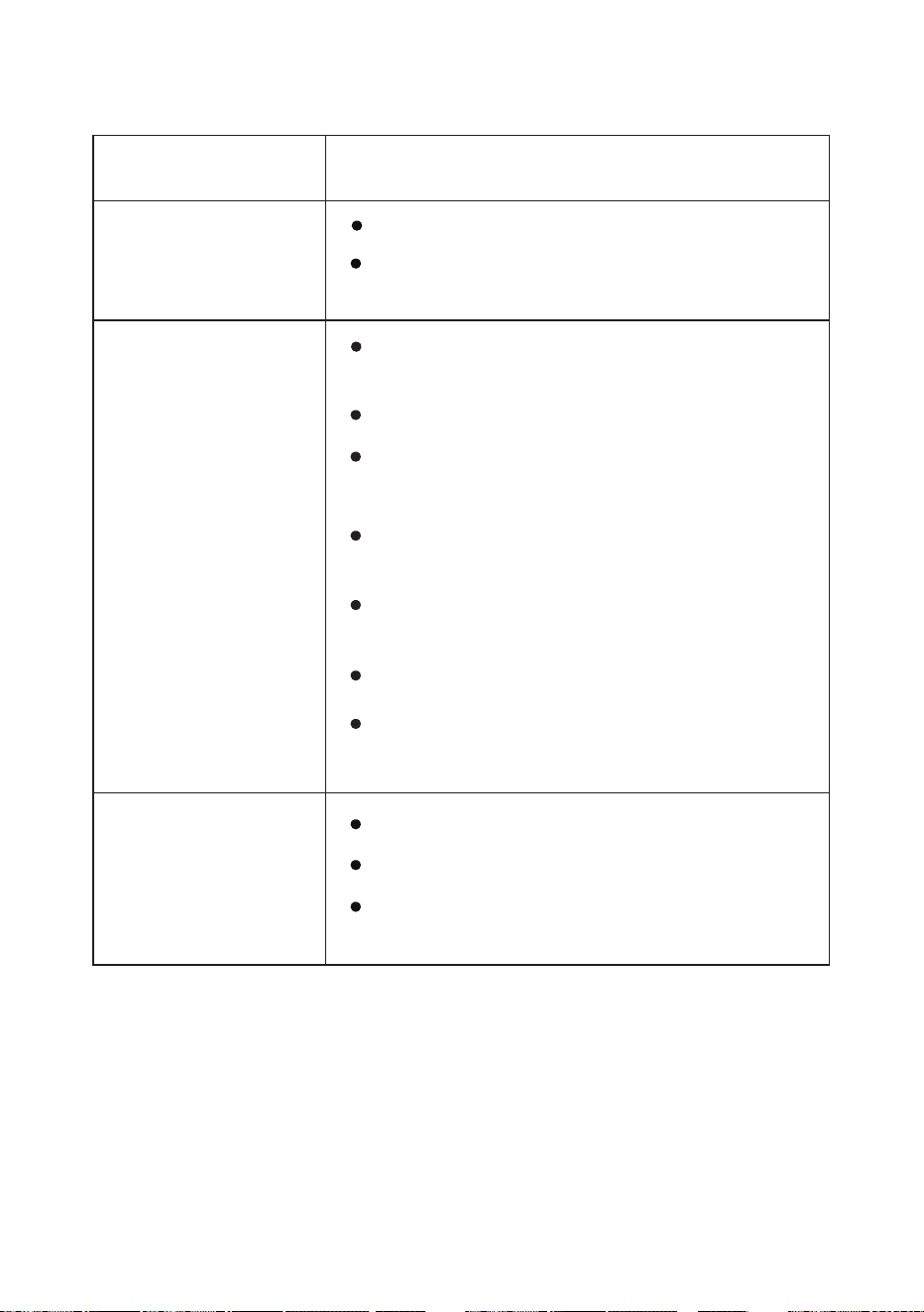
Not Working
Check the fuse.
Check if it is plugged in correctly to the
power source.
Air Intake Screen surface is blocked.
Clean and remove blockage.
Filter needs cleaning.
Troubleshooting
Check for proper ventilation and that
air inlet or outlet is not blocked.
Not Cooling
Water Leak
Drain is blocked. Needs to be cleared.
Water Tank is full and needs to be
emptied.
Possible Cause and SolutionProblem
Voltage is not correct.
Compressor overheating. Shut down
and restart after some time.
Water Tank is not placed correctly.
Ambient temperature is very high
o o
(above 113 F/45 C).
12
Move away from heat source or
direct sunlight.
Technical Specifications for OAC 4000
Model
Cooling / Heating Capacity
Voltage
Cooling / Heating Current
Cooling / Heating Power
Refrigerant
Temperature Range (Cooling / Heating)
Net Weight
Product Dimensions (HxWxD)
OAC 4000
10000 BTU / 6200 BTU
110V / 60Hz
9.1 A / 13.6 A
1000 W/1500 W
R410A / 380g
o o
23 F - 131 F
62 lbs
22.4 x 18.9 x 11 (inch)
Air Volume 280 m³/h
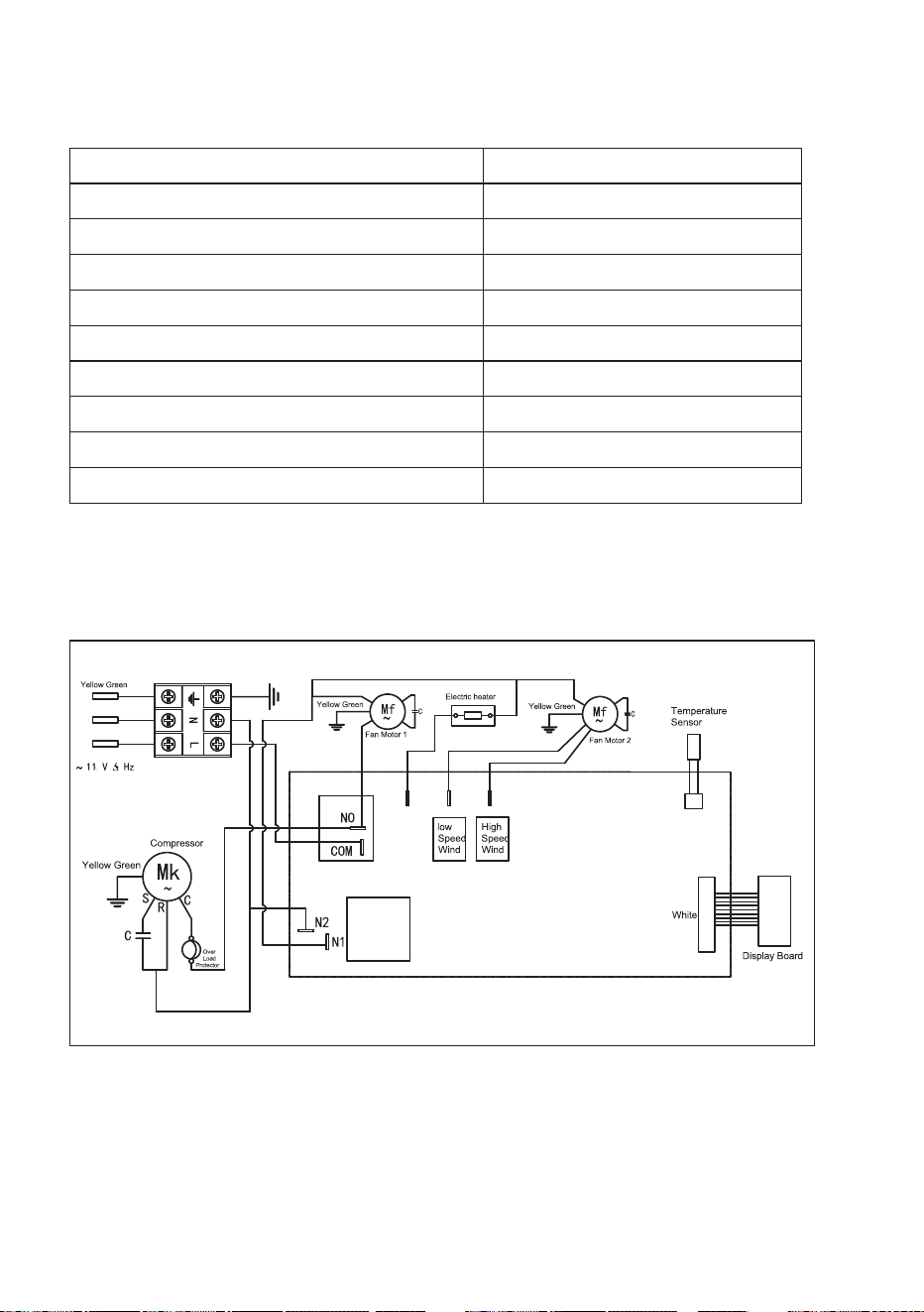
Circuit Diagram
13