STOP
DO NOT RETURN TO STORE!
HAVE QUESTIONS OR NEED SERVICE?
1-800-776-3538
Read the instructions carefully and keep for future reference. Information maybe updated
from time to time so please refer to the website for the latest version of the manual.
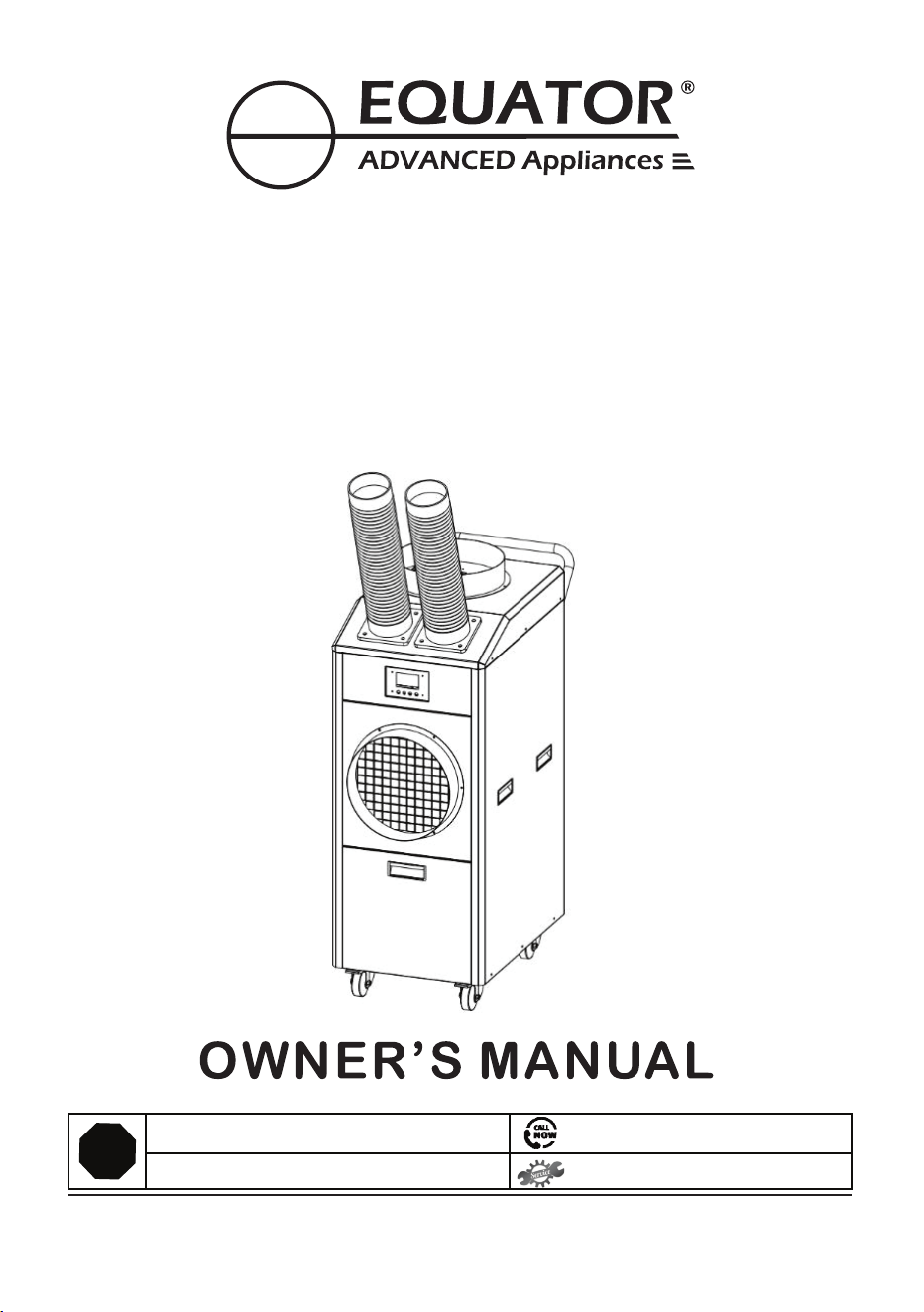
Model - PAC 8000
PORTABLE AIR CONDITIONER
Cooling / Heating
- INDOOR / OUTDOOR -
Residential / Commercial

Breakage of hoses and window kit
Equator
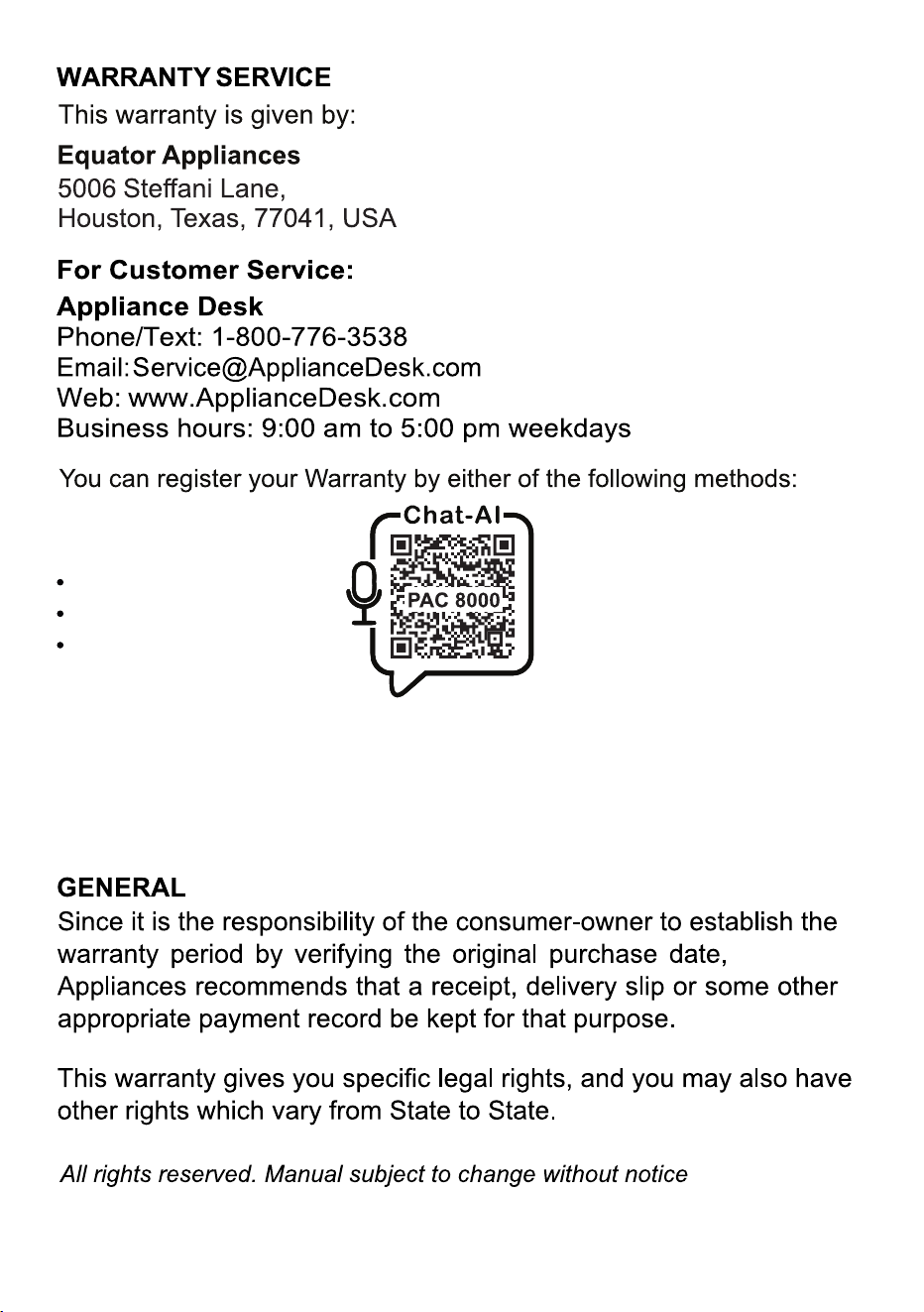
1. Scan QR Code
Open Smart Phone
Open Camera
Click the Link
2. Register online at ApplianceDesk.com/Warranty
Note: QR Code is also used to obtain Product Information,
Manuals and Updates

Congratulations on your new Portable Air Conditioner!
In addition to its contemporary design, this is a highly sophisticated
engineered product that will give you many years of satisfaction.
Here are some of the best reasons for buying your appliance:
Air Conditioner + Heater + Fan
Portable with casters for outdoor or indoor use
Dual 360 degree rotating hoses
All metal, waterproof construction
Indoor or Outdoor
Residential or Commercial
Water tank container or hose for direct drain
Two washable filters for easy maintenance

Safety
Keep the appliance away from volatile and flammable
substances.
Keep ventilation openings clear of obstructions.
When positioning the appliance, ensure the electrical cord is
not trapped or damaged.
Do not place multiple portable socket-outlets at the rear of
the appliance.
Never unplug the appliance by pulling on the power cord.
Grip the plug firmly and pull straight out to remove from wall socket.
Do not use an extension cord and a damaged power cord.
Do not operate the unit with wet hands, to prevent electric shock.
Children should be supervised to ensure that they do not climb
on or play with the appliance.
This appliance is not intended for use by persons (including
children) with reduced physical, sensory or mental capabilities,
or lack of experience and knowledge, unless they have been
given supervision or instruction.
Please dispose of this appliance in accordance with local
regulations.
1
,
Flexible Hoses
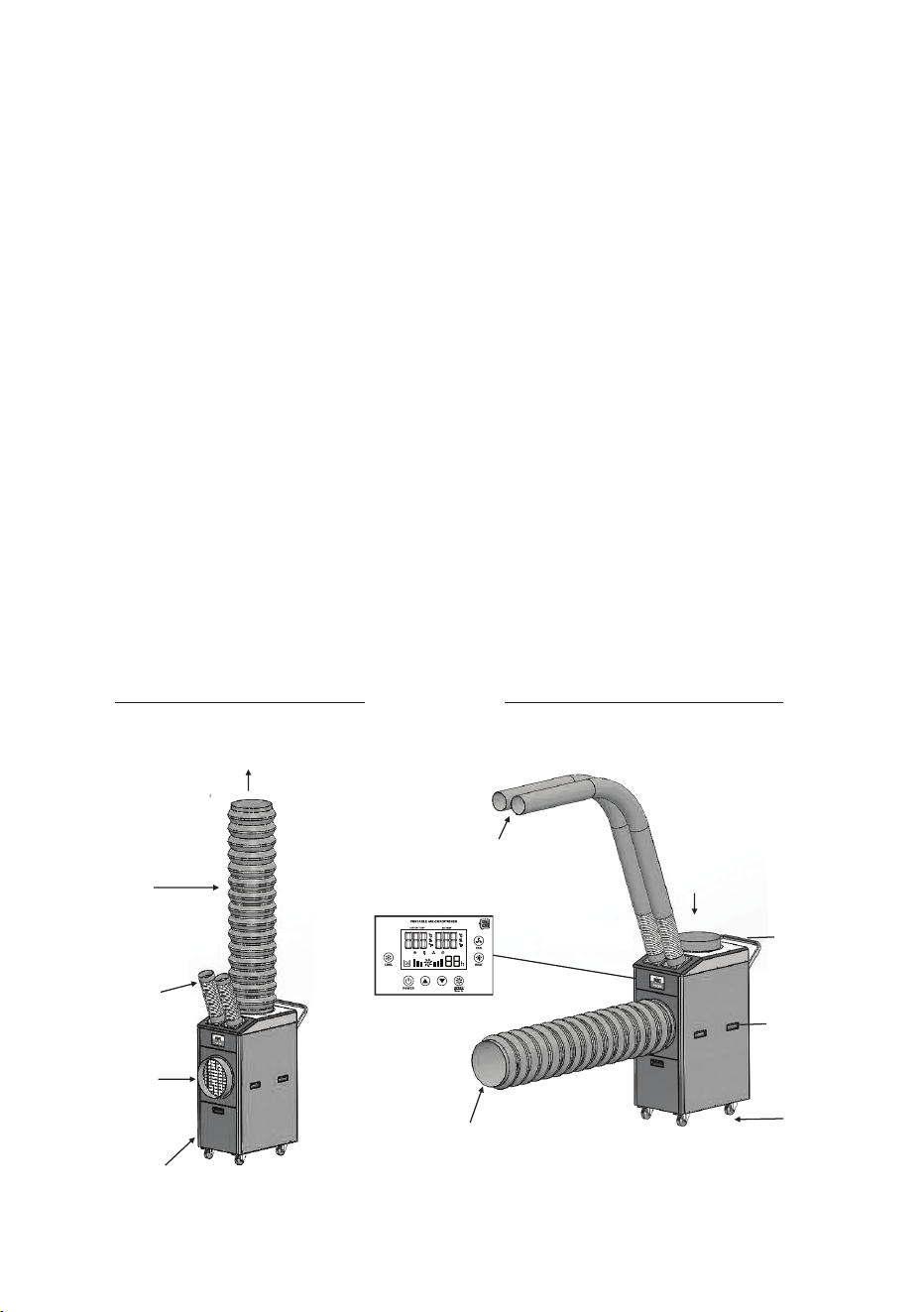
Air Intake
Screen
Fan Exhaust
Recessed
Handle
The PAC 8000 is a 3-in-1 appliance that can be used as an Air
Conditioner, a Heater or a Fan. It can be used outdoors or indoors.
It is rated IP24 which is suitable for outdoor use. The PAC 8000
has anti-rust and anti-corrosion coating, and electrical parts are
waterproof. The appliance is conveniently portable, with a recessed
handle and four 360˚rotating wheels which enables easy
movement, and the wheels can lock for safety.
The PAC 8000 pulls ambient air through the Air Intake and blows
out air through two flexible Air Supply Hoses which can be rotated
360˚and positioned to blow air to desired areas.
The functions can be set from the Control Panel.
The Mode can be selected for Cool, Heat or Fan.
The temperature can be selected, and the timer can be set to turn
the PAC on or off.
Description
Hose Connector
Base
Air Filter
(Inside)
2
Sensor
Air Supply
Hoses
Air Exhaust
Air intake
through
Air Duct
Air Supply Hoses
with Extenders
Caster
Recessed
Handle
Control Panel
Condensed Water
Tank Cover
Air Intake
Hot Air
Duct
Handle
Hot Air
Exhaust
Outlet
INDOOR LOCATION OUTDOOR LOCATION
Accessories
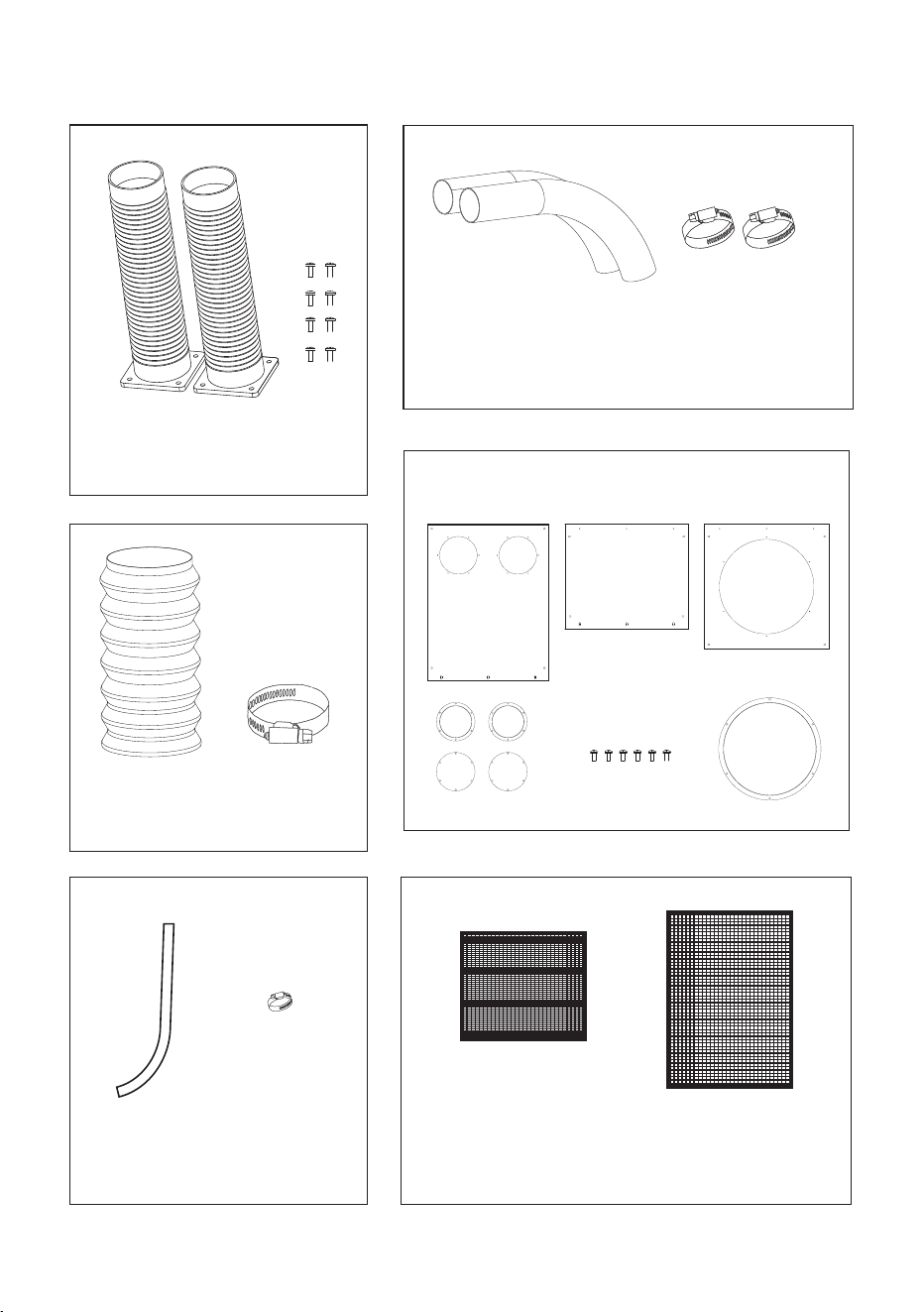
You can see part 19, there is 2pcs suply air hose, client could easy to install them by hose base screws.
Then please see part 44 and 45, there is 2pcs supply air hose extender and fixing clamp, client could
estend the supply hose by connecting the extender, connect directly and fix by clamp.
Please also see part 43 and 46, this is top exhaust air duct and clamp, client could connect the duct to top
exhaust air outledt flange directly and fix by clamp. Kindly note this duct is also suitable for front air inlet flange.
Air Supply Hoses (2)
Screws (8)
Air Duct Big Fixing
Clamp
Air Hose
Extenders (2)
Small Fixing
Clamps (2)
Back FilterFront Filter
Window Kit
Includes 3 Panels, Flanges and Screws
3
Condensed Water
Drainage Hose
Drainage
Hose Clamp

4
Placement
The PAC 8000 is designed for outdoor or indoor use and
is portable.
The compact size and casters enable it to be moved easily.
Place the appliance away from sources of heat and high humidity.
Place the appliance in a covered area to protect from direct
sunlight and heavy rainfall for greater longevity.
Ensure there is adequate ventilation around the appliance.
The Air Intake and Air Supply Hoses should be more than
1 foot (30 cm) away from walls or other obstructions.
The Air Duct exhausting the hot air should be 3 feet (90 cm)
from any object or structure.
When moving the appliance do not tilt it more than 45 degrees.
Place the appliance on a flat level surface and lock the casters.
Check the plug and cable before connecting the power and
ensure it is 110 voltage.
When using indoors, place the PAC near a door or window.
Please attach the Air Duct to ensure that the exhaust air is being
blown out of the room.
5
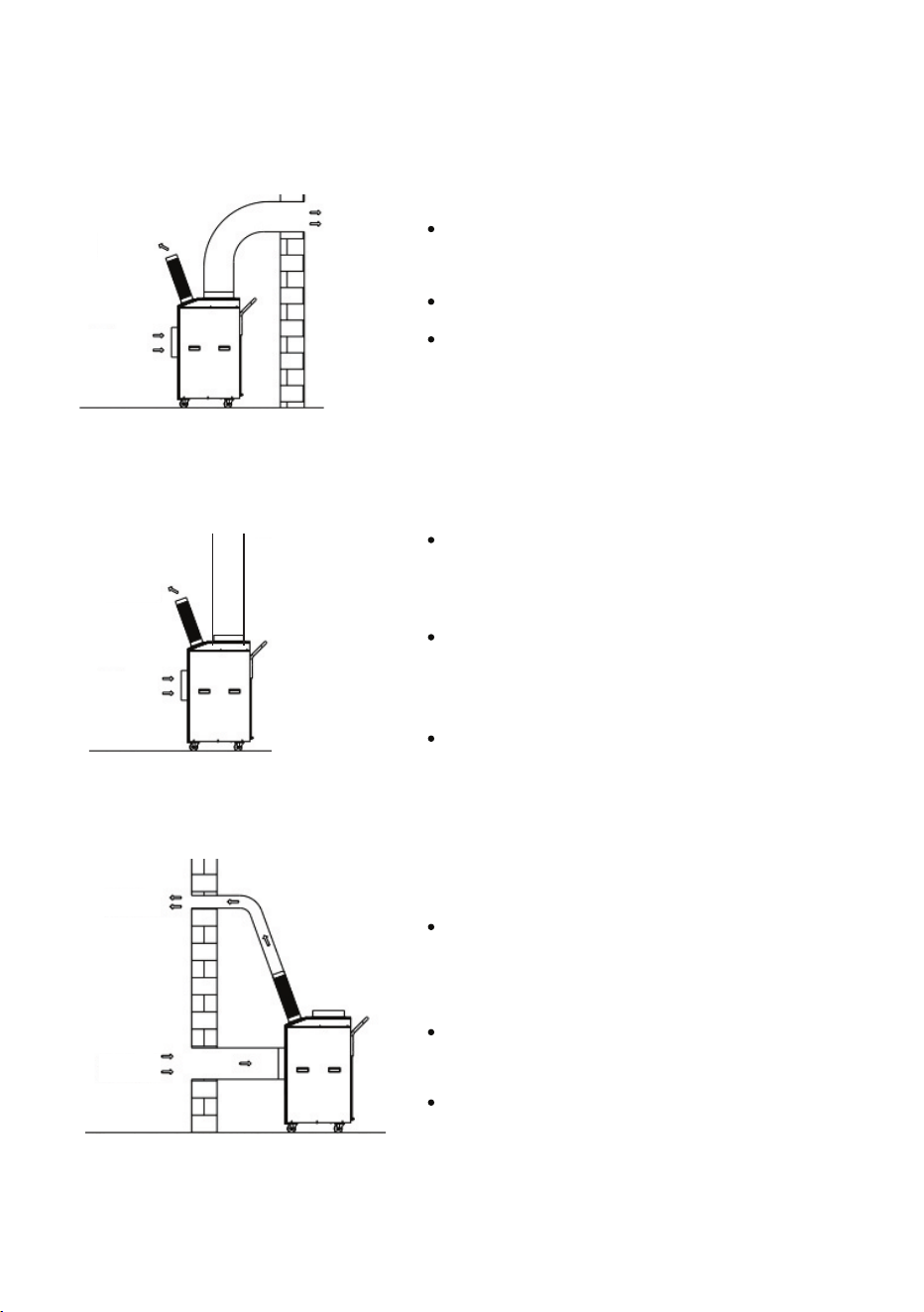
The PAC is placed outdoors.
(for ventilating closed spaces)
The PAC is placed indoors.
The PAC is placed outdoors.
Air intake
Air exhaust
Air supply
Air supply
Air intake
Air
exhaust
Air supply
Air intake
The different uses of the PAC 8000 are shown and explained below.
The cool, warm or ventilated air
is supplied indoors.
Ambient air from indoors is
pulled into the unit where it is
cooled or heated.
This arrangement is best suited
for tents, stables and log cabins.
The cool, warm or ventilated air
is supplied indoors.
Exhaust air is blown outdoors.
This arrangement is best
suited for stores, workshops,
garages and warehouses.
The cool, warm or ventilated air
is supplied outdoors to the area
where people are sitting.
The Air Exhaust, blows exhaust
air up and away from the point
of use.
This arrangement is best suited
for BBQ, picnics and weddings.
Air
exhaust
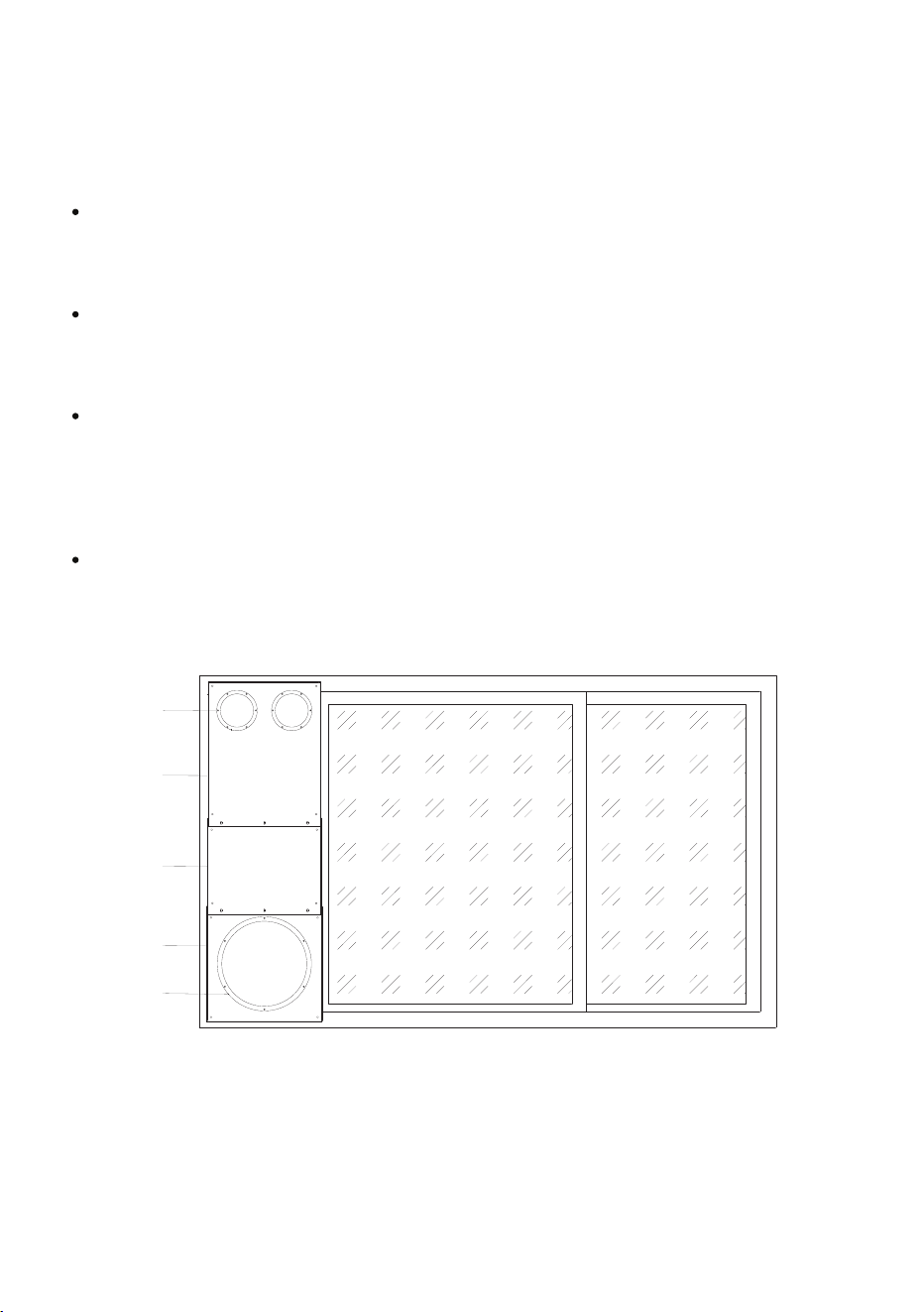
If the window height is 36 inches, uses the top and bottom window
panels. If the height is more than 36 inches, use all three panels.
Window Kit
The Window Kit has panels, with openings for the hoses, and the
required screws and flanges to attach the equipment to the window.
Top
Panel
Flanges
Middle
Panel
Bottom
Panel
Flange
The PAC 8000 is easy to use and requires only a few quick steps
to assemble the parts:
Assembly
The 2 Air Supply Hoses can be attached to the PAC using the
8 screws which are included. These hoses can be rotated
360 degrees to point the air to the desired area.
If necessary, the Air Hose Extenders can also be attached to the
hoses using the 2 small Fixing Clamps. This is best used when
the room or building has high ceilings.
The Air Duct can be attached using the large Fixing Clamp to the
Air Intake Screen (on the side) to move air into the PAC or it can
be connected to the Exhaust Air Outlet (on top) to blow air away
from the point of use.
Attach the hoses to Window Kit panels as shown below.
6
Operation
7
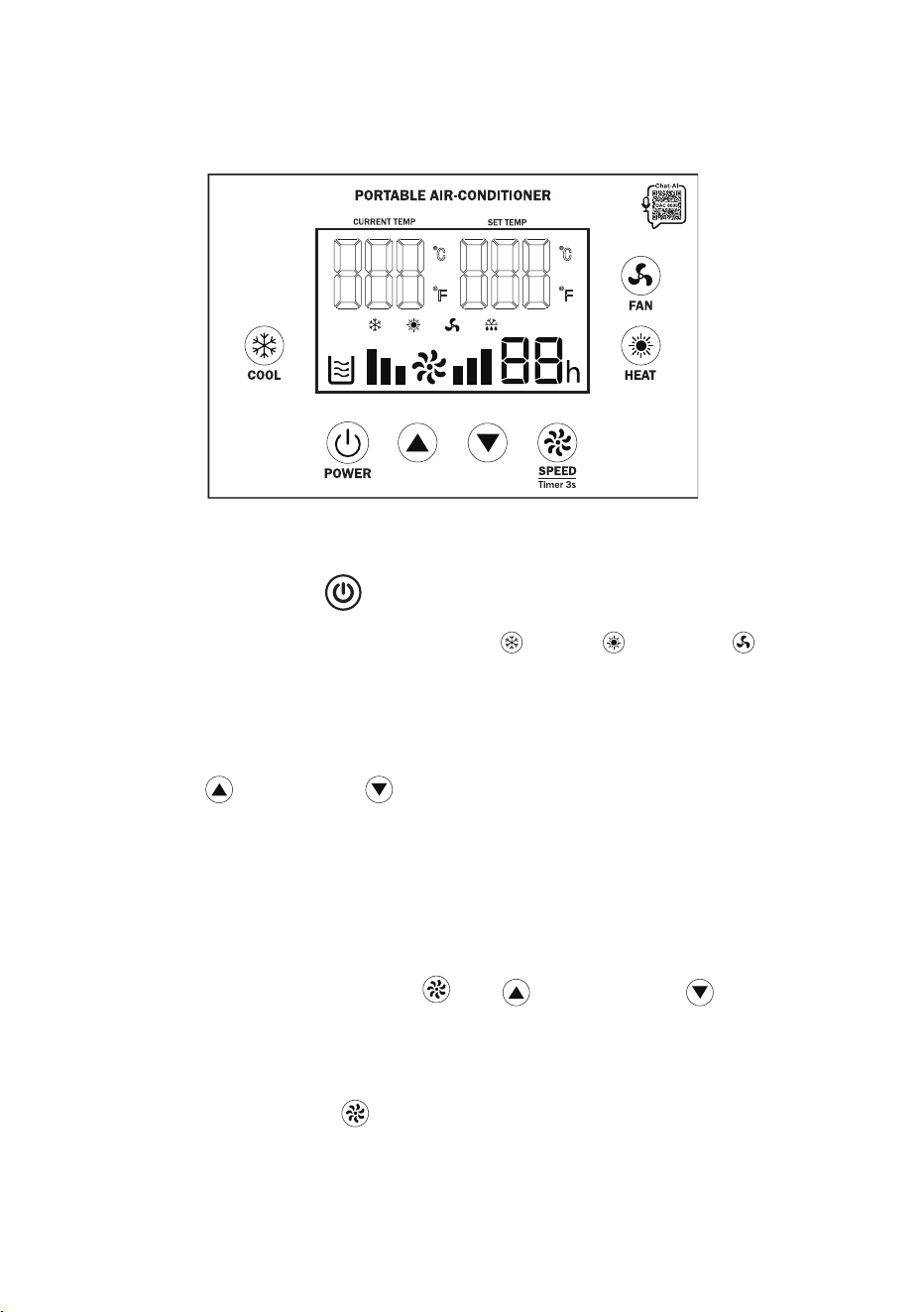
Control Panel
Press the Power icon to turn On the appliance.
The PAC 8000 has 3 functions: Cool , Heat and Fan .
Press the desired function to select cool, warm or ambient air to
blow from the 2 Air Supply Hoses. The indicator light will illuminate
and show on the Display Panel.
Press the SPEED icon to select high or low speed of the air
blowing through the hoses. The short bars on the display
correspond to low speed and the tall bars correspond to
high speed.
Operate the PAC by using the Control Panel.
Use the up and down arrows to set the desired
temperature. There are two screens on the Control Panel which
show temperature. The left screen shows the current
temperature and the right screen shows the temperature that
is being set.
o o
The default setting for temperature is F. To change between F
o
and C, press and hold Speed , Up arrow, Down arrow
buttons simultaneously for 6 seconds. The display will show
the selected setting.
8
Additional Features
The PAC 8000 has a memory feature which remembers the
settings when a power failure occurs. When power is restored,
PAC will automatically start and operate based on the settings
that have previously been selected.
Safety shutdown
To prevent overheating, the appliance shuts down automatically
after continuously working for 12 hours.
If the ambient temperature is too high, the PAC will automatically
shut down and will restart automatically when the ambient
temperature cools or when the unit is moved to a cooler location.
Compressor protection
After turning off the appliance, wait 5 minutes to turn it on again.
It cannot be turned on immediately. If operating the Cool mode,
the compressor needs 3 minutes to restart and blow cool air.
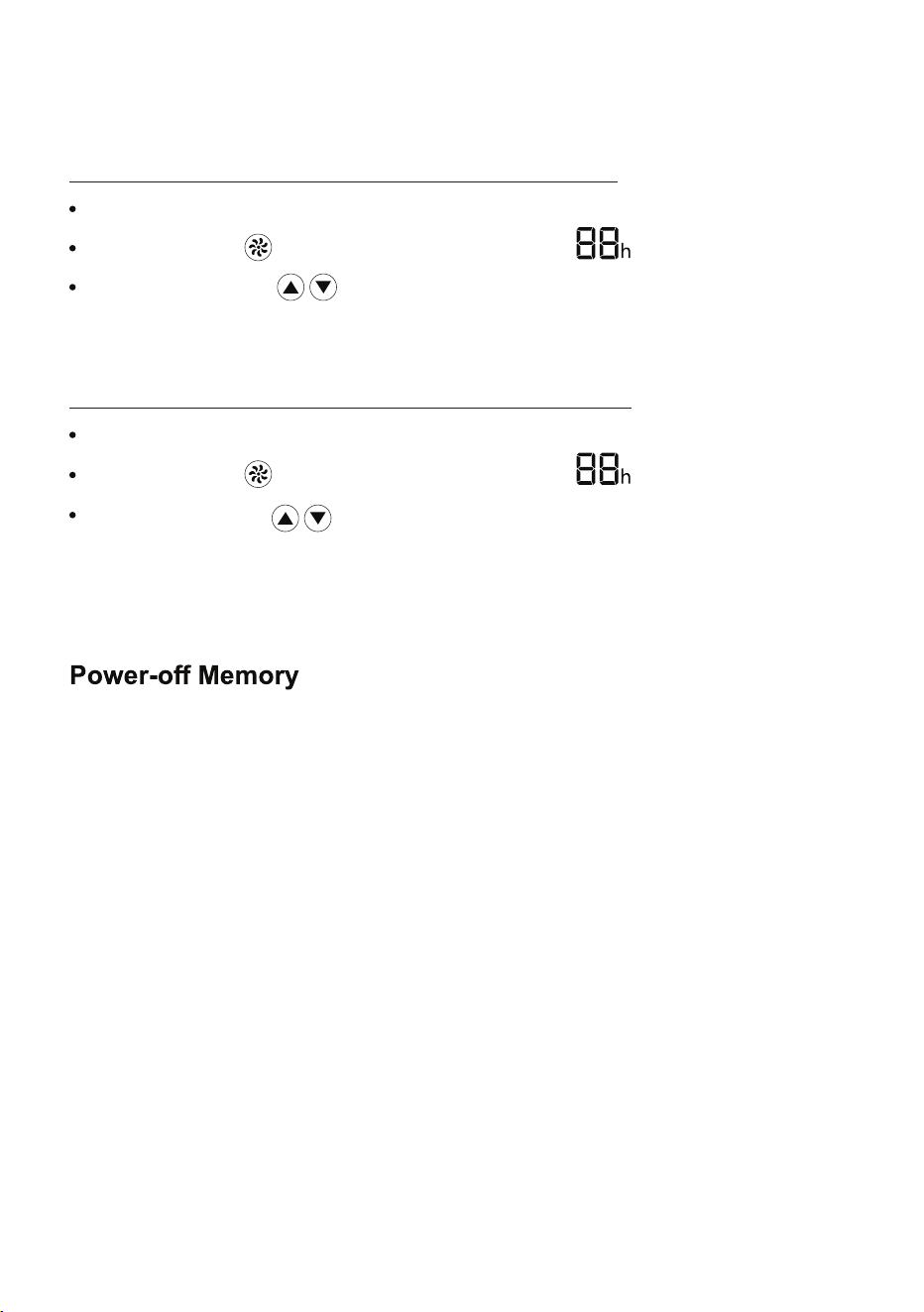
Timer
Ensure the power if on
The Timer can be set to turn the PAC on or off after a specified time.
To turn PAC ON after a selected period of time:
Ensure the power is off
Press Speed button for 3 seconds and will flash
Use the arrows to select a number from 0-24. This is the
number of hours after which the PAC will turn ON.
To turn PAC OFF after a selected period of time:
Use the arrows to select a number from 0-24. This is the
number of hours after which the PAC will turn OFF.
Press Speed button for 3 seconds and will flash
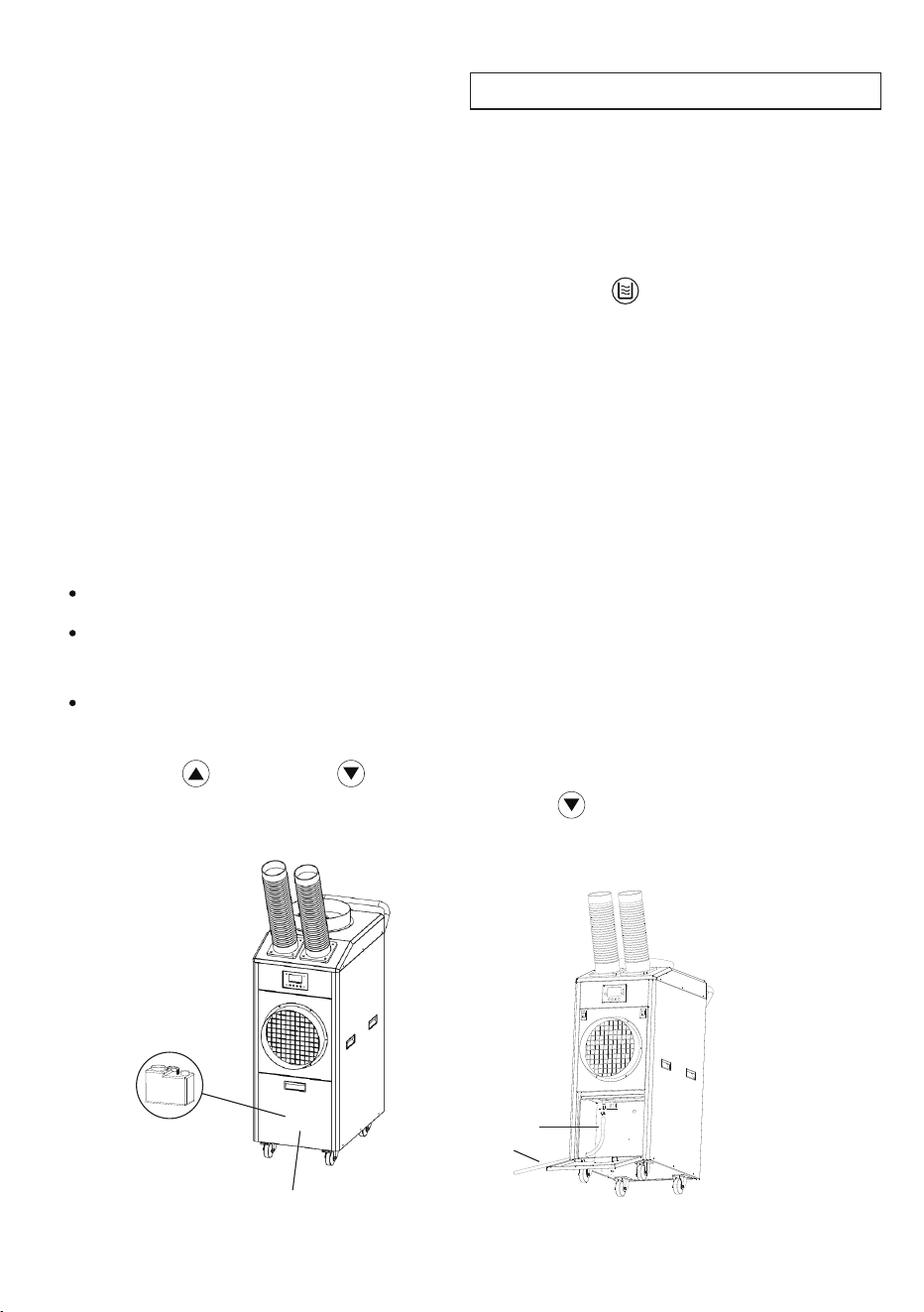
In the course of operating the PAC, condensate water is produced.
The water is collected in the Water Tank, which is located at the
bottom of the PAC. It is important to empty the tank in a timely
manner. Check the water level every 2-3 days.
Water Tank and Drainage
The Control Panel will show when the Water Tank is full by
displaying “FU” on the upper left and also the icon will flash.
Turn the power off before emptying the Water Tank.
Open the water tank cover and remove the Water Tank. Discard
the water, replace the Water Tank and then turn on the PAC.
Do not move the PAC when it is full of water.
9
Water Tank
(Inside)
Water Tank Cover
Water
Drainage
Hose
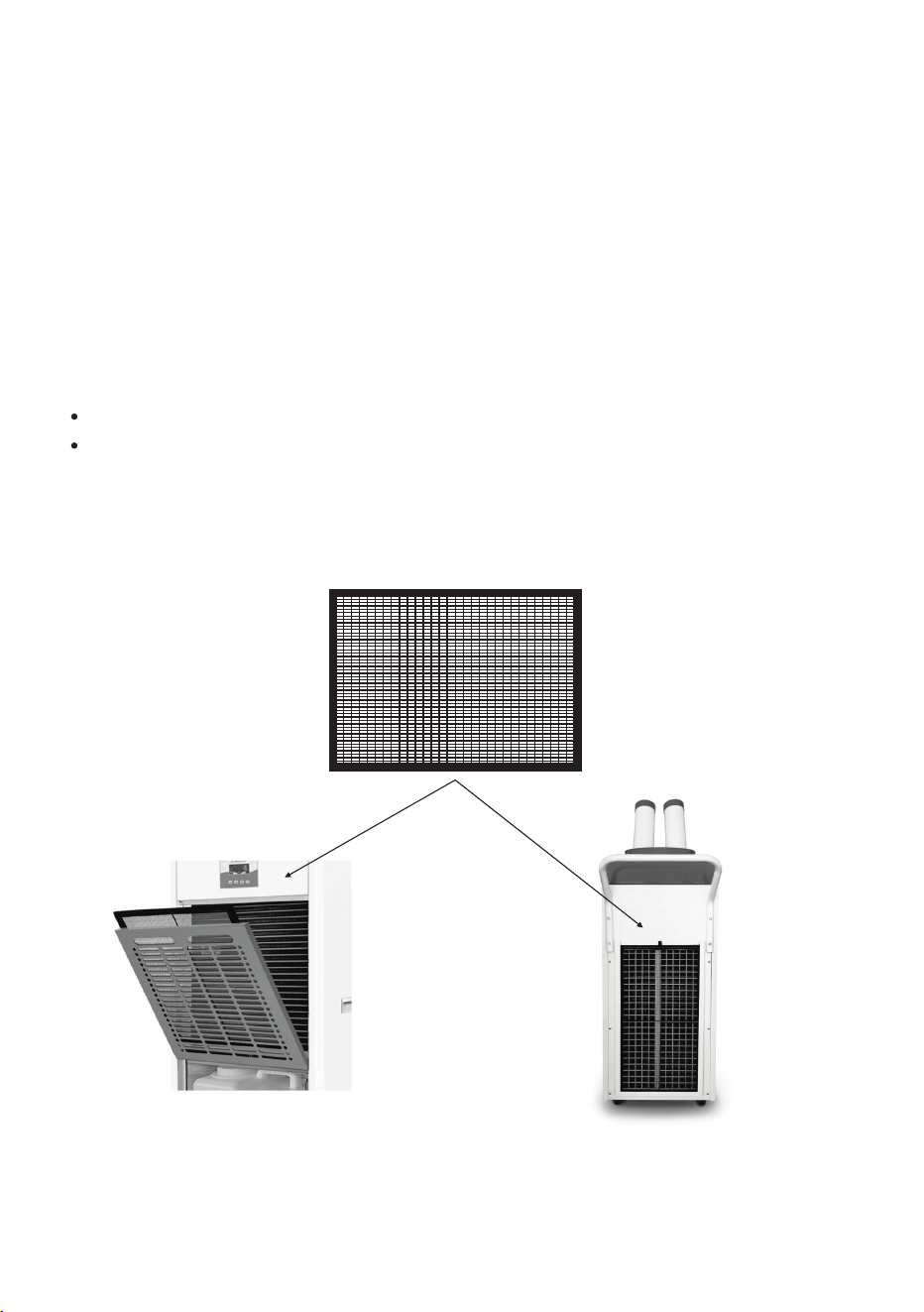
In addition to condensed water collecting in the Water Tank, there
is an option to drain the water into a drain pan or directly into
an outdoor collection area. A Drainage Hose and clamp is provided.
Attach the Drainage Hose with a clamp to the upper left side
inside the Water Tank Cabinet.
Water Drainage
Remove the Water Tank from the PAC.
Insert the other end of the Drainage Hose through the hole on
the side of the Cabinet that will drain the water out.
Press Up and Down arrows simultaneously for 6 seconds.
“ON” or “OF” will display. Press the Down arrow to select either
“ON” for using the Water Tank or “OF” for using the Drainage Hose.
Maintenance
Make sure the power cord is unplugged before moving or
cleaning the PAC.
Clean the outside of the appliance regularly, using water and
mild detergent.
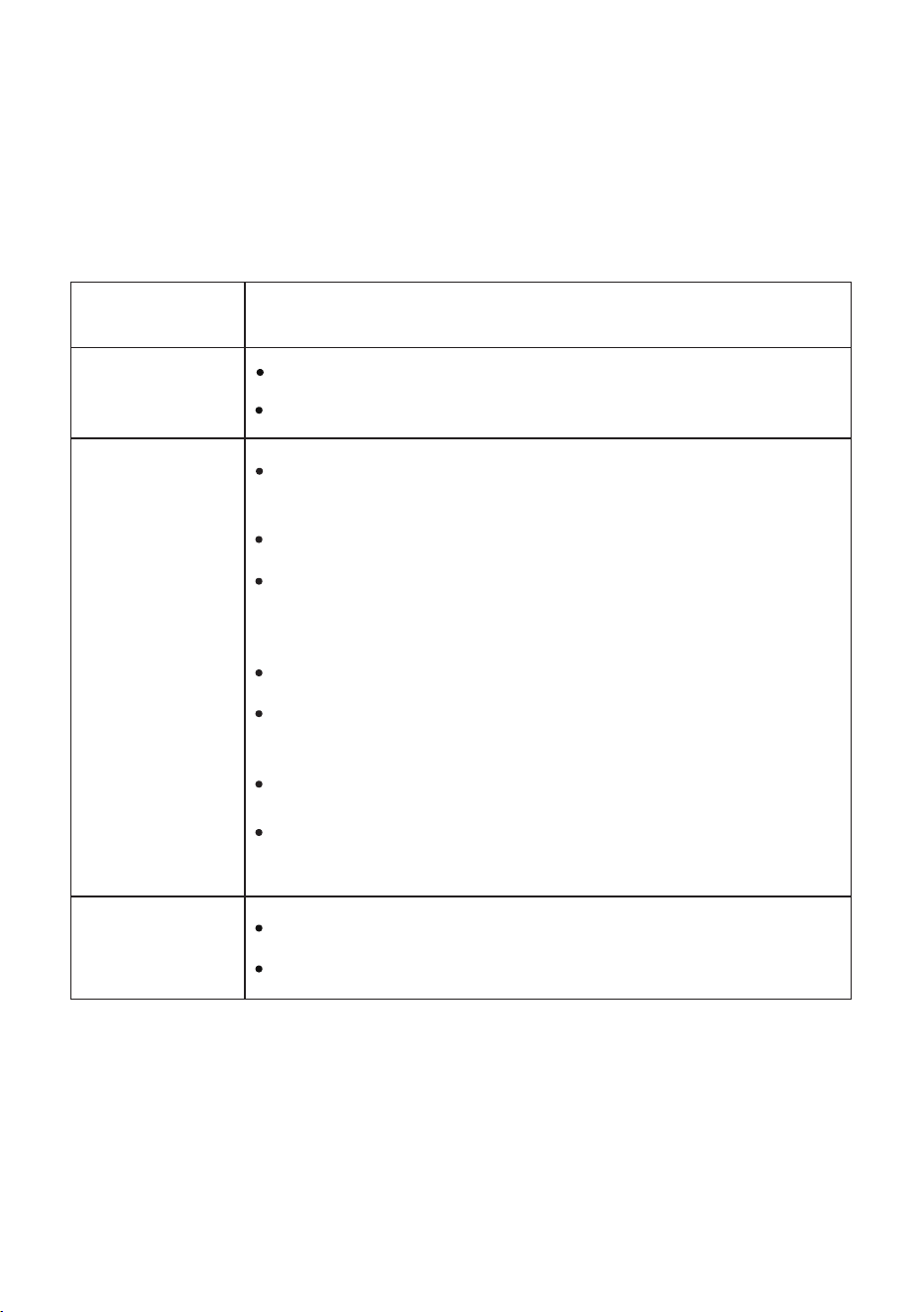
Remove the filters by pulling straight out from the slot. Clean and
wash the filters. Before reinstalling, they should be completely dry.
.
Empty the Water Tank and let it dry completely.
Once dry, cover the PAC and store in an upright position.
Before storing for an extended time:
10
Washable Air Filters (2)
Back Filter
Front Filter
Not Working
Check the breaker.
Check if it is plugged in correctly to the power source.
Air Intake surface is blocked.
Clean and remove blockage.
Filter needs cleaning.
Troubleshooting
Check for proper ventilation and that air inlet or
outlet is not blocked.
Not Cooling
Water Leak
Water Tank is full and needs to be emptied.
Possible Cause and SolutionProblem
Voltage is not correct.
Compressor overheating. Shut down and restart
after some time.
Water Tank is not placed correctly.
Ambient temperature is very high
If it shuts down for safety, wait for it to restart
automatically when it is safe to operate.
11
Move away from heat source or direct sunlight.
In most cases, when your Portable AC fails to work, the problems arising
can be easily solved without having to call for a technician. Before calling
for assistance, always check these points.
Check sensor wiring
connection.
Replace new ambient
temperature sensor.
Check sensor wiring
connection.
Replace new coil temperature
sensor.
Check sensor wiring
connection.
Replace new coil temperature
sensor.
Check for refrigerant gas leak.
Check high pressure switch
wiring connection.
Replace high pressure switch.
Check for refrigerant gas leak.
Check low pressure switch
wiring connection.
Replace low pressure switch.
E8
Ambient temperature too
high
Move PAC to an area where
the ambient temperature is
lower.
E4
High pressure fault
E5
Low pressure fault
E1
Ambient temperature
sensor failure
E2
Evaporator Coil
temperature sensor failure
E3
Condenser coil
temperature sensor failure
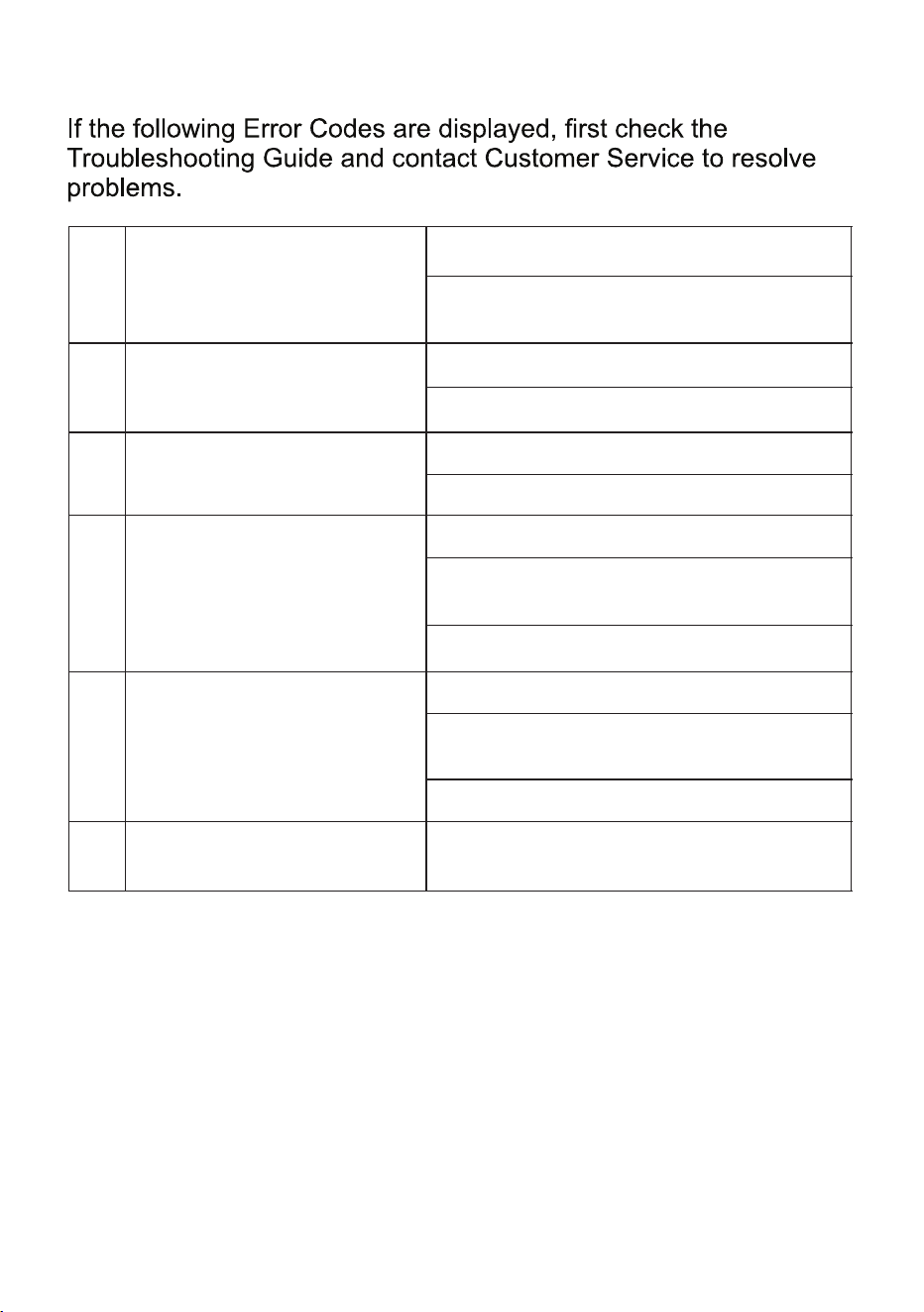
Error Codes
E1
Ambient temperature sensor
failure
Check sensor wiring connection.
Replace new ambient temperature
sensor.
E2
Evaporator Coil temperature
sensor failure
Check sensor wiring connection.
Replace new coil temperature sensor.
E3
Condenser coil temperature
sensor failure
Check sensor wiring connection.
Replace new coil temperature sensor.
E4
High pressure fault
Check for refrigerant gas leak.
Check high pressure switch wiring
connection.
Replace high pressure switch.
E5
Low pressure fault
Check for refrigerant gas leak.
Check low pressure switch wiring
connection.
Replace low pressure switch.
E8
Ambient temperature too
high
Move PAC to an area where the ambient
temperature is lower.
12
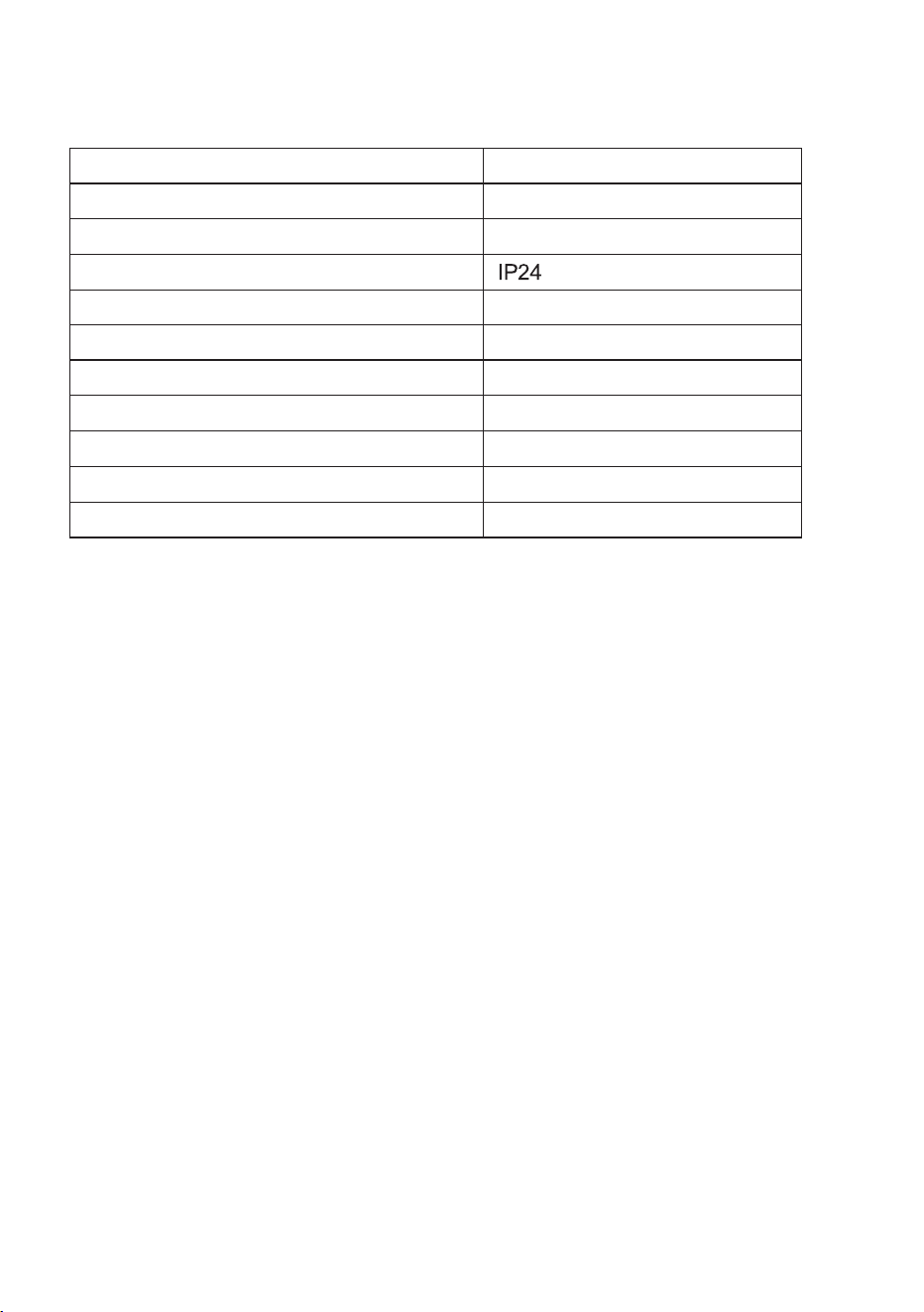
Technical Specifications
Model
Cooling / Heating Capacity
Voltage
Cooling / Heating Current
Cooling / Heating Power
Refrigerant
Temperature Range (Cooling / Heating)
Net Weight
Product Dimensions (HxWxD)
PAC 8000
18000 BTU / 18500 BTU
110V / 60Hz
15 A / 14.5 A
1700 W / 1600 W
R 32
o o
198 lbs
43.1 x 17.3 x 24.4 (inch)
Air Volume 800 m³/h
23 F ~ 113 F
Outdoor Rating
13