Operating instructions
Washing machine
To avoid the risk of accidents or damage to the appliance, it is
essential to read these instructions before it is installed and used for
the first time.
en-AU, NZ M.-Nr. 12 964 670

Contents
Caring for the environment......................................................................................... 6
Warning and Safety instructions .............................................................................. 7
Operating the washing machine................................................................................ 12
Control panel...................................................................................................................
12
Touch display and sensor controls...............................................................................
12
Main menu ......................................................................................................................
13
Examples on how to operate the appliance ...............................................................
14
Moving programmes ................................................................................................ 14
Before using for the first time..................................................................................... 16
Networking......................................................................................................................
17
Requirements for networking ......................................................................................
18
3. Setting the clock format............................................................................................
18
4. Removing the transit bars ........................................................................................
19
5. Commissioning TwinDos..........................................................................................
19
6. Starting the calibration programme ........................................................................
22
Washing environmentally and economically .......................................................... 23
Hygiene in the washing machine .................................................................................
23
Feedback .........................................................................................................................
24
1. Preparing the laundry ............................................................................................... 25
2. Selecting a programme........................................................................................... 26
3. Selecting programme settings .............................................................................. 27
4. Loading the washing machine............................................................................... 29
5. Adding detergent...................................................................................................... 30
TwinDos...........................................................................................................................
30
TwinDos ..................................................................................................................... 30
Detergent dispenser drawer.........................................................................................
31
CapDosing.......................................................................................................................
32
6. Starting the programme.......................................................................................... 34
Adding or removing laundry during a programme sequence (AddLoad)................
34
7. At the end of the programme ................................................................................. 35
Spinning .......................................................................................................................... 36
Programme chart .......................................................................................................... 37
Extras............................................................................................................................... 43
Quick ................................................................................................................................
43
Water plus .......................................................................................................................
43
Extra rinse........................................................................................................................
43
SingleWash......................................................................................................................
43
2

Contents
Pre-wash..........................................................................................................................
43
Soak..................................................................................................................................
43
Intensive ..........................................................................................................................
43
AllergoWash ....................................................................................................................
43
Extra gentle......................................................................................................................
43
Extra quiet .......................................................................................................................
44
Rinse hold........................................................................................................................
44
Wash programme chart - Extras................................................................................ 45
Programme sequence.................................................................................................. 46
Changing the programme sequence......................................................................... 49
Changing the programme (safety lock).......................................................................
49
Interrupting a programme .............................................................................................
49
Cancelling a programme................................................................................................
49
Garment care label symbols....................................................................................... 50
Favourite programmes................................................................................................. 51
Washing assistant......................................................................................................... 52
Timer................................................................................................................................ 53
SmartStart.......................................................................................................................
54
Detergent........................................................................................................................ 55
The correct detergent ....................................................................................................
55
Detergent dispensing aids ............................................................................................
55
Fabric softeners and liquid starch................................................................................
55
Detergent recommendations .......................................................................................
57
Replacing the TwinDos cartridge .............................................................................. 58
Cleaning and care ......................................................................................................... 59
External casing and fascia panel ..................................................................................
59
Cleaning the detergent dispenser drawer ..................................................................
59
Cleaning the drum (Hygiene info) ................................................................................
61
TwinDos maintenance...................................................................................................
61
Cleaning the water inlet filter........................................................................................
62
Problem solving guide.................................................................................................. 63
The programme does not start.....................................................................................
63
Fault messages at the end of a programme ...............................................................
64
Messages or faults with the TwinDos system ...........................................................
65
General problems with the washing machine............................................................
67
An unsatisfactory wash result ......................................................................................
68
The door will not open ...................................................................................................
69
Opening the door in the event of a blocked drain outlet and/or power cut...........
70
3

Contents
Service............................................................................................................................. 72
Contact in case of fault..................................................................................................
72
Optional accessories .....................................................................................................
72
Warranty ..........................................................................................................................
72
Installation...................................................................................................................... 73
Front view........................................................................................................................
73
Rear view .........................................................................................................................
74
Installation surface.........................................................................................................
75
Transporting the washing machine to its installation site ........................................
75
Removing the transport safety device ........................................................................
75
Fitting the transit bars ...................................................................................................
76
Levelling the machine ....................................................................................................
77
Screwing out and adjusting the feet ...................................................................... 77
Installing under a continuous worktop .................................................................. 78
Plinth........................................................................................................................... 78
Washer and dryer stack........................................................................................... 78
The Miele water protection system.............................................................................
79
Connection to the water supply...................................................................................
80
Drainage...........................................................................................................................
81
Using the elbow ........................................................................................................ 82
Direct connection to a sink drain outlet ................................................................ 82
Electrical connection ....................................................................................................
83
Consumption data ........................................................................................................ 84
Technical data................................................................................................................ 85
Settings ........................................................................................................................... 86
Selecting settings...........................................................................................................
86
Changing a setting..........................................................................................................
86
Closing the Settings menu............................................................................................
86
Controls / Display .......................................................................................................
86
Language ................................................................................................................ 86
Consumption............................................................................................................. 86
Code ........................................................................................................................... 87
Memory...................................................................................................................... 87
Clock display ............................................................................................................. 87
Volume ....................................................................................................................... 87
Display brightness .................................................................................................... 87
Temperature unit....................................................................................................... 87
“Display” off status .................................................................................................. 88
4

Contents
Programme sequence....................................................................................................
88
TwinDos ..................................................................................................................... 88
Soiling......................................................................................................................... 88
Water plus level......................................................................................................... 88
Maximum rinse level ................................................................................................ 89
Soak duration ............................................................................................................ 89
Longer pre-wash Cottons........................................................................................ 89
Gentle action............................................................................................................. 89
Anti-crease ................................................................................................................ 89
Network ...........................................................................................................................
89
Miele@home............................................................................................................. 89
SmartGrid .................................................................................................................. 90
Remote control ......................................................................................................... 90
RemoteUpdate.......................................................................................................... 91
Appliance parameters....................................................................................................
91
Water intake .............................................................................................................. 91
Legal information ...................................................................................................... 92
Copyright and licences for operating and control software ............................... 92
Copyright and licences for the communication module..................................... 92
Installation requirements ..............................................................................................
92
Low water pressure .................................................................................................. 92
Suds cooling .............................................................................................................. 93
Temperature reduction............................................................................................. 93
5
Caring for the environment
Disposal of the packing material
The transport and protective packaging
has been selected from materials which
are environmentally friendly for disposal,
and can normally be recycled.
Recycling the packaging reduces the
use of raw materials in the
manufacturing process and also reduces
the amount of waste in landfill sites.
Ensure that any plastic wrappings, bags
etc. are disposed of safely and kept out
of the reach of babies and young
children. Danger of suffocation.
Only for Australia: Note for installer:
Expanded polystyrene (EPS) packaging
included. Please retain and dispose of
EPS packaging responsibly. For further
information, please contact Miele.
Disposing of your old appliance
Electrical and electronic appliances
often contain valuable materials. They
also contain specific materials,
compounds and components, which
were essential for their correct function
and safety. These could be hazardous to
human health and to the environment if
disposed of with your domestic waste
or if handled incorrectly. Please do not,
therefore, dispose of your old appliance
with your household waste.
Please dispose of it at your local
community waste collection / recycling
centre for electrical and electronic
appliances. You are also responsible for
deleting any personal data that may be
stored on the appliance prior to
disposal. Please ensure that your old
appliance poses no risk to children while
being stored prior to disposal.
6

Warning and Safety instructions
This washing machine complies with all current local and national
safety requirements. However, inappropriate use can lead to
personal injury and damage to property.
Read the operating instructions carefully before using the washing
machine. They contain important information on safety, installation,
use and maintenance of the appliance. This prevents both personal
injury and damage to the washing machine.
In accordance with standard IEC60335-1, Miele expressly and
strongly advises that you read and follow the instructions in
“Installation”, as well as in the “Warning and Safety instructions”.
Miele cannot be held liable for injury or damage caused by non-
compliance with these instructions.
Keep these operating instructions in a safe place and pass them on
to any future owner.
Correct application
This washing machine is designed for domestic use and for use in
similar environments by guests in hotel or motel rooms, bed &
breakfasts and other typical living quarters. This does not include
common/shared facilities or commercial facilities within hotels,
motels or bed & breakfasts.
The washing machine is not suitable for outdoor use.
It must only be used to wash garments which have been declared
suitable for washing by the manufacturer indicated on the garment
care label. Any other use is not permitted. Miele cannot be held liable
for damage resulting from incorrect or improper use or operation.
This washing machine is not intended for use by persons (including
children) with reduced physical, sensory or mental capabilities, or
lack of experience and knowledge, unless they have been given
supervision or instruction concerning its use by a person responsible
for their safety.
Safety with children
Young children must not be allowed to use this appliance.
Older children may only use the appliance when its operation has
been clearly explained to them and they are able to use it safely,
recognising the dangers of misuse.
Cleaning work may only be carried out by older children under the
supervision of an adult.
7

Warning and Safety instructions
Please supervise children in the vicinity of the washing machine
and do not let them play with it.
Technical safety
Please observe the instructions in “Installation” and “Technical data”.
Before setting up the washing machine, check it for any externally
visible damage. Do not install or use a damaged machine.
Before connecting the washing machine, ensure that the
connection data on the data plate (fuse rating, voltage and frequency)
matches the mains electricity supply. If in any doubt, consult a
qualified electrician.
Temporary or permanent operation with a self-sufficient or non-
mains synchronous energy supply system (e.g. isolated networks,
back-up systems) is possible. A requirement for the operation is that
the energy supply system complies with all current local and national
requirements that apply to stand-alone, solar and/or battery systems.
The protective measures provided in the installation and in this Miele
product must also be assured in their function and operation in
isolated operation or in non-mains synchronous operation, or
replaced with equivalent measures in the installation.
The electrical safety of this washing machine can only be
guaranteed when continuity is complete between it and an effective
earthing system which complies with current local and national
safety regulations. It is most important that this basic safety
requirement is present and regularly tested and, where there is any
doubt, the household wiring system should be inspected by a
qualified electrician. Miele cannot be held liable for the
consequences of an inadequate earthing system (e.g. electric shock).
Do not connect the washing machine to the mains electricity
supply by a multi-socket adapter, extension lead or similar. These do
not guarantee the required safety of the machine (fire hazard due to
the risk of overheating).
We recommend replacing faulty components with original Miele
parts. If original Miele parts are installed correctly, Miele guarantees
full compliance with safety requirements and the warranty remains
valid.
The electrical socket must be easily accessible after installation so
that the machine can be disconnected from the electricity supply if
necessary.
8

Warning and Safety instructions
Maintenance or repairs by unqualified persons could be extremely
dangerous. The manufacturer cannot accept liability for unauthorised
work. Maintenance or repairs must only be carried out by a qualified
specialist or Miele Customer Service.
The manufacturer’s warranty will be invalidated if the washing
machine is not repaired by a qualified specialist or Miele Customer
Service.
If the power supply cord is damaged, it must only be replaced with
a specific power supply cord of the same type (available in the Miele
online shop or from Miele Customer Service). For safety reasons,
replacement may only be carried out by a suitably qualified specialist
or Miele Customer Service.
In the event of a fault or for cleaning purposes, the washing
machine is only completely isolated from the electricity supply when:
- it is switched off at the wall socket and the plug is withdrawn, or
- it is switched off at the mains circuit breaker.
The Miele Waterproof system protects from water damage
provided the following conditions have been met:
- The machine is correctly plumbed in and connected to the
electricity supply.
- If a fault or damage has been identified, the machine must be
examined by a competent person before further use, and repaired
if necessary.
The water flow pressure must be at least 100kPa and must not
exceed 1000kPa.
This washing machine must not be installed and operated in
mobile installations (e.g. on a ship).
Do not make any alterations to the machine, unless authorised to
do so by Miele.
This washing machine is supplied with a special lamp to cope with
particular conditions (e.g. temperature, moisture, chemical
resistance, abrasion resistance and vibration). This lamp must only be
used for the purpose for which it is intended. The lamp is not suitable
for room lighting. Replacement lamps may only be fitted by a
qualified electrician or a Miele authorised technician.
This washing machine contains 1 light source corresponding to
energy efficiency rating G.
9

Warning and Safety instructions
Correct use
Do not install the washing machine in a room where there is a risk
of frost. Frozen hoses may burst or split. The reliability of the
electronic control unit may be impaired at temperatures below
freezing point.
Before using the machine for the first time, check that the transit
bars at the rear of the machine have been removed (see “Installation
- Removing the transit bars”). During spinning, a transit bar which is
still in place may result in damage to both the machine and adjacent
furniture or appliances.
Turn off the tap if the machine is to be left for any length of time
(e.g. holiday), especially if there is no floor drain (gully) in the
immediate vicinity.
Flooding danger.
If hooking the drain hose into a laundry washtub, check that the
water can drain off quickly enough to prevent the laundry tub from
overflowing. Make sure the drain hose is secure, so that the force of
the water flowing out of the hose does not dislodge it.
Take care to ensure that foreign objects (e.g. nails, pins, coins,
paper clips) do not find their way into the machine with the laundry.
These may damage components of the machine (e.g. suds container,
drum), which in turn can result in damage to the laundry.
Take care when opening the drum door after using the steam
function. There is a danger of burning due to escaping steam and the
high temperature of the surface of the drum as well as the porthole
glass. Stand back away from the machine and wait until the steam
has dissipated.
The maximum load for this washing machine is 9,0 kg (dry weight).
See the “Programme chart” for the maximum recommended loads
for individual programmes.
If the correct amount of detergent is dispensed, the machine
should not need to be descaled. If, however, you do wish to descale
it, only use a proprietary natural citric acid based descaling agent.
Miele recommends using Miele descaler for washing machines which
is available to order online at shop.miele.com (depending on country)
or from Miele. Strictly observe the instructions on the packaging.
Textiles which have been pre-treated in solvent based cleaning
agents must be thoroughly rinsed in clean water before being washed
in the machine.
10

Warning and Safety instructions
Do not use solvent based cleaning agents, e.g. those containing
benzine, in this machine, as this may result in damage to component
parts and create toxic fumes. Such agents also pose a fire and
explosion hazard.
Do not use solvent based cleaning agents, e.g. those containing
benzine, to clean the external surfaces of the machine. They can
cause damage to plastic surfaces.
Only use dyes specified by the manufacturer as being suitable for
use in a domestic washing machine. Always observe the
manufacturer's instructions carefully.
Colour run and dye removers contain sulphur compounds which
can cause damage such as corrosion. Do not use these products in
this machine.
If detergent comes into contact with the eyes, rinse them
thoroughly with lukewarm water immediately. If swallowed, seek
medical assistance immediately and retain the packaging or label for
reference. Those with skin problems or sensitive skin should avoid
their skin coming into contact with detergent.
Accessories and spare parts
We recommend using original Miele accessories. Using spare
parts or accessories from other manufacturers will invalidate the
warranty and Miele cannot accept liability.
A Miele tumble dryer can be stacked on top of a Miele washing
machine using the appropriate stacking kit (available as an optional
accessory). Please make sure you order the correct one for the Miele
washing machine and Miele tumble dryer.
Miele original spare parts are kept in stock for at least 10years and
up to 15years after discontinuation of your washing machine.
Miele cannot be held liable for damage caused by non-compliance
with these Warning and Safety instructions.
11
Operating the washing machine
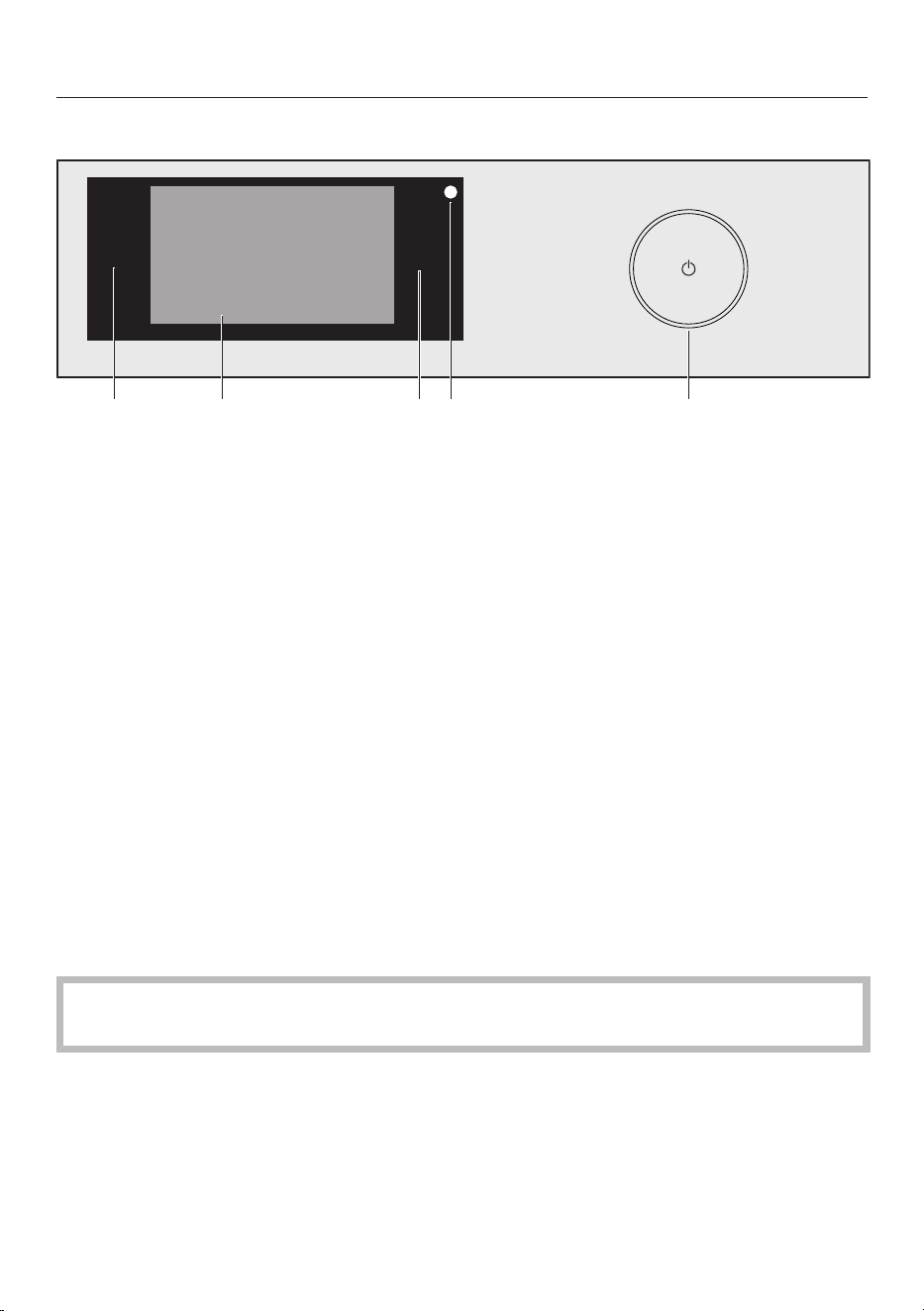
Control panel
Start/Stop
a
sensor
Takes you back a level in a menu.
b
Touch display
c
Start/Stop sensor
Touching the Start/Stop sensor starts the selected programme or cancels a
programme that has already started. The programme can be started as soon as
the sensor is flashing on and off. The sensor lights up constantly once the
programme has started.
d
Optical interface
For service technicians.
e
sensor
For switching the washing machine on and off. To save energy, the washing
machine will switch off automatically. This occurs 15 minutes after the end of
the programme/Anti-crease phase, or after being switched on if no further
selection is made.
Touch display and sensor controls
The and Start/Stop sensors and the sensors in the display react to fingertip
contact.
The touch display can be scratched by pointed or sharp objects, e.g. pens.
Only touch the display with your fingers.
12
Operating the washing machine
Main menu
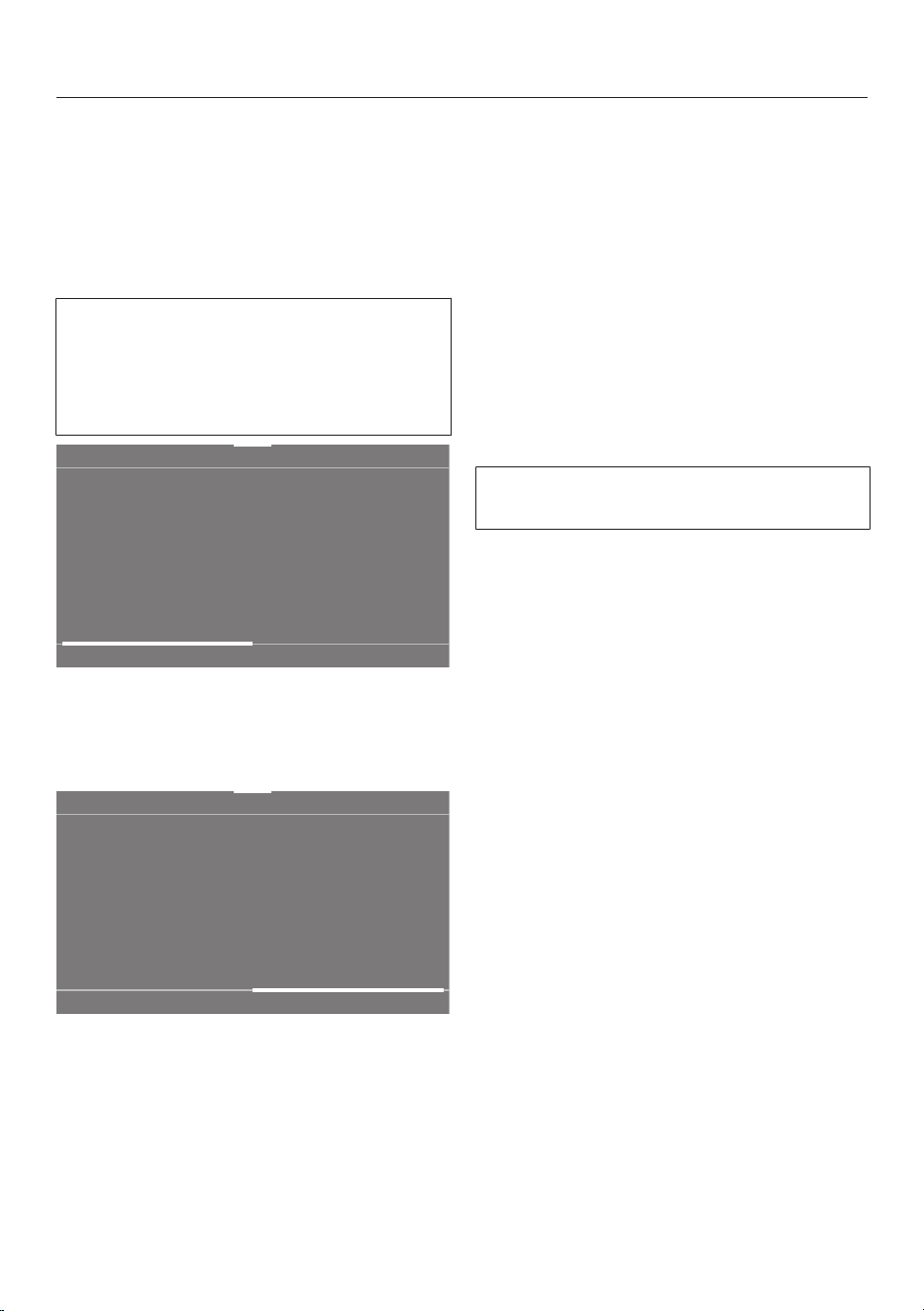
After switching on the washing
machine, the main menu will appear in
the display.
You can access all important sub-menus
from the main menu.
Touch the sensor at any time to
return to the main menu. Values that
have not yet been confirmed are not
saved when you return to the main
menu.
11:02
Programmes Favourites MobileStart
Help
Main menu page 1
You can scroll to the second page of the
main menu by swiping your finger
across the display.
11:02
Washing
assistant
Maintenance Settings
Help
Main menu page 2
The symbol next to the time of day is
displayed when the washing machine is
connected to a network.
Programmes
You can select various wash
programmes.
Favourites
You can save up to 12 of your own
customised wash programmes (see
“Favourite programmes”).
MobileStart
With MobileStart you can operate your
washing machine remotely with the
Miele App.
TheRemote control setting must be
switched on.
Touch theMobileStart sensor control and
follow the instructions in the display.
Washing assistant
The Washing assistant provides a step-
by-step guide to selecting the optimum
wash programme for your laundry (see
“Washing assistant”).
Maintenance
Maintenance options for the TwinDos
system and the Clean machine
programme are located in the
Maintenancemenu (see “Cleaning and
care”).
Settings
You can alter the washing machine’s
electronics to suit changing
requirements in the Settings menu (see
“Settings”).
13

Operating the washing machine
Examples on how to operate the
appliance
Selection lists
Programmesmenu (single selection)
11:02
3:09
1:39
1:09
0:49
h
h h
h
Cottons
QuickPower
Wash
Delicates
Programmes
Help
Minimum iron
You can scroll to the right or the left by
swiping your finger across the screen.
Place your finger on the touch display
and swipe it in the direction you want.
The orange bar under the pictures
shows that there are further options to
choose from.
To select a wash programme, touch a
programme name.
The display will change to the standard
display for that programme.
Extrasmenu (multiple selection)
11:02
Quick
Water plus
Extra rinse
Extras
OK
SingleWash
You can scroll to the right or the left by
swiping your finger across the screen.
Place your finger on the touch display
and swipe it in the direction you want.
The orange bar under the pictures
shows that there are further options to
choose from.
To select Extras, touch one or several
sensor with Extras.
Currently selected Extras are marked
orange.
To deselect an Extra, simply touch the
Extrasensor again.
Touch the OKsensor to activate the
selected Extras.
Moving programmes
You can move the programmes around
in the menu to change the sequence in
which they are displayed.
11:02
3:09
1:39
1:09
0:49
h
h h
h
Cottons
QuickPower
Wash
Delicates
Programmes
Help
Minimum iron
Place your finger on the programme
you wish to move until a border is
displayed around it.
To move the programme, swipe your
finger in the required direction.
Remove your finger when the
programme reaches the new location.
The programme has moved.
Setting numerical values
You can set numerical values in some
menus.
14

Operating the washing machine
12 00
11 59
10 58
13 01
14 02
Clock display
OK
Enter the numbers by swiping upwards
or downwards. Place your finger on the
number that you want to change and
move your finger in the desired
direction. Touch the OKsensor to
accept the set numerical value.
Useful tip: Briefly touching the numbers
will bring up the numerical keypad.
Once a valid number has been entered,
the OKsensor will be highlighted green.
Pull-down menu
The pull-down menu can be used to
display information, e.g. about a wash
programme.
11:02
40 °C 1600
1:57
Cottons
h
Overview
Temperature Spin speed
TwinDos Extras
not selectednot selected
Timer Save
rpm
Touch the top edge of the screen in the
middle and drag down with your finger.
Help display
Help appears along the bottom line of
the display in the main menu and the
Programmes menu.
Touch the Helpsensor to display the
text.
Touch the Closesensor to return to
the previous screen.
Exiting a menu
Touch the sensor to return to the
previous screen.
Entries selected before this which have
not been confirmed withOK will not be
saved.
15
Before using for the first time
Damage resulting from incorrect
installation and connection.
Installing and connecting the
washing machine incorrectly will
cause serious damage to property.
See “Installation” in the operating
instructions.
This washing machine has undergone
a complete functional test at the
factory and there will be some residual
water in the drum from this process.
Removing the protective foil
and advertising stickers
Remove:
- the protective foil from the door (if
present).
- any advertising stickers from the front
and the lid.
Please do not remove any labels (e.g.
the data plate) which are visible
when you open the door.
Removing the detergent
cartridges and the drain hose
elbow from the drum
Two detergent cartridges for automatic
detergent dispensing and an elbow
piece for the drain hose are stored in the
drum.
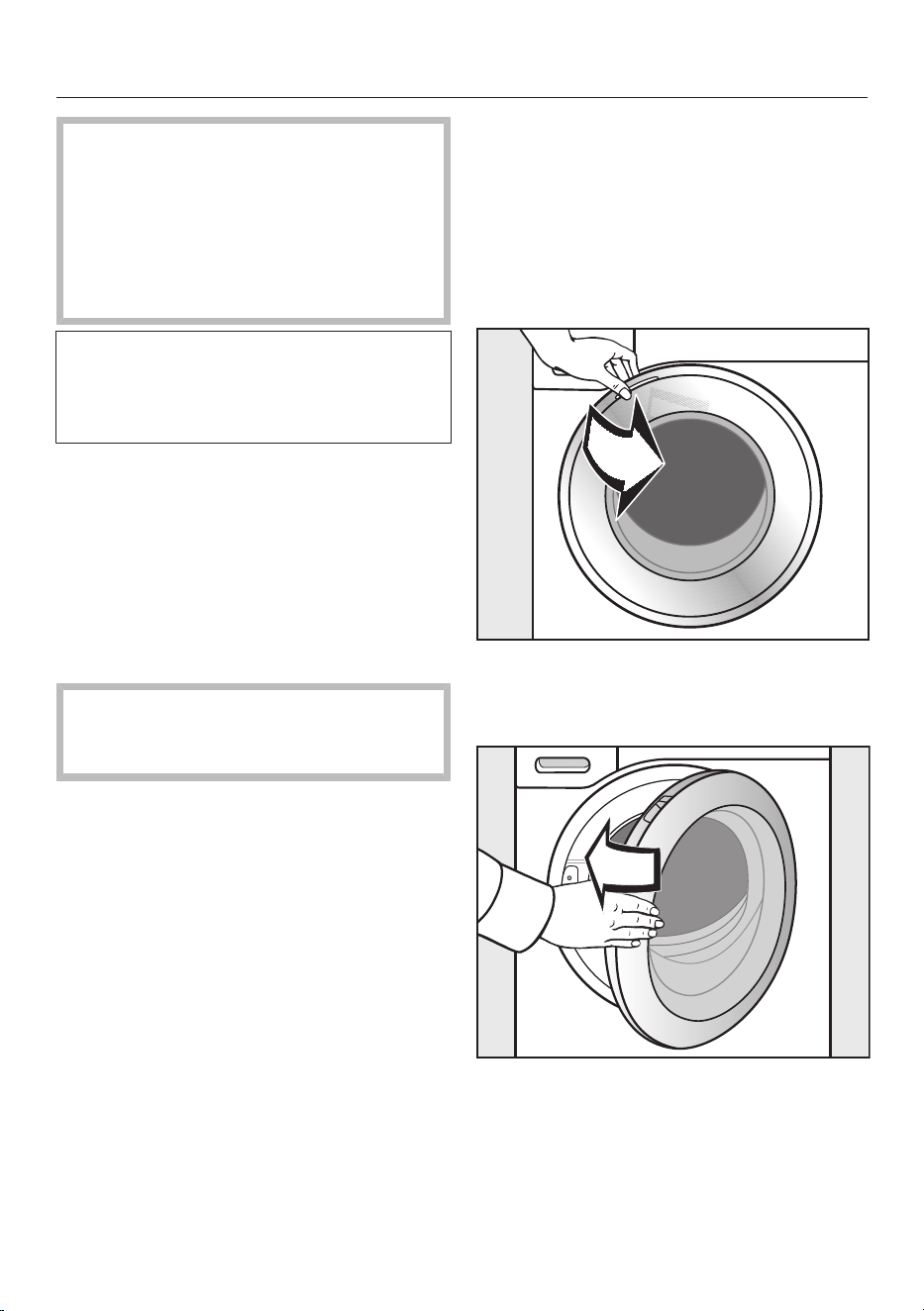
Pull open the door.
Take the two cartridges and the elbow
piece out of the drum.
Shut the door with a gentle swing.
16

Before using for the first time
Switching on the washing
machine
Press the sensor.
The welcome screen will light up.
The display will guide you through the
6steps of the initial commissioning
process.
1. Setting the language
You will be asked to select the language
you require for the display. It is possible
to change the language at any time via
the Settings menu.
english (AU)
Language
english (CA)
english (GB)
english (US)
español
français (F)
OK
Scroll to the left or the right until the
language you want appears.
Touch the sensor for the language you
want.
The selected language will be
highlighted in orange and the display will
change to the menu for setting up
Miele@home.
Networking
Your washing machine is equipped with
an integrated Wi-Fi module. The Wi-Fi
module makes it possible to connect to
your home network and to use the Miele
App on a mobile device.
Once your washing machine has been
connected via Wi-Fi, the connection is
automatically re-established every time
it is switched on.
Make sure that your Wi-Fi network
signal is strong enough in the place
where you intend to install your
washing machine.
Connecting your washing machine to
your Wi-Fi network will increase
energy consumption, even when the
washing machine is switched off.
Smart Extras via the Miele App*
Networking via the Miele App gives you
access to numerous Smart Extras,
including:
- Accessing status information.
- Using additional helpful functions.
- Keep your washing machine up to
date with the latest Miele
developments via software updates.
You can find more detailed information
about Smart Extras on the Miele
website, in the Apple App Store
®
or in
the Google Play Store™.
*This is a separate digital offer from
Miele & Cie. KG. The range of
functions can vary depending on the
model and the country. Acceptance of
the General Terms and Conditions and
Privacy Policy for Miele digital
products and services in the Miele
App is required. Miele reserves the
right to change or discontinue the
digital offers at any time.
17
Before using for the first time
Requirements for networking
Note the following requirements for
networking:
1. A home network is available at the
installation site.
Have the Wi-Fi password ready.
2. The Miele App is available on a
mobile device.
3. You have a user account in the Miele
App.
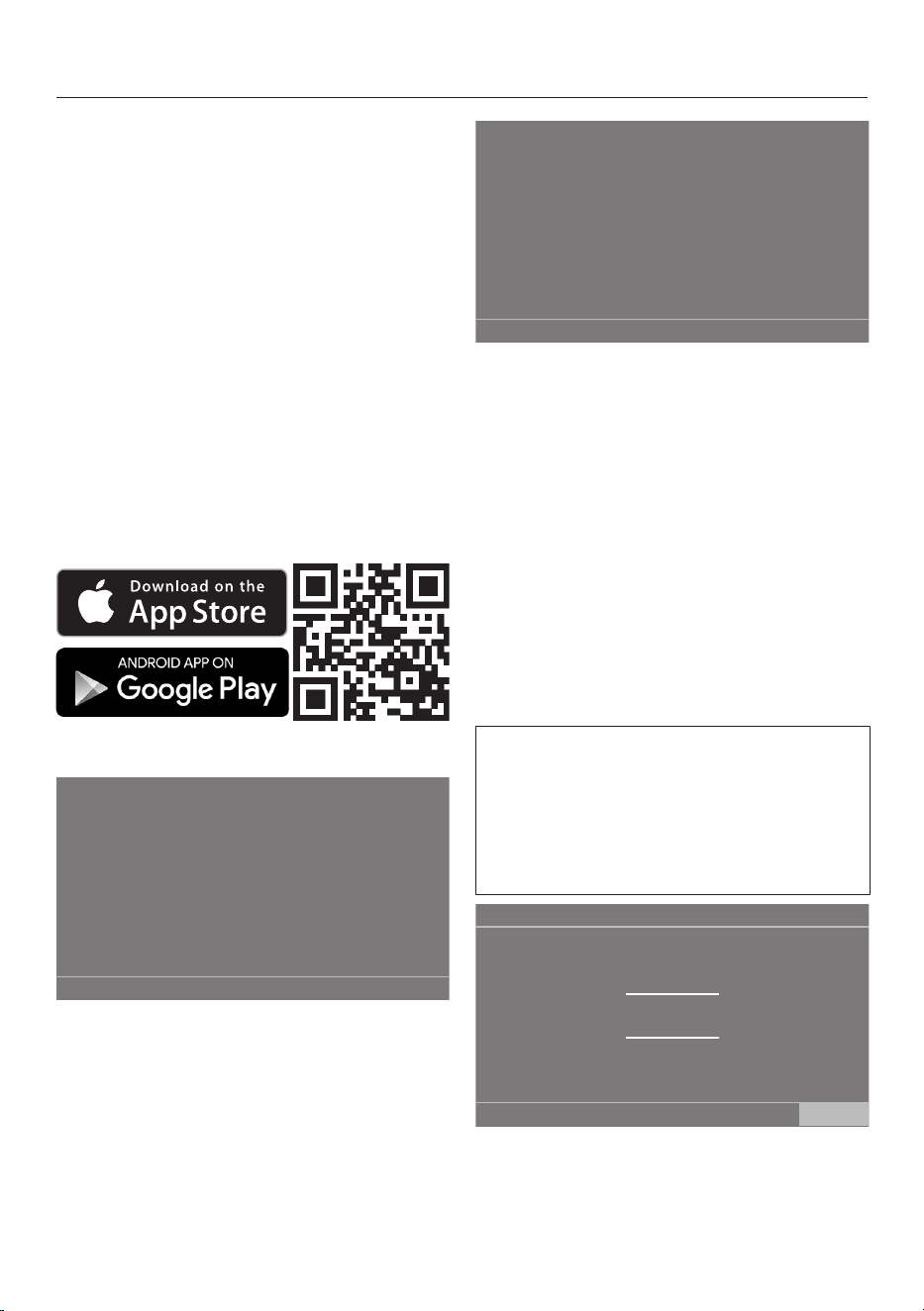
Miele App
You can download the Miele App from
the Apple App Store
®
or the Google Play
Store™ free of charge (only functional in
selected countries).
2. Setting up Miele@home
Skip
Continue
Set up “Miele@home”?
To set up Miele@home now: touch
the Continue sensor.
Useful tip: To postpone setup until
later: touch the Skip sensor. The
following message will appear in the
display:
It is possible to set up later in “Settings” /
“Miele@home”.
Confirm with the OKsensor.
Via WPS via App
Which connection method do you
want to use?
Select the connection method you
wish to use.
You will then be guided by the display
and the Miele App.
3. Setting the clock format
The time of day display can be in 12 h or
24 h clock format.
Select the clock format you want and
confirm this with the OKsensor.
The display will bring up the screen for
setting the time of day.
Setting the time of day
This message only appears if the
washing machine has not yet been
connected to a Wi-Fi network.
The time of day is set automatically if
connection is established with a Wi-Fi
network.
12 00
11 59
10 58
13 01
14 02
Clock display
OK
Place your finger on the number that
you want to change and move your
finger in the desired direction.
Confirm with the OK sensor.
18

Before using for the first time
4. Removing the transit bars
Damage resulting from failure to
remove the transit bars.
Failure to remove the transit bars can
result in damage to the washing
machine and to adjacent cabinetry or
appliances.
Remove the transit bars as described
in “Installation” in the operating
instructions.
Touch the OKsensor to confirm that
the transit bars have been removed.
The following message appears in the
display:
Remove transit bars and observe
“Warning and Safety instructions” and
“Before using for the first time” in the
operating instructions.
Confirm the message with the
OKsensor.
The display will change to the screen for
setting up TwinDos.
5. Commissioning TwinDos
Skip Continue
Set up “TwinDos”?
Touch the Continue sensor to set up
TwinDos straight away.
Useful tip: To postpone setup until
later: touch the Skip sensor. The
following message will appear in the
display:
It is possible to set up later in “Settings” /
“TwinDos”.
Confirm with the OKsensor.
Settings for compartment
The procedure below describes the
procedure for Miele UltraPhase1 and
Miele UltraPhase2. The procedure for
other detergents is similar.
No agent
Agent for comp.
Miele
UltraPhase 1
Universal
detergent
Colour
detergent
Delicates
detergent
Delicates/
Woollens
OK
11:02
Touch the Miele UltraPhase 1sensor.
19
Before using for the first time
The following message will appear in the
display:
Please enter the dosing recommendation of
your detergent for a wash with normal soiling.
Take note of your water hardness level.
The dispensing quantity for UltraPhase1
for (hardness range I) is preset.
46
45
44
47
48
Dosage for comp.
ml
OK
11:02
Confirm the preset value with the
OKsensor, or change the value.
UltraPhase1
Hardness level I 46ml
Hardness level II 58ml
Hardness level III 70ml
The following appears in the display:
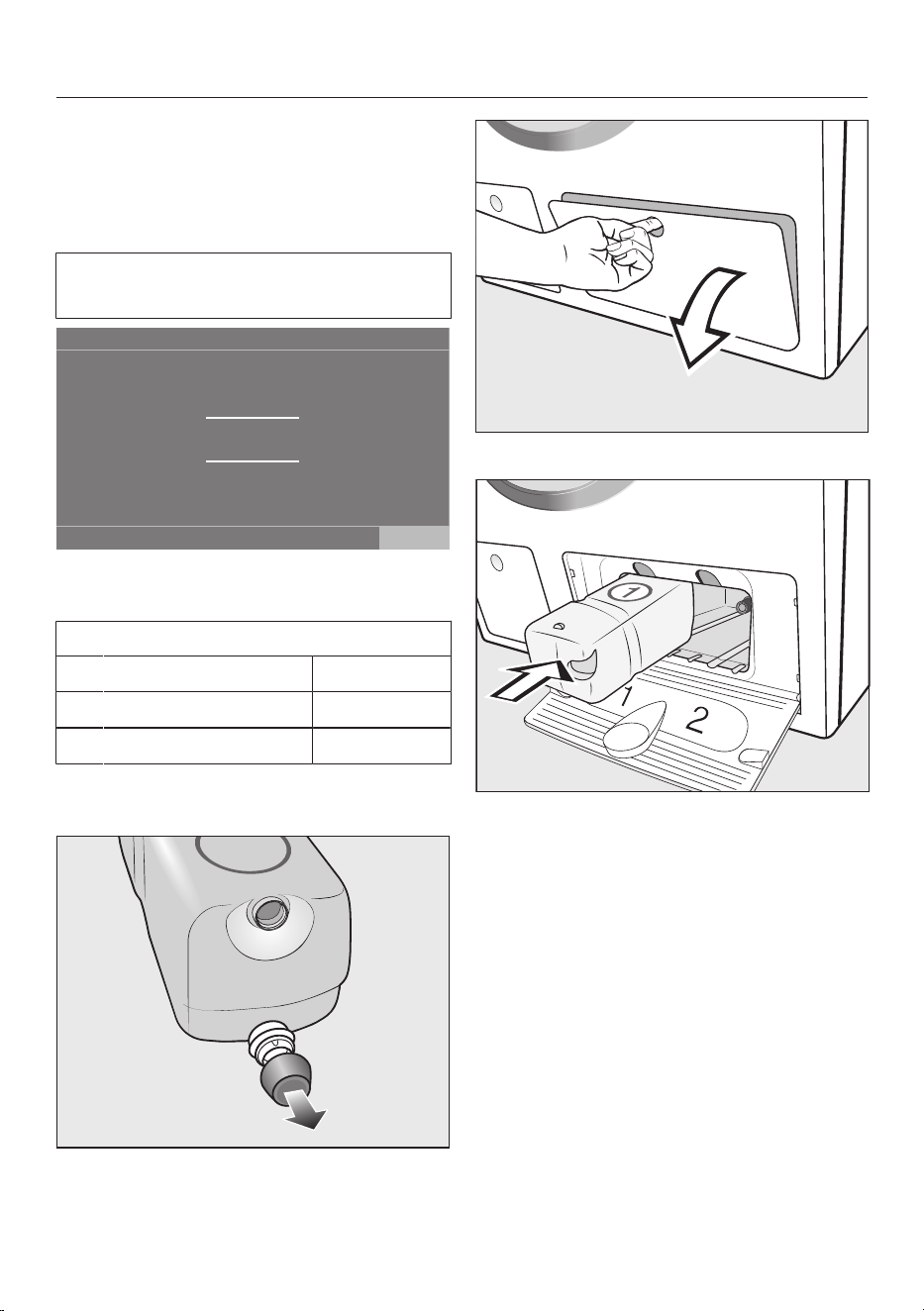
Insert container
Remove the cover cap from the
UltraPhase1 detergent cartridge
included with the delivery.
Open the access panel for TwinDos.
Push the UltraPhase1 detergent
cartridge into compartment1 until it
locks into position.
The following message will appear in the
display:
Now enter the settings for UltraPhase 2.
20
Before using for the first time
Settings for compartment
The dispensing quantity for
UltraPhase2 for (hardness range
I) is preset.
36
35
34
37
38
Dosage for comp.
ml
11:02
OK
Confirm the preset value with the OK
sensor, or change the value.
UltraPhase2
Hardness level I 36 ml
Hardness level II 45 ml
Hardness level III 54 ml
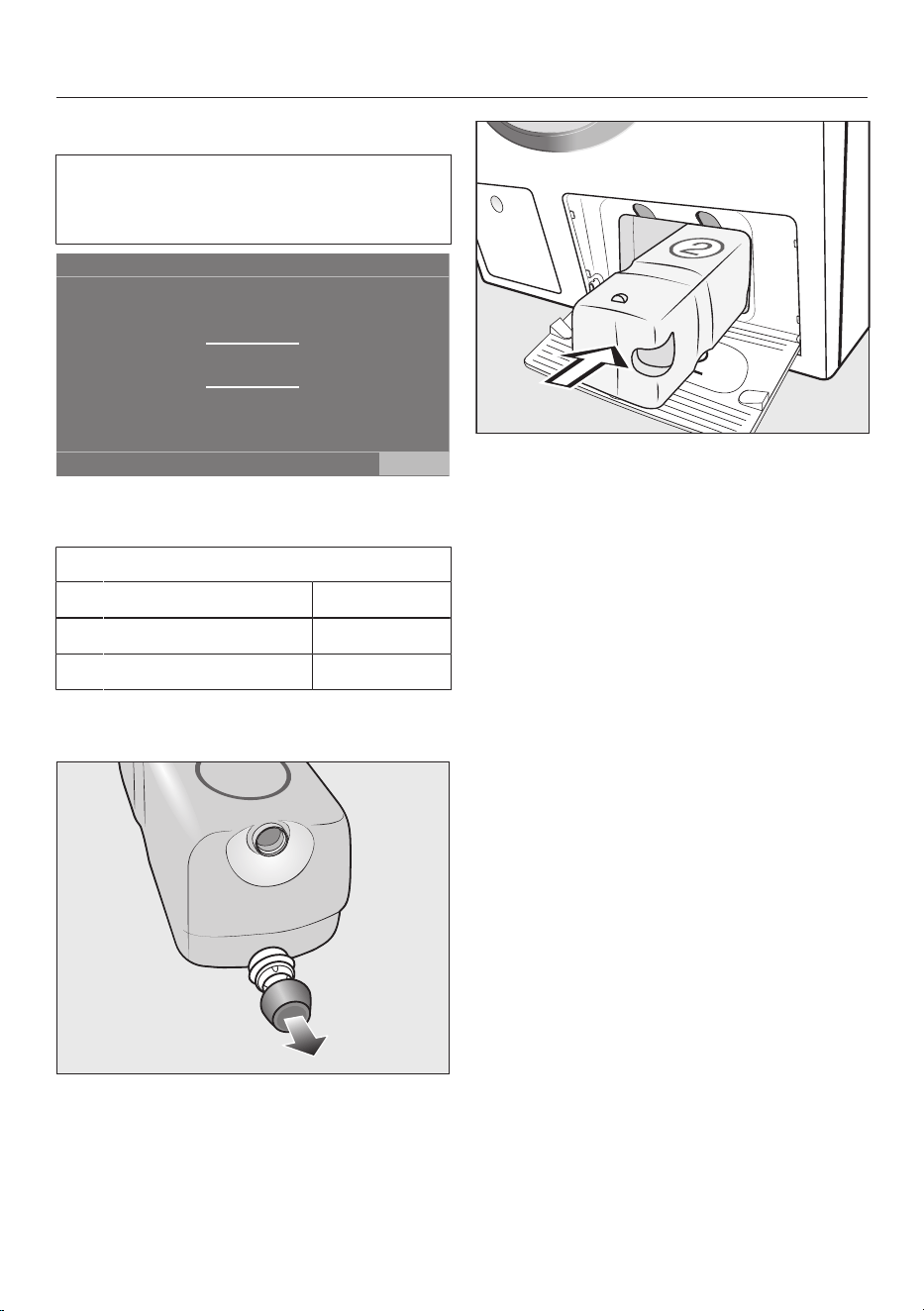
The following appears in the display:
Insert container
Remove the cover cap from the
UltraPhase2 detergent cartridge
included with the delivery.
Push the UltraPhase2 detergent
cartridge into compartment2 until it
locks into position.
When the cartridge is pushed in, the
message in the display changes to:
“TwinDos” is set up. Changes can be
made in “Settings” / “TwinDos”.
Confirm with the OK sensor.
Close the TwinDos access panel.
The display will then change to the
calibration programme.
21
Before using for the first time
6. Starting the calibration
programme
For optimum water and energy
consumption and excellent wash
results, it is important to calibrate the
washing machine.
To do this, the Cottons programme
must be run without laundry and
without detergent.
No other programmes can be started
until calibration has been carried out.
The following message appears in the
display: Turn on the tap and run the
“Cottons 90°C” programme without any
laundry
Confirm with the OK sensor.
The display will switch to the standard
display for the Cottons programme.
11:02
90 °C 1600
1:57
Cottons
h
Overview
Temperature Spin speed
TwinDos Extras
not selectedWhites
Timer Save
rpm
Touch theStart/Stop sensor.
The washing machine has an
automatic safety lock. The washing
machine can only be started within
60seconds of the last operational
step on the control panel. If the
60seconds are exceeded, the Start/
Stop sensor goes dark The following
appears in the display: Touch “OK” to
release the automatic child safety lock.
Confirm with OK. You then have
another 60seconds in which to start
the wash programme.
The calibration programme is started. It
will take approximately 2hours.
At the end of the programme the
following message will appear in the
display: Set-up completed
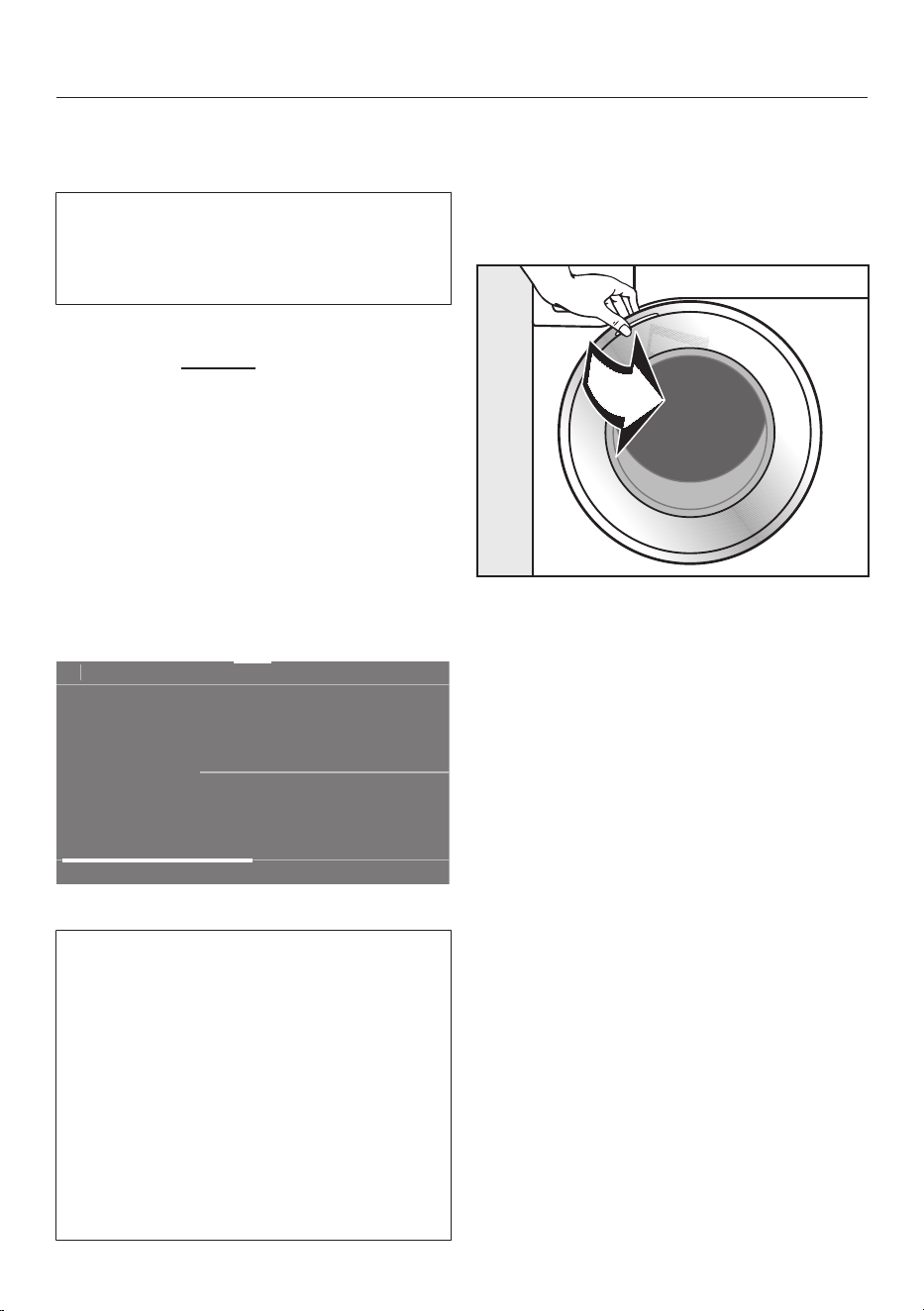
Take hold of the door and pull it open.
Useful tip: For safety reasons, close the
door when the washing machine is not
in use. Otherwise there is a danger of
objects being placed inadvertently in
the drum. If these remain unnoticed and
were washed in the next load, they
could damage the laundry. An open door
is also a danger to pets and children.
Switch the washing machine off with
the sensor.
22

Washing environmentally and economically
Energy and water consumption
- To get the most out of your machine,
load the maximum dry load size for
the wash programme you are using.
This will keep the energy and water
consumption to a minimum in relation
to the size of the load.
- Programmes that are more efficient
with regard to energy and water
consumption generally have a longer
running time. By extending the
programme running time, the wash
temperature that is actually reached
can be reduced while still providing
the same wash results.
For example, the Cottons
programme has a longer running time
than the Cottons40°C or 60°C
programme, but the Cottons
programme is more efficient in terms
of energy and water consumption.
- Use the Express 20programme for
small, lightly soiled loads.
- Modern detergents make it possible
to wash at lower temperatures (e.g.
20°C). Using lower temperature
settings will save energy.
- If energy-saving water heating
sources, such as a solar water heating
system, are used, we recommend
using the hot water connection.
Hygiene in the washing
machine
Washing at low temperatures and/or
using liquid detergents can cause
bacteria and odours to build up in the
washing machine. Miele therefore
recommends cleaning the washing
machine once every month.
When the message Hygiene info: Select
“Maintenance” and start the “Clean
machine” programme. appears in the
display, the washing machine must be
cleaned.
Information about subsequent
tumble drying
The spin speed selected affects the
residual moisture in the laundry and the
sound emissions of the washing
machine.
The higher the spin speed, the lower the
residual moisture in the laundry.
However, the sound emissions of the
washing machine will increase.
Select the highest possible spin speed
for the wash programme to save energy
in the subsequent tumble dryer cycle.
23

Washing environmentally and economically
Feedback
You can view information about the
energy and water consumption of your
washing machine with the pull-down
menu.
The following information will appear in
the display:
- An estimate of the energy and water
consumption before the programme
begins.
- The actual energy and water
consumption during the programme
or at the end of the programme.
11:02
40 °C 1600
1:57
Cottons
h
Overview
Temperature Spin speed
TwinDos Extras
not selectednot selected
Timer Save
rpm
Open the pull-down menu.
1. Estimate
The estimated energy and water
consumption levels will be displayed
as a bar chart on the right-hand side.
The more bars visible, the higher the
energy or water consumption.
The estimate will vary depending on the
wash programme, temperature and any
Extras selected.
2. Actual consumption
You can view the actual amount of
energy and water used by a
programme both during and at the end
of the programme.
The costs can also be displayed. See
“Settings - Consumption” for more
detailed information on costs.
The consumption will alter as the
programme progresses.
If the door is opened or the appliance
has switched off automatically at the
end of the programme, the data will
revert to the estimated consumption.
Useful tip: You can view the
consumption data for the last wash
programme and for total consumption
(see “Settings - Consumption”).
24
1. Preparing the laundry
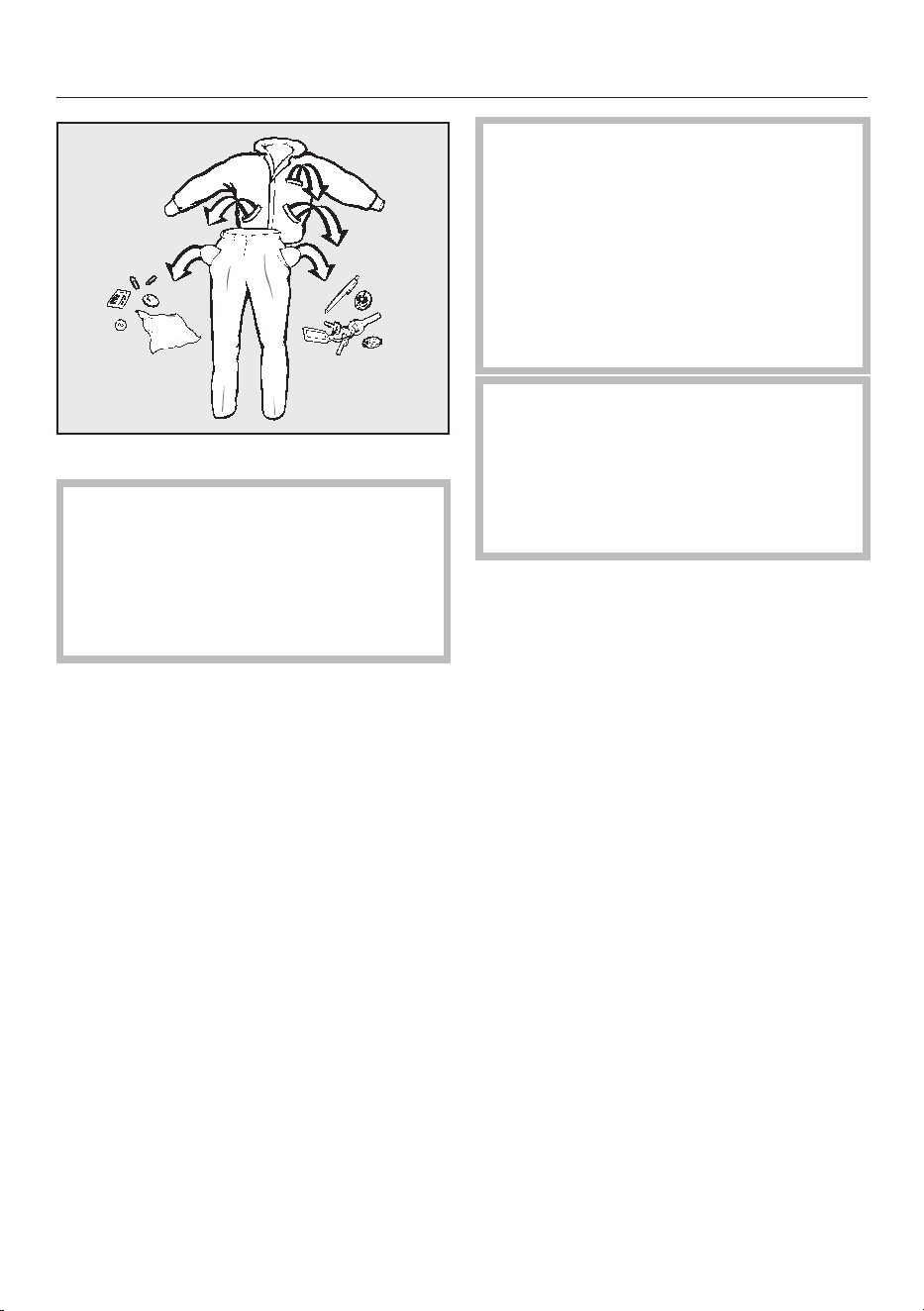
Empty all pockets.
Damage due to foreign objects.
Nails, coins, paper clips, and so on
can cause damage to garments and
components in the machine.
Check the laundry before washing
and remove any foreign objects.
Sorting the laundry
Sort the laundry by colour and by care
label. Most garments have a textile
care label in the collar or side seam.
Useful tip: Dark textiles often contain
excess dye and should be washed
separately several times before being
included in a mixed load. Always wash
white and coloured items separately.
Pre-treating stains
Badly soiled areas and stains should
be cleaned as soon as possible,
preferably whilst still fresh. Spillages
should be carefully dabbed off using a
soft, colourfast cloth. Do not rub.
Useful tip: Please refer to the Miele
website or Miele@mobile App for more
information on stain removal.
Damage due to solvent-based
cleaning agents.
Cleaning agents containing benzine,
stain remover, etc., can damage
plastic parts.
When pre-treating garments, make
sure that any plastic parts (e.g.
buttons) do not come into contact
with cleaning agent.
Risk of explosion due to solvent-
based cleaning agents.
If solvent-based cleaning agents are
used, an explosive mixture can form.
Never use solvent-based cleaning
agents in the washing machine.
General tips
- Curtains: remove lead weights first or
place in a laundry bag.
- Remove or sew in any loose
underwiring in bras or shirt collar
stiffeners.
- Close any zips, attach velcro
fasteners, fasten hooks and eyes etc.
before washing.
- Fasten duvet covers and pillow cases
to prevent small items from being
rolled up inside them.
Do not wash items which are specified
by the manufacturer as not washable
on the care label (symbol).
25

2. Selecting a programme
Switching on the washing
machine
Press the sensor.
The interior drum lighting will come on.
The drum lighting will go out
automatically after five minutes.
Useful tip: To switch the lighting on
again, open the pull-down menu from
the overview menu and then touch the
sensor.
The main menu will then appear in the
display.
Selecting a programme
Touch the Programmes sensor.
11:02
3:09
1:39
1:09
0:49
h
h h
h
Cottons
QuickPower
Wash
Delicates
Programmes
Help
Minimum iron
Scroll to the right of the display until
the programme you want appears.
Touch the sensor for that programme.
The display will change to show the
Overview menu.
11:02
40 °C 1600
2:39
Cottons
h
Overview
Temperature Spin speed
TwinDos Extras
not selectedColour
Timer Save
rpm
There are 3 further ways of selecting a
programme.
1. Favourites
2. Washing assistant
3. MobileStart
26

3. Selecting programme settings
Selecting the temperature
You can alter the preset temperature of
a wash programme.
The temperatures reached in the
washing machine may differ from the
selected temperatures. The
combination of energy input and
washing time achieves an optimum
washing result.
Touch the Temperature sensor.
Select the desired temperature.
The display will change to show the
Overview menu.
Selecting a spin speed
You can alter the preset spin speed of
a wash programme.
Touch the Spin speed sensor.
Select the spin speed you want.
The display will change to show the
Overview menu.
Activating TwinDos
TwinDos dispensing is automatically
activated for all programmes in which
dispensing is possible.
1. Switch TwinDos on or off
Touch the TwinDos sensor and select
Off or On.
2. Select the detergent
When using Miele's 2-phase system
you must set the colour of the laundry.
Select Whites for loads of white items,
or Colours for loads containing
coloured items.
If you are using a different type of
detergent, this must be selected.
Select compartment or .
Useful tip: Only those detergents that
can be used with the programme are
displayed.
3. Select the degree of soiling
The display will ask you to enter the
degree of soiling of the laundry.
Select Light, Normal or Heavy.
Confirm your selection with the
OKsensor.
Automatic dispensing is now switched
on.
The display will change to show the
Overview menu.
See “5.Adding detergent - TwinDos” for
more information.
27

3. Selecting programme settings
Selecting Extras
You can supplement the wash
programmes with Extras.
Touch the Extrassensor.
Select one or more Extras.
Not all Extras can be combined with
every programme, e.g. AllergoWash,
Extra gentle and Extra quiet. Extras that
cannot be combined are greyed out
and cannot be selected.
Confirm with the OK sensor.
The display will change to show the
Overview menu.
See “Extras” for further information.
Activating CapDosing
If you can use CapDosing with a wash
programme:
Touch the CapDosing sensor.
The types of capsules which can be
used with the programme will appear in
the display.
Select the type of capsule you want.
CapDosing is now active.
The display will change to show the
Overview menu.
See “5.Adding detergent - CapDosing”
for more information.
Selecting stains
In order to clean stained laundry more
effectively, you can choose from a list
of various types of stains. The wash
programme will then adapt to the type
of stain selected.
Touch the Stainssensor.
Select the type of stains in your load
from the list.
Confirm your selection with the
OKsensor.
With some stains, helpful information
will also appear in the display when they
are selected.
Confirm the information with the
OKsensor.
The display will change to show the
Overview menu.
Timer
You can use the Timer to set the finish
time or the start time for a wash
programme.
See “Timer” for further information.
28
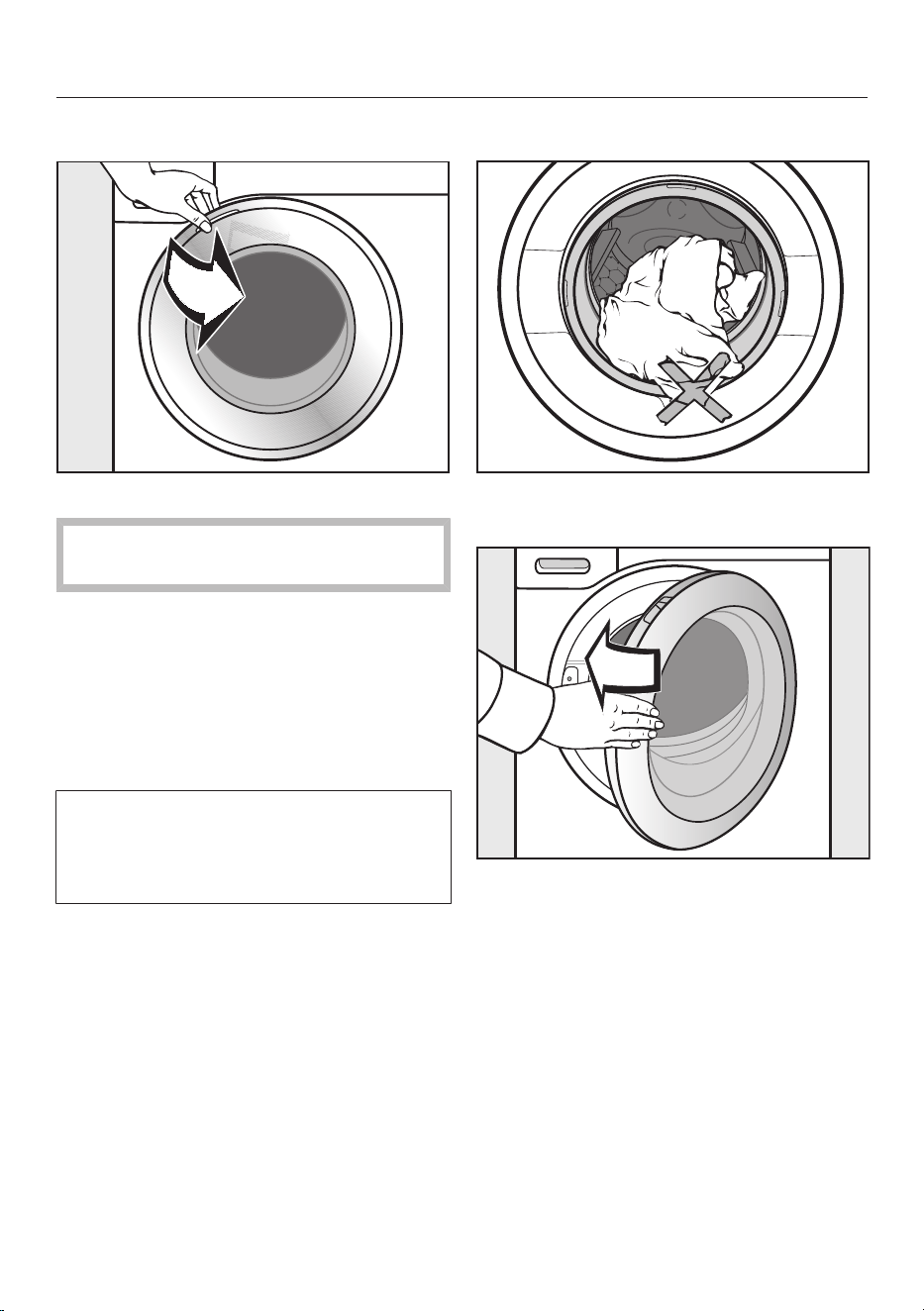
4. Loading the washing machine
Opening the door
Take hold of the door and pull it open.
Check the drum for pets or foreign
objects before loading it with laundry.
The most efficient use of energy and
water is achieved when a full load is
washed. However, do not overload as
this reduces cleaning efficiency and
causes creasing.
Unfold the laundry and load loosely in
the drum.
Mixing both large and small items
gives better wash results and also
helps distribute the load evenly during
spinning.
Useful tip: The maximum load for the
programme selected will appear in the
pull-down menu.
Closing the door
Make sure that no items are caught
between the door and the seal.
Shut the door with a gentle swing.
29
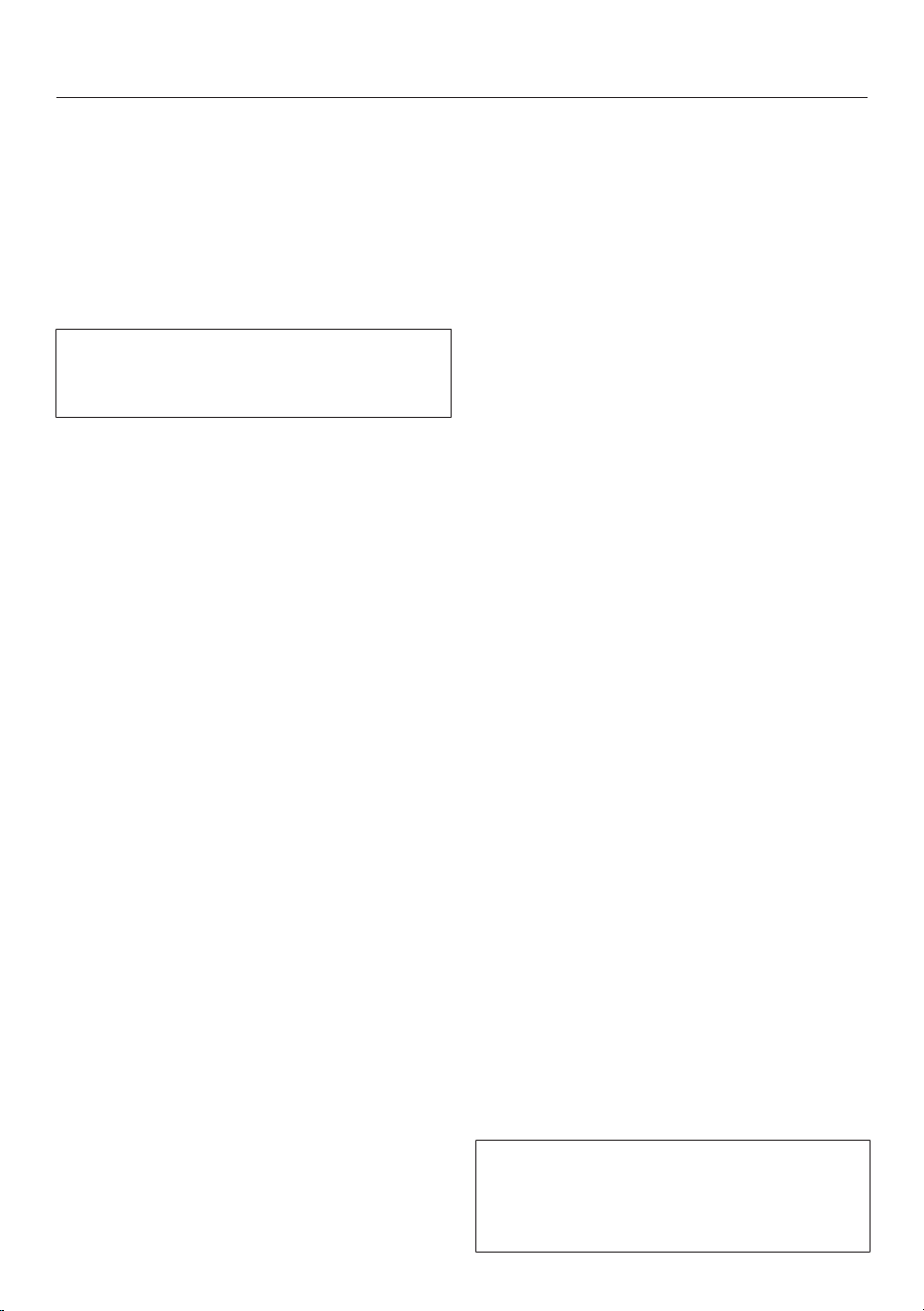
5. Adding detergent
There are several options for adding
detergent.
TwinDos
TwinDos
The washing machine is equipped with
the TwinDos system.
TwinDos has to be activated as
described in “Before using for the first
time”.
How UltraPhase1 and UltraPhase2
work
UltraPhase1 is a liquid detergent which
dissolves dirt and removes the most
common stains. UltraPhase2 is a
bleaching agent and removes stubborn
stains. For the best washing result,
these two agents are dispensed at
separate times during the wash
process. UltraPhase1 and UltraPhase2
clean white and coloured fabrics
thoroughly. UltraPhase1 and
UltraPhase2 single use cartridges are
available to order from Miele or via the
internet at shop.miele.com (see the end
of this booklet for details).
Activating TwinDos dispensing
TwinDos dispensing is automatically
activated for all programmes in which
dispensing is possible.
Useful tip: The detergent dispensing
quantities are preset. If too much foam
builds up, the dispensing quantity can
be reduced via the Settings /
Programme sequence / TwinDos menu.
Changing TwinDos dispensing
You can change the suggested colour
composition of the laundry.
Touch the TwinDossensor and select
the colour composition of your
laundry.
Deactivating TwinDos dispensing
Touch the TwinDos sensor.
Touch the Off sensor.
Using other methods to remove stains
If you wish to use additional methods of
stain removal, you have the following
options:
- Using the Booster cap and activating
CapDosing.
- Add stain remover to the
compartment.
Degree of soiling
The level of soiling in laundry is divided
into three settings:
- Light
No visible soiling or stains
- Normal
Visibly soiled and/or just a few slight
stains
- Heavy
Heavily soiled and/or stains clearly
visible.
The dispensing amount for TwinDos and
the amount of water required for rinsing
is preset for the Normal level of
soiling.
Touch the TwinDossensor to select a
different level of soiling.
The amount of detergent and water will
be adjusted to suit the selected level of
soiling.
Some programmes will not let you set
the level of soiling. These programmes
are designed for lightly soiled laundry
only.
30
5. Adding detergent
Detergent dispenser drawer
Any detergent suitable for automatic
front loading washing machines can be
used with this appliance. Please
observe the instructions for use and
dosage on the detergent packaging.
Ensure that TwinDos dispensing is
deactivated.
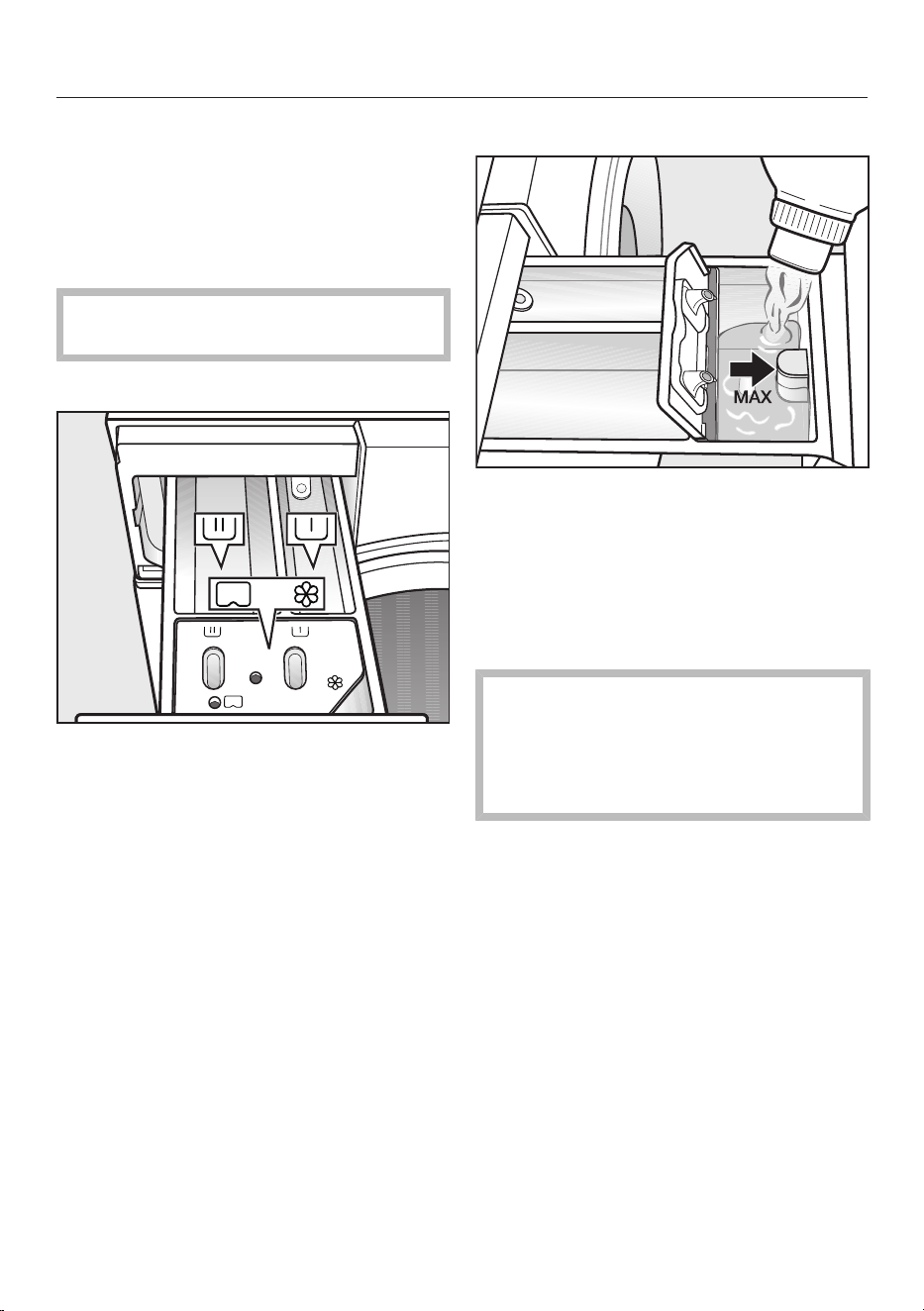
Filling with detergent
Pull out the detergent drawer and add
detergents to the compartments.
Compartments in the detergent
dispenser drawer
Detergent for the pre-wash
Detergent for the main wash and
soaking
Fabric softener, liquid starch, or
capsules
Adding fabric softener
Add fabric softener or liquid starch to
the compartment. Do not exceed
the maximum level mark.
It will be automatically dispensed in the
final rinse. At the end of the programme
a small amount of water remains in the
fabric softener compartment.
Starch can make the siphon tube
sticky.
If starching frequently, thoroughly
clean the dispenser compartment,
especially the siphon tube, regularly.
31

5. Adding detergent
Tips on dosing
Adjust the detergent dosage to the level
of soiling of the laundry and the size of
the load. Reduce the amount of
detergent with smaller loads (e.g.
reduce the amount of detergent by ⅓
when washing a half load).
Too little detergent results in:
- laundry not getting properly clean and
with time it may become grey and
hard to the touch.
- a build-up of mould in the washing
machine.
- grease not being completely removed
from the laundry.
- limescale deposits on the heater
elements.
Too much detergent results in:
- poor wash, rinse, and spin results.
- a higher water consumption as an
extra rinse cycle is automatically
activated.
- a greater burden on the environment.
Using liquid detergent with a pre-wash
Liquid detergent cannot be used for the
main wash if the pre-wash has been
selected.
Use TwinDos dispensing if you are
activating the pre-wash.
Using detergent tablets or pods
Always put detergent tablets or pods
directly in the drum with the laundry.
They cannot be added via the detergent
dispenser drawer.
See “Detergent” for further information
on detergents and dosage.
CapDosing
If you selected CapDosing when setting
the programme, detergent will be
dispensed via the capsule for this wash
programme.
Only one capsule can be selected per
wash programme.
Three different types of capsule are
available:
= Fabric care (e.g. fabric
softener)
= Additives (e.g. detergent
enhancers)
= Detergent (for the main wash
only)
Depending on the setting selected, the
detergent, additive or fabric care agent
will be dispensed via the capsule.
Each capsule contains the correct
amount for one wash cycle.
Capsules are available to order from
Miele or from the Miele online shop
(see the end of this booklet for contact
details).
Capsules pose a health risk.
The ingredients of capsules can be
hazardous to health if they are
swallowed or come into contact with
skin.
Keep capsules out of the reach of
children.
32
5. Adding detergent
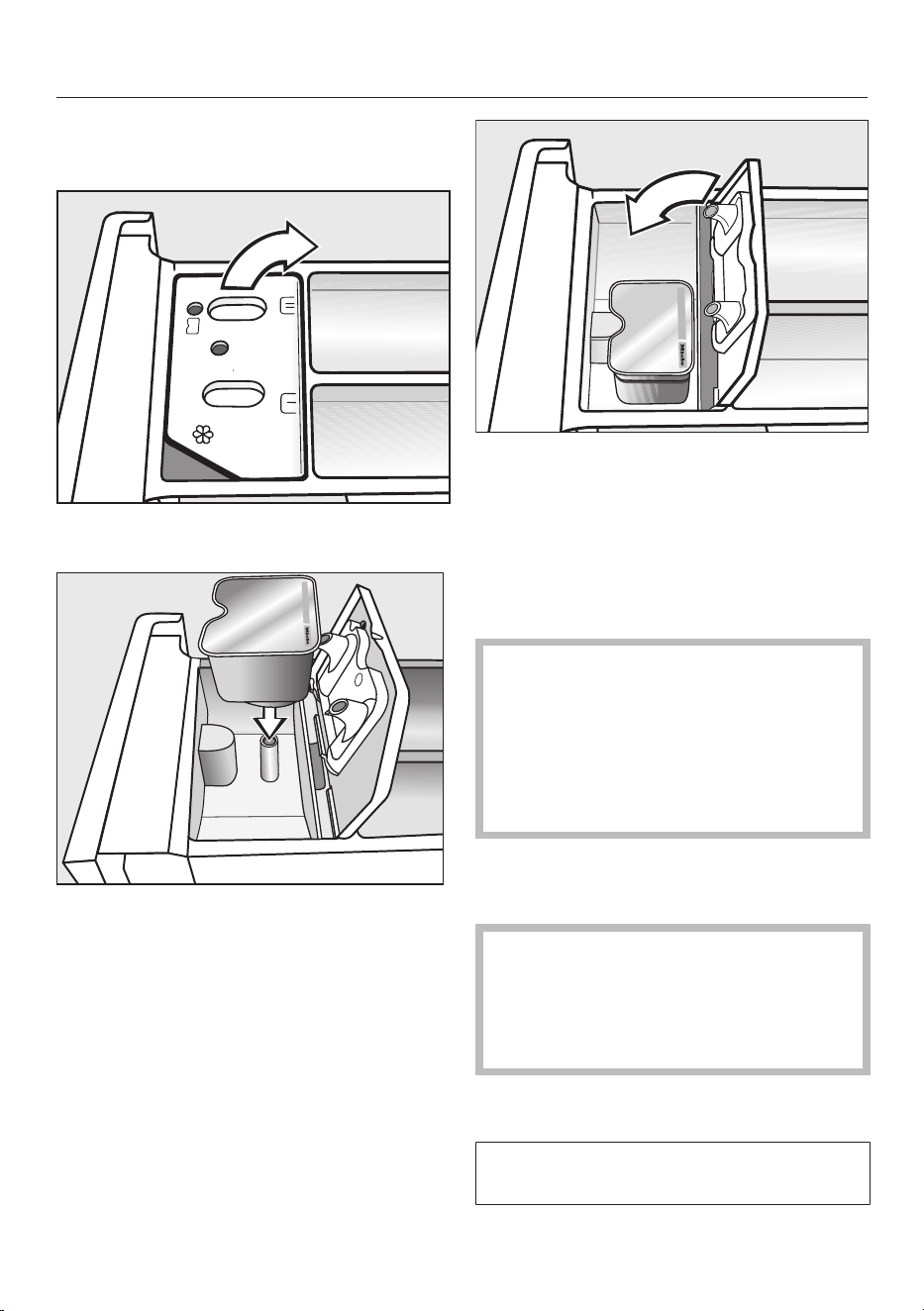
Inserting a capsule
Open the detergent dispenser drawer.
Open the lid of the /
compartment.
Press the capsule in firmly.
Close the lid and press it firmly shut.
Close the detergent dispenser drawer.
Useful tip: TwinDos dispensing is
switched off automatically when a
capsule is selected for the main
wash. The indicator for TwinDos
dispensing remains visible in the display.
The capsule is opened by the act of
inserting it in the detergent dispenser
drawer. The contents can run out of
the capsule if you then remove it
from the drawer before it is used.
In this case, dispose of the capsule
and do not re-use it.
The wash programme will dispense the
contents of the capsule at the correct
time.
Water intake to the compartment
is solely via the capsule.
No additional fabric softener may be
added to the compartment when
using a capsule.
Remove the empty capsule at the end
of the programme.
For technical reasons a small amount
of water will remain in the capsule.
33

6. Starting the programme
Starting a programme
Automatic safety lock
The washing machine has an
automatic safety lock. The washing
machine can only be started within
60seconds of the last operational
step on the control panel. If the
60seconds are exceeded, the Start/
Stop sensor goes dark The following
appears in the display : Touch “OK” to
release the automatic child safety lock.
Confirm with OK. You then have
another 60seconds in which to start
the wash programme.
Touch the Start/Stop sensor.
The door will lock and the programme
will start.
The programme status will appear in the
display.
11:02
Cottons
Status
Time left
h2:27
Main wash
Add laundry
The washing machine will keep you
updated on the programme status and
the time remaining for the programme
to run.
If a Delay start time has been selected,
this will count down in the display until
the programme starts.
The drum lighting switches off once the
programme has started.
Energy savings
After 10minutes the indicators will dim.
The Start/Stop sensor flashes slowly.
You can reactivate the indicators:
To do this, touch the Start/Stop
sensor (this does not have any effect
on a running programme).
Adding or removing laundry
during a programme sequence
(AddLoad)
Laundry can be added or removed until
shortly before the end of the
programme.
Touch the Add laundrysensor.
The following appears in the display:
Please wait
The programme will stop and the door
will unlock.
The following appears in the display:
11:02
Cottons
Status
Add laundry
The door can be opened.
Open the door and add or remove
laundry.
Close the door.
Touch the Start/Stop sensor.
The wash programme will continue.
Laundry cannot usually be added or
removed if:
- The suds temperature is above 55°C
- The water inside the drum is above a
certain level
34
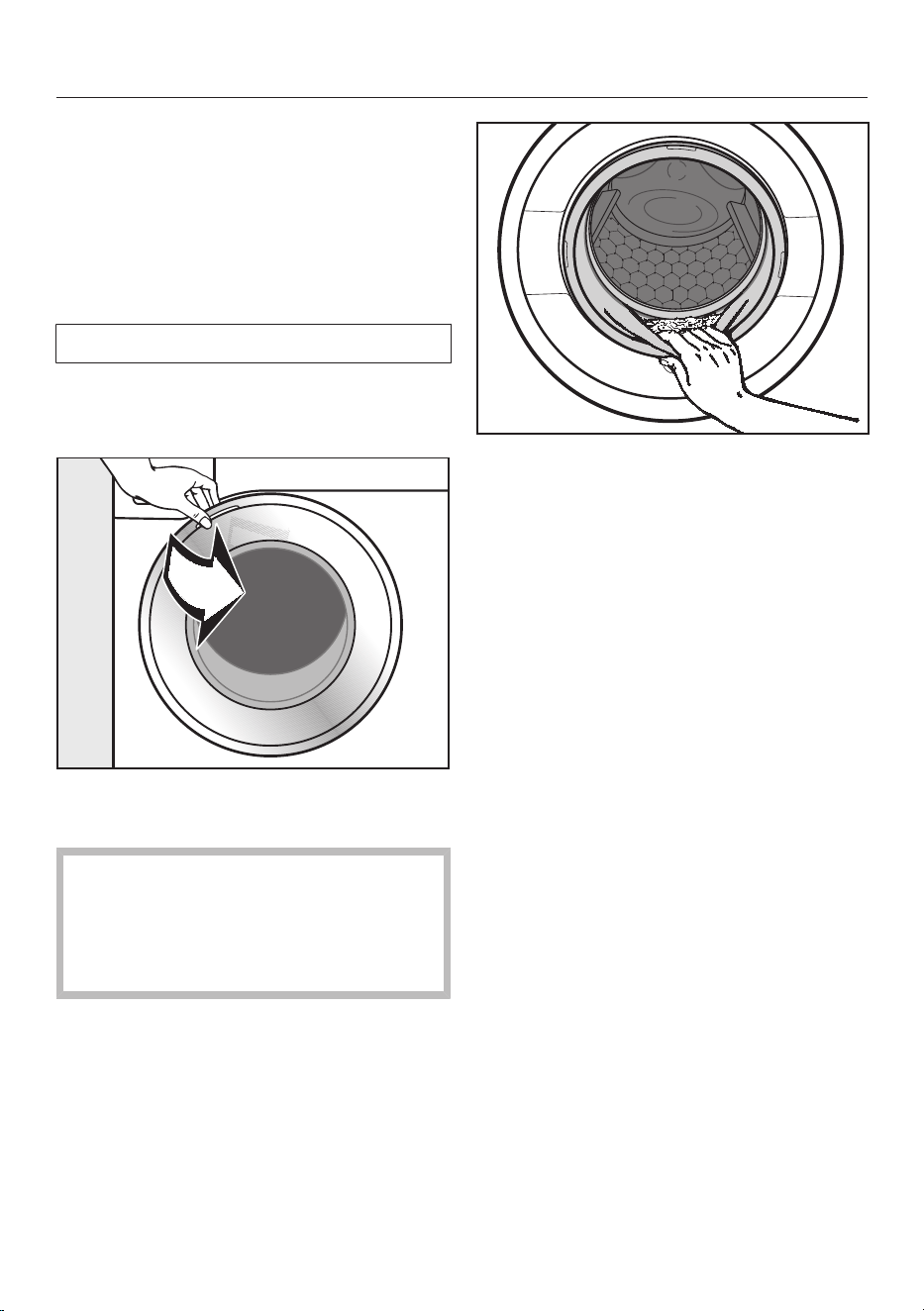
7. At the end of the programme
At the end of the programme
The door remains locked during the
Anti-crease phase and Finish/Anti-crease
and Unlock with “Start/Stop” appear in the
display.
Touch the Start/Stop sensor. The
door will be unlocked.
The interior drum lighting will come on.
Useful tip: The door unlocks
automatically at the end of the Anti-
crease phase.
Take hold of the door and pull it open.
Remove the laundry.
Items left in the drum could discolour
other items in the next wash or
become discoloured themselves.
Check that all items have been
removed from the drum.
Check the folds in the door seal for
any small articles, e.g. buttons, which
might be lodged there.
Useful tip: For safety reasons, close the
door when the washing machine is not
in use. Otherwise there is a danger of
objects being placed inadvertently in
the drum. If these remain unnoticed and
were washed in the next load, they
could damage the laundry. An open door
is also a danger to pets and children.
Switch the washing machine off with
the sensor.
If applicable, remove the used
capsule from the detergent dispenser
drawer.
Useful tip: Leave the detergent
dispenser drawer slightly open to allow
it to dry.
35
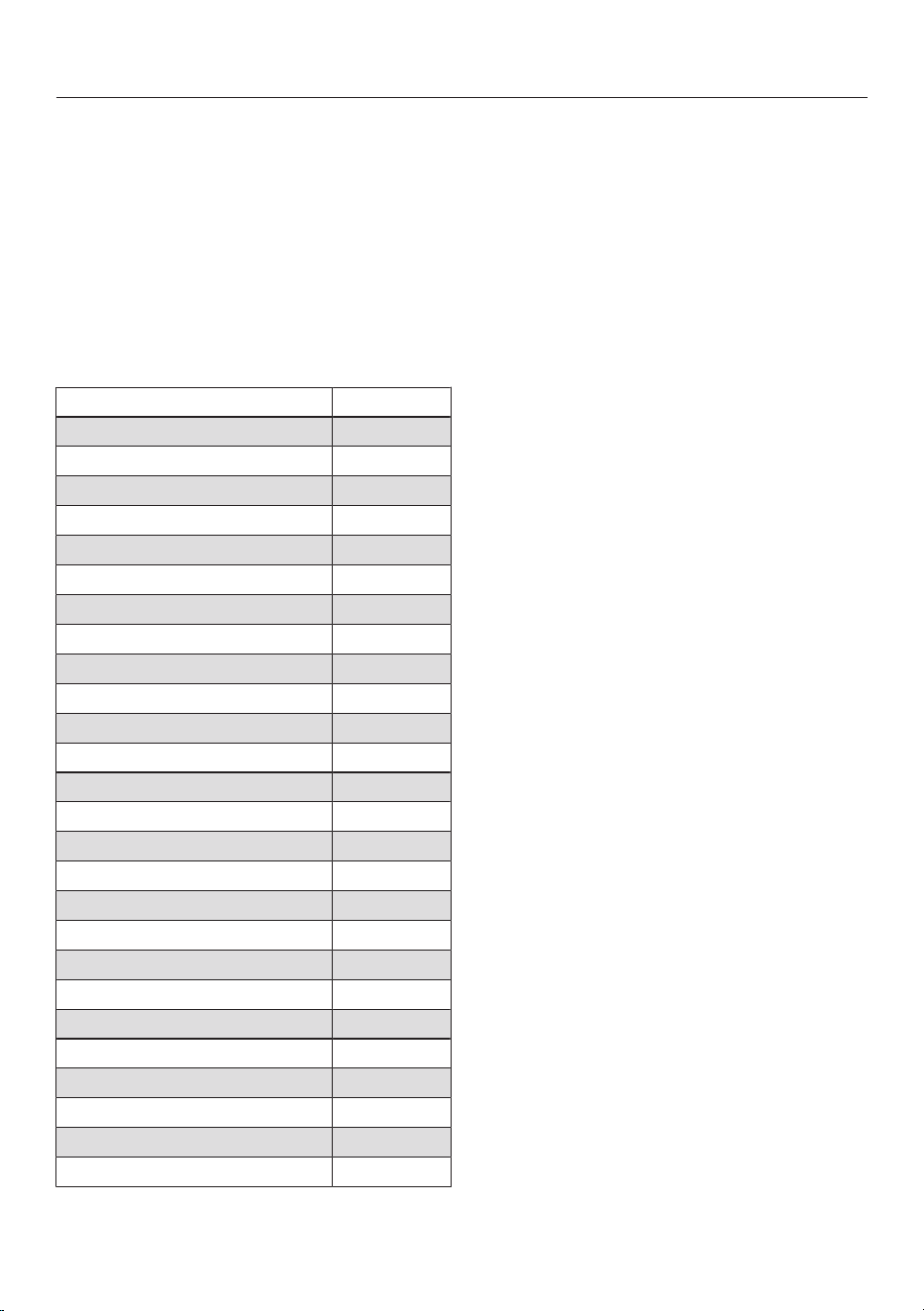
Spinning
Final spin speed in the
programme
When a programme is selected, the
optimum spin speed for this wash
programme will appear in the display.
A faster spin speed can be selected for
certain wash programmes.
The highest selectable spin speed is
indicated in the table.
Programme rpm
Cottons 1600
Minimum iron 1200
Delicates 900
QuickPowerWash 1600
Automatic plus 1400
Woollens 1200
Silks 600
Express 20 1200
Shirts 900
Denim 900
Dark garments 1200
Sportswear 1200
Trainers 600
Outerwear 800
Proofing 1000
Down filled items 1200
Down duvets 1200
Pillows 1200
Cottons hygiene 1600
Curtains 600
First wash 1200
Separate rinse 1600
Starch 1200
Drain/Spin 1600
Cottons 1600
Clean machine 600
Omitting the final spin (Rinse
hold)
Select the Rinse hold Extra.
If Rinse hold is selected, the laundry
remains in the water following the final
rinse cycle. This helps prevent creasing
if the laundry is not going to be removed
from the drum immediately after the
end of the programme.
Ending a programme with a spin cycle
The wash programme is set to the
optimum spin speed. You can change
the spin speed.
Touch the Change spin speedsensor.
Select the desired spin speed.
Start the final spin with the Start/
Stop sensor.
Ending a programme without a spin
cycle
Touch the Change spin speedsensor.
Select Spin speed 0rpm (no spin).
Touch the Start/Stop sensor.
Rinse and interim spin
There is a spin cycle after the main wash
and between the rinses. A reduction in
the final spin speed will also reduce the
interim spin speed.
Omitting interim spin and the
final spin
Touch the Spin speed sensor.
Select the 0 rpm setting.
After the last rinse, the water will be
pumped away and the Anti-crease
phase will switch in.
In some programmes an additional rinse
is introduced with this setting.
36
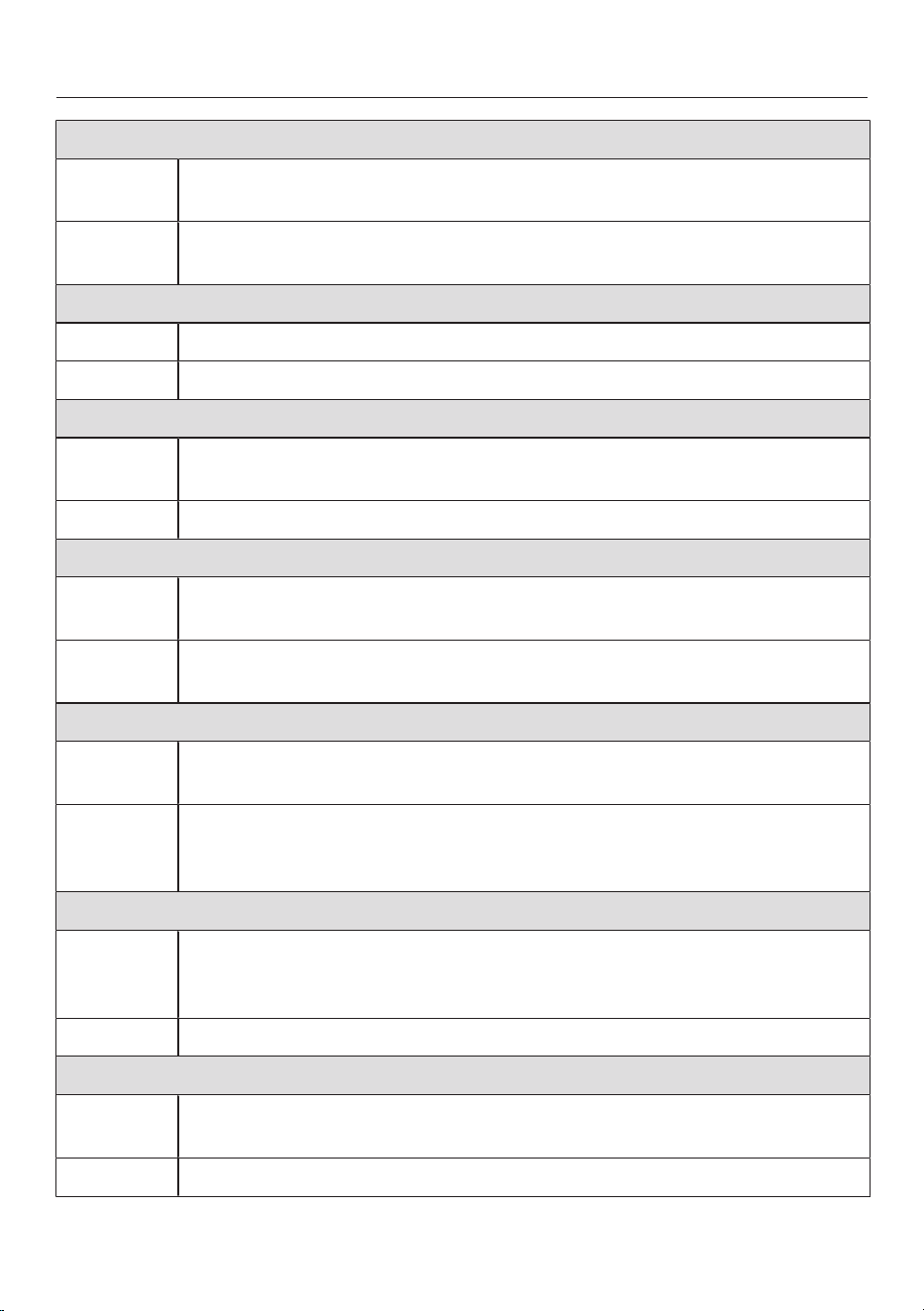
Programme chart
Cottons Cold to 90°C Max. load 9.0 kg
Items Cottons, linens or cotton mix fabrics, e.g. table linen, towelling,
underwear, T-shirts etc.
Notes Where particularly high levels of hygiene are required, please select a
temperature of 60°C or higher.
Minimum iron Cold to 60°C Max. load 4.0 kg
Items Synthetic, mixed fibre and easy care cotton.
Notes Reduce the spin speed for fabric that creases easily.
Delicates Cold to 60°C Max. load 3.0 kg
Items Delicate garments made from synthetic fibre, mixed fibre, rayon and
viscose.
Notes For items which crease easily, deselect the spin.
QuickPowerWash 40°C – 60°C Max. load 4.0 kg
Items Moderately soiled garments which are also suitable for washing in
the Cottons programme.
Notes A special saturation process and wash rhythm ensure that the
laundry is cleaned particularly quickly and thoroughly.
Automatic plus Cold to 40°C Max. load 6.0 kg
Items Mixed loads of garments sorted according to colour which are
suitable for the Cottons and Minimum ironprogrammes.
Notes The wash parameters (e.g. water level, wash rhythm and spin speed)
are adjusted automatically in this programme to ensure the best
possible care and wash result for each item.
Woollens Cold to 40°C Max. load 2.0 kg
Items Machine-washable or hand-washable wool or wool blend fabric. If
the care label does not specify a temperature, wash using the cold
setting.
Notes Reduce the spin speed for fabrics that crease easily.
Silks Cold to 30°C Max. load 1.0 kg
Items Silks and other hand-washable fabrics with no wool content, e.g.
satin, lace and silk.
Notes Place stockings and bras etc. in a laundry bag.
37
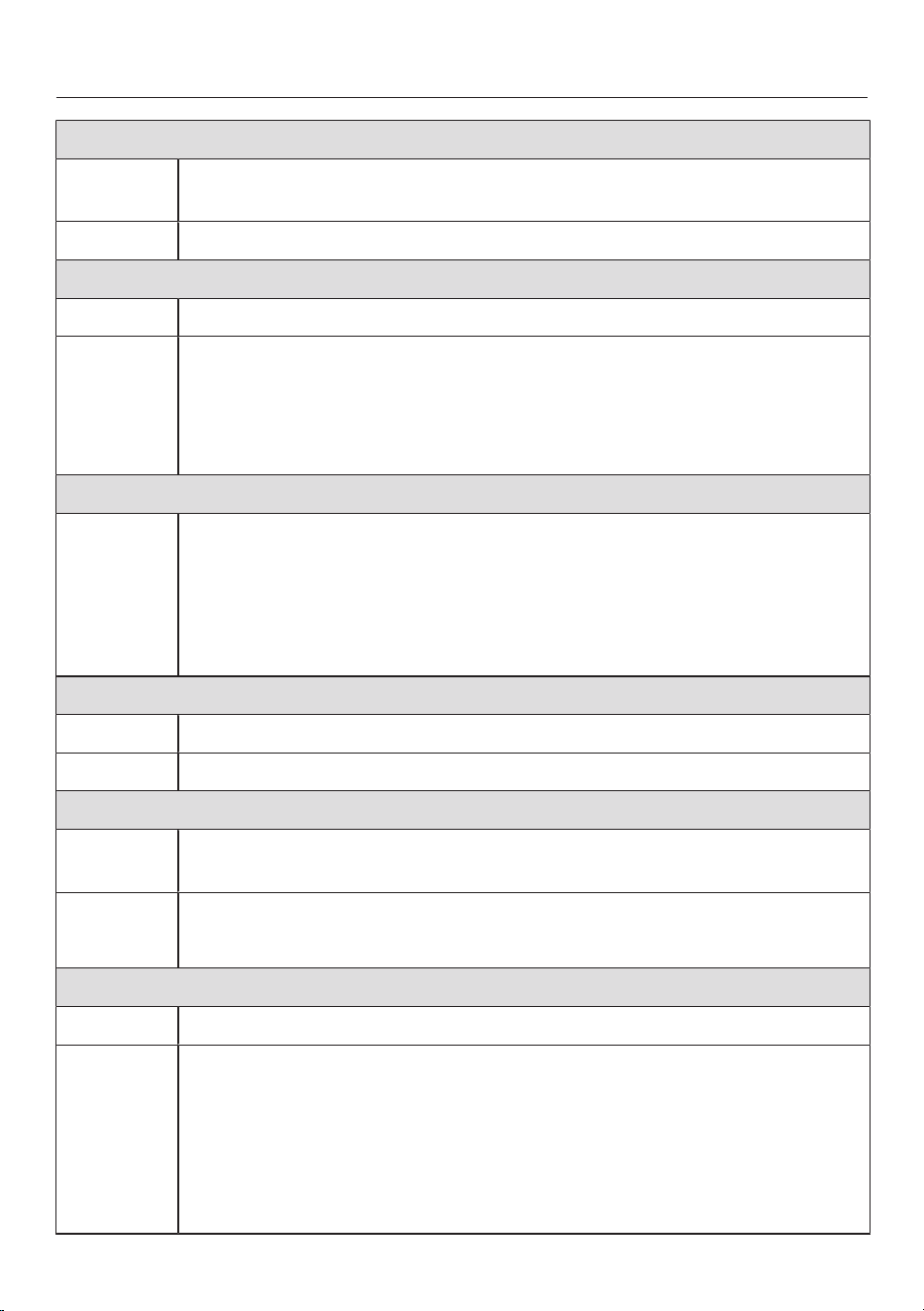
Programme chart
Express 20 Cold to 40°C Max. load 3.5 kg
Items Cotton garments that have hardly been worn or are only very lightly
soiled.
Notes The QuickExtra is activated automatically.
Shirts Cold to 60°C Max. load 1.0kg/2.0kg
Items Shirts and blouses made of cotton and mixed fibre.
Notes - Pre-treat collars and cuffs if necessary.
- Wash silk shirts and blouses in the Silksprogramme.
- If the preset Pre-ironingExtra is switched off, the maximum load
capacity is increased to 2.0kg.
Denim Cold to 60°C Max. load 3.0 kg
Notes - Wash denim inside-out.
- Dark textiles often contain excess dye and should be washed
separately several times before being included in a mixed load.
Wash light and coloured items separately.
- Close any zips, do up buttons etc. before washing.
Dark garments Cold to 60°C Max. load 3.0 kg
Items Black and dark items made of cotton or mixed fibres
Notes Wash inside out.
Sportswear Cold to 60°C Max. load 3.0 kg
Items Sportswear such as jersey shirts and leggings, and microfibre and
fleece garments.
Notes - Do not use fabric softener.
- Observe the instructions on the care label.
Trainers Cold to 40°C Max. 2 pairs of shoes
Items Sport shoes only (not leather shoes)
Notes - Observe the instructions on the care label.
- Brush coarse soiling off before washing.
- Close Velcro fasteners.
- Do not use fabric softener.
- Use the drying basket for tumble drying.
38
Programme chart
Outerwear Cold to 40°C Max. load 2.5 kg
Items Performance outerwear (e.g. jackets and trousers) made from
membrane fabric such as Gore-Tex®, SYMPATEX®,
WINDSTOPPER®, etc.
Notes - Close any zips and Velcro fasteners before washing.
- Do not use fabric softener.
- If required, these items can also be reproofed using the
Proofingprogramme. Reproofing after each wash cycle is not
recommended.
Proofing 40°C Max. load 2.5 kg
Items Treating microfibre fabric, ski wear or table linen made from mainly
synthetic fibres to provide a finish that is resistant to water and dirt.
Notes - The items should be freshly laundered and spun or dried before
proofing.
- For best results, the items should be heat-treated afterwards. This
can be achieved by drying them in the tumble dryer or by ironing
them.
Down filled items Cold to 60°C Max. load 2.0 kg
Items Jackets, sleeping bags, pillows and other down-filled items.
Notes - Remove air from the items before washing to prevent an excessive
build-up of foam. To do this, either push the items into a narrow
laundry bag to compress them or tie the items together with a
washable strap.
- Observe the instructions on the care label.
Down duvets Cold to 60°C Max. load 2.5kg
1 down duvet
2.20mx2.00m
Items Quilts, duvets and pillows with feather or down filling.
Notes - Remove air from the items before washing to prevent an excessive
build-up of foam. To do this, either push the items into a narrow
laundry bag to compress them or tie the items together with a
washable strap.
- Observe the instructions on the care label.
39
Programme chart
Pillows Cold to 60°C 2 pillows (40 x 80 cm) or
1 pillow (80 x 80 cm)
Items Washable pillows with synthetic filling.
Notes - Remove air from the items before washing to prevent an excessive
build-up of foam. To do this, either push the items into a narrow
laundry bag to compress them or tie the items together with a
washable strap.
- Observe the instructions on the care label.
Cottons hygiene 60°C to 90°C Max. load 9.0kg
Items Cotton or linen with direct skin contact or for which special hygiene
requirements apply, e.g. underwear, bed linen, encasing products.
Notes - Safe removal of viruses and bacteria in combination with the
AllergoWash Extra and detergent dispensing via TwinDos with
UltraPhase 1 and 2. Tested and confirmed by Albstadt-Sigmaringen
University.
- Temperature holding times are longer than in the
Cottonsprogramme.
- Observe the instructions on the care label.
Curtains Cold to 40°C Max. load 2.0 kg
Items Curtains, including net curtains, specified as machine-washable by
the manufacturer.
Notes - To remove dust, the Pre-wash Extra is selected automatically.
- For curtains which crease easily, reduce the spin speed or deselect
the spin.
- Remove weights from curtains.
First wash Cold to 40°C Max. load 2.0 kg
Items New items made of cotton, towelling and polyester fabric.
Notes Use this programme to wash any manufacturing residues out of new
items.
Separate rinse Max. load 8.0 kg
Items For rinsing hand-washed items
Notes Reduce the spin speed for items which crease easily.
40
Programme chart
Starch Max. load 8.0 kg
Items For starching table cloths, serviettes and workwear
Notes - Reduce the spin speed for items which crease easily.
- Laundry that is to be starched should be washed but not treated
with fabric softener.
Drain/Spin –
Notes - Drain: Set the spin speed to 0rpm.
- Make sure you select the appropriate spin speed.
Cottons Max. load 9.0 kg
Items Cottons, linens or cotton mix fabrics, e.g. table linen, towelling,
underwear, T-shirts etc.
Notes With the actual wash temperature reached will be lower than
60°C although the wash performance is the same as with the
standard Cottons 60°C programme.
Cottons Max. load 9.0 kg
Items Normally soiled cotton garments.
Notes These settings are the most efficient in terms of energy and water
consumption for washing cottons.
Note for test institutes:
Energy labelling programme according to AS/NZS 2040.1 & AS/NZS 2040.2
(refer to www.energyrating.gov.au website for consumption data).
The TwinDos system must be switched off during the tests. The detergent must
be added via the detergent dispenser drawer.
41

Programme chart
Maintenance
The washing machine has two maintenance programmes.
1. Clean machine for cleaning the washing machine.
2. Clean “TwinDos” for maintenance of the TwinDos compartments /. See
“Cleaning and care – TwinDos maintenance” for more details.
Clean machine 85°C No load
With frequent washing at low temperatures there is a danger of a build-up of
bacteria in the washing machine.
Cleaning the washing machine will significantly reduce bacteria, mould, and
biofilm, and prevent the build-up of unpleasant odours.
Notes - Optimum results can be achieved by using Miele’s IntenseClean
washing machine cleaner. Alternatively, a universal powder
detergent can be used.
- Dispense the washing machine cleaner or universal detergent
directly in the drum.
- Do not load any laundry. The drum must be empty for the machine
maintenance wash.
42

Extras
You can use the Extras sensor to
augment the wash programmes.
Quick
The programme duration is reduced.
Mechanical action and energy usage are
increased.
Water plus
The water level in the main wash and
the rinse cycles is increased.
You can select by how much the water
level is increased (see “Settings - Water
plus level”).
Extra rinse
An additional rinse cycle can be carried
out to give a better rinse result.
SingleWash
For efficiently washing a very small load
(<1kg) in a normal wash programme.
The wash duration is reduced.
Please note the following advice:
- Use liquid detergent.
- Reduce the dosage to a maximum of
50% of the amount quoted for a ½
load.
Pre-ironing
In order to reduce creasing, the laundry
undergoes a smoothing process at the
end of the programme. For optimal
smoothing reduce the maximum load by
50%. Follow the instructions in the
display. Small loads achieve a better
result.
The garments must be suitable for
drying in a tumble dryer and
suitable for ironing .
Pre-wash
For laundry with large amounts of dirt,
e.g. dust and sand.
Soak
For heavily soiled fabrics with protein
stains.
A duration of between 30minutes and
6hours can be selected in 30-minute
increments for the soak process. See
“Settings” for more information.
The factory default setting is 30
minutes.
Intensive
For hard-wearing laundry that is very
heavily soiled. Cleaning efficiency is
increased through more intense
mechanical action and the application of
more heat energy.
AllergoWash
This option should be used where high
standards of hygiene are required. More
energy is used to lengthen temperature
holding times and more water is used to
increase rinsing efficiency. The items
must be suitable for drying in a tumble
dryer and suitable for ironing
.
Extra gentle
Drum rotation and wash duration are
reduced. Lightly soiled fabrics are
washed more gently.
43

Extras
Extra quiet
This option reduces noise levels during
the wash programme. Use this if you
want to wash during quiet periods (for
instance when children are sleeping).
The final spin is automatically reduced
to (Rinse hold). The programme
duration is increased.
Rinse hold
The laundry is not spun after the final
rinse and remains in the rinse water.
This helps prevent creasing if the
laundry is not going to be removed from
the drum immediately after the end of
the programme.
Not all the Extras can be used with
every programme. If an Extra is not
permitted for a wash programme, it
will not be shown in the display. See
“Wash programme chart - Extras”.
44
Wash programme chart - Extras
Quick
Water plus
Extra rinse
SingleWash
Pre-ironing
Pre-wash
Soak
Intensive
AllergoWash
Extra gentle
Extra quiet
Rinse hold
Cottons
Minimum iron
Delicates –
QuickPowerWash – – – – – – – –
Automatic plus –
Woollens – – – – – – – – –
Silks – – – – – – – – –
Express 20 – – – – – – – – –
Shirts –
Denim –
Dark garments –
Sportswear –
Trainers – – – – – – – – –
Outerwear – – – –
Proofing – – – – – – – – – – –
Down filled items – – – –
Down duvets – – – –
Pillows – – – –
Cottons hygiene – –
Curtains – – –
First wash – – – – –
Separate rinse – – – – – – – – – –
Starch – – – – – – – – – –
Cottons
= can be selected
– = cannot be selected
45
Programme sequence
Main wash Rinse Spin
Water
level
Wash
rhythm
Water
level
Rinses
Cottons 2-5
1,2,3
Minimum iron 2-4
2,3
Delicates 2-4
2,3
QuickPowerWash 2
Automatic plus 2-4
2, 3
Woollens 2
Silks 2
Express 20 1
Shirts 3-4
3
Denim 2-4
2,3
Dark garments 3-5
2,3
Sportswear 2-3
3
Trainers 2
Outerwear 3-4
3
Proofing – 1
Down filled items
4
3-4
3
Down duvets 3-4
3
Pillows
4
3-4
3
Cottons hygiene 2-5
1,2,3
Curtains 3-4
3
First wash 2-3
3
Separate rinse – – 2
Starch – –
Cottons 2-5
2,3
46

Programme sequence
= low water level
= medium water level
= high water level
= intensive rhythm
= normal rhythm
= sensitive rhythm
= ultra sensitive rhythm
= handwash rhythm
= carried out
– = not carried out
This washing machine has fully
electronic controls with automatic load
control. The washing machine takes in
the right amount of water required for
the programme depending on the
amount of laundry and its absorbency
rate.
The programme sequences outlined in
the chart are based on the basic
programme with a full load.
The washing machine programme
sequence display shows which stage of
the programme has been reached.
Special features in the
programme sequence
Anti-crease:
At the end of the programme the drum
continues to turn at intervals for up to
30minutes to help prevent creasing.
Exception: There is no anti-crease phase
in the Woollens and Silks
programmes.
The door can be opened at any time
during the anti-crease phase.
1
If a temperature of 60°C or higher is
selected, two rinses are carried out. If
a temperature of less than 60°C is
selected, three rinses are carried out.
2
An additional rinse is carried out if:
- there is too much foam in the drum.
- a spin speed lower than 700rpm has
been selected.
3)
An additional rinse is carried out if:
- The Extra rinse Extra has been
selected.
4)
Run-up to spin: A run-up to spin is
carried out before the wash process
begins to deflate down-filled items.
Subsequent water intake for the main
wash is through compartment .
47

Programme sequence
PowerWash
PowerWash is a washing technique
developed by Miele. It is activated in the
following programmes:
- Cottons (with small and medium-
sized loads)
- ECO 40-60 (with small and medium-
sized loads)
- Minimum iron
- Shirts
- Automatic plus
- Delicates
- Cottons (with small and
medium-sized loads)
How it works
Conventional washing techniques wash
with more water than the laundry can
absorb. This total volume of water
needs to be heated.
The PowerWash washing technique
only uses slightly more water than the
laundry can absorb. The water which
has not been absorbed by the laundry
heats up the drum and the laundry and
is sprayed into the laundry over and over
again. This reduces the amount of
energy used.
Activation
PowerWash is activated automatically
in the programmes listed above.
PowerWash is deactivated if:
- The selected final spin speed is less
than 600rpm
- CapDosing (, ) has been selected
for the main wash
- The wash temperature is higher than
60°C
- Extras such as Pre-wash or Water
plus have been selected
- A large load is being washed in the
Cottonsprogramme
Special features
- Drenching phase
The washing machine will spin a few
times at the beginning of the
programme. During spinning, the
water discharged is sprayed back into
the laundry in order to achieve
optimum moisture penetration.
The optimum water level is set at the
end of the drenching phase. If
necessary, the washing machine will
pump water away and take in a little
more fresh water.
- Noises during the heating phase
Unusual bubbling noises can occur
while the laundry and the drum are
being heated.
48

Changing the programme sequence
Changing the programme
(safety lock)
It is not possible to change the
programme, the temperature, the spin
speed or the selected Extras after the
programme has started. This prevents
the appliance being operated
unintentionally, e.g. by children.
If the washing machine is switched off
during active programme operation,
the standby function does not switch
the washing machine off completely
after 15minutes. Safety functions
continue to be active because there
may still be water inside the drum.
Interrupting a programme
Switch the washing machine off with
the sensor.
Switch the washing machine back on
with the sensor to continue with
the same programme.
Cancelling a programme
You can cancel a programme at any time
after it has started.
Touch the Start/Stop sensor.
The following will appear in the display:
Cancel the programme?
Select Yes.
The following will appear in the display:
Programme cancelled.
The suds will be pumped away.
Wait until the door unlocks.
Pull open the door.
Remove the laundry.
Selecting another programme
Close the door.
Select the required programme.
Add detergent to the detergent
dispenser drawer, if necessary.
Touch the Start/Stop sensor.
The new programme will begin.
49
Garment care label symbols
Washing
The figure quoted in the bucket is the
maximum temperature at which the
garment can be washed.
Normal agitation
Reduced agitation
Much reduced agitation
Hand wash
Do not wash
Programme selection examples
Programme Garment care label
symbols
Cottons
Minimum iron
Delicates
Woollens
Silks
Express 20
Automatic plus
Drying
Normal temperature
Low temperature
Do not tumble dry
Ironing
Approx. 200°C
Approx. 150°C
Approx. 110°C
Ironing with steam can cause
irreversible damage.
Ironing prohibited
Professional cleaning
Dry clean only. The letters
indicate the type of cleaning
agent required.
Wet cleaning
Dry cleaning prohibited
Bleaching
Any oxidation bleach can be
used
Use oxygen bleach only
Do not bleach
50

Favourite programmes
Creating a favourite programme
You can save your own customised
wash programmes under names of your
choice.
Option 1
The main menu must be visible in the
display. Touch the Favouritessensor.
The display will change to show the
Favourites menu.
Touch the Createsensor.
The display will change to show the
Create Favourites menu.
Select the required programme.
Select all the programme settings you
want.
Then select Save.
Enter a name.
Option 2
You can save a programme which has
been selected as a Favourite
programme before you start it.
Before the programme starts, touch
the Save sensor.
Enter a name.
If 12 Favourites have already been
saved, the Create or Save sensor will
not be visible. Delete an existing
Favourite if you wish to create a new
one.
Entering a name
It is best to select short, memorable
names.
Touch the letters or characters you
want.
Confirm with the Save sensor.
The wash programme will then be saved
to the Favourites programme list.
Changing a Favourite
programme
You can rename, delete or move a
Favourite programme.
Select Favourites from the main menu.
Touch the Favourite programme that
you wish to change until the Context
menu opens.
Select Rename, Delete or Move.
51

Washing assistant
The washing assistant helps you with
loads consisting of items with different
care instructions. The washing machine
will use the list of items to put together
a suitable wash programme.
Scroll to the second page in the main
menu.
Touch the Washing assistantsensor.
A list of items will appear.
11:02
Fabrics
Shirts
T-shirts
Denim
Blouses
OK
Touch the appropriate sensor for your
item of laundry.
The item selected will be highlighted
orange. You can select several items.
With some items, helpful information
will also appear in the display when they
are selected.
Confirm with the OK sensor.
Follow the instructions in the display.
A summary of the selected parameters
will then appear in the display.
Confirm with the OKsensor or select
Change if you would like to make any
changes.
The programme which has been tailored
to your laundry is ready to start.
Useful tip: You can add individual
programme settings, e.g. Extras before
you start the programme.
52

Timer
The Timer can be used to set the time at
which a programme starts or finishes.
The programme start can be delayed by
up to 24hours.
Setting the Timer
Touch the Timer sensor.
Select the Finish at or Start at option.
Set the hours and the minutes and
confirm your entry with the OK
sensor.
Changing the Timer
The selected times for the Timer can be
changed before the programme starts.
Touch the or sensor.
Change the specified time and
confirm with the OK sensor.
Deleting the Timer
The selected time for the Timer can be
deleted before the programme starts.
Touch the or sensor.
The selected time for the Timer appears
in the display.
Touch the Delete sensor.
Confirm with the OK sensor.
The selected time for the Timer is now
deleted.
Starting the Timer
Touch the Start/Stop sensor.
The door will lock and the time the
programme starts will appear in the
display.
After the programme has started, the
selected time can only be changed or
cancelled by interrupting the
programme.
The programme can now be started.
Touch the Start immediately sensor.
53
Timer
SmartStart
The SmartStart function (only
functional in selected countries) lets
you define a period of time during
which your washing machine will start
automatically. The appliance will start
on receipt of a signal, e.g. from your
energy supplier, that indicates that the
electricity tariff is particularly
economical.
This function is active when the
SmartGrid setting is switched on.
The timeframe can be defined between
1 minute and 24hours. During this
period, the washing machine waits for
the signal from the energy supplier. If no
signal is sent during the defined period,
the washing machine starts the wash
programme.
Setting the timeframe
If you have activated the SmartGrid
function in Settings, SmartStart by or
SmartFinish by will appear in the display
instead of Start at or Finish at when you
touch the Timer sensor (see
“Settings – SmartGrid”).
The procedure for setting this is the
same as for setting the time for Delay
start.
Now set the time you want and
confirm with the OK sensor.
Touch the Start/Stop sensor to start
the wash programme with
SmartStart.
The selected programme will start
automatically, as soon as the energy
provider has sent the signal, or the
latest calculated start time has been
reached.
The procedure for changing or deleting
the SmartStart function is the same as
described for the Delay start function.
54

Detergent
The correct detergent
All detergents produced for automatic
front loading washing machines are
suitable. Follow the manufacturer's
instructions and dosage
recommendations on the packaging.
The right amount to dispense
will depend on the following:
- The soiling level of the laundry.
- The quantity of laundry.
- The water hardness level. Check with
your local water authority if you do not
know the water hardness level in your
area.
Detergent dispensing aids
Use dispensing aids (e.g. balls) if these
are supplied with the detergent,
particularly when using liquid detergent.
Refill packs of detergent
When purchasing detergent, buy refill
packs wherever possible. This helps
reduce the amount of waste packaging.
Fabric softeners and liquid
starch
Fabric softeners
make garments soft to handle and help
prevent static cling when tumble drying.
Fabric shapers
are synthetic starches and give an even
stiffer hold.
Starch
stiffens and gives body to items of
laundry, e.g. shirts, tablecloths and bed
linen.
Adding fabric softener or liquid
starch separately
Prepare the starch in accordance with
the manufacturer's instructions on the
packaging.
Useful tip: When adding fabric softener,
activate the Water plus Extra.
Dispensing via the detergent
dispenser drawer
Add fabric softener to the
compartment or insert the
appropriate capsule.
Add liquid starch to the
compartment and powder or
viscous starch to the
compartment.
Select the Separate rinse or Starch
programme.
Change the spin speed if necessary.
If using a capsule, touch the
CapDosingsensor and activate the
Cap.
Touch the Start/Stop sensor.
55

Detergent
TwinDos dispensing
One of the automatic dispensing
containers must be filled with fabric
softener.
Select the Separate rinse programme.
Change the spin speed if necessary.
Touch the TwinDos sensor.
Touch the On sensor to activate
TwinDos.
Touch the Start/Stop sensor.
Colour run and dye removers/
dyes
Damage due to colour run/dye
removers.
Colour run and dye removers can
cause corrosion in the washing
machine.
Do not use colour run or dye
removers in this washing machine.
Dyes suitable for use in domestic
washing machines can be used.
However, please note that the salt used
in the dyeing process can cause
corrosion to stainless steel components
in the machine if you use dye frequently.
Always observe the manufacturer's
instructions carefully.
When using the machine to dye
fabric, it is essential to select the
Water plus Extra.
56
Detergent
Detergent recommendations
The recommendations apply across the entire temperature range of the wash
programmes.
Miele UltraPhase
1 and 2
Miele capsules
Miele capsules
Miele capsules
Universal
detergent
Colour detergent
Detergent for
delicates and
woollens
Special-purpose
detergent
Cottons
Minimum iron
Delicates
QuickPowerWash
Automatic plus
Woollens
Silks
Express 20
1
Shirts
Denim
1
Dark garments
1
Sportswear
Trainers
Outerwear
Down filled items
1
Down duvets
1
Pillows
1
Cottons hygiene
Curtains
2
First wash
Cottons
recommended Specialist detergents (e.g. WoolCare)
1
Liquid detergent Fabric care (e.g. fabric softener)
2
Powder detergent Additive (e.g. booster)
57
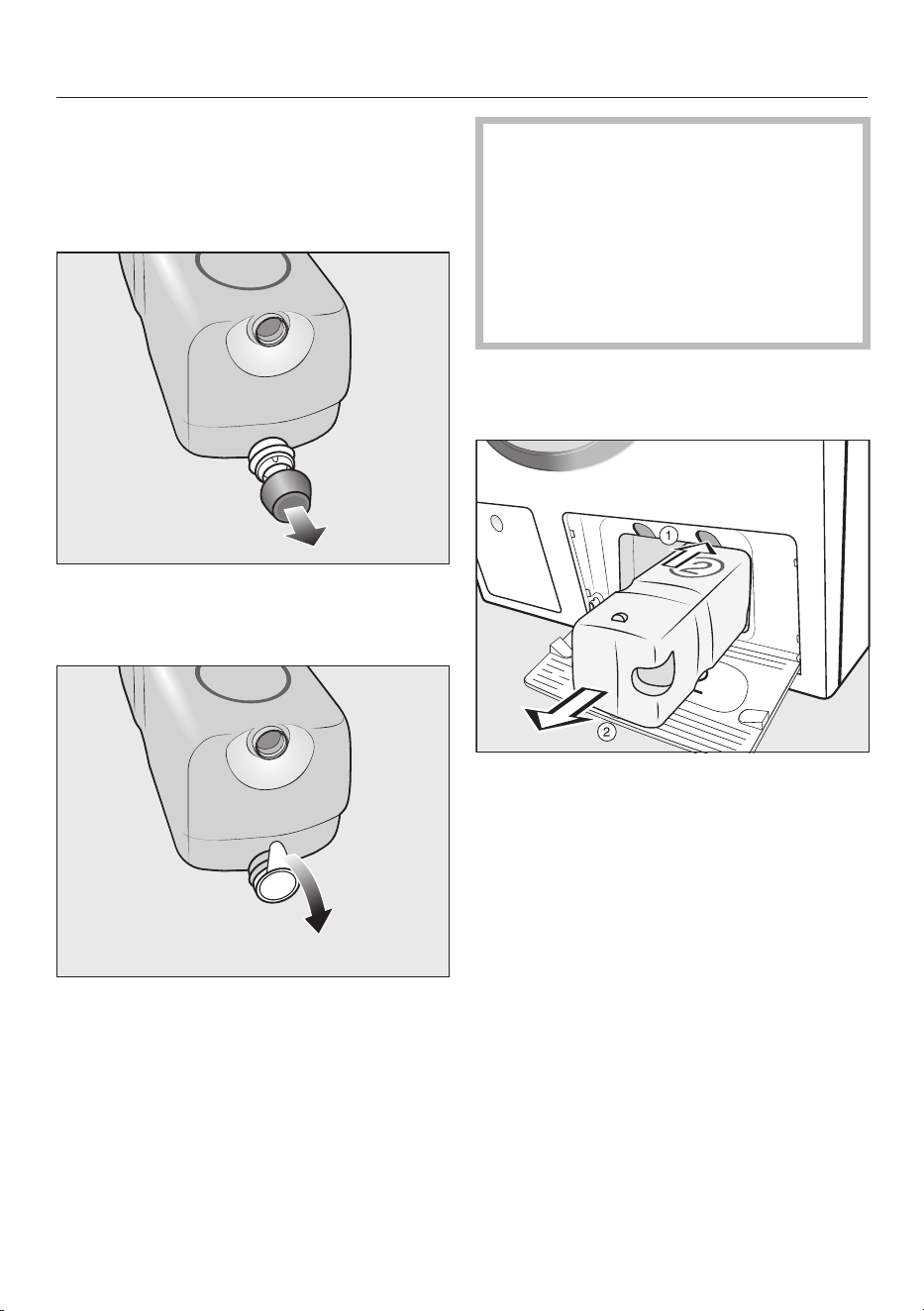
Replacing the TwinDos cartridge
A message will appear in your washing
machine display if a detergent cartridge
is empty.
Preparing the cartridge
Remove the cover cap from the
cartridge.
or
Remove the film seal from the
cartridge completely.
Risk of damage from film seal
If the film seal is not removed
completely, leaks can occur in the
TwinDos system.
Remove the film seal from the
suction port on the cartridge
completely before inserting the new
cartridge.
Replacing the cartridge
Switch on the washing machine.
To release the lock, press the yellow
button above the cartridge.
Pull out the cartridge.
Insert a new cartridge.
Confirm the messages in the display.
The counter is set to 0.
58
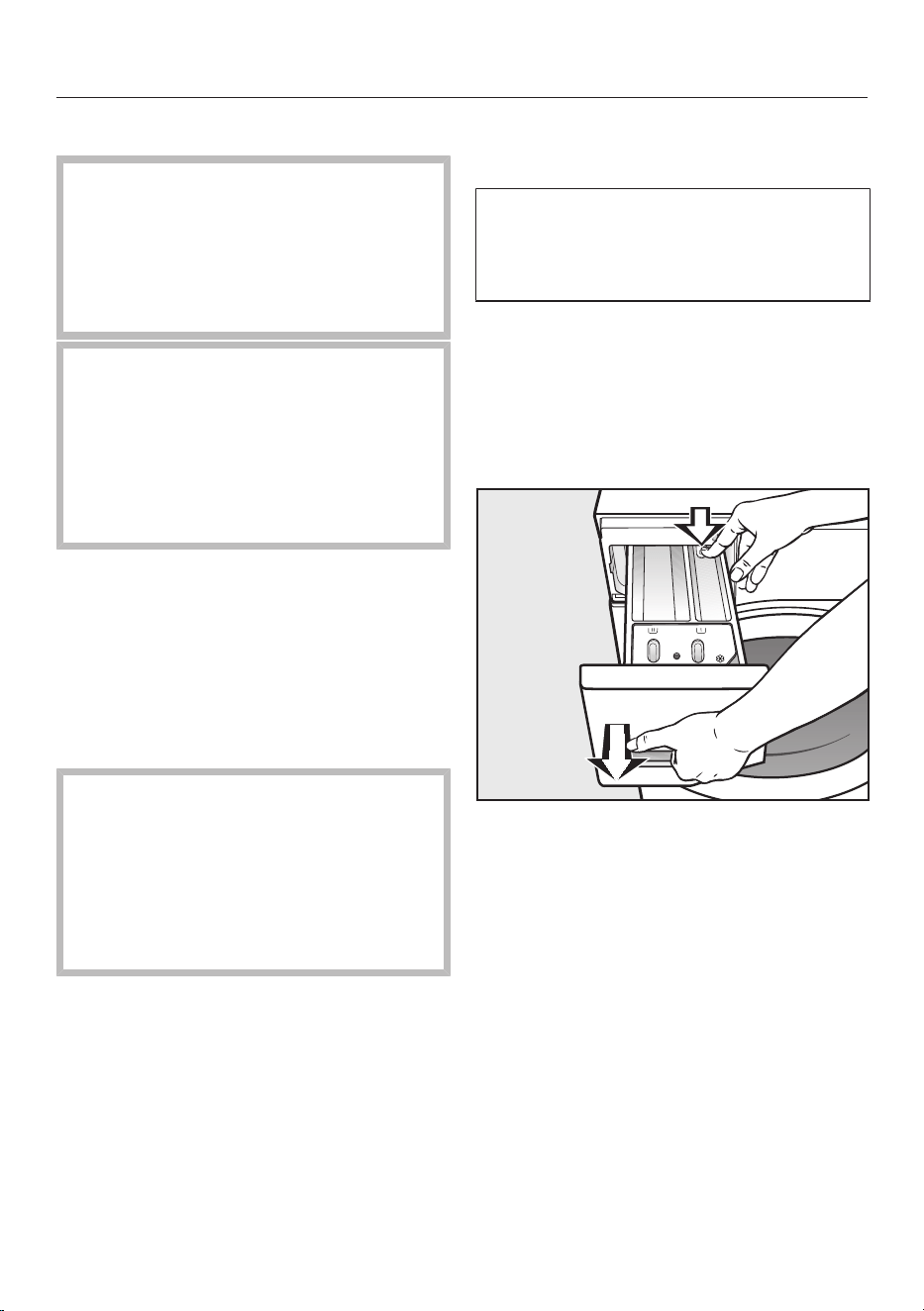
Cleaning and care
External casing and fascia panel
Risk of electric shock from mains
voltage.
Mains voltage is present when the
washing machine is switched off.
Disconnect the mains plug before
cleaning or maintenance.
Damage due to ingress of water.
The pressure of a water jet can cause
water to get into the washing
machine, resulting in damage to
components.
Do not spray the washing machine
with a water jet.
Clean the casing and control panel
with a mild cleaning agent or soap
and water and dry both with a soft
cloth.
The drum can be cleaned using a
suitable stainless steel cleaning agent
following the manufacturer's
instructions on the packaging.
Damage due to cleaning agents.
Solvent-based cleaning agents,
abrasive cleaners, glass cleaners or
all-purpose cleaners can cause
damage to plastic surfaces and other
parts.
Do not use these cleaning agents.
Cleaning the detergent
dispenser drawer
Washing at low temperatures and the
use of liquid detergent can lead to a
build-up of bacteria in the detergent
dispenser drawer.
Clean the entire drawer at regular
intervals for hygiene reasons, even if
you are using the TwinDos system
exclusively.
Removing the detergent dispenser
drawer
Pull out the detergent dispenser
drawer until a resistance is felt. Press
down the release button and at the
same time pull the drawer right out of
the machine.
Clean the detergent drawer with
warm water.
59
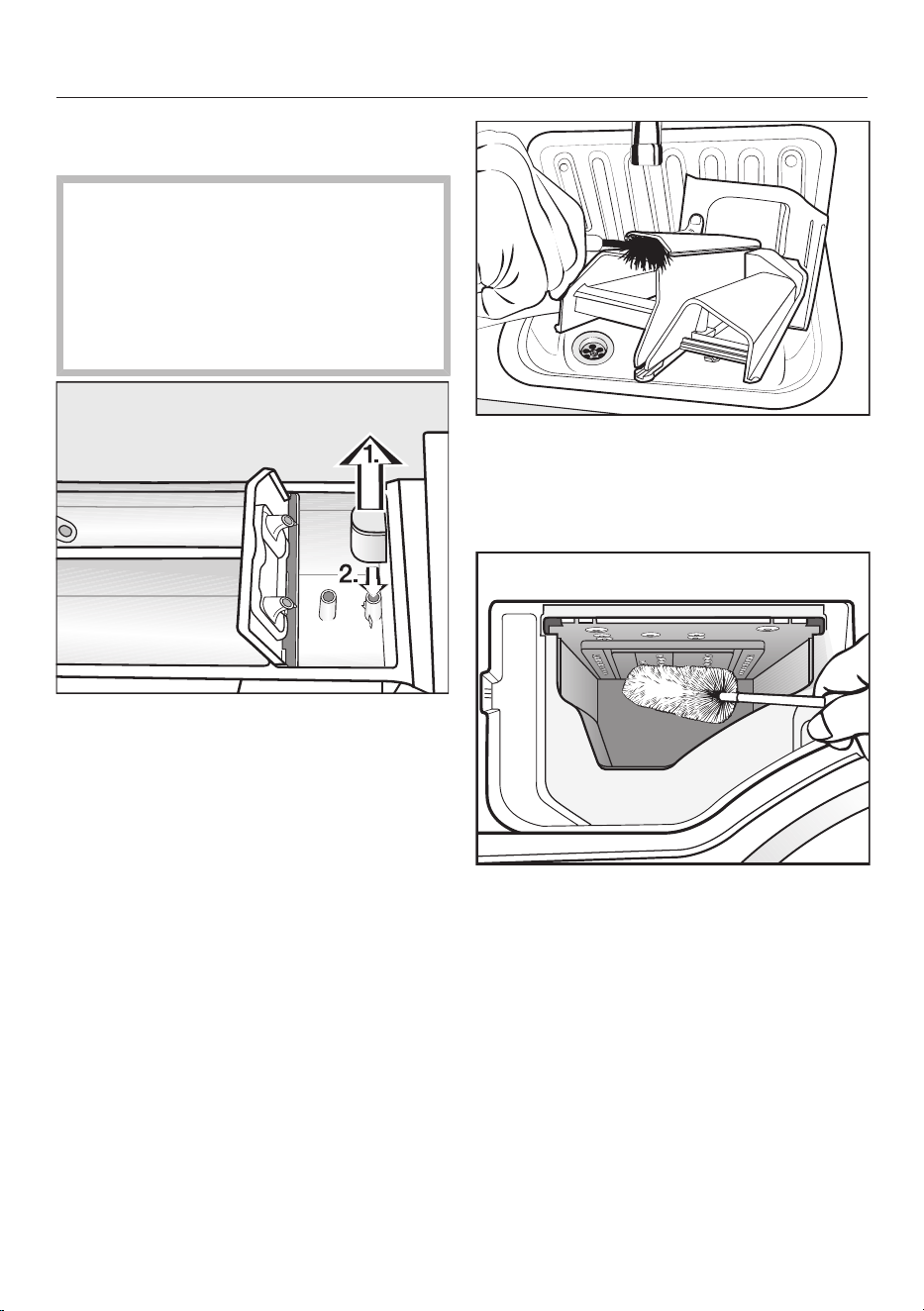
Cleaning and care
Cleaning the siphon and the /
compartment channel
Liquid starch results in clogging. If
clogged, the siphon in the /
compartment will not work and
the compartment can overflow.
Clean the siphon particularly
thoroughly after using liquid starch a
few times.
1. Remove the siphon from the
compartment and clean under
warm running water. Clean the
siphon tube in the same way.
2. Refit the siphon.
Clean the fabric softener channel
using a brush and warm water.
Cleaning the detergent dispenser
drawer housing
Use a bottle brush to remove
detergent residues and limescale
from the jets inside the detergent
dispenser drawer compartment.
Replace the detergent dispenser
drawer.
Useful tip: To assist drying, leave the
detergent dispenser drawer slightly
open.
60

Cleaning and care
Cleaning the drum
(Hygiene info)
Washing at low temperatures and/or
using liquid detergent can cause
bacteria and unpleasant odours to build
up in the washing machine. Use the
Clean machine programme to clean the
machine. Run this programme regularly
or at the latest when the Hygiene info:
Select “Maintenance” and start the “Clean
machine” programme. message appears
in the display.
TwinDos maintenance
Damage resulting from dried
laundry detergent.
If the system has not been used for a
long time (more than 2months),
detergent in the hoses can become
viscous or dry out. The hoses can
become blocked and would then
need to be cleaned by a Customer
Service technician.
Clean the TwinDos system.
To clean the system, you either need a
“TwinDosCare” cleaning cartridge or a
TwinDos refill cartridge, both of which
are available to purchase from
shop.miele.com.
The washing machine has a cleaning
programme for the TwinDos system.
Running the cleaning programme will
clean the hoses inside the washing
machine.
Starting the maintenance programme
Switch on the washing machine.
Scroll to the second page in the main
menu.
Touch the Maintenance sensor.
The display will then change to show
the Maintenance menu.
Select Clean “TwinDos”.
Touch the sensor for the container
you want to clean.
Confirm Start Maintenance programme?
with the Yes sensor.
Follow the instructions in the display.
The hoses will now be cleaned and the
TwinDos system can be used again at
any time.
Cleaning the compartment
Detergent residue can cause clogging.
Use a damp cloth to clean the
compartment interior when you
change the cartridge or container.
61
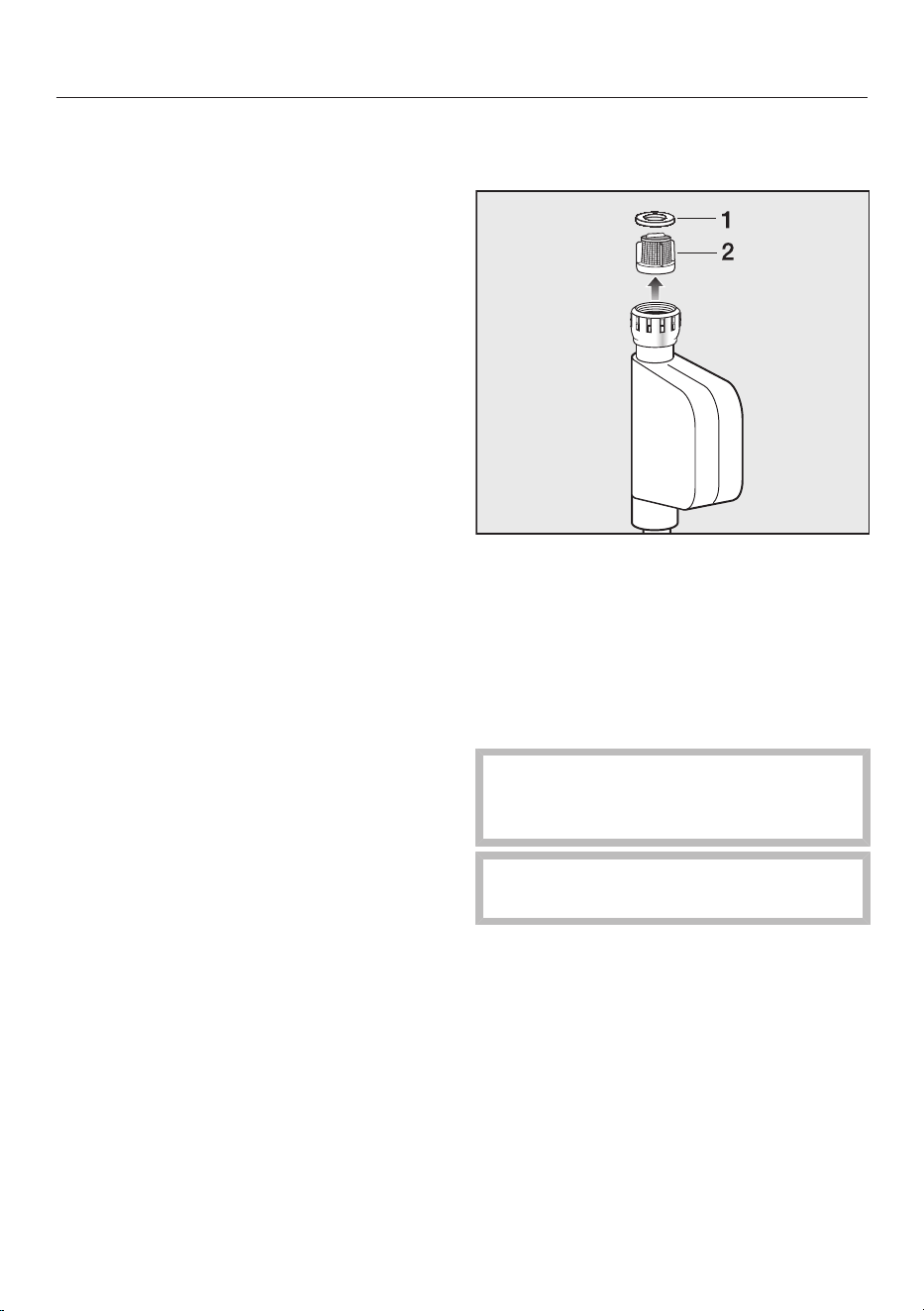
Cleaning and care
Cleaning the water inlet filter
The washing machine has a filter to
protect the water inlet valve. This filter
should be checked every six months or
so, or more often if there are frequent
interruptions to the water supply.
First turn off the tap.
Unscrew the inlet hose from the tap.
Remove the rubber seal 1 from the
recess.
Using pointed pliers, take hold of the
plastic filter bar 2 and remove it.
Clean the filter and the seal.
Put the filter and seal back in the
reverse order and reconnect the hose.
Turn on the tap and check the
connection is watertight. If water
drips out, tighten the connection.
Never forget to put the filter back in
place after cleaning.
62
Problem solving guide
Many malfunctions and faults can be easily remedied. You can save time and
money in many cases, as you do not need to contact Customer Service.
More information to help you remedy faults yourself can be found at
www.miele.com.au/support/customer-assistance or
www.miele.co.nz/support/customer-assistance.
The programme does not start
Problem Possible cause and remedy
The control panel
remains dark.
There is no power to the machine.
Check whether the mains plug is plugged in and
switched on.
Check whether the circuit breaker has tripped.
The washing machine has switched off automatically
to save energy.
Switch the machine back on.
Start/Stop is dark and
cannot be activated
The washing machine has an automatic safety lock.
The washing machine can only be started within
60seconds of the last operational step.
Confirm the notification Touch “OK” to release the
automatic child safety lock. on the display with OK.
You now have another 60seconds in which to start
the wash programme.
The following appears in
the display:
Door will not lock. Call
Miele.
The door is not closed properly. The door lock could
not engage.
Close the door again.
Start the programme again.
If the fault message appears again, contact Miele.
63
Problem solving guide
Fault messages at the end of a programme
Problem Possible cause and remedy
Check detergent
Excessive foam has built up during washing.
Check the amount of detergent dispensed.
With automatic detergent dispensing, check the
dosage amount set.
Observe the instructions on the detergent packaging
and the degree of soiling of the laundry.
If necessary, reduce the dispensing quantity by
increments of 10%.
Hygiene info: Select
“Maintenance” and
start the “Clean
machine”
programme.
A wash programme using a temperature above 60°C
has not been run for a long time.
In order to prevent bacteria and unpleasant odours
building up in the machine, run the Clean machine
programme using Miele IntenseClean or powder
detergent.
Check hot water
intake
The water inlet for hot water is blocked or turned off.
The programme was carried out using cold water.
Check whether the tap is turned on properly.
Check whether the inlet hose is kinked.
Check whether there is sufficient water pressure.
Intensive flow: Clean
the filter and jet
nozzle or remove
foreign objects from
the pump housing
The pumps are dirty.
Clean the pumps as described in “Problem solving
guide - Opening the door in the event of a blocked
drain outlet and/or power cut”.
Restart the programme after cleaning.
The jet in the top of the door ring is blocked with fluff.
Remove the fluff with your finger. Do not use any
sharp or pointed tools to do this.
Restart the programme after cleaning.
If the fault message appears again, contact Miele.
The washing machine can still be used but with
reduced functionality.
64
Problem solving guide
Problem Possible cause and remedy
Align the machine.
Laundry not properly
spun.
The Pre-ironing Extra which runs at the end of the
programme could not be carried out properly.
Check whether the washing machine is aligned
correctly as described in “Installation – Levelling the
machine”.
Check whether the maximum delivery height of 1m
has been exceeded.
If the fault message appears again, contact Miele.
The washing machine can still be used but with
reduced functionality.
The messages will appear at the end of the programme and when the washing
machine is switched on and need to be confirmed with the OK sensor.
Messages or faults with the TwinDos system
Problem Possible cause and remedy
Only a few more
washes possible.
Please order new
detergent for
compartment .
The detergent in the cartridge is running low. There are
between 4and 8wash cycles remaining.
Order a new cartridge.
“TwinDos” is
empty. Check the
wash result.
The cartridge is empty.
Replace the cartridge.
Check whether the laundry is clean. If it is not, there
may not have been enough detergent.
Wash the items again if necessary.
Use “TwinDos” or
carry out “TwinDos”
Maintenance in the
“Maintenance”
menu. See the
operating instruction
manual for more
information.
TwinDos or automatic dispensing via compartment
and/or has not been used for a long time.
Use TwinDos for one of your next loads.
Carry out the TwinDos maintenance programme as
described in “Cleaning and care - TwinDos
maintenance”.
65
Problem solving guide
Problem Possible cause and remedy
“TwinDos”
Maintenance for
compartment
must be started in
the “Maintenance”
menu. See the
operating instruction
manual for more
information.
TwinDos or automatic dispensing via compartment
and/or has not been used for a long time. It is
possible that detergent has dried inside the hoses.
Carry out the TwinDos maintenance programme
immediately as described in “Cleaning and care -
TwinDos maintenance”.
A new detergent
cartridge has been
inserted, but the
cartridge is identified as
empty when the
machine is switched on.
The washing machine was switched off when the
detergent cartridge was replaced.
Switch on the washing machine.
Remove the detergent cartridge and then reinsert it
into the compartment.
The counter is set to 0.
There are dark specks in
the liquid detergent.
Mould has developed in the detergent.
Pour the liquid detergent out of the container and
then clean the container thoroughly.
No detergent and/or
fabric softener was
dispensed.
Automatic dispensing has not been activated.
Touch the TwinDos sensor before running the next
programme.
Automatic dispensing will be activated.
No detergent/fabric softener was dispensed although
automatic dispensing was activated.
Try again.
If detergent is still not dispensed, call Miele.
The messages shown on this page are examples. They may differ depending on
whether they refer to compartment or .
The messages will appear at the end of the programme and when the washing
machine is switched on and need to be confirmed with the OK sensor.
66
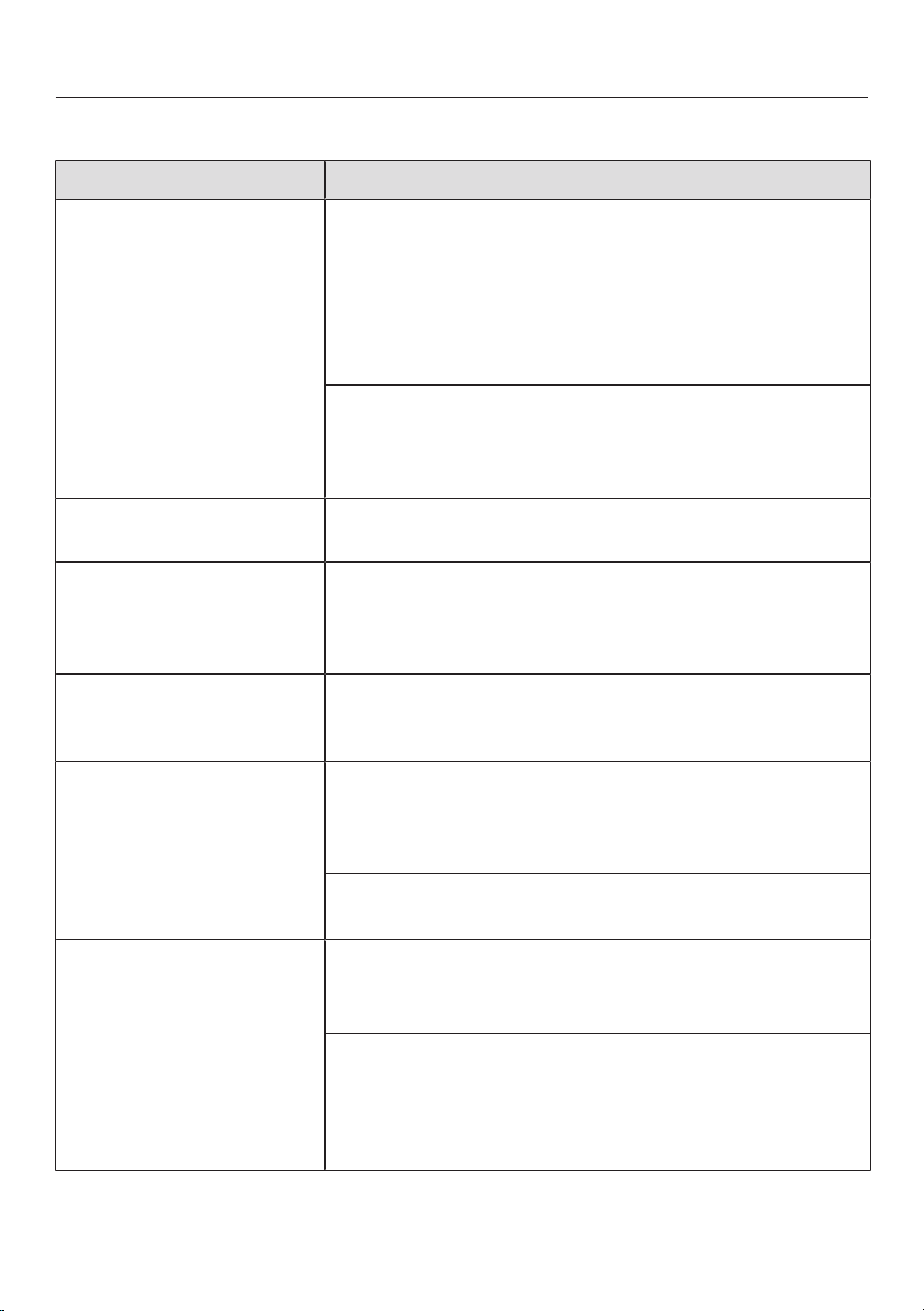
Problem solving guide
General problems with the washing machine
Problem Possible cause and remedy
The washing machine
smells.
Hygiene info was ignored. A programme using a
temperature above 60°C has not been run for a long
period of time.
In order to prevent bacteria and unpleasant odours
building up in the machine, run the Clean machine
programme using the Miele IntenseClean washing
machine cleaner or powder detergent.
The detergent dispenser drawer was left closed after
washing.
Leave the detergent dispenser drawer slightly open
to allow it to dry.
The machine shakes
during the spin cycle.
The machine feet are not level.
Level the machine and adjust the feet correctly.
The laundry has not
been spun properly and
the laundry is still wet.
The machine detected an imbalance during the final
spin and reduced the spin speed automatically.
Include both large and small items in the load as this
will give better distribution.
The pump makes
strange noises.
This is not a fault.
These slurping noises occur at the end of the pump
sequence as a normal part of operation.
The interior drum
lighting does not come
on.
The drum lighting will go out automatically after five
minutes.
Open the pull-down menu from the overview menu
and then touch the sensor.
The drum lighting is faulty.
Call Miele.
Large amounts of
detergent residue
remain in the detergent
dispenser drawer.
The water pressure is too low.
Clean the filter in the water inlet.
It may be useful to select the Water plus Extra.
Powder detergent used with water softeners can be
sticky.
Clean the detergent dispenser drawer and in future
add washing powder and then add the water
softener.
67
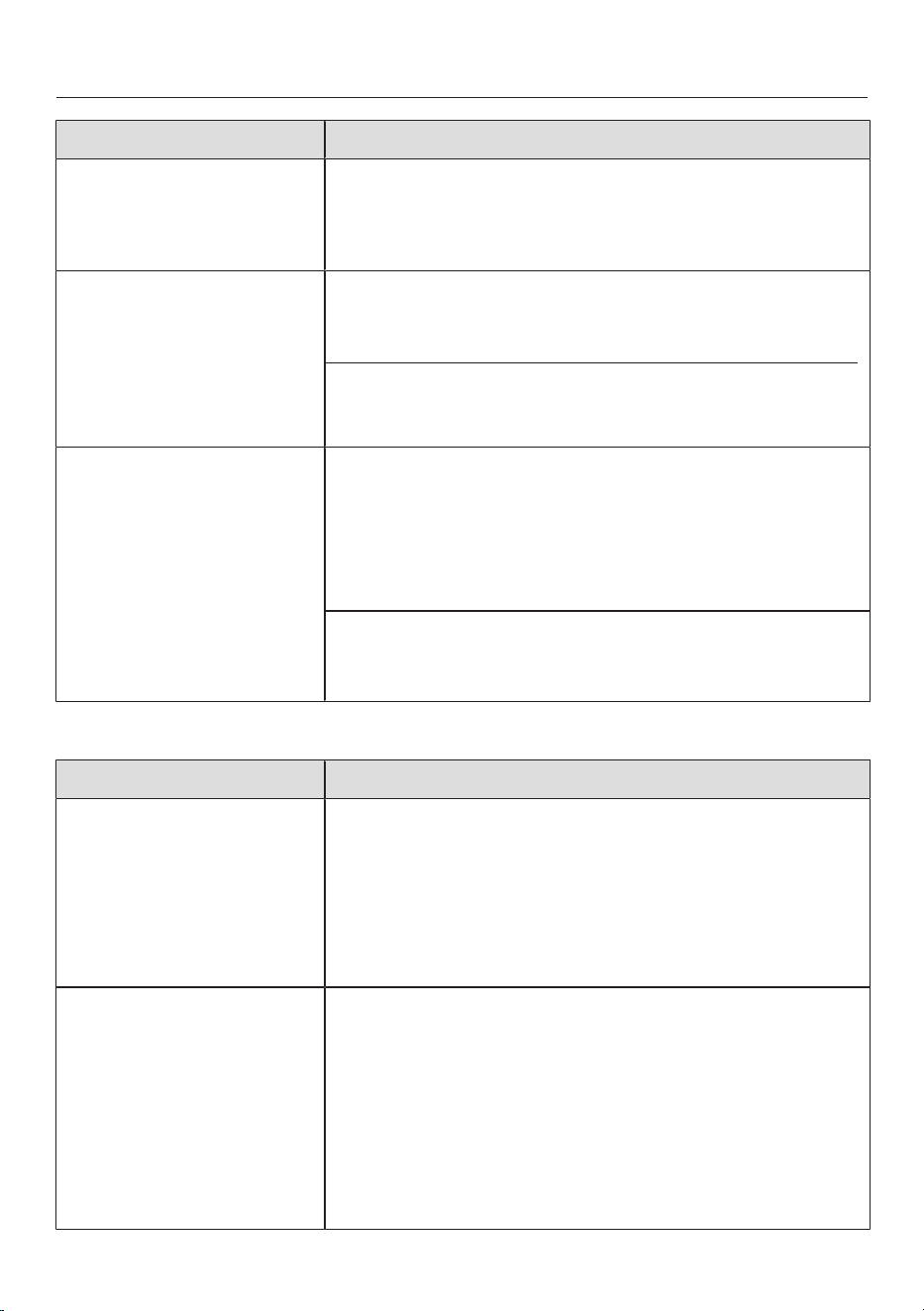
Problem solving guide
Problem Possible cause and remedy
Fabric softener is not
completely dispensed or
too much water remains
in the compartment.
The siphon tube is not correctly positioned, or is
clogged up.
Clean the siphon (see “Cleaning and care - Cleaning
the detergent dispenser drawer”).
At the end of the
programme there is still
liquid in the capsule.
The small pipe in the detergent dispenser drawer
onto which the capsule is placed is blocked.
Clean the small pipe.
This is not a fault.
For technical reasons, a small amount of water will
remain in the capsule.
There is water next to
the capsule in the fabric
softener compartment.
CapDosing was not activated or an empty capsule was
not removed at the end of the last wash programme.
Make sure that you remember to activate CapDosing
the next time you insert a capsule.
Remove and dispose of the empty capsule at the
end of each programme.
The small pipe in the detergent dispenser drawer onto
which the capsule is placed is blocked.
Clean the small pipe.
An unsatisfactory wash result
Problem Possible cause and remedy
Liquid detergent does
not give the required
result.
Liquid detergents usually contain no bleaching agents.
They do not remove fruit, coffee and tea stains.
Use the Miele 2 Phase System. The targeted
addition of UltraPhase 2 during the wash process
removes stains effectively.
Use a general purpose powder detergent containing
a bleaching agent.
White residues which
look like powder
detergent are seen on
dark textiles after
washing.
The detergent contained compounds (zeolites) to aid
water softening which are not soluble in water. These
have ended up on the laundry.
Try and brush off the residues with a soft brush once
the laundry is dry.
Wash dark textiles using a detergent which does not
contain zeolites. Liquid detergents usually do not
contain zeolites.
Use the Dark garments programme.
68
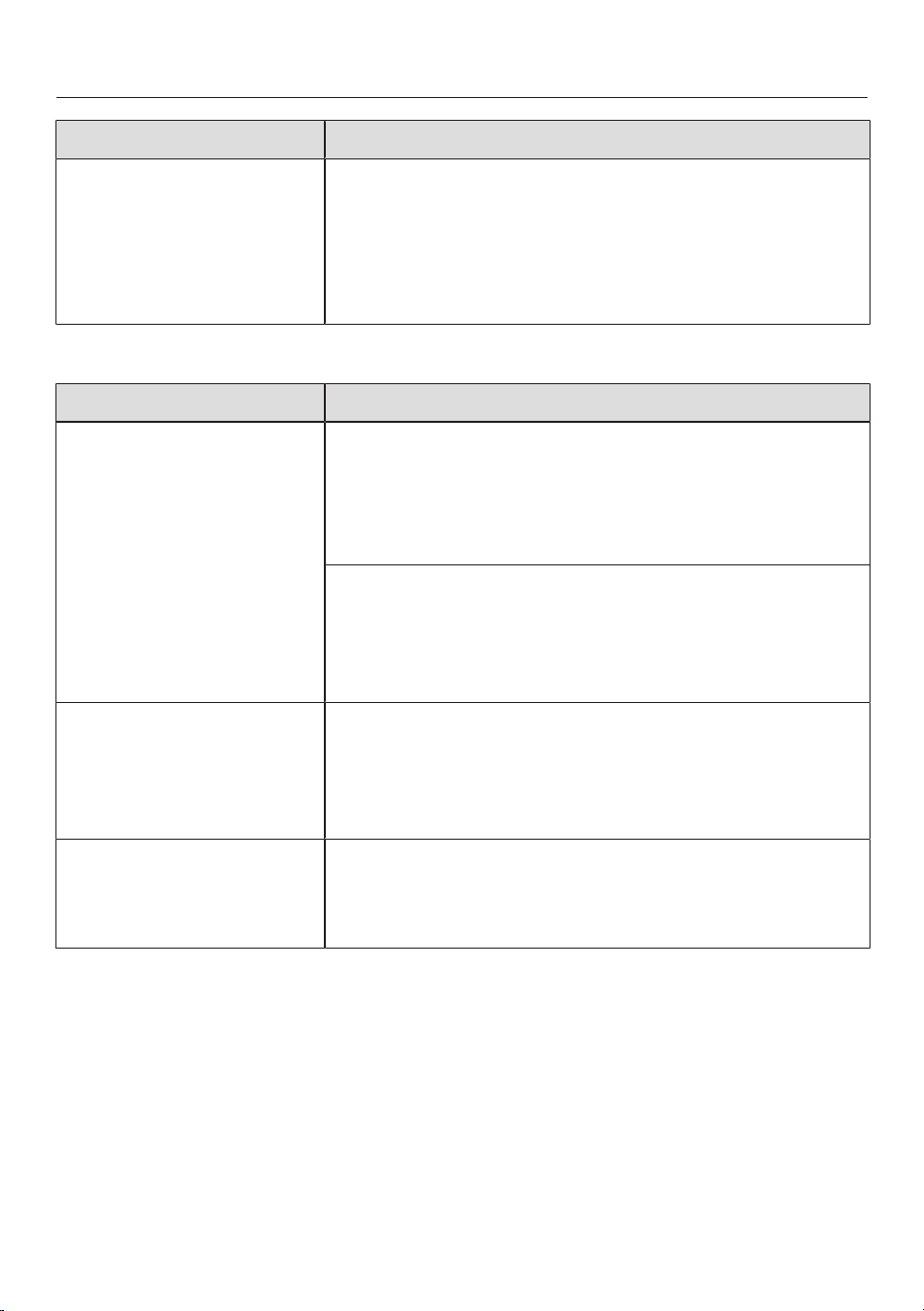
Problem solving guide
Problem Possible cause and remedy
Grey, greasy particles
cling to washed laundry.
Insufficient amounts of detergent were used to break
down the particles of grease in heavily soiled laundry.
Use more detergent or liquid detergent.
Before washing the next load, run the Clean
machine programme using the Miele IntenseClean
washing machine cleaner or a powder detergent.
The door will not open
Problem Possible cause and remedy
The door cannot be
pulled open during a
programme.
The drum is locked during a programme.
Touch the Start/Stop sensor to cancel the
programme.
The programme is cancelled, the door unlocks and you
can pull it open.
There is still water in the drum and the machine is
unable to drain.
Clean the drain filter and the drain pump as
described in “Opening the door in the event of a
blocked drain outlet and/or power cut”.
Extra cooling
appears in the display
after a programme has
been cancelled.
For safety reasons, the door cannot be opened if the
suds temperature is higher than 55°C.
Wait until the temperature in the drum has
decreased and the message has gone out in the
display.
The following appears in
the display:
The door lock is jammed.
Call Miele.
The door lock has jammed.
Call Miele.
69
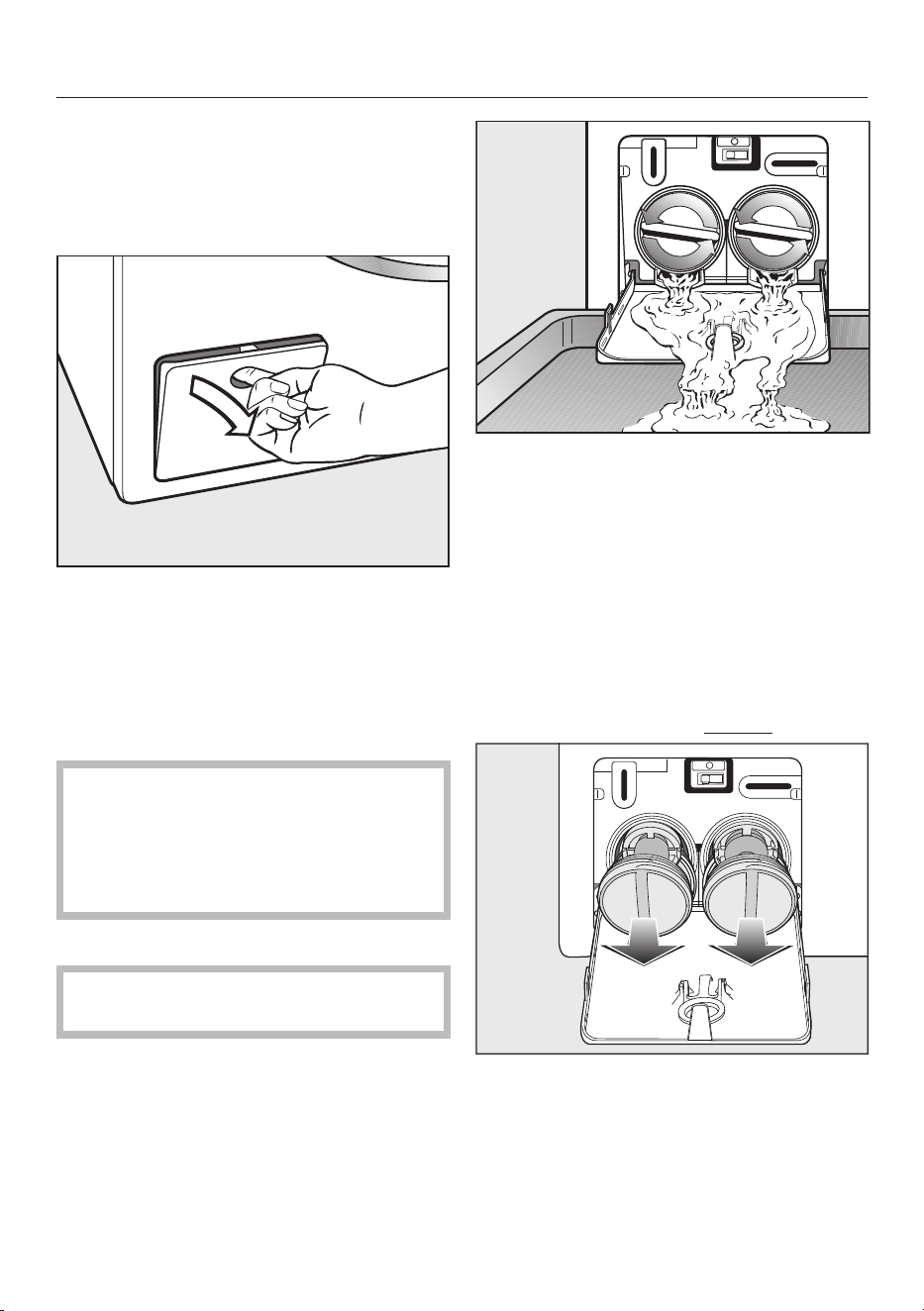
Problem solving guide
Opening the door in the event
of a blocked drain outlet and/or
power cut
Switch off the washing machine.
Open the access panel for the drain
pump.
Blocked drain outlet
If the drain outlet is blocked, a larger
quantity of water can remain in the
washing machine.
Risk of scalding due to hot suds.
Escaping suds will be hot if laundry
has been washed at high
temperatures!
Carefully allow all suds to drain off.
Procedure for draining the machine
When removing the drain filter, do
not remove it completely.
Place a suitable container under the
access panel, e.g. a universal oven
tray.
Slowly and carefully unscrew the
filters until water runs out. Be careful
not to release too much water at
once. If the flow of water is too
strong, some water can seep into the
machine base and activate the water
protection system. This will prevent
the machine from functioning.
To interrupt the flow of water, tighten
the filters again.
Once the flow of water ceases:
Remove the filters completely.
70
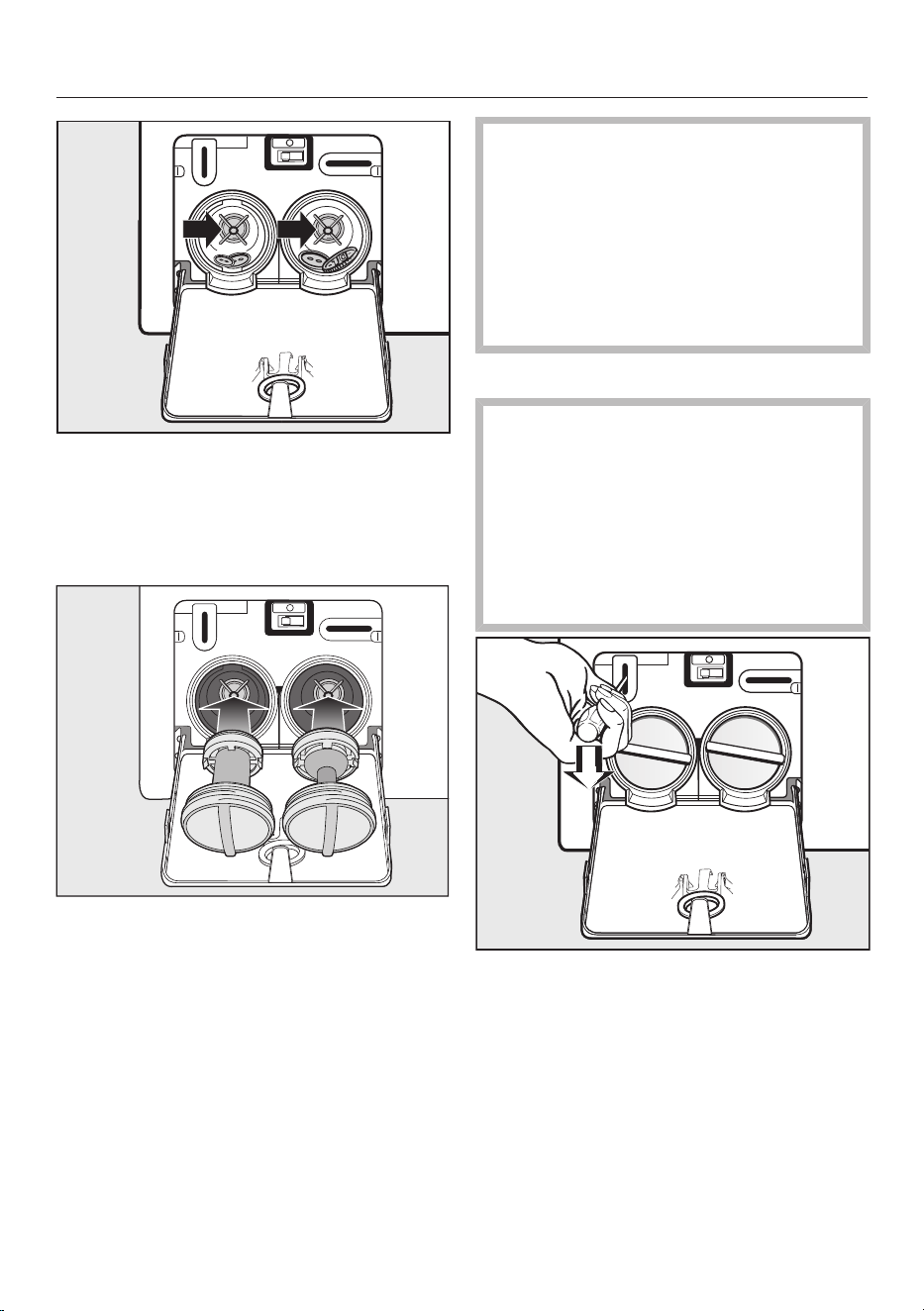
Problem solving guide
Clean the filters thoroughly.
Remove any foreign objects (e.g.
buttons, coins etc.) and clean the
interior. Turn the impellers by hand to
check that they rotate freely.
Replace the filters correctly (on the
right and left) and tighten them.
Close the access panel for the drain
pump.
Risk of water damage.
Make sure the drain filters are
securely tightened. Otherwise there
is a risk of water leakage during use.
Replace the drain filters correctly and
tighten them securely.
Close the access panel for the drain
pump.
Opening the door
Danger of injury due to rotating
drum!
Reaching into a moving drum is
extremely dangerous. Danger of
injury!
Always make sure that the drum is
stationary before reaching in to
remove laundry.
Use a screwdriver to unlock the door
of the machine as shown.
Pull open the door.
71
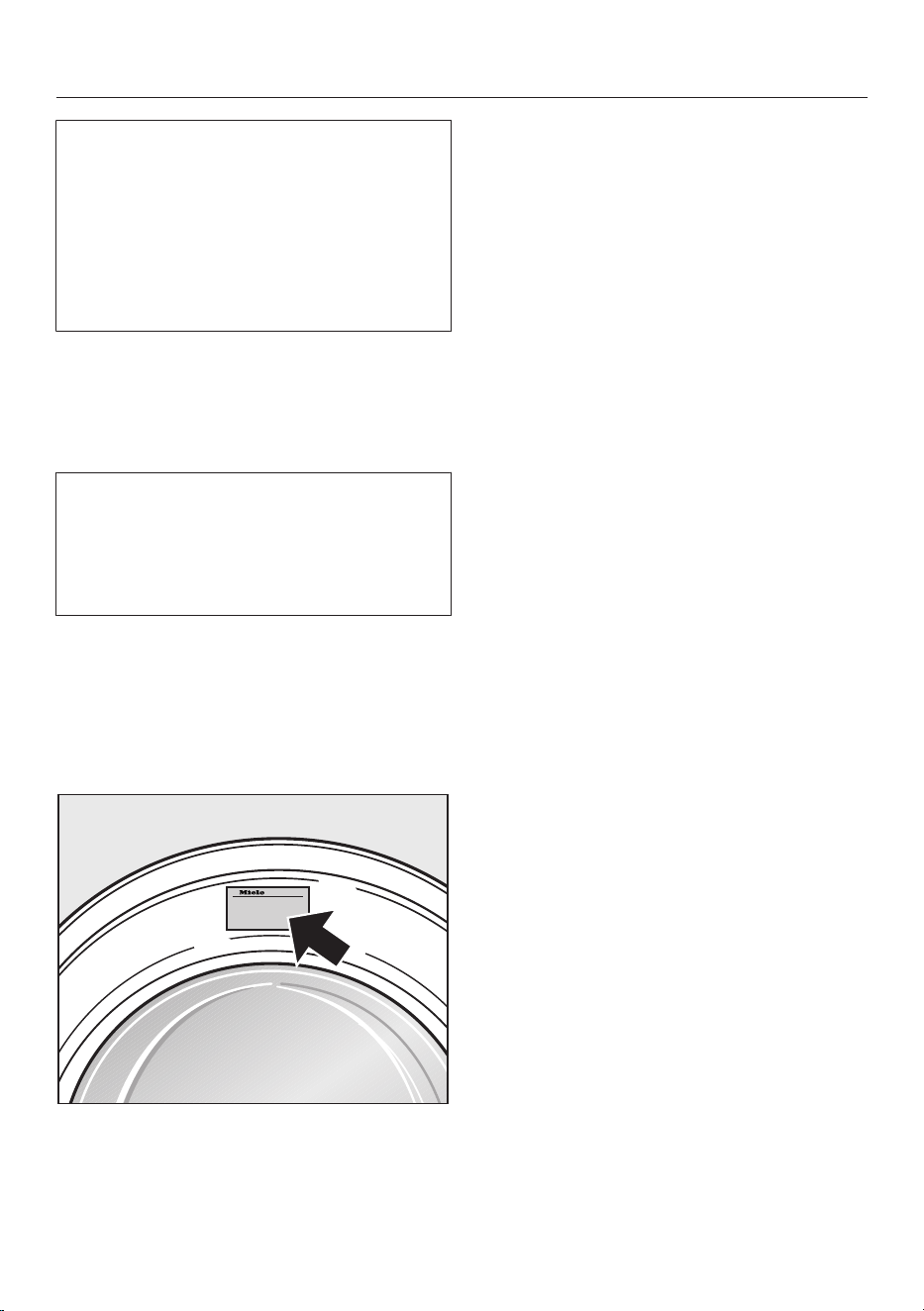
Service
You can find information on how to
remedy faults yourself at
www.miele.com.au/support/
customer-assistance or
www.miele.co.nz/support/customer-
assistance and about Miele spare
parts at www.miele.com.au/service or
www.miele.co.nz/service.
Contact in case of fault
In the event of any faults which you
cannot remedy yourself, please contact
Miele.
You can book a Miele customer service
call-out online at www.miele.com.au/
service or www.miele.co.nz/service.
Contact information for Miele can be
found at the end of this booklet.
Please quote the model and serial
number of your appliance when
contacting Miele. This information can
be found on the data plate.
The data plate is found above the
porthole glass when the door is opened.
Optional accessories
Optional spare parts and accessories for
this washing machine are available from
Miele.
Warranty
The manufacturer's warranty for this
appliance is 2years.
For further information, please refer to
your warranty booklet.
72
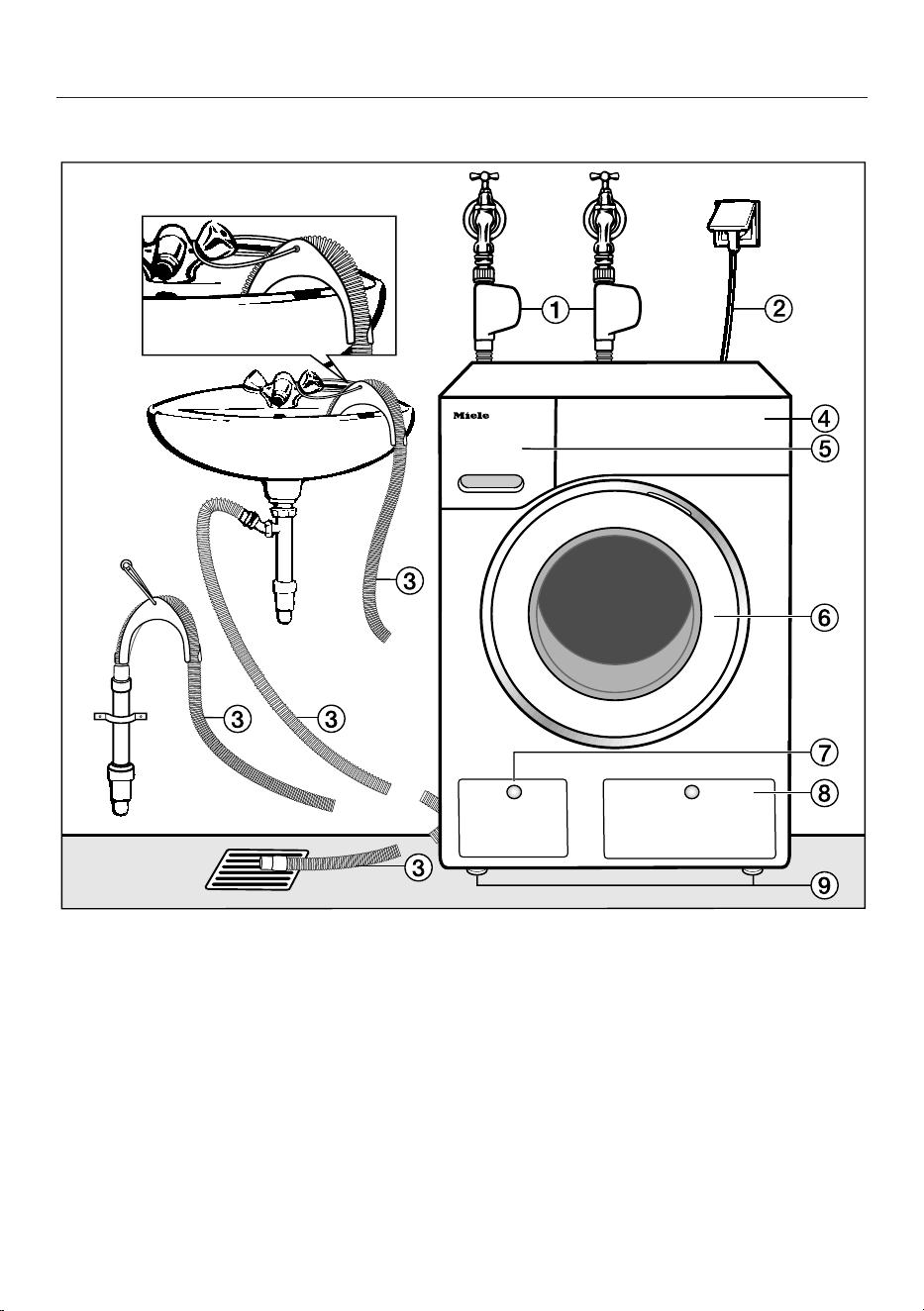
Installation
*INSTALLATION*
Front view
a
Cold and hot water inlet hoses
(tested to withstand pressures up to
7000kPa)
b
Electrical connection
c
Flexible drain hose (with detachable
swivel elbow)
d
Control panel
e
Detergent dispenser drawer
f
Door
g
Access to filters, pumps and
emergency release
h
Access panel for TwinDos cartridges
i
Four height-adjustable feet
73
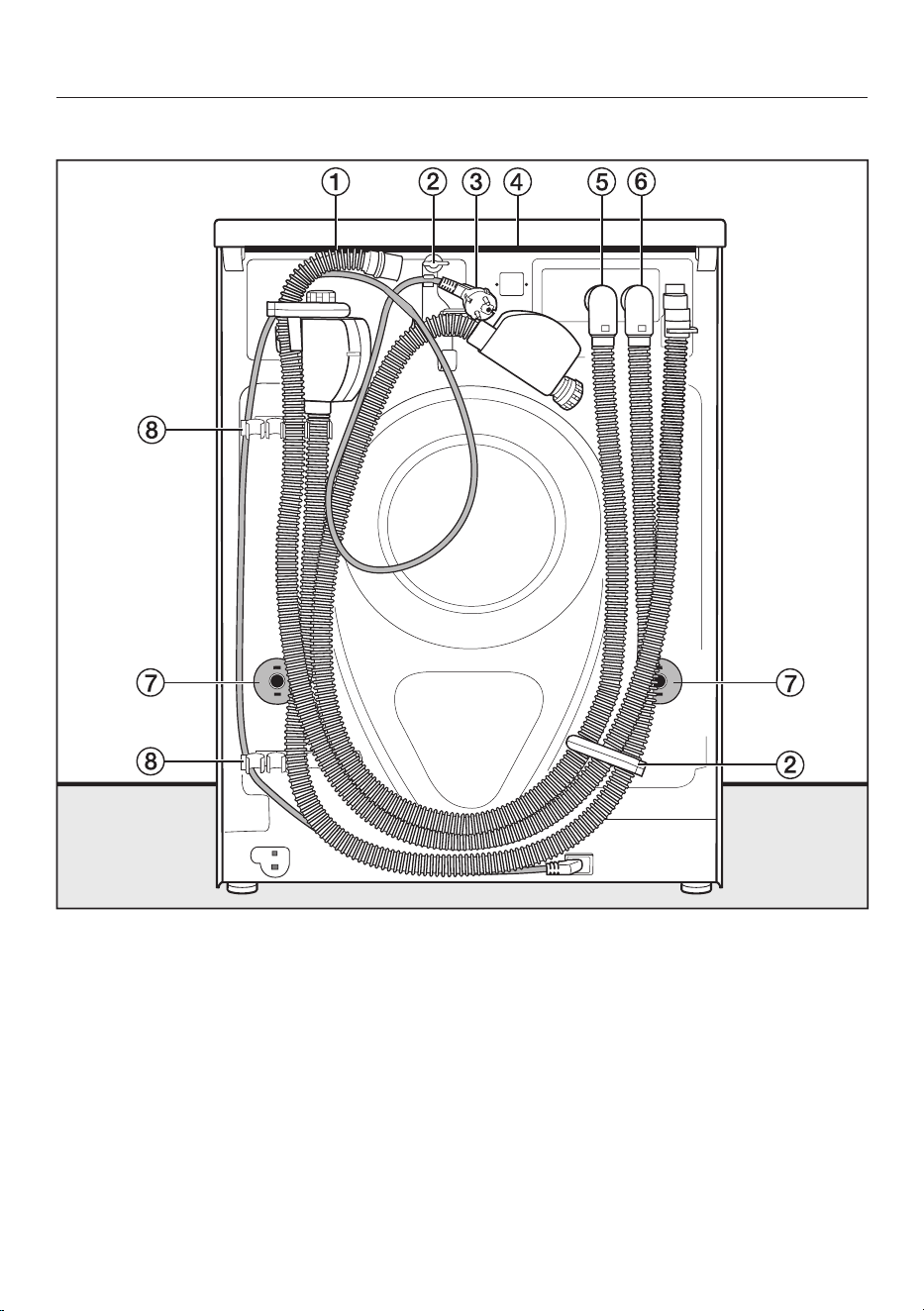
Installation
*INSTALLATION*
Rear view
a
Drain hose
b
Transport clips for inlet and drain
hoses and mains connection cable
c
Electrical connection
d
Protruding lid for holding when
moving the machine
e
Cold water inlet hose with
Waterproof system
f
Hot water inlet hose with Waterproof
system
g
Safety caps for transit bars
h
Transport clips for inlet and drain
hoses and for storing transit bars
when not in use
74
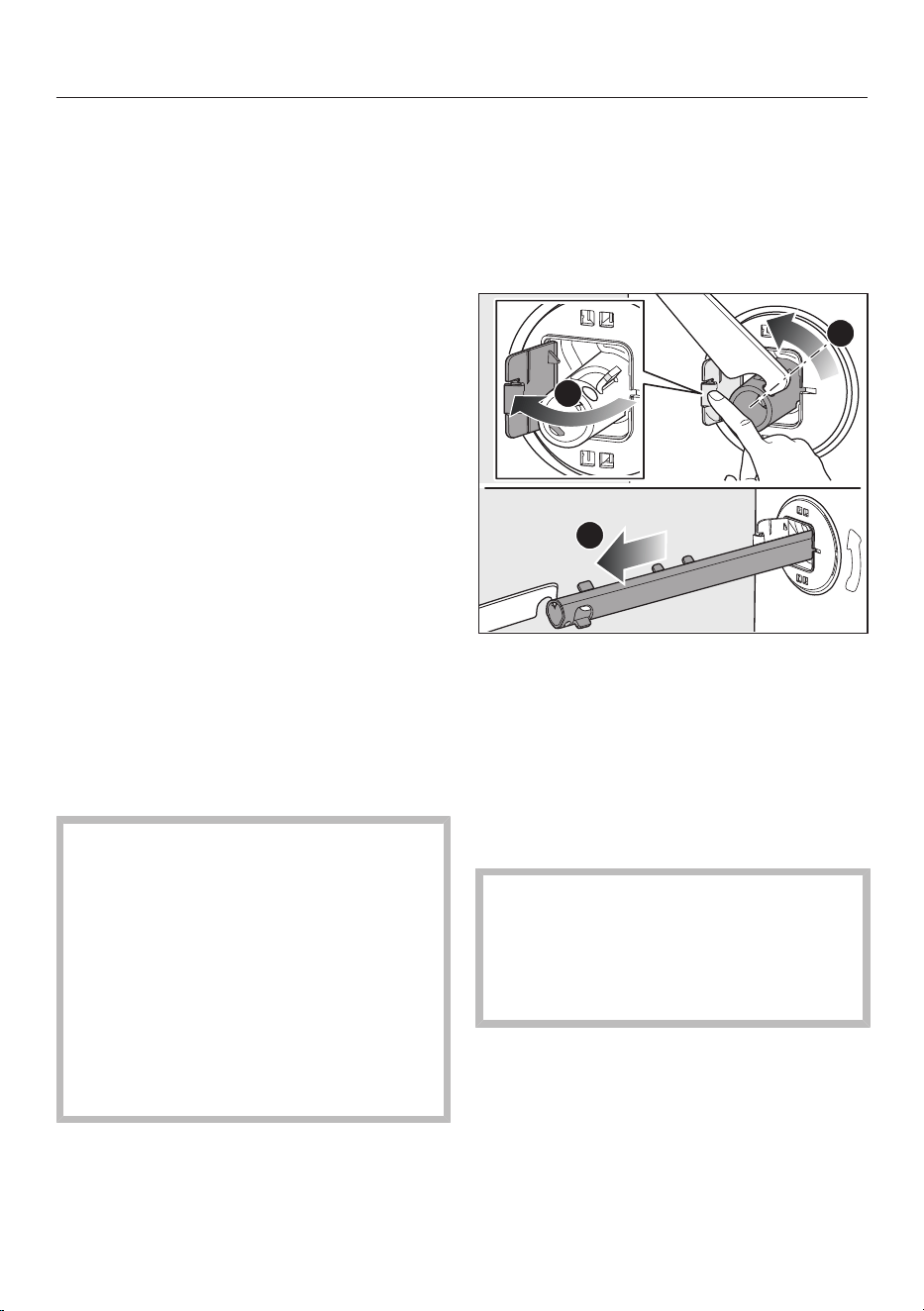
Installation
*INSTALLATION*
Installation surface
A concrete floor is the most suitable
installation surface. It is far less prone to
vibration during the spin cycle than
wooden floorboards or a carpeted
surface.
Please note:
The machine must be level and
securely positioned.
To avoid vibrations during spinning,
the machine should not be installed
on soft floor coverings.
If installing on a wooden joist floor:
Install the machine on a plywood
base (at least 59x52x3cm). The
base should span several joists and
be bolted to the joists and not only to
the floorboards. Check for the
presence of pipes and cables first.
Useful tip: If possible, install the
machine in a corner. This is usually the
most stable part of the floor.
Transporting the washing
machine to its installation site
Danger of injury due to
unsecured lid.
Make sure the fixings at the back of
the lid are secure. They may become
brittle due to external circumstances.
There is a danger of the lid being
pulled off when carrying the
appliance.
Before carrying the appliance, check
that the lid is secure where it
protrudes at the back.
Carry the washing machine by the
front feet and by the lid where it
protrudes at the back of the
appliance.
Removing the transport safety
device
Removing the transit bars
Remove the left-hand transit bar first,
followed by the right-hand transit bar.
3
2
1
Push the cover out.
Using the spanner supplied, turn the
transit bar 90°.
Then pull the transit bar out.
Remove the right-hand transit bar in
the same way.
Covering the holes
Risk of injury from sharp edges!
There is a risk of injury from reaching
into holes that are not covered.
After removing the transport safety
device, cover the exposed holes.
75
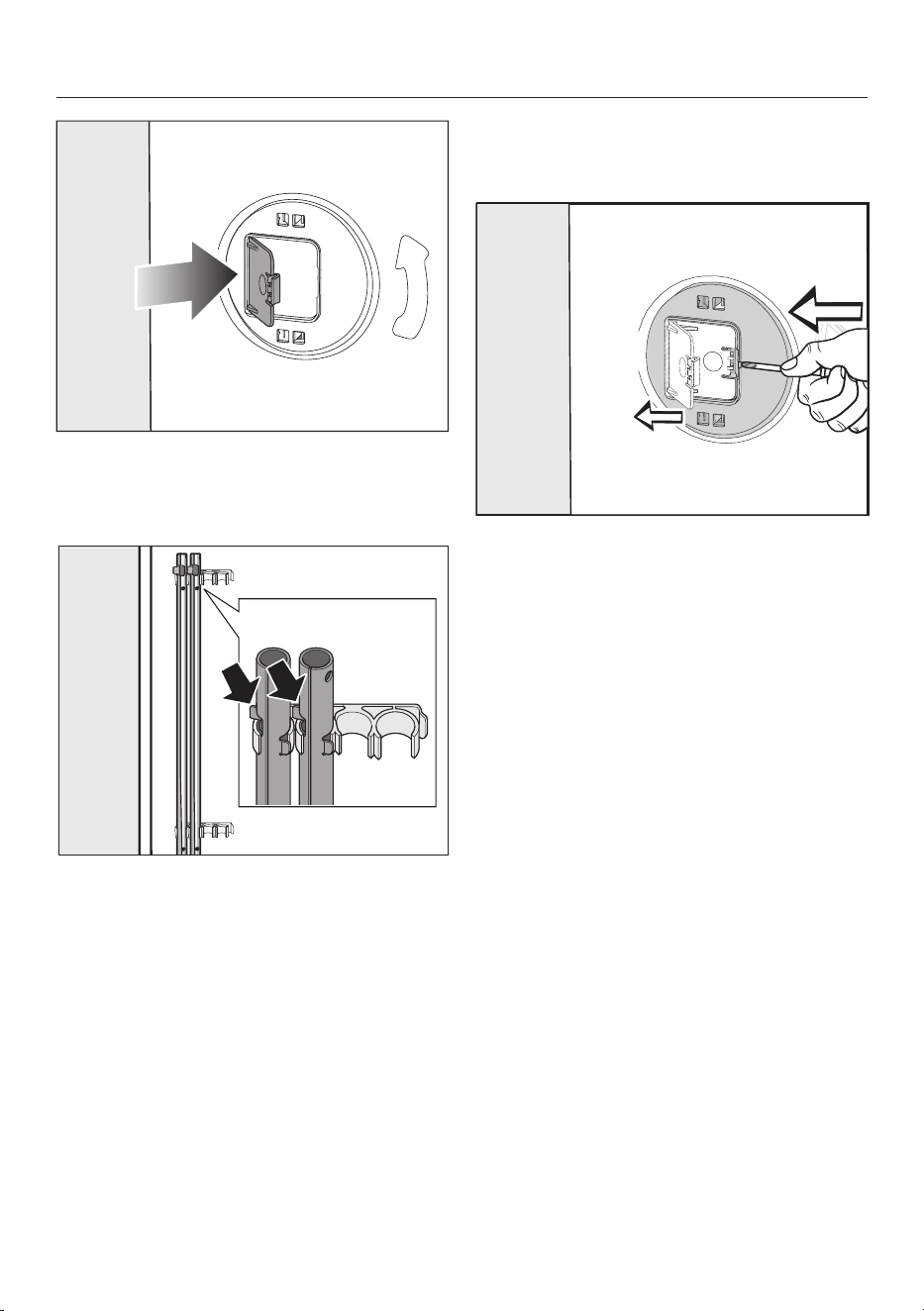
Installation
*INSTALLATION*
Press the covers firmly shut until they
click into place.
Securing the transit bars
Secure the transit bars to the rear
panel of the washing machine. Make
sure that the top retainer is located
above the holder.
Fitting the transit bars
Opening the flaps
Push against the catch with a pointed
object, e.g. a narrow screwdriver.
The flap will open.
Fitting the transit bars
Install the transit bars in reverse order
to their removal.
Useful tip: If you lift the drum slightly,
the transit bars can be pushed in more
easily.
76
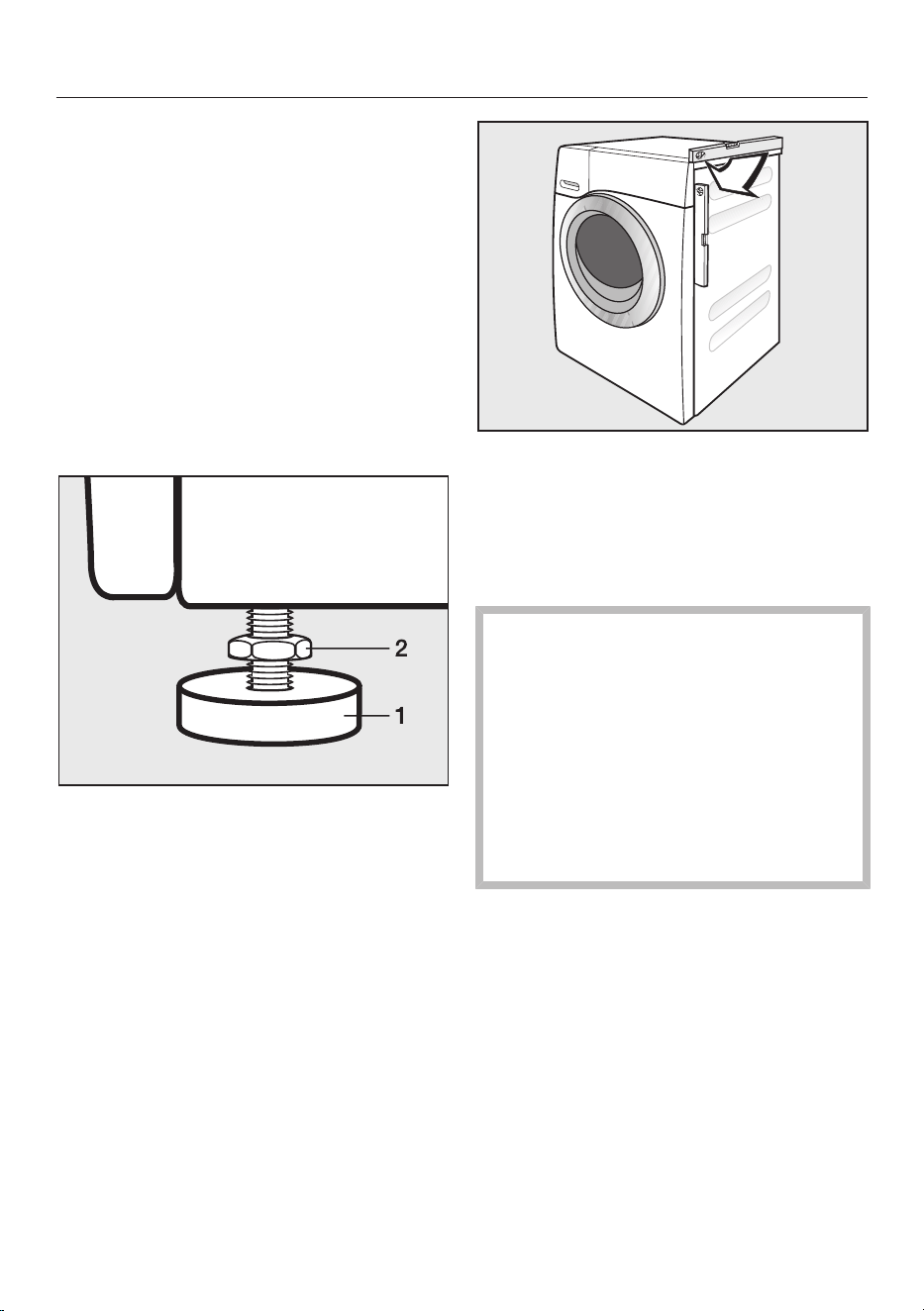
Installation
*INSTALLATION*
Levelling the machine
The washing machine must stand
perfectly level on all four feet to ensure
safe and proper operation.
Incorrect installation may increase
electricity and water consumption and
may cause the machine to move about.
Screwing out and adjusting the feet
The four adjustable screw feet are used
for levelling the washing machine. All
four feet are screwed in when the
appliance is delivered.
Using the spanner supplied, turn
counter nut 2 in a clockwise direction.
Then turn counter nut 2 together with
foot 1 to unscrew.
Use a spirit level to check that the
washing machine is standing level.
Hold foot 1 securely with a pipe
wrench. Turn counter nut 2 again
using the spanner supplied until it sits
firmly up against the housing.
Risk of damage due to incorrectly
aligned washing machine.
There is a danger of the washing
machine moving about if the feet are
not secured.
Turn all four counter nuts for the feet
until they sit firmly up against the
housing. Please also check this for
the feet which did not need
adjustment.
77
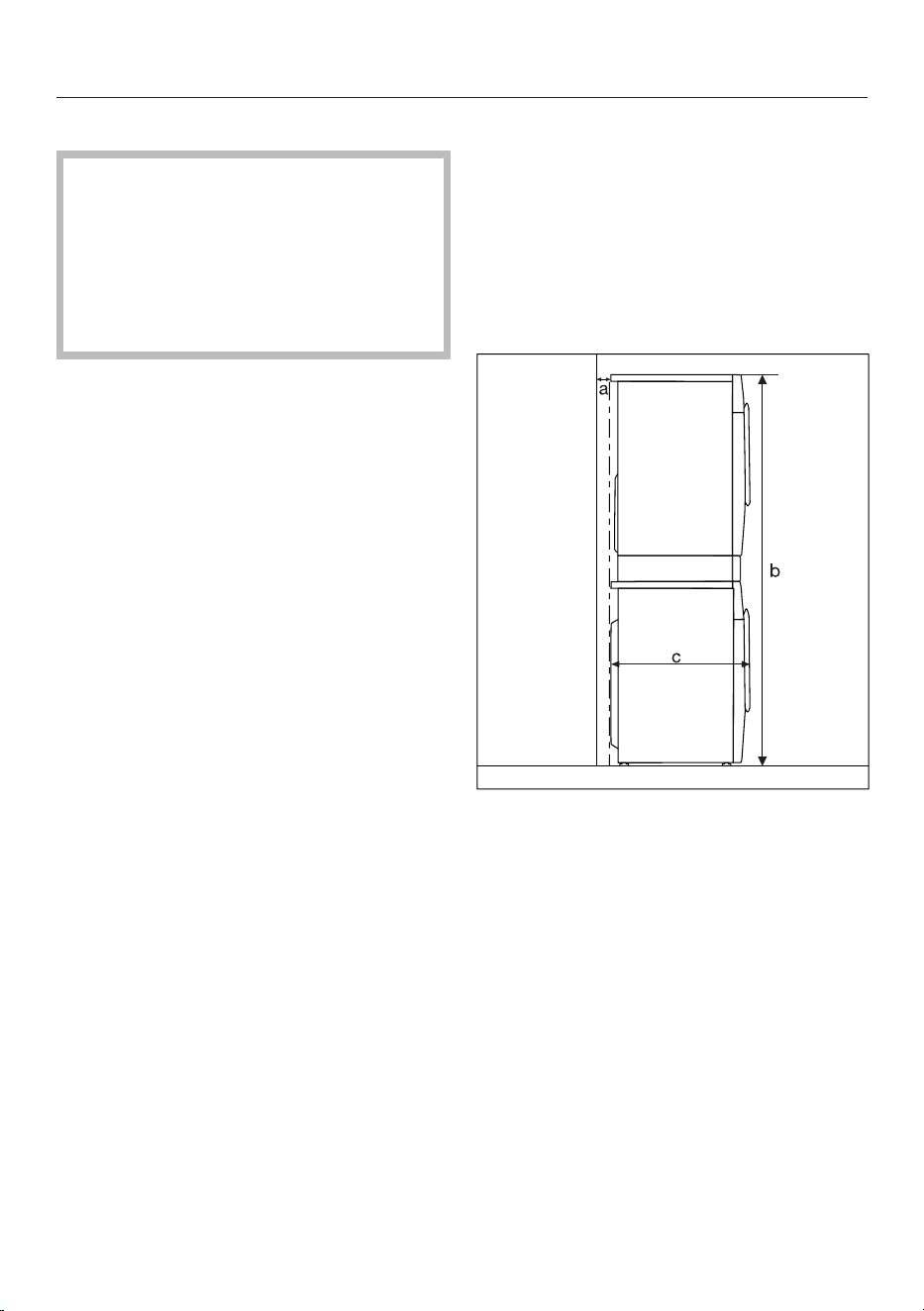
Installation
*INSTALLATION*
Installing under a continuous worktop
Risk of electric shock due to
exposed cables.
There is a risk of coming into contact
with live parts while the lid is
removed.
Do not remove the washing machine
lid.
This washing machine (with lid intact)
can be pushed under a worktop if there
is space to do so.
Plinth
The washing machine can be installed
on a plinth with drawer (please note the
plinth may not be available in all
countries).
The plinth must be purchased as a pair
and secured to the second plinth
supporting another tumble dryer or
washing machine.
Washer and dryer stack
A Miele tumble dryer can be stacked
with the washing machine. The
appropriate “WTV” stacking kit* to
match your tumble dryer is required.
All parts marked * are available from
Miele.
Please note:
a = at least 2cm
b = WTV without drawer: 172cm
WTV with drawer: 181cm
c = 65 cm
78
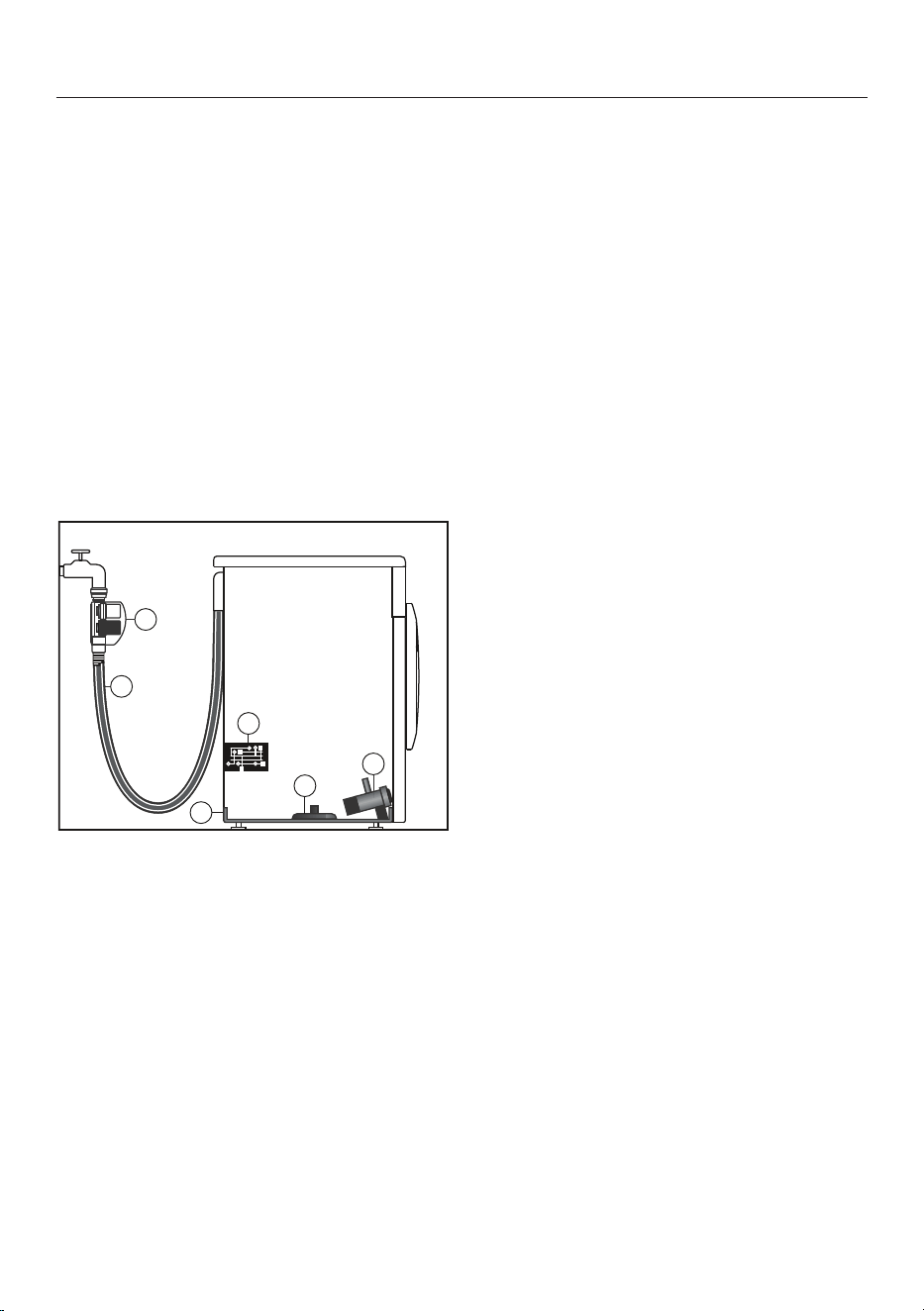
Installation
*INSTALLATION*
The Miele water protection
system
The Miele water protection system
protects all parts of the washing
machine and surrounds from water
damage.
The system consists of three main
components:
- the inlet hose
- the electronic unit and drainage and
overflow protection
- the drain hose
The Waterproof system (WPS)
a
Two solenoid valves
b
Double-skinned inlet hose
c
Sump
d
Float switch
e
Electronic unit
f
Drain pump
The inlet hoses
- The casing on the inlet hoses contains
two solenoid valves , which cut off
the water intake directly at the tap.
These valves provide two-fold
protection. In the event that one of
the valves is faulty, the other valve will
cut off the water intake.
Blocking the water intake at the tap
means that the inlet hoses are only
under pressure whilst water is being
taken into the machine. For the
remainder of the time, pressure on the
inlet hoses is negligible.
- Protection against the solenoid valves
bursting.
The solenoid valves are pressure
tested to between 7000kPa and
10,000kPa against bursting.
- The double-skinned inlet hoses
have a pressure-resistant inner hose
and a protective sleeve. Any leaking
water is fed into the sump through
this protective sleeve. The float switch
closes the solenoid valves,
preventing any more water flowing
into the machine and water in the
suds container is pumped away.
The electronic unit and drainage
and overflow protection
- Drainage protection
Any leaking water is collected in the
sump in the base of the machine. A
float switch closes the solenoid
valves , preventing any more water
from flowing into the machine and
water in the suds container is pumped
away.
- Overflow protection
If the water level exceeds a certain
level, the drain pump switches in
and pumps the excess water away in a
controlled manner.
Should the water level rise repeatedly
in an uncontrolled way, the drain
pump will switch on continuously,
the washing machine will indicate that
there is a fault and a tone will sound.
79
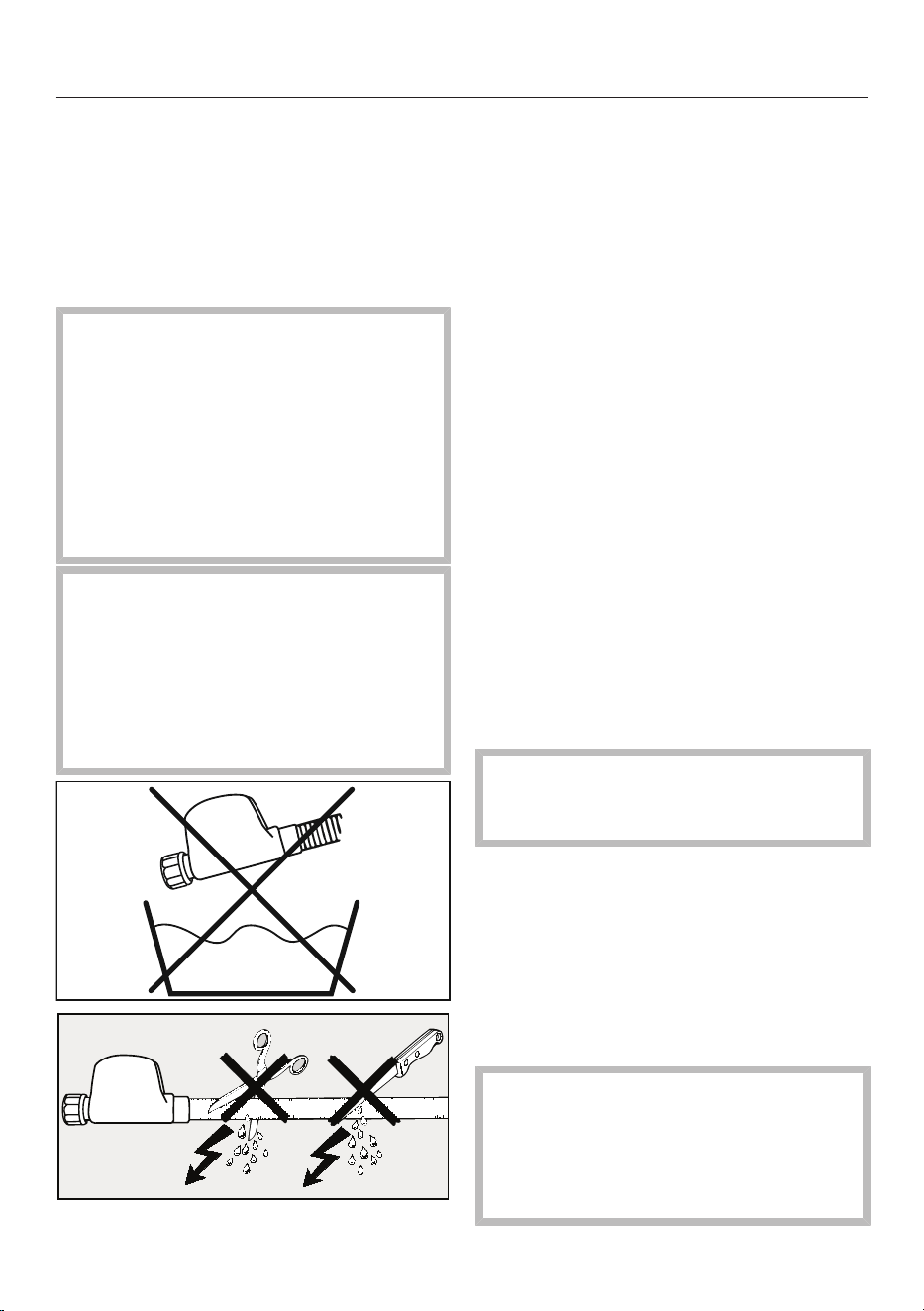
Installation
*INSTALLATION*
Drain hose
The drain hose is protected by a
ventilation system which prevents the
washing machine from being emptied
completely.
Connection to the water supply
Health risk and risk of damage
due to contaminated mains water.
The quality of the water used must
correspond to the drinking water
specification of the country in which
the washing machine is being
operated.
Always connect the washing machine
to potable water.
Risk of electric shock from mains
voltage.
There are live electrical components
in the water inlet hose.
The water inlet hose must never be
connected in an area subject to spray
water, e.g. from a bath or shower.
The protective sleeve must not be
damaged or kinked.
The washing machine must be
connected to a mains water supply in
accordance with current local and
national safety regulations.
The water connection pressure needs to
be between 100kPa (1 bar) and
1000kPa (10 bar). If the water pressure
exceeds 1000kPa (10 bar), a pressure
reducing valve must be installed.
A tap with a ¾inch threaded union is
required for the connection of each
hose. If this is not available, only a
qualified plumber may connect the
washing machine to the mains water
supply.
Connecting water inlet hoses
Useful tip: Detailed information is
available via the QR code on the front
page.
Screw the water inlet hoses with the
nut onto the thread of the taps.
To prevent damage to the inner hose,
hold the valve casing firmly and turn
the nut.
Slowly turn on the taps and check the
connections for leaks.
Correct the position of the seal and
screw thread if necessary.
Maintenance
Only use a Miele Waterproof system
hose should you need a replacement.
Damage caused by dirty water.
This washing machine has a filter in
the hose connection to the casing to
protect the solenoid valves.
This filter must not be removed.
80
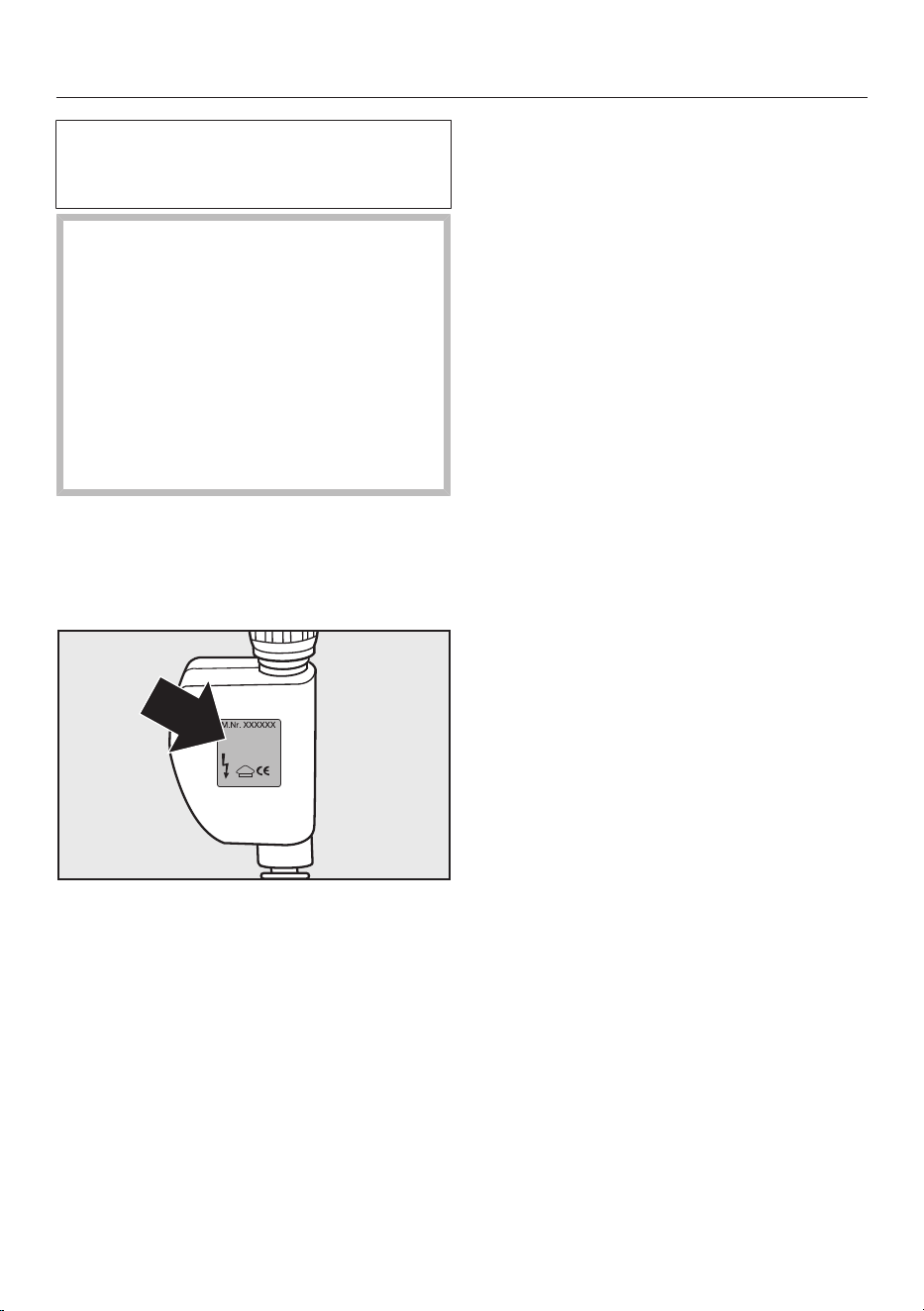
Installation
*INSTALLATION*
This washing machine can be operated
with cold mains water only or cold and
hot water.
Damage caused by incorrect
water connection.
Connection to hot water only is not
permitted. The washing machine
requires a cold water connection
when operating with hot water in
order to control the temperature of
the wash water.
Always connect the washing machine
to cold mains water.
Programming the washing machine for
hot water operation is described in
“Settings - Water intake”.
Markings on the water inlet hoses
Cold water (cold
mains water)
= silver label
Hot water = red label
Cold water (default setting)
The washing machine will be operated
with cold mains water only.
The other inlet hose is secured to the
back of the washing machine.
Hot water
- The preferred temperature is 55°C.
The temperature must not exceed
60°C. Consult a qualified plumber if
the temperature exceeds 60°C.
- You can heat up your water with
cheaper, primary energy sources, e.g.
gas, solar power, oil.
- Before connecting to the mains water
tap, check that the outflow of cold
water does not exceed 5litres. Each
additional litre of cold water reduces
the energy efficiency.
- If the hot water tap is turned off for
some time, the washing machine will
automatically switch to the cold water
connection. This safety measure is not
intended for the permanent operation
of the appliance. The washing
machine continues to wash using hot
water operation, but washing results
are impaired.
Drainage
The suds are drained through a drain
pump with a 1m high delivery head. For
the water to drain freely, the hose must
be free of kinks.
If required, the hose can be extended to
a length of up to 5m. The necessary
parts can be ordered from Miele
(depending on country).
For a delivery head of more than 1m (up
to a max. of 1.8m), a replacement drain
pump will need to be fitted. Please
contact Miele for advice.
For a delivery head of 1.8m, the hose
can be extended to a length of up to
2.5m. The necessary parts can be
ordered from Miele (depending on
country).
81
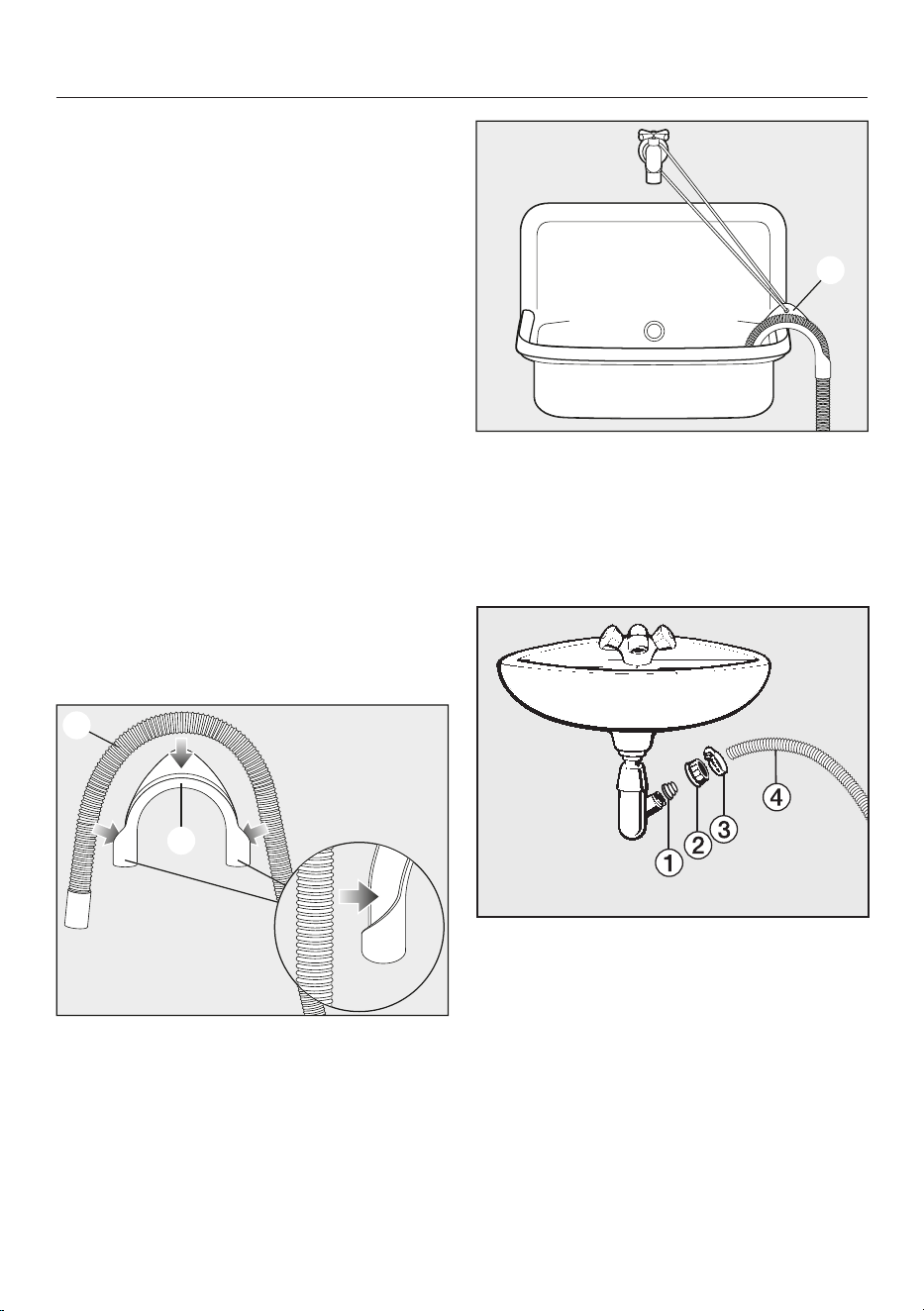
Installation
*INSTALLATION*
Drain hose connection options
1. Directed into a laundry trough or tub
or into the sud-saver pipe of a laundry
trough or tub.
Please note:
– Hook the hose over the edge and
secure it.
– Make sure that the water can drain
away freely without hindrance.
Otherwise there is a risk of water
overflowing or of some of the
drained water being sucked back
into the machine.
2. Connected securely to a trapped
waste pipe.
3. Connected securely to a floor drain
(gully).
Using the elbow
To prevent the drain hose from slipping,
use the enclosed elbow.
Attach the elbow to the drain hose
.
Hang the drain hose over the sink.
Secure the elbow from slipping using
a strap and the eyelet .
Direct connection to a sink drain
outlet
a
Adapter
b
Washbasin nut
c
Hose clip
d
End of the hose
Fit the adapter to the sink drain
outlet using the nut .
Attach the end of the hose to the
adapter .
Use a screwdriver to tighten the hose
clip up close to the nut.
82

Installation
*INSTALLATION*
Electrical connection
The washing machine is supplied with a
mains cable with moulded plug ready
for connection to a switched socket.
The socket should be easily accessible
after the machine has been installed. If
the switch is not accessible after
installation, an additional means of
disconnection must be provided for all
poles.
Risk of fire from overheating!
Connecting the washing machine to
a multi-socket plug adapter or to an
extension lead can overload the
cable.
Do not use an extension lead or
multi-socket plug adapter.
All electrical work must be carried out
by a suitably qualified and competent
person, in strict accordance with
national and local safety regulations.
For extra safety, it is advisable to install
a suitable residual current device (RCD)
with a trip current of 30mA. Ensure
power is not supplied to the appliance
until after the installation has been
completed.
If the mains connection cable is
damaged, it must only be replaced with
a specific mains connection cable of the
same type (available from Miele). For
safety reasons, such replacement may
only be carried out by a suitably
qualified and competent technician or
by a Miele authorised service
technician, in order to avoid a hazard.
The data plate indicates the nominal
power consumption and the appropriate
fuse rating. Compare this information
with the data of the on-site electrical
connection.
If in any doubt, consult a qualified
electrician.
Temporary or permanent operation with
a self-sufficient or non-mains
synchronous energy supply system (e.g.
isolated networks, back-up systems) is
possible. A requirement for the
operation is that the energy supply
system complies with all current local
and national requirements that apply to
stand-alone, solar and/or battery
systems.
The protective measures provided in the
domestic installation and in this Miele
product must also be assured in their
function and operation in isolated
operation or in non-mains synchronous
operation, or replaced with equivalent
measures in the installation.
83
Consumption data
Programmes Load Energy Water Duration Temperature
1
Residual
moisture Speed
kg kWh Litres h:min °C % rpm
Cottons 60 9.0 1.45 65 2:29 55 50 1600
20 9.0 0.45 75 2:39 24 50 1600
Minimum iron 30 4.0 0.60 57 1:59 34 30 1200
Express 20
2
40 3.5 0.33 30 0:20 26 60 1200
Woollens 30 2.0 0.23 35 0:39 – – 1200
QuickPowerWash 40 4.0 0.58 40 0:49 – – 1600
1
Maximum laundry temperature reached in main wash.
2
Quick Extra activated
Information for customers:
Consumption data can vary from the nominal values listed depending on water pressure, water hardness, water inlet temperature, room
temperature, type and volume of load, fluctuations in the electricity supply and any Extras selected.
The consumption data displayed in Feedback can vary from the consumption data listed in the consumption data chart. Variations occur due
to component tolerances and on-site conditions, e.g. mains water pressure fluctuations, mains voltage and mains voltage fluctuations.
84

Technical data
Height 850mm
Width 596mm
Depth 643mm
Depth with door open 1077mm
Height for building under 850mm
Width for building under 600mm
Weight Approx. 95kg
Capacity 9,0kg dry laundry
Supply voltage See data plate
Rated load See data plate
Fuse rating See data plate
Consumption data See "Consumption data"
Minimum water flow pressure 100 kPa (1 bar)
Maximum water flow pressure 1000 kPa (10 bar)
Water inlet hose length 1.60 m
Drain hose length 1.50 m
Mains connection cable length 2.00 m
Drain pump head height max. 1.00 m
Drain pump length max. 5.00 m
LEDs Class 1
Test certifications awarded See data plate
Power consumption when switched off 0.30W
Networked standby 0.70W
Frequency band 2.4000GHz–2.4835GHz
Maximum transmission power <100mW
85

Settings
You can use the settings to alter the
machine's electronics to suit changing
requirements.
Settings can be altered at any time.
Calling up settings
Switch on the washing machine.
Scroll to the second page in the main
menu.
Touch the Settings sensor.
The display will change to show the
Settings menu.
Selecting settings
The settings are grouped into different
areas.
11:02
Controls /
Display
Settings
Network
Programme
sequence
Appliance
parameters
Installation
requirements
Select the required area.
Scroll through the list until the setting
you want appears.
Touch the sensor to select the setting
you require.
Changing a setting
Change the value displayed and
confirm with OK.
or
Touch an option to select it.
An option which is selected will be
highlighted orange.
The option is saved. The display will
then switch to the Settings menu, or go
back to the previous menu level.
Closing the Settings menu
Touch the sensor.
The display will then go back to the
previous menu level.
Touch the sensor.
The display will change to show the
main menu.
Controls / Display
Language
The display can be set to appear in one
of several different languages.
The flag after the word Language
(Sprache in German) acts as a guide in
case a language which is not
understood has been set.
The language selected is saved.
Consumption
In this setting you can check the saved
energy and water consumption values
and enter the energy cost.
Options
- Previous programme
the consumption for the last
programme carried out.
- Total consumption
Shows the total of the energy and the
total of the water used by the previous
programmes.
- Set the cost
You can enter the cost for energy
(electricity) and water.
86
Settings
Code
The code prevents the washing
machine being used without your
knowledge.
Options
- Activate
If you activate the code, you have to
enter a code after switching the
washing machine on. Otherwise it
cannot be operated.
The factory default code is 125.
- Change
If wished, you can set a different
three-digit code.
Do not forget the code you have
set.
If you forget the code, only a Miele
service technician can unlock the
washing machine.
Important! Make a note of your new
code.
- Deactivate
The washing machine is to be
operated again without entering a
code. This only appears if the code
has been activated previously.
Memory
The washing machine will save the last
settings (temperature, spin speed and
some of the Extras) selected for a
programme after the programme has
started.
When the programme is chosen again,
the saved settings will appear in the
display.
Memory is deactivated as standard.
Clock display
After selecting the clock format, you
can set the time of day.
Clock format
- 24 h clock (default setting)
- 12 h clock
Time
- The time of day can be set.
Volume
Finish tone
The volume can be changed for the
buzzer that sounds at the end of the
programme.
It can be set to one of seven different
settings or switched off altogether.
Keypad tone
The volume of the tone that sounds
when a sensor is touched can also be
changed.
It can be set to one of seven different
settings or switched off altogether.
Display brightness
The brightness of the display can be
altered.
It can be set to one of seven different
settings.
Temperature unit
The temperature can be displayed as
degrees Celsius (°C) or
Fahrenheit (°F).
The factory setting is Celsius (°C).
87
Settings
“Display” off status
The display and the sensor control
lighting is switched off to save energy.
The Start/Stop sensor flashes slowly.
Options
- Off
The lighting remains switched on.
- On (factory default setting)
The lighting switches off after
10minutes.
- On, not in current prog.
The lighting remains switched on
throughout the programme. The
lighting switches off 10minutes after
the programme has ended.
Programme sequence
TwinDos
You can set the type of detergent and
dispensing quantities and check the
level of the UltraPhase1 and
UltraPhase2 cartridges.
Select detergent
If you wish to use your own detergent
with the TwinDos function instead of
UltraPhase1 and 2, you will need to
purchase the empty TwinDos containers
separately (optional accessories).
UltraPhase1 and 2 can only be
dispensed as a package. If a different
agent is selected, the setting for the
other compartment is automatically
deleted.
The following agents can be used:
- Miele UltraPhase 1
- Miele UltraPhase 2
- Universal detergent
- Colour detergent
- Delicates detergent
- Delicates/Woollens
- Fabric softener
Follow the manufacturer's
instructions on dosage given on the
packaging.
The dosage amount required for the
agent being used must be set. Follow
the instructions in the display on how to
do so.
Useful tip: If you select No agent, the
respective TwinDos compartment will
be deactivated.
Change dosage
The values set for dispensing
detergent from compartments and
can be checked and corrected.
Soiling
You can specify the default setting for
the degree of soiling.
The following soiling levels are available
to choose from:
- Light
- Normal
- Heavy
The factory default setting is: Normal
Water plus level
There are four different water levels
which can be selected for the Water
plus Extra.
Levels
- Normal (factory default setting)
- Plus
- Plus
- Plus
88
Settings
Maximum rinse level
The water level in the rinse can be
permanently set to the highest value.
This function is important for allergy
sufferers as it achieves excellent rinse
results. The water consumption will be
increased.
The maximum rinse level is deactivated
as standard.
Soak duration
You can set a duration for the soak
process of between 30minutes and
6hours.
A duration can be selected in 30-minute
increments. When the Soak Extra is
selected, the laundry will be soaked for
the duration selected.
A duration of 0:30h is set as standard.
Longer pre-wash Cottons
If you require a longer pre-wash, you
can extend the standard pre-wash
time of 25minutes in the Cottons
programme.
- Normal (factory default setting)
25-minute pre-wash.
- + 6 min
31-minute pre-wash.
- + 9 min
34-minute pre-wash.
- + 12 min
37-minute pre-wash.
Gentle action
With gentle action activated, drum
agitation is reduced. In this way, lightly
soiled items can be washed more
gently.
Gentle action can be activated for the
Cottons and the Minimum iron
programmes.
Gentle action is deactivated as
standard.
Anti-crease
The Anti-crease function helps prevent
creasing if laundry is not going to be
removed immediately after the end of
the programme.
The drum continues to turn at intervals
for up to 30minutes at the end of the
programme. The washing machine door
can be unlocked at any time by touching
the Start/Stop sensor and then opened.
Anti-crease is deactivated as standard.
Network
Miele@home
Control the networking of your
washing machine with your Wi-Fi
network.
The following points may appear in the
submenu:
Set up
This message only appears if the
washing machine has not yet been
connected to a Wi-Fi network.
Please refer to “Before using for the first
time” for instructions on how to set up
the connection.
Activate
(visible if Miele@home is deactivated)
The Wi-Fi function is reactivated.
Deactivate
(visible if Miele@home is activated)
Miele@home remains set up, the Wi-Fi
function is switched off.
89

Settings
Connection status
(visible if Miele@home is activated)
The following values are displayed:
- the quality of Wi-Fi reception
- the network name
- the IP address
Set up again
(visible if set up)
Resets the Wi-Fi login (network) to
immediately re-establish a new
connection.
Reset
(visible if set up)
- The Wi-Fi is switched off.
- The Wi-Fi connection will be reset to
the factory default setting.
The network configuration should be
reset whenever a washing machine is
being disposed of or sold, of if a used
washing machine is being put into
operation. This is the only way to ensure
that you have removed all personal data,
and in the case of the latter, the
previous owner can no longer access
the washing machine.
A new connection set-up has to be
carried out in order to use the
Miele@home setting again.
SmartGrid
The SmartGrid setting (available
depending on country) is only visible if
the Miele@home setting is set up and
activated.
You can set your washing machine to
start automatically based on an
external signal within a certain time
period.
Activating SmartGrid gives the Timer
sensor a new function. Use the “Timer”
sensor to set SmartStart. The washing
machine will then start within the time
period specified by you when it receives
an external signal. If an external signal
has not been received by the latest start
time set, the washing machine will start
automatically (see “Timer”).
SmartGrid is deactivated as standard.
Remote control
The Remote control setting (available
depending on country) is only visible if
the Miele@home setting is set up and
activated.
Once the Miele App has been installed
on your mobile device, you can check
the status of your washing machine
from anywhere and start it remotely.
You can also control it remotely via the
MobileStart function.
You can switch off the Remote control
setting if you do not want to operate the
washing machine with your mobile
device.
If Remote control is not switched on, the
App can cause the programme to be
cancelled.
Use the “Timer” sensor to set a
timeframe within which you want to
start the washing machine and the
timer (see “Timer”).
The washing machine will then start
within the timeframe specified when it
receives your signal.
If it has not received a start signal by the
latest start time set, the washing
machine will start automatically.
Remote control is activated as standard.
90
Settings
RemoteUpdate
The RemoteUpdatemenu option is only
displayed and can only be selected if
the requirements for using
Miele@home have been met (see
“Before using for the first time –
Miele@home”).
The RemoteUpdate function is used for
updating the software in your washing
machine. If an update is available for
your washing machine, it will
automatically download it. Updates will
not be installed automatically. They
must be initiated manually.
If you do not install an update, you can
continue to use your washing machine
in the usual way. However, Miele
recommends installing updates.
Activating/Deactivating
RemoteUpdate is activated as standard.
Available updates will be downloaded
automatically but will only be installed if
you initiate installation manually.
Deactivate RemoteUpdate if you do not
want any updates to be downloaded
automatically.
Running a RemoteUpdate
Information about the content and
scope of an update is provided in the
Miele App.
A message will appear in your washing
machine display if a software update is
available.
You can install the update immediately
or postpone this until later. When the
washing machine is switched on again,
you will be reminded about the update.
Deactivate RemoteUpdate if you do not
wish to install updates.
The update can take several minutes.
Please note the following information
about the RemoteUpdate function:
- You will only receive a message when
an update is available.
- Once an update has been installed, it
cannot be undone.
- Do not switch off the washing
machine during an update. Otherwise,
the update will be aborted and will not
be installed.
- Some software updates can only be
carried out by a Miele service
technician.
Appliance parameters
Water intake
You can programme the washing
machine to hot water operation.
Options
- Cold water (factory default setting)
The washing machine will be operated
with cold water only.
- Hot water main wash
If the wash temperature exceeds
30°C, the wash temperature in the
main wash is achieved by mixing cold
and warm water.
91

Settings
Legal information
Open source licences
You can view information here.
Copyright and licences for operating
and control software
For the purpose of operating and
controlling the appliance, Miele uses
proprietary or third-party software that
is not covered by open source licensing
terms. These items of software/
software components are protected by
copyright. The copyright powers of
Miele and third parties must be
respected.
In addition, the appliance contains
software components which are
distributed under open source licensing
terms. You can access these open
source components along with the
associated copyright notices, copies of
the valid licensing terms and any further
information in the appliance under the
menu option Settings| Appliance
parameters| Legal information| Open
source licences. The liability and warranty
arrangements for the open source
licences displayed at this location only
apply in relation to the respective rights
holders.
Copyright and licences for the
communication module
For the purpose of operating and
controlling the communication module,
Miele uses proprietary or third-party
software that is not covered by open
source licensing terms. These items of
software/software components are
protected by copyright. The copyright
powers of Miele and third parties must
be respected.
In addition, the communication module
contains software components which
are distributed under open source
licensing terms. The open source
components contained in the appliance
along with the corresponding copyright
notices, copies of the licensing terms
valid at the time, and any further
information can be accessed locally via
IP using a web browser (http://<IP
address>/Licenses), where <IP
address> is the IP address of the
appliance. The liability and warranty
arrangements for the open source
licences displayed in this location only
apply in relation to the respective rights
holders.
Installation requirements
Low water pressure
If the water pressure is below 100kPa
(1bar), the programme will be
cancelled and a fault message will
appear.
If the on-site water pressure cannot be
increased, activating this function will
prevent the programme from being
cancelled.
Low water pressure is deactivated as
standard.
92

Settings
Suds cooling
When this is activated, additional
water flows into the drum at the end of
the main wash to cool the suds down.
Hot suds can damage plastic drainage
pipes.
Suds cooling takes place when a
Cottons programme with a temperature
of 70°C or higher is selected.
Suds cooling should be activated:
- to prevent the danger of scalding if the
drain hose is hooked over the edge of
a sink or basin.
Suds cooling is deactivated as standard.
Temperature reduction
At high altitudes water has a lower
boiling point. Miele recommends
activating the Temperature reduction
setting at altitudes of 2000m or
above to prevent water from boiling.
The maximum temperature is reduced
to 80°C even if a higher temperature is
selected.
The Temperature reduction setting is
deactivated as standard.
93


Miele Australia Pty. Ltd.
Miele New Zealand Limited
Miele Global Headquarters
Germany
Miele & Cie. KG
Carl-Miele-Straße 29
33332 Gütersloh
Federal Republic of Germany
IRD 98 463 631
8 College Hill
Freemans Bay, Auckland 1011
ACN 005 635 398
ABN 96 005 635 398
Level 4, 141 Camberwell Road
Hawthorn East, VIC 3123
0800 464 353 (0800 4 MIELE)
www.miele.co.nz
1300 464 353 (1300 4 MIELE)
www.miele.com.au

M.-Nr. 12 964 670 / 00en-AU, NZ
WWR 861 WPS