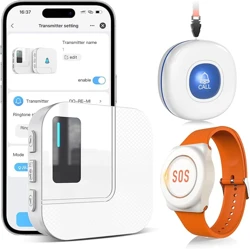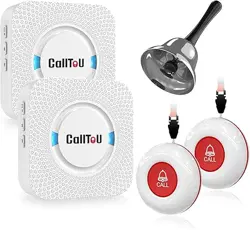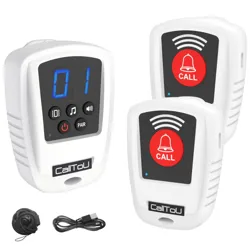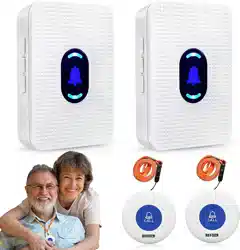
INST-EN-CR05-CR32-CT02-WB01-20260411
PLUG-IN & PORTABLE WIRELESS CALLING SYSTEM
CR05-32WH Series User Manual
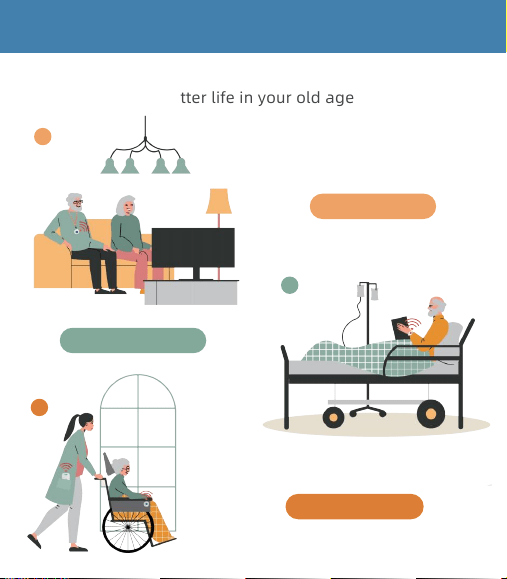
HOW IT WORKS
Helping you live a better life in your old age
1.Home Care
1
2
2.Nursing Home
3
3.Easy to Carry
Thank you for choosing the Wireless Caregiver Pager Set.
All transmitters and receivers are pre-paired before shipment.
Please take about 5 minutes to get familiar with the product
and test its functions before use.
02
QUICK START GUIDE
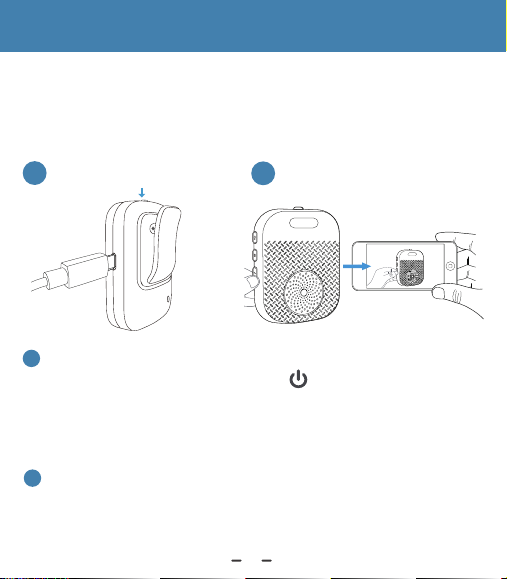
For the CR32WH receiver, please charge for 1 hour first, then
press and hold the top Power Button for 5–10 seconds to turn
it on.
Power On: “Di” sound + one flash
Power Off: “Di-Di” sound + two flashes
1
If you’d like to change the ringtone or re-pair the devices,
please scan the QR code to watch the operation video (see
page 08).
2
1
2
Power Button
03
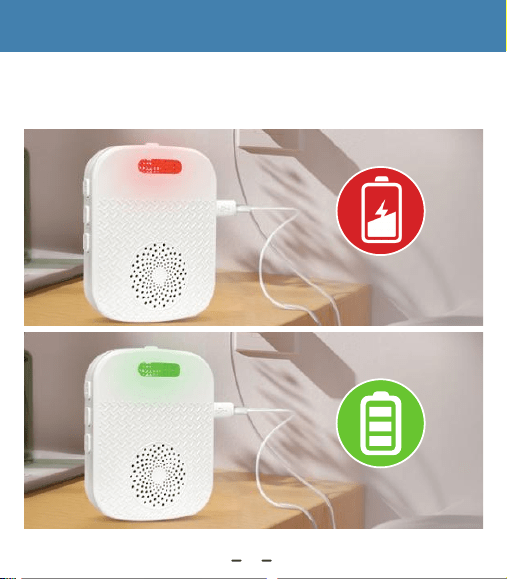
Charging Indicator: The LED is red during charging and turns
green when fully charged.
RECEIVER CHARGING GUIDE
Charging
Fully Charged
04
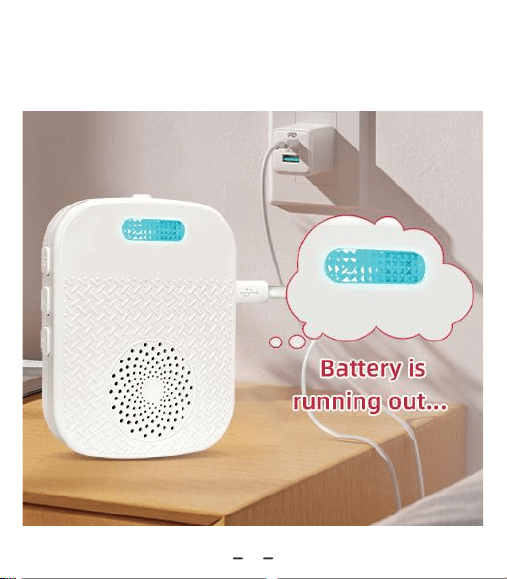
Low Battery Warning: Light flashes every 7 seconds and
“di di di” is announced.
di di di
05
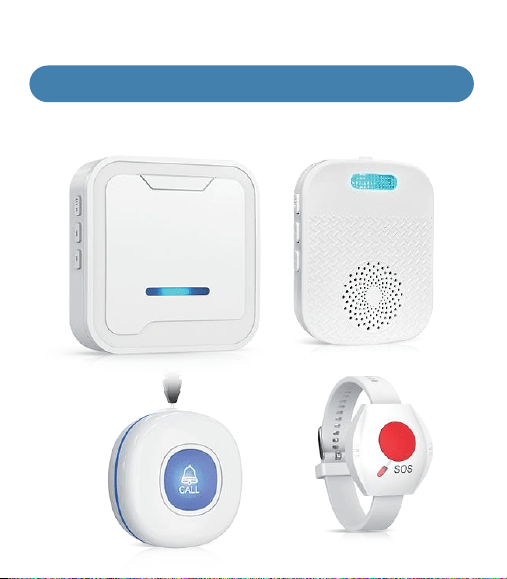
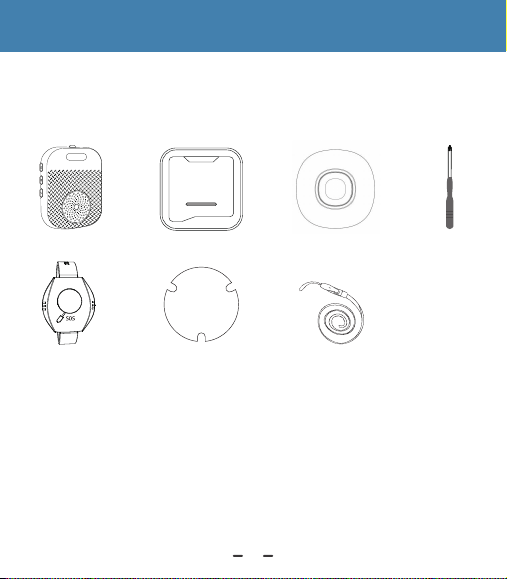
USB Receiver CR32WH
Screwdriver
Warm Reminder:
The package details depends on the number of sets you purchasse.
Lanyard
Transmitter CT02WB
Stickers
3M
Type-C cableTransmitter WB01RE
Plug-in Receiver CR05WH
COMES WITH ALL YOU NEED
After opening the package and before use, please check that the
following accessories are included. If you have any missing parts,
please contact us.
06
Wrist Band
WB01RE: CT02WB:
Indicator
Push
Push
Indicator
55
Ringtones
LED
Indicator
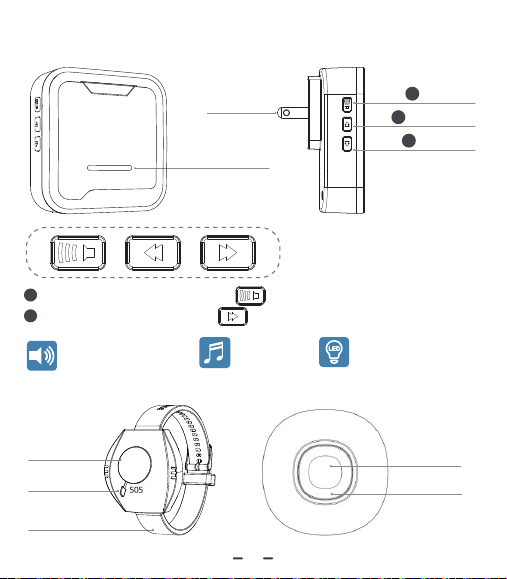
CR05WH Plug-in Receiver
Pair Transmitter: Long press for 3-5s.
Clear Pairing: Long press for 3-5s.
1
2
Led indicator
Volume
Forward
Backward
AC Plug
1
2
3
Adjustable Volume
(0 -110dB)
18
Ringtones
Vibration
Alert
Adjustable
Volume
(0 -110dB)
Low Battery
Reminder
07
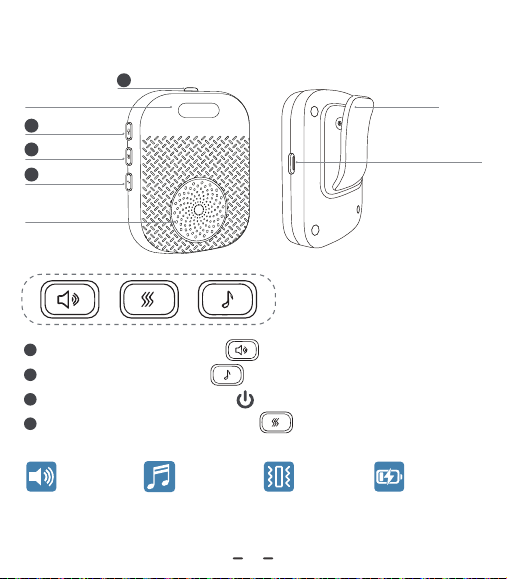
CR32WH Receiver
Clip
Charging Port
( Type C)
Pair Transmitter: Long press for 3-5s.
Clear Pairing: Long press for 3-5s.
Stop Ringing: Short press the button.
Vibration On/Off: Short press the button.
1
2
3
4
Volume
LED Flash
Power
Vibration
Ringtone
Speaker
1
2
3
4
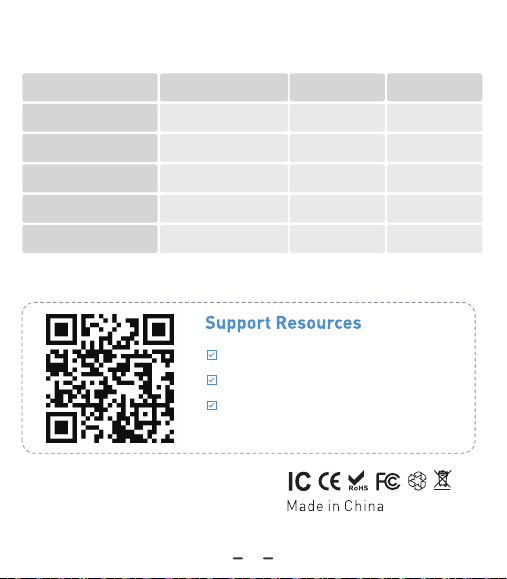
For FAQs and more information,please visit:
Type
Power
Frequency
Working Range
Waterproof Level
Receiver
Plug-in / Portable
433Mhz
500ft/152m
X
Transmitter
12V, 23A
433Mhz
500ft/152m
IP55
Model CR05WH/CR32WH CT02WB WB01RE
Transmitter
CR2032
433Mhz
200ft/90m
IP55
Email us at:
aftersale-help@outlook.com
08
Specification
Instructional Videos
Troubleshooting Guide
Manuals in Multiple Languages(Available
in: Japanese, French,German, Spanish,
Italian, English)
09
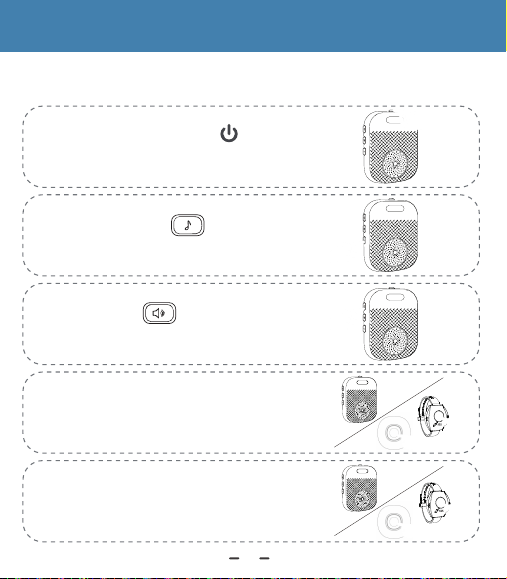
Step 1: Long Press the button.
Turn on the device;
Step 2: Press the button
to select a ringtone;
Step 5: Press call button to confirm
Receiver rings.
Step 3: Hold button until
"ding" sound and LED light flashes ;
Step 4: Press call button, receiver
makes "ding-ding" sound and LED
light flashes;
"ding"~~
"ding"~~
"ding"~~
Pair More Transmitters & Select Ringtone (CR32WH )
OPERATING INSTRUCTIONS
10
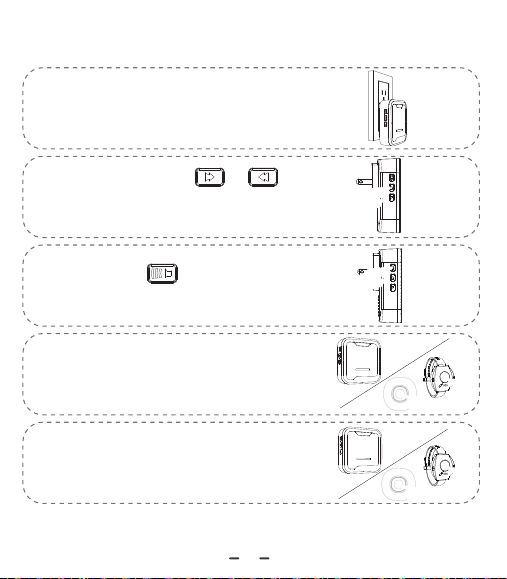
Step 1: Plug the receiver into a power
outlet.;
Step 2: Press the or button
to select a ringtone;
Step 5: Press call button to confirm
Receiver rings.
Step 3: Hold button until
"ding" sound and LED light flashes ;
Step 4: Press call button, receiver
makes "ding-ding" sound and LED
light flashes;
"ding"~~
"ding"~~
"ding"~~
Pair More Transmitters & Select Ringtone (CR05WH )
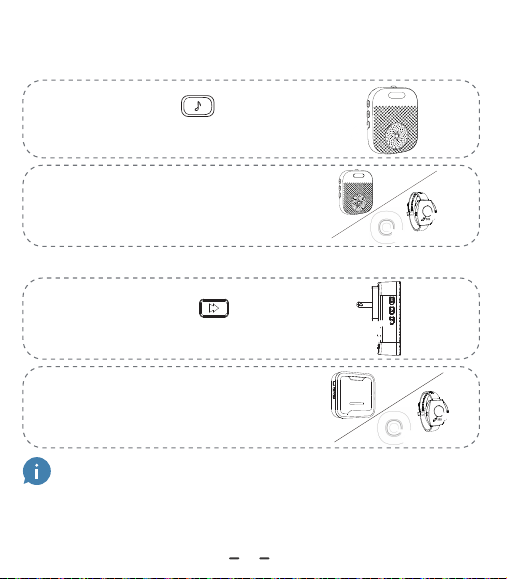
Tip: Once you complete Step 1, the receiver is in pairing
mode. A quick press of the call button will pair it with a
"ding" sound. But did you know? This shortcut skips
ringtone selection. This is why we recommend using the
standard pairing process.
Clear All Settings-CR32WH/CR05WH
Step 1: Press the button to
make a "ding" sound
Step 2: Waiting for 30s, you hear
receiver sound a "dingding’and
its light blinks.
"ding"~~
"ding"~~
"ding"~~
Step 1: Press the button to
make a "ding" sound
"ding"~~
"ding"~~
Step 2: Waiting for 20s, you hear
eceiver sound a "dingding'and
its light blinks.
"ding"~~
11
CR32WH:
CR05WH:
1 2
1 2
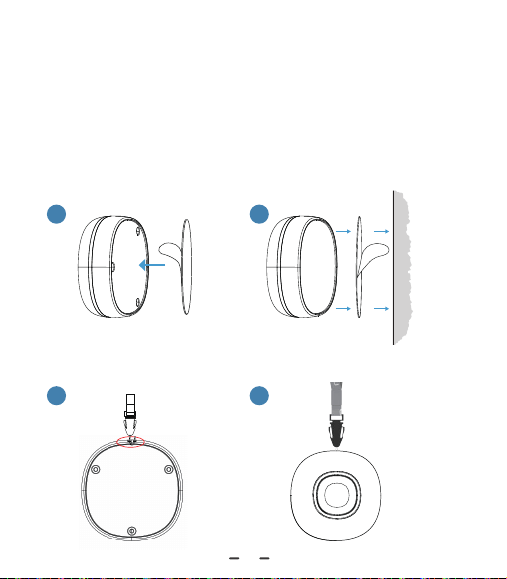
Option 1:Wall Mounting with Sticker
Option 2:Wearing with Lanyard
The CT02WB transmitter button can be installed in a variety
of ways, depending on your preference and convenience. The
packaging includes stickers, and a lanyard for different
installation options.
Installing the CT02WB Transmitter Button
12
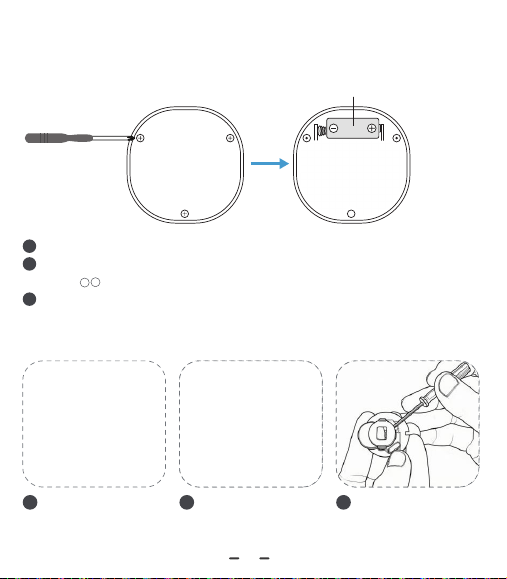
Remove the screw on the cover and open the cover.
Insert one 23A 12V alkaline battery (separate one), being careful
of the ﹢ ﹣ direction.
Close the cover and secure it with the screw.
1
2
3
Unscrew the screws.
1
Pry open the cover.
2
Replace the battery.
3
CT02WB:
WB01RE:
Replacing Battery
23A 12V alkaline battery
13
TROUBLESHOOTING
Q
Q1: Why is the pager system not working?
If the pager system does not work, please check the following:
1. Receiver check:Press the volume button. If there is no sound or flash,
make sure the receiver is powered on and not in silent mode.
2. Transmitter check:Press the transmitter. If the indicator does not light
up, replace the battery.
3. Re-pair the devices:Clear all pairing records and pair them again.
See “Clear All Settings – CR32WH / CR05WH” on page 11.
4. Check the range:Make sure the devices are within the operating
range.
Q
Q2: Do I need to pair the receiver and transmitter myself?
A
A
No, they are pre-paired at the factory.
Q
Q3: How do I change the default ringtone?
A
To change the default ringtone, select your preferred one and
re-pair the devices. For detailed steps, refer to the section "Pair More
Transmitters & Select Ringtone " on page 10-11.
14

Q
Q4: Can I purchase multiple sets and pair them together?
Yes, the system is easily expandable:
1. One receiver can pair with up to 30 transmitters. Just repeat the
pairing process.
2. Other models of receivers and call buttons may work together,
but compatibility is not guaranteed. Please contact us to confirm
before use, as performance may vary depending on distance
limitations.
3. For more information, please contact our customer service team.
A
Q
Q5: Can I wear the transmitter in the shower?
We recommend adding a wall-mounted or pendant transmitter next
to the bathtub or toilet within easy reach.Acceptable for Meal/ Soup
Splash, but is not recommended to be worn in the shower.
A
Q7: Extra purchased buttons cannot be paired.
15
A6/A7: To fix this issue:
1. Unplug and replug the receiver. Turn it off, then back on.
2. Clear all pairing records and re-pair the devices. For detailed steps,
refer to the section "ClearAll
3.lf the issue persists, please contact us.
Settings-CR32WH/CR05WH" on page 11.
Q
Q6: The receiver is ringing abnormally.
A