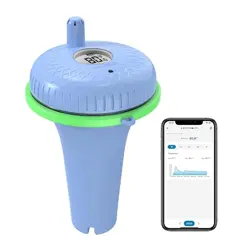
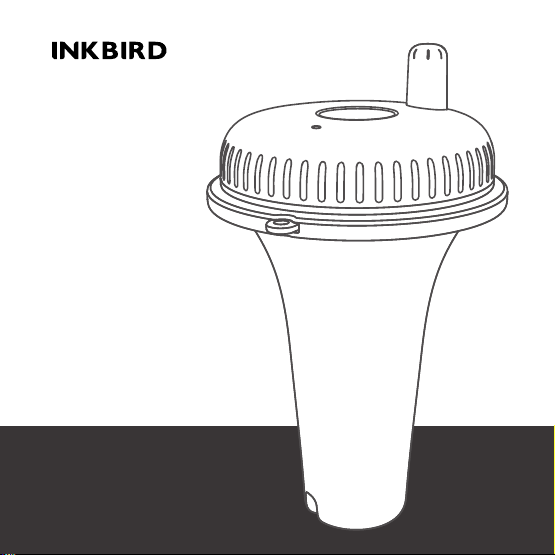
Bluetooth Pool
Thermometer
IBS-P02B

Warm tips
To quickly jump to a specific chapter page,
click on the relevant text on the contents page.
You can also use the thumbnail or document
outline in the top left corner to quickly find a
specific page.

........................................................................................
........................................................................................
........................................................................................
........................................................................................
Introduction
CONTENTS
........................................................................................
........................................................................................
Parameters
Basic Operation
4
01
02
03
APP Installation & Connection
Battery Installation of Pool Thermometer
04
05
7
10
FCC Requirement
06
13
5
5
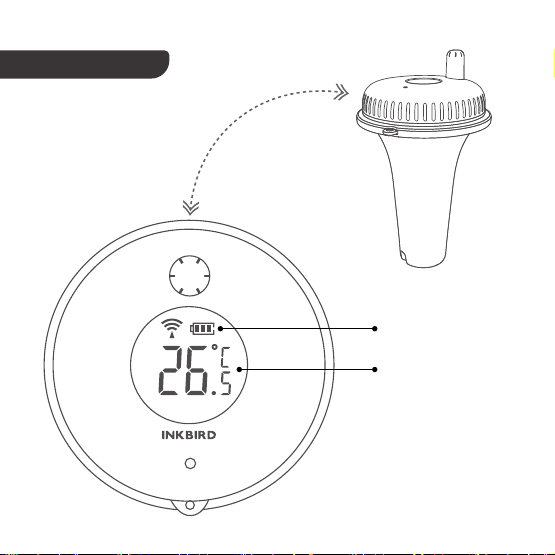
Battery Level
Current Detected
Temperature
Pool Thermometer
1. Introduction
- 4 -
2. Parameters
3. Basic Operation
Battery: 2*AAA 1.5V Battery(not included)
Temperature Measurement Range: -40℃~70℃/-40℉~158℉
Temperature Measurement Accuracy: ±1℃/±1.8℉
Temperature Display Accuracy: 0.1℃/±0.1℉
Waterproof Level: IPX7
Temperature Sampling Period: 5 seconds
Warranty: 1 year
3.1 Buttons
Unscrew the cover of the pool thermometer, as shown below.
- 5 -
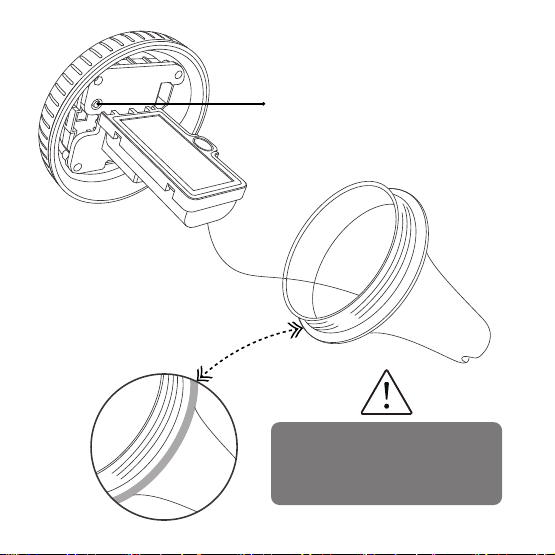
℃/℉: Press the button to switch the
temperature unit between ℃ and ℉.
℃/℉ Button
The green part is a waterproof
gasket, which should not be
removed at any time!
- 6 -
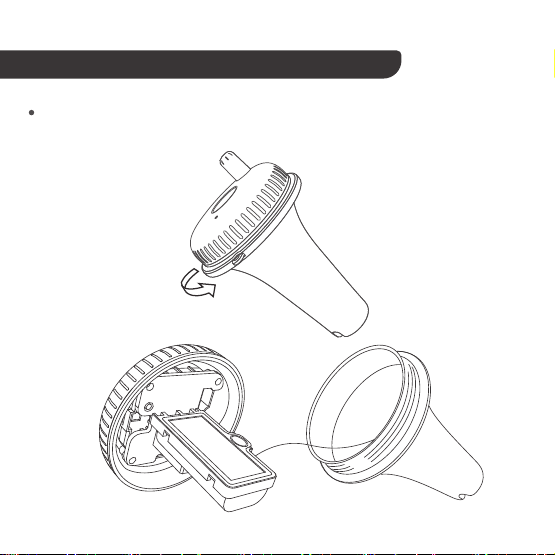
4. Battery Installation of Pool Thermometer
Unscrew the lid of the pool thermometer as shown below.
- 7 -
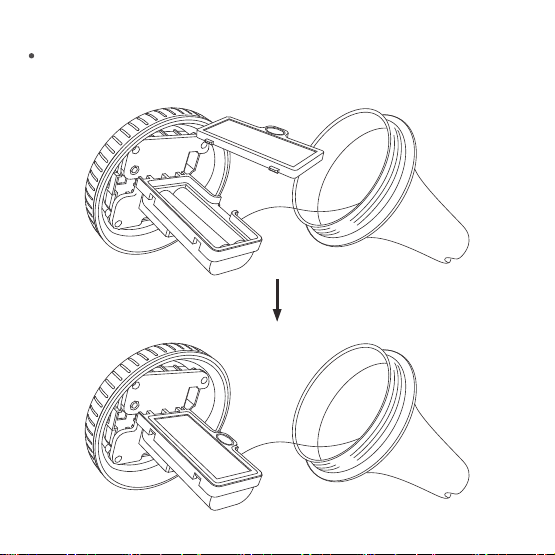
Remove the battery cover, install 2 AAA batteries, put the cover back.
- 8-
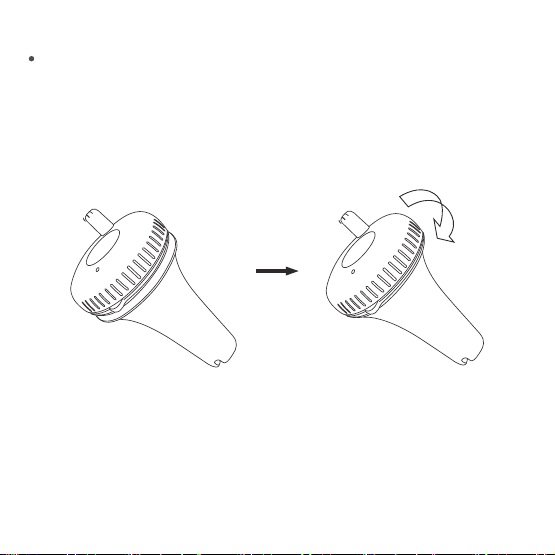
Make sure the silicone waterproof ring is well placed, then close and
tighten the lid of the pool thermometer.
- 9 -
5. APP Installation & Connection
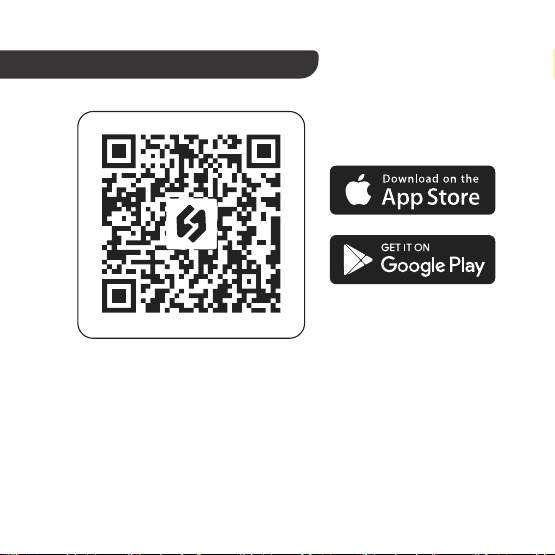
Search the INKBIRD App from Google Play or App Store to get it for
free, or you can scan the QR code below to download it directly.
5.1
- 10 -

NOTE:
Your iOS devices must be running iOS 12.0 or above to download
the app smoothly.
1.
Your android devices must be running android 7.1 or above to
download the app smoothly.
2.
3. APP Location Permission Requirement: We need to obtain your
location information to discover and add nearby devices. INKBIRD
promises to keep your location information strictly confidential.
And your location information will only be used for the location
function of the App and will not be collected, used, or disclosed to
any third party. Your privacy is very important to us. We will abide
by relevant laws and regulations and take reasonable security
measures to protect your information security.
- 11 -

5.2
5.3
Registration
How to Connect
Registering an account is necessary before using the INKBIRD
app for the first time.
Step1:
Open the app, select your Country/Region, and a verification
code will be sent to you.
Step2:
Enter the verification code to confirm your identity, and the
registration is complete.
Open the INKBIRD app and Click “+” on the top right corner to add a
device. Then, follow the app instructions to complete the connection.
Be careful to put the device as close as possible to the smartphone
during the connection process.
Step3:
- 12 -

6. FCC Requirement
Changes or modifications not expressly approved by the party responsible
for compliance could void the user’s authority to operate the equipment.
This device complies with Part 15 of the FCC Rules. Operation is subject to
the following two conditions:
(1) this device may not cause harmful interference, and
(2) this device must accept any interference received, including interfer-
ence that may cause undesired operation.
Note: This equipment has been tested and found to comply with the limits
for a Class B digital device, pursuant to Part 15 of the FCC Rules. These
limits are designed to provide reasonable protection against harmful
interference in a residential installation. This equipment generates, uses,
and can radiate radio frequency energy, and if not installed and used in
accordance with the instructions, may cause harmful interference to radio
communications. However, there is no guarantee that interference will not
occur in a particular installation. If this equipment does cause harmful
interference to radio or television reception, which can be determined by
- 13 -
turning the equipment off and on, the user is encouraged to try to correct
the interference by one or more of the following measures:
– Reorient or relocate the receiving antenna.
– Increase the separation between the equipment and receiver.
– Connect the equipment into an outlet on a circuit different from
that to which the receiver is connected.
– Consult the dealer or an experienced radio/TV technician for help.
Shenzhen Inkbird Technology Co.,Ltd.
Consignor: Shenzhen Inkbird Technology Co., Ltd.
Office Address: Room 1803, Guowei Building, No.68 Guowei Road, Xianhu
Community, Liantang, Luohu District, Shenzhen, China
Manufacturer: Shenzhen Inkbird Technology Co., Ltd.
Factory Address: 6th Floor, Building 713, Pengji Liantang Industrial Area, No.2
Pengxing Road, Luohu District, Shenzhen, China
MADE IN CHINA
DESIGNED BY INKBIRD
V1.0
- 14 -