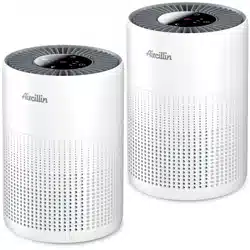
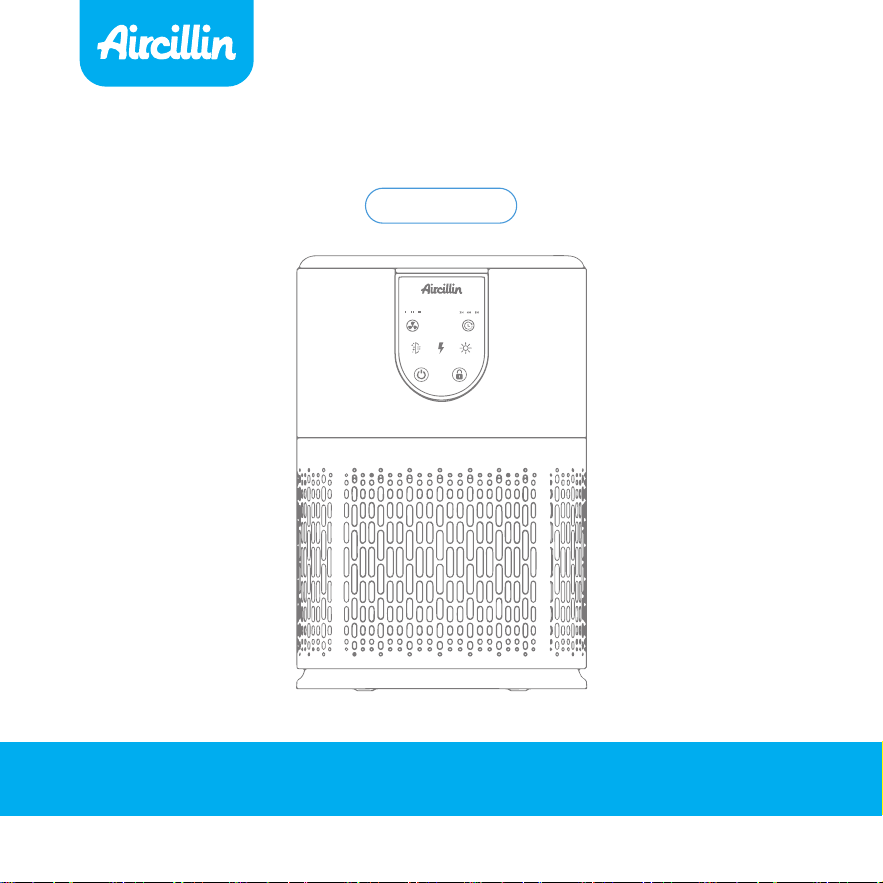
DESKTOP AIR PURIFIER
User Manual
AP0801
Customer support
Thank you so much for purchasing our Aircillin air purifier. Please
study this manual carefully to familiarize yourself with the features
and functions of your Aircillin air purifier. Inside you will find many
helpful hints on how to use and maintain your Aircillin air purifier
properly.
If you encounter any issues or have any questions regarding your new
product, feel free to contact our helpful Customer Support Team.
Your satisfaction is our goal!
01

PLEASE READ AND SAVE THESE INSTRUCTIONS
When using an electrical appliance, basic safety precautions should always be taken to re
duce the risk of fire, electric shock, and/or injury, including the following:
1. READ ALL INSTRUCTIONS BEFORE USE.
2. To reduce the risk of shock, always unplug the air purifier from the electrical
outlet im mediately after using as well as before replacing or removing any
filters.
3. The air purifier should always be placed on a flat, secure surface.
4. The cord should be kept away from any heated surfaces.
5. Never place or store the air purifier where it could fall or be pulled into a sink or
bathtub.
6. Do not reach for the air purifier if it has fallen into water. Unplug the appliance
immediately.
7. Do not place in or drop into water or liquid.
8. Do not place anything on top of unit.
9. Always keep the air purifier dry and do not operate in wet or moist conditions
like bath rooms, laundry areas or similar moist indoor places.
10. Always unplug the air purifier when not in use.
11. Check your air purifier cord and plug connections. A faulty wall outlet or loose
plug can cause the outlet or plug to overheat. Make sure the plug fits tightly in
outlet.
12. Do not run power cord under carpeting, runners or similar type floor coverings.
13. Do not use this product outdoors.
02

14. Do not block air intakes or exhaust in any manner. Do not use on any soft
surface, like a couch or bed, where the openings may become blocked.
15. Do not tilt or move the air purifier while the unit is powered on. Make sure the
power is off and remove the plug from the outlet before moving.
16. Use this air purifier only for its intended use as described in this manual. Any
other use not recommended by the manufacturer may cause fire, electric shock,
or serious injury to a person.
17. Press the power button to turn off the air purifier prior to removing plug from
outlet.
18. Children aged 8 and over, as well as persons with reduced physical, sensory or
mental abilities or who lack experience and knowledge, may use the device if
they are supervised or instructed in the safe use of the device and are aware of
the risks involved. Children sho uld not play with this instrument as a toy.
19. The device is not to be operated by any supply sources other than Information
and Com munication Technology Equipment or A Class 2 Power Unit.
20. Unplug or disconnect the appliance from the power supply before
servicing
21. WARNING: To Reduce The Risk Of Fire Or Electric Shock, Do Not Use This Fan
With Any Soid-State Speed Control Device
22. WARNING: To Reduce The Risk Of Fire, Electric Shock Or lnjury To Persons, Do
NotUse Replacement Parts That Have Not Been Recommended By The Manu-
facturer (e.g. Parts Made At Home Using A 3D Printer)
03
Read all instructions before using this air purifier.
When using an electrical appliance, basic precautions should always be
followed, including the following:
Make sure the air purifier is plugged into a live 120V AC outlet.
Always turn off and unplug the air purifier when not in use.
Disconnect the power supply from your air purifier by unplugging the
power cable before replacing filters and before cleaning and before
servicing.
Do not use attachments or filters not recommended by Aircillin.
Do not use the air purifier outdoors.
Do not attempt to remove any part of the unit except the filters.
Do not attempt to repair the air purifier.
Do not attempt to plug in the machine when your hands are wet.
Do not soak the purifier in water or splash water on it.
Do not operate the air purifier near an open flame.
Do not obstruct the air inlet and air outlet of the air purifier.
Save these instructions for future reference.
04
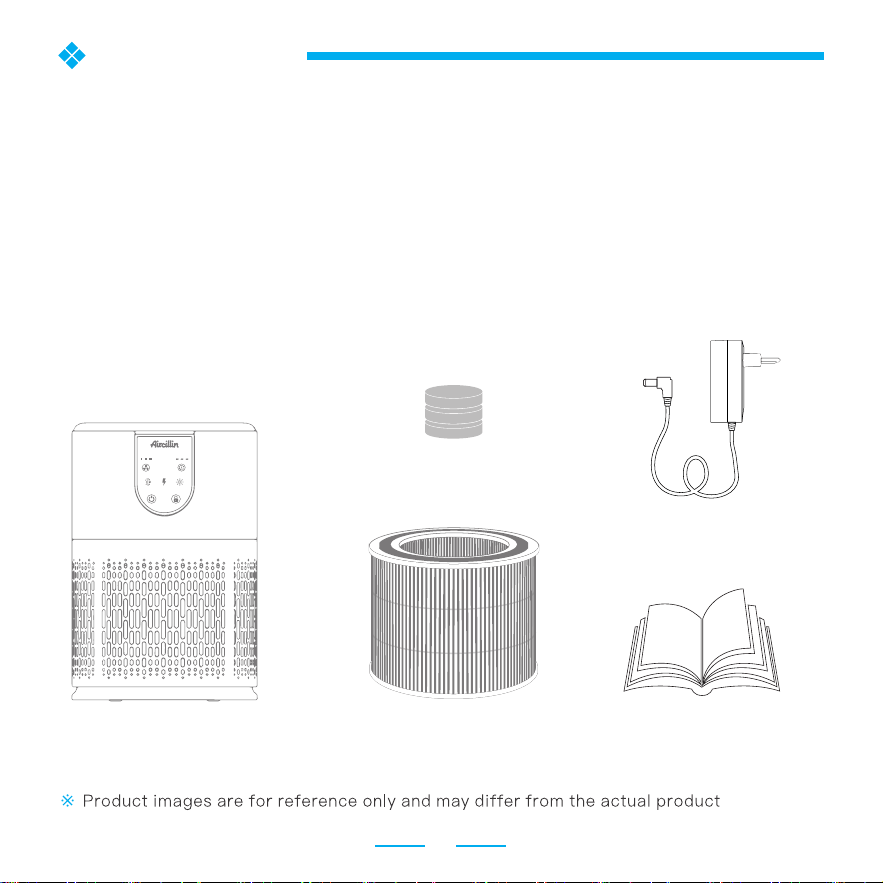
Packing List
Unpack your Aircillin purifier follows
1.Remove the Aircillin purifier from the packaging.
2.Check the components received against your packing slip to make
sure you have all the parts.
3.Check the unit and all the components for damage. If the unit or any
of the components show damage from shipping, contact Airtok
Technology Inc. (www.airtok.com).
Host
(1PCS)
Aroma Pads
(12 PACK)
Adapter
(1PCS)
(Put into the filter)
Filter
(1 PCS)
Manual
(1 PCS)
(loaded into the host)
05
Packing list
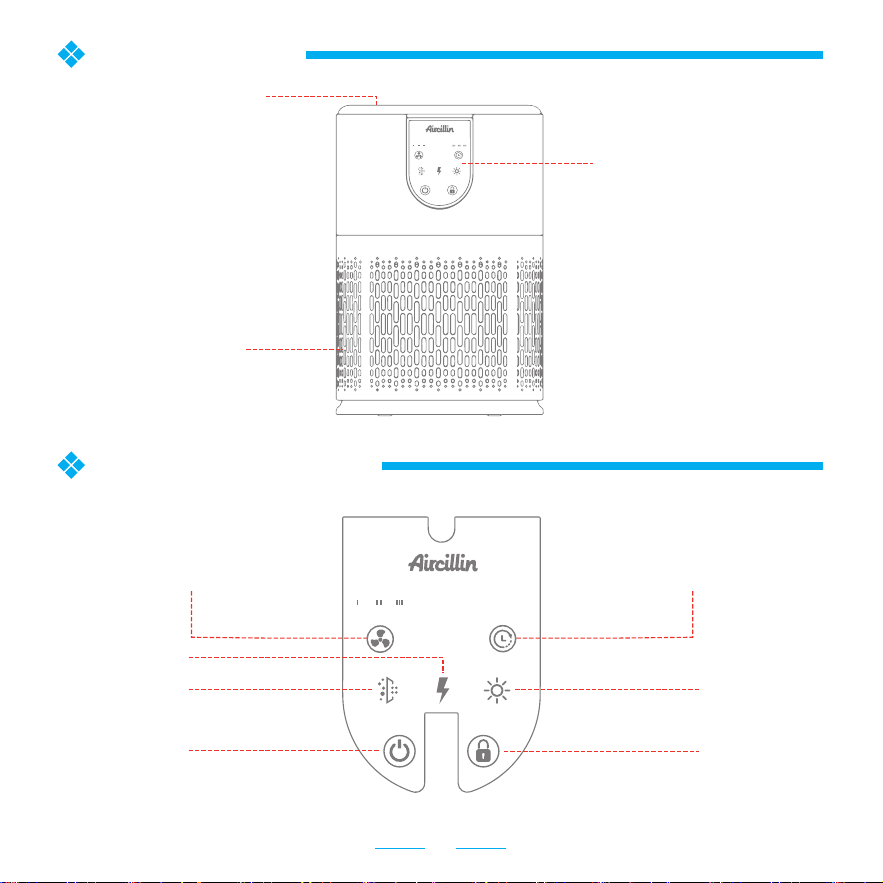
Operating guide
Air Outlet
Low
Fan Speed
Medium
Fan Speed
Filter R eplacement
Display Indicator
Turbo Botton
High
Fan Speed
2 Hours 4 Hours 8 Hours
Air Inlet
Control Panel
(Normal placement)
2H 4H 8H
Power
On / Off
Child Lock
06
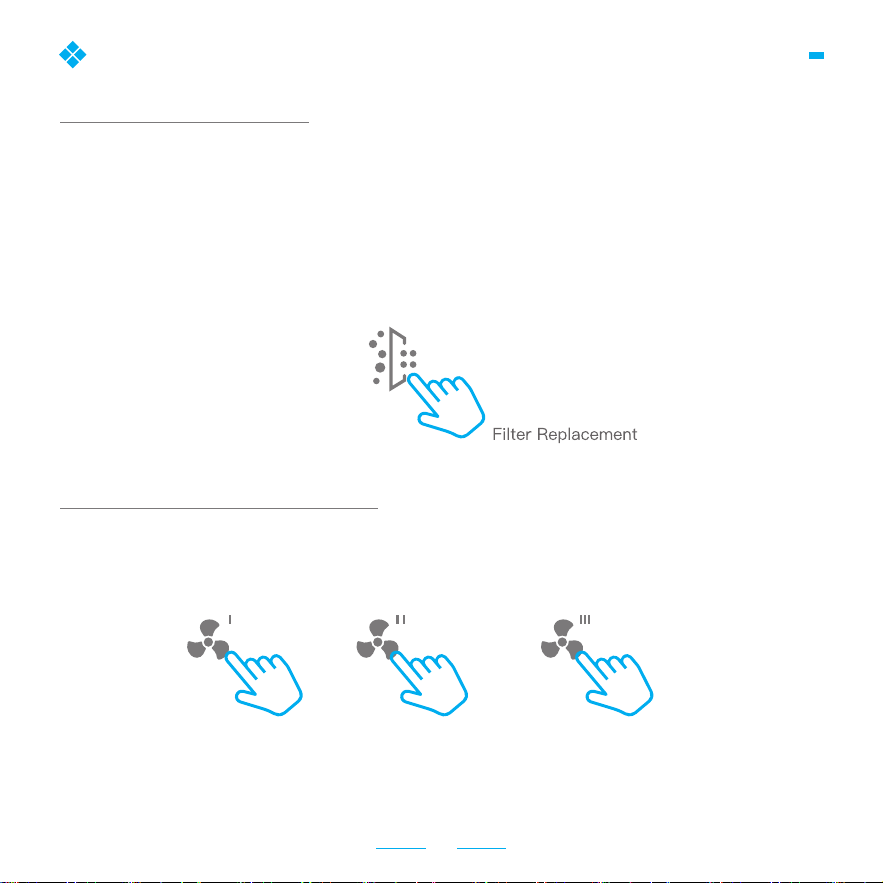
Introduction to quick start usage scenarios
When to replace filter
The filter life depends on the actual working environment. In the normal service
environment, the filter life is 1,000 hours. After about 900 hours (90% of rated
lifecycle) of cumulative operation, the Filter Replacement light will flash to Filter
Replacement remind you to purchase and replace the used filter. Replace it with
a new one, then press and hold the Filter Replacement button for 3 seconds.
And the Filter Replacement light goes out as the buzzer makes a beep
Turn on the machine and press the fan speed button to adjust the fan speed.
What to do if the air is dirty
Low speed Medium speed High speed
07
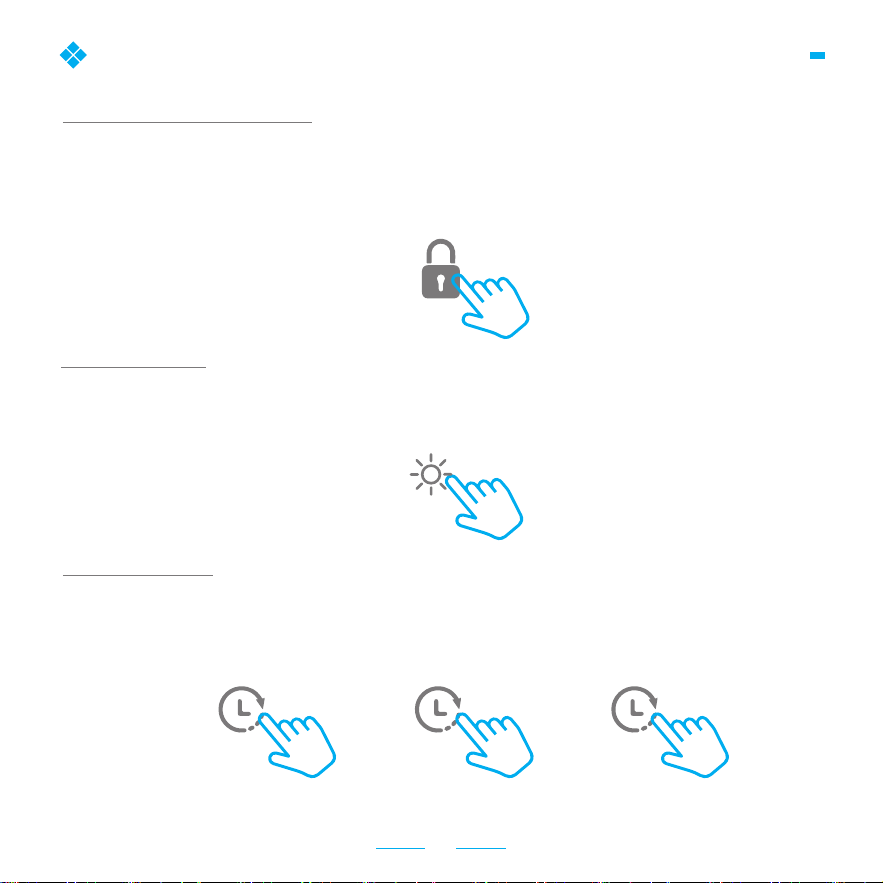
Introduction to quick start usage scenarios
How to use child lock
Timer switch
In the power-on state, Press the “Child Lock” button, the child lock
indicator light is on, and the child lock function is enabled; Press the child
lock, the indicator light of the child lock goes out, and the child lock function
is cancelled.
Timing power-off method: in the power-on state, press the “2H”, “4H” or “8H”
button, you can set power-off time of 2, 4 or 8 hours from the set time.
Child lock
2 hours
4 hours 8 hours
08
Press the Display light button once and the Display light goes out. You can also
turn off the Display light when it’s time for bed.
Display light
Display lights
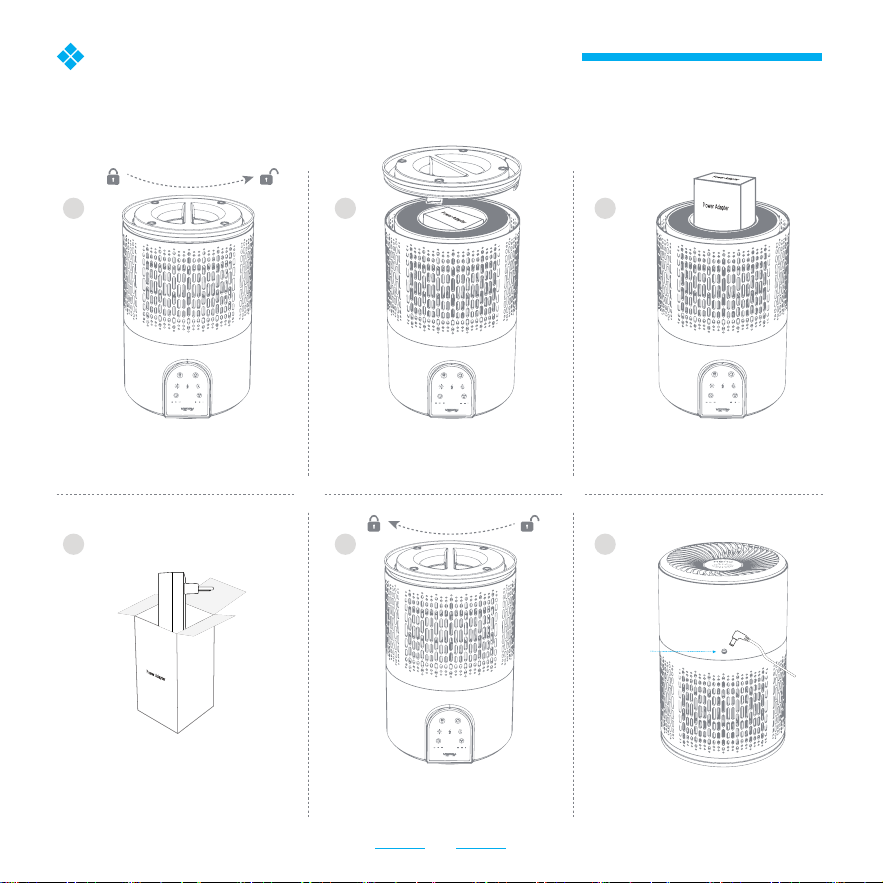
Where is the power adapter
The adapter is inside the machine. Please take it out according to
the following steps.
1
4 5 6
2 3
Place the machine with the bottom
facing up, Unlock the bottom cover
by turning it counterclockwise
Close the bottom cover of the
machine and turn the cover
clockwise to lock
Place the machine bottom down
and plug into the power adapter
Power port
Take the power adapter out of
the package
Separate the bottom cover from
the machine
Take the power adapter package
out of the machine
09
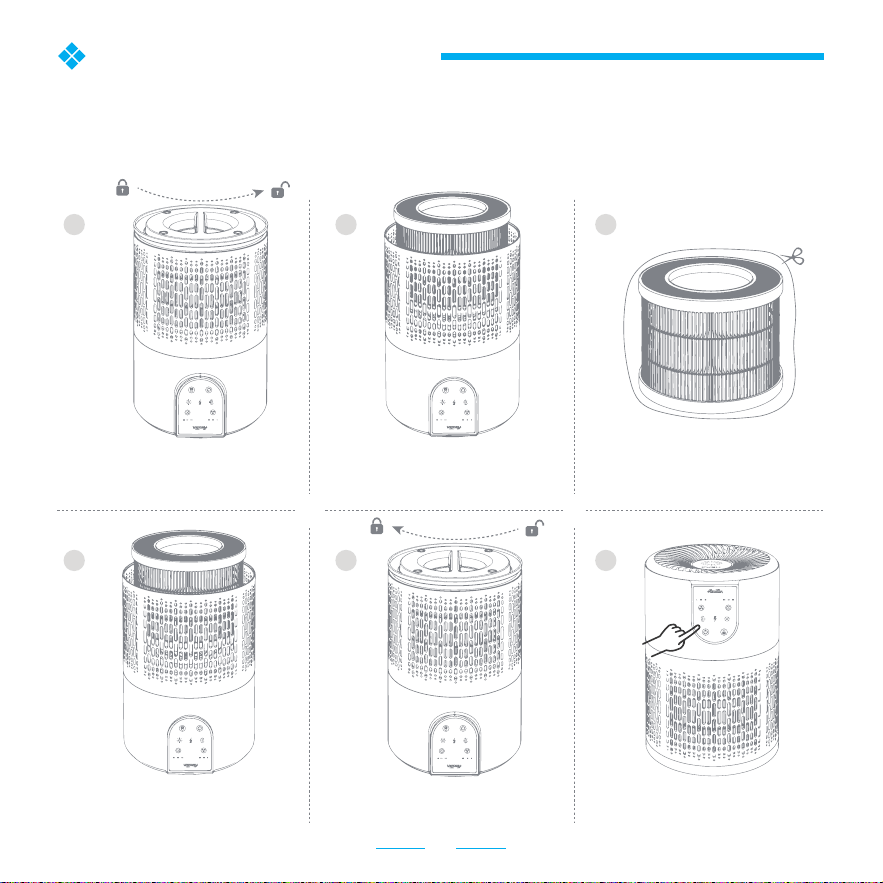
After about 1,350 hours (90% of rated lifecycle of filter) of cumulative
operation, the Filter Replacement indicator will flash to to remind you
to replace the used filter as a new one.
1
4 5 6
2 3
Place the machine with the bottom
facing up, Unlock the bottom cover
by turning it counterclockwise
Install the new filter
Separate the bottom cover from
the machine, Remove the old filter
Remove the packaging bag of
the new filter
10
Close the bottom cover of the
machine and turn the cover
clockwise to lock
After switching on the power, press
and hold the filter replacement button for
3 seconds, and when you hear the beep,
the installation is successful.
How to replace filter
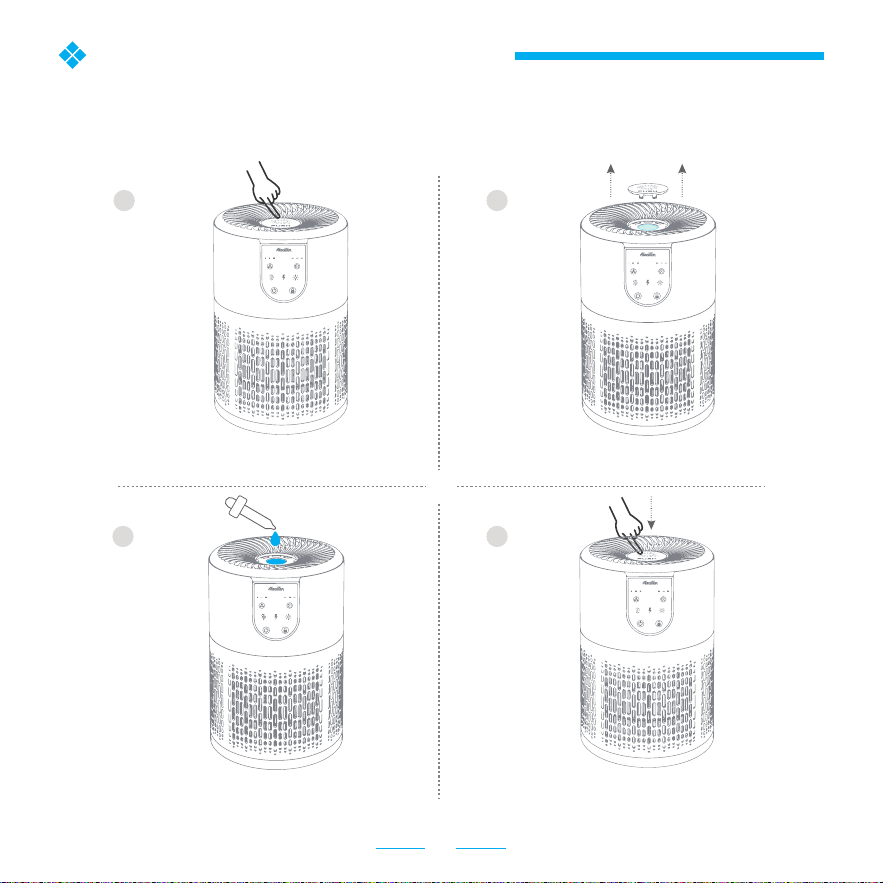
How to add essential oil
When the aroma pads does not have fragrance, you need to drop the
essential oil into the aroma pads.
1
4
2
3
Press the "PUSH" button on the aromatherapy
pad cover
Drop essential oil into the new aroma pad
Wait for the aromatherapy lid to pop off and
pick up the
Put the aromatherapy cap back on.
11
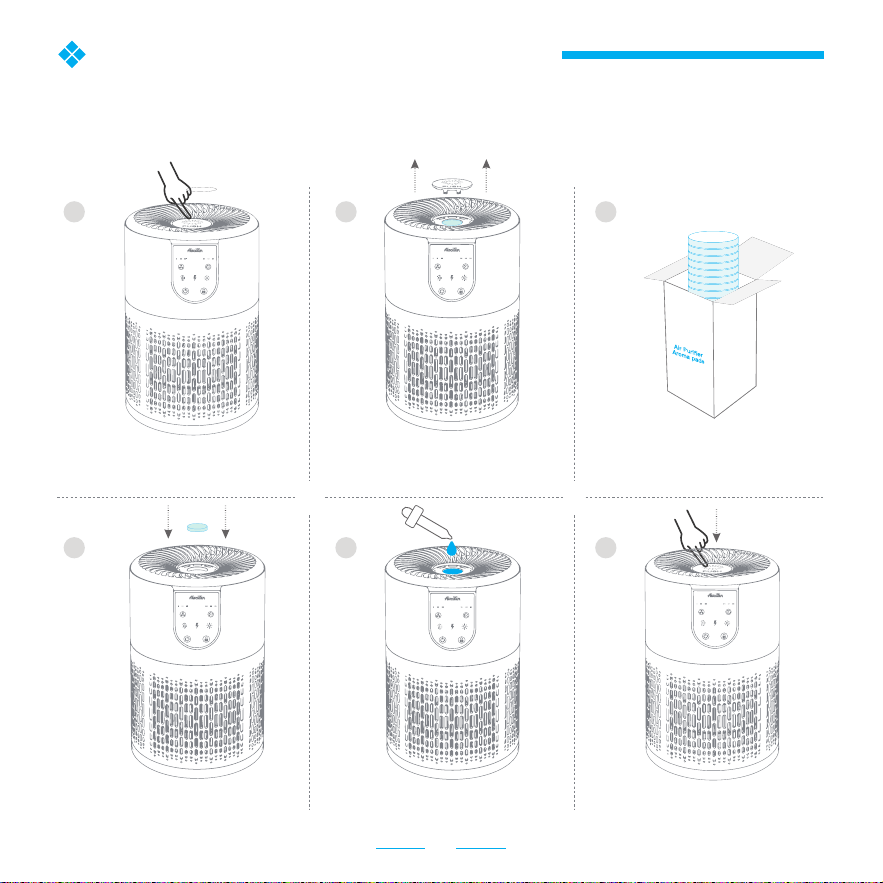
How to handle aroma pads
New aroma pads does not have fragrance, you need to drop the
essential oil into the aroma pads.
1
4 5 6
2 3
12
Press the "PUSH" button on the
aromatherapy pad cover
Put the new aroma pads into the
machine
Wait for the aromatherapy lid to
pop off and pick up the
Take the new aroma pads out
from the aroma pad package
Drop essential oil into the new
aroma pad
Put the aromatherapy cap back on.
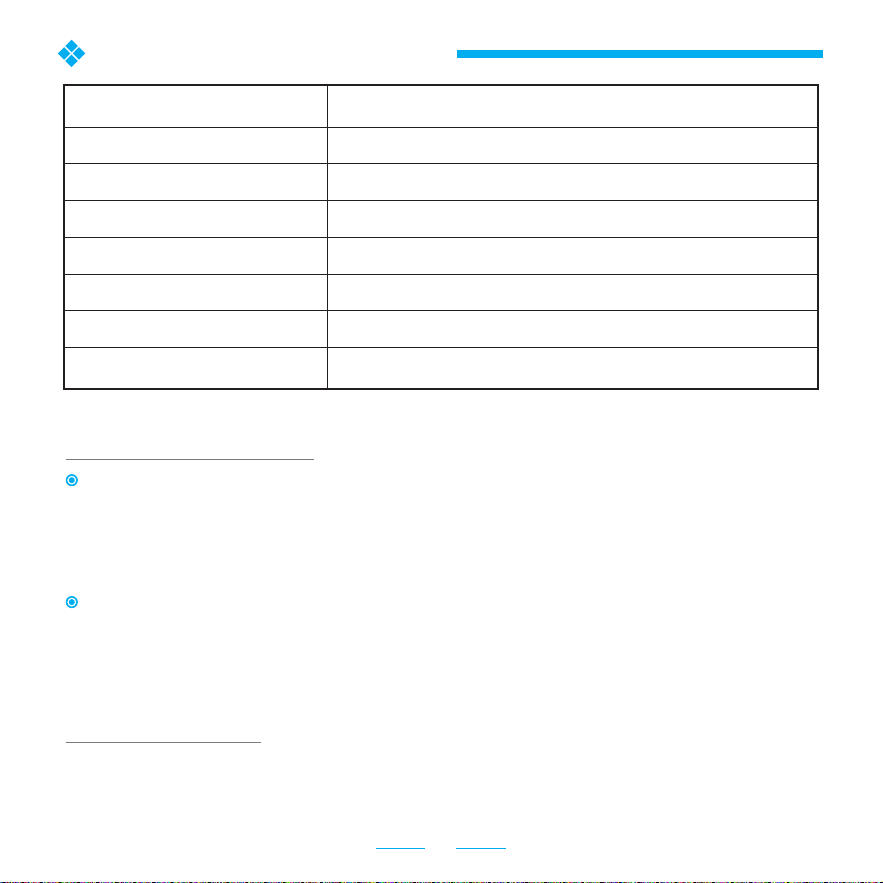
Product specification
Input Voltage(Adapter) AC100-240V / 50-60Hz
DC12V,1A
12 W
53 CFM / 90 m³/h
25-50 dB
2.2 lb / 1 kg
7.9x7.9x12.6 inch / 175x175x255 mm
Temperature: 14°F–104°F / -10°C–40°C Humidity: ≤ 85% RH
Rated Voltage
Rated Power
CADR
Operating Conditions
Noise Level
Product Net Weight
Product Size
When to replace filter
Your product is guaranteed by us for 12 months from your original date of
purchase. If you want to extend your warranty for one more year, please do
not hesitate to contact us.
Become a AIRTOK member to get the information about the replacement
filter and the latest products. (AIRTOK reserved the right of final explana-
tion).
Leave a product review and help others out by sharing your experience.
Share your stars
13

Troubleshooting and solutions
Problem Check items Solution
The air purifierdoes
not turn on
Whether the socket
has power
Power on
Connect the power
Turn off the purifier
andremove the
covering
Whether the plug is
loose from the socket
Whether the air outlet
is covered
Whether there is a
large amount of
peculiar smell near the
air inlet that continues
to release
After removing the
odor and using the
purifier to run for a
period of time, the
odor will gradually
disappear
Whether the filter has
reached the
replacement time
The product may have a slight peculiar smell during the initial period of use,
which is a normal phenomenon.
Replace the filter
When the purification
function is turned on,
the sound is dull and
the wind is small
There is a peculiar
smell at the air outlet
14