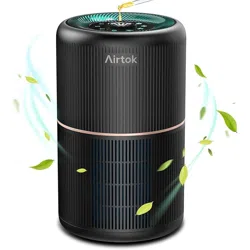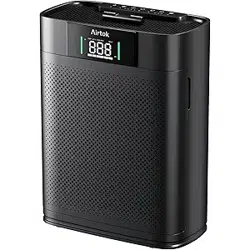
Owner s Manual
’
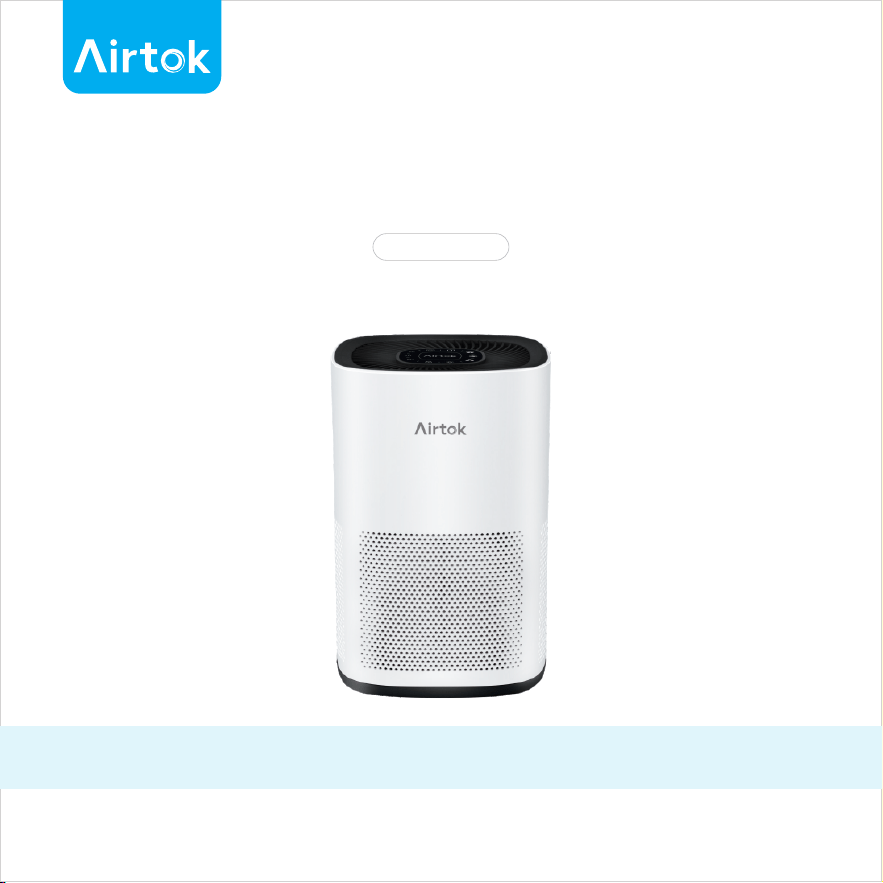
AIR PURIFIER
READ AND SAVE THESE INSTRUCTIONS
AP1001
I
Customer support
Congratulations on your purchase of this Airtok air purifier. Please
study this manual carefully to familiarize yourself with the features and
functions of your Airtok air purifier. Inside you will find many helpful
hints on how to use and maintain your Airtok air purifier properly.
If you encounter any issues or have any questions regarding your new
product, feel free to contact our helpful Customer Support Team. Your
satisfaction is our goal!
LIVE CHAT SUPPORT
Scan QR Code & Start Chatting

Important safety instructions
WARNING
II
Read all instructions before using this air purifier.
When using an electrical appliance, basic precautions should always be
followed, including the following:
Make sure the air purifier is plugged into a live AC outlet.
Always turn off and unplug the air purifier when not in use.
Disconnect the power supply from your air purifier by unplugging the power
cable before replacing filters and before cleaning and before servicing.
Do not use attachments or filters not recommended by Airtok.
Do not use the air purifier outdoors.
Do not attempt to remove any part of the unit except the filters.
Do not attempt to repair the air purifier.
Do not attempt to plug in the machine when your hands are wet.
Do not soak the purifier in water or splash water on it.
Do not operate the air purifier near an open flame.
Do not obstruct the air inlet and air outlet of the air purifier.
Save these instructions for future reference.
To reduce the risk of fire or electric shock, do not use this fan with any
solid-state speed control device.
1
Packing list
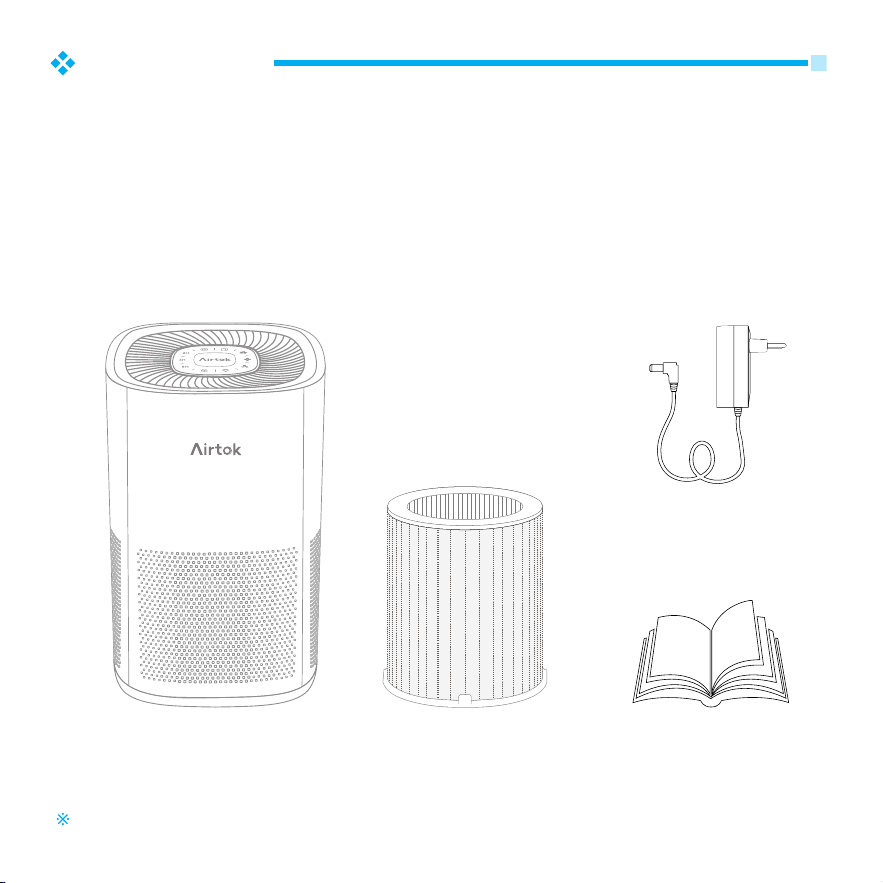
Remove the Airtok purifier from the packaging.
Check the components received against your packing slip to make
sure you have all the parts.
Check the unit and all the components for damage. If the unit or
any of the components show damage from shipping, contact
Airtok Technology Inc. (www.airtok.com).
Unpack your Airtok purifier follows
1.
2.
3.
Product images are for reference only and may differ from the actual product.
Host
(1PCS)
Filter
(1PCS)
(loaded into the host)
Adapter
(1PCS)
(Put into the filter)
Manual
(1PCS)
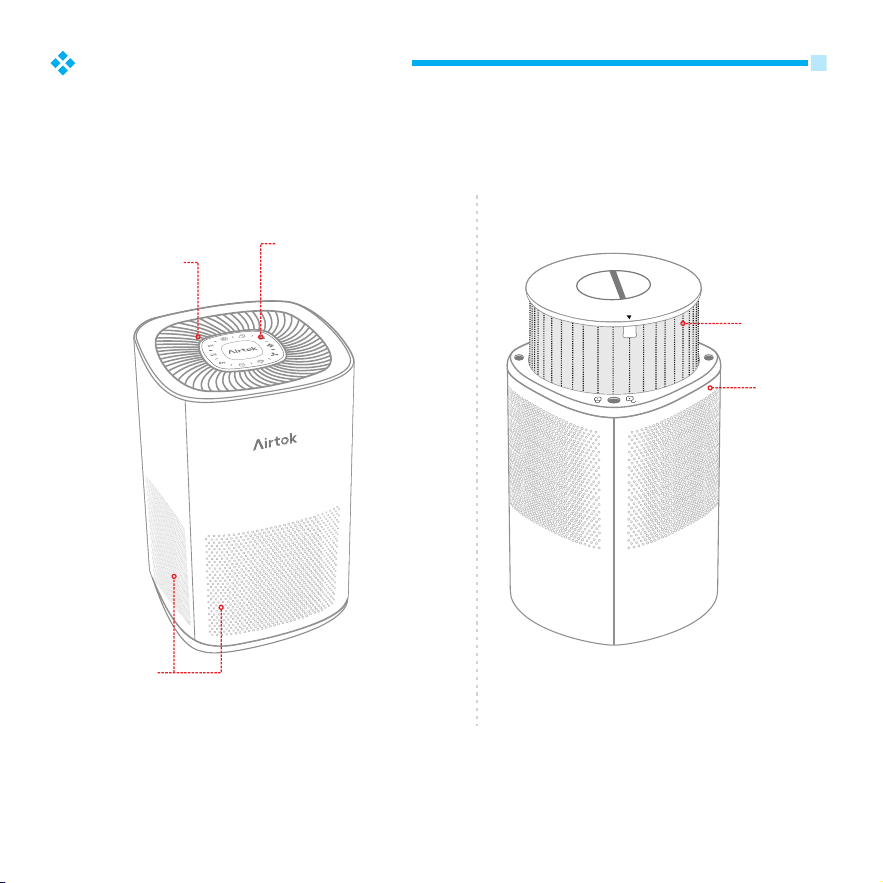
Control Panel
Air Outlet
Air Inlet
Filter
Body
Normal placement Inversion
2
Product introduction
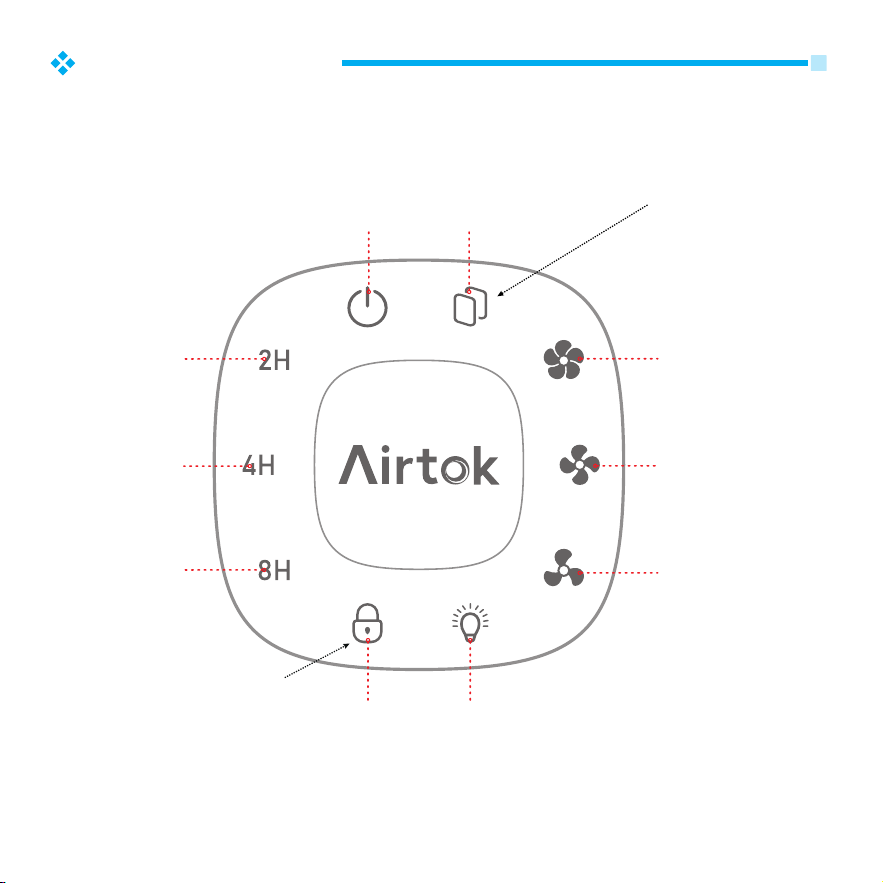
Press and hold the
button for 3 seconds
to turn off.
High
Fan Speed
Medium
Fan Speed
Low
Fan Speed
Filter
Replacement
Power
On / Off
Night Light
On / Off
Child
Lock
2 Hours
4 Hours
8 Hours
Press and hold the
button for 3 seconds
to active / deactive
Child Lock.
3
Operating guide
4
Introduction to quick start usage scenarios
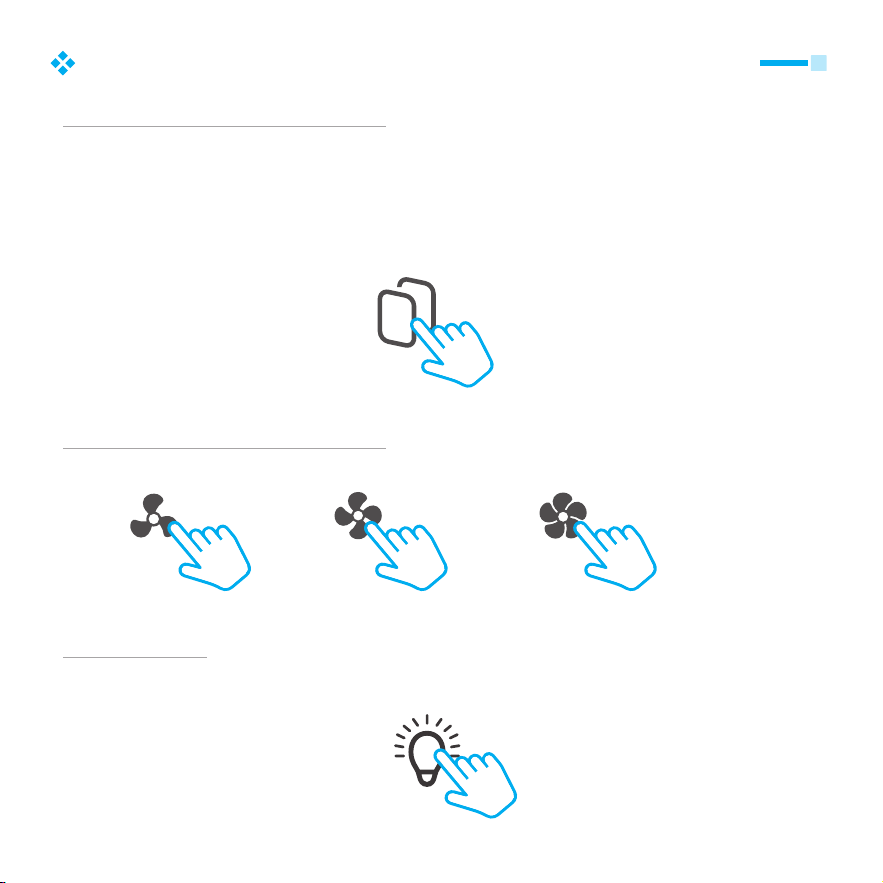
When to replace filter
The filter life depends on the actual working environment. In the normal service
environment, the filter life is 1,500 hours. After about 1,350 hours (90% of rated
lifecycle) of cumulative operation, the Filter Replacement light will flash to remind you to
purchase and replace the used filter. Replace it with a new one, then press and hold the
Filter Replacement button for 3 seconds. And the Filter Replacement light goes out as
the buzzer makes a beep.
Filter Replacement
Medium SpeedLow Speed High Speed
What to do if the air is dirty
Turn on the machine and press the fan speed button to adjust the fan speed.
Night light
Press the night light button once and the night light goes out. You can also turn off the
night light when it’s time for bed.
Night Light

5
Introduction to quick start usage scenarios
Timer switch
Timing power-off method: in the power-on state, press the “2H”, “4H” or “8H” button,
you can set power-off time of 2, 4 or 8 hours from the set time.
2H
2 hours
4H
4 hours
8H
8 hours
How to use child lock
In the power-on state, long press the child lock for 3 seconds, the child lock indicator light
is on, and the child lock function is enabled; Press and hold the child lock for 3 seconds,
the indicator light of the child lock goes out, and the child lock function is cancelled.
Child Lock
6
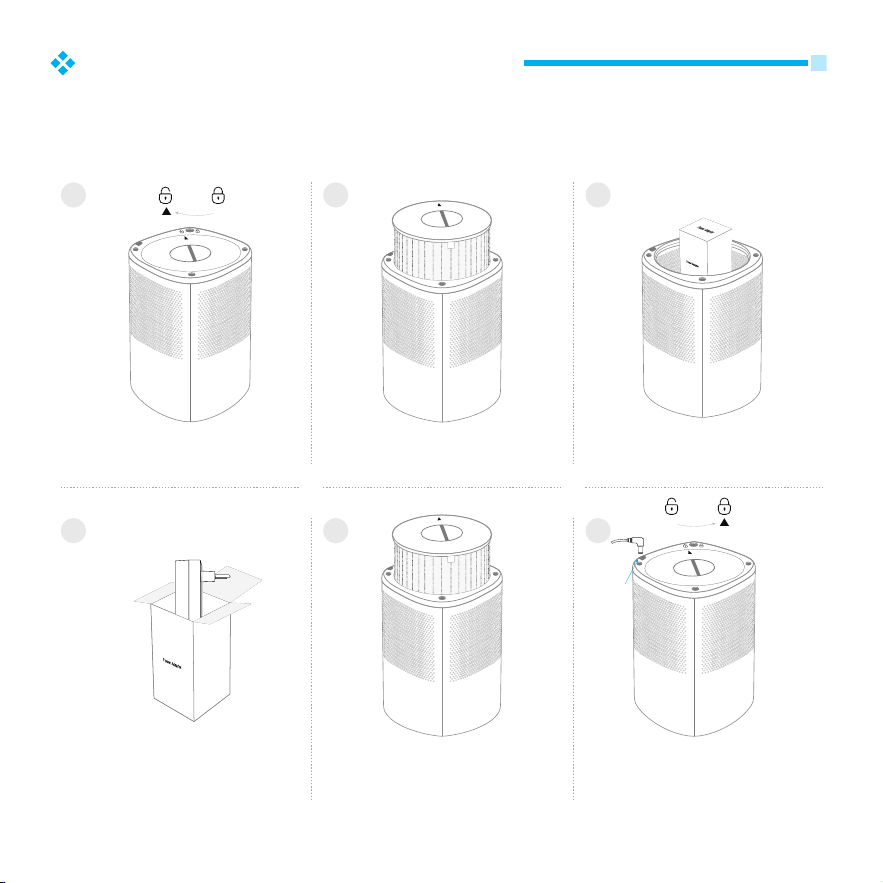
Where is the power adapter
The adapter is inside the machine. Please take it out according to the
following steps.
Placing the machine bottom up,
rotate the bottom cover
counterclockwise to unlock it
Take the filter out of the machine
2
3
1
Take the power adapter package
out of the machine
4 5 6
Take the power adapter out of
the package
Put the filter back into the machine Clockwise rotate the base cover to
lock it. Plug in the power adapter.
Power port
7
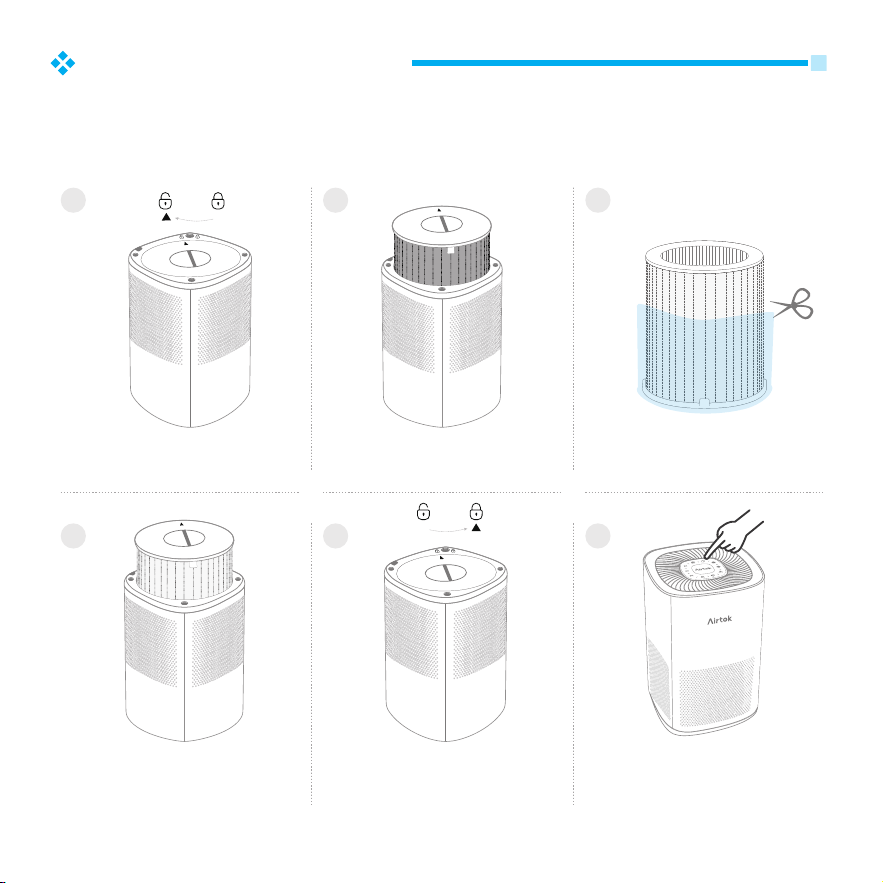
How to replace filter
After about 1,350 hours (90% of rated lifecycle of filter) of cumulative
operation, the Filter Replacement indicator will light up to remind you
to purchase a new filter and replace the used filter.
Remove the old filter
2
3
1
Remove the packaging bag of
the new filter
4 5 6
Install the new filter Turn the base cover clockwise
to lock it
After switching on the power, press
and hold the filter replacement
button for 3 seconds, and when
you hear the beep, the installation
is successful.
Placing the machine bottom up,
rotate the bottom cover
counterclockwise to unlock it
8
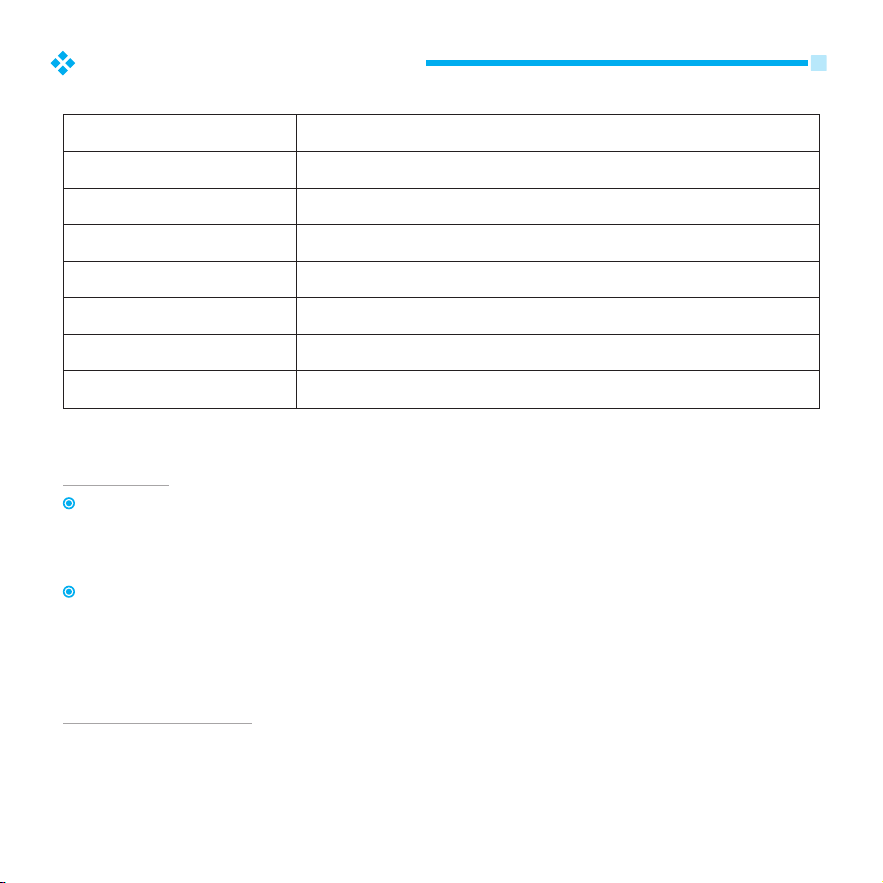
Product specification
Input Voltage(Adapter)
Rated Voltage
Rated Power
CADR
Operating Conditions
Noise Level
Product Net Weight
Product Size
AC100-240V / 50-60Hz
DC24V / 1.0A
24 W
3
120 CFM /210 m /h
Temperature: 14 °F–104°F / -10°C–40°C Humidity: ≤ 85% RH
25-55 dB
4.4 lb / 2 kg
7.9x7.9x12.6 inch / 200x200x320 mm
Warranty
Your product is guaranteed by us for 12 months from your original date of purchase.
If you want to extend your warranty for one more year, please do not hesitate to
contact us.
Become a AIRTOK member to get the information about the replacement filter
and the latest products. (AIRTOK reserved the right of final explanation).
Share your stars
Leave a product review and help others out by sharing your experience.

9
Troubleshooting and solutions
The product may have a slight peculiar smell during the initial period of use, which is
a normal phenomenon.
Problem Check items Solution
The air purifier
does not turn on
Whether the socket
has power
Whether the plug is
loose from the socket
Power on
Connect the power
When the purification
function is turned on,
the sound is dull and
the wind is small
Whether the air outlet
is covered
There is a peculiar
smell at the air outlet
Whether there is a large
amount of peculiar smell
near the air inlet that
continues to release
Whether the filter has
reached the
replacement time
Turn off the purifier and
remove the covering
After removing the odor and
using the purifier to run for
a period of time, the odor
will gradually disappear
Replace the filter

AnyQuestions?
www.airtok.com
support@airtok.com
AirtokLifestyle