USER MANUAL
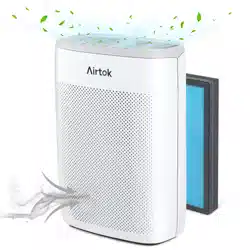
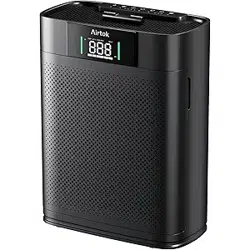
AP2301 True HEPA Air Purifier
PLEASE KEEP THIS MANUAL CAREFULLY
FOR FUTURE REFERENCE.
FOR HOUSEHOLD USE ONLY.

TABLE OF CONTENTS
General Safety 1~2
3~4
4~5
6~8
8~11
12~13
13
17
13~17
11
6
Product Map
Controls & Display
What's in The Box
Getting Started
Use Your Smart Air Purifier
About The Filter
Care & Maintenance
Specifications
Troubleshooting
Warranty

General Safety
Take necessary precautions to reduce the risk of fire, electric shock or injury.
WARNING: To Reduce The Risk Of Fire Or Electric Shock, Do Not Use This Air
Purifier With Any Solid-State Speed Control Device.
READ AND SAVE THESE INSTRUCTIONS
Only use your air purifier as described in this manual.
Do not use without removing the plastic wrap from the filter. The air purifier will not
filter air and may overheat, causing a fire haza
Keep your air purifier away from water and wet or damp areas. Never place it in
water or liquid.
Do not use in excessively humid areas.
Keep your air purifier away from heat sources.
Do not use when combustible gases, vapors, metallic dust, aerosol (spray)
products, or fumes from industrial oil are present.
Keep 5 ft /1.5 m away from where oxygen is being administered.
This appliance is not intended for use by persons (including children) with reduced
physical. sensory or mental capabilities, or lack of experience and knowledge,
unless they have been given supervision or instruction concerning the use of the
appliance by a person responsible for their safety
Do not allow children to play with the plastic package. lmmediately discard the
package after unwrapping the filter.
Do not place anything into any opening on the air purifier
1

Do not sit or place heavy objects on the air purifier
Keep inside of the air purifier dry. To prevent moisture buildup, do not place it in
rooms with major temperature changes.
Always unplug your air purifier before servicing (such as changing the filter).
Do not use your air purifier if it is damaged or not working correctly, or if the cord
or plug is damaged. Do not try to repair it yourself.
Children should not clean or perform maintenance for the air purifier without
supervision.
Keep the appliance, including the power cable, at a safe distance from heated
surfaces and open fire.
Never clean with gasoline, chemical solvents, or corrosive materials as these
agents may damage the air purifier.
Never place the cord near heat sources.
Do not cover the cord with a rug, carpet, or other covering. Do not place the cord
under furnitures or appliances.
Keep the cord away from areas where people walk around. Place the cord where it
will not be tripped over.
This air purifier can only be used with the power supply adapter provided with the
air purifier.
2
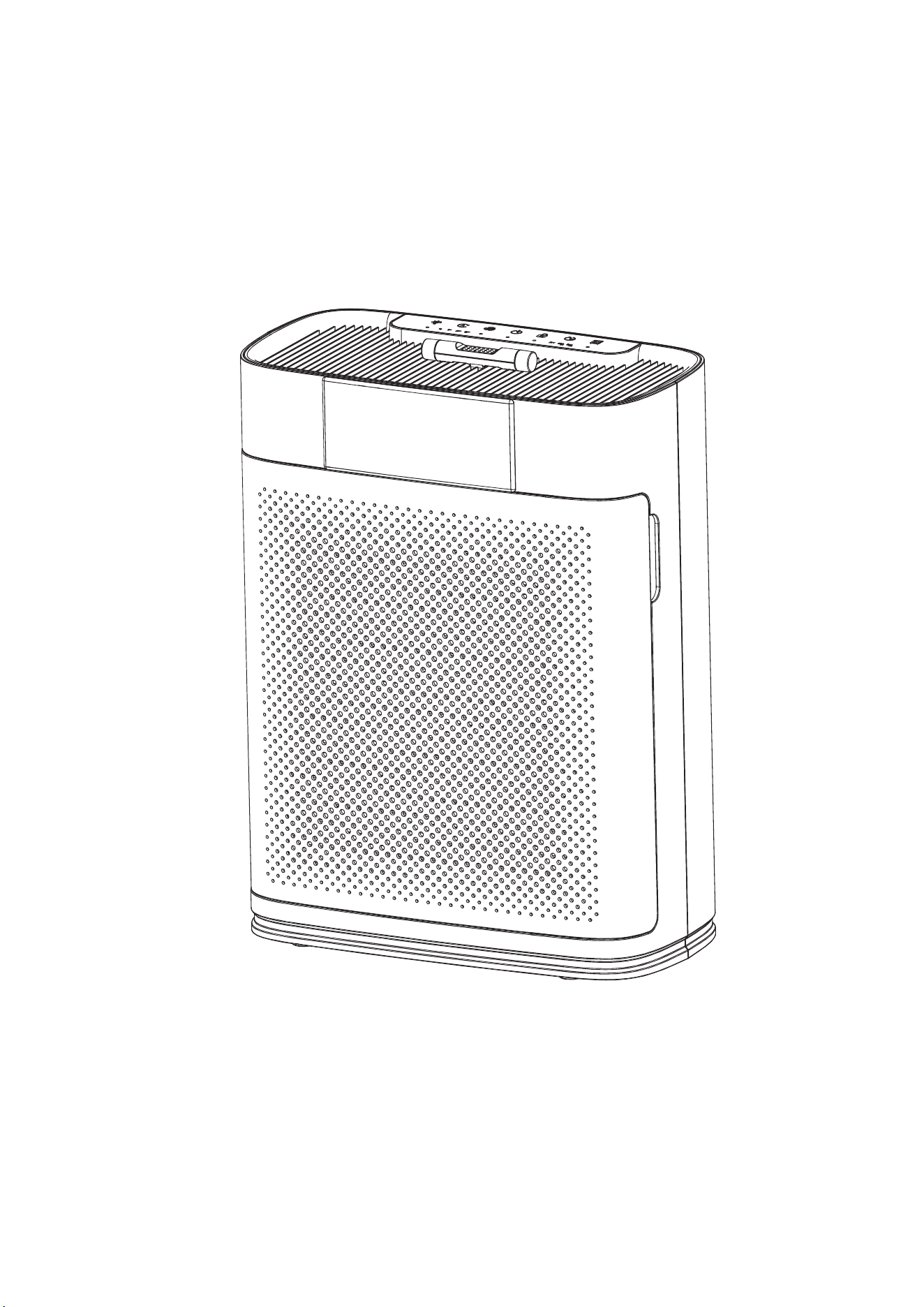
Product Map
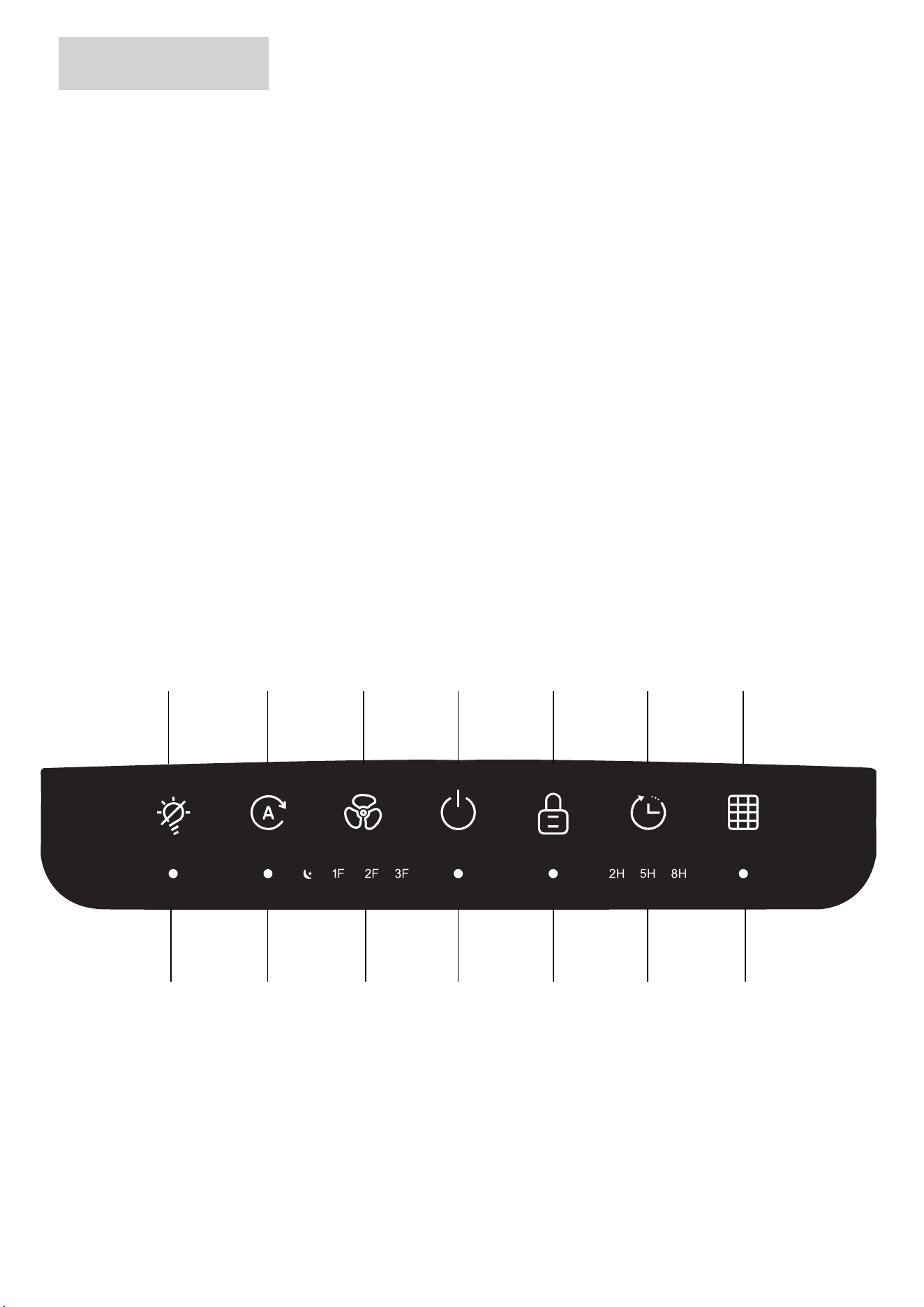
A. Light Off/On Button
D. Power On/Off Button
G. Filter Reset Button
J. Fan Speed Indicators
M. Timer Indicators
P. Housing
B. Auto Mode Button
E. Child Lock Button
H. Light Off/On Indicator
K. Power On/Off Indicator
N. Change Filter Indicator
Q.3 Stage Filter
C. Fan Speed Button
F. Timer Button
I. Auto Mode Indicator
L. Child Lock Indicator
O.Power Adapter
R. Filter Cove
A B C D E F G
H I J K L M N
3
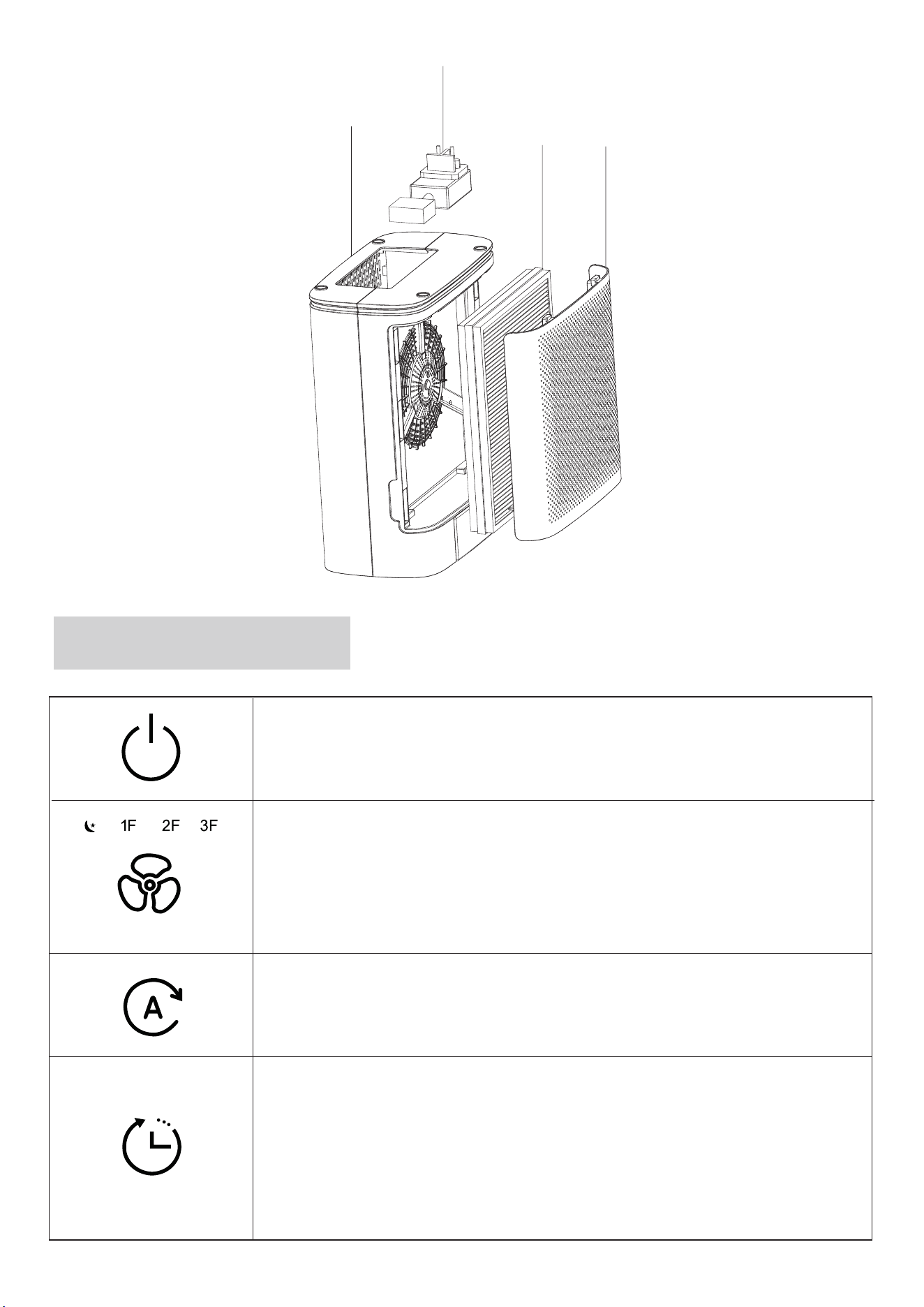
Controls & Display
On/Off Button
Fan Speed Button & Indicators
Turns the air purifier on/off.
Cycles through fan speeds: low (1F), medium
(2F), high (3F), and sleep.
Auto Mode Button
Turns Auto Mode on/off.
Timer Button
Sets the timer for 2 hours, 5 hours, or 8 hours.
Note: The timer indicators will light up with the
corresponding time selected. To cancel the timer,
tap the button until all timer indicators are off.
P
O
Q
R
4
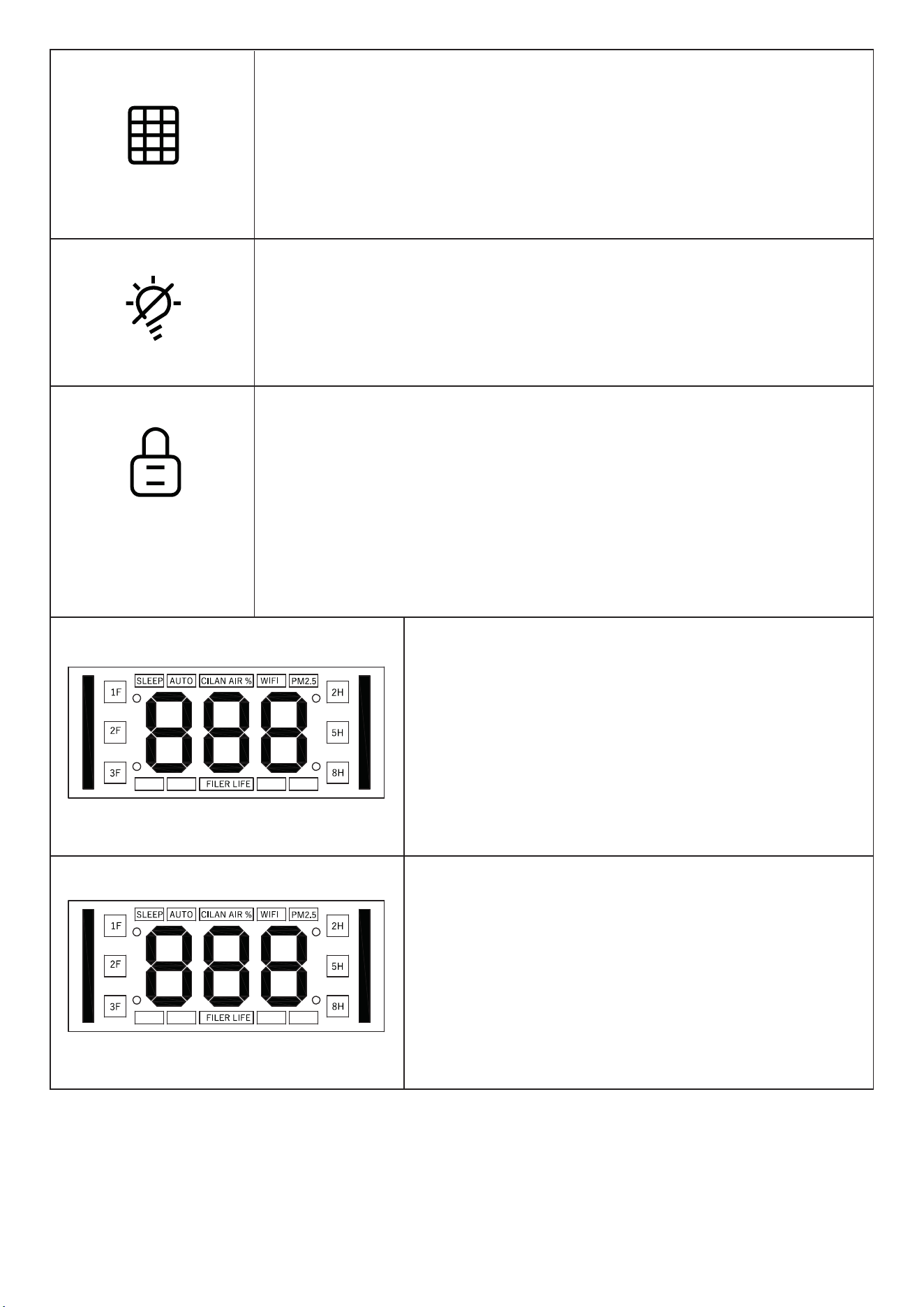
Change Filter Indicator & Reset Button
Lights up when the filter needs to be replaced. To reset
the indicator (after replacing the filter), press and hold the
button for 5 seconds. Device will beep 3 times and then
turn off.
Light Off/On Button
Turns the Display Lights off.
When lights are off, tap to turn back on
Child Lock Button
Prevents current settings from being changed. Press
and hold for 3 seconds to lock or unlock the Control
Panel. When the Control Panel is locked, the Child Lock
indicator will light up and beep twice when any other
button is tapped to indicate the control panel is locked.
Air Quality Indicator
Displays the air quality using an automat-
ic infrared dust sensor: Green(Very
Good),Orange(Moderate),Red(Bad)
Display
Displays the Fan Speed, PM 2.5 level ,
Filter Life.
5
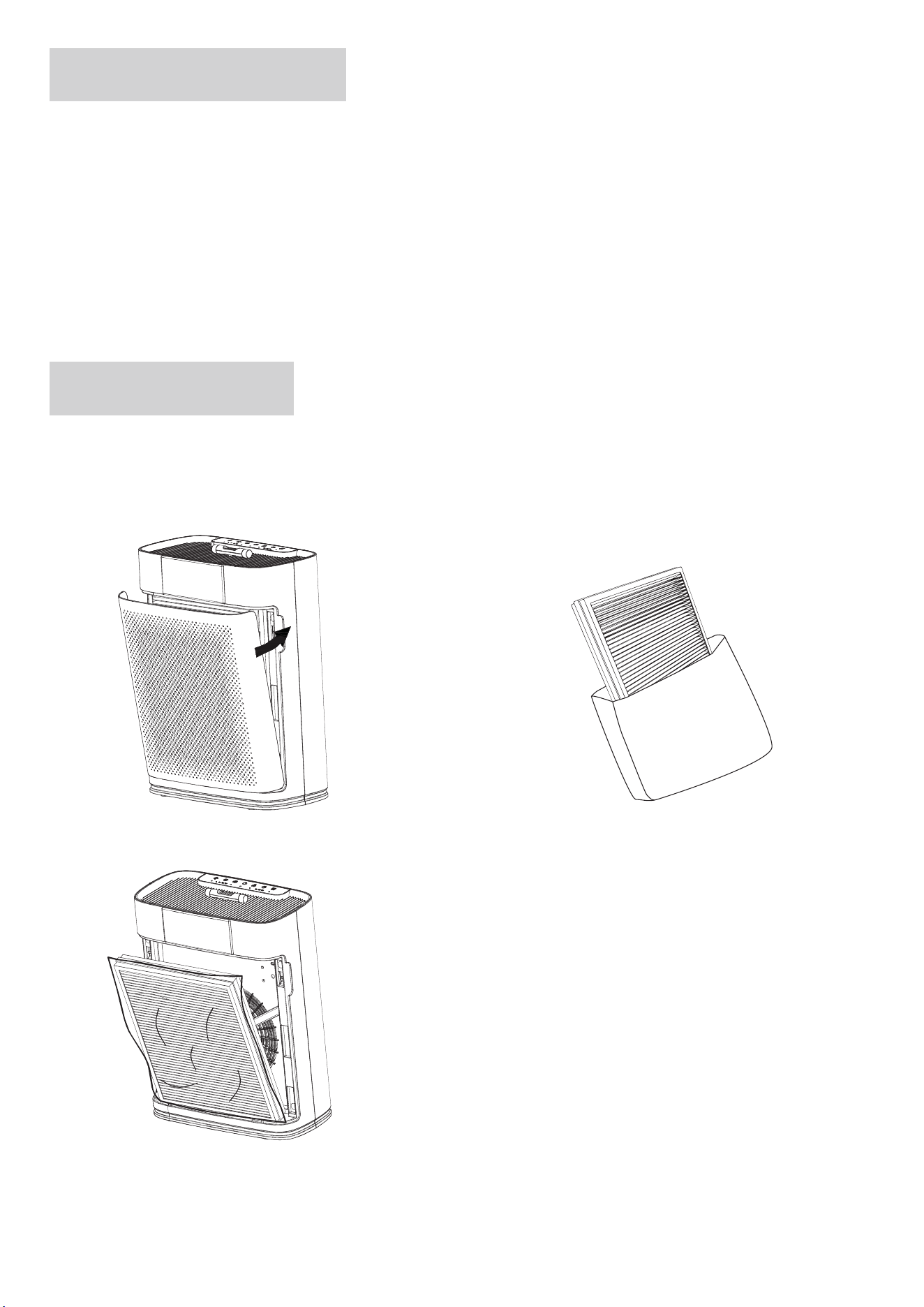
What' s in The Box
Getting Started
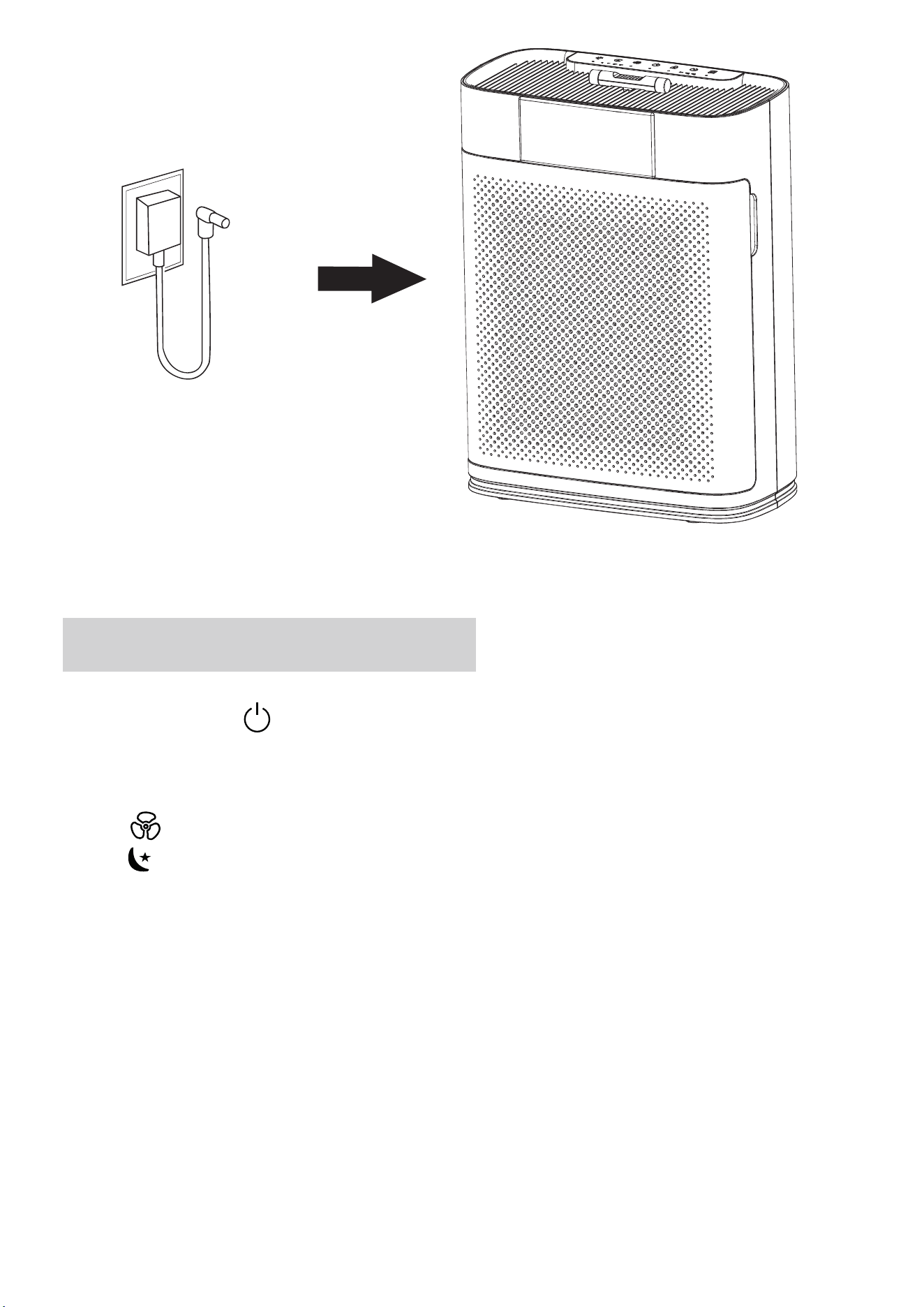
1. Place the air purifier on a flat, stable surface such as the floor.
2. Pull both sides of the filter cover to remove it.
3. Remove the Filter (protected by plastic package) from inside of the air purifier.
4. Remove the plastic package from the filter and place the filter back into
the air purifier.
1x Air Purifier
1x Adapter ( In the bottom of Air Purifier)
1x 3-Stage Filter (Pre-installed, protected by plastic wrap, which must be removed
before first use.)
1x User Manual
6
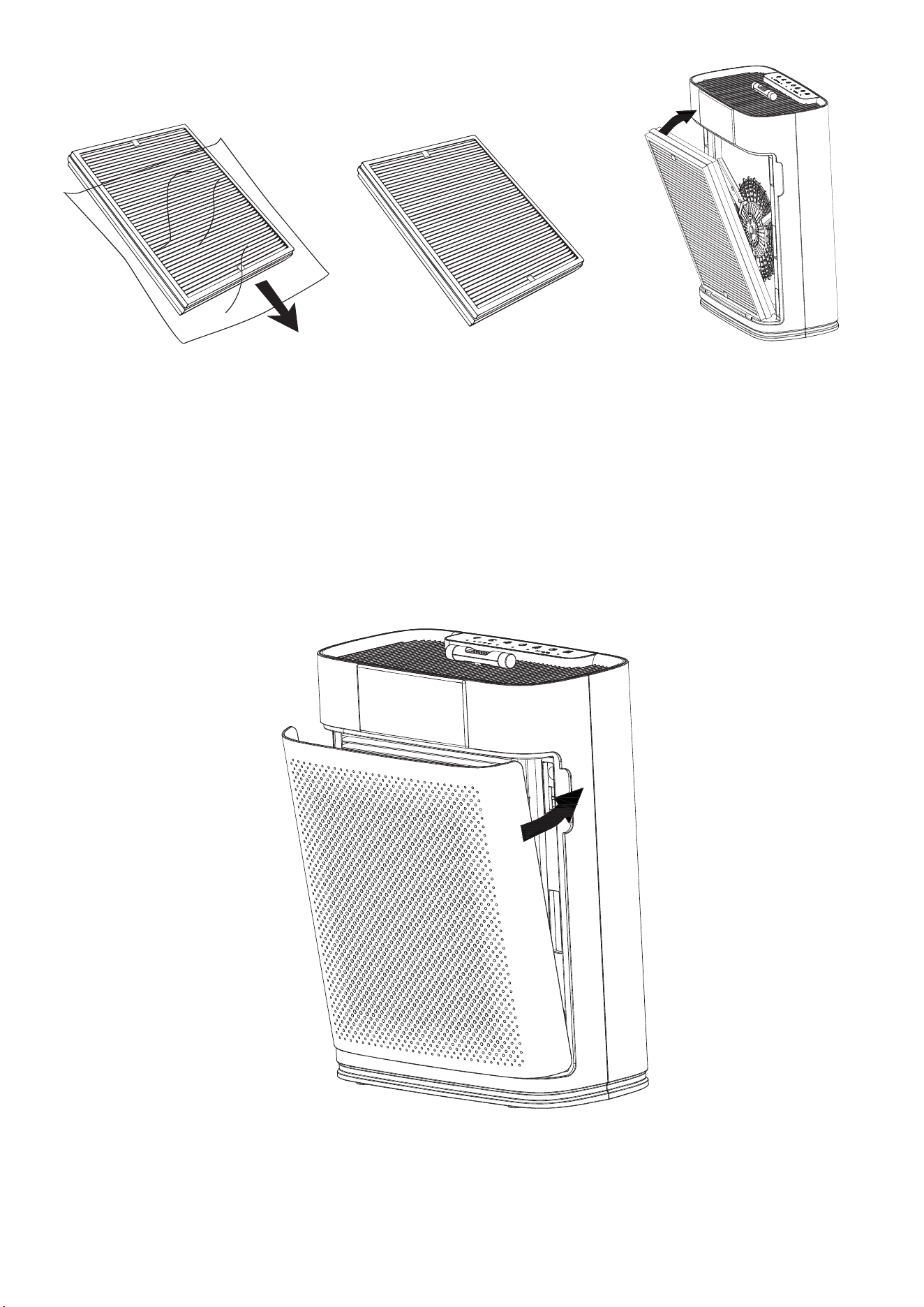
5. Replace the filter cover. Make sure to align the tabs on the cover with the slots on
the bottom of the air purifier.
6.Insert the power adapter plug into the side of the air purifier.
Note: Be sure to remove the filter package before use. Otherwise the air purifier
will not filter air and may overheat, causing a fire hazard. Make sure the side
marked with “ FRONT ” is facing outward when you insert the filter.
7
Use Your Smart Air Purifier
1. Plug in and tap to turn on the air purifier. The air purifier will start on Auto
Mode by default.
2. Tap to change fan speed between low ( 1F ), medium ( 2F ), high ( 3F ), and
sleep .
Note: The power adapter is located underneath of the air purifier.
High fan speed ( 3F ) is the loudest, but the quickest to clean air.
For best result, or to address a specific air quality issue such as smoke, run the air
purifier on High fan speed for 15-20 minutes before turning to slower gear.
To effectively clean air, keep windows and doors closed while the air purifier is on.
Note:
8
When the display is turned off, tap any button to turn the display back on. lf no
further action is taken, the display will turn off again after 5 seconds.
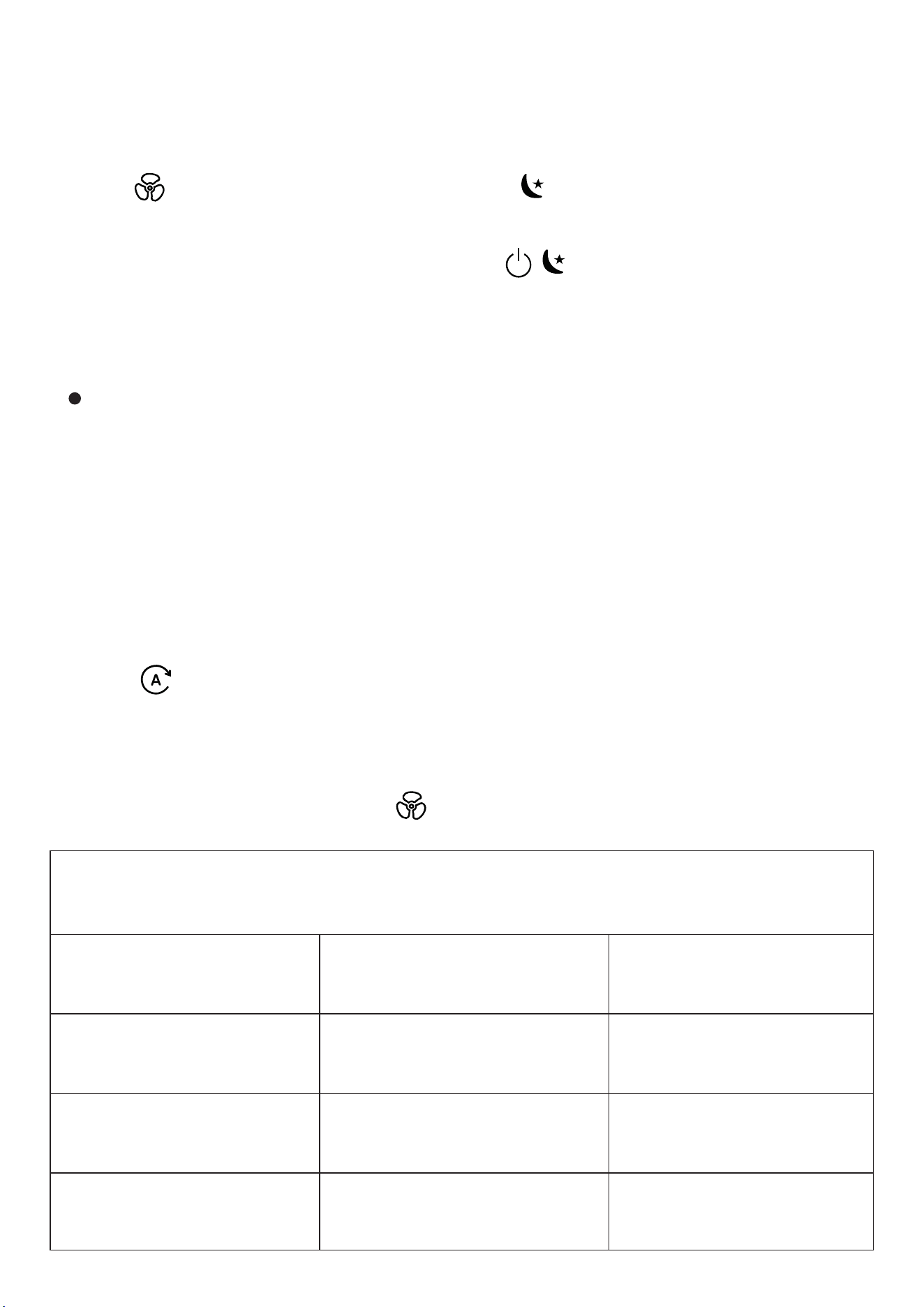
Auto Mode uses an infrared dust sensor inside the air purifier, to adjust the fan
speed automatically based on air quality. For example, if the air quality is poor, the
fan will automatically be set to high speed.
Sleep Mode operates quietly by using a fan speed slower than speed 1F
1.Tap to switch to Sleep Mode( indicator lights up ).
1. Tap to turn Auto Mode on.
2. The Auto Mode indicator will light up while Auto Mode is active.
3. To switch from Auto Mode, tap to select a fan speed.
Light Color
Green
Orange
Red
Air Quality
Very Good
Moderate
Bad
Auto Fan Speed
1F
2F
3F
2.Sleep Mode will turn off the display except (semi bright) after 5 seconds if
no other buttons are tapped.
Note:
Sleep Mode
Auto Mode
Air Quality Indicator Chart
9
You can change the fan speed at any time while the timer is on.
The timer will restart if the time setting is changed.
This turns off the air quality indicator on the air purifier.
Standby Mode
The air purifier is in Standby Mode when it is turned off, but plugged in.
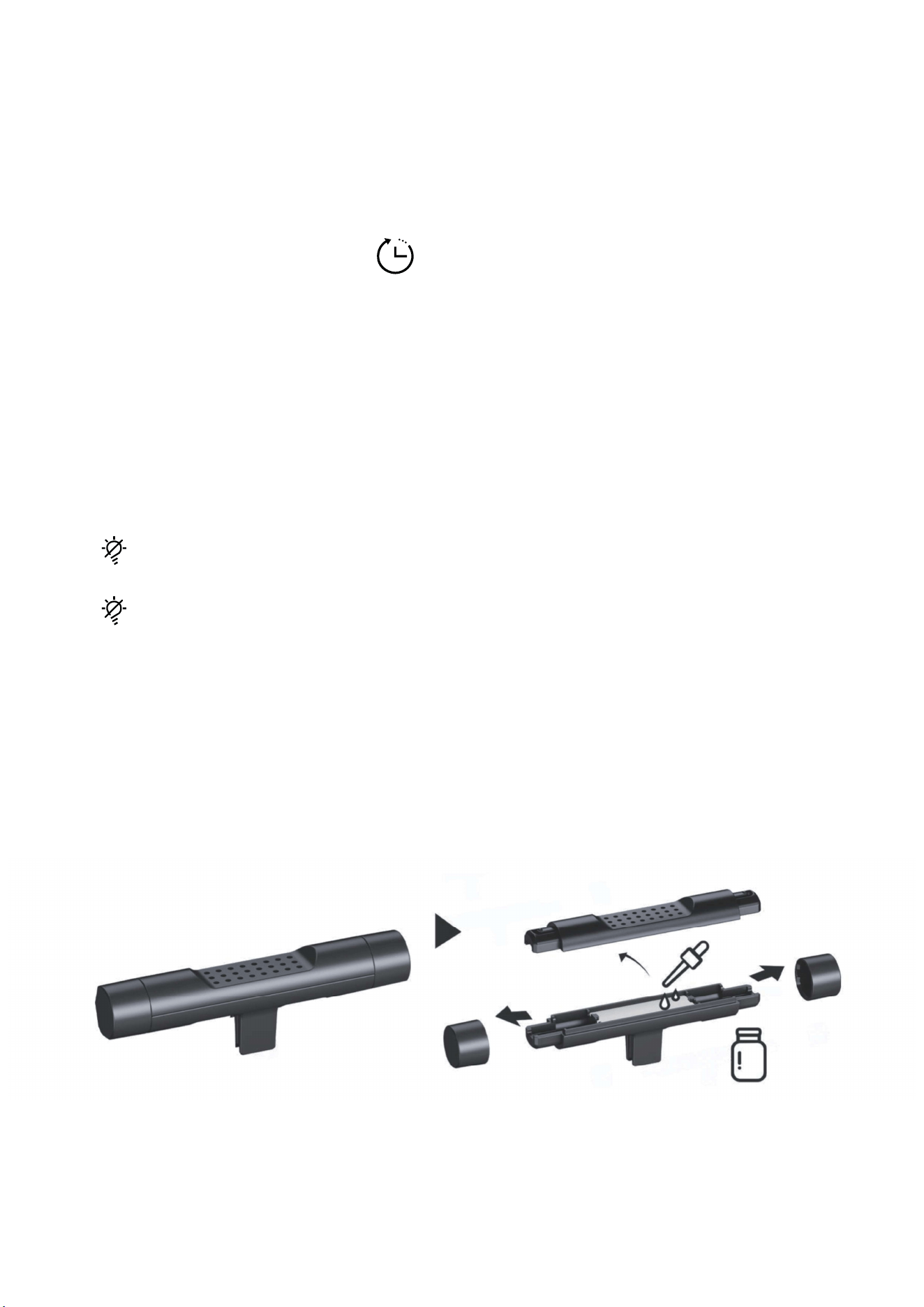
1. Remove covers at both ends. Open the top cover of the essential oil box. Add
your chosen essential oil (4-5 drops each time). Reassemble the parts
Tap to turn off the air quality lights.
1. You can manually set the timer for 2 hours, 5 hours, or 8 hours.
2. When the timer reaches the setted time, the air purifier will shuts down automati-
cally.
3. To cancel the time setting, tap until all timer indicators are off.
Note:
Timer
Light Off/On
Aromatherapy
Function
Tap to turn the air quality lights back on.
10
About The Filter
2. Put it back in the slot. (Fit for a Machine with a grille)
Turn off the machine before adding oils.
Use provided droppers: don't pour directly. Add 4-5 drops each time.
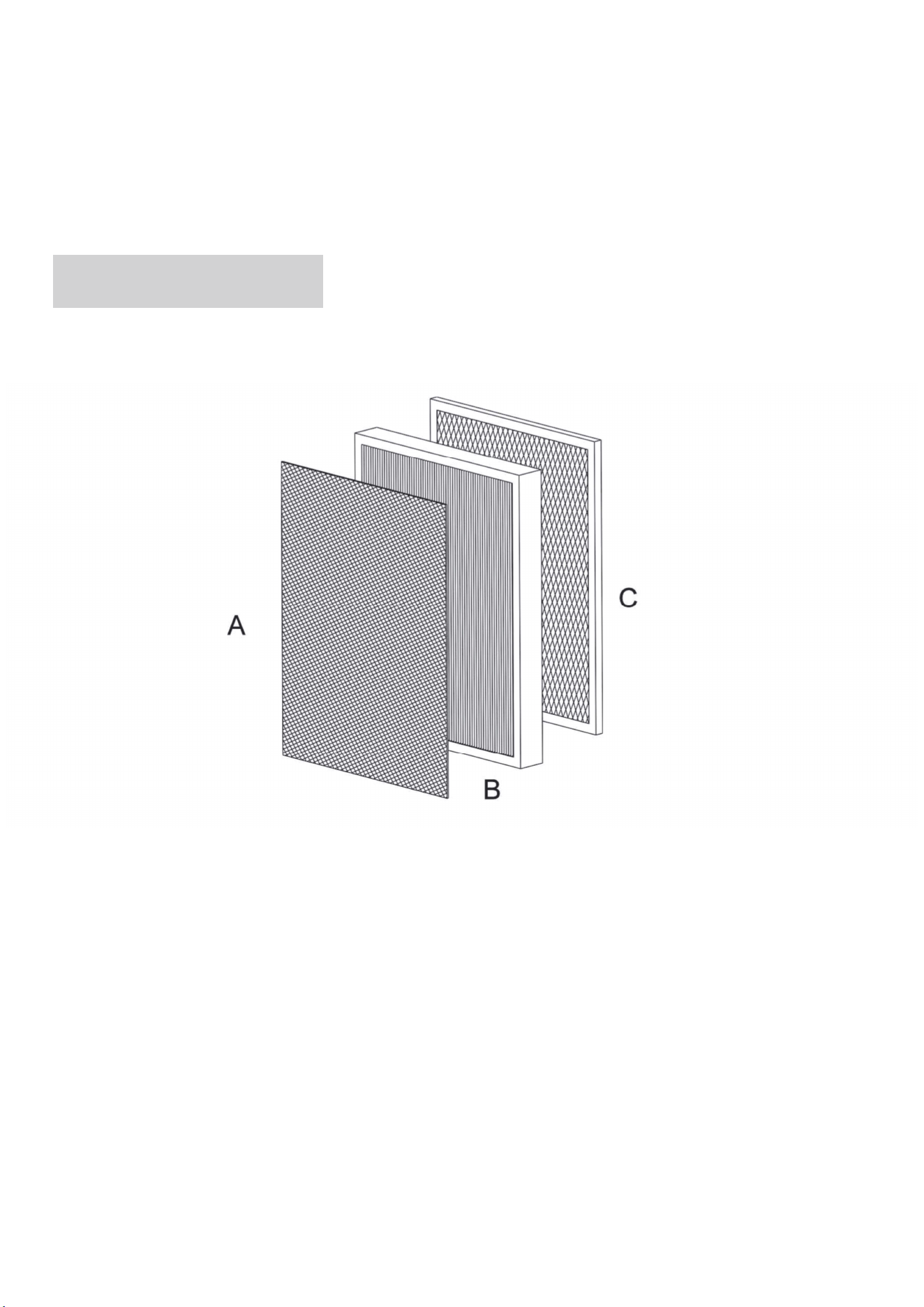
Captures large particles such as dust, lint, fibers, hair, and pet fur. Protects the
filter and maximizes its life.
The air purifier uses a 3-stage filtration system to purify air.
Note:
A.Pre-Filter
Filters small particles such as fine dust, smoke particles, and allergens such as
pollen and pet dander.
Helps to capture and neutralize cooking smell, smoke, odors, fumes and VOCS.
B. True HEPA Filter
C. Activated Carbon Filter
11

Care & Maintenance
Cleaning the Air Purifier
Cleaning the Pre-Filter
Replacing the Filter
Note:
Unplug before cleaning.
Wipe outside of the air purifier with a soft, dry cloth. lf necessary, wipe the housing
with a damp cloth, then immediately dry it off.
Vacuum inside of the air purifier.
Do not clean it with abrasive chemicals or flammable cleaning agents.
The outer Pre-Filter should be cleaned every 2-4 weeks to increase efficiency and
extend life of the filter. Clean the pre-filter with a soft brush or vacuum hose to
remove hair, dust, and large particles.
Do not clean the filter with water or other liquids.
Do not clean the True HEPA and Activated Carbon filters.
Moisture may damage the filter. This air purifier should be used in an area with
humidity level below 85% RH. lf you use the air purifier in excessively humid
areas, surface of the filter will become moldy.
Do not add essential oils to the air purifier or filter. The filter will become damaged
by the oil and will eventually release an unpleasant smell.
Do not use oil diffusers near the air purifier.
1. Unplug the air purifier, then pull the front cover to remove it. (see Getting
Started 2)
12
Specifications
Storage
Note: Do not use water or liquids to clean the air purifier.
Note: Make sure the filter ( the side marked with "FRONT" ) is facing outward
when you insert the filter.
2. Remove the used filter from the air purifier.
lf not using the air purifier for an extended period of time, wrap both the air purifier
and the filter in a plastic package and store it in a dry place to avoid moisture
damage
Model AP2301
AC100-240V,50/60Hz
DC24V,1.0A
310*160*400mm
3.2 KG
Power supply (Input)
Power supply(output)
Dimensions
Net Weight
3. Clean out any remaining dust or hair inside the air purifier with a vacuum hose.
4. Remove the plastic package of the new filter and place the filter inside the air
purifier.
5. Put back the filter cover.
6. Plug the adapter in and turn on the air purifier. Reset the Filter Life.To reset the
Filter Life, press and hold for 5 seconds. The Indicator will flash and beep 2
times, and turn to off.
13
Troubleshooting
Problem Reasons
No electricity.
The air purifier is
malfunctioned.
Power cord is
damaged.
The outlet is
damaged.
The airflow is blocked
by plastic wrap of
filter. Note: Air filter
was pre-installed and
protected by plastic
wrap.
The plastic wrap of
filter must be removed
before first use.
There is no enough
clearance for the air to
come in.
(1)Leave 12inch/30cm
clearance on all sides
of the air purifier.
Possible Solutions
Check if the unit is
properly plugged into
an electrical outlet.
Contact us.
Contact us.
Try a different outlet.
Air purifier cannot be
turned on or control
panel has no
response.
Airflow is significantly
reduced.
14
(2)Keep air purifier
away from anything
that would block
airflow, such as
curtains.
Clean the Pre-filter or
replace the filter. Refer
to Care & Maintenance.
The Pre-filter maybe
clogged by large
particles so that the
airflow is blocked.
The plastic wrap of
filter must be removed
before first use.
The airflow is blocked
by plastic wrap of
filter.
Make sure the air
purifier is operating on
a hard, flat, even
surface.
Appliance is on an
uneven place.
Contact us.
Appliance may be
damaged, or foreign
objects may be inside.
Clean the filter or
replace it.
Filter has serviced a
significant time.
Air purifier makes an
unusual noise while the
fan is on.
Strange smell comes
from the purifier.
15

Appliance worked in an
area with a humidity
level above 85% RH.
The surface of the filter
will become moldy.
Low speed is used
when air is in high
pollution.
Windows or doors are
not closed.
The air purifier is
operating in a very
dusty environment.
Turn the fan speed to
High /switch to AUTO
Mode.
Keep windows and
doors closed while the
air purifier is on.
(1)Airflow is blocked by
plastic wrap of filter.
(2)Airflow of inlet/outlet
is blocked
(1)The plastic wrap of
filter must be removed
before first use.
(2)Make sure no objects
are blocking the front or
top of the air purifier
(the inlet or outlet).
Turn up the fan speed.
/switch to AUTO Mode.
(1)This air purifier
should be used in an
area with a humidity
level below 85% RH.
(2)Replace your filter.
Poor air purification
efficiency.
Air purifier always
detects high level of
particulates.
16

Warranty
We are delighted that you have chosen this air purifier and hope you have fun with
it. The warranty from manufacturer covers the product for a period of 12 months
from the date of purchasing if manufacturing faults are determined.
is still on after
replacing the fitler.
Forget to reset the
replacement indicator.
Long press the
button for 5 seconds to
reset the filter life.
17