USER MANUAL
MODEL: TB-RETS7-DWD
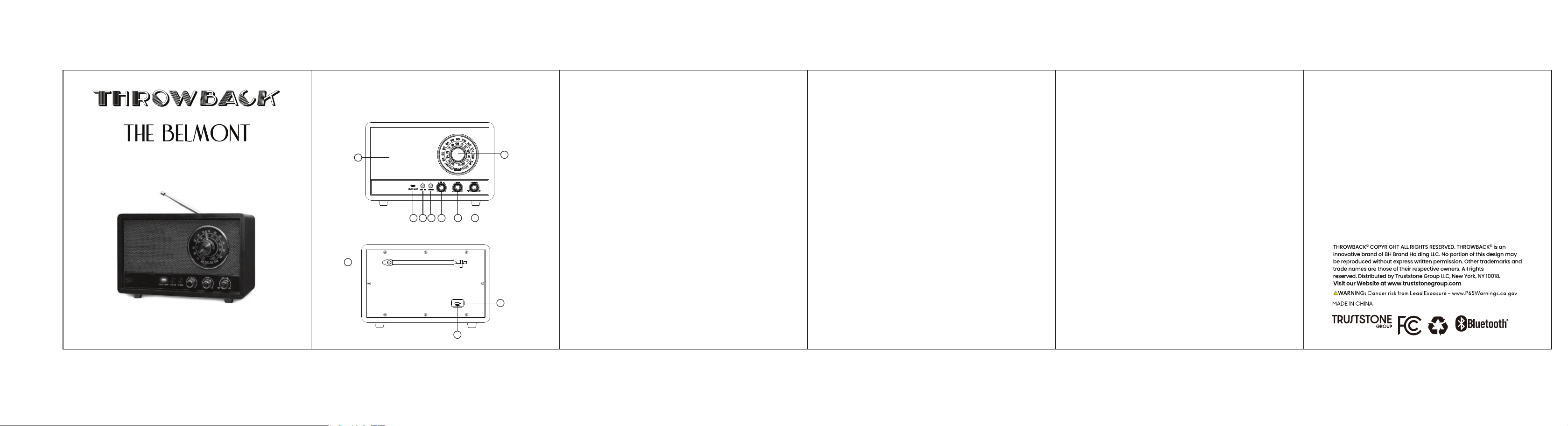
PRODUCT DIAGRAMS
FRONT VIEW
1
2
3 4 5 6 7 8
BACK VIEW
9
10
11
FUNCTION INTRODUCTION
1. Tuning Dial
2. Speaker Fabric Cover
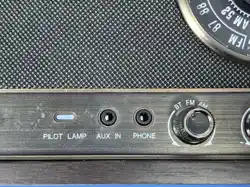
3. Pilot Lamp
4. AUX IN Jack
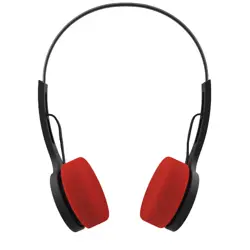
5. AUX OUT / PHONES Jack
6. BT / FM / AM Mode Selector
7. Bass Control
8. Volume / Power Control
9. Radio Antenna
10. USB-C Charging Port
11. Charging Indicator
SPECIFICATIONS
Model: TB-RETS7-DWD
Bluetooth name: TB-RETS7
Functions: BT / FM / AM / AUX IN / AUX OUT
FM tuning range: 87-108 MHz
AM tuning range: 520-1710 kHz
Built-in battery: 3.7V 2200mAh
Speaker output power: 10W
CONTENTS
- 1 x Retro Radio
- 1 x USB-C Charging Cable
- 1 x User Manual
BLUETOOTH PAIRING
1. Turn the Volume/Power knob clockwise until it clicks.
2. Set the mode selector to BT. The pilot lamp indicates Bluetooth mode.
3. Open Bluetooth settings on your device and select 'TB-RETS7'.
4. After pairing, start audio playback and adjust the volume and bass controls.
OPERATION
POWER / VOLUME
Turn the Volume/Power knob clockwise past the click to switch on. Turn further
to increase volume. Turn fully counterclockwise to OFF.
FM RADIO
Set the selector to FM. Fully extend the antenna, then rotate the tuning dial to
the desired station.
AM RADIO
Set the selector to AM and rotate the tuning dial. The AM antenna is internal;
reposition the radio for better reception.
AUX IN
Connect a 3.5 mm audio cable from an external audio source to AUX IN, then
adjust volume on both devices.
AUX OUT / PHONES
Connect compatible headphones or an external powered audio device to the
output jack. Start at a low volume.
BASS CONTROL
Rotate the Bass knob to adjust low-frequency response.
CHARGING
Connect the supplied USB-C cable to the rear charging port and a suitable
USB power source. The charging indicator shows charging status. Disconnect
after charging is complete.
SAFETY GUIDELINES
Read all instructions before use and keep them for reference.
Keep away from water, heat sources, and open flames.
Do not insert objects into openings or attempt to repair the product.
Use only a suitable USB power source and disconnect the product during
lightning storms or extended periods of storage.
Do not expose the built-in battery to excessive heat, puncture or fire.
FCC STATEMENT
This device complies with Part 15 of the FCC Rules. Operation is subject to the
following two conditions: (1) this device may not cause harmful interference,
and (2) this device must accept any interference received, including
interference that may cause undesired operation. Changes or modifications not
expressly approved by the party responsible for compliance could void the
user's authority to operate the equipment.
NOTE: This equipment has been tested and found to comply with the limits for
a Class B digital device, pursuant to part 15 of the FCC Rules. These limits are
designed to provide reasonable protection against harmful interference in a
residential installation. This equipment generates uses and can radiate radio
frequency energy and, if not installed and used in accordance with the
instructions, may cause harmful interference to radio communications.
However, there is no guarantee that interference will not occur in a particular
installation. If this equipment does cause harmful interference radio or television
reception, which can be determined by turning the equipment off and on, the
user is encouraged to try to correct the interference by one or more of the
following measures:
RETRO WIRELESS
SPEAKER AND RADIO
FCC RADIATION EXPOSURE
This equipment complies with FCC radiation exposure limits for an uncontrolled
environment. Install and operate it with at least 20 cm between the radiator and
your body.
-
Reorient or relocate the receiving antenna.
-
Increase separation between the equipment and receiver.
-
Connect the equipment to an outlet on a different circuit.
-
Consult a radio/TV technician for help.