Contact our Aladdin Connect®
team for help at
866-599-4995 or visit us at
www.geniecompany.com
©2025 The Genie Company
One Door Drive, Mt. Hope, OH 44660, USA
1-year warranty, visit www.geniecompany.com for details.
Pat. www.geniecompany.com/patents
AVERTISSEMENT
WARNING
2. Locate the Door Control Hub with its mounting bracket and hardware. Select an installation location
that meets the following listed criteria:
• Should be seen and heard when garage door from anywhere inside the garage
• Should be less than 30ft from the garage door opener
• Should be within 5ft of standard 110v AC power outlet
• Should have at least 2 bars of Wi-Fi signal when a smartphone is placed in the proposed
position. If there are not at least two bars in the desired location, try these steps to improve
Wi-Fi signal strength:
o Make sure that the Wi-Fi router is out in the open (not concealed)
o Move the Wi-Fi router closer to the garage
o Purchase a Wi-Fi extender, available at most electronics stores
Locations could be above the opener secured to drywall, fastened to the perforated angle that holds the
opener, near the wall console or any other location that meets the above criteria.
1. Scan the QR code to download the free Aladdin Connect app and create
an account. Follow in-app instructions to complete physical installation
and Wi-Fi setup. You may refer to this instruction for physical installation if
preferred.
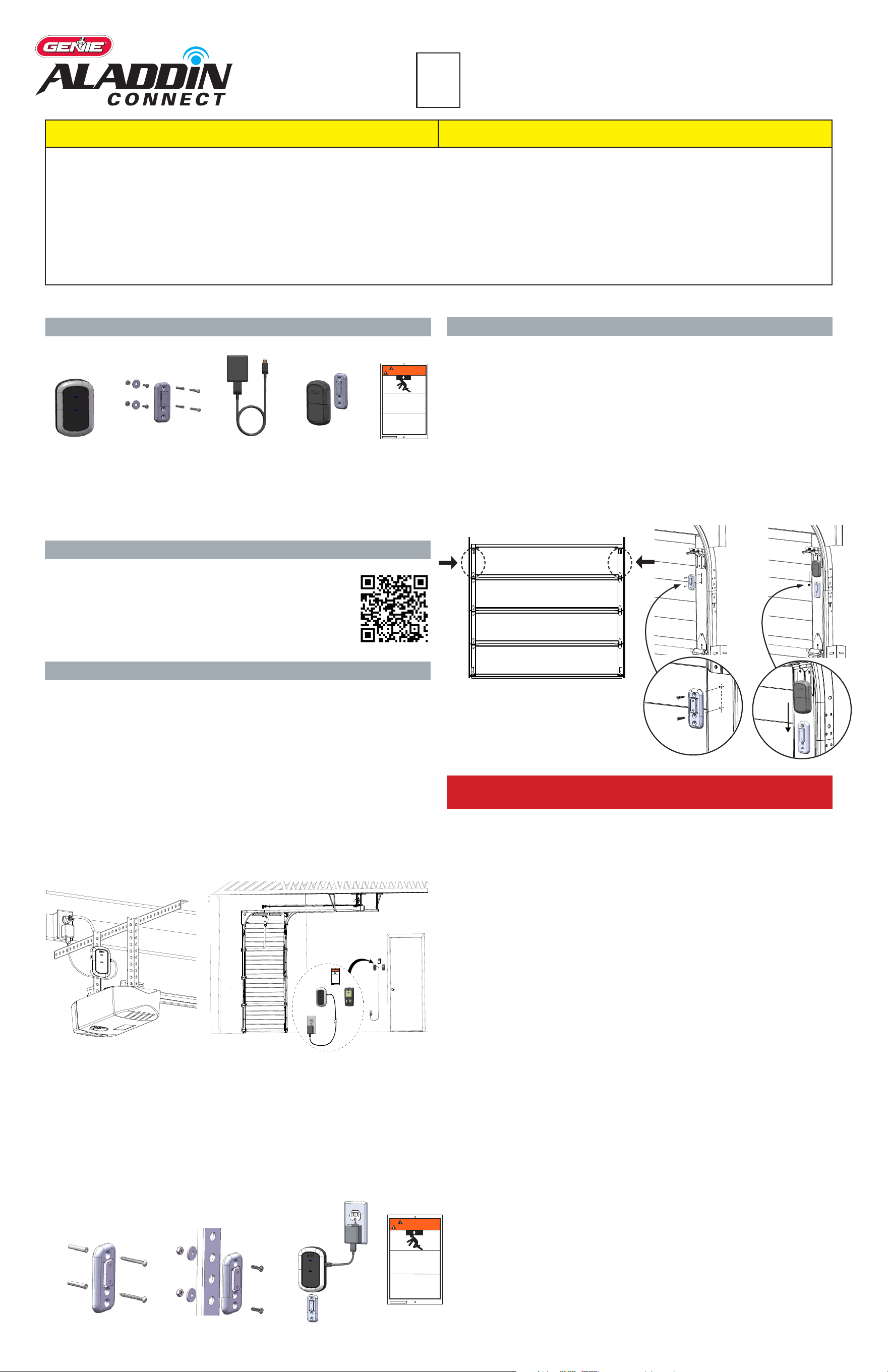
3. Install the Door Control Hub:
• If mounting to drywall, use the mounting bracket as a template to mark and drill 2-3/32” pilot
holes. Use provided anchors as needed (FIG A).
• If mounting to perforated angle at opener location, use nuts, washers and
screws provided (FIG B).
4. Slide the Door Control Hub onto its mounting bracket so it snaps into place (FIG C).
5. Plug in the USB-C to the Hub and the power cord to the outlet. The Wi-Fi LED on the
Hub should light up when powered on (FIG C).
6. Afx the unattended warning placard next to wall control in plain sight to signify that the door can
operate remotely. Tacks or staples (not supplied) should be used if the placard does not adhere to
the mounting surface (FIG G).
Locate the Door Position Sensor with its mounting bracket and hardware.
You will need a ladder to access the top section of your garage door. DO NOT remove the battery pull
tab until directed by the app.
6. Standing inside the garage looking out, nd the end stile on the far left or right of
the TOP PANEL OF THE GARAGE DOOR (FIG G), directly under the top hinge.
NOTE: DO NOT mount to unreinforced door panel.
7. Vertically and horizontally center the mounting bracket between the top roller bracket and rst hinge.
8. Use the mounting bracket as a template to mark and pre-drill (2) 3/32 holes and use the
included self-tapping screws to mount the bracket to top door panel end stile (FIG H).
NOTE: DO NOT drill all the way through door.
9. Slide Door Position Sensor down onto mounting bracket until it snaps into place (FIG J).
8. Continue to follow the app instructions to setup your garage door opener brand and pair it to the
Door Control Hub. You will need a ladder to access your garage door opener for these steps.
®
112612.0001
WARNING
AVERTISSEMENT
MOVING DOOR can cause serious
injury or death.
MOUVEMENT PORTE peut causer des
blessures graves ou la mort.
STAND CLEAR!
Door could close automatically.
Do Not stop or stand in doorway
SE TENIR À L'ÉCART DE LA PORTE!
La porte pourrait se refermer automatiquement.
Ne pas arrêter ou debout dans la porte.
Wall Mount Anchors
(as needed)
Perforated Angle Mount
QR
CODE
FPO
Contents
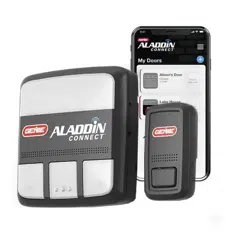
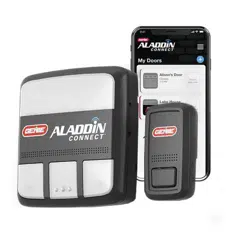
Door Control Hub
Door Control Hub
Plug & Adapter
Door Control Hub Mounting
Bracket & Hardware
Door Position Sensor,
Mounting Bracket &
Hardware
Warning Placard
112612.0001
WARNING
AVERTISSEMENT
MOVING DOOR can cause serious
injury or death.
MOUVEMENT PORTE peut causer des
blessures graves ou la mort.
STAND CLEAR!
Door could close automatically.
Do Not stop or stand in doorway
SE TENIR À L'ÉCART DE LA PORTE!
La porte pourrait se refermer automatiquement.
Ne pas arrêter ou debout dans la porte.
FIG C
FIG A
FIG B
FIG D
Standing inside the garage, looking out, locate the
end stiles of the TOP PANEL of the garage door.
FIG G
FIG H
FIG J
TO REDUCE THE RISK OF SEVERE INJURY OR DEATH, READ AND FOLLOW INSTRUCTIONS:
1. TBD waiting for Greg
KNOW BEFORE YOU BEGIN:
• A light will ash, and a beep will sound as indication that the door is about to move when
commanded by the Aladdin Connect® or other compatible app(s).
• These instructions will show the physical installation of the retrot kit pieces only. All other
instructions are dened in the app.
DOWNLOAD THE APP
MOUNT & POWER DOOR POSITION SENSOR
MOUNT & POWER DOOR CONTROL HUB
112612.0001
WARNING
AVERTISSEMENT
MOVING DOOR can cause serious
injury or death.
MOUVEMENT PORTE peut causer des
blessures graves ou la mort.
STAND CLEAR!
Door could close automatically.
Do Not stop or stand in doorway
SE TENIR À L'ÉCART DE LA PORTE!
La porte pourrait se refermer automatiquement.
Ne pas arrêter ou debout dans la porte.
112612.0001
WARNING
AVERTISSEMENT
MOVING DOOR can cause serious
injury or death.
MOUVEMENT PORTE peut causer des
blessures graves ou la mort.
STAND CLEAR!
Door could close automatically.
Do Not stop or stand in doorway
SE TENIR À L'ÉCART DE LA PORTE!
La porte pourrait se refermer automatiquement.
Ne pas arrêter ou debout dans la porte.
FOLLOW THE APP TO PAIR THE DOOR CONTROL HUB TO THE
GARAGE DOOR OPENER