
1
Maxwell 2 ANC UI Instruction
2
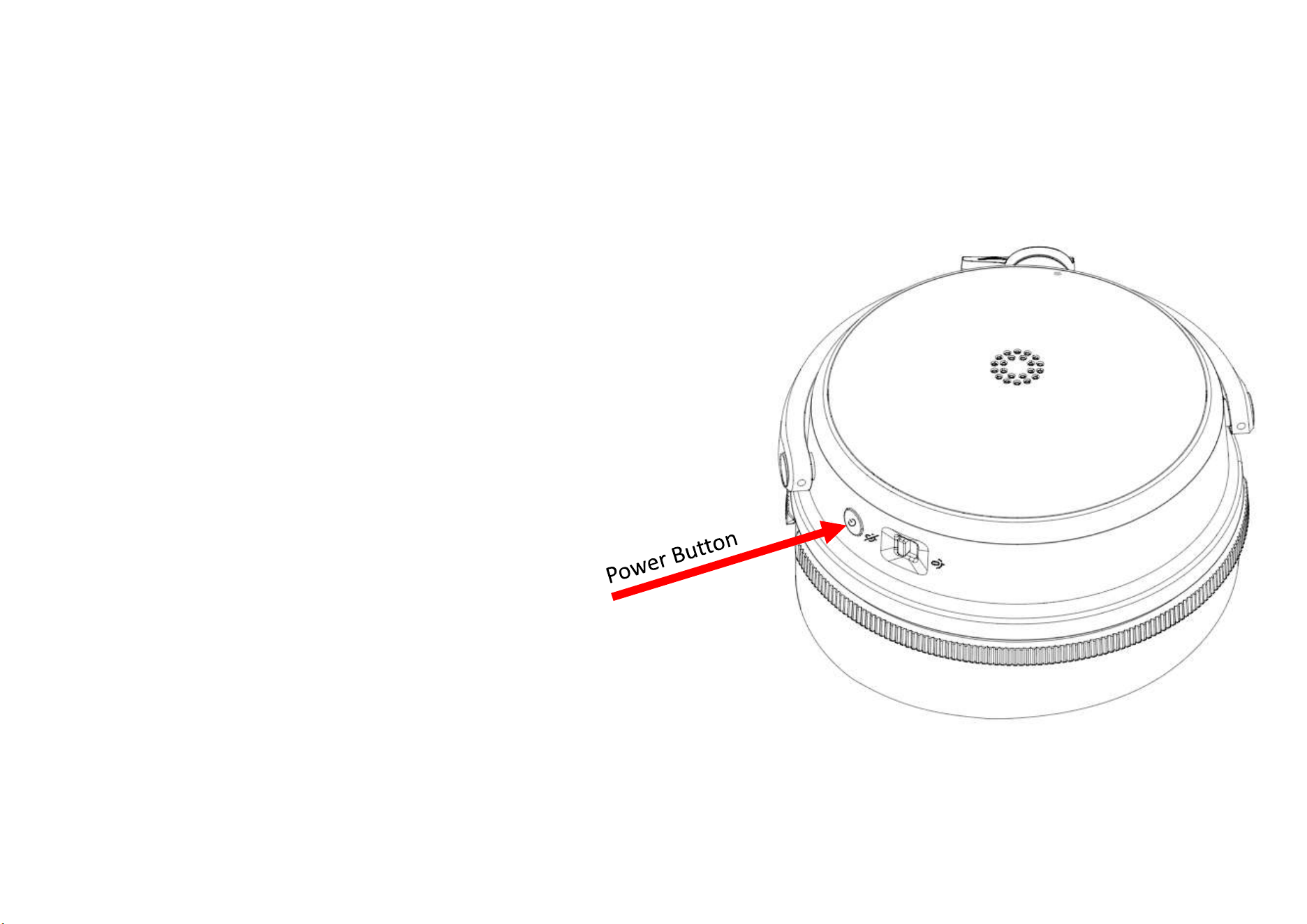
Power Button
1. Long press: Power on/off the headphones.
2. Single press: Play/Pause media. (If receiving phone call,
answer call)
3. Double press: Enter Bluetooth pairing mode. (If
receiving phone call, decline call)
4. Triple press: Enter dongle pairing mode.
3
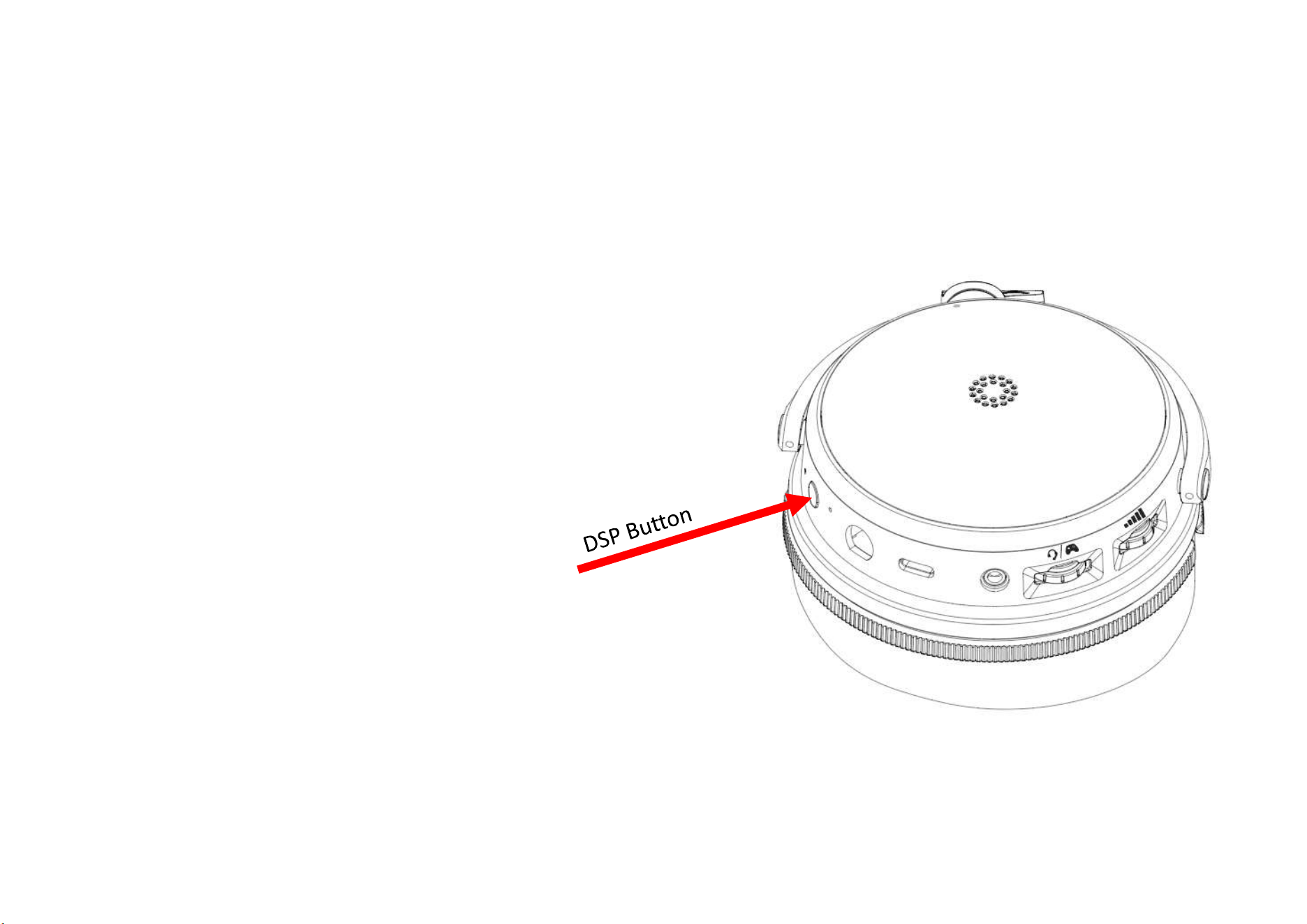
DSP Button
Single press: Cycle noise modes → ANC On →
Transparency → Off.
Double press: Cycle AINR (Active Intelligent Noise
Reduction) → On → Level select → Off.
Long press: Toggle Sidetone → On → Off → On.
4
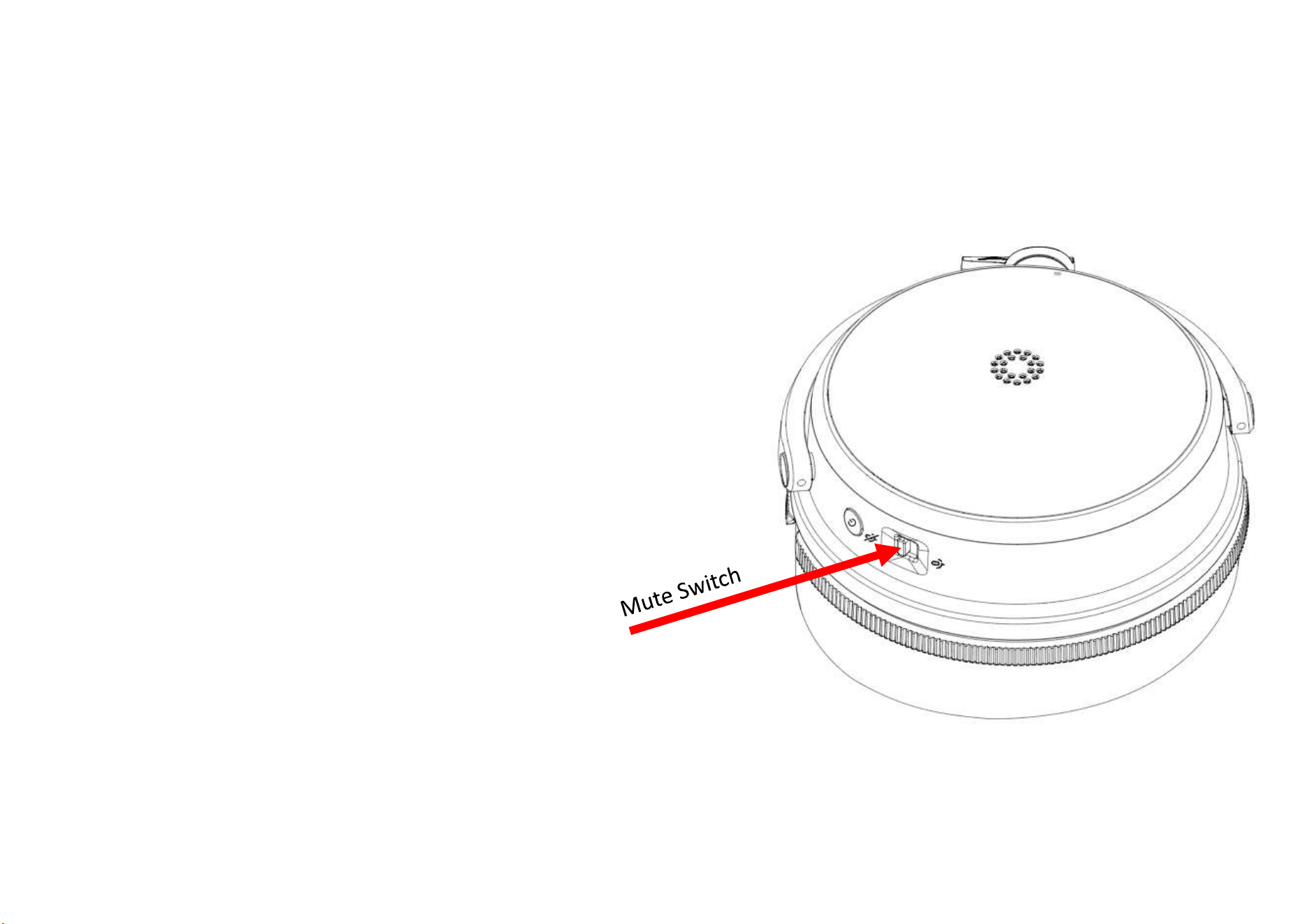
Mute Switch
Slide up: Mic Mute ON.
Slide down: Mic Mute OFF.
5
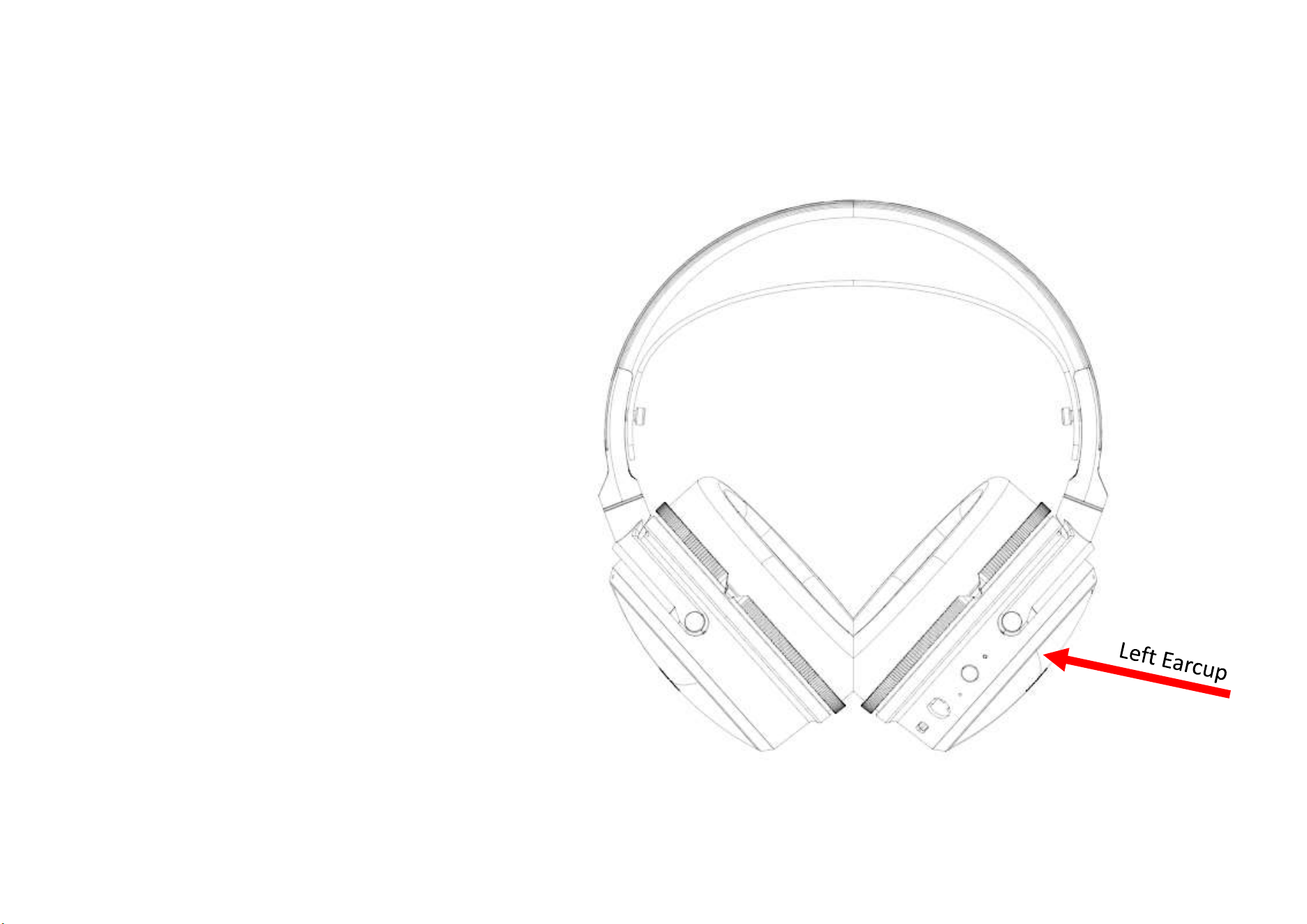
Left Earcup Taps (Maxwell 2 ANC)
1. Double tap: Centering.
2. Double tap (when a call is incoming): Answer call.
6
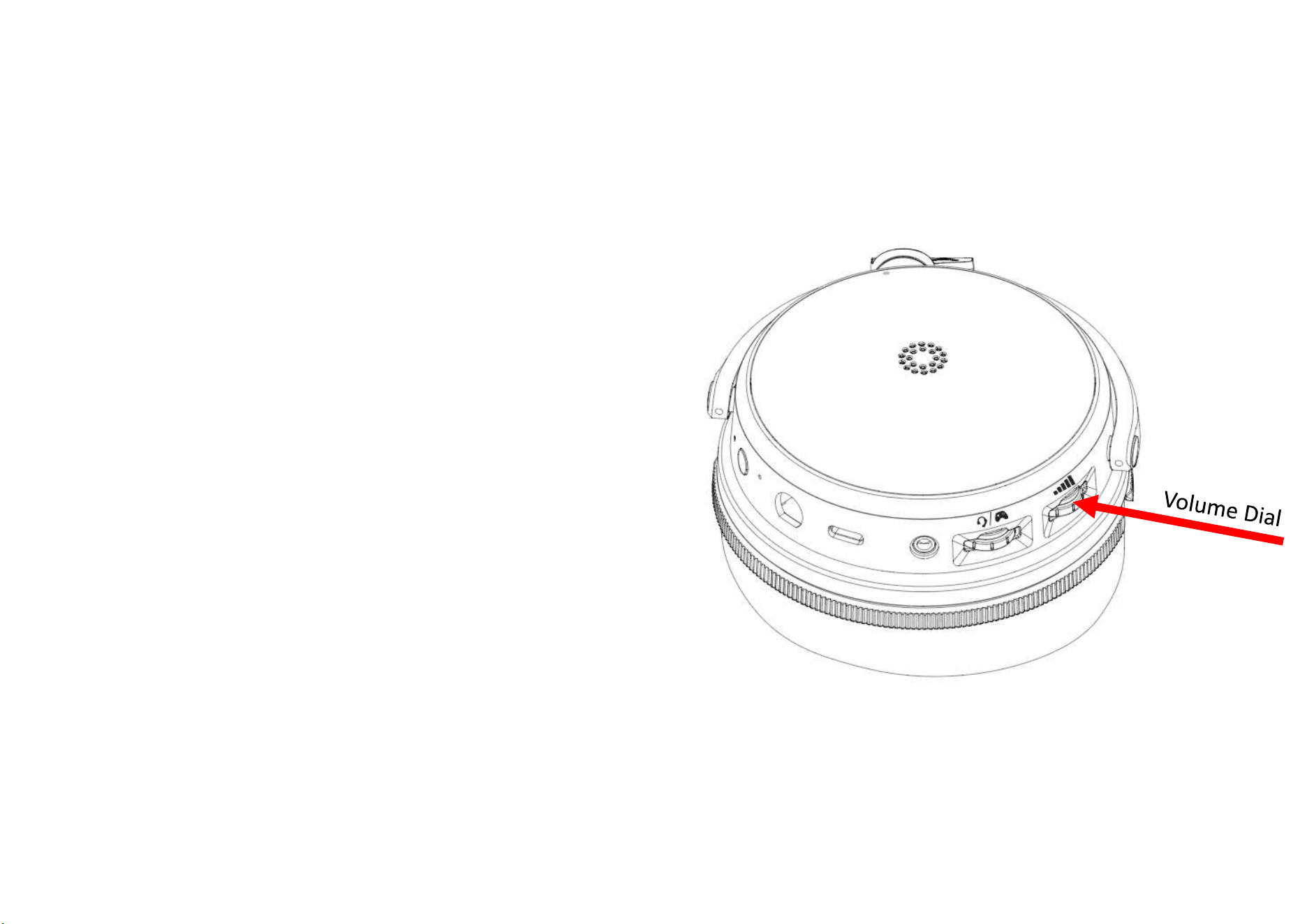
Volume Dial
Single clicks: Speaker Volume EQs Speaker Volume
Default (no press):
1. Rotate up: Speaker volume up.
2. Rotate down: Speaker volume down.
After 1st press: (EQ presets)
1. Rotate right: Preset EQ select up.
2. Rotate left: Preset EQ select down.
After 1
st
press or after 10 seconds back to volume
adjustment.
Double click for this button : Previous track when in BT
/ USB / Dongle with application.
7
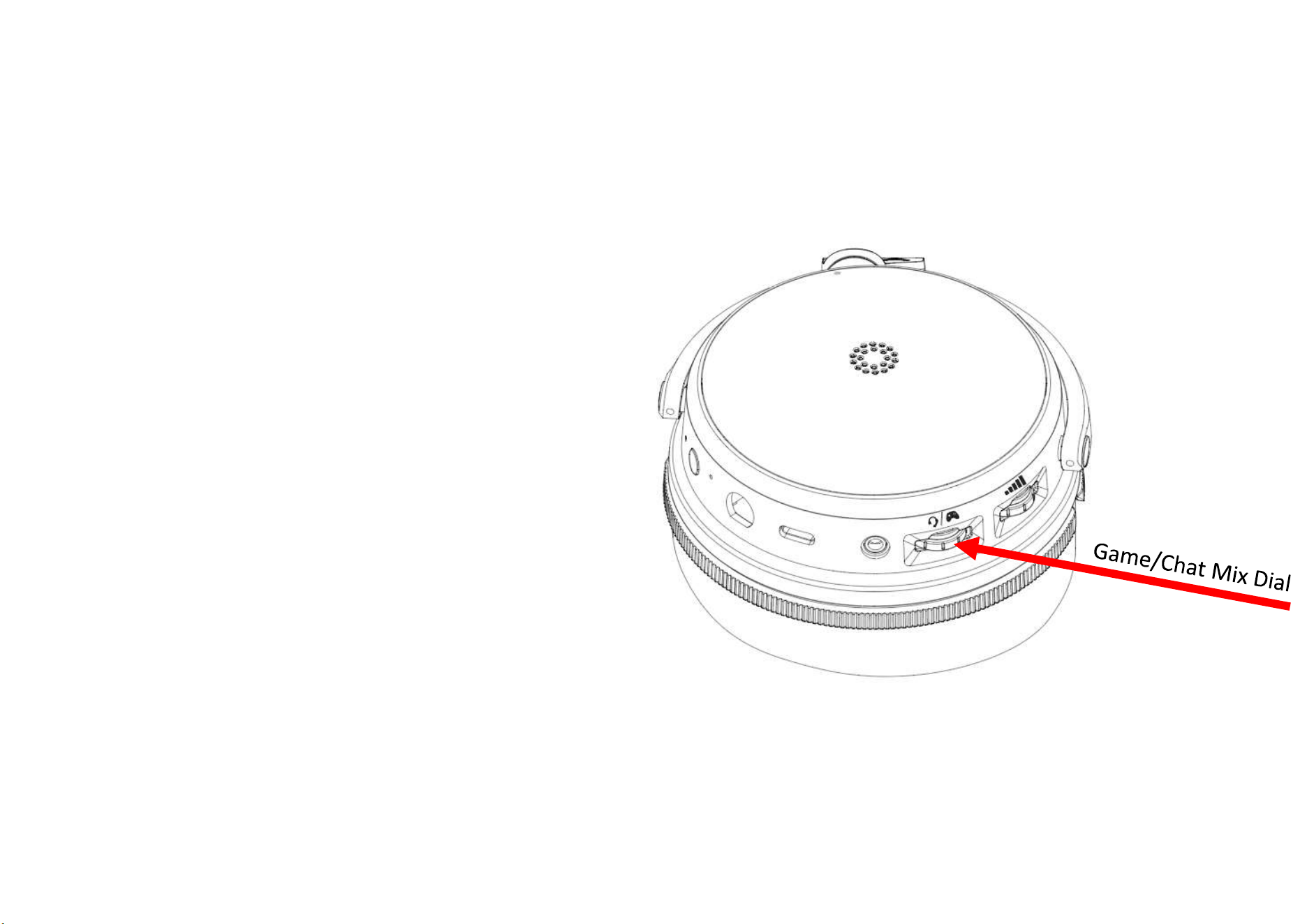
Game/Chat Mix Dial
Single clicks: G/C Balance Mic Volume Sidetone G/C
Balance
Default (no press): (Game/Chat mix)
1. Rotate up: Game volume up / Chat volume down.
2. Rotate down: Game volume down / Chat volume up.
After 1st press: (Mic level)
1. Rotate up: Mic volume up.
2. Rotate down: Mic volume down.
After 1 press: (Sidetone level)
1. Rotate up: Sidetone volume up.
2. Rotate down: Sidetone volume down.
After 1 press: back to G/C balance with VP.
Double clicks for this button: Next track when in BT / USB /
Dongle with application.