
ShenZhen FlyFun Technology CO.,LTD
www.diymalls.com www.amazon.com/shops/DIYmall sales@diymalls.com
How to use OLED model in Arduino
Demo with Arduino UNO
Step 1: Connect OLED display to Arduino:
-------------------------------------------
VCC --> 3.3v or 5v
GND --> GND
SCL --> A5
SDA --> A4
-------------------------------------------
Step 2: Choose the right library
For 1.3 inch: 1.3 Inch use SH1106 drive chip, copy “u8glib” into
"x:\arduino-1.X.X\libraries".
For 0.96 inch: 0.96 inch use SSD1306 drive chip. Copy "Adafruit_SSD1306.h" and
"Adafruit_GFX.h" into "x:\arduino-1.X.X\libraries".
In order to reduce the pins’ number, we use a hardware RESET system. So the
standard library form Adafruit or u8glib may not very suitable. Make sure you are
using our provided libraries, It’s very important. If those files already in you
libraries, replace it.
Step 3: Run demo in file “examples”
www.diymalls.com sales@diymalls.com
www.diymalls.com www.amazon.com/shops/DIYmall
sales@diymalls.com
Summary of common problems
1. Can’t light up the OLED display
Please check the follow issue:
Check the connection between OLED and Arduino;
Make sure you are using out provided libraries;
The default I2C/IIC address of the display should be 0x3C. We printed in model is
0x78 or 0x7A, but for AVR or MSP430 series (Arduino based on AVR), the IIC/I2C
buffer is 7-bits, so, we should right shift 1-bit while using in Arduino or MSP430.
Check the VCC and GND pins is right be connected, never connect VCC to GND
and GND to VCC, it will broke model less than a second.
Wipe the tin Solder part with alcohol.
2. The dot matrix is 128 * 32
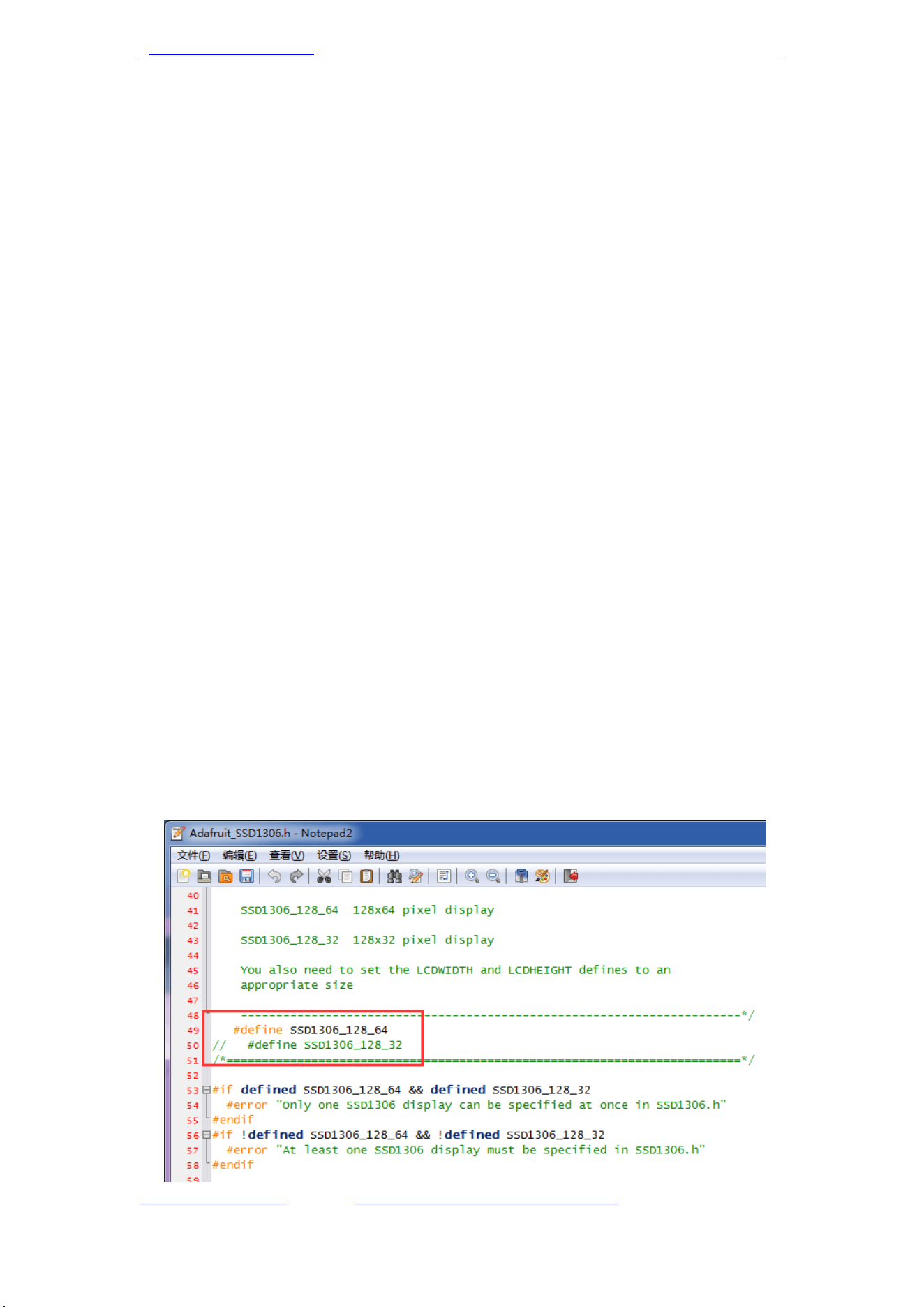
We never produced any 0.96 or 1.3 inch with 128*32 dot matrix. Open
“Adafruit_SSD1306.h”, and make sure the “#define SSD1306_128_64” is available.
Like this:
www.diymalls.com sales@diymalls.com
www.diymalls.com www.amazon.com/shops/DIYmall
sales@diymalls.com
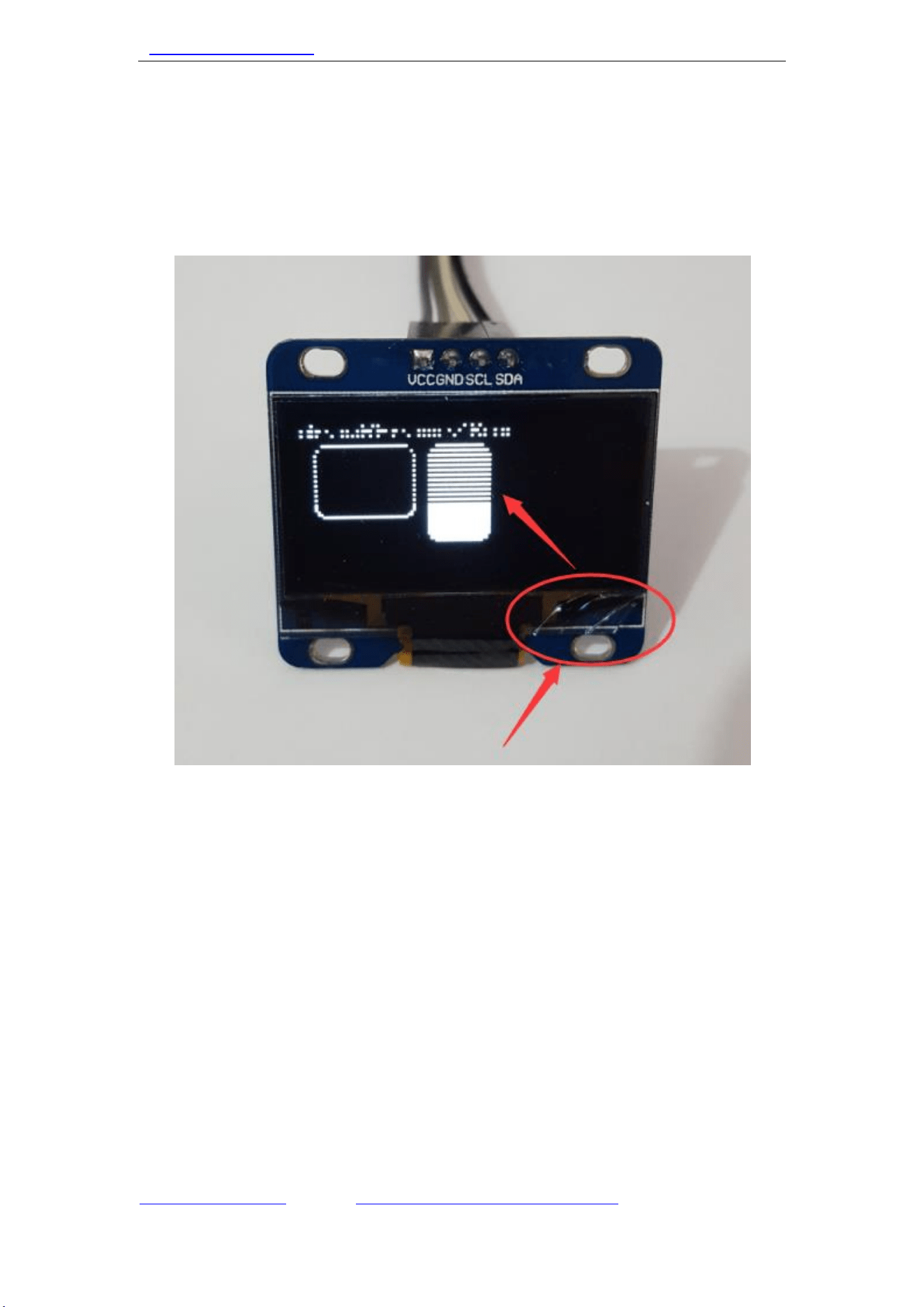
3. Lack some lines
It caused by glass broken. The glass of OLED is very fragile, please be careful while
using it. This problem outside the maintenance.