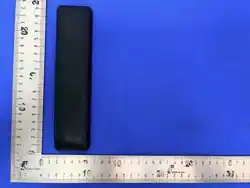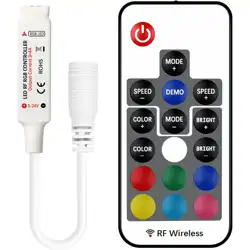
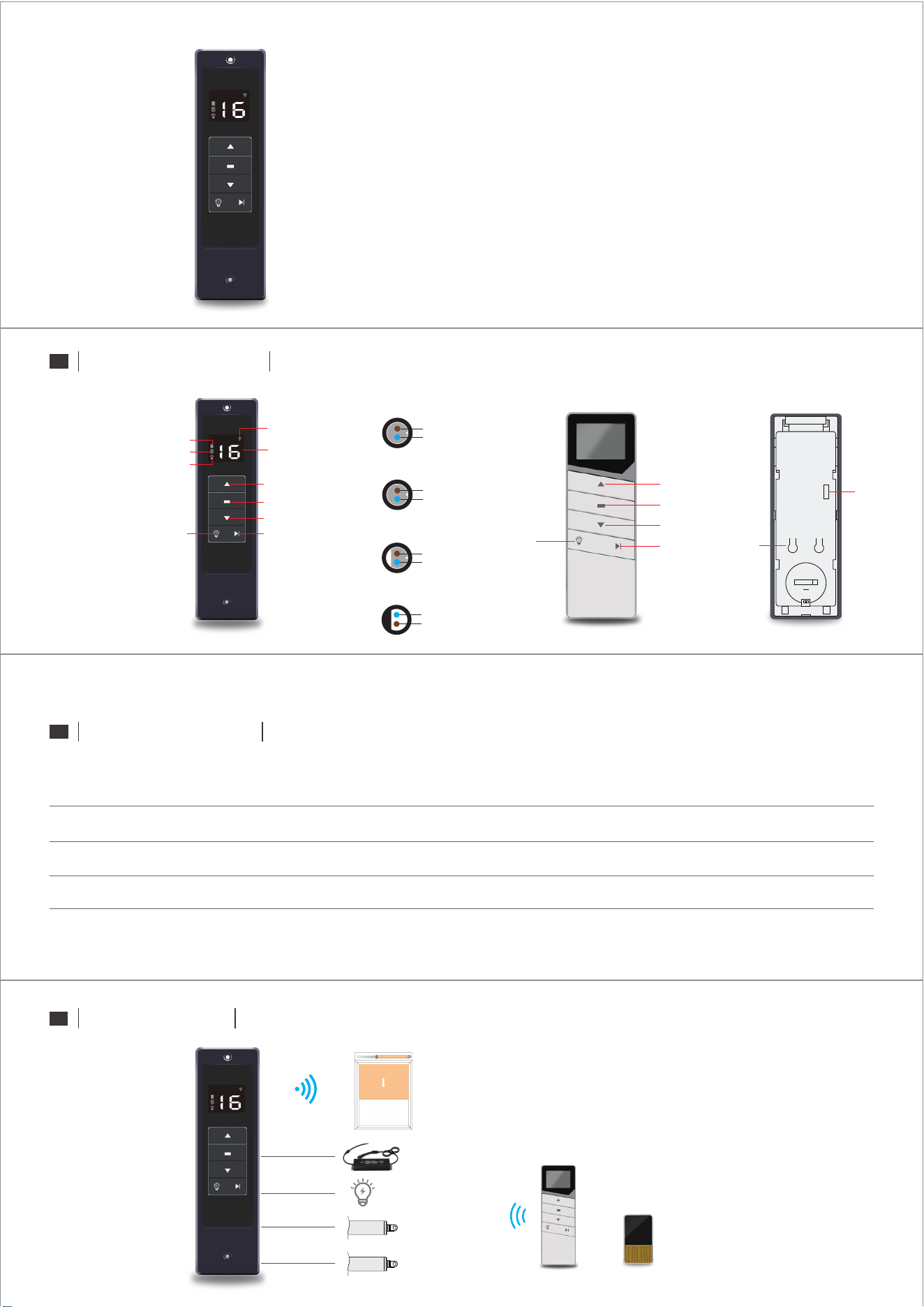
PRODUCT ILLUSTRATION
PRODUCT PARAMETERS
APPLICATION MODE
Note: The above parameter information is for reference only. The actual site shall prevail. If you have any technical questions, please consult Zhihu Qiju Co., Ltd.
ZC51-D800-16-F2/D1
DC24V±10%
16
Model Input voltage
Number of
channels
DC24V/36W
Motor output*2
DC24V/352W
LED lamp output
20*5.5*5.5CM
Product size
ZC101
ZC101-16P ZC101-16P
16
CR2450(3V)
Model
Number of
channels
Battery Type
≤10MW
Transmit power
-20℃~55℃
Working
temperature
-20℃~75℃
Working
temperature
135*40*8MM
Product size
Transmit signal
F1、F2:
Represent overturned louver
01-CC:
Represents windproof roller shutter
Overturning the louver
Lights
Windproof roller blind
Cut frequency (long press to cut CC)Lights
Downward
Stop
Uplink
16
Cut frequency
(long press to cut CC)
Lights
Downward
Stop
Uplink
16
24V Motor
LED Light strip
Wireless control windproof roller blind
24V Motor
Remote Control Solar Rain Sense
FQ15-2PFemale end hole pattern (medium)
Brown wire (motor)
Blue Line (Motor-)
FQ15-2PFemale end hole pattern (medium)
Brown wire (motor)
Blue Line (Motor-)
FQ18-2PFemale end hole type (large)
Brown line (light strip)
Blue line (strip-)
FQ18-2PMale end hole type (large)
Blue wire (24V power supply-)
Brown wire (24V power supply)
ZC51-D800-16-F2/D1
S1 S2
CR2450
Code key
2:AOK
1:DOOYA
DC waterproof power supply
Gazebo embedded control panel
ZC101
Instructions for use
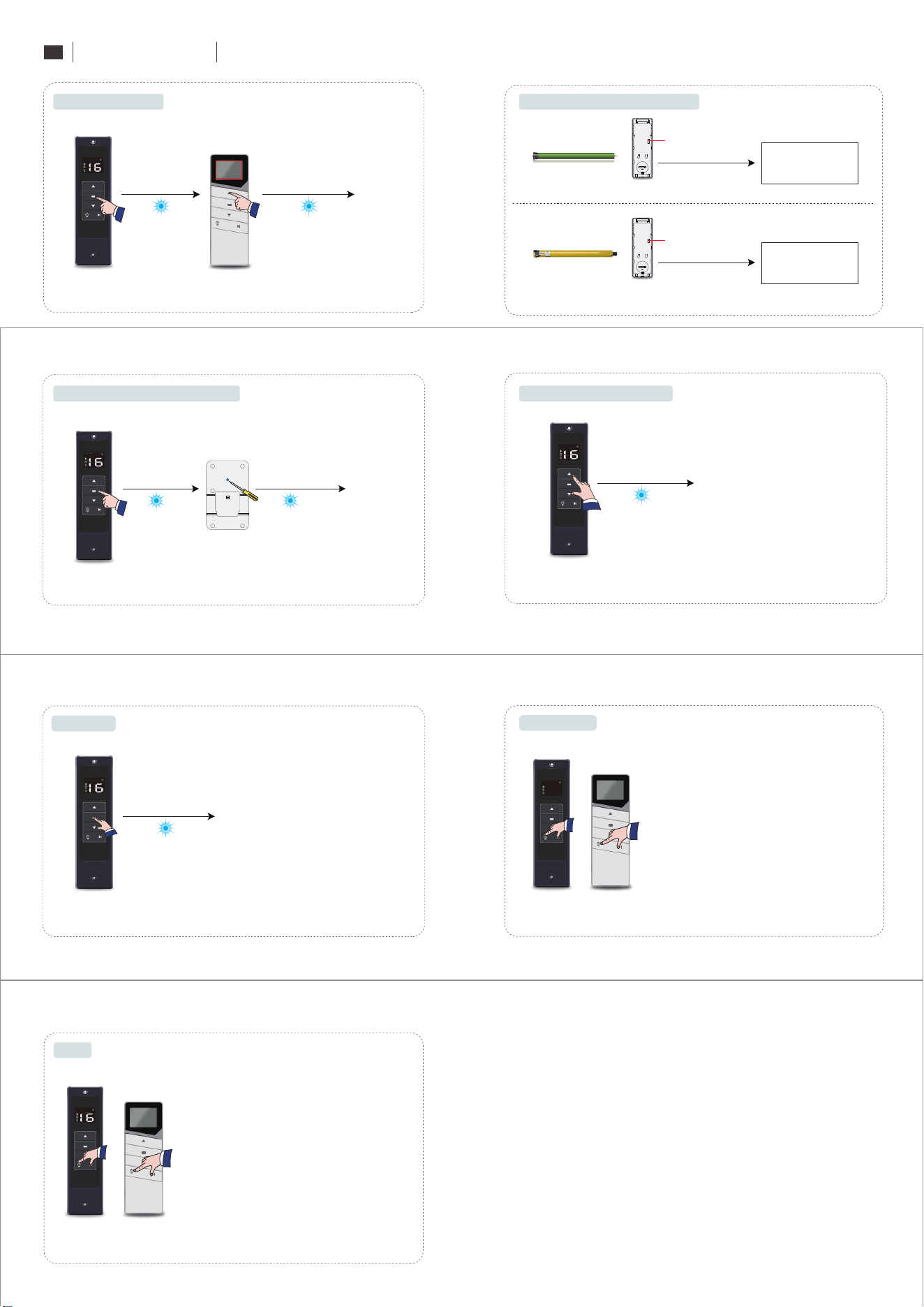
OPERATION MODE
(Rain sense only controls overturning louver)
Rain sense and controller pair code
Press the code key
Delete code successfully
Delete code
Panel Any Channel
Press and hold the Stop and Down keys for 8 seconds
Panel LCD screen "LE" flash 3
Solution Channel
Restore Channel 16
Press and hold the "light key" "cut frequency" for 5 seconds
16
CC
Dial to 1
Remote control code
Code success
Code success
(The remote controller needs to dial the code to select the manufacturer, and then switch
the frequency to the CC code before the receiver can forward and control the roller shutter.)
Windproof roller shutter pair code
The motor is energized to enter the code
Press remote control S1-S1-up
S1 S2
CR2450
Panel any channel
press "stop key" 5 seconds
Panel any channel
press "stop key" 5 seconds
Cut the frequency to CC, and then press the up key.
Note: 1. Only CC channel has the forwarding function.
2. Other multi-frequency transmitter, please cut to F1 pair code.
DOOYA Motor
Remote control dial code selection manufacturers
Panel LCD
screen "LE" slow flash
Remote control starts from channel 1
Refer to motor instructions
Refer to motor instructions
Panel LCD screen "LE" flash 3
Panel LCD
screen "LE" slow flash
Panel LCD screen "LE" flash 3
Panel LCD screen "LE" flash 3
Dial to 2
Motor key to enter the code
Press the remote control to go up
S1 S2
CR2450
AOK Motor
Remote control dial code selection manufacturers
Remote control starts from channel 1
Commutation success
Shutter motor commutation
Panel Any Channel
Press and hold the Up and Down keys for 5 seconds
03
Lock Channel
Select Channel
Press and hold the "light key" "cut frequency" for 5 seconds
03
Note:
1. If the remote control LCD screen, switch to CF group control,
press and hold the "light key" and "cut frequency" for 5 seconds,
and lock frequency 01-CC channel.
2. If the LCD screen of the remote controller is cut to F1 state,
press and hold the "light key" and "cut frequency" for 5 seconds
to lock the frequency F2-CF channel.
Note:
1. If the remote control LCD screen, switch to CF group control,
press and hold the "light key" and "cut frequency" for 5 seconds,
and the frequency is 01-CC channel.
2. If the LCD screen of the remote controller is cut to F1 state,
press and hold the "light key" and "cut frequency" for 5 seconds
to decast the F2-CF channel.