BG-SpeakP300-C
MedBridge USB/Bluetooth Pro Speakerphone with Chain‑Link
Expansion for Medical Carts and Workstations
User Manual

BZBGEAR BG-SpeakP300-C PRODUCT MANUAL
Address: 830 National Drive #140, Sacramento, CA 95834, USA · Tel: +1(888)499-9906 · Email: support@bzbgear.com 2

BZBGEAR BG-SpeakP300-C PRODUCT MANUAL
TABLE OF CONTENTS
Statement 4
Safety Precaution 4
Introduction 5
Features 5
Packing List 6
Specifications 7
Operation Controls and Functions 8
Connection and Operations 9
Connection 9
Operations 10
Connection Diagram 12
Troubleshooting 13
Tech Support 14
Limited Product Warranty Terms 14
Mission Statement 14
Copyright 14
Address: 830 National Drive #140, Sacramento, CA 95834, USA · Tel: +1(888)499-9906 · Email: support@bzbgear.com 3

BZBGEAR BG-SpeakP300-C PRODUCT MANUAL
Statement
Please read these instructions carefully before connecting, operating, or configuring this
product. Please save this manual for future reference.
Safety Precaution
● To prevent damaging this product, avoid heavy pressure, strong vibration, or immersion
during transportation, storage, and installation.
● The housing of this product is made of organic materials. Do not expose to any liquid,
gas, or solids which may corrode the shell.
● Do not expose the product to rain or moisture.
● To prevent the risk of electric shock, do not open the case. Installation and maintenance
should only be carried out by qualified technicians.
● Do not use the product beyond the specified temperature, humidity, or power supply
specifications.
● This product does not contain parts that can be maintained or repaired by users.
Damage caused by dismantling the product without authorization from BZBGEAR is not
covered under the warranty policy.
● Installation and use of this product must strictly comply with local electrical safety
standards.
Address: 830 National Drive #140, Sacramento, CA 95834, USA · Tel: +1(888)499-9906 · Email: support@bzbgear.com 4

BZBGEAR BG-SpeakP300-C PRODUCT MANUAL
Introduction
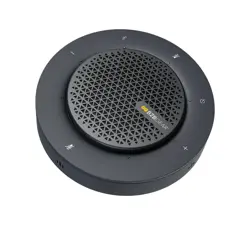
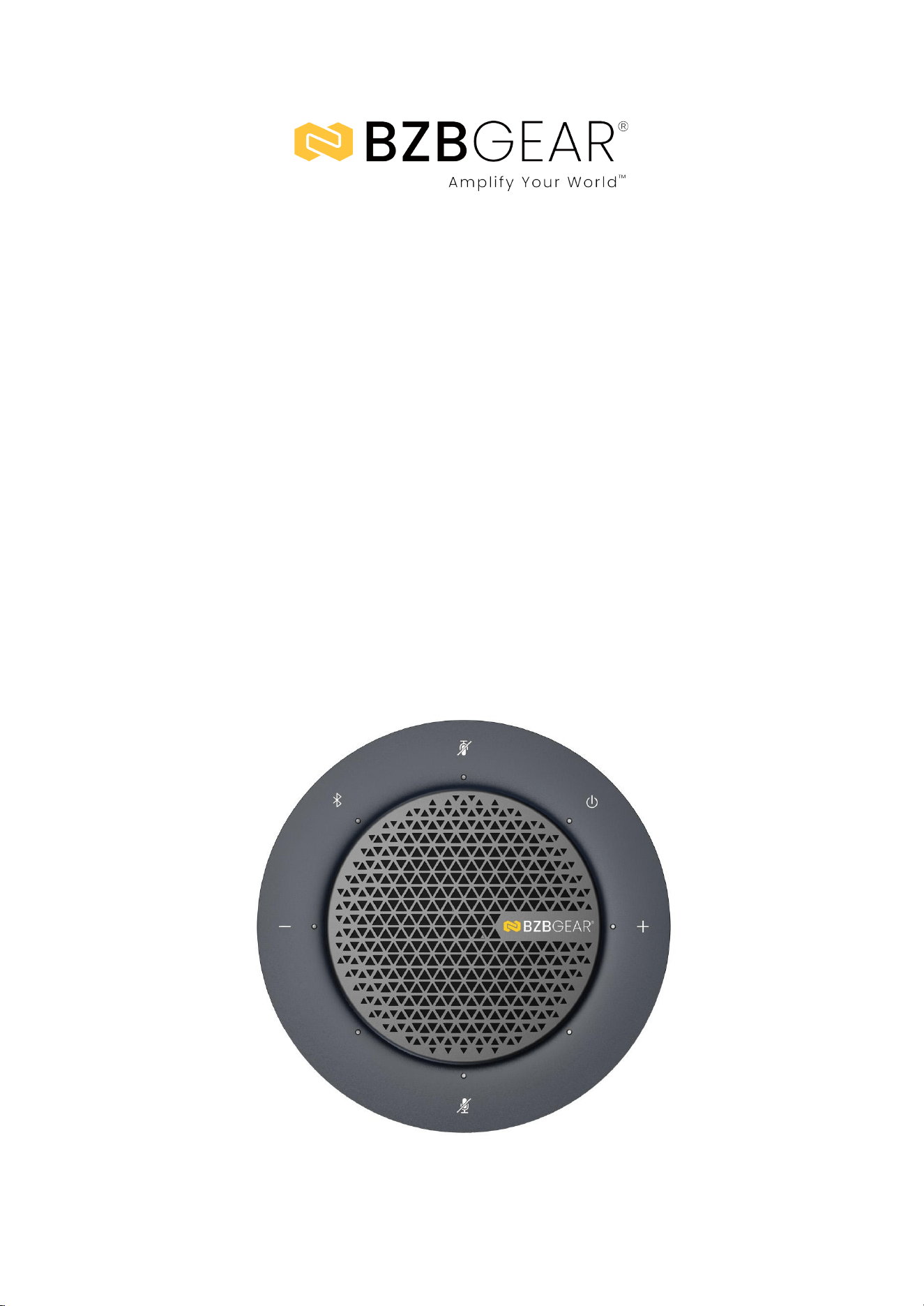
The BG-SpeakP300-C is a professional meeting speakerphone designed to provide
high-quality audio capture and playback for conferencing environments. It supports
both USB and Bluetooth connections, allowing seamless integration with
computers, mobile devices, and unified communication platforms. The device
operates as a standard USB Audio Class (UAC) peripheral, enabling driver-free
plug-and-play operation across supported operating systems.
Equipped with four omnidirectional digital microphones, the speakerphone delivers
360-degree voice pickup with a coverage radius of up to 5 meters. Integrated audio
processing technologies—including acoustic echo cancellation (AEC), automatic
gain control (AGC), noise suppression (ANS), and full duplex audio—ensure clear
voice transmission and stable two-way communication during meetings.
For expanded room coverage, the BG-SpeakP300-C supports daisy-chain
connectivity of up to nine identical speakerphones using dedicated USB Mini ports.
In daisy-chain mode, audio, control functions, and LED indicators are synchronized
across all connected units. The system supports standalone and daisy-chain
operation modes and is suitable for small to medium-sized conference rooms
requiring scalable audio coverage.
Features
● Daisy-Chain Expansion: Supports cascading up to nine speakerphones to extend
microphone pickup range and speaker output coverage.
● Dual Connectivity Options: Provides USB Type-C wired connection and Bluetooth
5.0 wireless connectivity.
● Omnidirectional Microphone Array: Four digital microphones deliver 360-degree
voice pickup with up to a 5-meter range.
● Integrated Audio Processing: Supports AEC, AGC, noise suppression, and
full-duplex audio for enhanced call clarity.
● USB Audio Class Support: Enables driver-free plug-and-play operation with
compatible host devices.
● Standalone and Daisy-Chain Modes: Operates independently or as part of a
multi-unit speakerphone system.
● Synchronized Controls and LEDs: Touch controls and LED indicators are
synchronized across all units in daisy-chain mode.
● Touch Control Interface: Capacitive touch buttons provide control for mute,
volume, power, and Bluetooth pairing.
● Broad Operating System Compatibility: Compatible with Windows 7/10/11 and
macOS 10.10 or later.
● Bluetooth Device Compatibility: Supports wireless connection to computers,
tablets, and mobile devices.
Address: 830 National Drive #140, Sacramento, CA 95834, USA · Tel: +1(888)499-9906 · Email: support@bzbgear.com 5

BZBGEAR BG-SpeakP300-C PRODUCT MANUAL
● Audio Source Priority Switching: Automatically prioritizes the first active audio
source between USB and Bluetooth.
● Power Sharing Capability: One power adapter can supply up to three
speakerphones in daisy-chain configurations.
● Compact Tabletop Design: Low-profile form factor suitable for conference table
installation.
● UC Application Compatibility: Designed for use with common unified
communication applications.
Packing List
● 1 × BG-SpeakP300-C Meeting Speakerphone
● 1 × DC 12V Power Adapter
● 1 × USB Type-A to USB Type-C Cable
● 1 × USB Mini Cable
● 1 × User Manual
Address: 830 National Drive #140, Sacramento, CA 95834, USA · Tel: +1(888)499-9906 · Email: support@bzbgear.com 6
BZBGEAR BG-SpeakP300-C PRODUCT MANUAL
Specifications
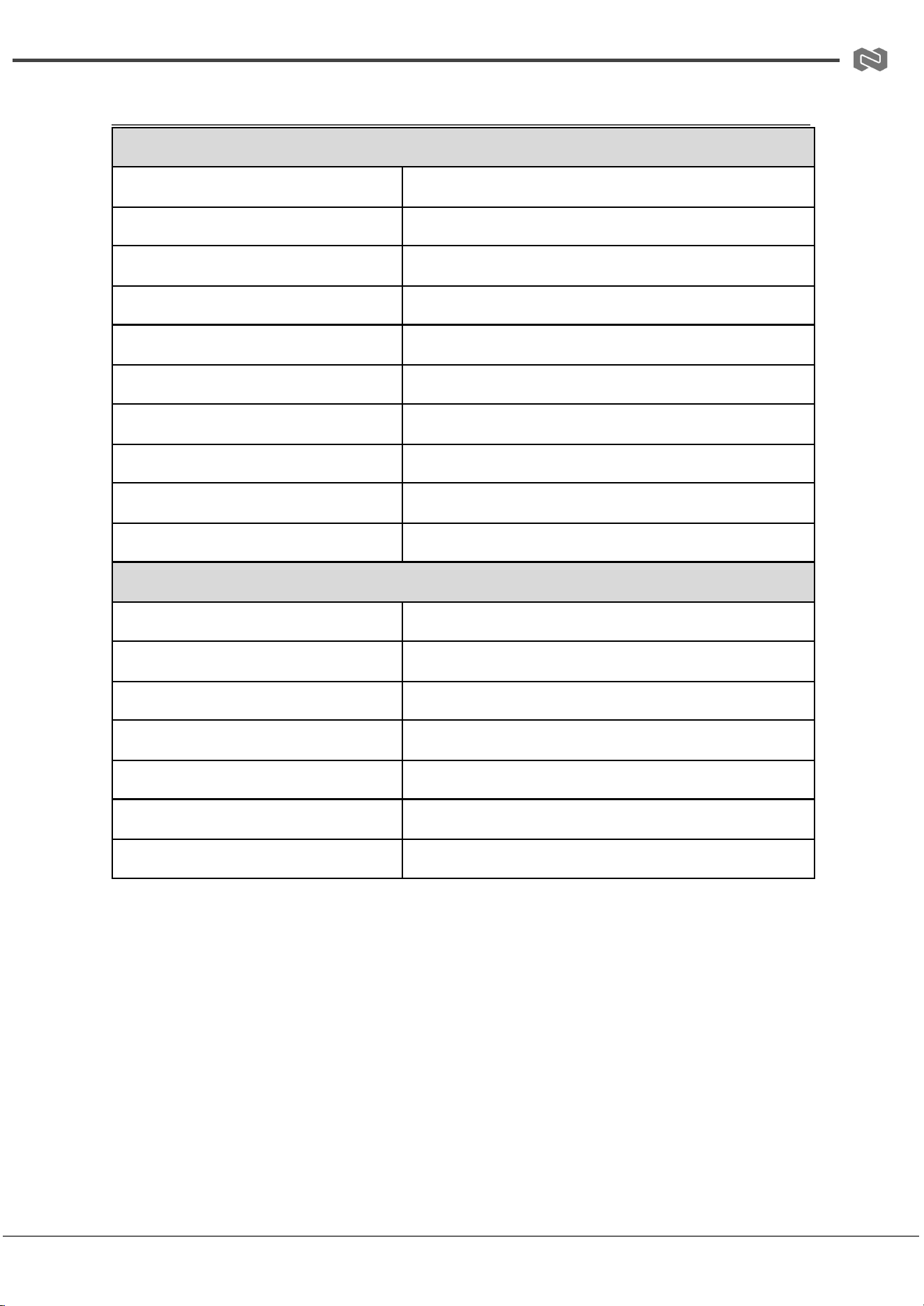
TECHNICAL SPECIFICATIONS
Bluetooth
Bluetooth 5.0
Speaker Output
3W
Microphone Array
4× omnidirectional digital microphones
Microphone Pickup Range
Up to 5 meters
Audio Processing
AEC, AGC, ANS, full duplex
USB Protocol
USB Audio Class (UAC)
Daisy-Chain Ports
2 × USB Mini (NEXT / PREVIOUS)
Power Input
12V DC
USB Interface
USB Type-C (master unit only)
Compatible Operating Systems
Windows 7/10/11, MacOS 10.10 or later
GENERAL SPECIFICATIONS
Operating Temperature
32°F to 104°F / 0°C to 40°C
Storage Temperature
-4°F to 158°F / -20°C to 70°C
Humidity
10% to 90%, non-condensing
ESD Protection
±8kV (Air-gap discharge), ±4kV (Contact discharge)
Power Consumption (Max)
6W
Product Dimensions
Ø123mm × 44mm (Ø4.84” × 1.73”)
Product Weight
0.68lb / 0.31kg (net)
Address: 830 National Drive #140, Sacramento, CA 95834, USA · Tel: +1(888)499-9906 · Email: support@bzbgear.com 7
BZBGEAR BG-SpeakP300-C PRODUCT MANUAL
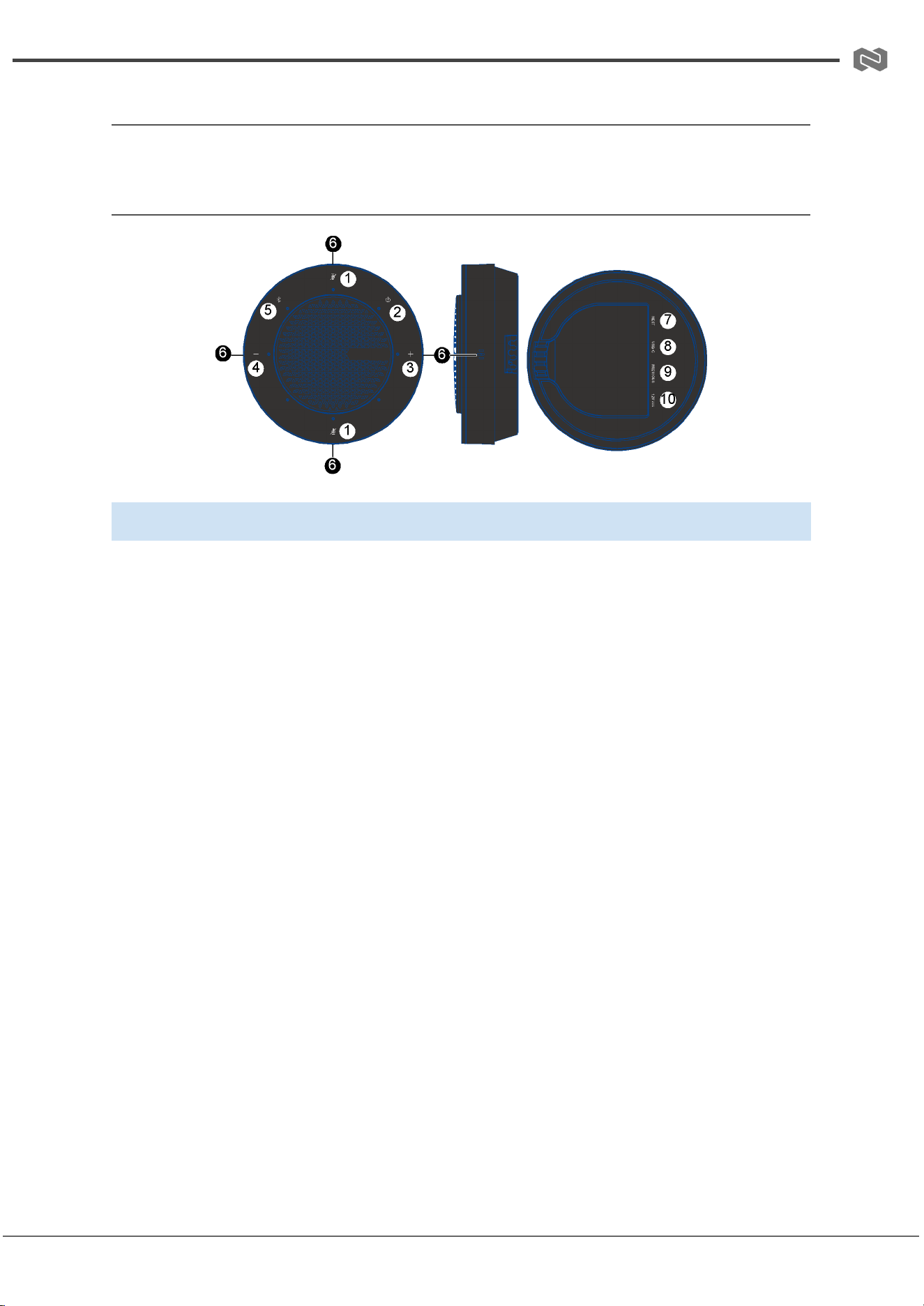
Operation Controls and Functions
Front and Rear Panel
No.
Name
Description
1
Mute/Unmute
Press to mute or unmute all microphones.
2
Power
Hold for approximately 2 seconds to reboot the device.
3
Volume +
Press to increase speaker volume.
4
Volume -
Press to decrease speaker volume.
5
Bluetooth
Press to enter pairing mode, exit connection mode, or disconnect
Bluetooth.
6
Mic
Microphone input array area.
7
NEXT
USB Mini port used to connect to the PREVIOUS port of the next
speakerphone in daisy-chain mode.
8
TYPE-C
USB Type-C port for connection to host device (master unit only active).
9
PREVIOUS
USB Mini port used to connect to the NEXT port of the previous
speakerphone in daisy-chain mode.
10
12V
DC power input port for the provided power adapter.
Address: 830 National Drive #140, Sacramento, CA 95834, USA · Tel: +1(888)499-9906 · Email: support@bzbgear.com 8
BZBGEAR BG-SpeakP300-C PRODUCT MANUAL
Connection and Operations
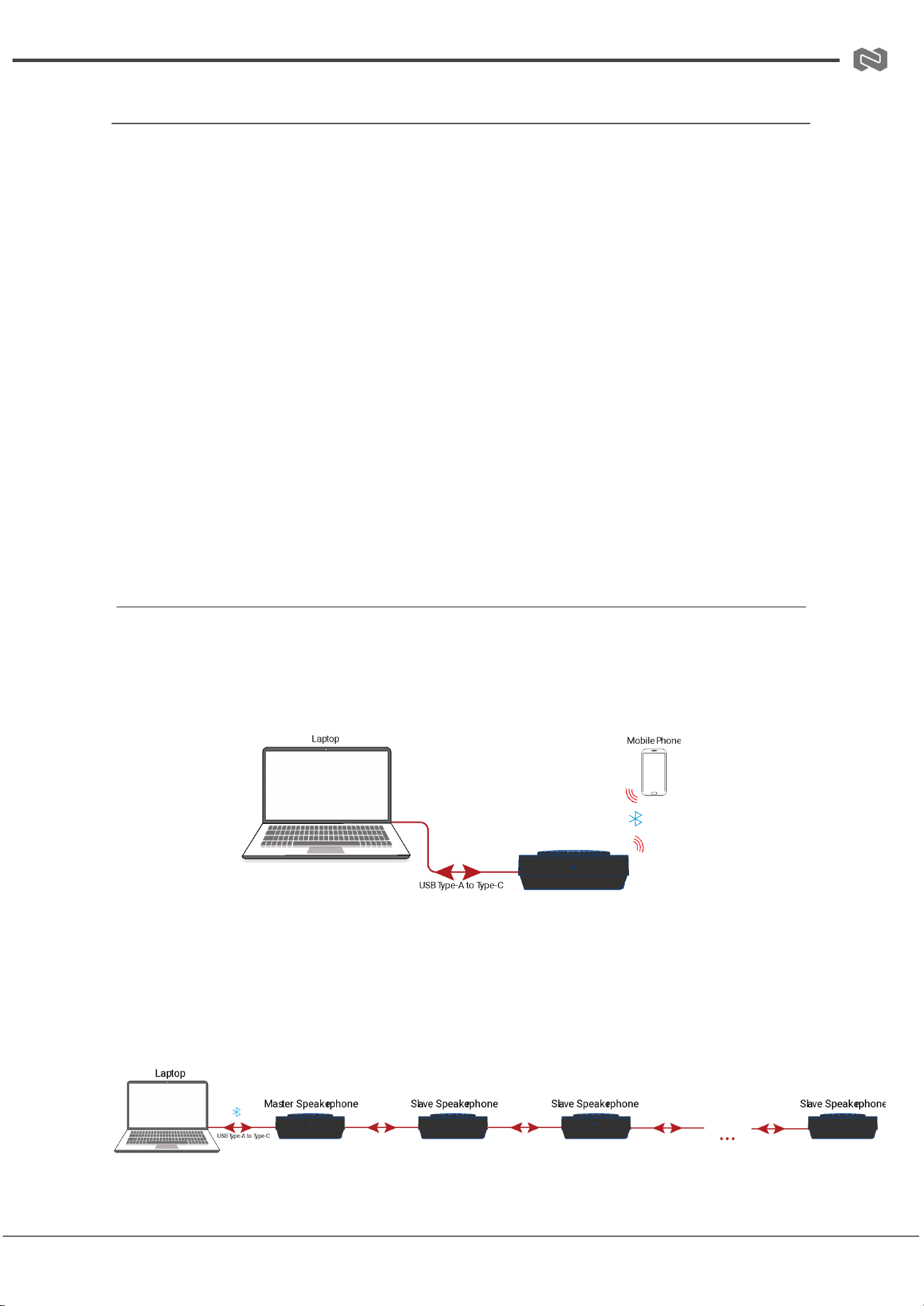
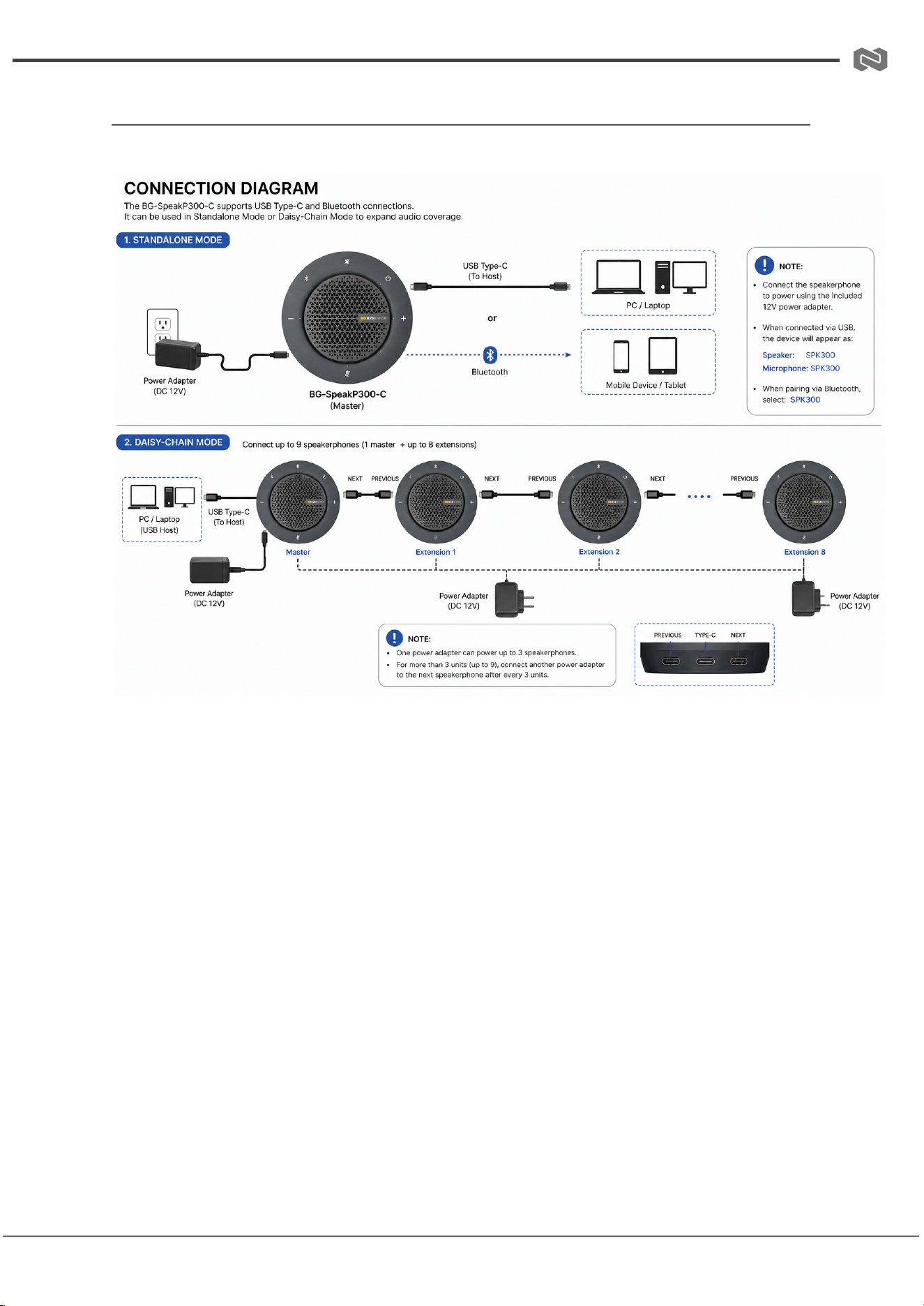
The BG-SpeakP300-C supports flexible deployment through USB Type-C or Bluetooth
connectivity, and can be used in either Standalone Mode or Daisy-Chain Mode
depending on room size and coverage requirements. The system is designed for
plug-and-play operation and is automatically recognized by compatible operating systems
without the need for additional drivers.
In Standalone Mode, a single speakerphone connects directly to a host device via USB or
Bluetooth. In Daisy-Chain Mode, multiple units are linked together using the NEXT and
PREVIOUS USB Mini ports, allowing expansion of audio coverage for larger meeting
environments. The master unit connects to the host device, while additional units extend
audio pickup and playback range.
Power is supplied via the included 12V adapter. In daisy-chain configurations, up to three
speakerphones can be powered from a single adapter. For systems exceeding three units
(up to a maximum of nine), additional power adapters must be connected accordingly.
When connected via USB, the device is recognized by the system as “SPK300” for both
speaker and microphone functions, and Bluetooth devices will also appear under the same
name in pairing lists.
Connection
Standalone Mode Connection
● Connect the BG-SpeakP300-C to a host device using the included USB Type-C
cable or via Bluetooth pairing.
● Plug the power adapter into the 12V DC input to power on the device.
● Once powered, the device will automatically initialize and be ready for use.
Daisy-Chain Mode Connection
Address: 830 National Drive #140, Sacramento, CA 95834, USA · Tel: +1(888)499-9906 · Email: support@bzbgear.com 9

BZBGEAR BG-SpeakP300-C PRODUCT MANUAL
● Connect the master speakerphone to the host device using USB Type-C.
● Connect additional speakerphones using the NEXT (outgoing) and PREVIOUS
(incoming) USB Mini ports.
● Ensure proper daisy-chain order from master to last unit.
● Connect power according to system size (up to 3 units per power adapter).
● Power on all units; LEDs will synchronize automatically across the chain.
Operations
Power On / Off
● Power On: Connect the power adapter. The device will automatically boot, indicated
by a brief LED animation followed by a solid white power LED.
● Power Off: Disconnect the power adapter to shut down the device.
Bluetooth Pairing
● Press the Bluetooth button once to enter pairing mode (blue LED flashing).
● Select “SPK300” from the Bluetooth device list on the host device.
● Once connected, the Bluetooth LED will remain solid blue.
● Press the Bluetooth button again to disconnect or re-enter pairing mode.
USB Connection Operation
● Connect via USB Type-C to enable automatic detection as speaker and microphone
devices.
● No driver installation is required (USB Audio Class compliant).
Audio Source Priority
● When both USB and Bluetooth are active, the system prioritizes the first connected
source.
● If the active source is paused or disconnected for approximately 3 seconds, the
system will switch to the next available source.
Mute / Unmute
● Press the Mute button to toggle microphone mute.
● When muted, all LEDs turn red.
● When unmuted, LEDs return to previous status.
● Default state on power-up is unmuted.
Address: 830 National Drive #140, Sacramento, CA 95834, USA · Tel: +1(888)499-9906 · Email: support@bzbgear.com 10

BZBGEAR BG-SpeakP300-C PRODUCT MANUAL
Volume Control
● Press Volume + to increase output level.
● Press Volume - to decrease output level.
● LED indicators display volume changes in a circular progression.
Reboot
● Hold the Power button for approximately 2 seconds to reboot the device.
Daisy-Chain Operation Notes
● All control functions (mute, volume, Bluetooth, and LEDs) are synchronized across
connected units.
● Only the master unit connects to the host device.
● Slave units function as extended audio endpoints only.
Address: 830 National Drive #140, Sacramento, CA 95834, USA · Tel: +1(888)499-9906 · Email: support@bzbgear.com 11
BZBGEAR BG-SpeakP300-C PRODUCT MANUAL
Connection Diagram
Address: 830 National Drive #140, Sacramento, CA 95834, USA · Tel: +1(888)499-9906 · Email: support@bzbgear.com 12

BZBGEAR BG-SpeakP300-C PRODUCT MANUAL
Troubleshooting
Problems
Causes
Solutions
No Power / All LED off
Power supply not connected,
connected fully, or wrong power
supply.
Check if the power supply is
connected correctly and the
output voltage value is within
recommended specifications.
No sound or sound issues
The HDMI connection is faulty,
the audio format is not
supported by the displays, or
the source player is set to
another port for audio output
Check if the HDMI cables are
connected correctly.
Check if the audio format is
supported by the display and
that a user has not changed the
supported audio format on the
player`s audio output. Ensure
output settings from the HDMI
source device as set correctly.
No picture or picture flickers
The HDMI cable may be faulty
or the category cable quality is
faulty.
Check if the HDMI
and category cable connections
are correct and undamaged.
Change to another good
working HDMI cable or category
cable (CAT6 or better cable is
recommended).
Address: 830 National Drive #140, Sacramento, CA 95834, USA · Tel: +1(888)499-9906 · Email: support@bzbgear.com 13

BZBGEAR BG-SpeakP300-C PRODUCT MANUAL
Tech Support
Have technical questions? We may have answered them already!
Please visit BZBGEAR’s support page (bzbgear.com/support) for helpful information and
tips regarding our products. Here you will find our Knowledge Base
(bzbgear.com/knowledge-base) with detailed tutorials, quick start guides, and step-by-step
troubleshooting instructions. Or explore our YouTube channel, BZB TV
(youtube.com/c/BZBTVchannel), for help setting up, configuring, and other helpful how-to
videos about our gear.
Need more in-depth support? Connect with one of our technical specialists directly:
Phone
1.888.499.9906
Email
support@bzbgear.com
Live Chat
bzbgear.com
Limited Product Warranty Terms
Pro Line: 5-year warranty from the date of purchase for AV/Broadcasting products bought
on or after August 1, 2024.
Essential Line: 3-year warranty from the date of purchase for AV/Broadcasting products
bought on or after August 1, 2024.
Cables: Lifetime Limited Product Warranty.
For complete warranty information, please visit bzbgear.com/warranty.
For questions, please call 1.888.499.9906 or email support@bzbgear.com.
Mission Statement
BZBGEAR is a breakthrough manufacturer of high-quality, innovative audiovisual equipment
ranging from AVoIP, professional broadcasting, conferencing, home theater, to live
streaming solutions. We pride ourselves on unparalleled customer support and services.
Our team offers system design consultation, and highly reviewed technical support for all
the products in our catalog. BZBGEAR delivers quality products designed with users in
mind.
Copyright
All the contents in this manual and its copyright are owned by BZBGEAR. No one is allowed
to imitate, copy, or translate this manual without BZBGEAR’s permission. This manual
contains no guarantee, standpoint expression or other implies in any form. Product
specification and information in this manual is for reference only and subject to change
without notice.
All rights reserved. No reproducing is allowed without acknowledgement.
Address: 830 National Drive #140, Sacramento, CA 95834, USA · Tel: +1(888)499-9906 · Email: support@bzbgear.com 14