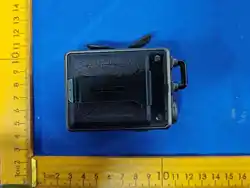

正面
PROFESSIONALFM TRANSCEIVER
Foreword
Welcome to use the public network digital trunking interphone developed by our company.
This machine is equipped with excellent electronic sound decoding technology,super energy-saving contro
chip,microwave digital voice intercom system,high-capacity polymer lithium battery,hgh-fidelity so
und speaker and other high-tech configurations.It has the characteristics of simple operation,practica function,pow
er saving and durability,clear
communication,low
price and good quality.
To enable you to fully understand the superior performance of the product.For safe use,please read this manua
carefully before use.
Statement of Rights
Reproduction,transmission,distribution,and storage of any part of this User Manual in any form withouthe prior written permision of the
Company is strictly prohibited.
in line with the principle of continuous improvementand development,our companyreservesthe right to modify and improve any productdes
cribed in this
manual without prior notice.
Inno eventshalt he Company beliable foranylossof data or otherwise,or forany direct or indirect damagecaused by anyextraordinary even
tor accident.
The information in thismanual is provided"asis"and,exceptas otherwiserequired by applicablelaw,without warranty ofany kind,expressor im
plied,as to its accuracy,reliability.orcontent,including,but not imited to,the warrantiesof merchantabiliy and itnessforaparticular purpose.
The Company reservesthe right to revise orwithdraw this User'sManual at any time without prior notice.
If the contents in this manual are inconsistent with your walkie-talkie,please take the walkie-talkie asthe standard.
The Company reserves the right of final interpretation of this manual.
USER'S MANUAL
Keys and components
Name andfunction introduction of each part of the mobile phone
Name
Volume button
Function
>Adjust the volume.
Power button
>Long press to turn on the walkie-talkie
PTT key
>In standby modepress this key to enter the interphone function.
>Under the intercom function,press this key to operate the PTT intercom function
Side key
>Shortcut key
Menu key
>In the standby state,press this key to enter the main menu operation function
>In the walkie-talkie function,the function is the same as the side key.
>In the walkie-talkie function,when entering the friend list or group member list,
you can select the list
>Form a temporary group for intercom.
Return key
>Return to the previous menu during menu operation.
>When editing a new message,short press this key to delete the character in
front of the cursor and long press this key to delete all characters in
front of the cursor.
Navigation key
> Moves the selection bar during a menu operation.
反面
nstall the UIM card
●After shutdown.
●Insert the side of the UIM card with the chip to the end along the card slot.
3.Basic operation
3.1.Power on and off
A.Press and hold the"Power On"button for 2seconds until the power-on animation appears on the display
B.In the standby state of shutdown,press and hold the"shutd own key"until the shutdown screen appears on the display screen
2.Start using
Battery charging
●Use the original charger for charging
●Please fully charge the battery before the first use
●Plug the charger into the data/charging port of the interphone
●Plug the charger into the power socket and start charging
●After charging,unplug the charger from the power socket,and then unplug the intercom.
●The screen prom pts that the battery has been fuly charged by about 95%after charging.Please keep charging for mo
re than half an hour to ensure that the batery is fully charged.
Notice:
1.When the phone gives a low power alarm,its LED flashes to remind the user of the need for charging.Atthe same time,thev
rual box of the battery com partment status barin the U flashes.Before the charger isinserted,the "drip"low power alarm
will appear periodically toremind the user of charging
2.Whenthechargeris pluggedin,the red indicatorlight flashes to remind that thechargingisin progress;whenthecharging is completed,
the receiving light is always on
3.Press the card key to start the machine.After the startup animation+startup ring s completed,search the network+start
the walkie-talkie application.After that,the standby interface displays the name o the machine+the name ofthe current group
E.Send mode
When you press the PTT key,when the transmit light is on,it means to enter the tra
nsmit mode,and the other party will be able to hear what you say.When a higher leve
l user initiates a talkback while sending,it willexit the sending mode and enter the re
ceiving m ode.At this time,you can only passively receive the voice of the other party,and th
e other party cannot hear what you say.If you keep pressing the PTT key,you will enter the s
ending mode directly when the other party finishes sending.When in transmit mode,the LC
D screen displays "This unit is speaking..".
◆Allusers will be assigned speech permissions,which are high,medium and low respec
tively.
◆High-priority users can steal the speech of low-priority users.
F.Receive mode
When the receiving light is on,it indicates that the other party's speech is received
The receiving intercom mode is exited in the following cases:
When the priority of the local machine is higher than that of the other party,pressing the
PTT key will enter the sending mode.
When in receive mode,the opposite user name is displayed on the LCDscreen.
C.Switch groups
a.Press the "Menu"key to enter the menu list and enter the"Select Group"menu.
b.Press the "Menu"key to enter the group and view the group member list.
c.Press the "Back"key to return and press the "PTT"key to send voice.
Note:When the voice broadcast is not finished,pressing the PTT key will no
t respond.You need to wait until it is finished,and then press the PTTkey to start the inter
com.
D.Selective call function
a.Thismachinehas twoselectivecalling modes,groupselectivecallingand friendselective calling.
b.Group members:When using this method,each member cannot join more than 64g
roups,and the total number of members ofall groups joined by the user cannot exc
eed 200,otherwise the walkie-talkie may not be used normally
a.Take the group list as an example,the usage method is as follows(friends and members use the same
way,only the background settings are different)
b.Press the "Menu"key to enter the menu.
c.Press the "Menu"key to enter the group list.
d.Select the group of the user who wants to talk alone,and press the "Menu key"to enter.
Groups to viewa list of the members of that group.
e.Select the user who wants to talk alone in the group(only the online usercan make aselective call,and
the offlineuser cannot makea selective call),and press the "Menu key"to select
f.
Press the PTT key to create a temporary group.
g.After the intercom is completed,press the "Back"key to exit and return to the current group.
Note:Only the online user(that is,the other party has been powered on and successfully logged in)can mak
ea selective call.
Super fall resistance,super clear sound quality

FC
C Statement
This device complies with Part 15 of the FCC rules. Operation is subject to the following
two conditions: 1) this device may not cause harmful interference, and 2) this device
must accept any interference received, including interference that may cause
undesired operation.
Note: This equipment has been tested and found to comply with the limits for a Class
B digital device, pursuant to part 15 of the FCC Rules. These limits are designed to
provide reasonable protection against harmful interference in a residential installation.
This equipment generates uses and can radiate radio frequency energy and, if not
installed and used in accordance with the instructions, may cause harmful interference
to radio communications. However, there is no guarantee that interference will not
occur in particular installation. If this equipment does cause harmful interference to
radio or television reception, which can be determined by turning the equipment off
and on, the user is encouraged to try to correct the interference by one or more of the
following measures:
--Reorient or relocate the receiving antenna.
--Increase the separation between the equipment and receiver.
--Connect the equipment into an outlet on a circuit different from that to which the
receiver is connected.
--Consult the dealer or an experienced radio/TV technician for help.
Changes or modifications not expressly approved by the party responsible for
compliance could void the user’s authority to operate the equipment.
RF Exposure Statement
S
AR tests are conducted using standard operating positions according standards with
the device transmitting at its highest certified power level in all tested frequency bands,
although the SAR is determined at the highest certified power level, the actual SAR
level of the device while operating can be well below the maximum value.
This model product has been tested and meets the RF exposure guidelines with the
test distance 0mm for body worn. The highest SAR
1
g
value is 0.728 W/Kg. The use of
belt clips, holsters and similar accessories should not contain metallic components in
its assembly. The use of accessories that do not satisfy these requirements may not
comply with RF exposure requirements, and should be avoided

