
User Manual
Introductions
Thank you for choosing our company’s 4G LTE POC RADIO products. In order for you to
quickly enjoy the convenient brought by this terminal product, please read the User Manual
carefully before use.
The pictures in this manual are for reference only. If there is any discrepancy between the pictures
and the actual product, please refer to the actual product. If there is any discrepancy between the
function described and the actual function of the product, please refer to the actual function of
the product.
In accordance with the principle of continuous improvement and sustainable development, our
company reserves the right to modify the contents of this manual without any prior notice .We
apologize for any inconvenience caused.
I . Instructions
1. Preparation Before Use
a . Check if all accessories are complete and undamaged.
b . If the accessories are normal, before use, please
install the SIM card provided by the operator
and insert the battery .
c .If you cannot log in successfully after the starting up, please check if the account is registered
properly. If not, please register the terminal account on the management platform. You can use
the IMEI/ICCID number as the account for registration. After registration, join the group, and then
restart the terminal to use it .
1.1 Installing SIM Card
Open the card slot cover, insert the SIM card into the slot (Pay attention to the direction of the
card ) and then lock the card cover.
Note: After insert SIMcards successfully, the SIM card and the device will be locked after starting
up. If replaced to another device , the SIM card cannot be used normally, you need to contact the
card supplier to unbind the SIM card.
Pls do not insert the SIM card into other devices.
1.2 Installation/Removal of Back Clip
Intercom terminal back clip use removable design, in a variety of special environment, the user
can install or remove the back clip according to needs.
Installation: a.One way : Align the back clip with the slot on the back of the battery,insert it from
top to bottom,and you will hear a “click”sound.
b.Two way : Align the screw holes on the metal bottom plate with the screw holes
on the back of device,and tighten the screws clockwise with a screwdriver .
Remove: a. One way : Pull the clip outward,and then mover the back clip upwards to remove it.
b.Two way : Use a screwdriver to unscrew the screw connecting back clip and device counter
clockwise .

During installation and removal ,please do not apply excessive force to avoid damaging the
intercom and back clip.
1.3 Intercom Wearing Way
It is better to wear in the chest, belt, shoulder belt, etc.
It is recommended not to put in pockets of garments !
2. Basic Operations
2.1 Basic operations
Log in successfully ,enter into the home page of the device l.
Intercom PTT: Press and hold on the PTT button to start speaking in the current group;release
the PTT button to end the speaking. When a user speaking ,the indicator light turns red. When
receiving communication ,the indicator light turns green.
Menu item: On the home page, press the menu key to enter the menu page. Menu items include:
group, members, Settings, and so on.
Power switch: Turn on/off .
2.2 Groups
Press the Menu key to enter the menu list, use direction keys to select up or down, View the group
list: Select “Group” ,enter to the group list page to display all groups . The current group
is highlighted.
Switching a group: On the Group list page, select the group you need,press the OK button .
2.3 Member List
Press the menu key ,Scroll up and down to select “member” , Then press OK button
enter to the member list that is the current group.
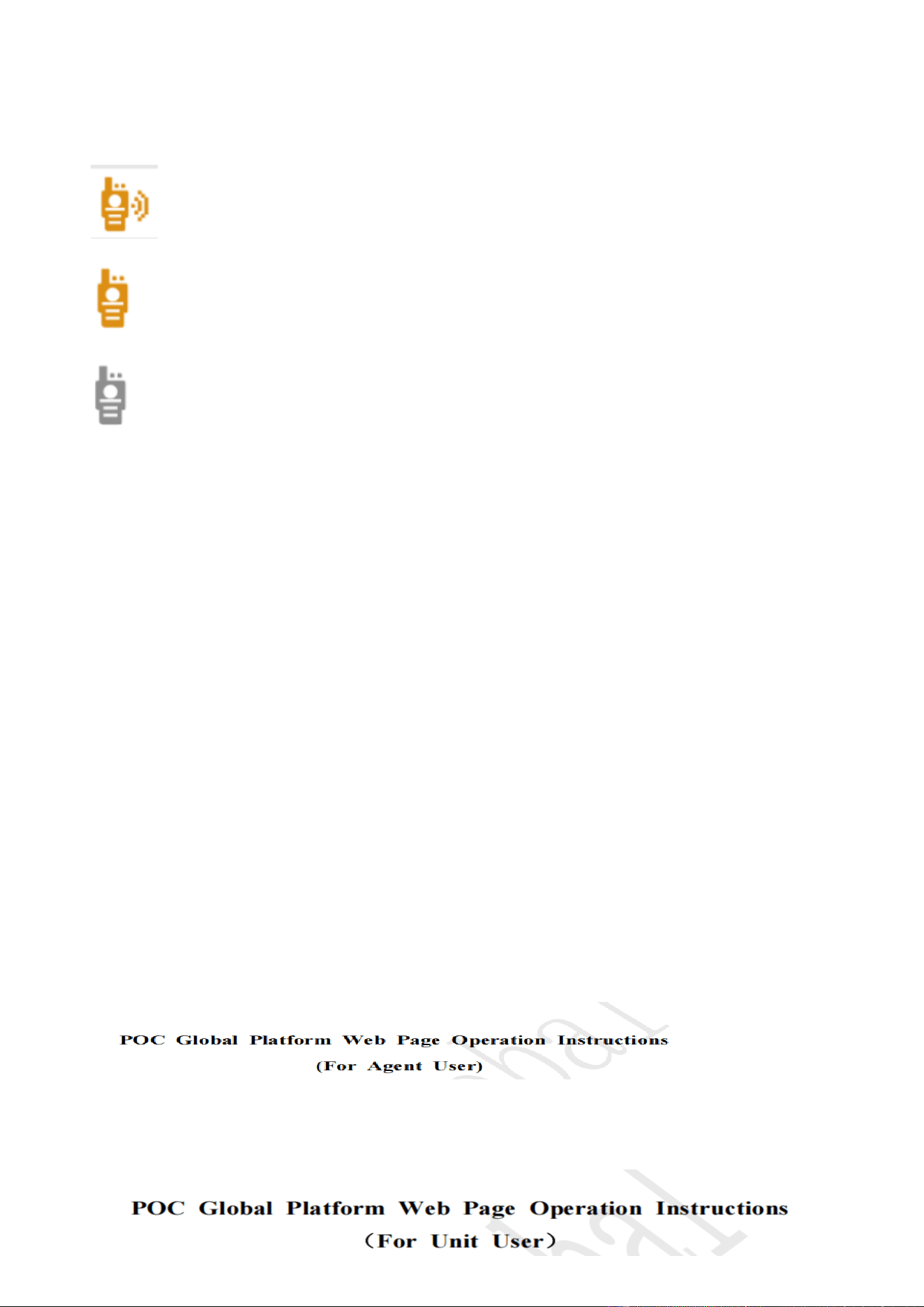
View Member list : View all members of the group and their status:
. : Online Online in same group.
. : Online but in different group .
. : Off-line
2.4 Call type
2.4.1 Single call: Select a member on line ,press PTT, and then release,this is created a single called.
2.4.2 Temporary group call : Select 2 or more members on line, press PTT, and then release , this is
created a temporary group. Temporary group can last 30 seconds speaking maximum. If no
one speaking for more than a minute ,the temporary Group will automatic disband .
2.4.3 All call : Press PTT speaking , all members in the same group all can receive voice .
2.5. Setting
Before starting used , please select “ setting”and “confirmed , and select “POC Change” and
confirmed ,to check whether is the correct platform or not !
2.6 Account (About)
Enter to “Account”can see the device inforamtion .
IMEI : This number is the device’s identity
ICCID: This number is SIM card No.
3. Platform
If user use POC Global platform ,The software function see the POC Global Platform instruction
book .
3.1 If user is Agent account , pls see Agent user instruction book.
3.2 If user is “unit user” , pls see the unit user instruction book.

II.Product list
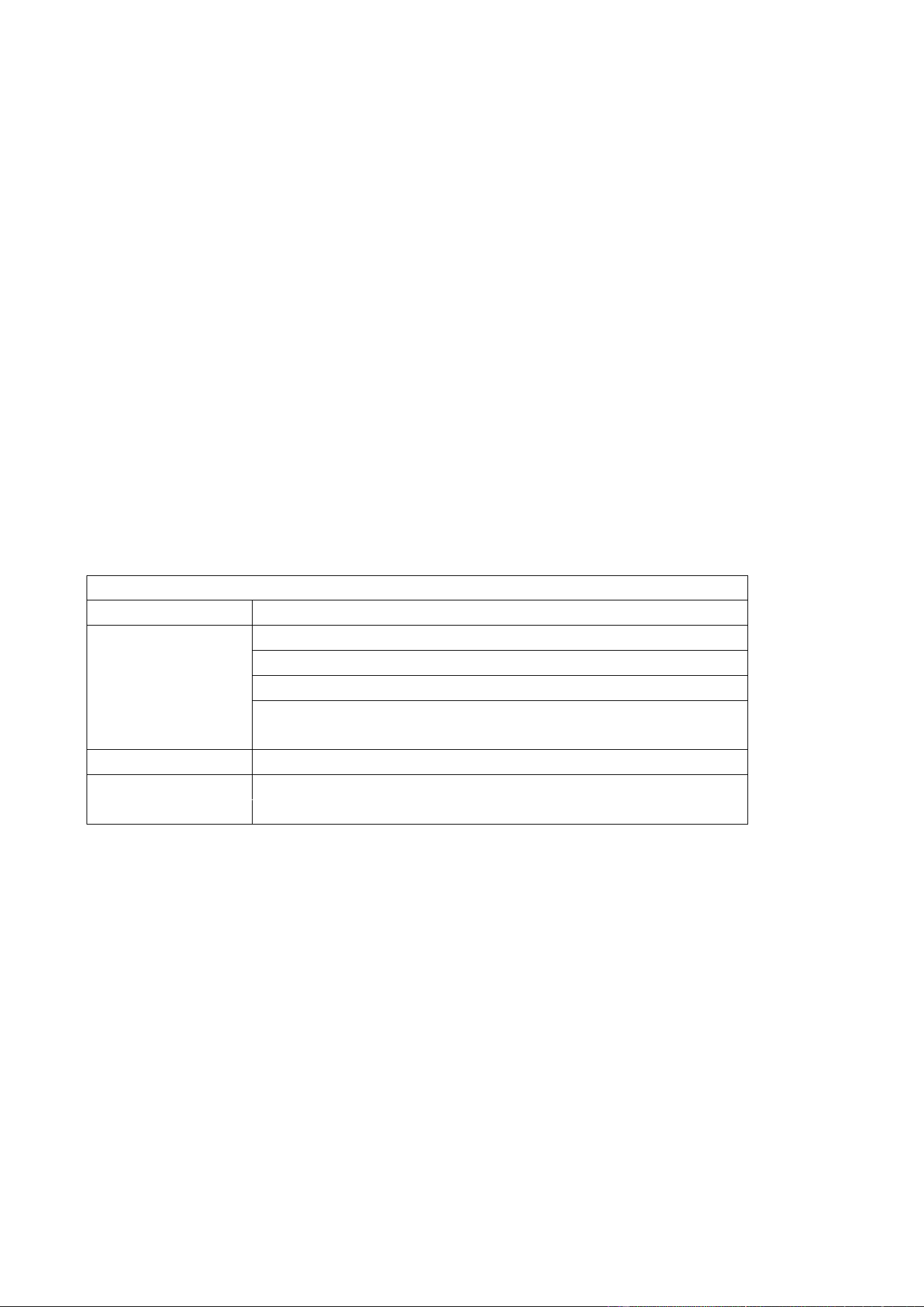
Name Quantity Unit Remark
POC Intercom
(include back splint)
1 piece
Charge Adapter 1 piece
Type-C Charging Cable 1 piece
charging base
1 piece
User Manual
1 piece
Pay attention: The product list is for reference only, if there is any change
without notice , please refer to the actural products .
Ⅲ. Conservation and Cleaning
In order to ensure the good performance of this product and extend its service life, please
be familiar with thecontent as fllowing
1. Conservation
Do not use hard objects to punctured or scratched .
When not used external headset or not charging, please closed the jack cover. When move the
intercom,please handle with care,
Do not grab the antenna directly,
2. Cleaning
Before cleaning, please turn off the terminal device .
After cleaning, Please not used untill dry complete .
Please clean the surface of machine by clean and dry lint-free cloth or brush at regularly . When
the keys and surfaces of machine are dirty, it can be cleaned with special cleaning agents and
non-woven fabrics (Do not use strong corrosive chemicals).
Ⅳ.Warranty
If the terminal device has a function failure that is not caused by human, it can enjoy the warranty
of the walkie-talkie terminal after our after-sales testing.
Ⅴ.Attention
Thank you for purchasing our electronic products, please use them correctly and safety. In order
to ensure safety , do not use the others power adapter or charging cable to charge. If not ,All
consequences shall be borne by the user .
When the network signal is weak, the battery internal temperature or pressure exceeds the safe
standard, the battery may enter the protection pattern according to the requirements of the
explosion-proof machine. To avoid abnormal situations such as short circuit, overcharge, or over
discharge of the battery, the machine cannot start on normally. Please connect the data cable to
charge it, and then press the power button to turn on.
Do not disassemble the product. Wrong operation will damage the terminal device.
Please avoid rain and soak in the water.
If the product accidentally falls into the water, do not charge it. First turn off the power source of the
equipment, and wipe it with a dry cloth, and then dry by hair dryer.
Only supported system software from the manufacturer .
Do not use others system , If not ,All consequences shall be borne by the user.
Ⅵ. Product Specifications
Basics Parameter
Charge Type Type-C port
Indicator Light
Initiate speak ,the red light keep on
Power 20% below ,the red light flash slow
Listen to voice /play radio, the green light is keep on
Charging,the red light keep on ;Charging over ,the green light keep
on
Voltage
DC 3.7V
Charging Current
5V 1A
Note : Above date is for reference only ,Any changes will not be notified separately, please refer to
actual product .

FCC Statement:
Any Changes or modifications not expressly approved by the party responsible for
compliance could void the user's authority to operate the equipment.
This device complies with part 15 of the FCC Rules. Operation is subject to the following
two conditions:
(1) This device may not cause harmful interference, and
(2) This device must accept any interference received, including interference that may
cause undesired operation.
SAR tests are conducted using standard operating positions accepted by FCC with the
device transmitting at its highest certified power level in all tested frequency bands,
although the SAR is determined at the highest certified power level, the actual SAR level
of the device while operating can be well below the maximum value. Before a new model
is a available for sale to the public, it must be tested and certified to the FCC that is does
not exceed the exposure limit established by the FCC. Tests for each product are
performed in positions and locations as required by the FCC.
For body worn operation, this device has been tested and meets the FCC RF exposure
guidelines when used with and accessory designated for this product or when used with
and accessory that contains no metal.
To maintain compliance with FCC RF exposure guidelines hold the transmitter and
antenna at least (25 mm) from your face and speak in a normal voice, with the antenna
pointed up and away from the face.
Note: This equipment has been tested and found to comply with the limits for a Class B
digital device, pursuant to part 15 of the FCC Rules. These limits are designed to provide
reasonable protection against harmful interference in a residential installation. This
equipment generates, uses and can radiate radio frequency energy and, if not installed
and used in accordance with the instructions, may cause harmful interference to radio
communications. However, there is no guarantee that interference will not occur in a
particular installation. If this equipment does cause harmful interference to radio or
television reception, which can be determined by turning the equipment off and on, the
user is encouraged to try to correct the interference by one or more of the following
measures:
-Reorient or relocate the receiving antenna
-Increase the separation between the equipment and receiver.
-Connect the equipment into an outlet on a circuit different from that to which the
receiver is connected.
-Consult the dealer or an experienced radio/TV technician for help.

