
Manual
Product Overview
Model: T24A2
FCC ID:2BSP4-T24A20000002
Date:March 30, 2026
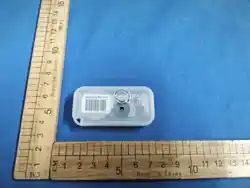
Description: T24A2 is a portable hardware product designed for
quick item search. It communicates with the base station via the
proprietary 2.4GHz protocol. The base station can control it, prov
ide audio and visual cues, and offers 7 different lighting colors
to choose from.
FCC Compliance Information
FCC Compliance Statement
This equipment complies with Part 15 of the FCC Rules. Operation
is subject to the following two conditions:
1.This device may not cause harmful interference, and
2.This device must accept any interference received, including
interference that may cause undesired operation.
Caution : Any changes or modifications not expressly approved by
the party responsible for compliance with the FCC rules could void
the user's authority to operate the equipment under the FCC rules.
This equipment has been tested and found to comply with the limits
for a Class B digital device, pursuant to part 15 of the FCC Rules.
These limits are designed to provide reasonable protection against
harmful interference in a residential installation. This equipment

generates, uses and can radiate radio frequency energy and, if not
installed and used in accordance with the instructions, may cause
harmful interference to radio communications. However, there is no
guarantee that interference will not occur in a particular
installation. If this equipment does cause harmful interference to
radio or television reception, which can be determined by turning the
equipment off and on, the user is encouraged to try to correct the
interference by one or more of the following measures:
—Reorient or relocate the receiving antenna.
—Increase the separation between the equipment and receiver.
—Connect the equipment into an outlet on a circuit different from
that to which the receiver is connected.
—Consult the dealer or an experienced radio/TV technician for help.
RF Exposure :
This equipment complies with FCC radiation exposure limits set forth
for an uncontrolled environment. This transmitter must be operated
with the designated antenna and at a separation distance of at least
20cm from the body of all persons to ensure compliance.
Industry Canada (IC) Compliance :
This device complies with Industry Canada license-exempt RSS
standards. Operation is subject to the following two conditions:
1.This device may not cause interference.
2.This device must accept any interference received, including
interference that may cause undesired operation.
Technical Specifications
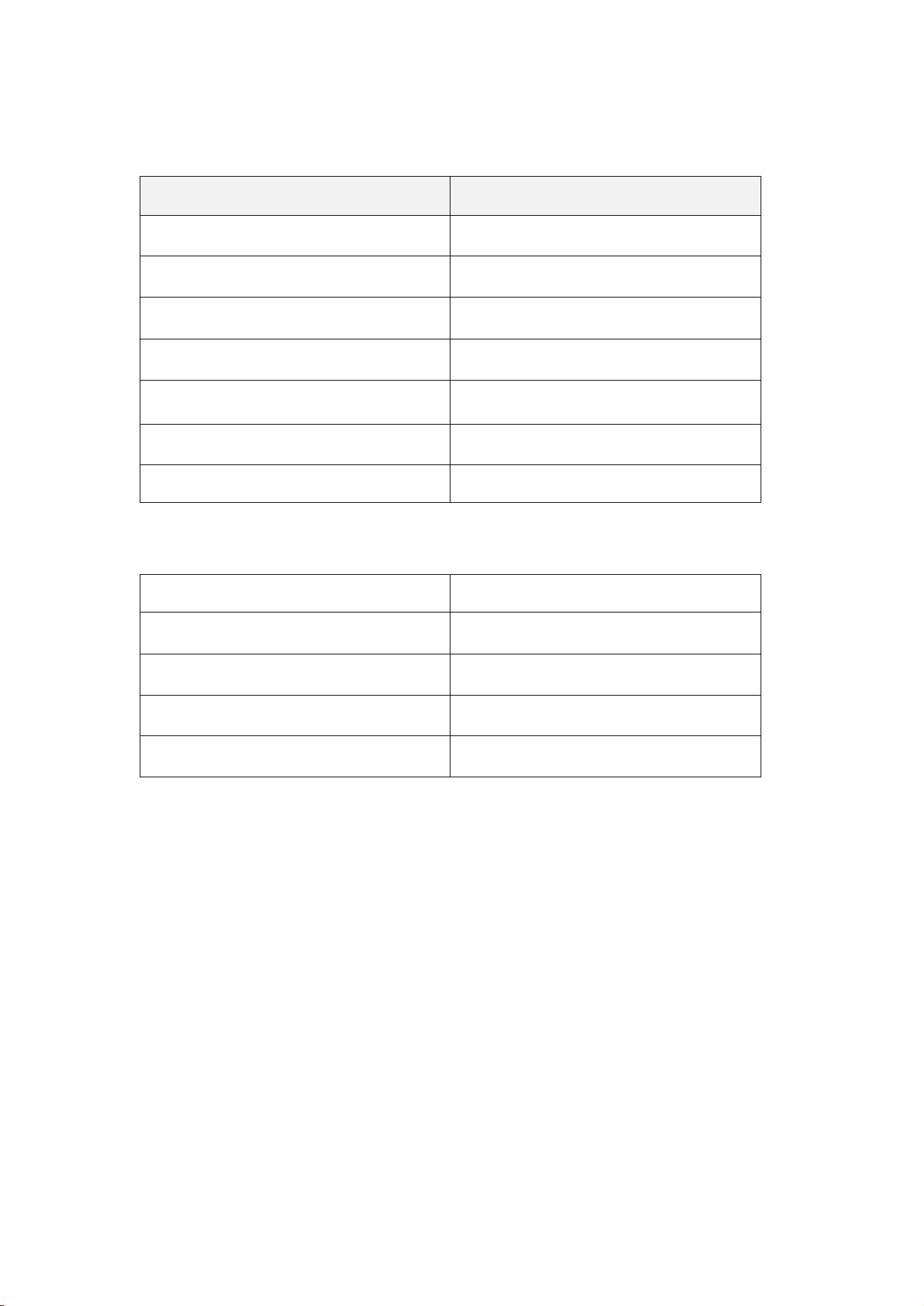
Radio Frequency Parameters
Parameter
Value
Operating Frequency
2.41-2.48 GHz
Modulation Type
GFSK
Channel Bandwidth
1 MHz
Maximum Output Power
6.29dBm
Antenna Type
PCB antenna
Antenna Gain
-4.41 dBi
Minimum Separation Distance
20cm from body
Environmental Parameters
Parameter
Value
Operating Temperature
-20℃ to +60℃
Storage Temperature
10℃ to +25℃
Operating Humidity
15% to 75% RH
Storage Humidity
15% to 75% RH
Operation Modes
Active mode
1.Every 8 hours, actively transmit the light strip number and
lighting status information to the base station.
Controlled mode
1. The base station controls the lighting strips through our
proprietary protocol, enabling operations such as turning the
lights on and off.
Installation and Operating Instructions
1.installation:Just clip the device onto the items that need to
be managed.
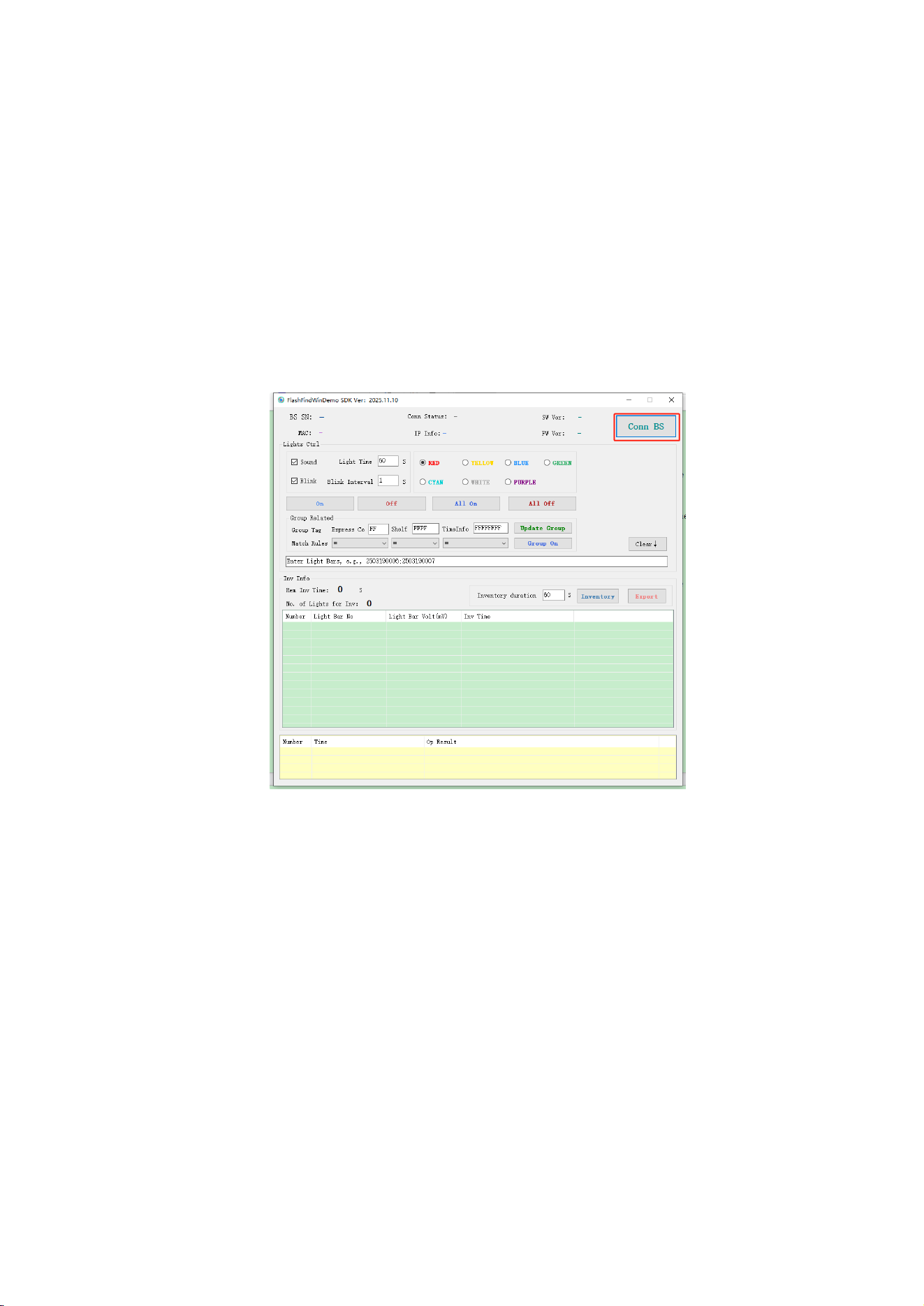
2.Operating Instructions:Open our demo tool,On the main
interface(Figure 1), click the "Conn BS" button to enter the device
search interface.
Enter the search interface, after clicking on the "Select Device" option, you can
configure the connection parameters for HTTP, MQTT, or directly select the "Connect"
button to establish a TCP connection with the device.
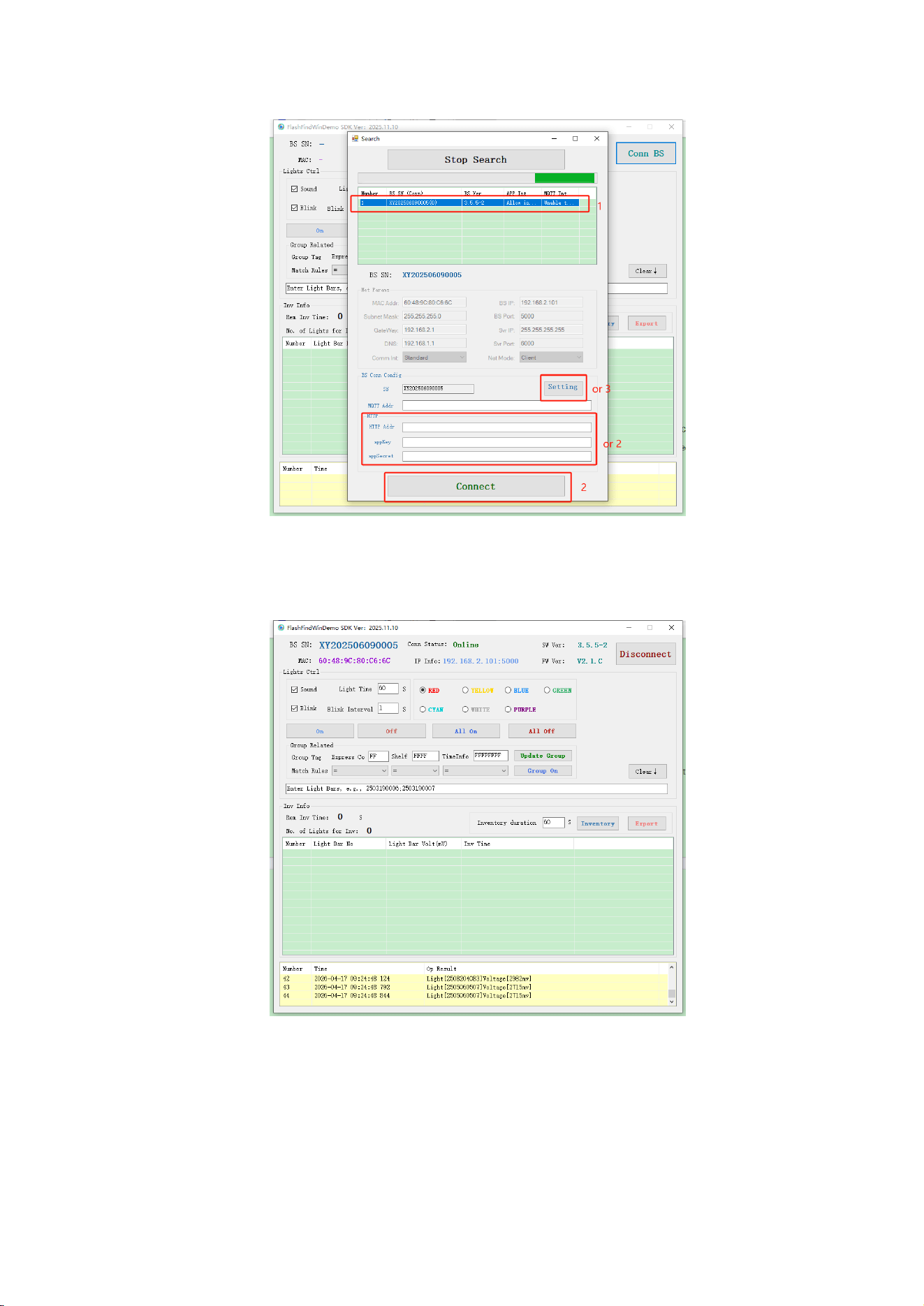
After the equipment is connected, you can view the relevant parameters of the
equipment and operate the light strips.
The configuration can include whether the light strips should flash, make sounds, have
specific lighting colors, be activated individually or all at once, and be stopped individually
or all at once.
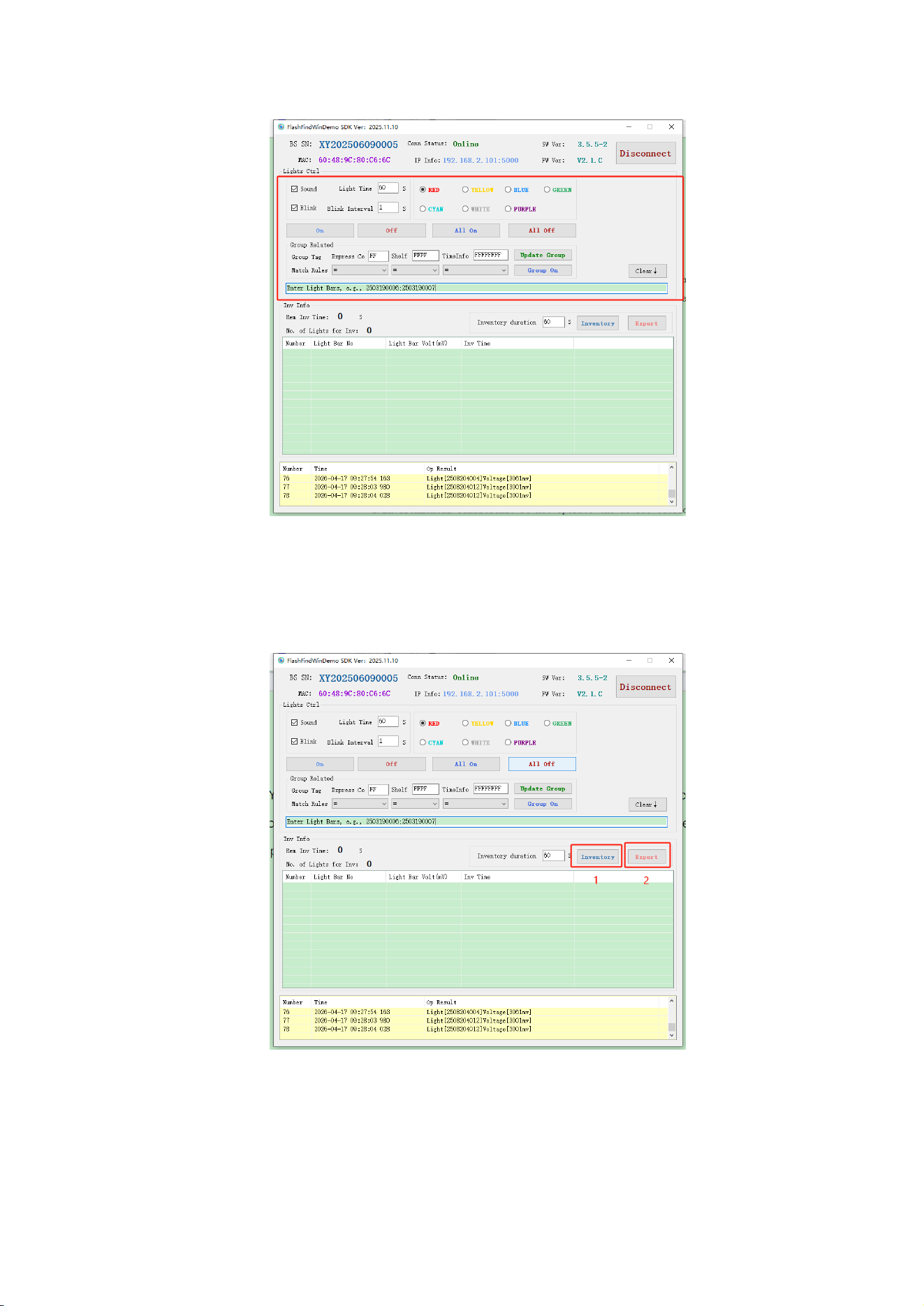
You can also choose the "inventory" button to conduct a stock count. Count the
number of lamp strips. After the stock count is completed, you can click the "Export" button
to export the stock count data.

Safety Precautions
1.RF Exposure: Maintain a minimum distance of 20cm between t
he device antenna and human body during operation.
2.Environmental Conditions: Do not operate the device outside
the specified temperature and humidity ranges.
3.Antenna Use: Only use the designated internal antenna.
Unauthorized changes or modifications to the antenna could void the
user's authority to operate the equipment.
4.Modifications: Unauthorized modifications to the device may
void the user's authority to operate the equipment.