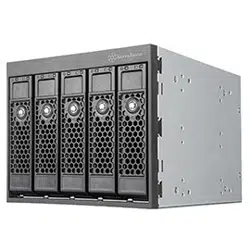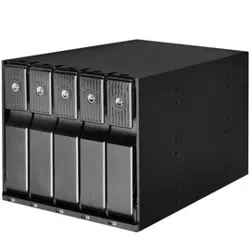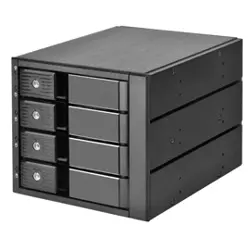
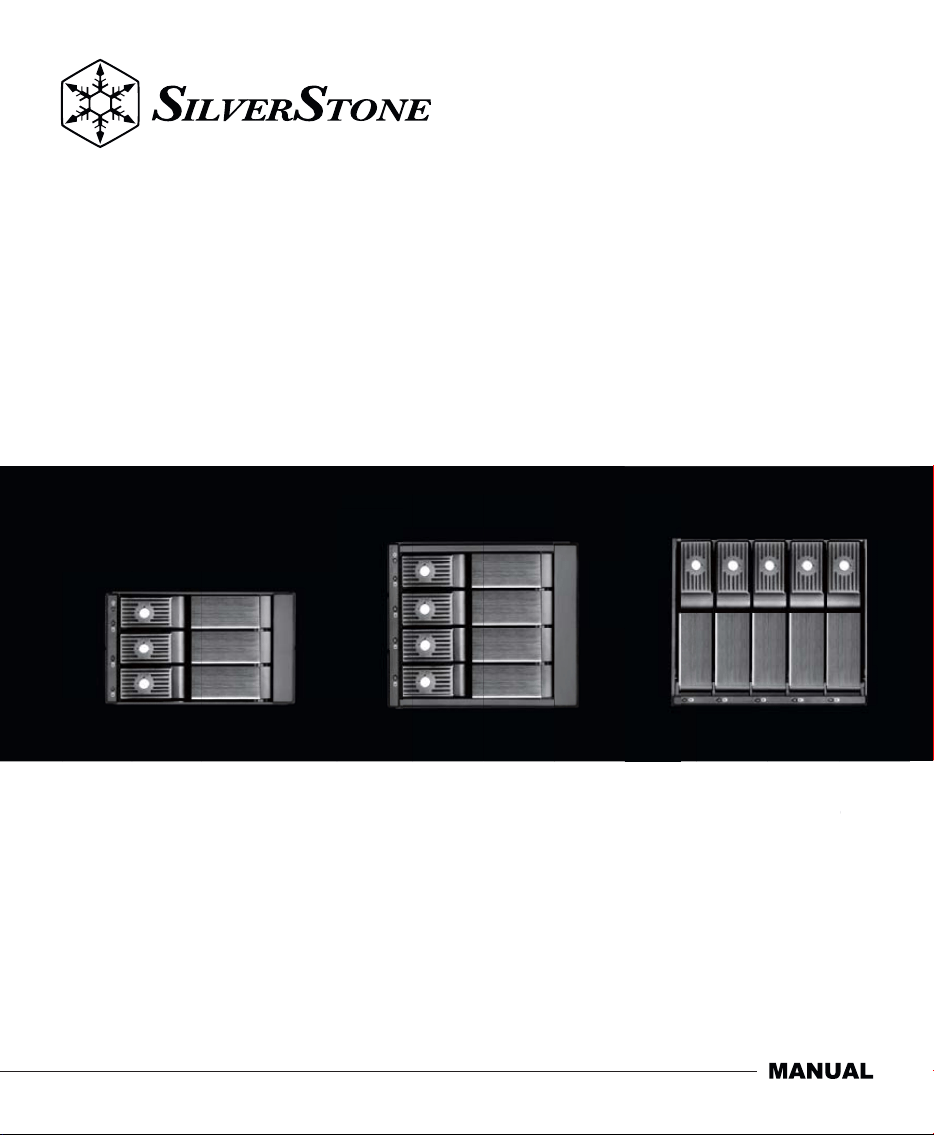
5.25" device bay to 3.5" SAS-12G/SATA-6 Gbit/s
trayless hot-swap cage
Front Panel Storage
FS303-12G / FS304-12G / FS305-12G
S
ATA-6
G
bit
/
s
FS305-12
G


The following manual and guides were carefully prepared by the SilverStone engineering team to
help you maximize the potential of your SilverStone product. Please keep this manual for future
reference when upgrading or performing maintenance on your system. A copy of this manual can also
be downloaded from our website at:
Installation and system optimization guide:
Product Overview
Installation Chart
Indicator Status
Warranty
P.1
P.6
P.10
P.18
Product Overview
Front Panel Storage
1
Specifications
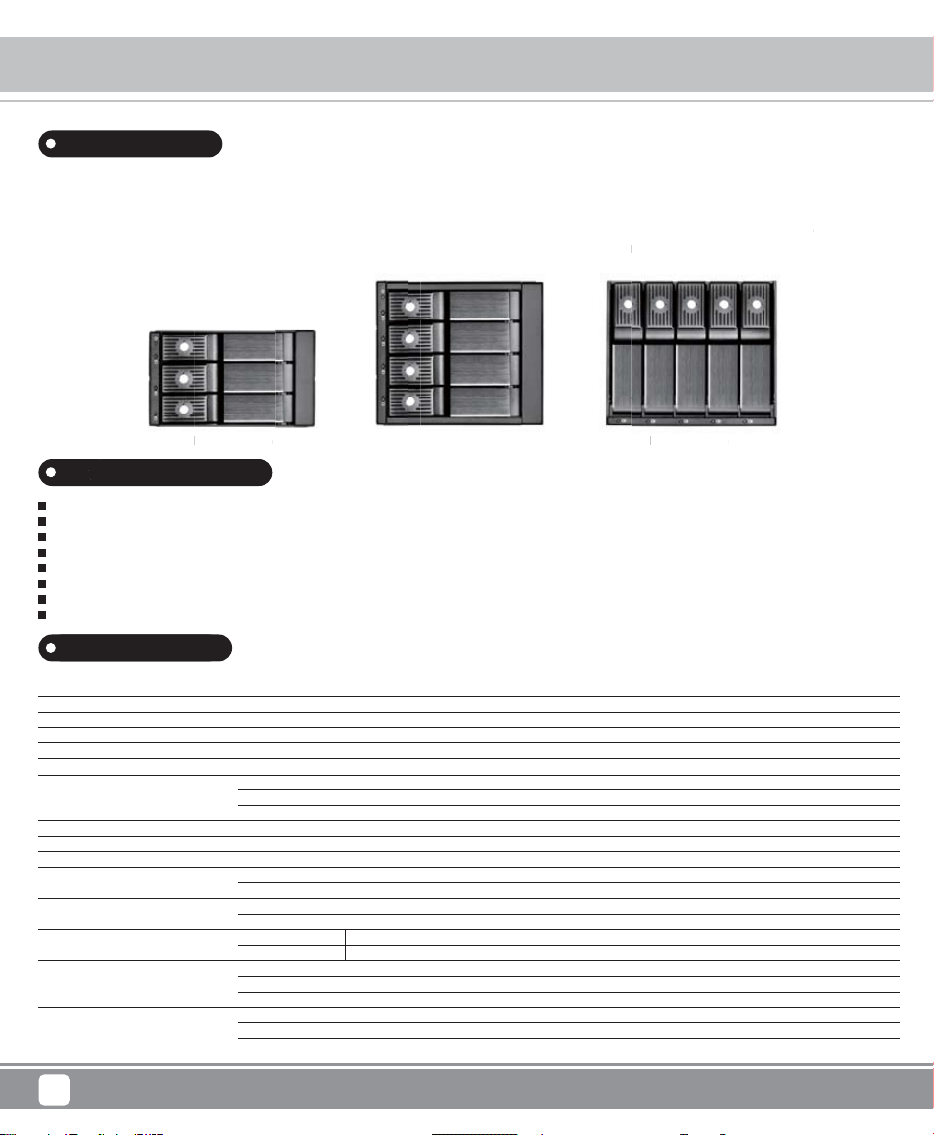
To accommodate PC user’s need for more storage flexibility and convenience, SilverStone created a line of front bay storage products
called the FS series. These are 5.25” bay chassis designed to fit 3.5” or 2.5” SAS-12G /SATA-6Gbit/s drives. Equipped with release
handle made out of finely brushed aluminum, hot-swapping drives is extremely quick and comfortable. Built-in cooling fan behind the
chassis ensures drive and run cool for extended life while individual LED indicators let user easily monitor drive status in one glance.
For security, each drive tray also has metal key lock. For those that need to upgrade their current PC with more drives, SilverStone’s
FS series is a great choice
FS303-12G FS304-12G FS305-12G
Model
Color
Material
Form factor
Drive support
Transfer rate
Host interface
Power connector
Drive door security
Number of Key
LED indicator
Cooling fan
Switch button
Net weight
Dimension
SST-FS303B-12G, SST-FS304B-12G, SST-FS305B-12G
Black
Aluminum and front bezel with plastic clip button
5.25” drive bay
3.5” SAS/SATA HDD or SSD
Up to 12 Gbit/s (dependent on drive speed)
7-Pin SATA connector X3 or SAS primary channel connection (FS303-12G)
7-Pin SATA connector X4 or SAS primary channel connection (FS304-12G)
7-Pin SATA connector X5 or SAS primary channel connection (FS305-12G)
SATA 15-Pin X2
Triangle metal key lock design
2
Power ON : Blue
Accessing : Purple blinking
70mm fan x 1, 3000rpm (FS303-12G)
80mm fan x 1, 3000rpm (FS304-12G, FS305-12G)
Fan speed
HDD LED
1.02kg (FS303-12G)
1.45kg (FS304-12G)
1.40kg (FS305-12G)
High/Low
ON/OFF
Introduction
Fits 3.5" SAS-12G/SATA-6Gbit/s drives in 5.25" device bay
Adjustable drive status LED and fan control system
Trayless & screwless design
Individual metal key lock for each drive for extra security
All aluminum body with beautiful hairline brushed finish
Independent drive status LED
Built-in cooling fan for excellent heat dissipation
Fully supports Hot-Swap function
Special Features
146
X
mm (W) 86 mm (H)
X
198 mm (D) , (FS303-12G)
146
X
mm (W) 126 mm (H)
X
199 mm (D) , (FS305-12G)
146
X
mm (W) 126 mm (H)
X
199 mm (D) , (FS304-12G)
metal
key
lock. For those that need to
upg
ra
d
FS3
04-
12G
S
series is a
gre
at choice
FS3
03-
12G
Sp
p
ecial Features
v
erStone created a line of front ba
y s
tor
12G /SATA-6Gbit/s drives.
Eq
uip
ped
w
i
ck and comfortable. Built-in cooli
ng
fan
s
let user easil
y m
onitor drive status i
n o
r
rent P
C
with more driv
es,
Si
FS3
05-
12G
d
e their cu
r
Product Overview
Front Panel Storage
2
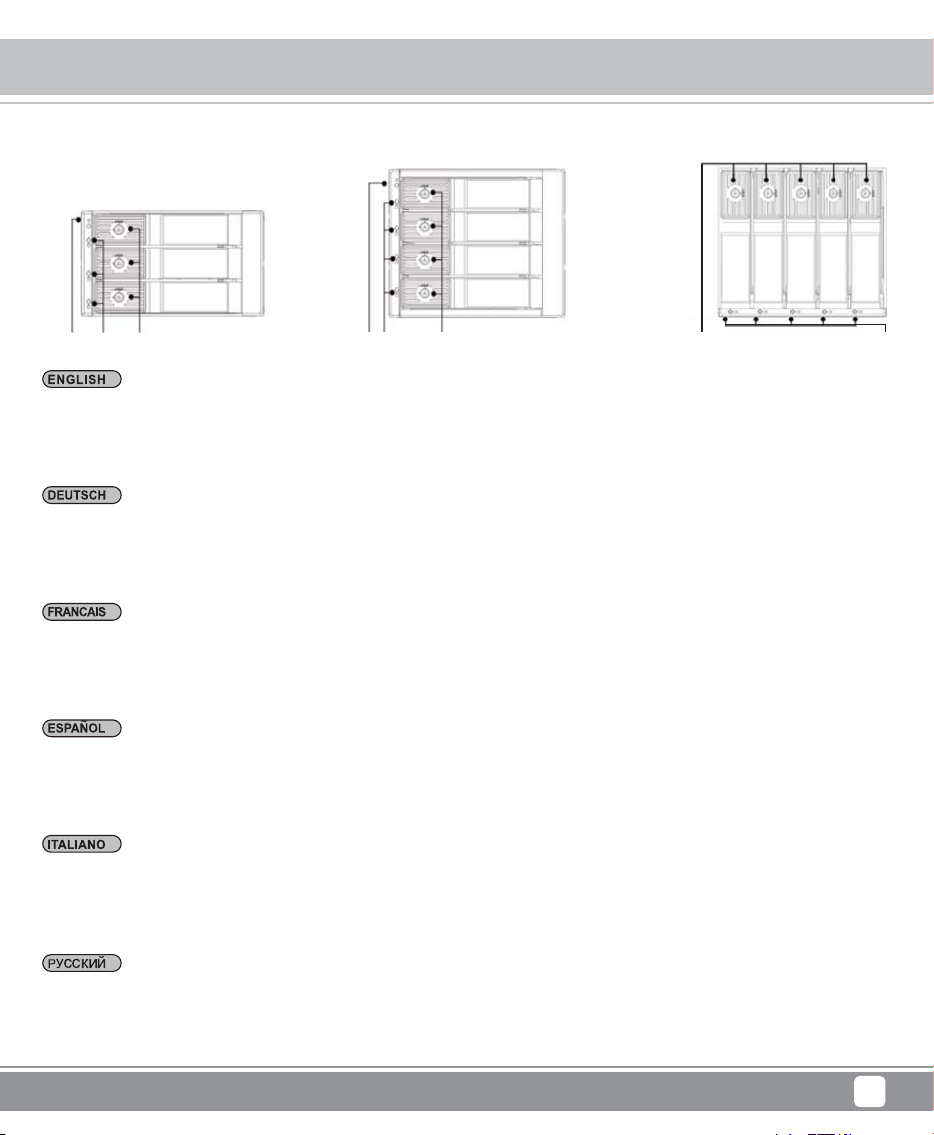
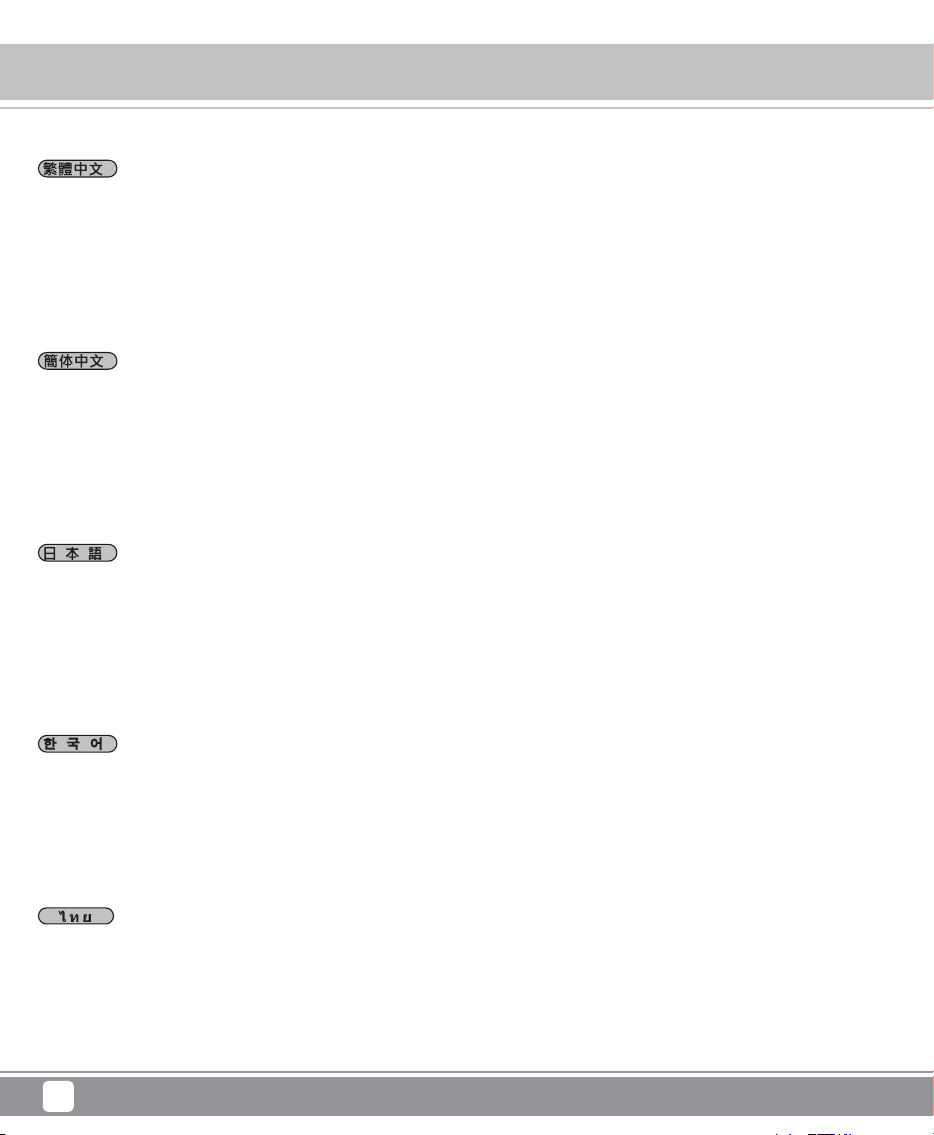
A1 = Power LED
A2 = HDD power & access LED
A3 = Triangle Safety lock
A1 = Strom LED
A2 = HDD/SSD Strom & LED ablesen
A3 = Dreieckigen Metallschloss
A1 = DEL power
A2 = HDD/SSD power & accès DEL
A3 = Serrure triangulaire de sécurité
A1 = Power LED
A2 = HDD/SSD indicador LED de power & acceso
A3 = Cerradura de seguridad de forma triángulo
A1 = Elettricità LED
A2 = HDD/SSD elettricità & accesso LED
A3 = Serratura di sicurezza triangolare
FS303-12G FS304-12G FS305-12G
A1 = источника питания LED
A2 = Источник питания HDD/SSD и считывание индикаторов LED
A3 = Треугольный замок безопасности
A2A1 A3 A2A1 A3
A2A1
A3
Product Overview
Front Panel Storage
3
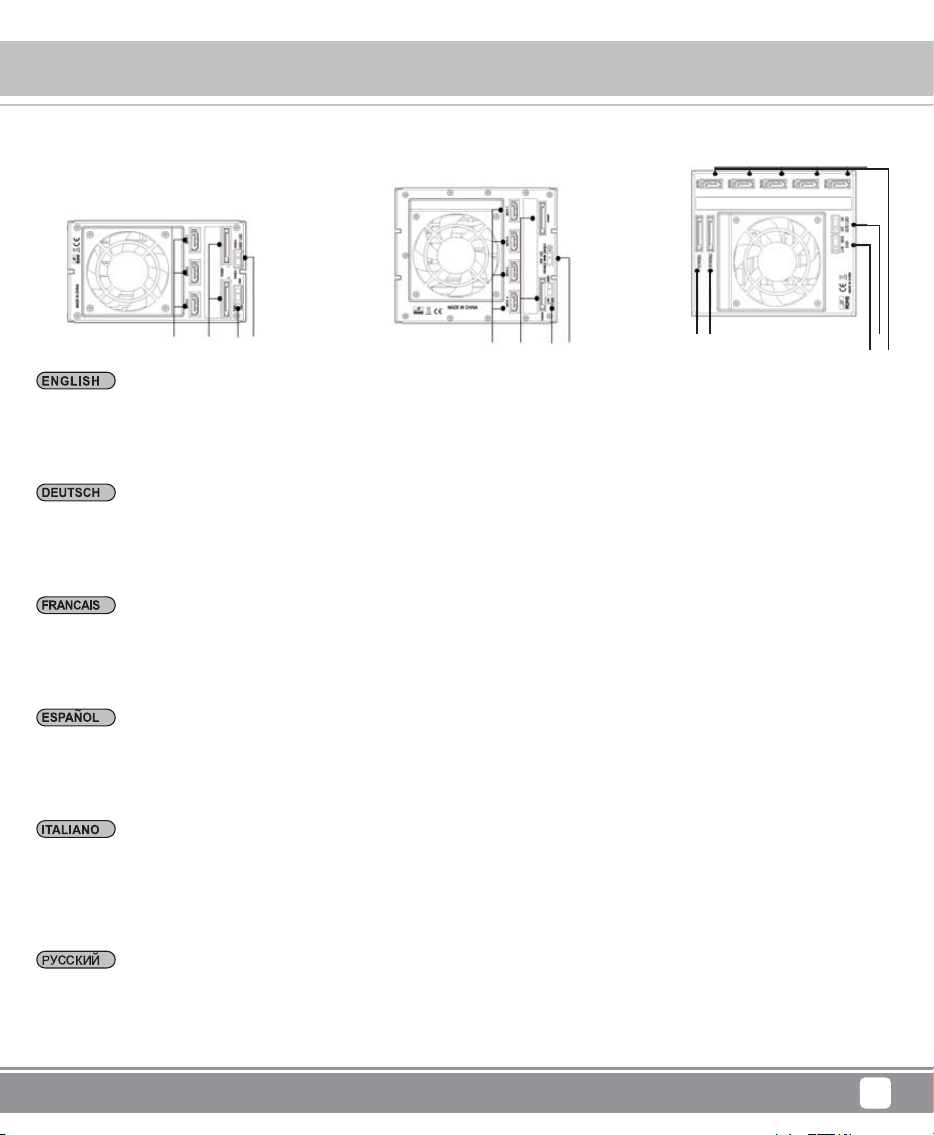
A1 = 電源LED狀態燈號
A2 = HDD 電源 & LED狀態燈號
A3 = 三角安全鎖
A1 = 电源LED状态灯号
A2 = HDD 电源 & LED状态灯号
A3 = 三角安全锁
A1 = 電源LED
A2 = HDD/SSD 電源& LED読み取ります
A3 = 三角形セキュリティロック
A1 =전원 LED
A2 = HDD/SSD 전원& 업로드 LED
A3 =삼각형 안전 열쇠
A1 = สวิตซ์ไฟ LED
A2 = สวิตซ์ไฟ HDD/SSD และการอ่านค่า LED
A3 = กุญแจสามเหลี่ยม
Product Overview
Front Panel Storage
4
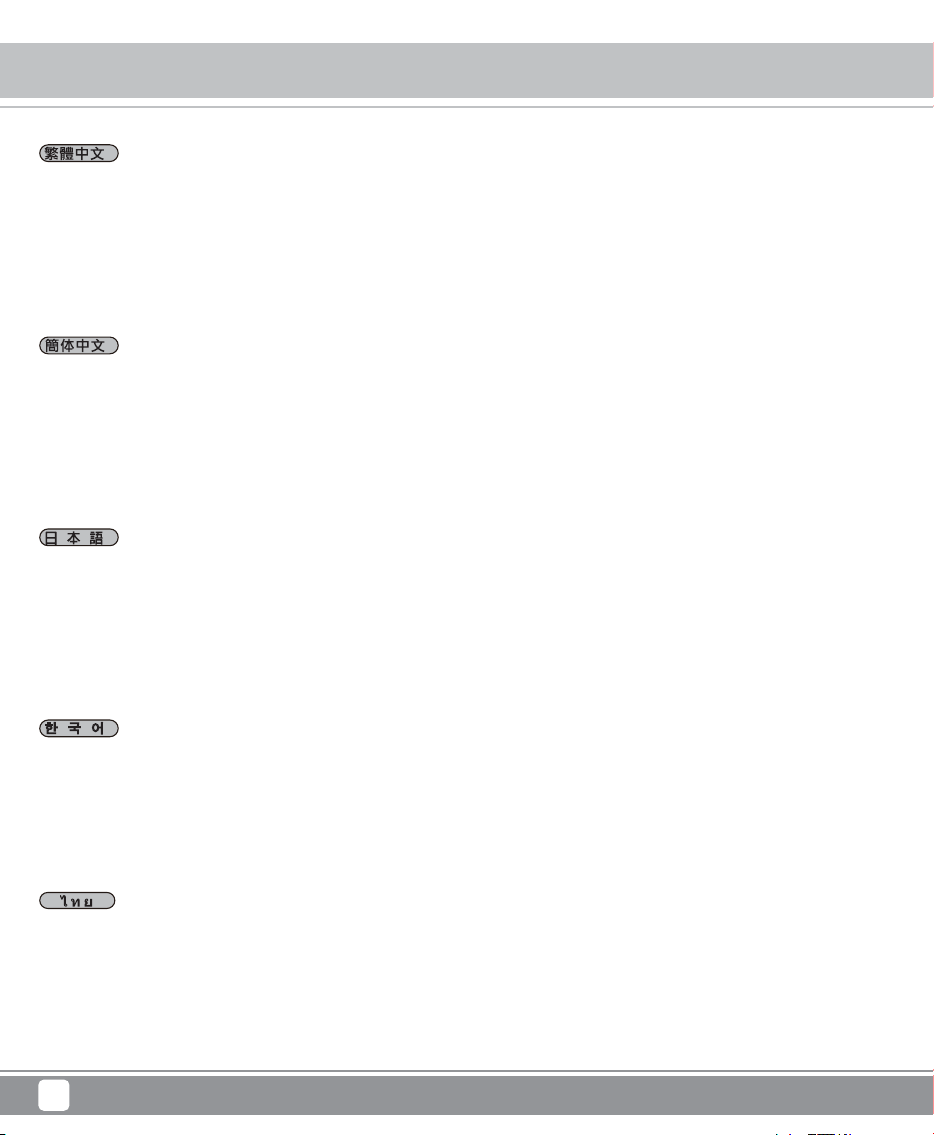
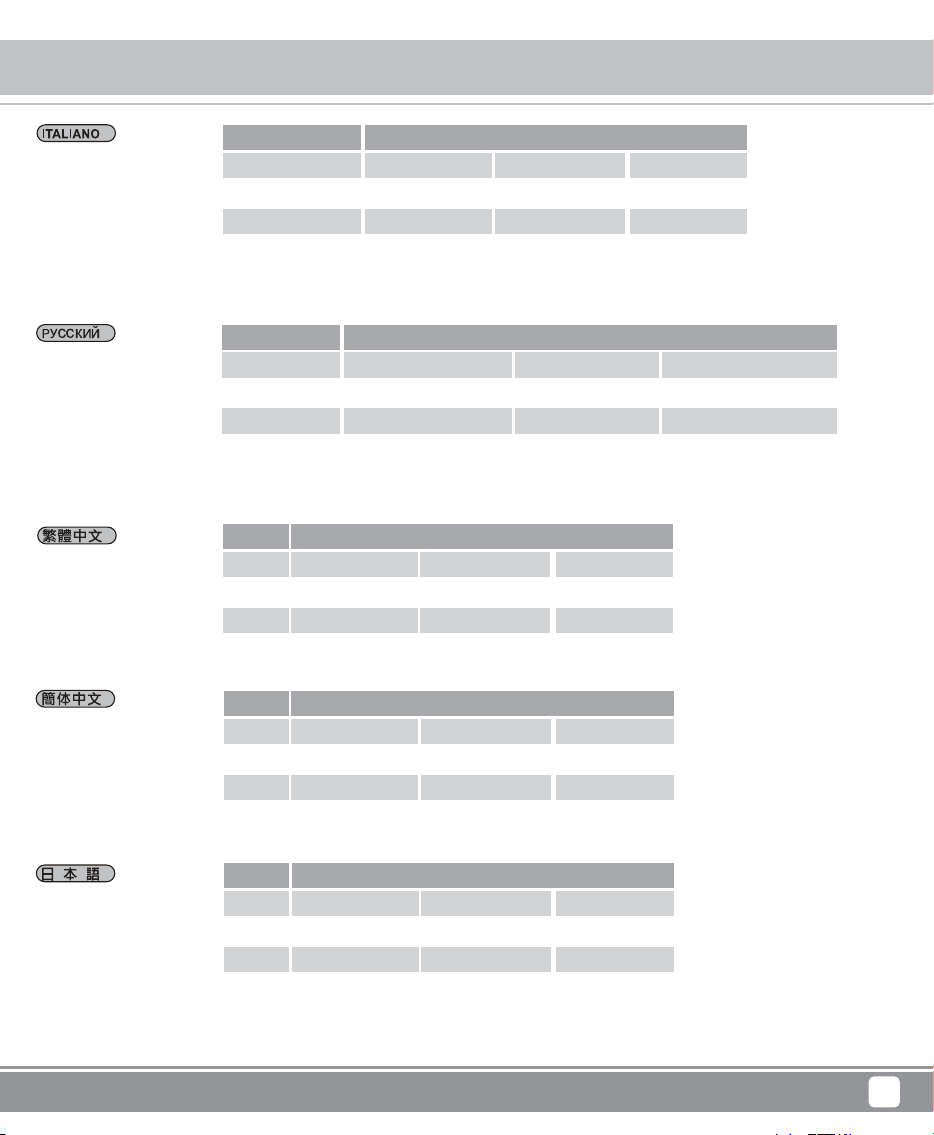
B1 = 7pin SATA connector
B2 = 15pin power connector
B3 = FAN Speed switch Speed switch High (3000rpm)/Low (2400rpm)
B4 = HDD LED Switch (ON/OFF)
B1 = SATA Datenübertragung Anschlüsse
B2 = 15pin Netzanschluss
B3 = Die Lüfterdrehzahl Schalter chnelle Geschwindigkeit (3000rpm) / langsame Geschwindigkeit (2400rpm)
B4 = HDD/SSD LED Schalter (Ein / Aus)
B1 = Câble de données signaux SATA
B2 = Câble d’alimentation SATA
B3 = Changement de la force de la ventilation Forte (3000rpm)/Faible (2400rpm)
B4= DEL HDD/SSD Allumer/Eteindre (ON/OFF)
B1 = 7pin conector señal de datos
B2 = 15pin SATA conector de alimentación
B3 = Interruptor de velocidad de ventilador Alto (3000rpm)/Bajo (2400rpm)
B4 = HDD/SSD LED Interruptor (activado/desactivado)
B1= SATA connettore segnale dati
B2 = SATA elettricità connettore
B3 = Interruttore di velocità ventola Veloce (3000rpm)/ Piano (2400rpm)
B4 = HDD/SSD LED interruttore (permettere / disabilitare)
FS303-12G FS304-12G FS305-12G
B1 = разъем передачи данных SATA
B2 = 15-контактный разъем питания SATA
B3 = переключатель скорости вентилятора Высокая скорость(3000 оборотов в минуту)/низкая скорость (2400оборотов в минуту)
B4 = переключатель индикатора LED HDD/SSD (вкл/выкл)
B2
B2
B4
B3
B1
B1 B2 B3 B4
B1 B2 B3 B4
Product Overview
Front Panel Storage
5
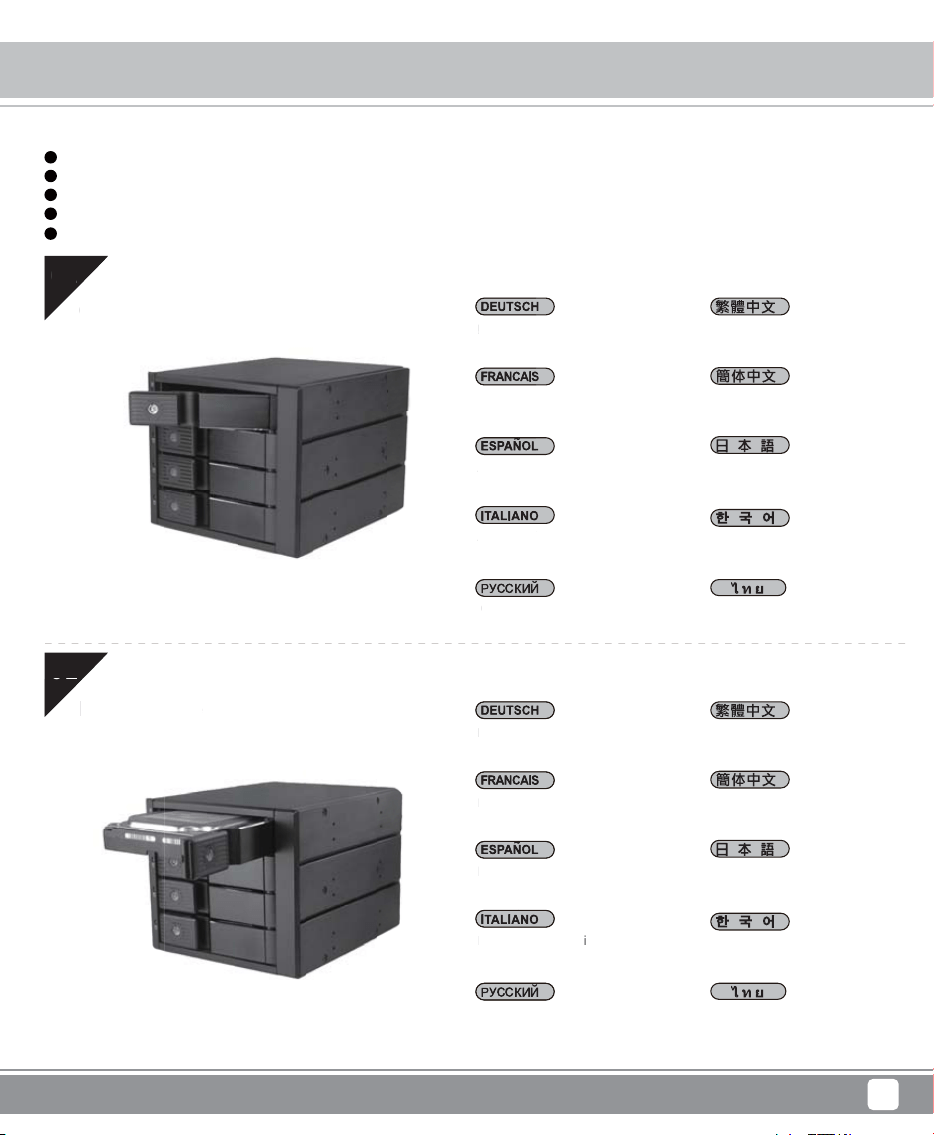
B1 = 7pin資料接頭
B2 = 15pin SATA電源接頭
B3 = 風扇速度切換開關 快 (3000rpm)/慢(2400rpm)
B4 = HDD LED 開關 (開/關)
B1 = 7pin资料接头
B2 = 15pin SATA电源接头
B3 = 风扇速度切换开关 快 (3000rpm)/慢(2400rpm)
B4 = HDD LED 开关 (开/关)
B1 = 7pinデータ伝送コネクタ
B2 = 15pin SATA 電源コネクタ
B3 = 扇風機速度切換スイッチ高速(3000rpm)/低速(2400rpm)
B4 = HDD/SSD LED 切換スイッチ(オン/オフ)
B1 = SATA 데이터 전송 커넥터
B2 = 15pin 전원 커넥터
B3 =냉각팬 속도 전환 스위치 고속(3000rpm)/저속(2400rpm)
B4 = HDD/SSD LED 전환 스위치(개/폐)
B1 = SATA หัวต่อถ่ายโอนข้อมูลเอกสาร
B2 = 15pin SATA หัวต่อสวิตซ์ไฟ
B3 = สวิตซ์เปิดปิดสลับความเร็วของพัดลม ความเร็วสูง / ความเร็วต่ำ
B4 = HDD/SSD LED สวิตซ์เปิดปิด (เปิด/ ปิด)
Front Panel Storage
6
Installation Chart
have all components collected
check that all components do not have compatibility problems with each other or with the case
if possible, assemble the components outside the case first to make sure they are working
keep the motherboard manual ready for reference during installation
prepare a Phillips screwdriver.
1
2
3
4
5
Before you begin, please make sure that you
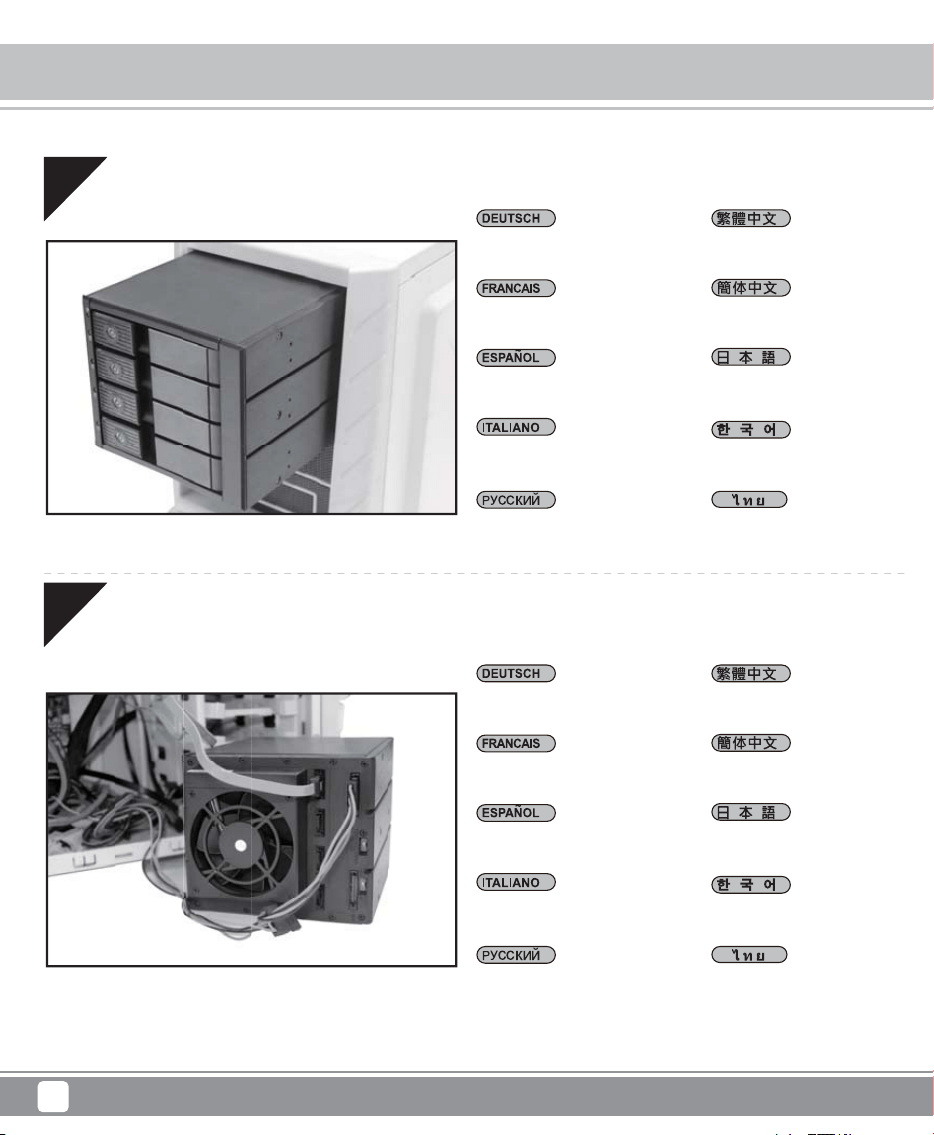
01
02
Entfernen Sie dieVorderrahmen
Ouvrir la lunette avant
Abrir el marco frontal
Aprire il frontalino
Open drive door
Открыть внешнюю панель
앞쪽 프레임을 엽니다
เปิดกรอบด้านหน้า
打開硬碟門
打开硬盘门
フロントフレームをオンにし
ます
Legen Sie die Festplatte ein
Installer le disque dur
Instalar la unidad de disco duro
Installare i dischi
Install drive
Установить жесткий диск
하드디스크를 장착합니다
ติดตั้งฮาร์ดดิสก์
安裝硬碟
安装硬盘
ハ ード ディスクをインストー ル
します
01
Ent
f
er
nen
O
uvrir la
Abr
ir
el
m
Aprire il
f
O
pen drive door
О
ткрыт
ь
02
Le
g
en
S
ie die Fe
Installer le di
squ
e
In
s
t
a
l
a
r l
a
u
ni
dad
Ins
tal
lar
e i
di
sch
i
In
s
t
a
ll
d
riv
e
Установить жес
Front Panel Storage
7
Installation Chart
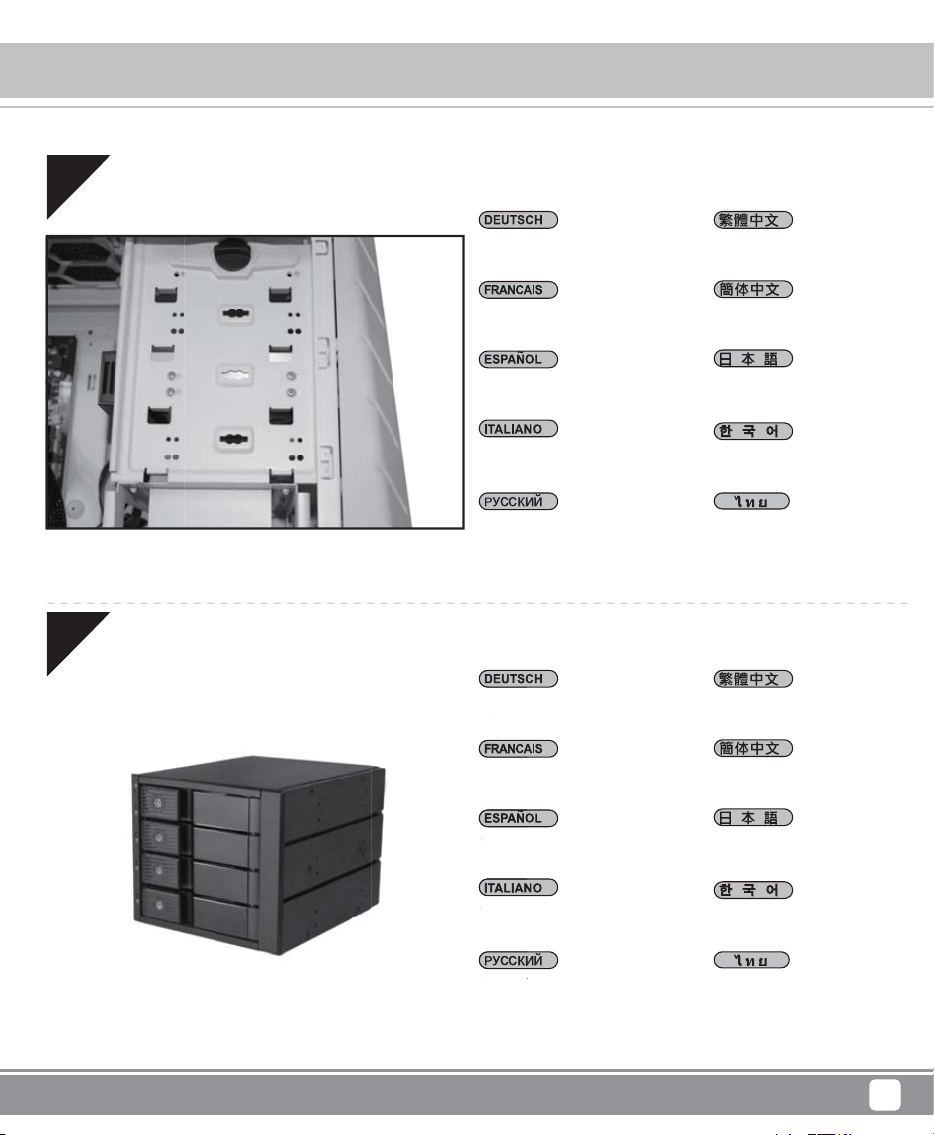
03
04
Bauen Sie die Festplatte ins
Gehäuse ein
Installer le châssis du disque
dur dans l’emplacement
Instalar el chasis de disco en
la carcasa
Installare chassis dischi in caso
Install drive chassis into case
Установить жесткий диск в
отсек для носителей в корпусе
ПК
SATA와 전원 케이블을
연결합니다
ติดตั้งฮาร์ดดิสก์เข้ากับตัวถังให
้แน่น
放入機殼
放入机壳
ハードディスク固定台を機械
ケース中に入れます
Schließen Sie SATA an die
Leitung an
Brancher le SATA et le câble
d’alimentation
Conecta SATA y la cable de
alimentación
Collegare SATA e cavo di
alimentazione
Connect SATA and power cable
Соединить SATAс кабелем
источника питания
나사를 채웁니다
เชื่อมต่อ SATA เข้ากับสายสวิต
ซ์ไฟ
連接SATA 線與電源線
连接SATA 线与电源线
SATAを電力線と接続します
Front Panel Storage
8
Installation Chart
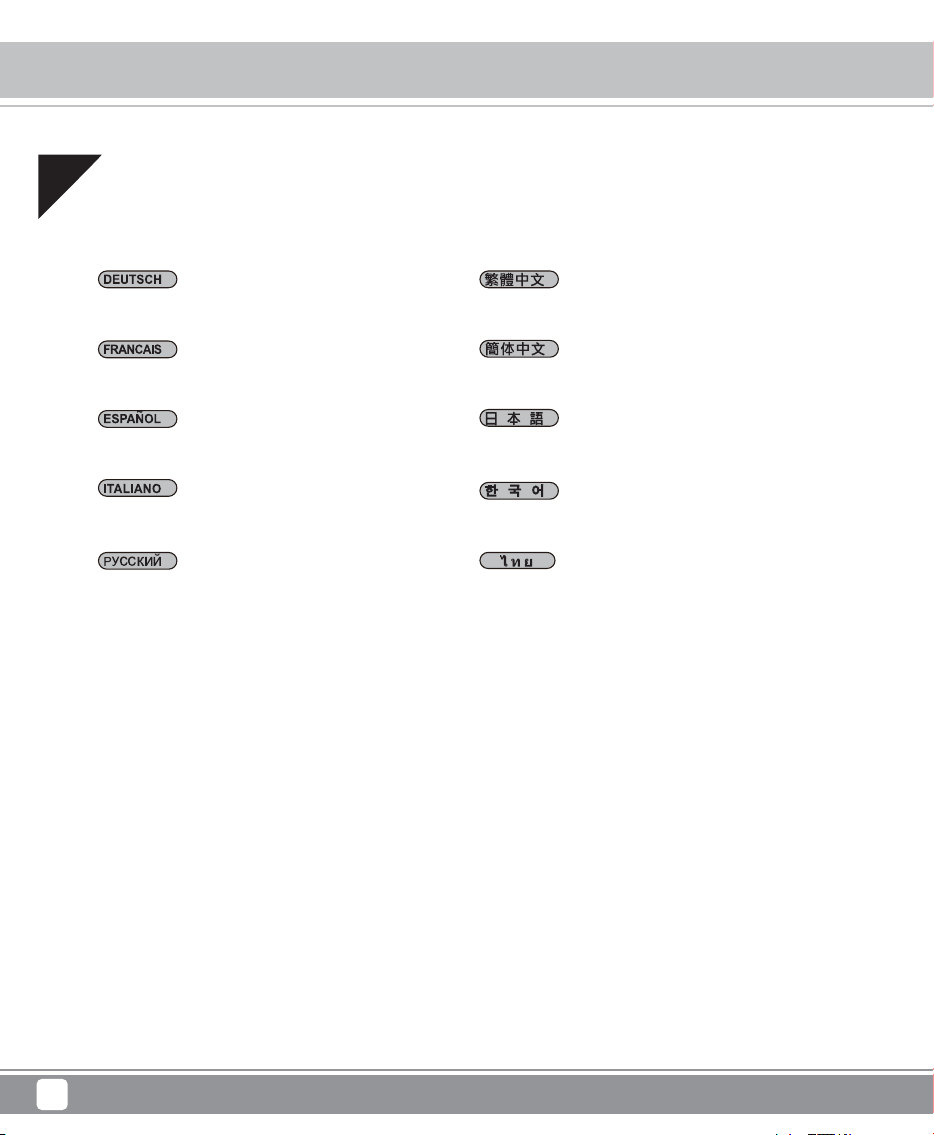
05
06
Schrauen Sie ein
Visser la vis
Asegurar con tornillos
Fissare con viti
Secure with screws
Закрутить винты
나사를 채웁니다
ล็อคสกรู
鎖上螺絲固定
锁上螺丝固定
ねじをしめる
Machen Sie den Vorderrahmen
zu
Fermer la lunette avant
Cerrar el marco frontal
Chiudere il frontalino
Close drive door
Закрыть панель
프레임을 닫습니다
ปิดกรอบด้านหน้า
關上硬碟門
关上硬盘门
フロントフレームをオフにし
ます
M
ache
n
z
u
Fer
mer
Cer
rar
C
hiude
Cl
os
e
dr
iv
e
do
or
З
акры
т
Front Panel Storage
9
Installation Chart
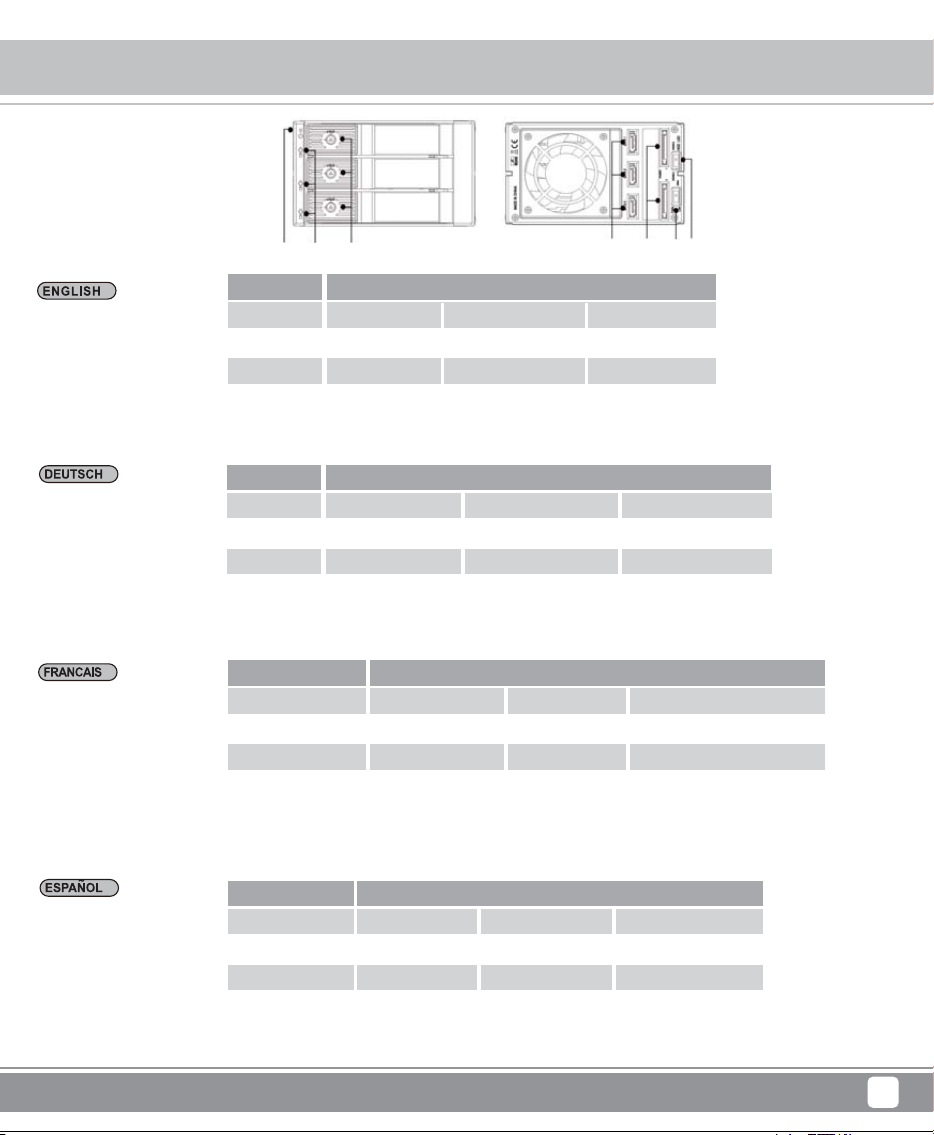
07
Komplettinstallation
Installation complète
Instalación completada
Completamento installazione
Установка завершена
설치가 완성되었습니다
ติดตั้งเสร็จ
完成
完成
インストール完成
Installation complete
Front Panel Storage
10
Indicator Status
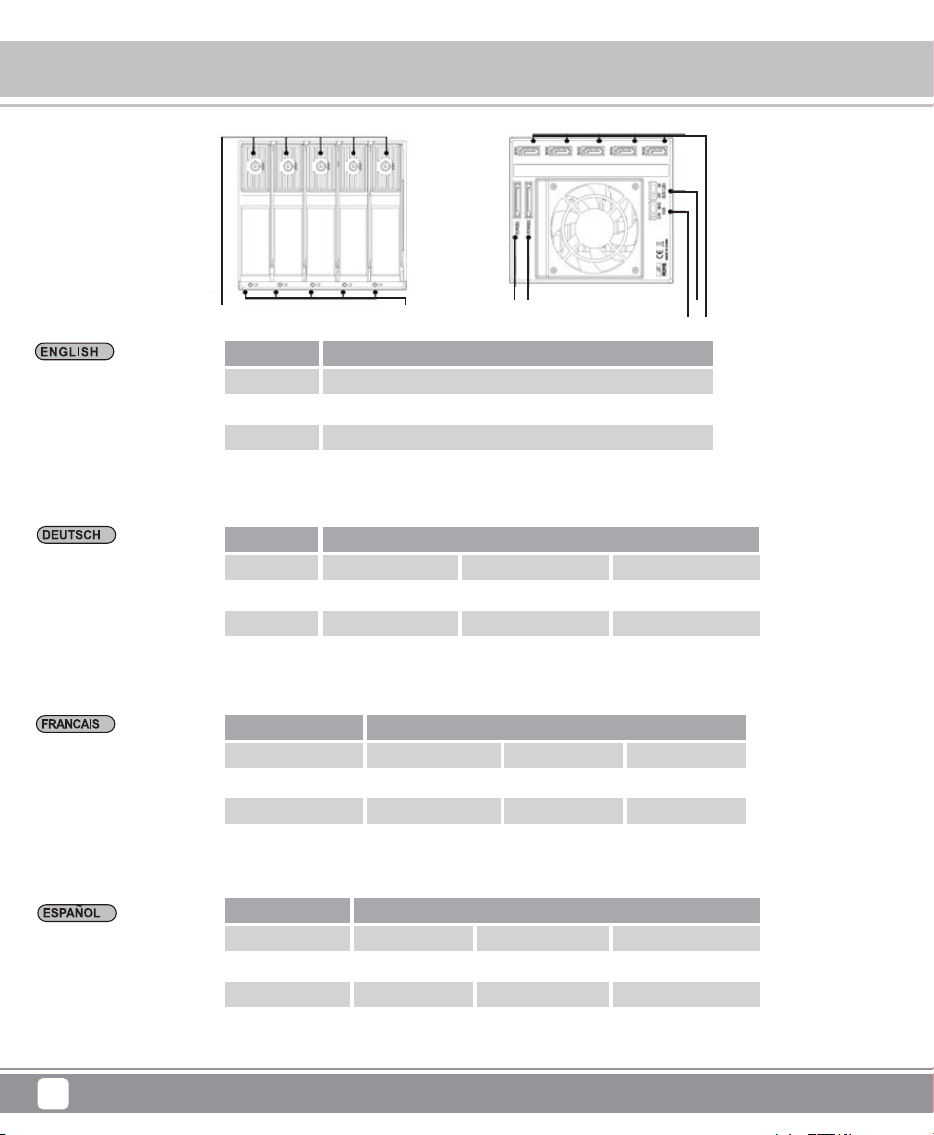
B1 B2 B3 B4
A2A1 A3
*Beim Einstellen des B4-Schalters auf die DISABLE-Position funktioniert die LED-Anzeige für Festplattenzugriff nicht. Bei diesem
Zeitpnkt vorne zeigt die LED-Anzeige nur blau, es bedeutet , aber die Signale blinken nicht lesen.
* Beim Einschalten des Stroms, A2 LEDzeigt blau.
LED
Status
Farbe
Blinken
HDDeinfügen
blau
x
HDD Zugriffen
lila
o
B4 Deaktivieren
A2
blau
x
FS303-12G
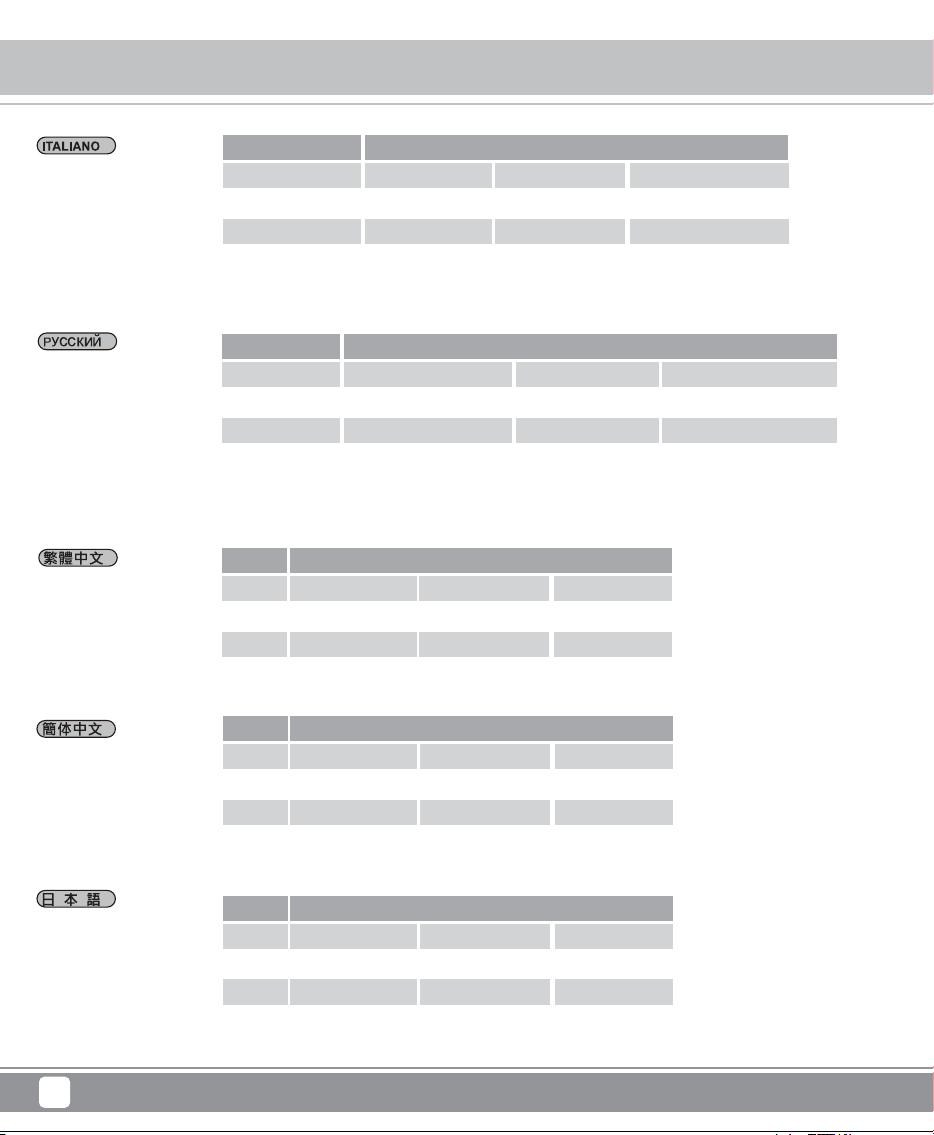
* When turning B4 switch to DISABLE position, the LED indication for HDD accessing will not work. In this case, the front LED
is displayed in solid blue only and that means it is with the power ON function only but without blinking accessing signal.
* A2 LED is shown BLUE when the power is in.
LED
State
Color
Blink
HDD in
Blue
x
HDD Access
Purple
o
B4 DISABLE
A2
Blue
x
*Lorsque vous mettez le commutateur B4 en position DISABLE, l'indicateur LED d'accès au disque dur ne marchera pas. Dans ce
cas l’indicateur DEL de devant est d’un bleu continu seulement, c’est-à-dire que celui-ci est allumé mais ne donne pas de
clignotant pour signal d’accès
* A2 DEL est bleu quand le bouton est sur on
LED
Etat
Couleur
Clignotement
HDD branché
bleu
x
Accès HDD
violet
o
B4 sur DÉSACTIVÉ
A2
bleu
x
*Cuando el interruptor B4 se pone en la posición DISABLE el indicador LED para el acceso al HDD no funcionará, el indicador de
acceso LED frontal demuestra en azul continuo solo y significa que solo está encendido pero sin el señal intermitente de acceso.
* A2 LED demuestra en color AZUL cuando está activado.
LED
Estado
Color
Intermitente
HDD in
Azul
x
HDD Acceso
Morado
o
B4 Desactivar
A2
Azul
x
Front Panel Storage
11
Indicator Status
*Quando si porta l'interruttore B4 in posizione DISABLE, l'indicazione LED per l'accesso all'HDD non funziona. In questo caso,
la parte anteriore accesso LED è visualizzata solo in blu fisso e che significa che è con l'elettricità ON funzione solo ma senza
lampeggiante segnale accedere.
* A2 LED LED è mostrato BLU quando electtricità è ON..
LED
Stato
Colore
Lampeggiare
HDD esistere
Blu
x
HDD accesso
Viola
o
B4 DISABILITA
A2
Blu
x
При повороте переключателя B4 в положение DISABLE LED-индикация доступа к HDD не будет работать. В это время
передний индикатор LED может постоянно светиться синим, это означает, что происходит соединение с источником питания,
но не происходит считывания информации (которое индицируется частым миганием синего сигнала).
* При включении источника питания, индикатор LED A2 загорается синим цветом.
LED
Состояние
Цвет
Мигание
HDD Установлен
Синий
x
Доступ к HDD
Фиолетовый
o
B4 выкл
A2
Синий
x
*當B4開關切為 DISABLE位置時,HDD讀取訊號LED指示燈將關閉,LED在將電源開啟的狀態下顯示為藍燈恆亮,但這僅用於指示
電源開啟,並不表示在讀取訊號中
*A2 LED在電源開啟的狀態下顯示為藍燈恆亮
LED
狀態
顏色
閃爍
HDD 置入
藍
x
HDD 存取
紫
o
B4斷開
A2
藍
x
*当B4开关切为 DISABLE位置时,HDD读取讯号LED指示灯将关闭,LED在将电源开启的状态下显示为蓝灯恒亮,但这仅用于指示
电源开启,并不表示在读取信号中
*A2 LED在电源开启的状态下显示为蓝灯恒亮
LED
状态
颜色
闪烁
HDD 置入
蓝
x
HDD 存取
紫
o
B4断开
A2
蓝
x
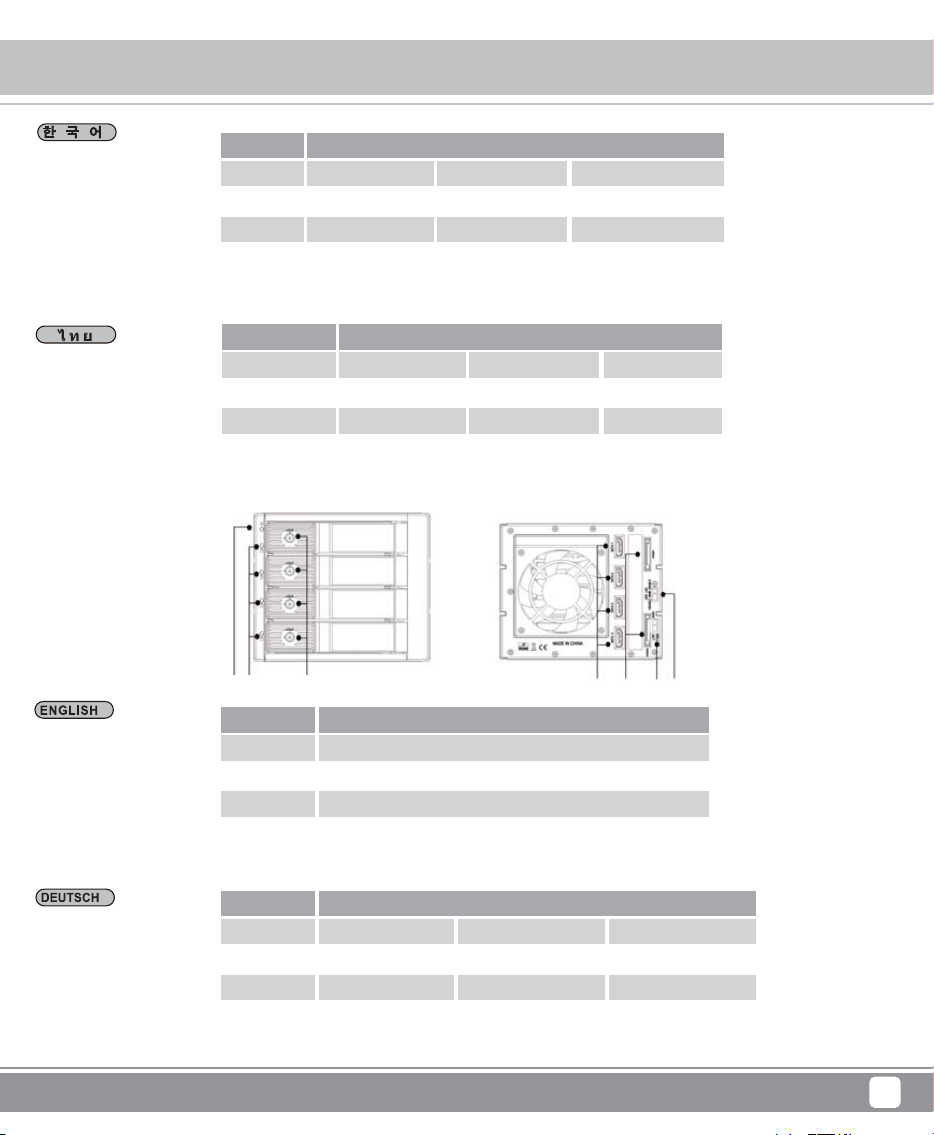
* B4スイッチをDISABLEに切り換えると、HDDアクセス表示LED は無効となります。この時、フロントのLEDはずっとが点灯
になった場合は、電源があることです。でも、点滅のアクセス信号がありません。
* 電源をオンにする時、A2 LEDは青色になります。
LED
状態
色
閃爍
HDD入れる
青
x
HDDアクセス
紫
o
B4オフ
A2
青
x
Front Panel Storage
12
Indicator Status
* B4가 오프 위치에 있으면 HDD/SSD 업로드 기능이 정지합니다. 이때 전면의 LED 램프는 파란색만 켜지고 전원만 들어와
있음을 의미합니다. 깜빡이는 업로드 신호는 없습니다.
*전원을 켤 때 A2 LED에 파란색 불이 들어 옵니다.
LED
상태
색깔
깜빡임
HDD 설치
파란색
x
HDD액세스
보라색
o
B4 DISABLE
A2
파란색
x
B1 B2 B3 B4
A2A1 A3
FS304-12G
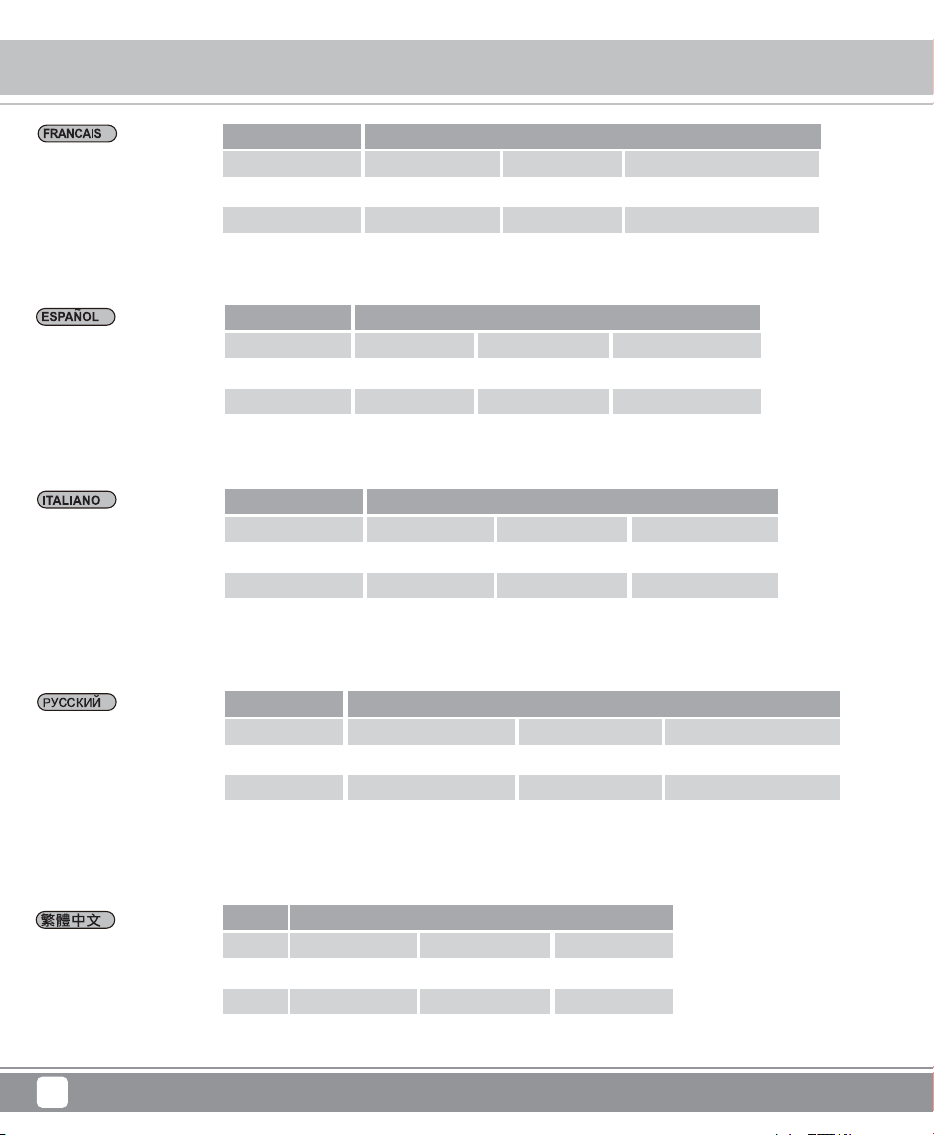
* When turning B4 switch to DISABLE position, the LED indication for HDD accessing will not work. In this case, the front LED
is displayed in solid blue only and that means it is with the power ON function only but without blinking accessing signal.
* A2 LED is shown BLUE when the power is in.
LED
State
Color
Blink
HDD in
Blue
x
HDD Access
Purple
o
B4 DISABLE
A2
Blue
x
*Beim Einstellen des B4-Schalters auf die DISABLE-Position funktioniert die LED-Anzeige für Festplattenzugriff nicht. Bei diesem
Zeitpnkt vorne zeigt die LED-Anzeige nur blau, es bedeutet , aber die Signale blinken nicht lesen.
* Beim Einschalten des Stroms, A2 LEDzeigt blau.
LED
Status
Farbe
Blinken
HDDeinfügen
blau
x
HDD Zugriffen
lila
o
B4 Deaktivieren
A2
blau
x
*เมื่อหมุนสวิตช์ B3 ไปที่ตำแหน่ง ปิดใช้งาน, ไฟแสดงสถานะ LED สำหรับการเข้าถึง HDD จะไม่ทำงาน ในกรณีนี้ด้านหน้าของจอ LED
จะแสดงผลเป็นสีน้ำเงินวาววับ เแสดงให้เห็นมีไฟ แต่ไม่มีไฟกระพริบที่เป็นสัญญาณการอ่าน
* เมื่อปิดสวิตซ์ไฟ A1 LED จะแสดงผลเป็นสีน้ำเงิน
LED
ลักษณะ
สี
ไฟกระพริบ
การวาง
น้ำเงิน
x
แสดงผล
ม่วง
o
B4 ปิดใช้งาน
A2
น้ำเงิน
x
Front Panel Storage
13
Indicator Status
*Cuando el interruptor B4 se pone en la posición DISABLE el indicador LED para el acceso al HDD no funcionará, el indicador de
acceso LED frontal demuestra en azul continuo solo y significa que solo está encendido pero sin el señal intermitente de acceso.
* A2 LED demuestra en color AZUL cuando está activado.
LED
Estado
Color
Intermitente
HDD in
Azul
x
HDD Acceso
Morado
o
B4 Desactivar
A2
Azul
x
*Quando si porta l'interruttore B4 in posizione DISABLE, l'indicazione LED per l'accesso all'HDD non funziona. In questo caso,
la parte anteriore accesso LED è visualizzata solo in blu fisso e che significa che è con l'elettricità ON funzione solo ma senza
lampeggiante segnale accedere.
* A2 LED LED è mostrato BLU quando electtricità è ON..
LED
Stato
Colore
Lampeggiare
HDD esistere
Blu
x
HDD accesso
Viola
o
B4 DISABILITA
A2
Blu
x
*Когда B4 находится в выключенном положении, функция считывания носителей HDD/SSD будет остановлена. В это время
передний индикатор LED может постоянно светиться синим, это означает, что происходит соединение с источником питания,
но не происходит считывания информации (которое индицируется частым миганием синего сигнала).
* При включении источника питания, индикатор LED A2 загорается синим цветом.
LED
Состояние
Цвет
Мигание
HDD Установлен
Синий
x
Доступ к HDD
Фиолетовый
o
B4 выкл
A2
Синий
x
*當B4開關切為 DISABLE位置時,HDD讀取訊號LED指示燈將關閉,LED在將電源開啟的狀態下顯示為藍燈恆亮,但這僅用於指示
電源開啟,並不表示在讀取訊號中
*A2 LED在電源開啟的狀態下顯示為藍燈恆亮
LED
狀態
顏色
閃爍
HDD 置入
藍
x
HDD 存取
紫
o
B4斷開
A2
藍
x
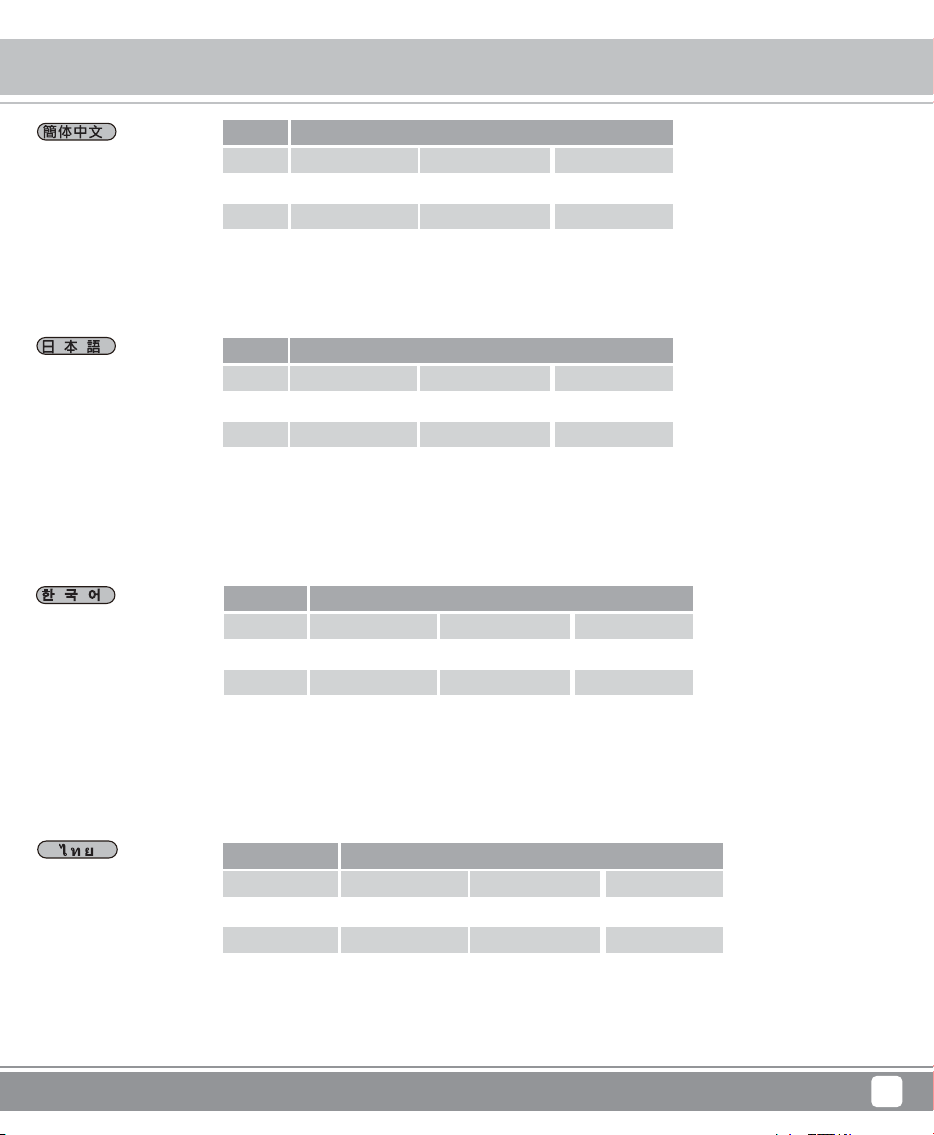
*Lorsque vous mettez le commutateur B4 en position DISABLE, l'indicateur LED d'accès au disque dur ne marchera pas. Dans ce
cas l’indicateur DEL de devant est d’un bleu continu seulement, c’est-à-dire que celui-ci est allumé mais ne donne pas de
clignotant pour signal d’accès
* A2 DEL est bleu quand le bouton est sur on
LED
Etat
Couleur
Clignotement
HDD branché
bleu
x
Accès HDD
violet
o
B4 sur DÉSACTIVÉ
A2
bleu
x
Front Panel Storage
14
Indicator Status
*当B4开关切为 DISABLE位置时,HDD读取讯号LED指示灯将关闭,LED在将电源开启的状态下显示为蓝灯恒亮,但这仅用于指示
电源开启,并不表示在读取信号中
*A2 LED在电源开启的状态下显示为蓝灯恒亮
LED
状态
颜色
闪烁
HDD 置入
蓝
x
HDD 存取
紫
o
B4断开
A2
蓝
x
* B4をオフの位置にする時、HDD/SSDのアクセス機能は止まります。この時、フロントのLEDはずっとが点灯になった場合は、
電源があることです。でも、点滅のアクセス信号がありません。
* 電源をオンにする時、A2 LEDは青色になります。
LED
状態
色
閃爍
HDD入れる
青
x
HDDアクセス
紫
o
B4オフ
A2
青
x
* B4가 오프 위치에 있으면 HDD/SSD 업로드 기능이 정지합니다. 이때 전면의 LED 램프는 파란색만 켜지고 전원만 들어와
있음을 의미합니다. 깜빡이는 업로드 신호는 없습니다.
*전원을 켤 때 A2 LED에 파란색 불이 들어 옵니다.
LED
상태
색깔
깜빡임
HDD 설치
파란색
x
HDD액세스
보라색
o
B4 DISABLE
A2
파란색
x
*เมื่อหมุนสวิตช์ B3 ไปที่ตำแหน่ง ปิดใช้งาน, ไฟแสดงสถานะ LED สำหรับการเข้าถึง HDD จะไม่ทำงาน ในกรณีนี้ด้านหน้าของจอ LED
จะแสดงผลเป็นสีน้ำเงินวาววับ เแสดงให้เห็นมีไฟ แต่ไม่มีไฟกระพริบที่เป็นสัญญาณการอ่าน
* เมื่อปิดสวิตซ์ไฟ A1 LED จะแสดงผลเป็นสีน้ำเงิน
LED
ลักษณะ
สี
ไฟกระพริบ
การวาง
น้ำเงิน
x
แสดงผล
ม่วง
o
B4 ปิดใช้งาน
A2
น้ำเงิน
x
Front Panel Storage
15
Indicator Status
A2A1
A3
B2
B2
B4
B3
B1
*When B4 switch is turned to OFF position, the HDD accessing function is disable. In this case, the front LED is displayed in solid blue
only and that means it is with the power ON function only but without blinking accessing signal.
* A1 LED is shown BLUE when the power is in.
LED
State
Color
Blink
HDD in
Blue
x
HDD Access
Purple
o
B4 turn OFF
A2
Blue
x
FS305-12G
* Bei B4 ausgeschaltet ist, wird die Lesenfunktion des HDD/SSD beendet. Bei diesem Zeitpnkt vorne zeigt die LED-Anzeige nur blau,
es bedeutet , aber die Signale blinken nicht lesen.
* Beim Einschalten des Stroms, A2 LEDzeigt blau.
LED
Status
Farbe
Blinken
HDDeinfügen
blau
x
HDD Zugriffen
lila
o
B4 zumachen
A2
blau
x
* Quand B4 est éteint (OFF), la fonction d’accès à HDD/SSD est désactivée. Dans ce cas l’indicateur DEL de devant est d’un bleu
continu seulement, c’est-à-dire que celui-ci est allumé mais ne donne pas de clignotant pour signal d’accès
* A2 DEL est bleu quand le bouton est sur on
LED
Etat
Couleur
Clignotement
HDD branché
bleu
x
Accès HDD
violet
o
B4 sur OFF
A2
bleu
x
*Cuando el interruptor B4 está en posición OFF , la función de acceso de HDD/SSD está desactivada. En este caso, el indicador de
acceso LED frontal demuestra en azul continuo solo y significa que solo está encendido pero sin el señal intermitente de acceso.
* A2 LED demuestra en color AZUL cuando está activado.
LED
Estado
Color
Intermitente
HDD in
Azul
x
HDD Acceso
Morado
o
B4 Apagado
A2
Azul
x
Front Panel Storage
16
Indicator Status
*當B4開關切為OFF位置時,HDD讀取信號閃爍指示燈將關閉,LED在將電源開啟的狀態下顯示為藍燈恆亮。
*A2 LED在電源開啟的狀態下顯示為藍燈恆亮
LED
狀態
顏色
閃爍
HDD 置入
藍
x
HDD 存取
紫
o
B4關閉
A2
藍
x
* Quando l'interruttore B4 è spegnere in posizione OFF, l'HDD / SSD funzione l'accesso è disabilitata. In questo caso, la parte
anteriore accesso LED è visualizzata solo in blu fisso e che significa che è con l'elettricità ON funzione solo ma senza lampeggiante
segnale accedere.
* A2 LED LED è mostrato BLU quando electtricità è ON..
LED
Stato
Colore
Lampeggiare
HDD esistere
Blu
x
HDD accesso
Viola
o
B4 spegnere
A2
Blu
x
*Когда B4 находится в выключенном положении, функция считывания носителей HDD/SSD будет остановлена. В это время
передний индикатор LED может постоянно светиться синим, это означает, что происходит соединение с источником питания,
но не происходит считывания информации (которое индицируется частым миганием синего сигнала).
* При включении источника питания, индикатор LED A2 загорается синим цветом.
LED
Состояние
Цвет
Мигание
HDD Установлен
Синий
x
Доступ к HDD
Фиолетовый
o
B4 Выключатель
A2
Синий
x
*当B4开关切为OFF位置时,HDD读取信号闪烁指示灯将关闭,LED在将电源开启的状态下显示为蓝灯恒亮。
*A2 LED在电源开启的状态下显示为蓝灯恒亮
LED
状态
颜色
闪烁
HDD 置入
蓝
x
HDD 存取
紫
o
B4关闭
A2
蓝
x
* B4をオフの位置にする時、HDD/SSDのアクセス機能は止まります。この時、フロントのLEDはずっとが点灯になった場合は、
電源があることです。でも、点滅のアクセス信号がありません。
* 電源をオンにする時、A2 LEDは青色になります。
LED
状態
色
閃爍
HDD入れる
青
x
HDDアクセス
紫
o
B4オフ
A2
青
x
Front Panel Storage
17
Indicator Status
* B4가 오프 위치에 있으면 HDD/SSD 업로드 기능이 정지합니다. 이때 전면의 LED 램프는 파란색만 켜지고 전원만 들어와
있음을 의미합니다. 깜빡이는 업로드 신호는 없습니다.
*전원을 켤 때 A2 LED에 파란색 불이 들어 옵니다.
LED
상태
색깔
깜빡임
HDD 설치
파란색
x
HDD액세스
보라색
o
B4 오프
A2
파란색
x
* เวลาที่ปรับตำแหน่ง B4 ไปที่ปุ่มปิด ฟังก์ชั่นอ่านค่า HDD / SSD ก็จะหยุด ซึ่งเวลานี้ด้านหน้าของจอ LED จะแสดงผลเป็นสีน้ำเงินวาววับ เแสดงให้
เห็นมีไฟ แต่ไม่มี ไฟกระพริบที่เป็นสัญญาณการอ่าน
* เมื่อปิดสวิตซ์ไฟ A2 LED จะแสดงผลเป็นสีน้ำเงิน
LED
ลักษณะ
สี
ไฟกระพริบ
การวาง
น้ำเงิน
x
แสดงผล
ม่วง
o
B4 ปิด
A2
น้ำเงิน
x
Front Panel Storage
18
Warranty
Warranty Information
This product has a limited 1 year warranty in North America and Australia.
For information on warranty periods in other regions, please contact your reseller or SilverStone authorized distributor.
本产品自购买之日起,于中国地区(不包含澳门,香港特别行政区)享有一年有限责任保固(部分产品为二年,三年或五年)。
详细保固年限请参照官方网站 https://silverstonetek.com.cn/ 公布之产品型号为依据。
1. Product component defects or damages resulted from defective production is covered under warranty.
Defects or damages with the following conditions will be fixed or replaced under SilverStone Technology’s jurisdiction.
a) Usage in accordance with instructions provided in this manual, with no misuse, overuse, or other inappropriate actions.
b) Damage not caused by natural disaster (thunder, fire, earthquake, flood, salt, wind, insect, animals, etc…)
c) Product is not disassembled, modified, or fixed. Components not disassembled or replaced.
d) Warranty mark/stickers are not removed or broken.
Loss or damages resulted from conditions other than ones listed above are not covered under warranty.
2. Under warranty, SilverStone Technology’s maximum liability is limited to the current market value for the product (depreciated value, excluding
shipping, handling, and other fees). SilverStone Technology is not responsible for other damages or loss associated with the use of product.
3. Under warranty, SilverStone Technology is obligated to repair or replace its defective products. Under no circumstances will SilverStone
Technology be liable for damages in connection with the sale, purchase, or use including but not limited to loss of data, loss of business, loss of
profits, loss of use of the product or incidental or consequential damage whether or not foreseeable and whether or not based on breach of warranty,
contract or negligence, even if SilverStone Technology has been advised of the possibility of such damages.
4. Warranty covers only the original purchaser through authorized SilverStone distributors and resellers and is not transferable to a second hand
purchaser.
5. You must provide sales receipt or invoice with clear indication of purchase date to determine warranty eligibility.
6. If a problem develops during the warranty period, please contact your retailer/reseller/SilverStone authorized distributors or SilverStone
http://www.silverstonetek.com.
Please note that: (i) You must provide proof of original purchase of the product by a dated itemized receipt; (ii) You shall bear the cost of shipping
(or otherwise transporting) the product to SilverStone authorized distributors. SilverStone authorized distributors will bear the cost of shipping
(or otherwise transporting) the product back to you after completing the warranty service; (iii) Before you send the product, you must be issued a
Return Merchandise Authorization (“RMA”) number from SilverStone. Updated warranty information will be posted on SilverStone’s official website.
Please visit http://www.silverstonetek.com for the latest updates.
Warranty terms & conditions
Additional info & contacts
For North America ([email protected])
SilverStone Technology in North America may repair or replace defective product with refurbished product that is not new but has been functionally tested.
Replacement product will be warranted for remainder of the warranty period or thirty days, whichever is longer. All products should be sent
back to the place of purchase if it is within 30 days of purchase, after 30 days, customers need to initiate RMA procedure with SilverStone Technology
in USA by first downloading the “USA RMA form for end-users” form from the below link and follow its instructions.
http://silverstonetek.com/contactus.php
For Australia only ([email protected])
Our goods come with guarantees that cannot be excluded under the Australian Consumer Law.
You are entitled to a replacement or refund for a major failure and for compensation for any other reasonably foreseeable loss or damage.
You are also entitled to have the goods repaired or replaced if the goods fail to be of acceptable quality and the failure does not amount to a major failure.
Please refer to above “Warranty terms & conditions” for further warranty details.
SilverStone Technology Co., Ltd. 12F No. 168 Jiankang Rd., Zhonghe Dist., New Taipei City 235 Taiwan R.O.C. + 886-2-8228-1238
(standard international call charges apply)
For Europe ([email protected])
For China ([email protected])
For all other regions ([email protected])
Front Panel Storage
19
Warranty
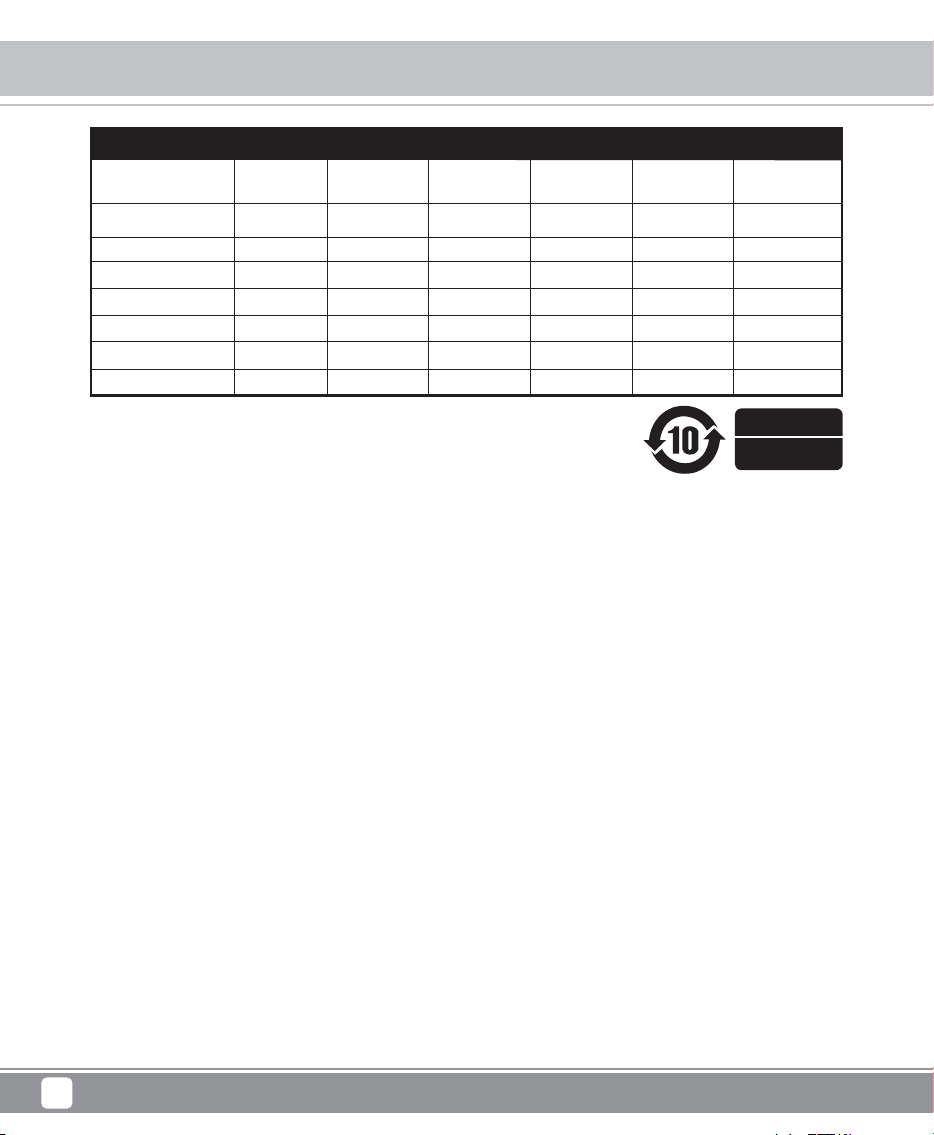
3.5"硬盘储存装置
有毒有害物质/元素及其化学含量表
本表格依据SJ/T 11364 的规定编制。
○ : 表示该有害物质在该部件所有均质材料中的含量均在GB/T 26572 规定的限量要求以下。
— : 表示该有害物质至少在该部件的某一均质材料中的含量超出GB/T 26572 规定的限量要求。且該限用物質為排除項目
部件名称
外壳
PCB
线材
包材
钥匙
螺丝
风扇
汞
(Hg)
镉
(Cd)
六价铬
(Cr(VI))
多溴联苯
(PBB)
多溴二苯醚
(PBDE)
铅
(Pb)
○
○
○
○
○
○
○
○
○
○
○
○
○
-
○
○
○
○
○
○
○
○
○
○
○
○
○
○
○
○
○
○
○
○
○
○
○
○
○
○
○
○
产品合格证
检验员:检01
生产日期:见产品条码
This device complies with Part 15 of the FCC Rules.
Operation is subject to the following two conditions:
(1) this device may not cause harmful interference, and
(2) this device must accept any interference received,
including interference that may cause undesired operation.
Please refer to SilverStone website for latest specifications updates.

G11237960