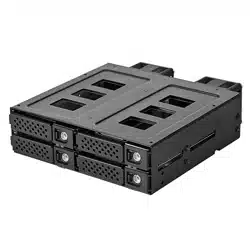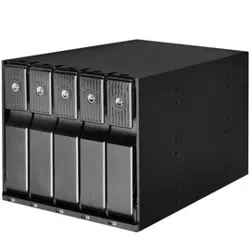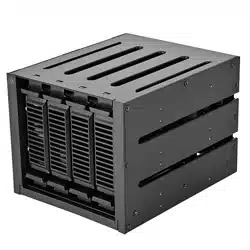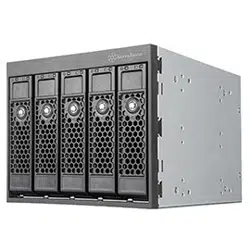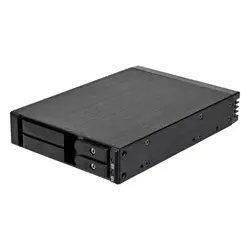
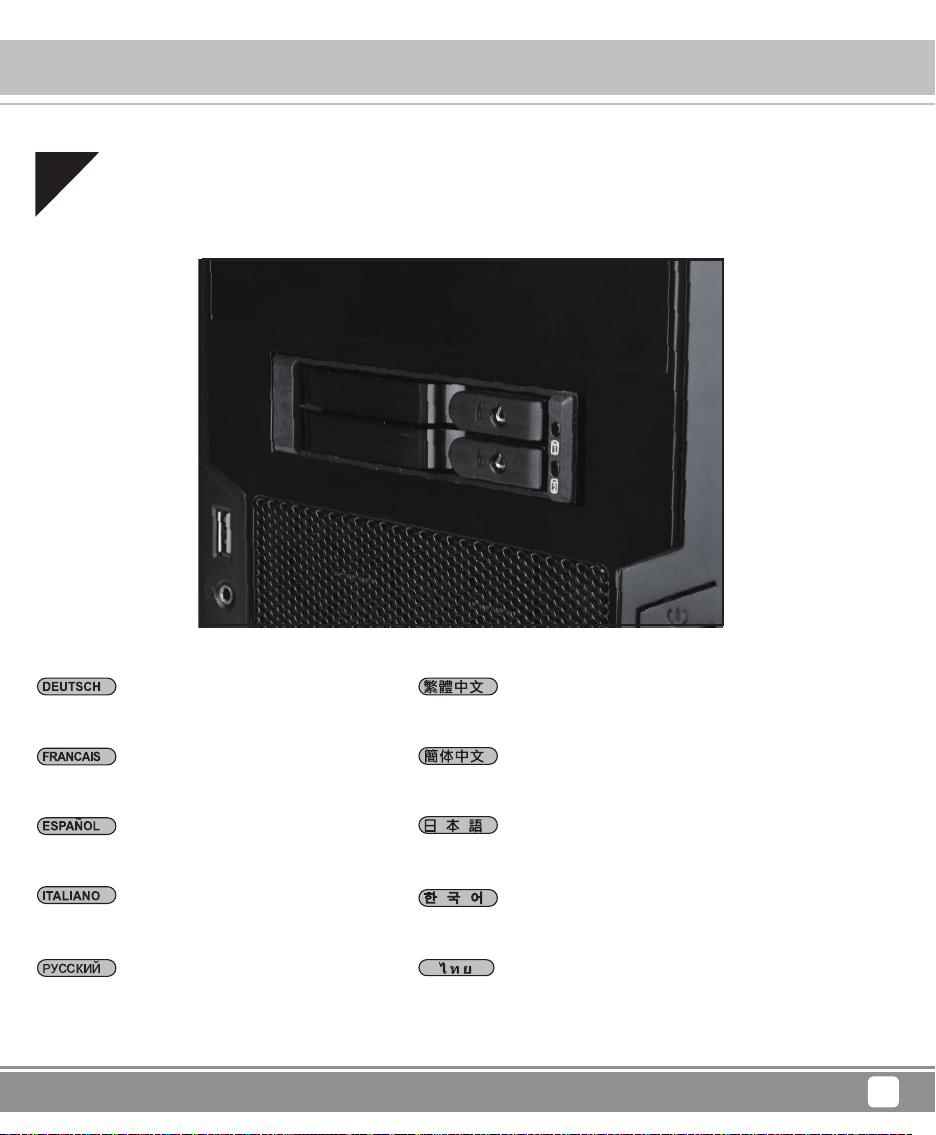
One 3.5" device bay to two 2.5" SAS/SATA 6Gbit/s
trayless hot-swap cage
FS202
Front Panel Storage
O
ne 3.5" device ba
y
to two 2.5"
S
A
S/S
ATA 6
G
bit
/
s
t
ra
y
less hot-swap ca
g
e
F
ront Panel
S
tora
g
e

The following manual and guides were carefully prepared by the SilverStone engineering team to
help you maximize the potential of your SilverStone product. Please keep this manual for future
reference when upgrading or performing maintenance on your system. A copy of this manual can also
be downloaded from our website at:
Installation and system optimization guide:
Product Overview
Installation Chart
Indicator Status
Warranty
P.1
P.4
P.8
P.12
Product Overview
Front Panel Storage
1
Specifications
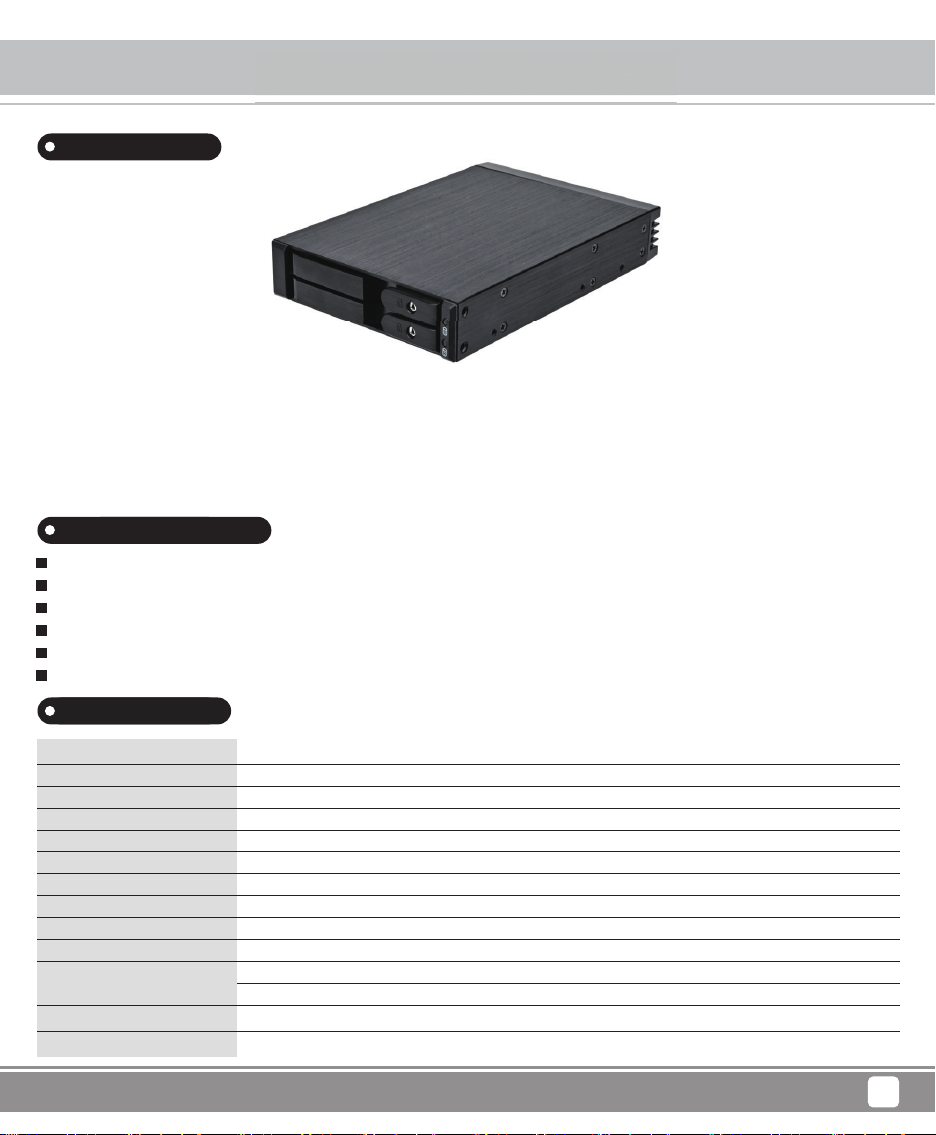
To accommodate PC user’s need for more storage flexibility and convenience, SilverStone created a line of front bay storage products
called the FS series. These are 3.5” bay chassis designed to fit 2.5” SAS/SATA drives. Equipped with release handle made out of finely
brushed aluminum, hot-swapping drives is extremely quick and comfortable. For security, each drive tray also has metal key lock.
For those that need to upgrade their current PC with more drives, SilverStone’s FS series is a great choice.
Model
Color
Material
Form factor
Drive support
Transfer rate
Host interface
Power connector
Drive door security
Number of key
LED indicator
Net weight
Dimension
SST-FS202B-V2
Black
Aluminum body, front bezel
3.5” drive bay x 1
2 x 2.5” SAS/SATA HDD or SSD
Up to 6 Gbit/s (dependent on drive speed)
7-Pin SATA connector x 2 or SAS primary channel connection
SATA 15-Pin x 1
Triangle metal key lock design
2
Power On: Green
Accessing: Orange blinking
0.39kg
146mm (W) x 25.4mm (H) x 101.5mm (D)
Introduction
Fits two 2.5” SAS/SATA drives in one 3.5” device bay
Individual metal key lock for each drive for extra security
All aluminum body with beautiful hairline brushed finish
Independent drive status LED
Fully supports SATA Hot-Swap function
Trayless & screwless design
Special Features
Prod
u
for more stora
g
e flexibilit
y
and convenience, SilverStone created
a
5
” ba
y
chassis desi
g
ned to fit 2.5” SAS/SATA drives. Equipped wi
th
drives is extremel
y
quick and comfortable. For securit
y
, each dri
ve
Product Overview
Front Panel Storage
2
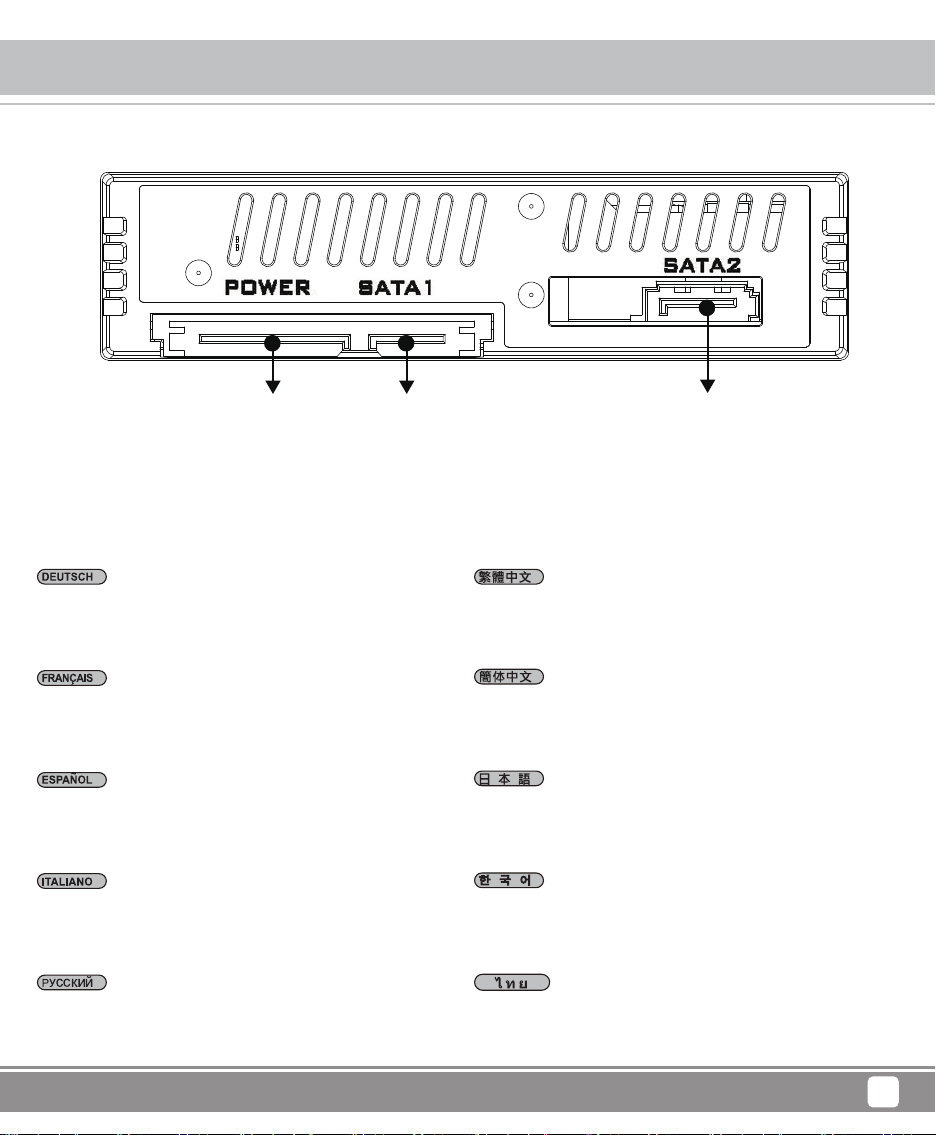
A1 = Dreieckigen Metallschloss
A2 = HDD/SSD Strom & LED ablesen
A1 = Cerradura de seguridad triángulo
A2 = HDD/SSD alimentación & acceso LED
A1 = Serratura di sicurezza triangolare
A2 = HDD/SSD elettricità & accesso LED
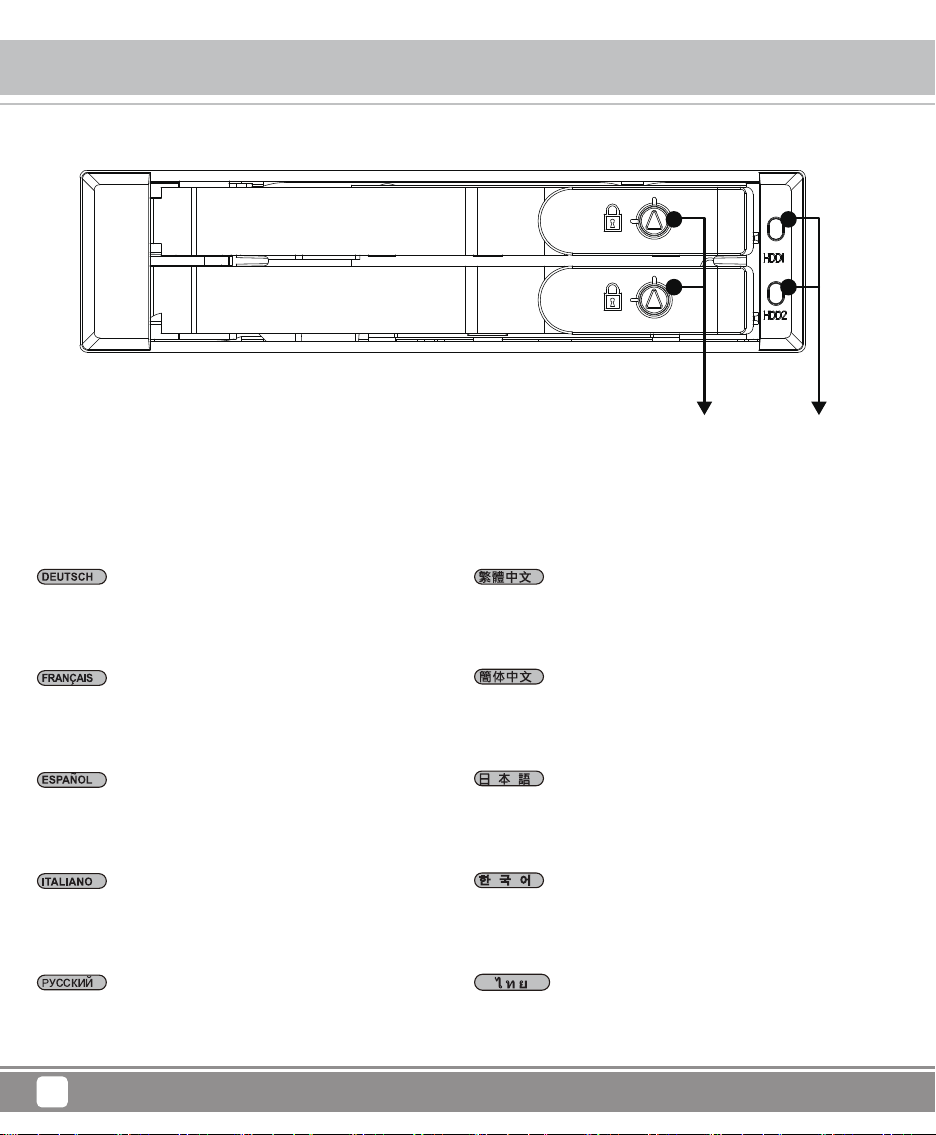
A1 = Triangle safety lock
A2 = Drive power & access LED
A1 = треугольный ключ безопасности сигналов LED
A2 = HDD/SSD источник питания и считывание
A1 = Serrure triangulaire de sécurité DEL power
A2 = HDD/SSD power & accès DEL
$ ϝ㾦ᅝܼ䥪
$ +''䳏⑤/('⢔ᜟ➜㰳
$ ϝ㾦ᅝܼ䥪
$ +''䳏⑤/('⢔ᜟ➜㰳
hXGdㇰᴵ䝉G㙼㤸G㜨㌔
hYGdGokkVzzkG㤸㠄MG㛹⦐☐Gslk
A1=三角形セキュリティロック
A2=HDD/SSD電源&LED読み取ります
A1 = กุญแจสามเหลี่ยม
A2 = สวิตซ์ไฟ HDD/SSD และการอ่านค่า LED
A1 A2
Product Overview
Front Panel Storage
3
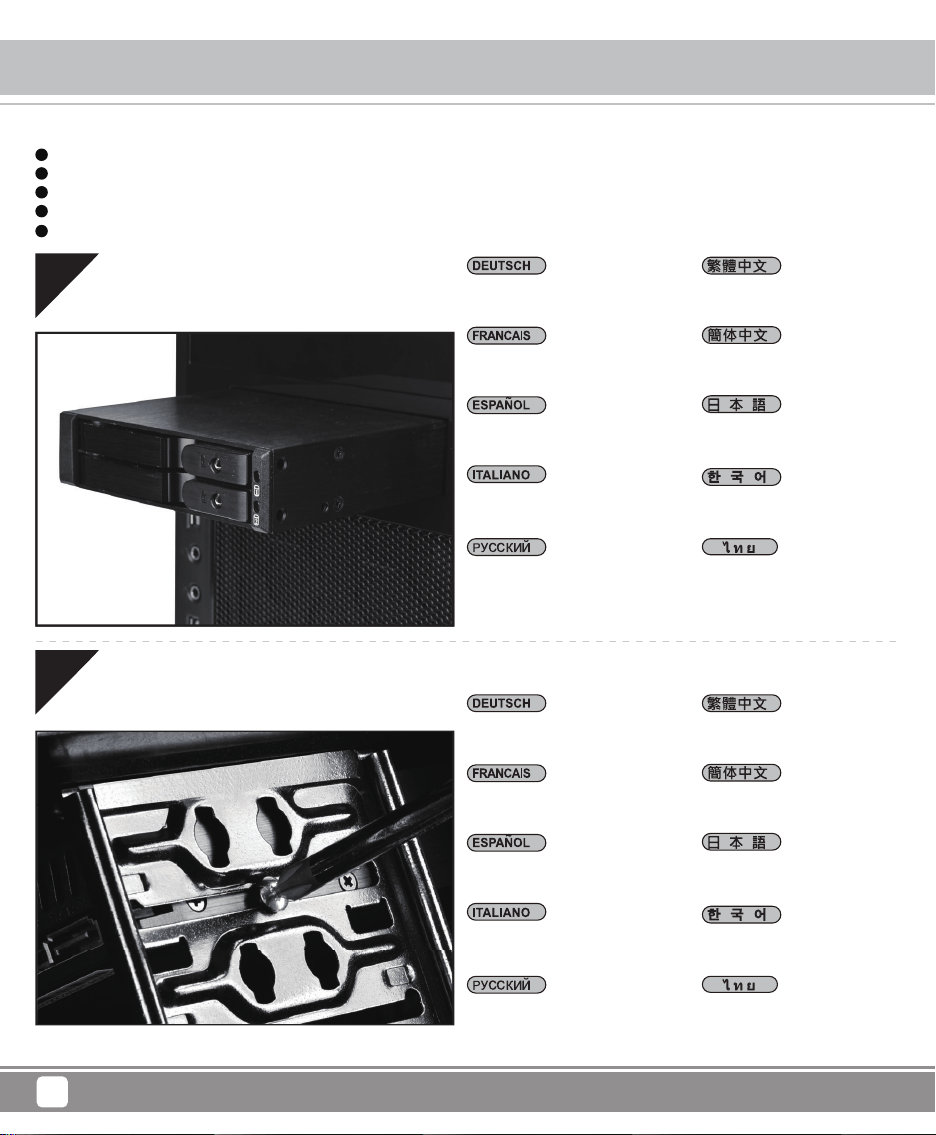
A3 = 15pin Netzanschluss x 1
A4 = SATA-1 Datenübertragung Anschlüsse x 1
A5 = SATA-2 Datenübertragung Anschlüsse x 1
A3 = 15pin conector de alimentación x 1
A4 = SATA-1 7pin conector señal de datos x1
A5 = SATA-2 7pin conector señal de datos x1
A3 = 15pin connettore elettricità x 1
A4 = 7pin SATA-1 elettricità connettore
A5 = 7pin SATA-2 elettricità connettore
A3 = 15pin power connector x 1
A4 = SATA-1 7pin data connector x 1
A5 = SATA-2 7pin data connector x 1
A3 = 15-контактные разъемы источника питания x 1
A4 = SATA-1 разъемы передачи данных x 1
A5 = SATA-2 разъемы передачи данных x 1
A3 = Câble d’alimentation SATA x 1
A4 = Câble de données signaux SATA-1 x 1
A5 = Câble de données signaux SATA-2 x 1
$ SLQ䳏⑤丁[
$ 6$7$SLQ䊛᭭丁[
$ 6$7$SLQ䊛᭭丁[
$ SLQ䳏⑤丁[
$ 6$7$SLQ䊛᭭丁[
$ 6$7$SLQ䊛᭭丁[
hZGdGX\G㤸㠄G䀘≙䉤GGX
h[GdGzh{hTXG⒤㢨䉤G㤸㋕G䀘≙䉤GX
h\GdGzh{hTYG⒤㢨䉤G㤸㋕G䀘≙䉤GX
A3=15pin電源コネクタx1
A4=SATA-17pinデータ伝送コネクタx1
A5=SATA-27pinデータ伝送コネクタx1
A3 = 15pin SATA หัวต่อสวิตซ์ไฟ X 1
A4 = SATA-1 7pin หัวต่อถ่ายโอนข้อมูลเอกสาร X 1
A5 = SATA-2 7pin หัวต่อถ่ายโอนข้อมูลเอกสาร X 1
A3 A4 A5
Installation Chart
Front Panel Storage
4
have all components collected
check that all components do not have compatibility problems with each other or with the case
if possible, assemble the components outside the case first to make sure they are working
keep the motherboard manual ready for reference during installation
prepare a Phillips screwdriver.
1
2
3
4
5
Before you begin, please make sure that you
01
02
Bauen Sie die Festplatte ins
Gehäuse ein
Installer le châssis du disque dur
dans l’emplacement
Instalar el chasis de disco en
la carcasa
Installare chassis dischi in caso
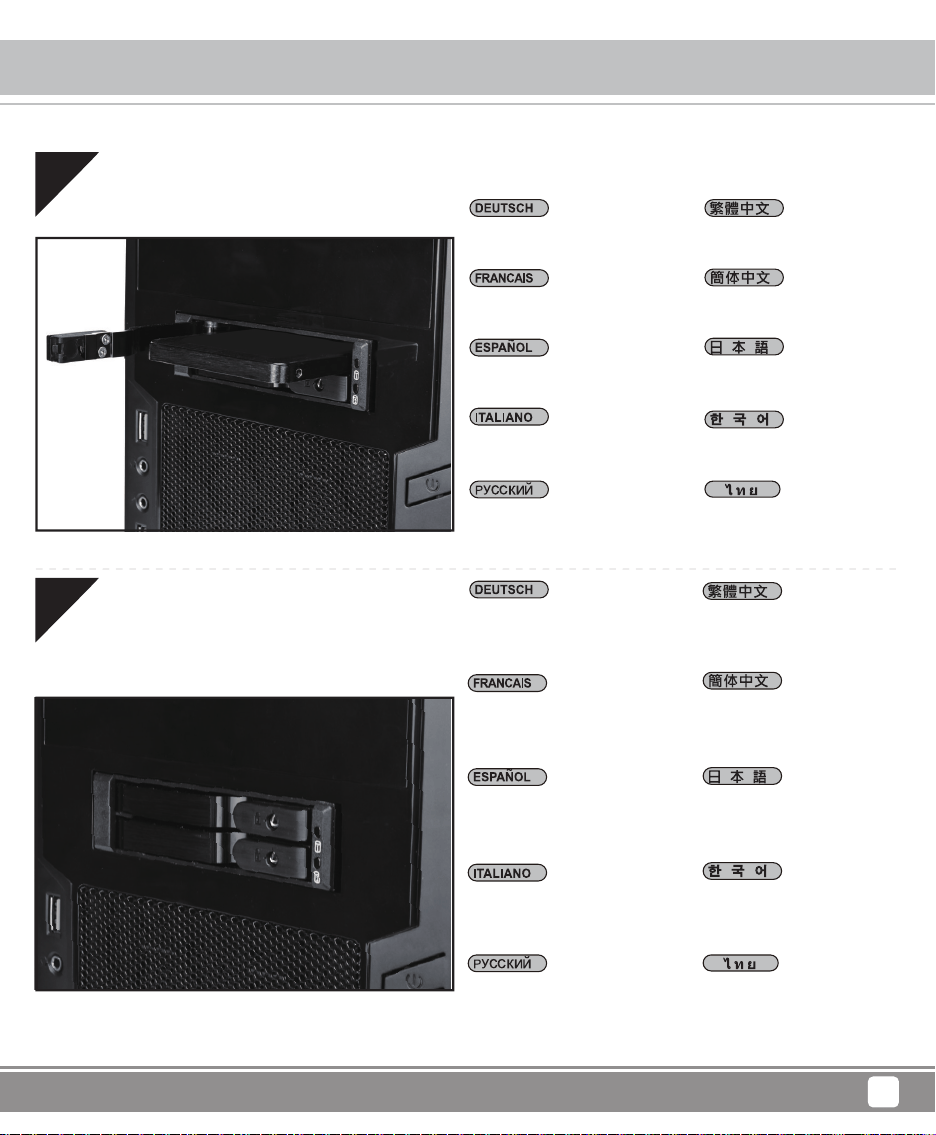
Install drive chassis into case
Secure with screws
Закрутить винты
䚌☐♈㏘䆠GḔ㥉G䘸⤼㢸㡸G⸬㷨G
䀴㢨㏘G⇨⺴㜄G㣙㵝䚝⏼␘
ติดตั้งฮาร์ดดิสก์เข้ากับตัวถังให้แ
น่น
ᬒܹ″←
ᬒܹᴎ
ハードディスク固定台を機械ケ
ース中に入れます
Schrauen Sie ein
Visser la vis
Asegurar con tornillos
Fissare con viti
Установить жесткий диск в
корпус ПК
⇌㇠⪰G㵸㟵⏼␘
ล็อคสกรู
䥪Ϟ㶎㍆ᅮ
䫕Ϟ㶎ϱᅮ
ねじをしめる
Installation Chart
Front Panel Storage
5
03
04
Legen Sie die Festplatte ein
Installer le disque dur
Instalar el disco duro
Installare i dischi
Install drive
Вставить диск
䚌☐♈㏘䆠⪰G㣙㵝䚝⏼␘
ติดตั้งฮาร์ดดิสก์
ᅝ㺱⹀Ⲹ
ᅝ㺙⹀Ⲭ
ハードディスクをインストール
します
Schließen Sie die HDD-Tür
vollständig und drücken Sie sie
fest, bis ein hörbares „Klick“
zu hören ist.
Fermez la porte du disque dur et
appuyez fermement jusqu’à
entendre un « clic » indiquant
qu’elle est bien verrouillée.
Cierre la puerta del disco duro
y presiónela firmemente hasta
escuchar un “clic” que confirme
que está asegurada.
Chiudere lo sportello dell’HDD
e premere con decisione finché
non si sente un “clic” che
conferma il corretto bloccaggio.
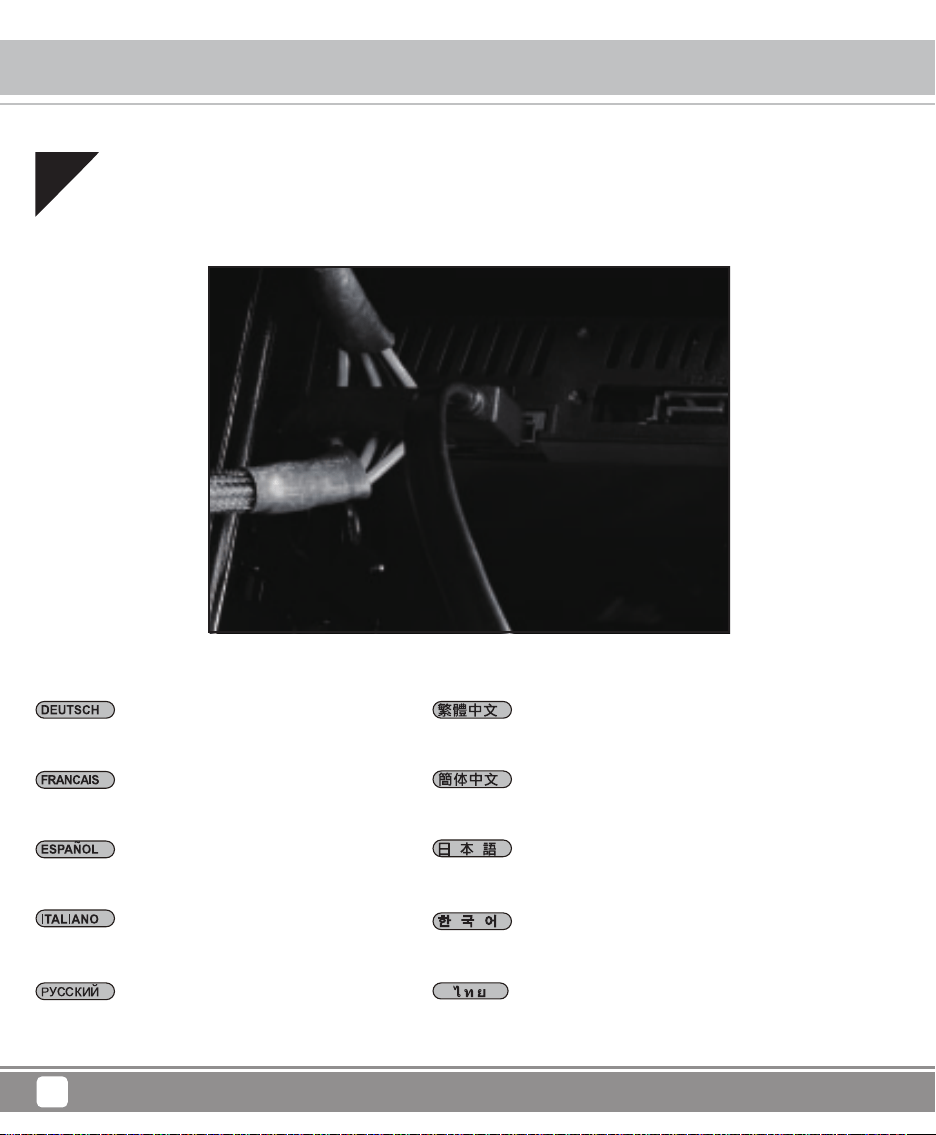
Ensure the HDD door is fully
closed and secured; press until
a “click” is heard.
Плотно закройте дверцу HDD
и нажмите, пока не услышите
характерный «клик»,
подтверждающий фиксацию.
okkG⓸㛨⪰G㝸㤸䢼G␟ḔSG
ˈ䆨⫡ˉG㋀⫠ᴴG⇔G⚀ᾀ㫴G⍀⤠G
㥐⦐GḔ㥉䚨G㨰㉬㟈U
ปิดประตู HDD ให้สนิท
และกดจนได้ยินเสียง “คลิก”
เพื่อยืนยันว่าล็อกเข้าที่เรียบร้อยแล้ว
䂟ᇛ⹀䭔䮰䭝Ϻ㎞ˈⳈࠄ
㙑ࠄNjఴnjϔ㙆ҹ⺎ᆺ䥪ᠷ
ࠄԡ
䇋ᇚ⹀Ⲭ䮼݇䯁ᑊ㋻ˈⳈࠄ
ࠄĀદāໄҹ⹂ֱ䫕ᠷ
ࠄԡDŽ
HDDドアをしっかり閉 め、
カチッという音がするまで押
して固定してください。
Installation Chart
Front Panel Storage
6
05
Schließen Sie SATA an die Leitung an
Brancher le SATA et le câble d’alimentation
Conecta SATA y la cable de alimentación
Collegare SATA e cavo di alimentazione
Connect SATA and power cable
Соединить SATA с кабелем питания
zh{h㝴G㤸㠄G䀴㢨⽈㡸G㜤䚝⏼␘
เชื่อมต่อ SATA เข้ากับสายสวิตซ์ไฟ
䗷6$7$㎮㟛䳏⑤㎮
䖲6$7$㒓Ϣ⬉⑤㒓
SATAを電力線と接続します
Installation Chart
Front Panel Storage
7
06
Komplettinstallation
Installation complète
Instalación completada
Completamento installazione
Установка завершена
㉘㾌ᴴG㝸㉥╌㛼㏩⏼␘
ติดตั้งเสร็จ
ᅠ៤
ᅠ៤
インストール完 成
Installation complete
Indicator Status
Front Panel Storage
8
* When A5 switch is turn to OFF position, drive access would no longer be detected. Instead, the front LED would display solid blue
color and that means it is with the power ON function only but without blinking accessing signal.
LED
State
Color
Blinking
Drive in
Green
x
Drive Access
Orange
o
A5 turn OFF
A2
Green
x
* Bei A5 ausgeschaltet ist, wird die Lesenfunktion des HDD/SSD beendet. Bei diesem Zeitpnkt vorne zeigt die LED-Anzeige nur blau,
es bedeutet , aber die Signale blinken nicht lesen.
LED
Status
Farbe
Blinken
HDDeinfügen
Grüne
x
HDD Zugriffen
Orange
o
A5 zumachen
A2
Grüne
x
DEL
Etat
Couleur
Clignotement
HDD branché
vert
x
Accès HDD
orange
o
A5 sur OFF
A2
vert
x
* Quand A5 est éteint (OFF), la fonction d’accès à HDD/SSD est désactivée. Dans ce cas l’indicateur DEL de devant est d’un bleu
continu seulement, c’est-à-dire que celui-ci est allumé mais ne donne pas de clignotant pour signal d’accès
Indicator Status
Front Panel Storage
9
* Cuando el interruptor A5 está en posición OFF, la función de acceso de HDD/SSD está desactivada. En este caso, el indicador de
acceso LED frontal demuestra en azul continuo solo y significa que solo está encendido pero sin el señal intermitente de acceso.
LED
Estado
Color
Intermitente
HDD in
Verde
x
HDD Acceso
Naranja
o
A5 apagado
A2
Verde
x
* Quando l'interruttore A5 è spegnere in posizione OFF, l'HDD / SSD funzione l'accesso è disabilitata. In questo caso, la parte anteriore
accesso LED è visualizzata solo in blu fisso e che significa che è con l'elettricità ON funzione solo ma senza lampeggiante segnale
accedere.
LED
Stato
Colore
Lampeggiare
HDD esistere
Verde
x
HDD accesso
Arancione
o
A5 spegnere
A2
Verde
x
*Когда А5 находится в выключенном положении, функция считывания носителей HDD/SSD будет остановлена. В это время
передний индикатор LED может постоянно светиться синим, это означает, что происходит соединение с источником питания,
но не происходит считывания информации (которое индицируется частым миганием синего сигнала).
LED
Состояние
Цвет
Мигание
HDD Установлен
зеленый
x
доступ к HDD
оранжевый
o
A5 вкл/выкл
A2
зеленый
x
Indicator Status
Front Panel Storage
10
⭊$䭟䮰ߛ⚎2))ԡ㕂ᰖˈ+''䅔পֵ㰳䭗⟡ᣛ⼎➜ᇛ䮰䭝ˈ/('ᇛ䳏⑤䭟ଳⱘ⢔ᜟϟ乃⼎⚎㮡➜ᘚ҂DŽ
LED
⢔ᜟ
丣㡆
䭗⟡
+''㕂ܹ
*UHHQ
[
+''ᄬপ
2UDQJH
R
$䮰䭝
A2
*UHHQ
[
LED
⢊ᗕ
买㡆
䮾⚕
+''㕂ܹ
*UHHQ
[
+''ᄬপ
2UDQJH
R
$݇䯁
A2
*UHHQ
[
ᔧ$ᓔ݇ߛЎ2))ԡ㕂ᯊˈ+''䇏পֵো䮾⚕ᣛ⼎♃ᇚ݇䯁ˈ/('ᇚ⬉⑤ᓔⱘ⢊ᗕϟᰒ⼎Ў㪱♃ᘦ҂DŽ
LED
⢊ᜟ
㡆
䭗⟡
+''ܹȡȠ
㎥
[
+''ȪȷɃɁ
Ȳɴɻɀ
R
$Ȳɝ
A2
㎥
[
$ȧȲɝȃԡ㕂ȀǮȠᰖǃ+''66'ȃȪȷɃɁ″㛑ȄℶȓȟȓǮDŽǨȃᰖǃɝɵɻɐȃ/('ȄǯǸǽǡ⚍♃ȀǿǸǴจড়Ȅǃ䳏⑤ǡ
ǗȠǨǽǼǮDŽǼȗǃ⚍⒙ȃȪȷɃɁֵোǡǗȟȓǰȨDŽ
Indicator Status
Front Panel Storage
11
QGh\ᴴG㝘䘸G㠸㾌㜄G㢼㡰⮨GokkVzzkG㛹⦐☐Gὤ⏙㢨G㥉㫴䚝⏼␘UG㢨⚀G㤸⮨㢌GslkG⣜䘸⏈G䑀⢴ㇽ⬀G䁐㫴ḔG㤸㠄⬀G☘㛨㝴G㢼㢀㡸G
㢌䚝⏼␘UGᾐ⾕㢨⏈G㛹⦐☐G㐔䝬⏈G㛺㏩⏼␘U
LED
ㇵ䈐
ㇽᾈ
ᾐ⾕㢸
okkG㉘㾌
⊭ㇽ
x
okk㚕㉬㏘
㝘⥀㫴Gㇽㇵ
o
h\G㝘䘸
A2
⊭ㇽ
x
* เวลาที่ปรับตำแหน่ง A5 ไปที่ปุ่มปิด ฟังก์ชั่นอ่านค่า HDD / SSD ก็จะหยุด ซึ่งเวลานี้ด้านหน้าของจอ LED จะแสดงผลเป็นสีน้ำเงินวาววับ เแสดงให
้เห็นมีไฟ แต่ไม่มีไฟกระพริบที่เป็นสัญญาณการอ่าน
LED
ลักษณะ
สี
ไฟกระพริบ
การวาง
สีเขียว
x
แสดงผล
สีส้ม
o
A5 ปิด
A2
สีเขียว
x
Warranty
Front Panel Storage
12
This product has a limited 1 year warranty in North America and Australia.
For information on warranty periods in other regions, please contact your reseller or SilverStone authorized distributor.
1. Product component defects or damages resulted from defective production is covered under warranty.
Defects or damages with the following conditions will be fixed or replaced under SilverStone Technology’s jurisdiction.
a) Usage in accordance with instructions provided in this manual, with no misuse, overuse, or other inappropriate actions.
b) Damage not caused by natural disaster (thunder, fire, earthquake, flood, salt, wind, insect, animals, etc…)
c) Product is not disassembled, modified, or fixed. Components not disassembled or replaced.
d) Warranty mark/stickers are not removed or broken.
Loss or damages resulted from conditions other than ones listed above are not covered under warranty.
2. Under warranty, SilverStone Technology’s maximum liability is limited to the current market value for the product (depreciated value, excluding
shipping, handling, and other fees). SilverStone Technology is not responsible for other damages or loss associated with the use of product.
3. Under warranty, SilverStone Technology is obligated to repair or replace its defective products. Under no circumstances will SilverStone
Technology be liable for damages in connection with the sale, purchase, or use including but not limited to loss of data, loss of business, loss of
profits, loss of use of the product or incidental or consequential damage whether or not foreseeable and whether or not based on breach of warranty,
contract or negligence, even if SilverStone Technology has been advised of the possibility of such damages.
4. Warranty covers only the original purchaser through authorized SilverStone distributors and resellers and is not transferable to a second hand
purchaser.
5. You must provide sales receipt or invoice with clear indication of purchase date to determine warranty eligibility.
6. If a problem develops during the warranty period, please contact your retailer/reseller/SilverStone authorized distributors or SilverStone
http://www.silverstonetek.com.
Please note that: (i) You must provide proof of original purchase of the product by a dated itemized receipt; (ii) You shall bear the cost of shipping
(or otherwise transporting) the product to SilverStone authorized distributors. SilverStone authorized distributors will bear the cost of shipping
(or otherwise transporting) the product back to you after completing the warranty service; (iii) Before you send the product, you must be issued a
Return Merchandise Authorization (“RMA”) number from SilverStone. Updated warranty information will be posted on SilverStone’s official website.
Please visit http://www.silverstonetek.com for the latest updates.
Warranty terms & conditions
Additional info & contacts
For North America ([email protected])
SilverStone Technology in North America may repair or replace defective product with refurbished product that is not new but has been functionally tested.
Replacement product will be warranted for remainder of the warranty period or thirty days, whichever is longer. All products should be sent
back to the place of purchase if it is within 30 days of purchase, after 30 days, customers need to initiate RMA procedure with SilverStone Technology
in USA by first downloading the “USA RMA form for end-users” form from the below link and follow its instructions.
http://silverstonetek.com/contactus.php
For Australia only ([email protected])
Our goods come with guarantees that cannot be excluded under the Australian Consumer Law.
You are entitled to a replacement or refund for a major failure and for compensation for any other reasonably foreseeable loss or damage.
You are also entitled to have the goods repaired or replaced if the goods fail to be of acceptable quality and the failure does not amount to a major failure.
Please refer to above “Warranty terms & conditions” for further warranty details.
SilverStone Technology Co., Ltd. 12F No. 168 Jiankang Rd., Zhonghe Dist., New Taipei City 235 Taiwan R.O.C. + 886-2-8228-1238
(standard international call charges apply)
For Europe ([email protected])
For all other regions ([email protected])

G11256790