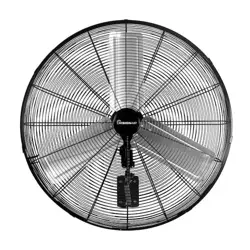
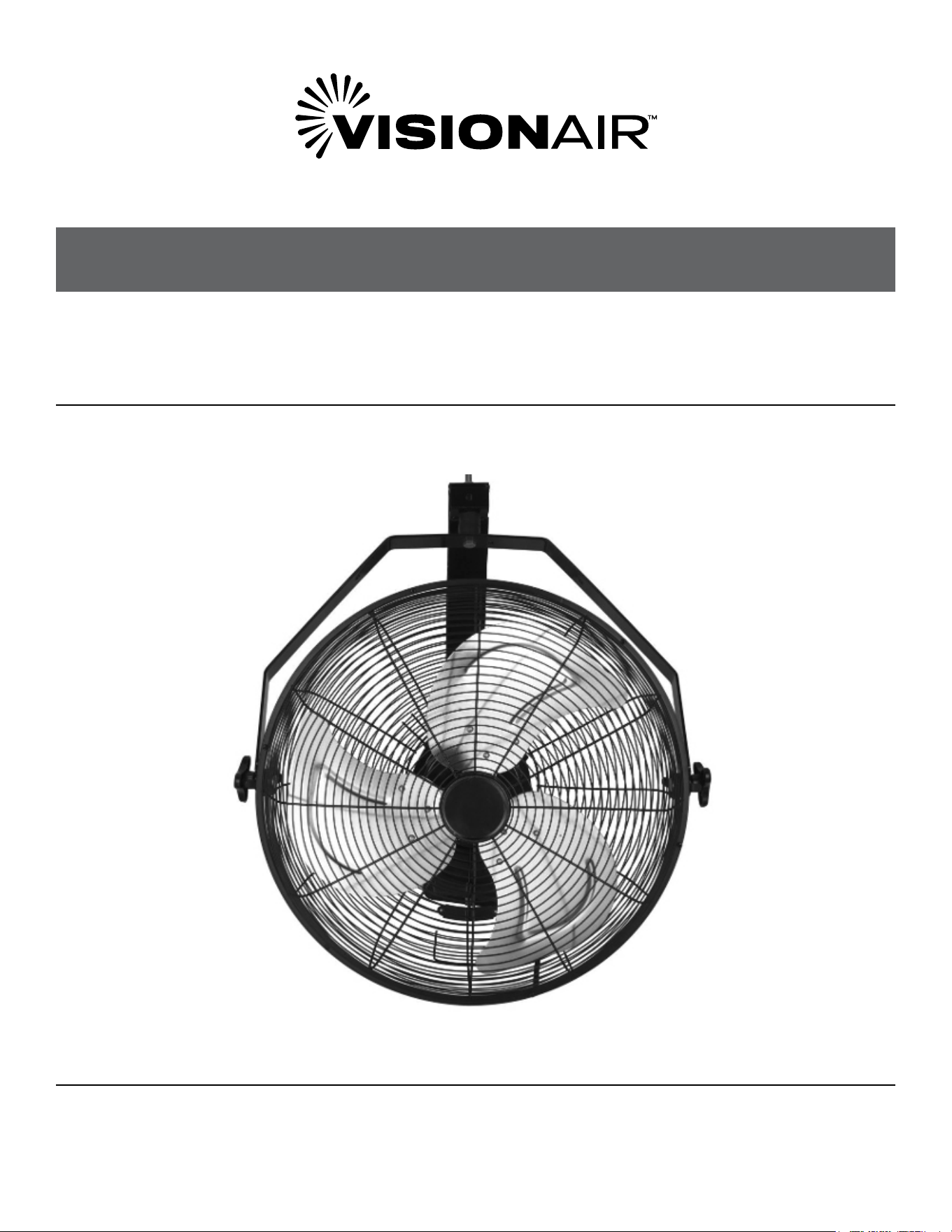
HIGH VELOCITY WALL MOUNT FAN
WITH ENCLOSED MOTOR
MODEL: 2VAFWLHV18, 2VAFWLHV20
OWNER’S MANUAL
2
SAFETY & PRECAUTIONS
CONTINUEDCONTINUED
PRODUCT SPECIFICATIONS
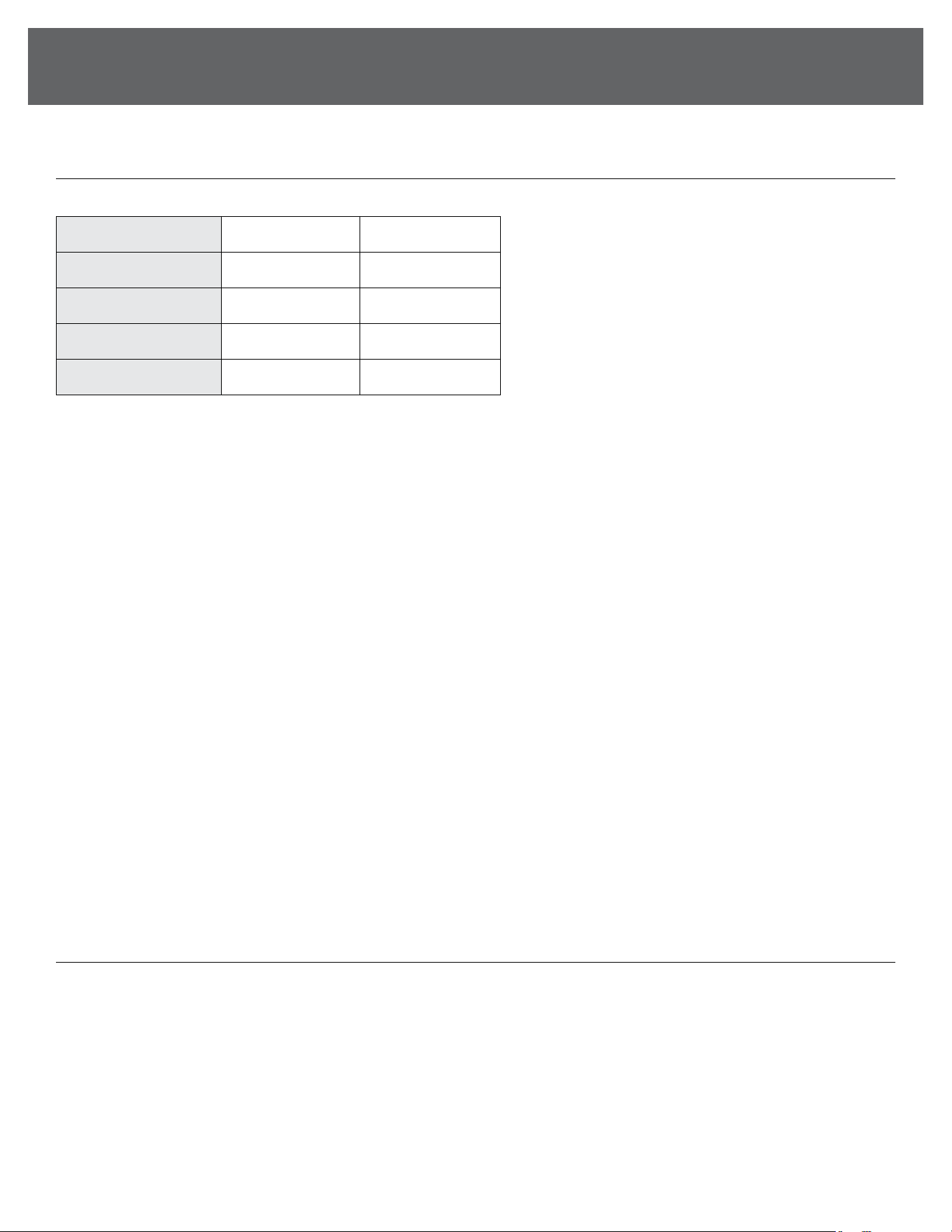
Model No. 2VAFWLHV18 2VAFWLHV20
Rated Voltage 120 120
Rated Power 110 120
Fan Speeds LOW/MED/HIGH LOW/MED/HIGH
Fan Blade Diameter 18 inch 20 inch
CONSUMER PRODUCT INFORMATION
For your own records, please attach a copy of your sales receipt to this manual. Also, write the store name/location and date
purchased below:
Store Name: _____________________________________________________________________________________________________
Location: ________________________________________________________________________________________________________
Date Purchased: _________________________________________________________________________________________________

3
CONTENTS
IMPORTANT NOTE:
Please read and save these instructions. Read through this owner’s manual carefully before using this
product. Protect yourself and others by observing all safety information, warnings, and cautions. Failure to
comply with instructions could result in personal injury and/or damage to property. Illustrations in this manual
are for explanatory purposes only, your actual product may look slightly dierent. SAVE THIS MANUAL FOR
FUTURE REFERENCE.
Important Instructions .............................................................................................................................................................4
Product Diagram ......................................................................................................................................................................4
Assembly Instructions .............................................................................................................................................................. 5
Operation Instructions .............................................................................................................................................................5
Storage and Maintenance ........................................................................................................................................................5
Troubleshooting .......................................................................................................................................................................6
4
SAFETY & PRECAUTIONS
CONTINUEDCONTINUED
A
B
C
INSTRUCTIONS
IMPORTANT INSTRUCTIONS
PLEASE READ CAREFULLY- ALWAYS MAINTAIN SAFETY
WHEN WORKING WITH ANY APPLIANCE
1. Check that the power supply voltage corresponds with
the rating of the appliance before operating.
2. To protect against electric shock. Do not immerse cords
plugs or appliances in water or any other liquid.
3. Do not leave any appliance unattended while it is
operating.
4. Close supervision is necessary when any appliance is
used by or near children or inrm persons.
5. Unplug from the outlet when not in use or before
cleaning. Allow cooling before taking o any parts.
6. Do not operate the appliance with damaged power cords
or plugs, and do not use a damaged appliance. If the
power cord or appliance is damaged, it must be replaced
by the manufacturer, service agent, or similarly qualied
professional to avoid a hazard.
7. The use of accessory attachments not recommended by
the appliance manufacturer may cause injuries.
8. Do not use outdoors.
9. Do not let the cord hang over the edge of a table or
counter or let it come into contact with any hot surfaces
10. To disconnect-remove the plug from the outlet. Do not
pull the plug out by the cord.
11. Do not use this product for anything other than its
intended use. This appliance is for household use only.
12. No liability can be accepted for any damage caused by
non-compliance with these instructions or any other
improper use or mishandling.
13. Do not use the appliance without the protective grills.
14. Do not attempt to force the grill to make the fan turn
or stop.
15. Never put objects into the grills when the appliance is
connected to the mains.
16. It is not advisable to expose people, especially babies or
older people, to a continuous cold air stream for a long
time.
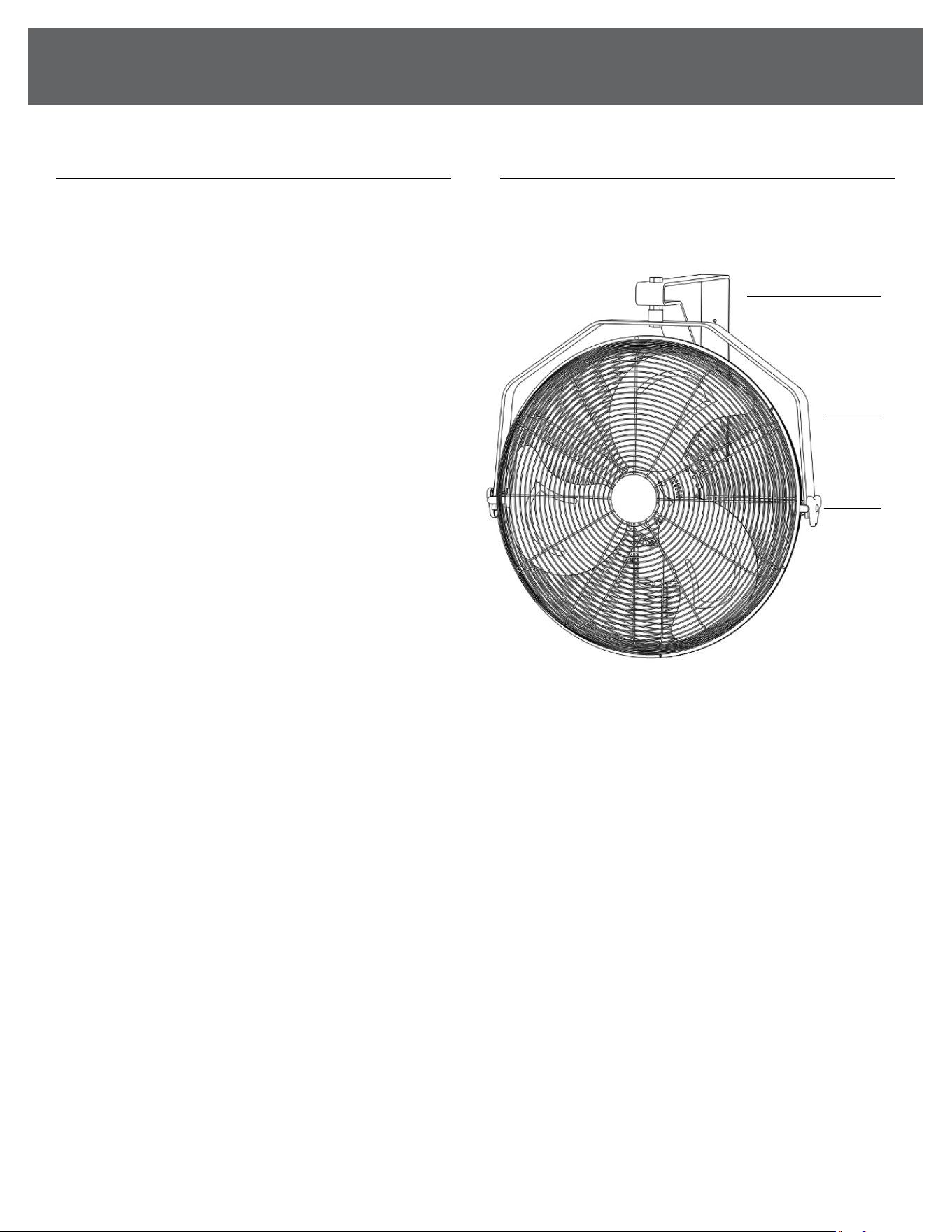
PRODUCT DIAGRAM
A. Mounting Bracket
B. Fan Body
C. Switch
1. Fan Body x 1
2. Screws x 3
3. Mounting Bracket x 1
5
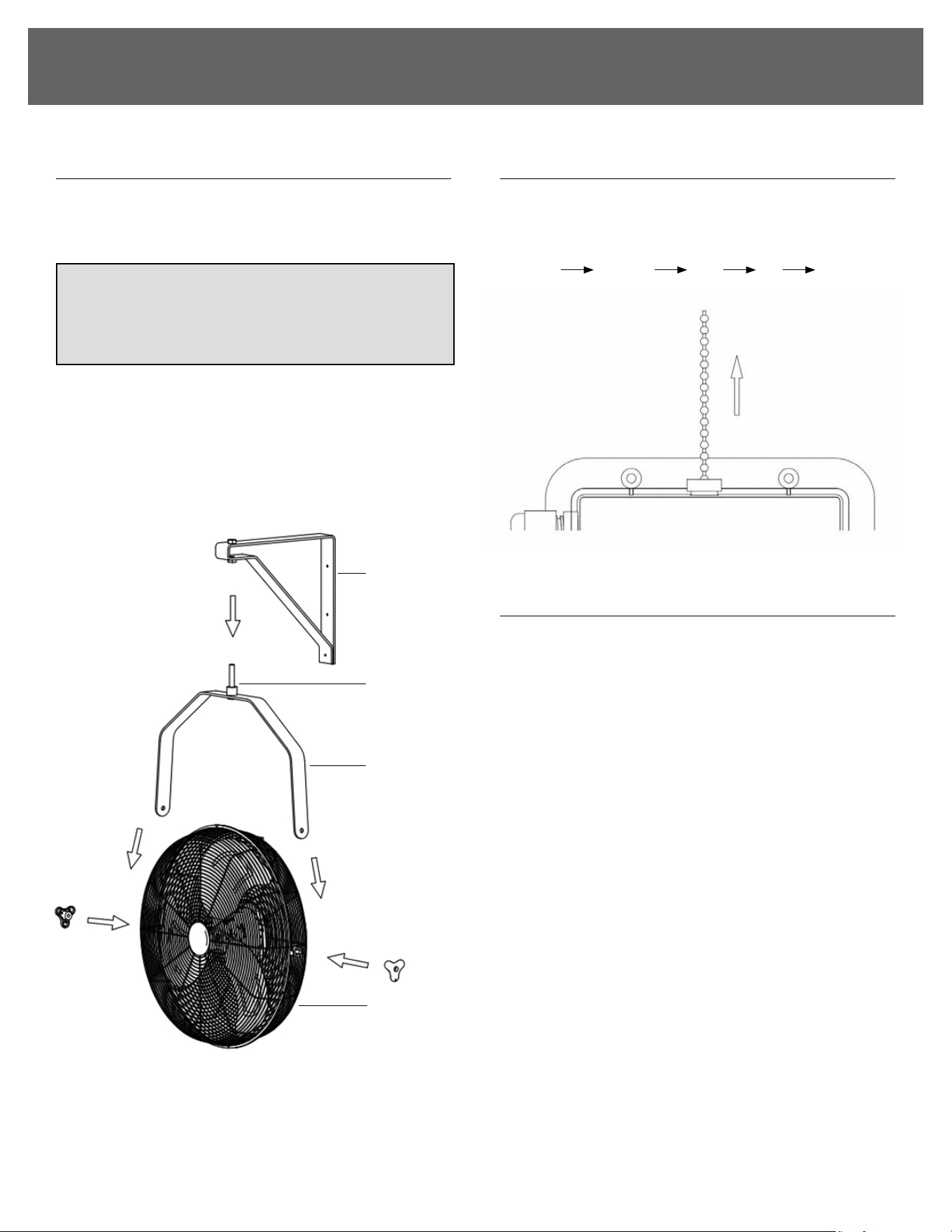
ASSEMBLY INSTRUCTIONS
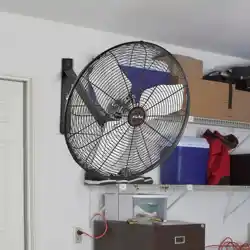
1. Securely attach the mounting bracket to a wall or ceiling
using the correct orientation as pictured. Only mount the
fan to a surface that can support its weight.
2. Slide the bolt located at the top of the yoke through the
appropriate holes in the mounting bracket for the desired
mounting orientation.
3. Place the at washer over the end of the bolt. Then thread
the nut onto the bolt and tighten rmly.
4. If desired, attach the inline controller to a wall using the
mounting hardware provided.
OPERATION INSTRUCTIONS
1. Plug the power cord into 120V the volt AC wall outlet.
2. You can pull the speed switch to turn on or o the fan and
select to dierent speeds.
(Low
Medium High O Low...)
STORAGE & MAINTENANCE GUIDELINES
1. Tun the control OFF and unplug the fan before cleaning.
2. Use only a soft damp cloth to clean the fan.
3. Do not place the fan in water and never allow water to drip
into the Motor Housing.
4. Do not use gasoline, paint thinner or other chemicals to
clean the fan.
5. To clean the fan blade, remove the front grill and wipe the
blade and grills.
6. Store the fan in its original box or cover the fan to protect
it from dust.
7. Store it in a cool and dry place.
ASSEMBLY & OPERATION
SPEED
MOUNTING
BRACKET
BOLT
YOKE
FAN BODY
NOTE: The included heavy-duty screws are intended
to mount the inline controller component only. Do NOT
attempt to mount the main unit with these screws. Only use
hardware appropriate for the chosen mounting surface.
6
SAFETY & PRECAUTIONS
CONTINUEDCONTINUED
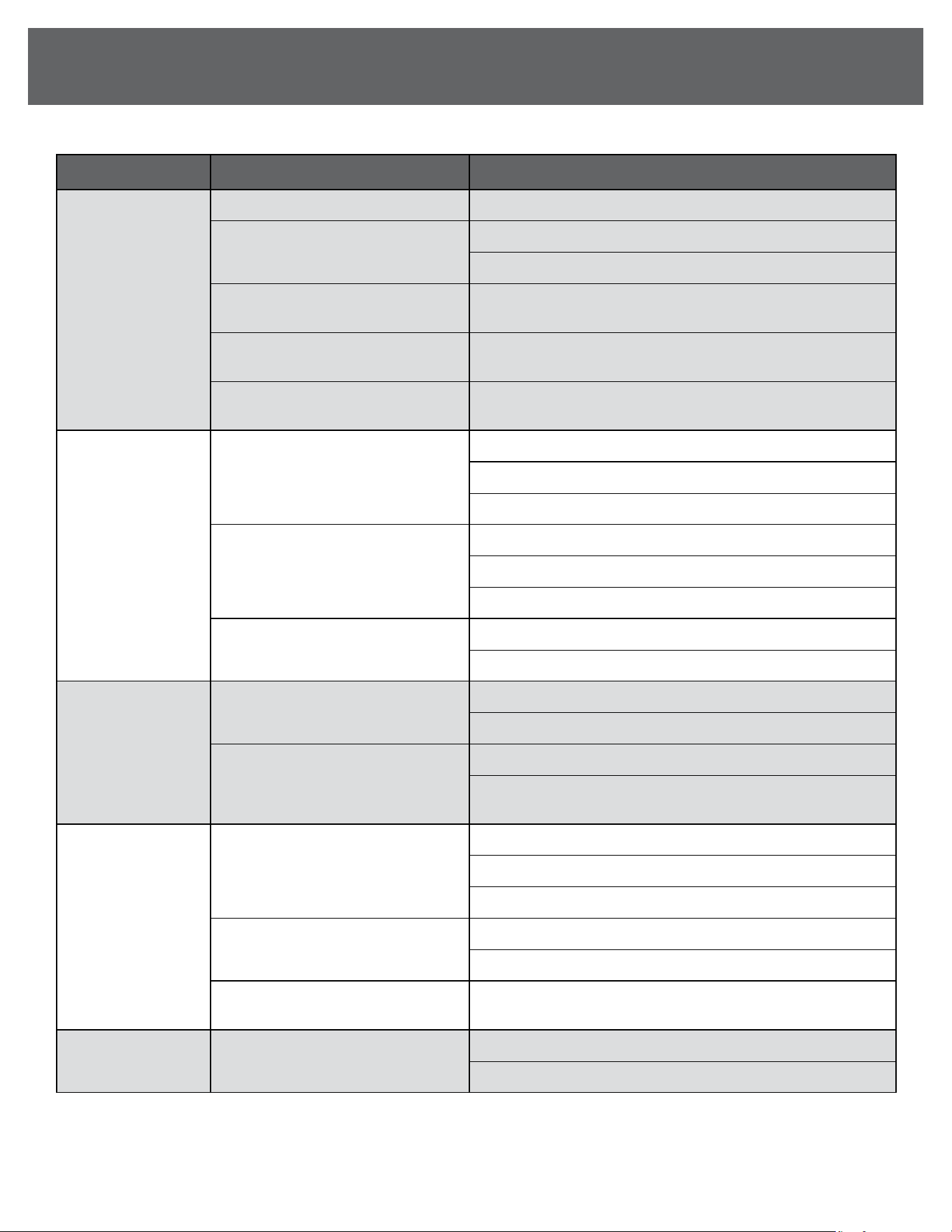
TROUBLESHOOTING
ISSUE POSSIBLE CAUSE RECOMMENDED SOLUTION
Fan not turning on
Power cord not plugged in securely Ensure the power cord is fully inserted into a working outlet.
Circuit breaker has tripped or
fuse blown
1. Check your circuit breaker panel for a tripped breaker.
2. Reset the breaker, or replace the fuse if blown.
Fan switch not in the “On” position
Turn the fan speed control switch to the “On” position or
desired speed.
Faulty power outlet
Test the outlet with another device (e.g., a lamp) to ensure it’s
functioning. If the outlet is faulty, use another outlet.
Motor issue
If the fan doesn’t turn on after checking the power supply,
unplug the fan and contact customer service.
Unusual noise
during operation
Loose screws or parts
1. Turn o and unplug the fan.
2. Inspect all screws on the housing and blades.
3. Tighten any loose screws using a screwdriver.
Fan blades are unbalanced
1. Turn o and unplug the fan.
2. Inspect each blade for bends or damage.
3. Remove any objects or debris obstructing the blades.
Fan placed on an uneven surface
1. Ensure the fan is placed on a stable, level surface.
2. If necessary, move the fan to a dierent location.
Fan vibrating
excessively
Fan placed on an uneven surface
1. Ensure the fan is placed on a stable, level surface.
2. If necessary, move the fan to a dierent location.
Loose fan blade
1. Turn o and unplug the fan.
2. Check if the fan blades are securely attached and tighten
any loose screws.
Fan overheating
Dust or debris buildup in motor vents
1. Turn o and unplug the fan.
2. Clean the motor vents using a soft brush to remove dust.
3. Wipe down the fan blades and housing with a dry cloth.
Prolonged use in a poorly ventilated
space
1. Turn o the fan and allow it to cool down.
2. Ensure it is operating in a well-ventilated area.
Electrical issue
If the fan continues to overheat, unplug it and contact
customer service for further assistance.
Reduced airow Dirty or obstructed fan blades
1. Turn o and unplug the fan.
2. Clean the blades with a soft, dry cloth to remove dirt or debris.

7

833-950-1185 | support@visionairproducts.com | www.visionairproducts.com
4560 West 160th Street
Cleveland, OH 44135
Printed in China | 1024_M095