
6-WAY INTEGRATED SWITCH PANEL
LIST OF PRODUCT A
LIST OF PRODUCT B
Control box
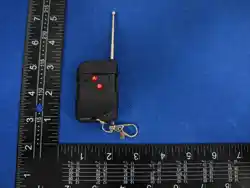
Remote control switch
Stickers
The positive and negative cables of the battery
TYPE-C charging cable
Signal antenna
Screw
Magnetic suction sheet
Control box
Remote control switch
Stickers
The positive and negative cables of the battery
TYPE-C charging cable
Signal antenna
Screw
Magnetic suction sheet
Control box
Remote control switch
Stickers
The positive and negative cables of the battery
TYPE-C charging cable
Signal antenna
Screw
Magnetic suction sheet
LIST OF PRODUCT C
Accessories Quantity Accessories Quantity Accessories Quantity
Accessories Quantity Accessories Quantity Accessories Quantity
Accessories Quantity Accessories Quantity Accessories Quantity
1
1
1
2
1
4
1
1
1
1
1
2
1
4
1
1
1
1
1
2
1
4
1
1
Attach the magnetic sheet
to the car surface
Tear off the double-sided
adhesive film of the magnetic sheet
Attach the switch to
the magnetic plate
Tighten the positive and negative
poles to their corresponding positions
Insert the positive and negative
poles into the corresponding holes
Connect the positive and negative
poles of the battery
(Red line connected to positive pole;
black line connected to negative pole)
Double sided adhesive film torn offThe white line connects to the
original car's insurance
(Electricity only comes after starting the car)
Paste onto a fixed position
Installation steps for switches:
1 2 3
Installation steps for control box:
1 2 3
4 5 6
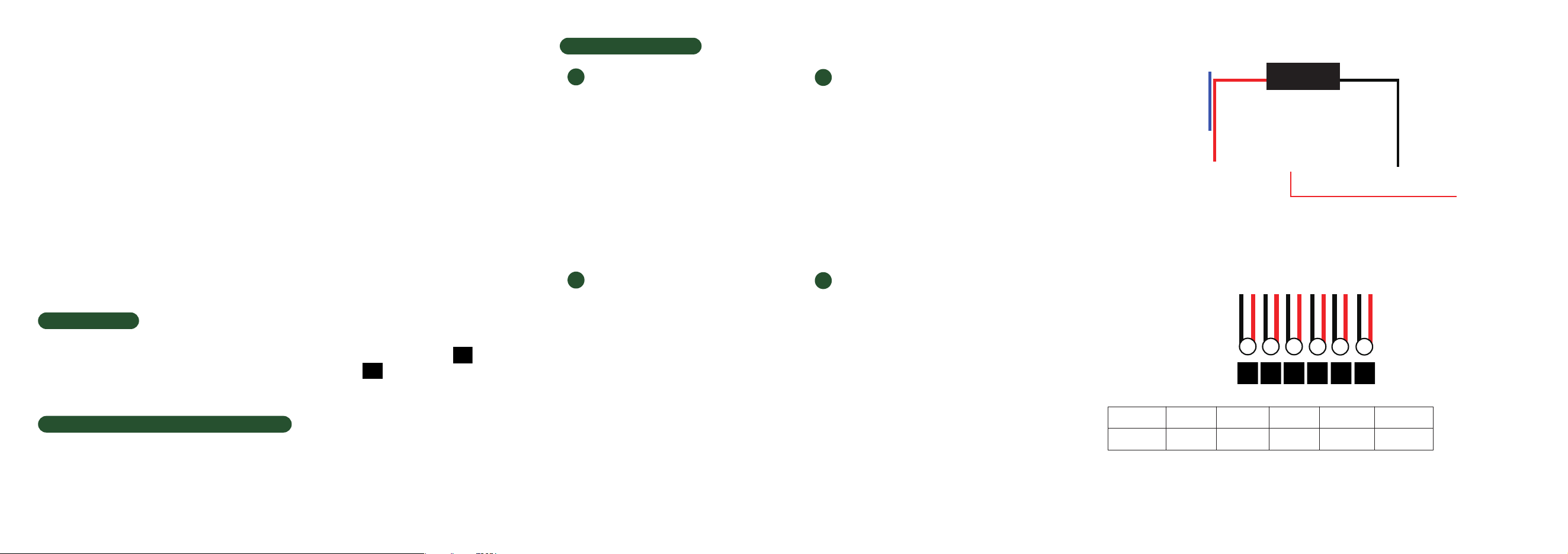
WIRING DIAGRAM:
6-channel fuse box:
Specification:
Input Voltage:12V/24V DC
Maximum current: 60A/12V, 80A/24V
It is suggested not to use all 6 channels at full load power simultaneously
Total wattage: 12V 720W/24V 1920W
Operating temperature:-40℃~+85℃
circuit1
30A 30A 20A 15A 10A 10A
circuit2 circuit3 circuit4 circuit5 circuit6
1. Do not cover the switch panel with any metal products.
2. Do not disassemble the product without professional instructions.
3. The signal receiver should not be placed near metal parts of the vehicle.
Please ensure there is some distance between them.
4. Please keep this product away from the water.
5. Please operate this product under the available voltage.
6. Please operate this product under the available current draw.
7. Do not operate this product in the excessively humid environments as
the humid air might be affected to the long distanced usage.
8. Please keep this product away from the high voltage and welding environments.
9. In environments with a high presence of 2.4G signals, individual operations may
occasionally fail. If this occurs, please try pressing the button several times repeatedly.
10.The tested receiving distance of remote control is 50 meters under unscreened
condition. The practical receiving distance might be decreased due to the actual
environment condition.The actual item received shall prevail.
Coding method
1. Connect the controller to the battery and power it on
2. Press the code matching button inside the controller, and the green indicator light will turn on
3. Press the power wake-up button on the remote control within 5 seconds
4. Press any switch button again, the indicator light will turn green, and the coding is complete.
Remote control indicator light description
1. Indicator light status on the remote control: No indicator light on: It is in shutdown sleep mode
2. Red light: The current corresponding controller output is in the off state
3. Green light: The current corresponding controller output is in the on state
WARNINGS
+
ACC
storage battery
_
1
2
3
4
5 6
Code matching button
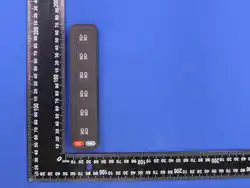
Directly controllable switch
Press once to turn off all devices
Press the wake-up switch once
One click turn off all lights
SimJet Soft
Press it and it will flash
In the case where the indicator light turns red after being awakened,
it will automatically shut down after 15 minutes.
Function Introduction:
3
4
1
2

NOTE: This equipment has been tested and found to comply with the limits for
a Class B digital device, pursuant to part 15 of the FCC Rules. These limits are
designed to provide reasonable protection against harmful interference in a
residential installation. This equipment generates, uses and can radiate radio
frequency energy and, if not installed and used in accordance with the
instructions, may cause harmful interference to radio communications.
However, there is no guarantee that interference will not occur in a particular
installation. If this equipment does cause harmful interference to radio or
television reception, which can be determined by turning the equipment off and
on, the user is encouraged to try to correct the interference by one or more of
the following measures:
- Reorient or relocate the receiving antenna.
- Increase the separation between the equipment and receiver.
-Connect the equipment into an outlet on a circuit different from that to which
the receiver is connected.
-Consult the dealer or an experienced radio/TV technician for help.
Changes or modifications not expressly approved by the party responsible for
compliance could void the user's authority to operate the equipment.
This device complies with Part 15 of the FCC Rules. Operation is subject to the
following two conditions:
(1) this device may not cause harmful interference, and (2) this device must
accept any interference received, including interference that may cause
undesired operation.
FCC RF Exposure Warning Statement:
This equipment complies with FCC radiation exposure limits set forth for an
uncontrolled environment. This equipment can be used in portable exposure
conditions.