
LC03v VFD Manual
Features
1. Contrary to past solutions, where proprietary hardware and software are required to display
system information outside the computer monitor, SilverStone's new VFD module utilizes widely
available software on the internet to deliver highly customizable system information display.
2. VFD (Vacuum Fluorescent Display) is a self-illuminating display that is superior to the
traditional LCD in brightness, viewing angle, and clarity. The color of the display can also be
changed easily by using different colored window panel in front of the VFD.
3. VFD has low power consumption and long life. Its reliability is great for continuous 24 hour
running of crucial system information.
4. SilverStone's VFD module uses parallel port connector, which supports the majority of
motherboards currently available on the market.
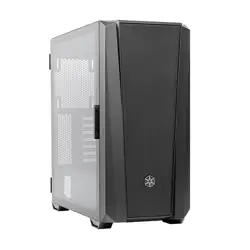
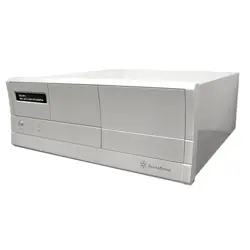
5. The LC03v, with SilverStone's VFD module, is a high quality chasis that can be elegantly
integrated into any type of application and environment.
VFD Hardware Installation & Setup
1. Make sure your computer is turned off.
2. Connect the data cable to the back of your system's available Parallel (LPT or printer) port.
3. Connect the 4 pin connector from the data cable to your power supply.
4. Turn on your computer and enter the BIOS menu (please refer to your motherboard manual).
In the menu screen make sure to change the Parallel (LPT) port setting to EPP only.
Software Download and Installation (Windows 95/98/ME/NT/2K/XP & internet connection required)
1. Download driver file port95nt.exe
from:
http://lcdsmartie.sourceforge.net

2. Install the downloaded port driver software and restart your computer
3. Download the latest version of LCD Smartie (for example, smartie52.zip) from:
http://lcdsmartie.sourceforge.net
4. Unzip the downloaded file
5. Open the extracted folder and click on Smartie.exe file to open LCD Smartie status screen
6. Click on “Setup” on the status screen to open the setup menu
7. Please adjust the following values:
Scroll interval = 300
LCD Size = 2 x 16
LCD Settings = Parallel (HD44780)
8. You can now start programming your VFD
LCD Smartie Features
1. Sysinfo - Displays information such as CPU model/speed/utilization, memory
capacity/usage/utilization, hard drive capacity, etc...
2. Winamp - When used in conjunction with Winamp software MP3 player, displays song title,
play time, song number, and equalization information.
3. Network Stats - Displays network activity, download/upload speed, and other network
information.
For additional information or instruction on how to operate LCD Smartie, please visit LCD Smartie's
homepage at:
http://lcdsmartie.sourceforge.net