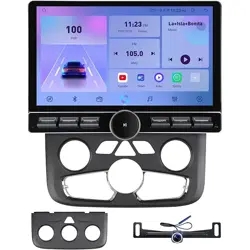
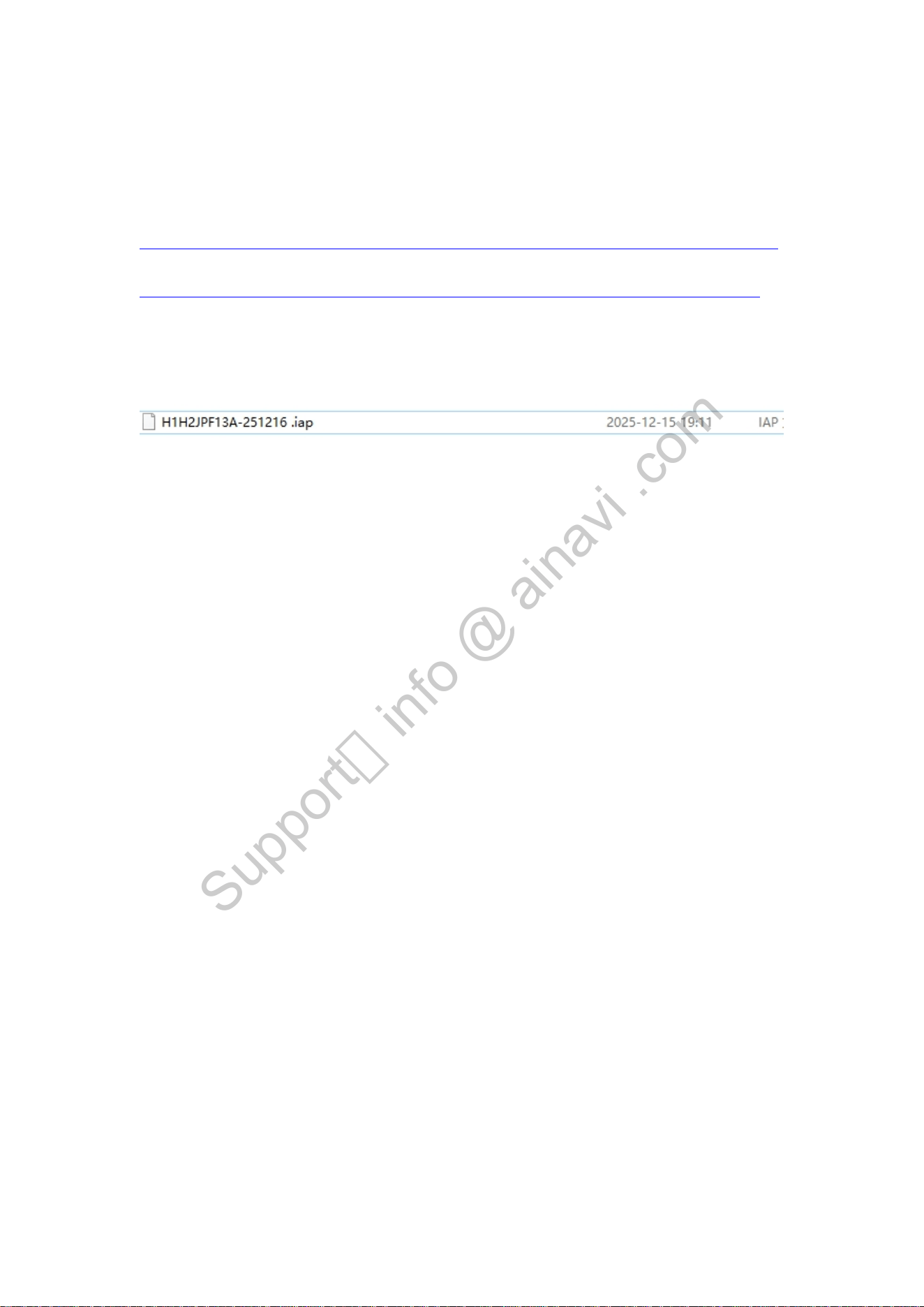
Up date the CAN bus to solve the AC panel not going away issue
Video Manual:
https://drive.google.com/file/d/1xYiNQVfIVjkgJWfVgGJ7MMGqxSqcmgmg/view?usp=drive_link
Step 1: Download the firmware file:
https://drive.google.com/file/d/1_qVe687EBhw5B8HwIwrT3v-IRw_PLyN-/view?usp=drive_link
Copy the upgrade software (IAP file) of the corresponding protocol box to the root directory of
the USB flash drive, plug the USB flash drive into the USB port of the navigation host, and confirm
that the host has recognized the USB flash drive. Ensure the USB flash drive is formatted in FAT32
and its storage capacity does not exceed 64GB.
Step 2:
Note: Please ensure the network connection is stable before configuring protocol settings;
otherwise, the settings will not take effect. Click Settings > Network > WiFi Connected to
establish a network connection.
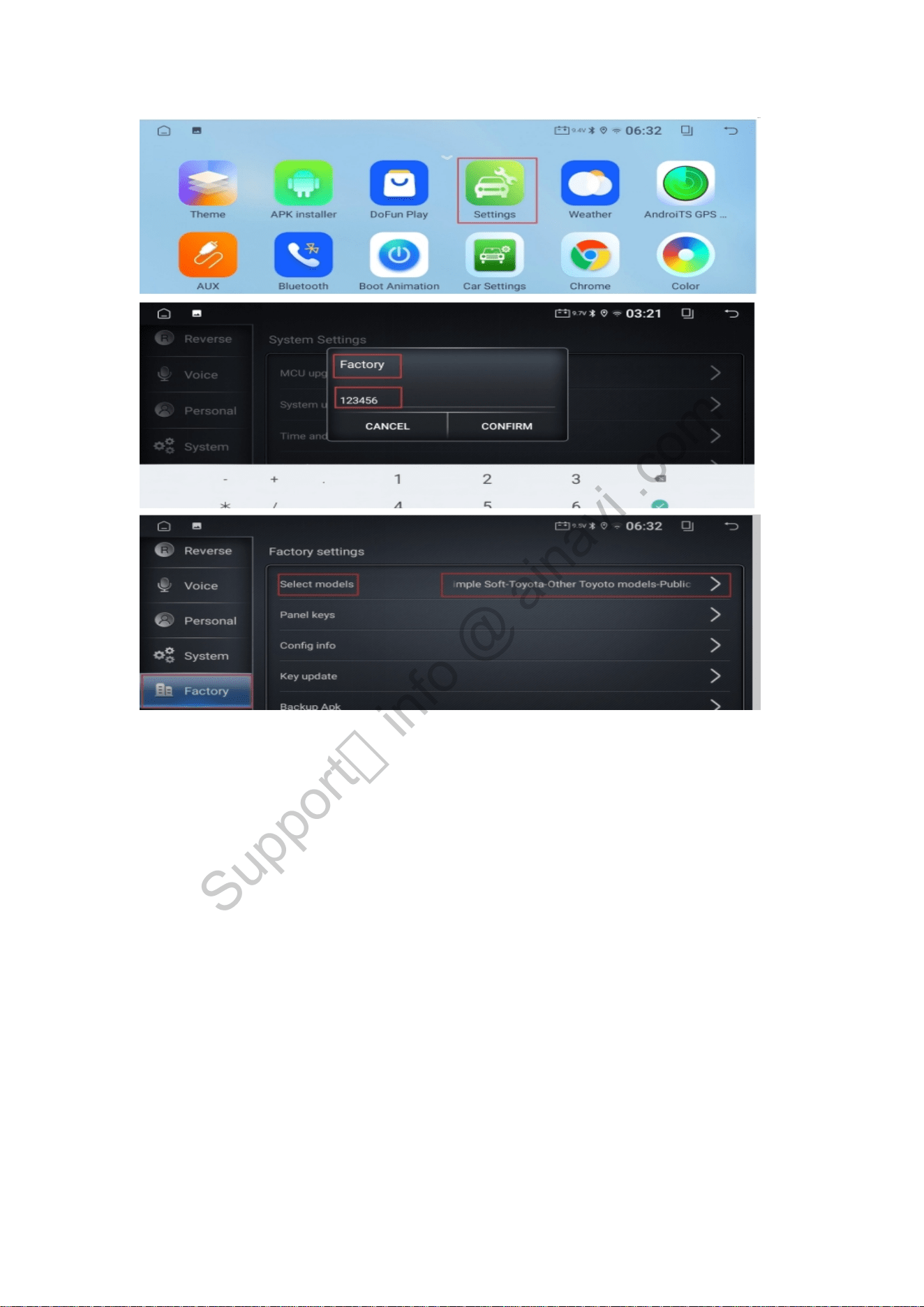
please click “ Settings ” -- “ Factory ” (password:123456)--- “ Selcet models ”
Support:info @ ainavi .com
Step 3:
Select "General" — tap "OK" — the unit will restart automatically.
Support:info @ ainavi .com
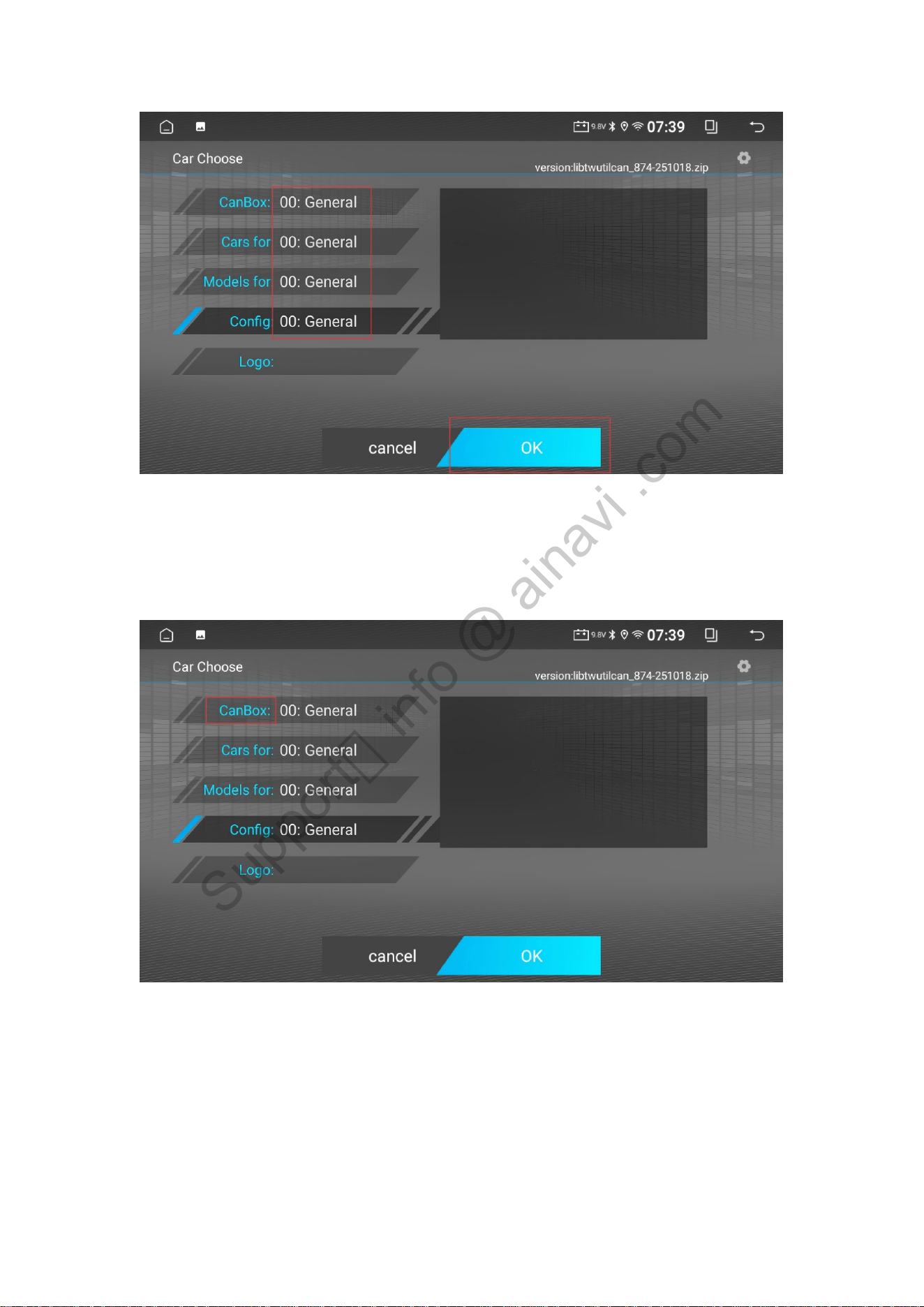
Step4: then either long-press the "CanBox" option or tap it consecutively 6 times to bring up a
new interface. The unit will enter the protocol box upgrade interface, as shown in the figure
below.
Support:info @ ainavi .com
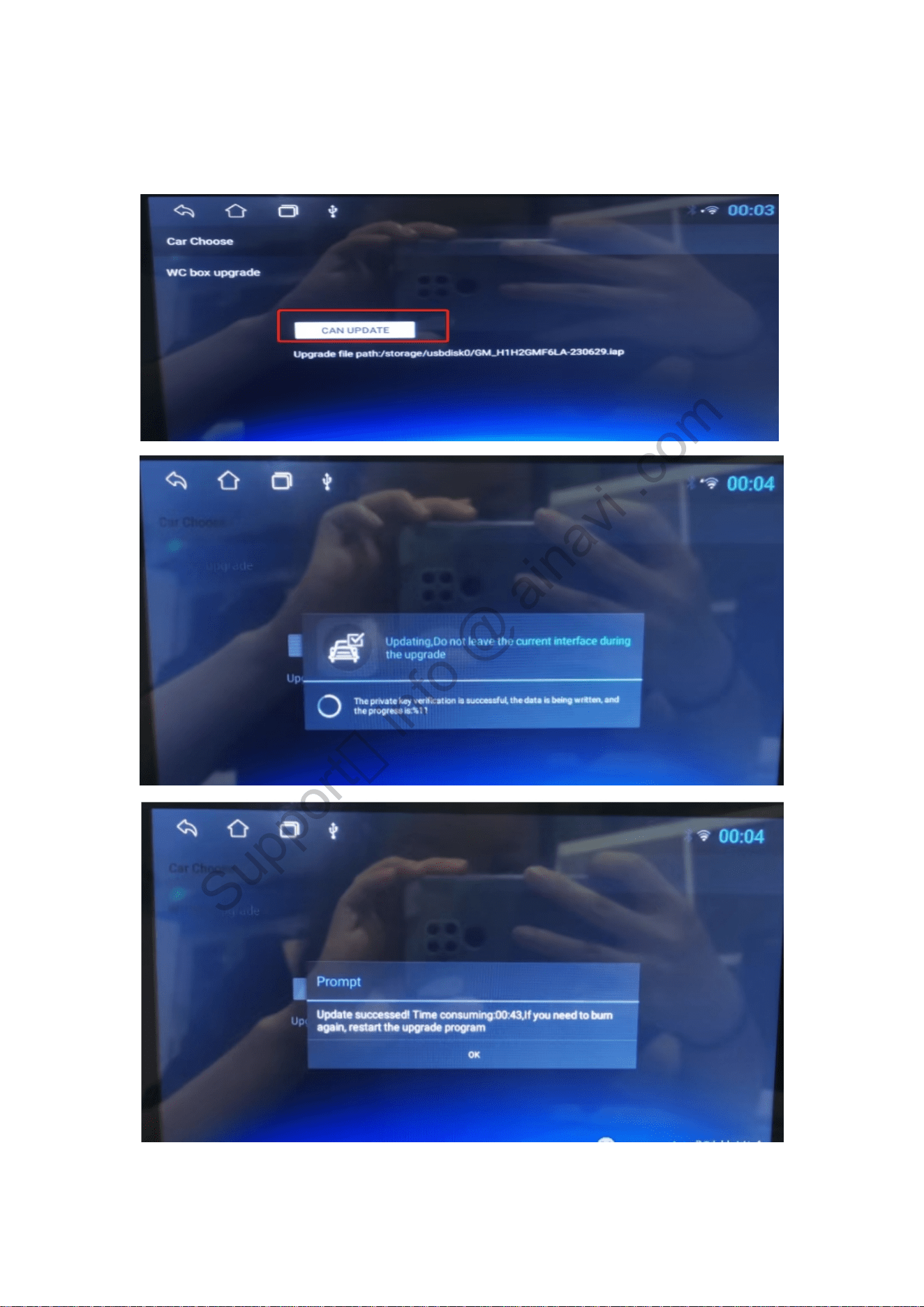
Step5: Click "CAN Update" on the upgrade interface, and the upgrade progress bar will pop up.
After the progress bar is completed and automatically restarted, the upgrade of the protocol box
is completed.
Support:info @ ainavi .com
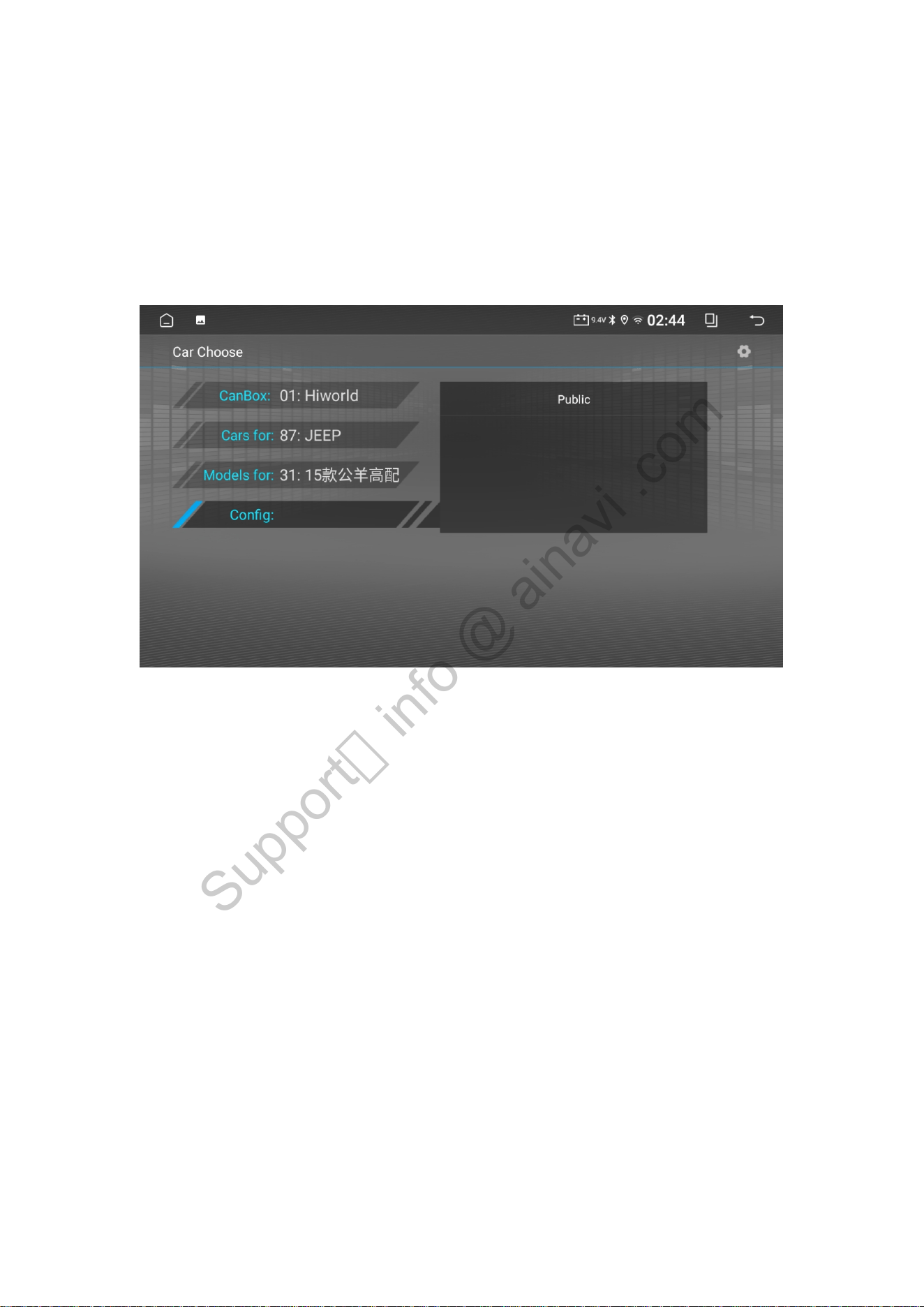
Step6:
After the update is complete, reconfigure the correct vehicle model.
please click “ Settings ” -- “ Factory ” (password:123456)--- “ Selcet models ” ---
“CanBox:01: Hiworld ”---“Cars for:87: JEEP”---“Models for:31:15 ram high”---
“Config:Public”
Support:info @ ainavi .com