SwipeSense, Inc.
1355 Peachtree St NE
Suite 700
Atlanta, GA 30309
(404) 975-1686
Location Hub Model: 522.0
Page 1 of 6
Location Hub
User Manual

SwipeSense, Inc.
1355 Peachtree St NE
Suite 700
Atlanta, GA 30309
(404) 975-1686
Location Hub Model: 522.0
Page 2 of 6
Safety and Regulatory Information
This device complies with part 15 of the FCC Rules. Operation is subject to the following two conditions.
(1) this device may not cause harmful interference, and (2) this device must accept any interference
received, including interference that may cause undesired operation.
Warning: Changes or modifications not expressly approved by the party responsible for compliance
could void the user’s authority to operate the equipment
This equipment has been tested and found to comply with the limits for a Class B digital device, pursuant
to part 15 of the FCC Rules. These limits are designed to provide reasonable protection against harmful
interference in a residential installation. This equipment generates, uses and can radiate radio frequency
energy and, if not installed and used in accordance with the instructions, may cause harmful interference
to radio communications. However, there is no guarantee that interference will not occur in a particular
installation. If this equipment does cause harmful interference to radio or television reception, which can
be determined by turning the equipment off and on, the user is encouraged to try to correct the
interference by one or more of the following measures:
• Reorient or relocate the receiving antenna.
• Increase the separation between the equipment and receiver.
• Connect the equipment into an outlet on a circuit different from that to which the receiver is
connected.
• Consult the dealer or an experienced radio/ TV technician for help.
RF Exposure:
This equipment complies with FCC RF Exposure requirements and should be installed and operated with
a minimum distance of 20cm between the radiator and any part of the human body.
Warnings
• This Device is for indoor use only.
• This Device is only to be installed by trained SwipeSense personnel.
• Do not open the Device as there are no user serviceable parts inside
and this product is powered at all times.
• Do not use if the case is cracked or worn.
Caution
Changes or modifications not expressly approved by the party responsible for
compliance could void the user’s authority to operate the equipment.
SwipeSense, Inc.
1355 Peachtree St NE
Suite 700
Atlanta, GA 30309
(404) 975-1686
Location Hub Model: 522.0
Page 3 of 6
System Description
The SwipeSense System combines point-of-care hand hygiene with real-time usage data to eliminate
dependency on manual observations and increase compliance with infection control procedures.
Our fully integrated system seamlessly provides real-time hand hygiene data from across the enterprise
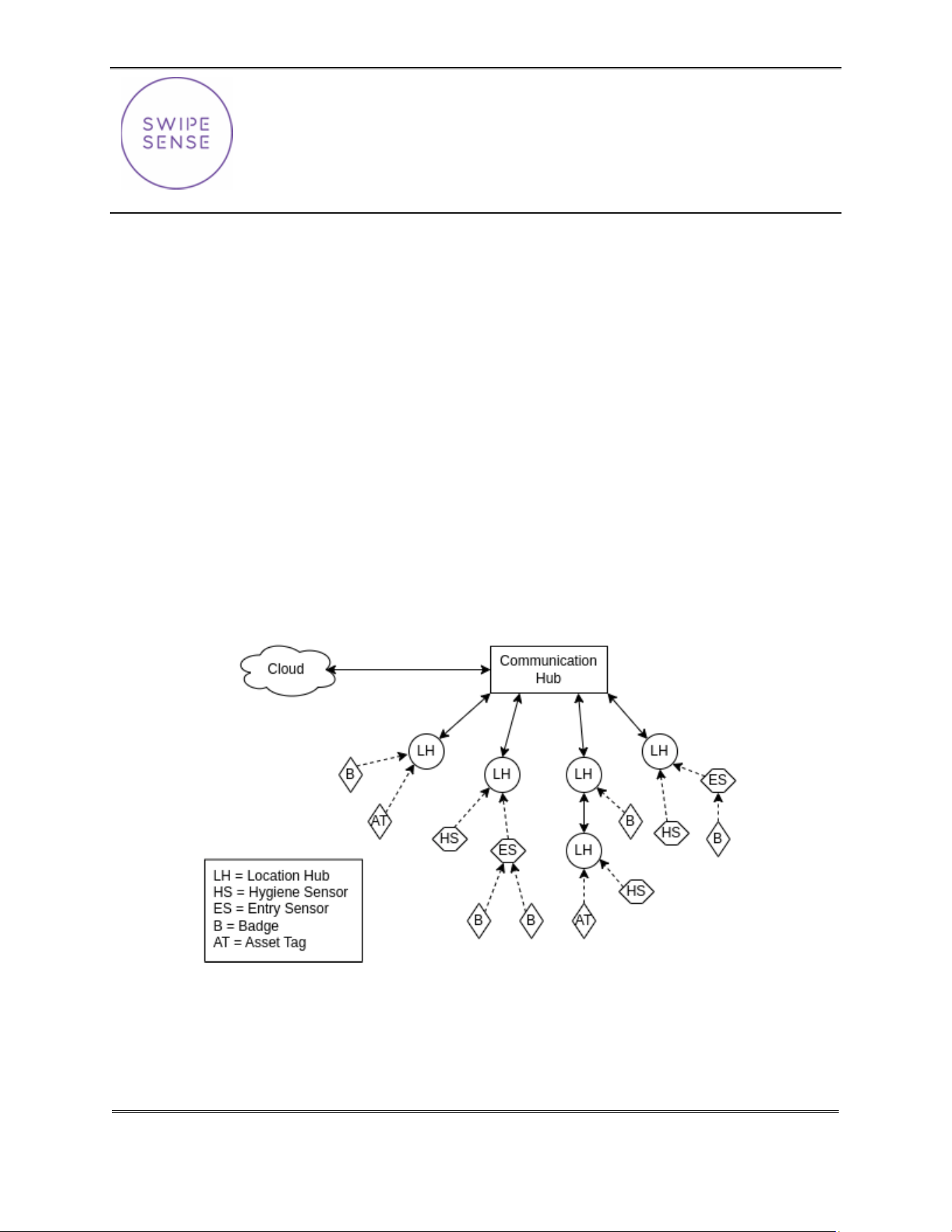
with exceptional clarity. The SwipeSense System creates a Thread network using Location Hubs that
funnel all data back to a central Comm Hub device. The system is comprised of:
• Badges worn on individual employees
• Asset tags attached to assets that should be tracked
• Hygiene sensors mounted to hygiene dispensers tracks employee hand sanitation frequency
• Entry sensors installed in door thresholds to provide real time feedback
• Location hubs monitor employee presence in patient rooms and asset locations
• Communication hub located on each unit collects the data generated within the network and
transmits to the cloud.
Once the data is uploaded to the cloud, it is accessible to all administrators.
SwipeSense, Inc.
1355 Peachtree St NE
Suite 700
Atlanta, GA 30309
(404) 975-1686
Location Hub Model: 522.0
Page 4 of 6
Product Description
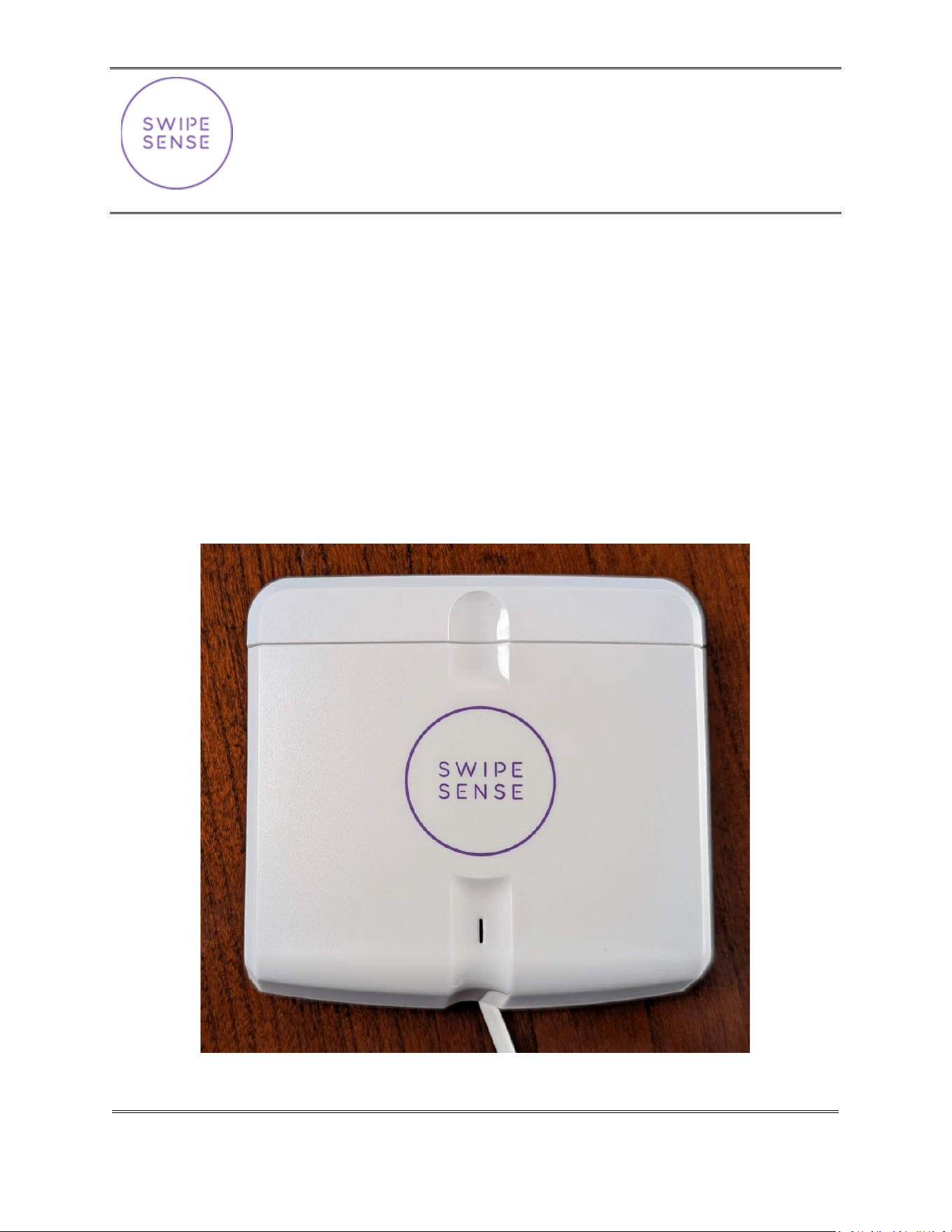
The Location Hub is a wall-mounted, powered device installed throughout patient and non-patient areas.
It detects signals transmitted by nearby Badges and measures their signal strength. These observations
are sent through the system to the Communication Hub, where they are used to determine Badge
location.
The Location Hub also functions as a powered relay node for the Thread back-haul network, helping
provide reliable communication between devices throughout the installation.
Installation
Location Hubs are installed and configured by authorized personnel. Proper operation depends on both
the placement and orientation of the device within the designated room. In patient areas, the preferred
mounting location is selected so that a healthcare provider will generally be facing the Location Hub while
interacting with the patient.
Once installed, the Location Hub should not be moved, repositioned, disconnected, or relocated by the
end user. Changes to its location may affect the accuracy and reliability of the location system.
Removal
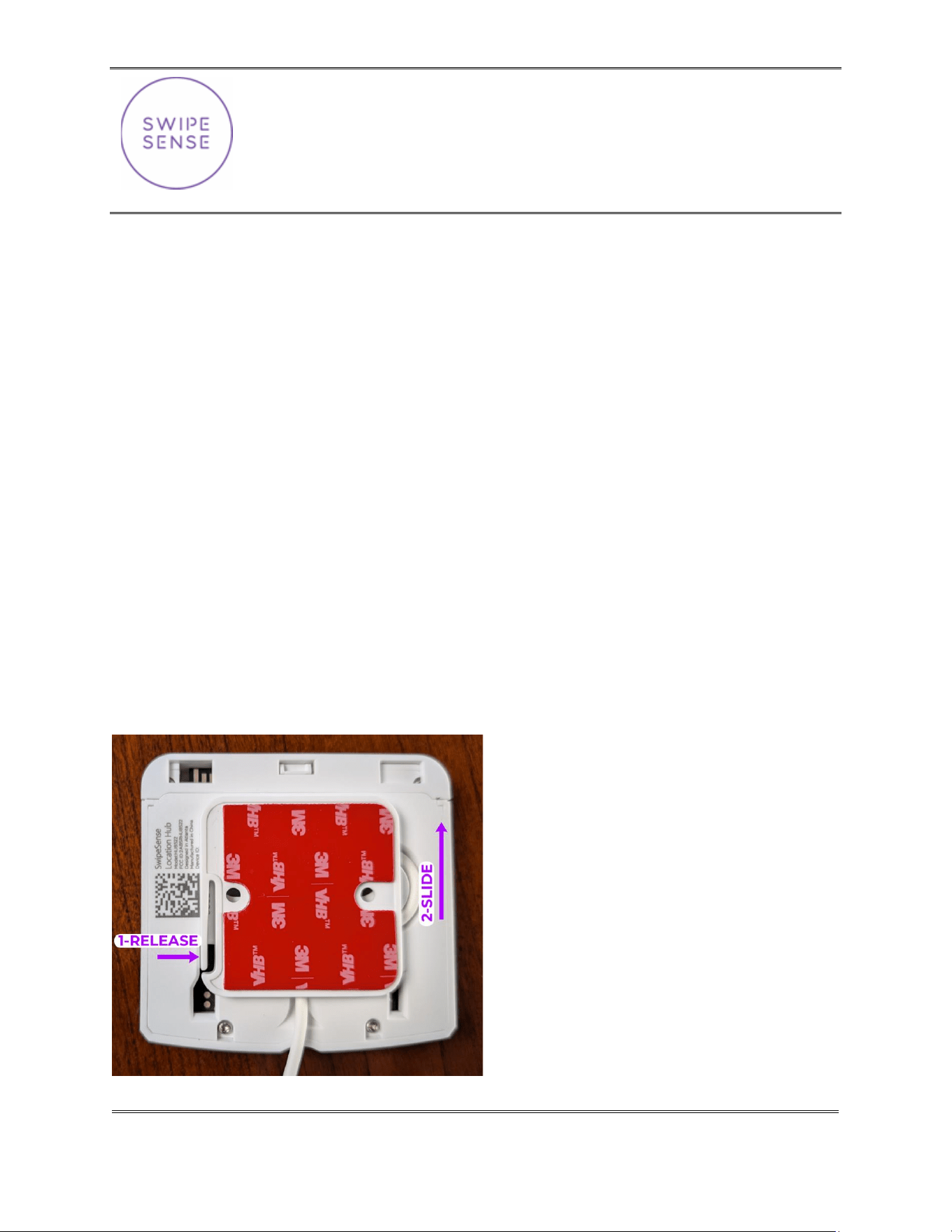
If you ever need to, they can be taken off the wall requires pressing a small release lever then sliding the
device off the baseplate. After being installed on a wall, accessing this release lever requires a thin tool
and knowledge of the lever location.
SwipeSense, Inc.
1355 Peachtree St NE
Suite 700
Atlanta, GA 30309
(404) 975-1686
Location Hub Model: 522.0
Page 5 of 6
Identity and Connections
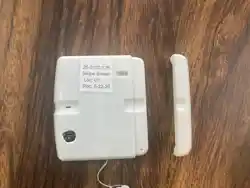
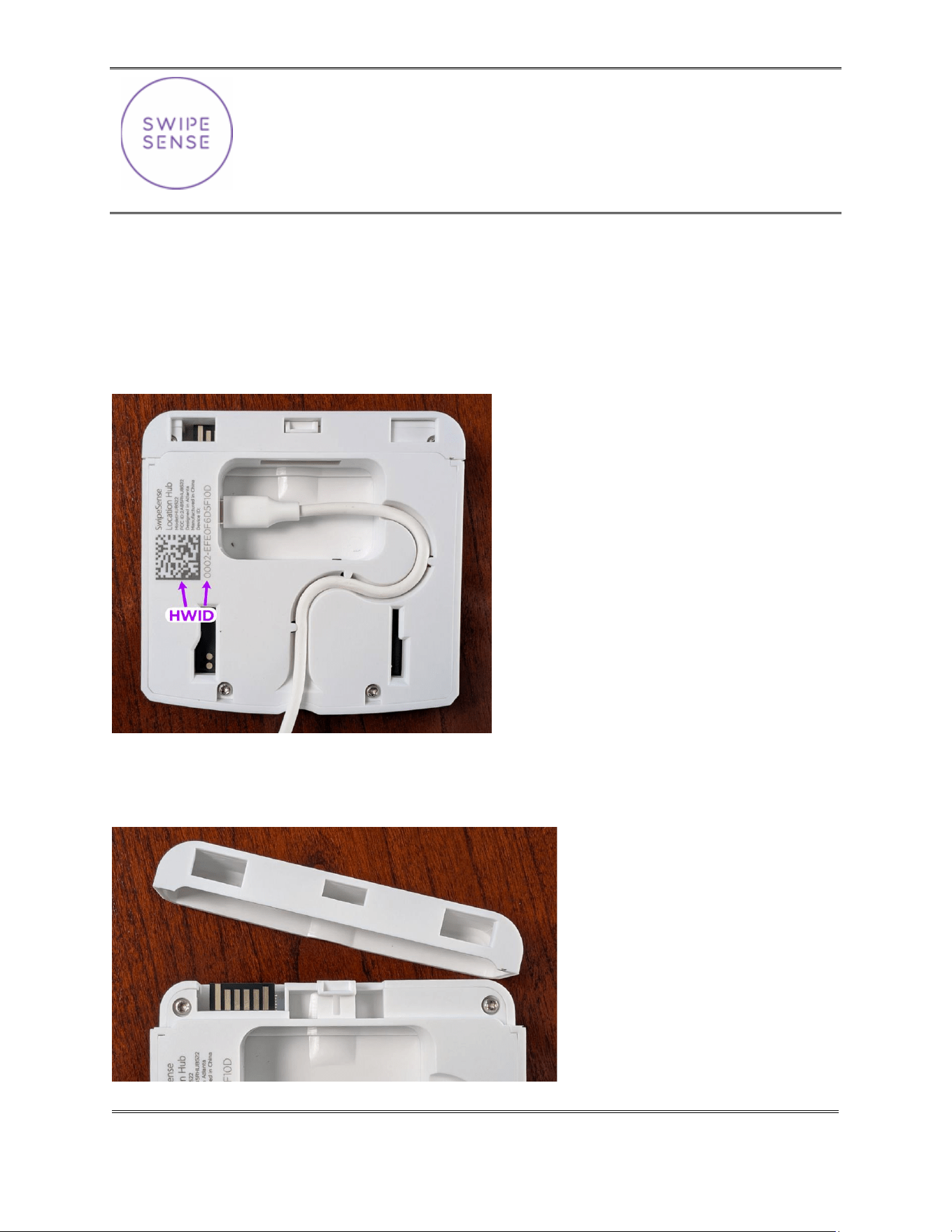
If you are required to remove a LocationHub for some reason, you will expose the hidden internal USB-C
connector. It is important that connector is fully seated and the cable is firmly pressed into the strain-
relief channel before re-installing.
The Hardware ID (“HWID”) is laser etched as both a human-readable string, and scannable data-matrix
and can be used to confirm device identity when working with a technician remotely.
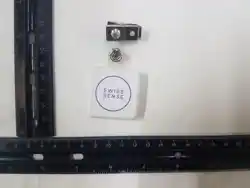
If you are particularly curious, you might have noticed there is a removable cap at the top that exposes a
12-pin edge connector. This has no functional use today, but is designed to expand the platform an add
additional hardware capabilities in the future if necessary.

SwipeSense, Inc.
1355 Peachtree St NE
Suite 700
Atlanta, GA 30309
(404) 975-1686
Location Hub Model: 522.0
Page 6 of 6
Normal Use
The Location Hub operates automatically and does not require routine interaction from the end user.
During normal operation, it should remain mounted in its installed position and continuously connected
to power.
Do not unplug or obstruct the Location Hub. If a device is accidentally disconnected, damaged, removed
from the wall, or appears to be malfunctioning, contact the appropriate support personnel rather than
attempting to repair or reconfigure it.
Power and Safety
The Location Hub is intended for continuous operation from its designated wall power source. Use only
the power equipment provided or approved for the installation.
The device contains no user-serviceable parts. Do not open, modify, or attempt to repair the Location
Hub. Installation, replacement, servicing, and configuration should only be performed by authorized
personnel.
Cleaning
If necessary, the exterior of the Location Hub may be cleaned with a soft, lightly dampened cloth. Do not
spray cleaning solution directly onto the device, allow liquid to enter any openings, or immerse the device
in water. Disconnecting or removing the device for cleaning is not required.
Service and Disposal
Location Hubs are maintained and replaced by authorized personnel. End users should not dispose of the
device themselves. When a Location Hub reaches the end of its service life, it should be removed and
disposed of in accordance with applicable local requirements for electronic equipment.