Medusa Series
1
2
3
4
5
6
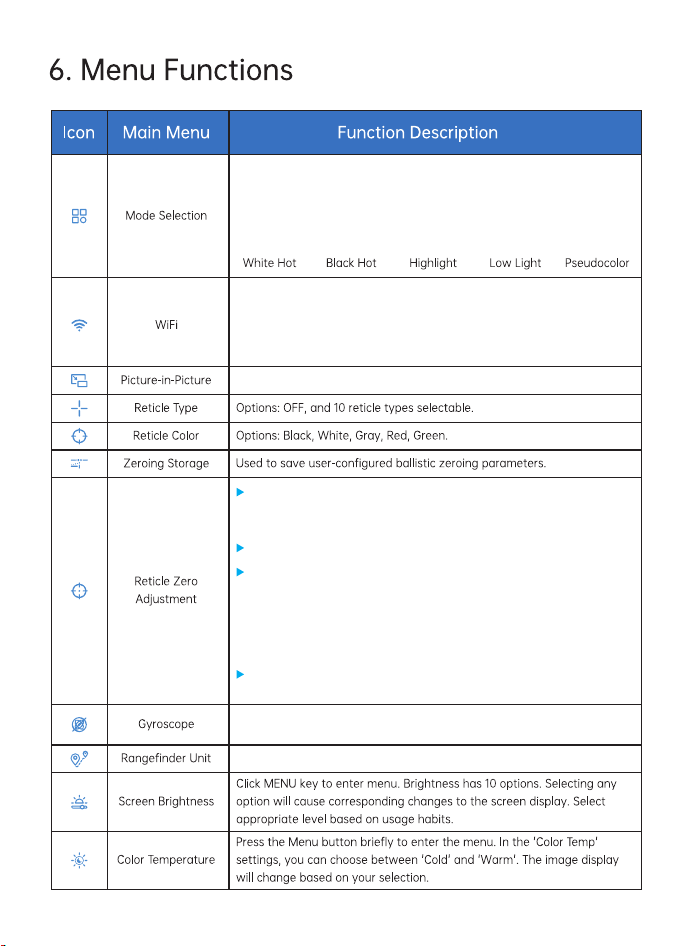
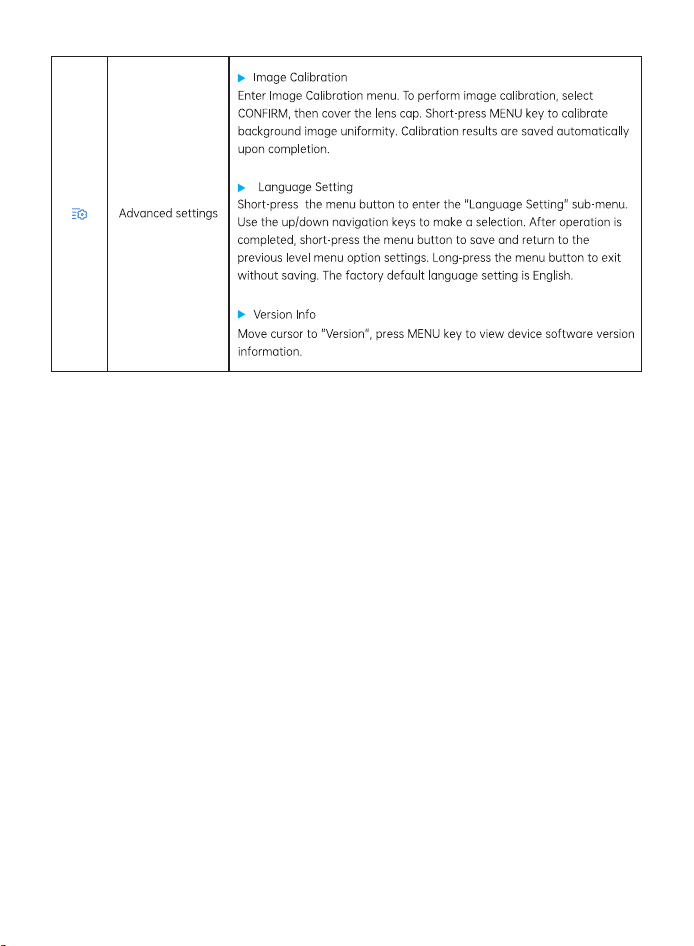
Mode options include 5 items: "White Hot, Black Hot, Highlight, Low Light,
Pseudocolor". Default is White Hot.
Turn on/off via menu option.
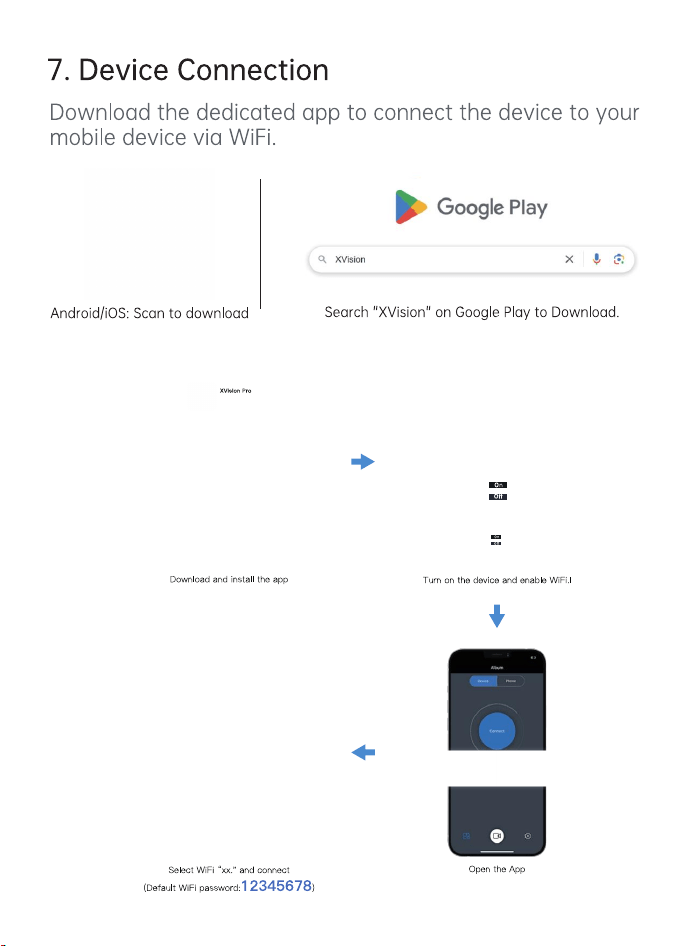
1. Turn on WiFi in the device menu, then enable WLAN in mobile phone
settings. Locate the device WiFi name "APPshow-XX-XXXXX", enter
password "12345678" to connect the device.
2. After connecting the device to the mobile phone via WiFi, the real-time
captured images can be observed.
Press MENU key to enter subpage. Press "UP" or "DOWN" to select
ON/OFF. Short press MENU key to confirm selection.
Ranging unit selection has two options: Meter/Yard.
After entering the crosshair zeroing calibration interface, briefly press
the record button to cycle through different function options. Use the
up/down navigation buttons to adjust the function values.
Image Freeze: Briefly press the menu button to toggle image freeze.
Briefly press the record button to move to the X and Y axis values. Use
the up and down navigation buttons to adjust the crosshair position until
it aligns with the point of impact. Briefly press the record button to move
to other options. After completing settings, move to the save option.
Briefly press the menu button to save and exit; press and hold the menu
button to cancel saving.
The set distance is used as the zeroing point distance in Smart Ballistics
and saved to the zeroing memory.
7
8
9
WLAN
XX-XX-XXX
XX-XX-XXX
10
11
12