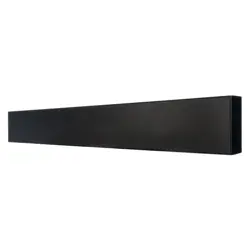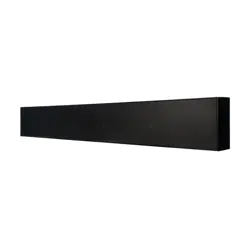

U-BRACKET
BRK-U6QUE
INSTALLATION MANUAL
2
ON WALL AND SPL SPEAKER ACCESSORY
BRK-U6QUE
TABLE OF CONTENTS
2 Box Contents
2 Z-U Adapter Assembly
2 Z-U Adapter Installation
3 BRK-U6QUE Installation
BOX CONTENTS
(1) U-Bracket
(2) Z-U Adapter
(4) Pinch Tabs
(8) 8-32x3/8” Phil Flat Screw
(4) 1/4-20x1/2” Button Head Screw
(8) Nylon Washer
Z-U ADAPTER INSTALLATION
Assembling the Z-U Adapter Assembly to the U-Bracket.
1. Locate center pass through hole and curved slot on
U-Bracket (see Figure 4).
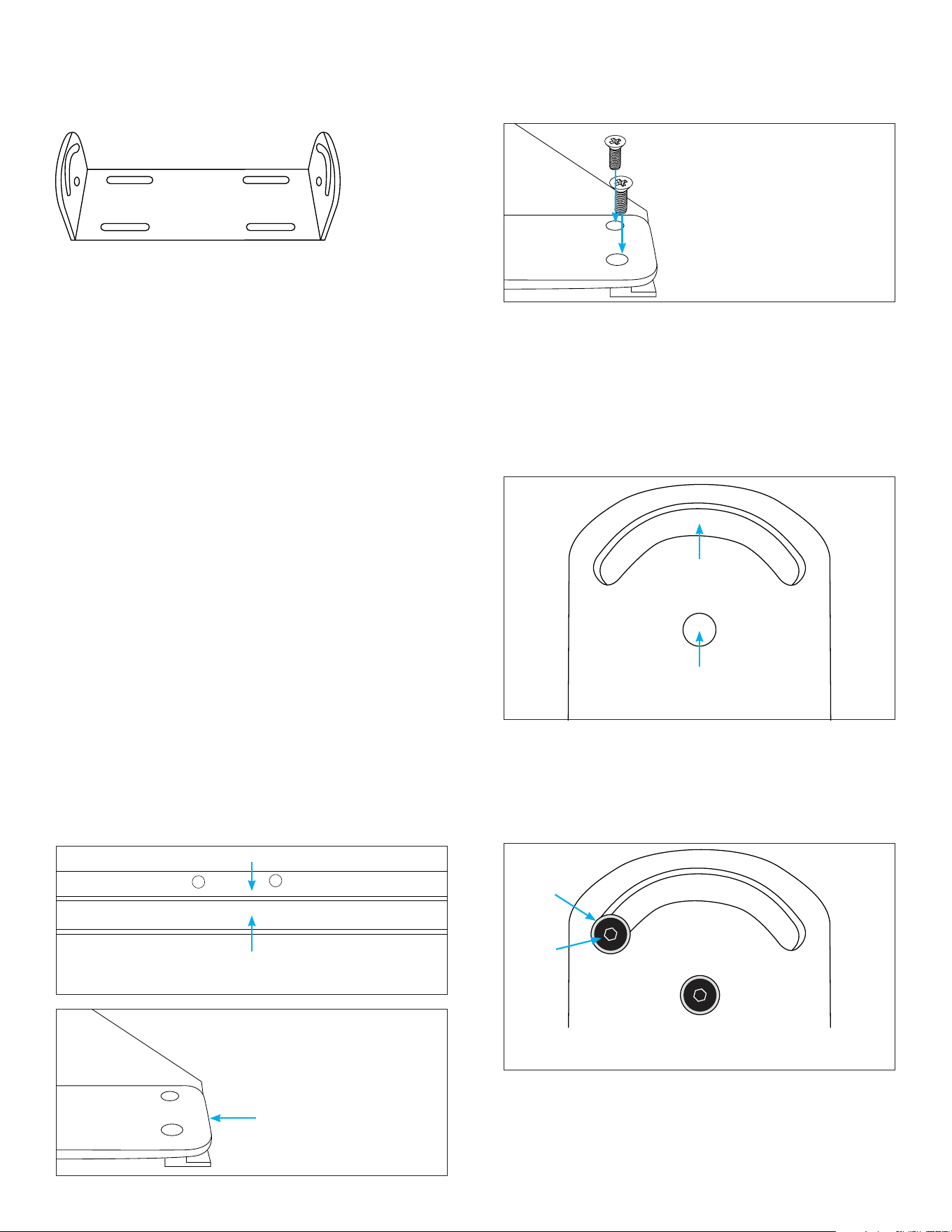
Figure 1: Pinch Tab Location
Raised Side
Base Side
ASSEMBLY INSTRUCTIONS
Z-U ADAPTER ASSEMBLY
Attaching the Pinch Tab to the Z-U Adapter.
1. Position the raised side of the Pinch Tab under the
Z-U Adapter. With the base of the Pinch Tab facing
the edge of the Z-U Adapter (see Figures 1 and 2).
2. Use two 8-32x3/8” Phil Flat Screws to secure the
Pinch Tab to the Z-U Adapter. Do not fully tighten
the screws; tighten only enough to hold the Pinch
Tab in place (see Figure 3).
Figure 2:
Base Side Edge
Base Side
Facing Edge
Figure 3:
Secure Screws
3. Repeat the above steps with the last Z-U Adapter.
Note: Use an appropriate tool to tighten the 8-32x3/8”
Phil Flat Screws (tool not included).
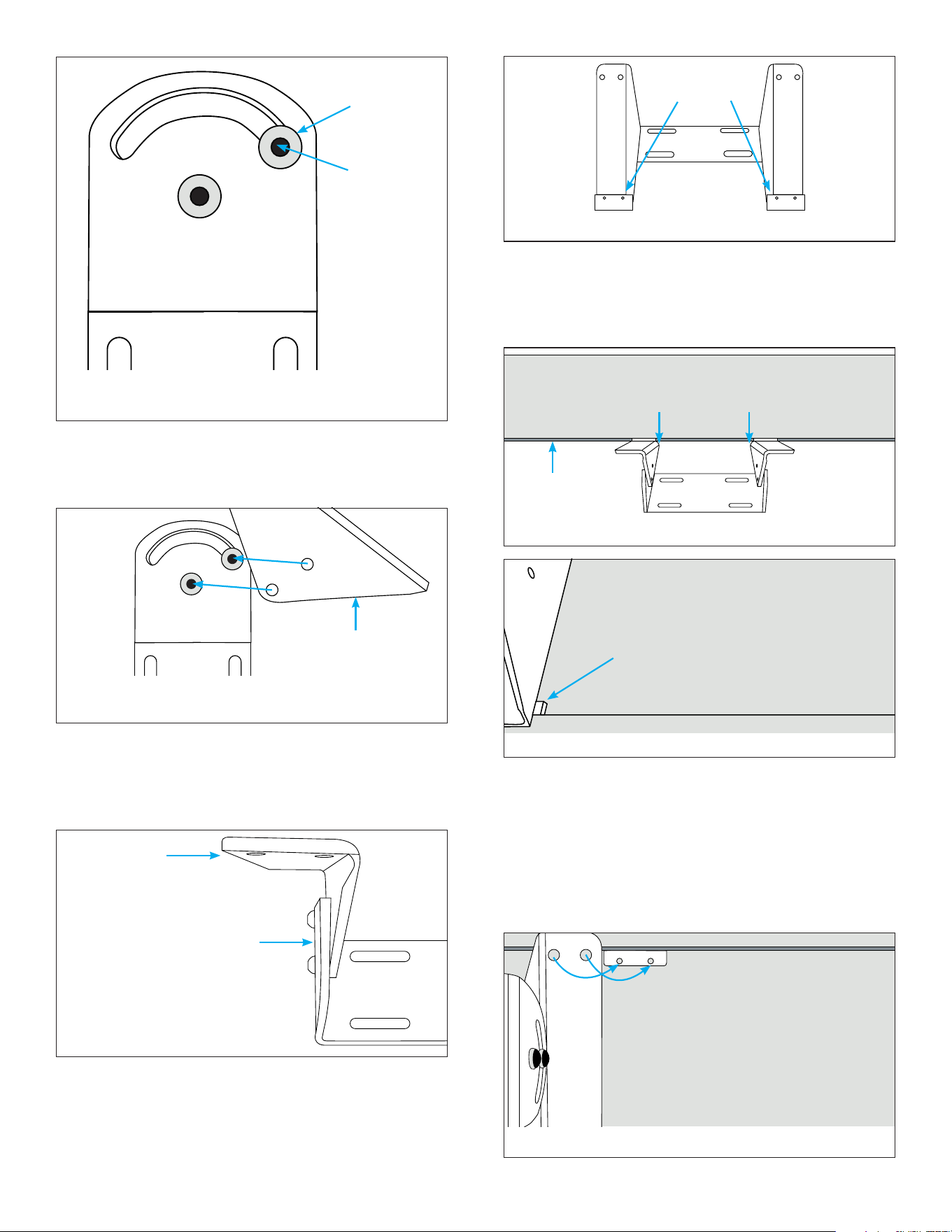
Figure 4: Slot Bracket Openings
Center Pass Through Hole
Curved Slot
2. Install one Nylon Washer on each of the 1/4-20x1/2”
Button Head Screws.
3. From the outside of the U-Bracket, insert one screw
and washer through the center pass through hole,
then insert a second screw and washer through the
curved slot (see Figure 5).
U-Bracket Isometric View
4. Add another washer per screw from the inside of the
U-Bracket (see Figure 6).
Figure 5: Secure Nylon Washer and Screws to the
Outside of the U-Bracket
Nylon
Washer
Screw
3
Figure 9: Pinch Tabs Between Slot
Figure 10: Pinch Tab Properly Between Slot
Figure 8: Pinch Tab Location
BRK-U6QUE INSTALLATION
Installing the U-Bracket Assembly to the product.
1. Place base side of the Pinch Tab that are attached to
U-Bracket Assembly in between the bottom slot of
the product (see Figures 9 and 10).
2. At the end without a Pinch Tab, place one Pinch Tab
with the base side of the Pinch Tab in between the
slot of the product.
3. Slide the Pinch Tab underneath the Z-U Adapter
Assembly with the raised side of the Pinch Tab
underneath the Z-U Adapter Assembly.
4. Align the Pinch Tab threads with the Z-U Adapter
Assembly pass through holes (see Figure 11).
Pinch Tabs
5. Align the threaded holes on the Z-U Adapter
Assembly with the installed screws, with the bend
on the Z-U Adapter facing outside the U-Bracket.
Slightly tighten the screws into the Z-U Adapter
Assembly (see Figure 6).
Figure 6: Add Washers to the Screws Posts on the
Inside of the U-Bracket
Figure 6: Align the Z-U Bracket with the Screw Posts
on the Inside of the U-Bracket
Figure 7: Side View of the Z-U
Adapter Connected to the
U-Bracket
Washer
Back of
Screw
6. Repeat step two with the other side of the
U-Bracket. Assure Pinch Tabs are on the same side
(see Figure 8).
Note: Use an appropriate tool to tighten the 1/4-20x1/2”
Button Head Screws (tool not included).
Z-U Adapter
Z-U Adapter
U-Bracket
Pinch Tab
Between Slot
Bottom Slot
of Product
Pinch Tab Properly
Between Slot
Figure 11: Align
Align Holes

4
©2026 Sonance. All rights reserved. Sonance is a registered trademarks of Dana Innovations. Due to continuous product improvement, all features and
specifications are subject to change without notice. For the latest Sonance product specification information visit our website: www.sonance.com
SONANCE • 991 Calle Amanecer • San Clemente, CA 92673 USA • PHONE: (949) 492-7777
07.31.2026
5. Thread two Phil Flat Screws into the Pinch Tab once
aligned (see Figure 12).
Figure 12: Insert Screws and Secure
6. Repeat step three with the other Z-U Adapter.
7. Once the Pinch Tabs are installed correctly, fully
tighten the Pinch Tab screws.