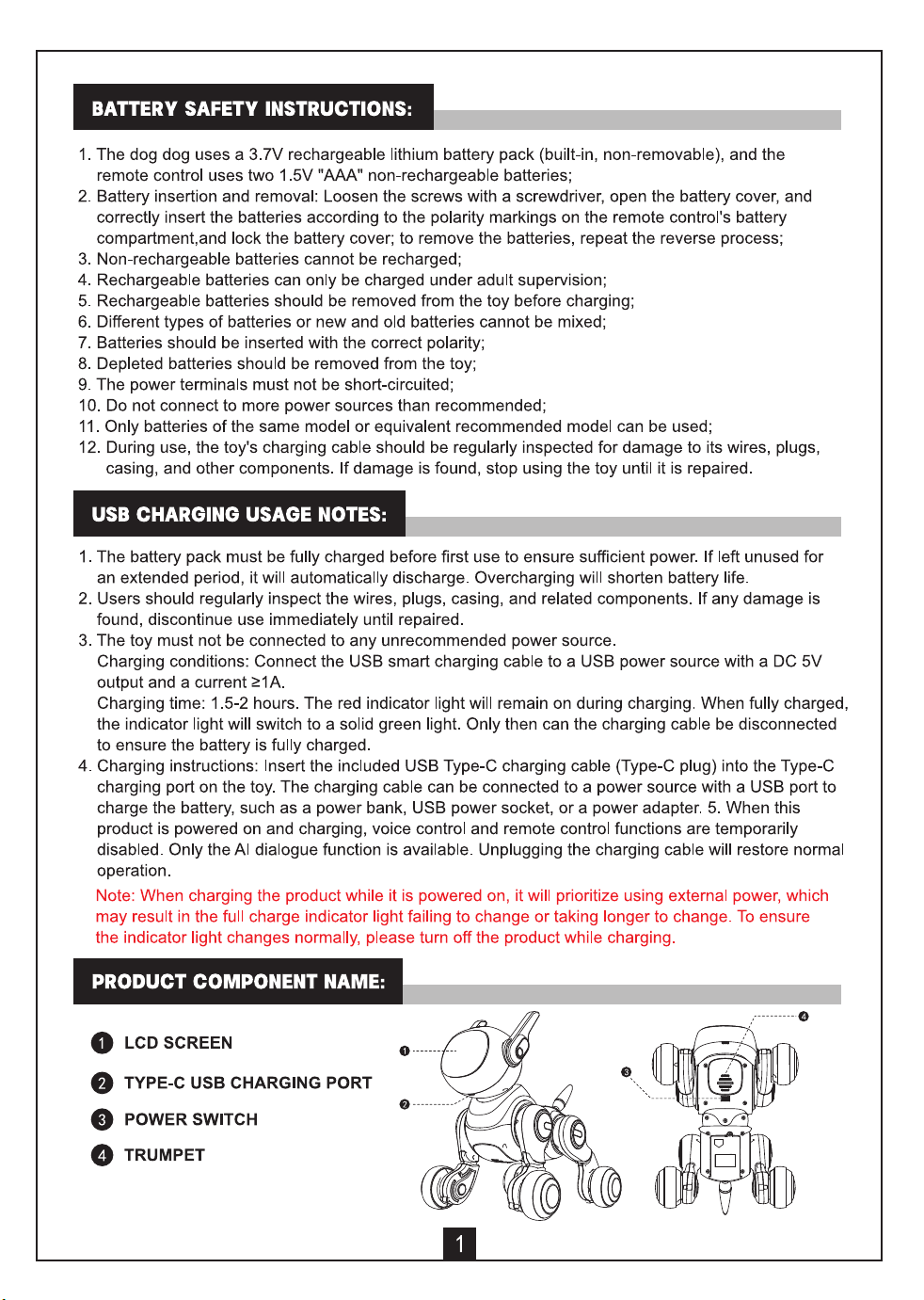
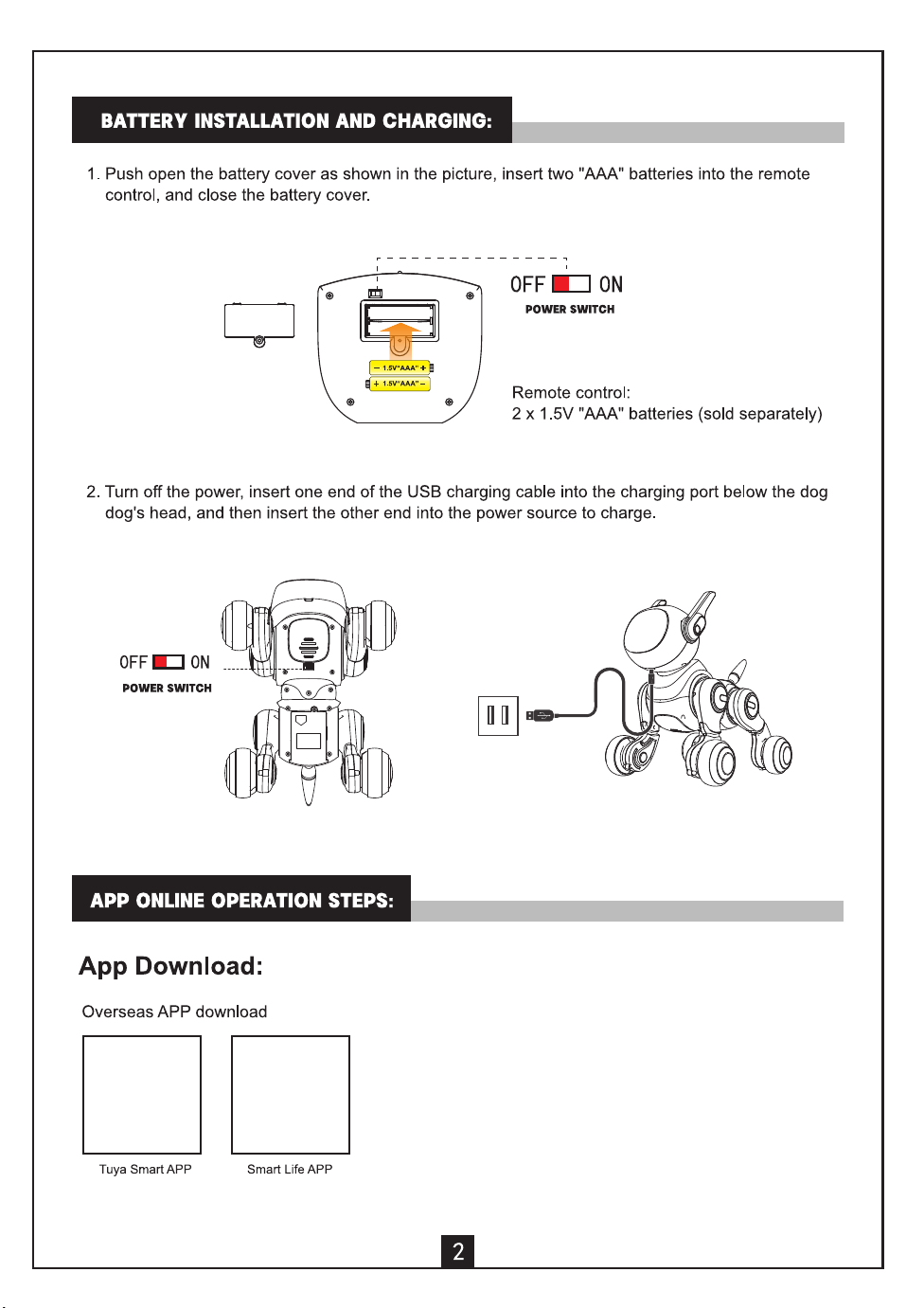
INDOOR EQUIPMENT PAIRING
Warm Tips:
1. The paired phone must have Wi-
F
i network enabled and allow the app to access Wi-
F
i network and
location services.
2. The phone and device must be connected to the same Wi-Fi network (with the same name).
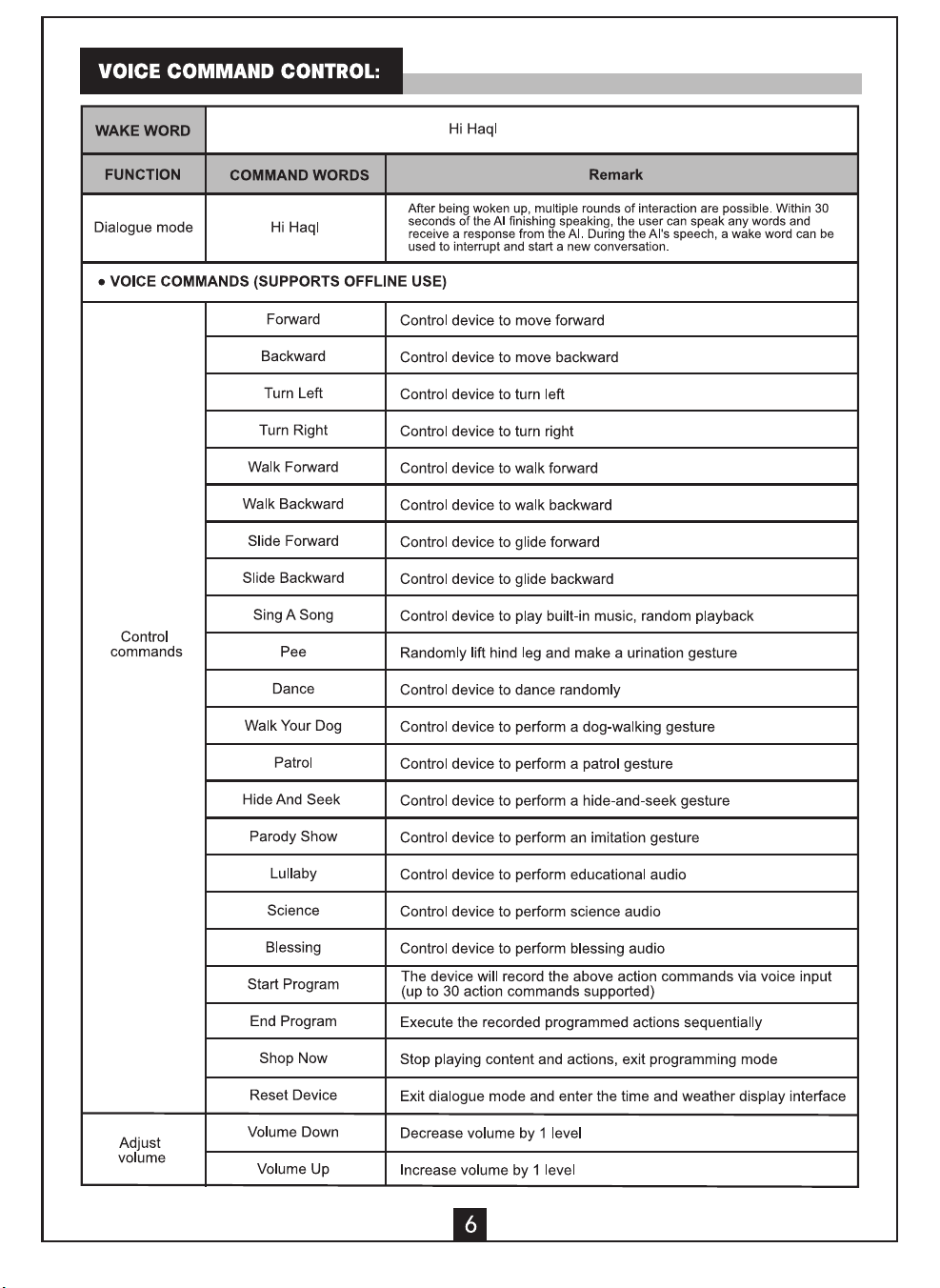
3. reset the device, simply say "Reset device" to "Hachi," and Hachi will automatically reset it.
4. This device only supports the 2.4GHz band. Please ensure that the router you are connecting to
supports the 2.4GHz band and has it enabled.
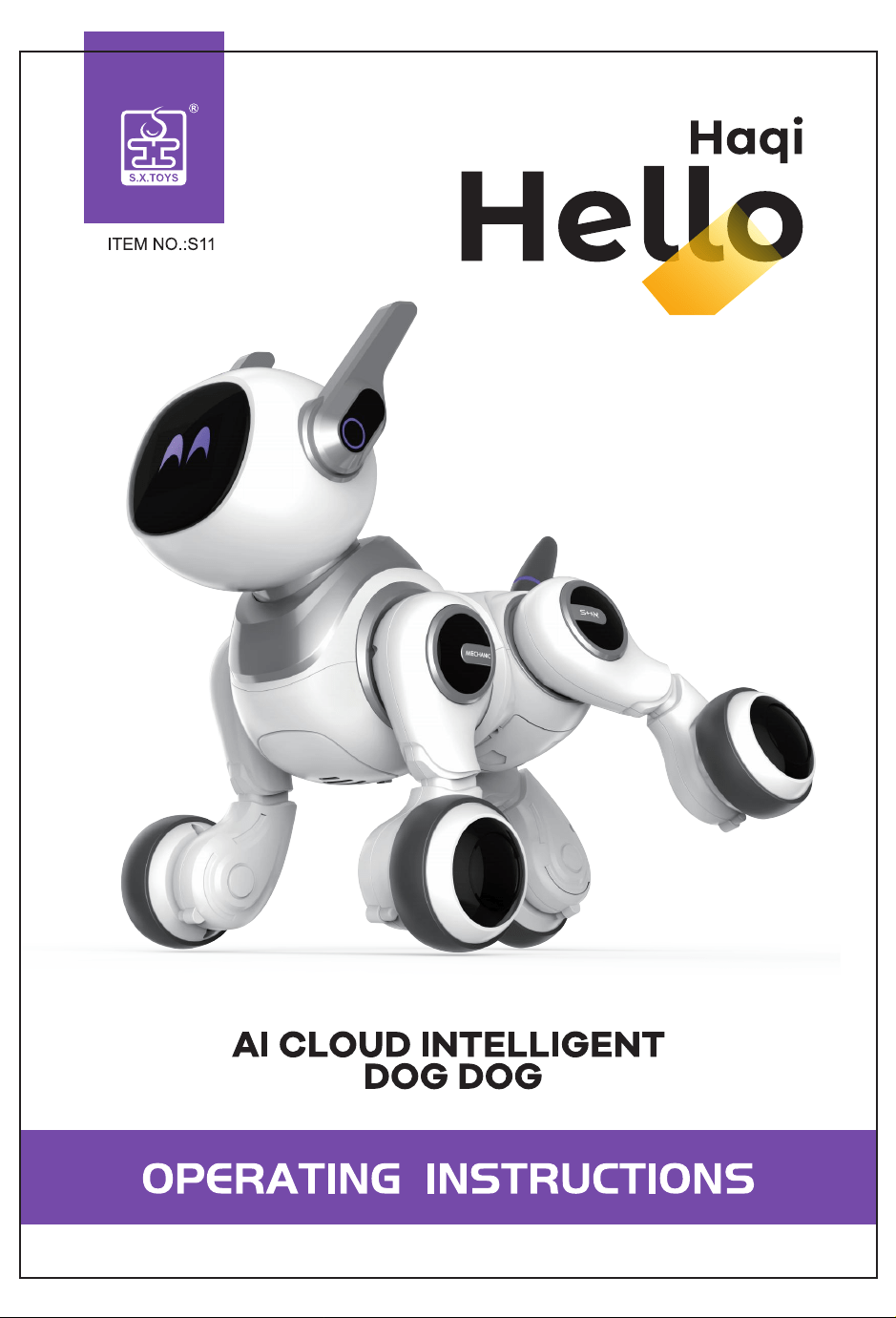
1. Aer successfully downloading and registering the app,
turn on the power switch on the bottom of the
Hachi device (Hachi will be in pairing mode).
2. Open
the
app,
tap
the "
+
"
icon in the upper right corner to add a device, then tap the "Hachi" device you
want to connect to,and tap "Network Connection".
3. Once connected, the Hachi device will be in smart Al network connectivity mode.
O我的家
一
+
|
(O ~-
·
/
.
.
`
0 0
0 @
Step 1
(Adding a Device)
父amhlng for n··巾yd如m...
日贮,.,心”.`卜··士.LJo”“”“
屯
{t
Add凶吹·
巳
Add Mmually
女釭“”“~千叮
�
.
一芯, 它 :二,
1-|
Remote 0eviceContro1
_,,w,e<�,.妇
L ~~ _ J 窜d 中如一 -�-LJ 归
J`.t`飞
会<-T沁它一
el
_
吟“d0m`口~口任___
Step 2
Step 3
Step 4
(Confirm device add巾on)
(Select LAN WIFI connection)
(Connection successful)
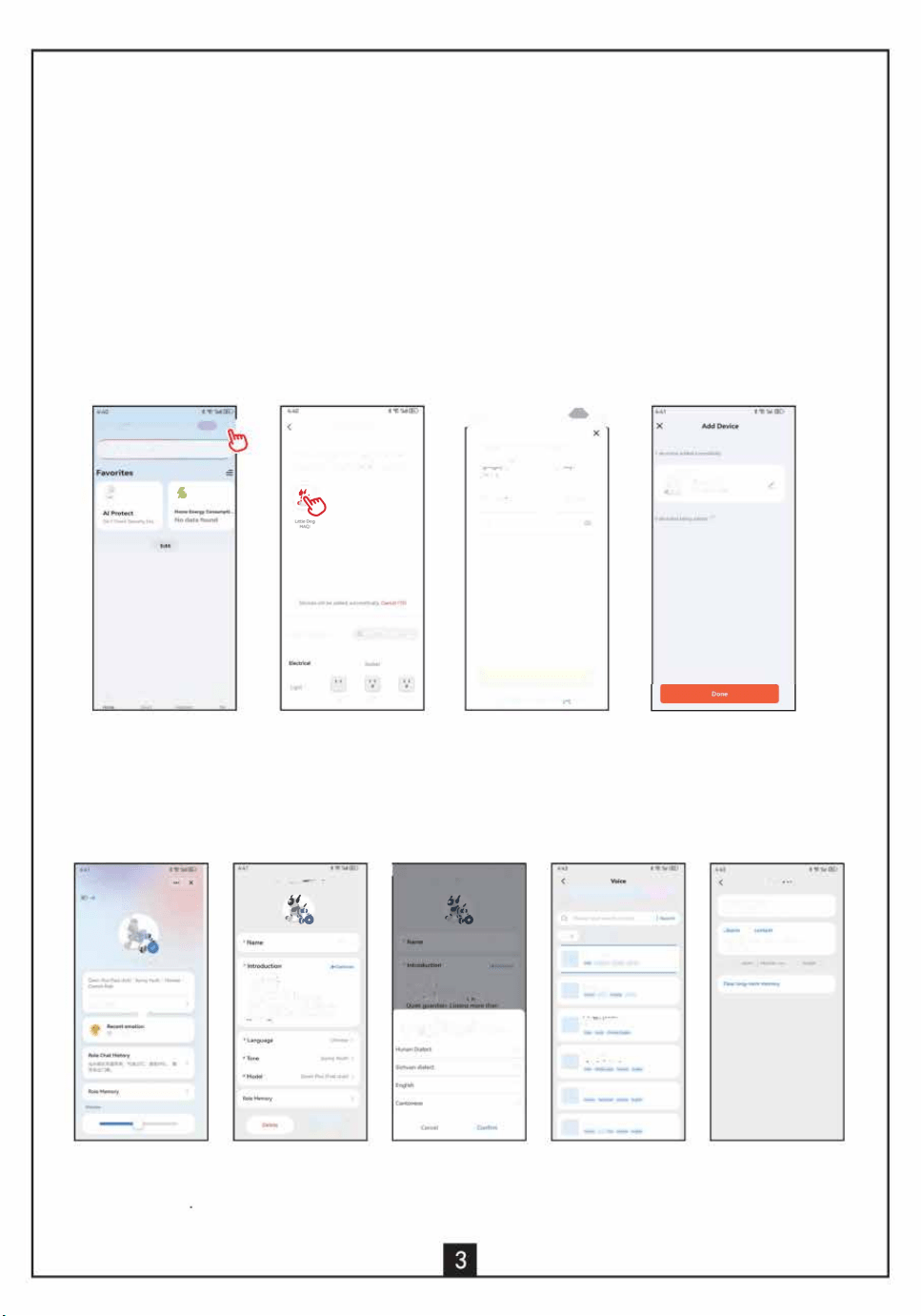
APP INTERFACE INTRODUCTION
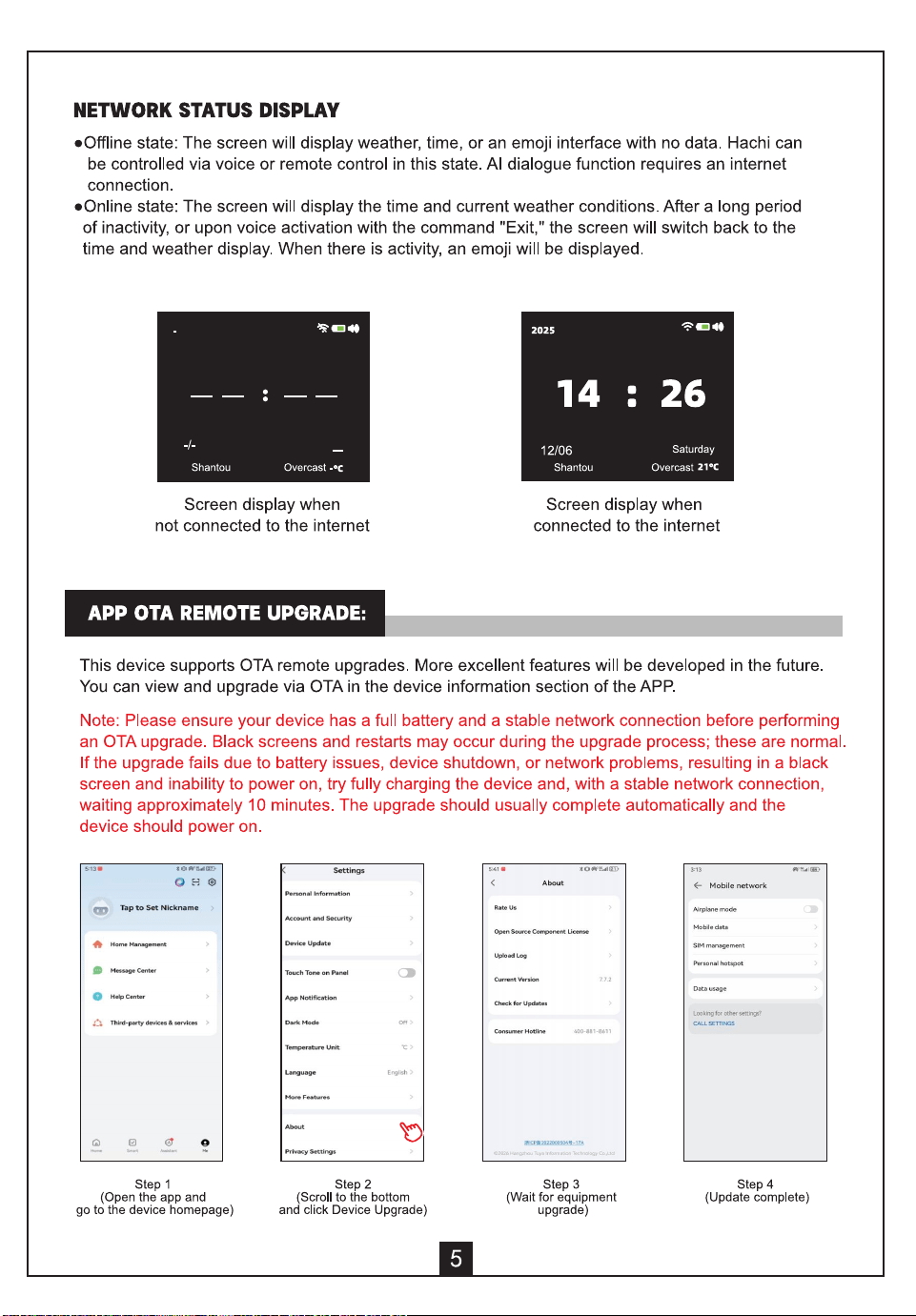
Aer successfully connecting, open the app to personalize Hachi's settings.
u""'心l
”
-
,
京
:
LioD叩H叩1
<
C·二七一。--匕.
,
谥
”
了
C
l
<
--
允
-
-
Y
)
N.m H仄
氏幻心讹y
切`"-NW吁`切心
_、坎杞~”,一
~
`“OUmmm
叩"从 un中~“心心一·.
`.. ~L……·
,
-, 一“°
• 中
U心仄心
_
'``°
U口...
-
比
一
“~止...,..,吵
七-,一一'”1.r
-
.
氐
=
=
守
_
",
一
[
中
.
一
二
-
-
l
咖
F,一一
一乒
.
全
·_,,--J 心
咖
心
_
_
咖
七..
一
..一··一
·,
咖
0-
咖
°“
2
_,七.一上
0m"九臧,一
oo
-
`
• m
=
-
二·~比一o;二--由
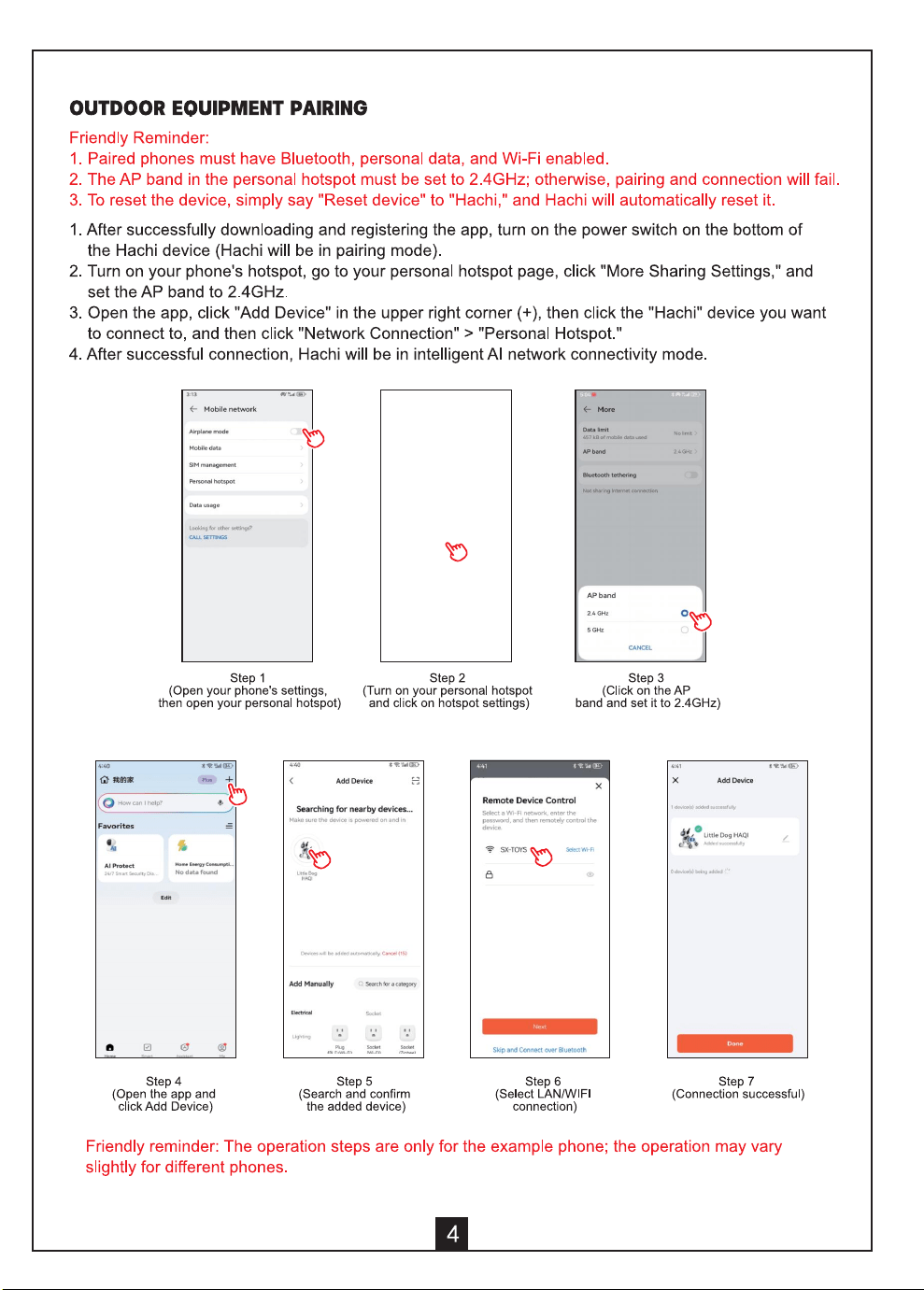
1. Click "Switch
2. Click on the language; 3. Select your preferred
4. Click on the color to
5. Click on Character
Character"
multiple languages
language and
select your favorite Memory to view
to enter the custom
are included.
click Confirm.
characte�s voice. and delete chat history.
character settings
1. This device complies with Part 15 of the FCC Rules. Operation is subject to the following two
conditions:
(1) This device may not cause harmful interference, and
(2) This device must accept any interference received, including interference that may cause
undesired operation.
2. Changes or modifications not expressly approved by the party responsible for compliance
could void the user's authority to operate the equipment.
NOTE:
This equipment has been tested and found to comply with the limits for a Class B digital
device, pursuant to Part 15 of the FCC Rules. These limits are designed to provide reasonable
protection against harmful interference in a residential installation.
This equipment generates uses and can radiate radio frequency energy and, if not installed and
used in accordance with the instructions, may cause harmful interference to radio
communications. However, there is no guarantee that interference will not occur in a particular
installation. If this equipment does cause harmful interference to radio or television reception,
which can be determined by turning the equipment off and on, the user is encouraged to try to
correct the interference by one or more of the following measures:
Reorient or relocate the receiving antenna.
Increase the separation between the equipment and receiver.
Connect the equipment into an outlet on a circuit different from that to which the receiver is
connected.
Consult the dealer or an experienced radio/TV technician for help.
This equipment complies with FCC radiation exposure limits set forth for an uncontrolled
environment. This equipment should be installed and operated with minimum distance 20cm
between the radiator & your body.