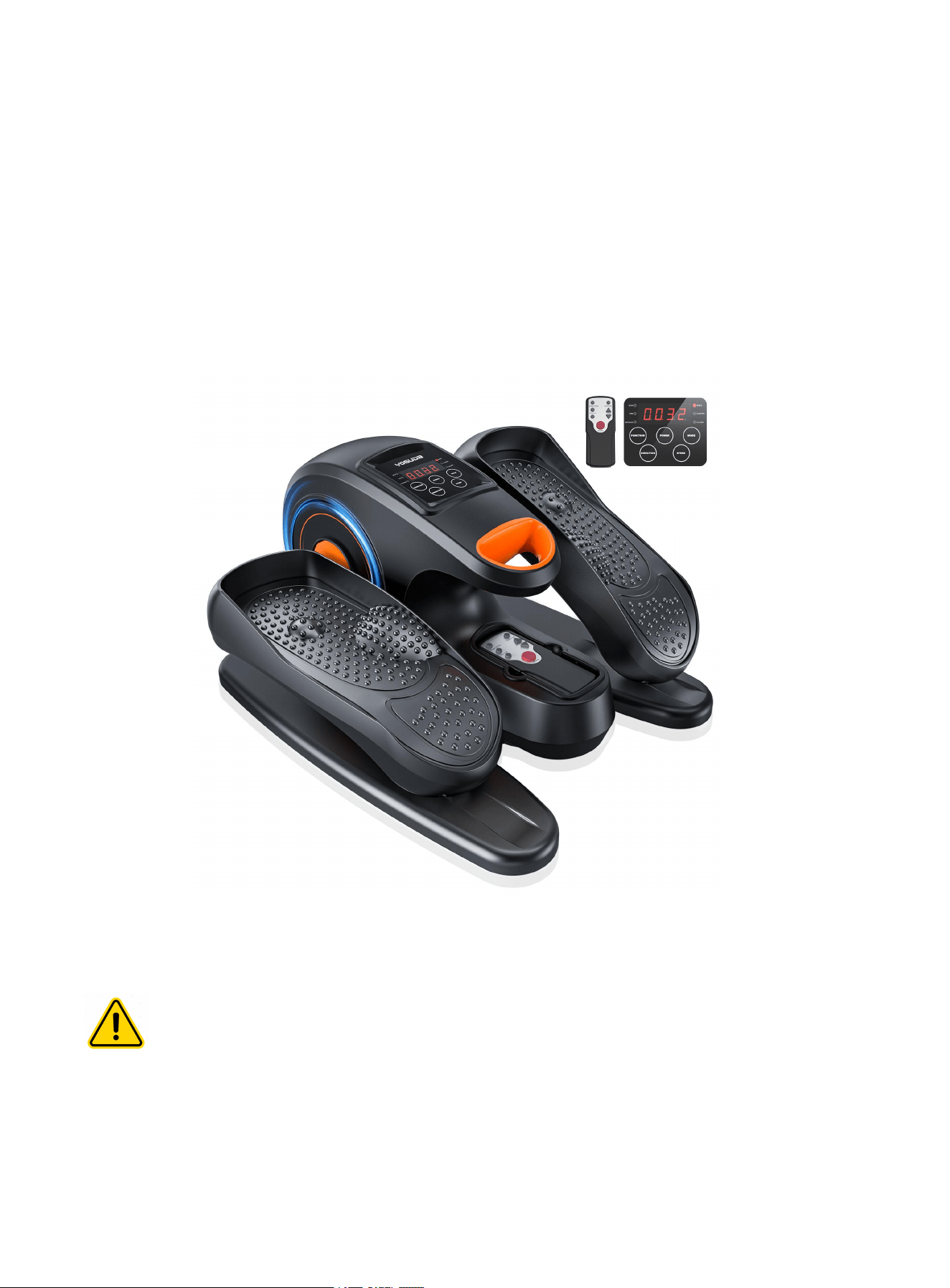
Please read this manual carefully before installing and using this machine. If necessary,
we may update the product without notice, so if the instruction manual is not consistent
YOSUDA
Electric Under Desk Ellipse User Manual
with the product, the actual product shall prevail.

Catalog
Customer Service..............................................................1
Part List ........................................................................... 2
Operation Instruction .......................................................... 3
Care And Maintenance ....................................................... 4
Safety Precautions.............................................................. 6

1
CUSTOMER SERVICE
Thank you for selecting the YOSUDA Electric Under Desk Ellipse. For your safety
and benefit, read this manual carefully before using the machine.
As a manufacturer, we are committed to providing you with complete customer
satisfaction. If you have any questions, or find there are missing or damaged parts,
please contact our customer service:
Contact us via Amazon: Login your Amazon account > choose "Your orders" > find
the order ID > click "Contact seller"
2
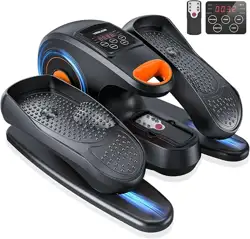
Part List
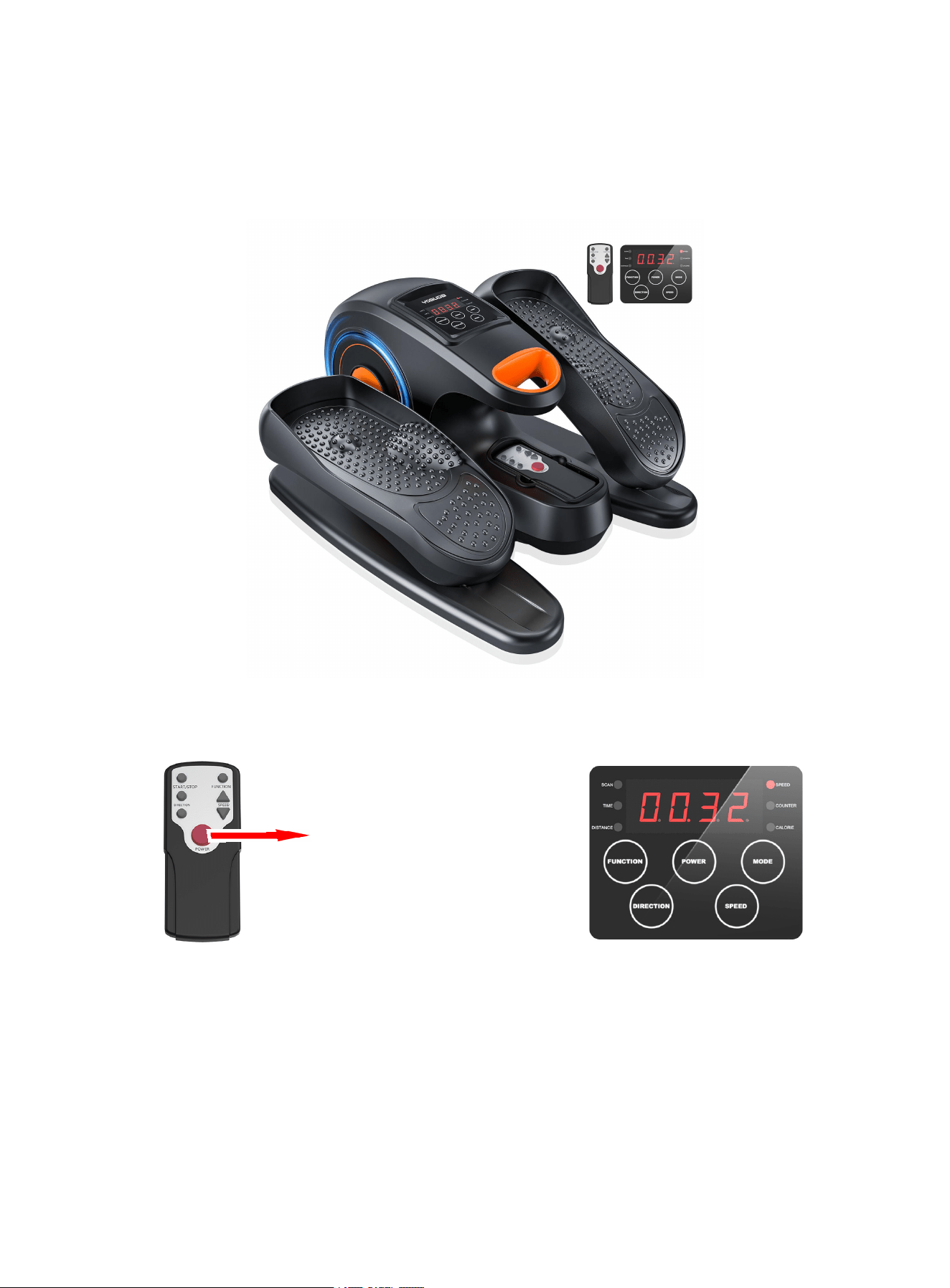
Remote Control Control Panel
REMARK:2*AAA 1.5V battery
Control Panel
Remote Control
Pedal
Hand Holder
Slide Track
Turn on / Turn off

3
Operation instruction
1. Access the power cord, after starting the use, it will automatically stop every 30 minutes,
and it needs to be started again after re-use.
After every 30 minutes of use, please let the machine rest for 5 minutes before use,
which is more conducive to the service life of the machine.
2. There are 1-10 manual gears, 3 pre-programmed gears P1-P3, and the movement direction
can be switched when is in manual gears.
When you use control panel:
1) After plugging in the power supply, the product is in the connected state "--".
2) Press the "power on" button on the machine, the machine is in the -HR-standby state.
Press the "power on" button for the second time, the machine is in the first manual gear to
start running. Press the "function "key, the machine switches to the pre-programmed mode
P1, press this key repeatedly, the machine switches gears cyclically from pre-programmed
P1 to pre-programmed P3.
3) The machine in manual gear: "HR" state, press the "Direction " key to switch the direction
of movement, press the " Speed " key to adjust the speed 1-10 gear.
4) The "Direction/Speed" key cannot be operated in P1-P3 pre-programmed mode.
5) When the little red dot is in "SCAN" at the display, the data of time/distance/speed/laps/
calories will be cyclically displayed every 5 seconds.
6) You can press the "Mode" key to switch the data that needs to be displayed(the little red
dot will not in "SCAN").
When you use remote control :
1)Press the "Power" button,and Display the HR state. Then press the "Start/Stop" botton,
starts manual mode.
2)When the little red dot is in "SCAN" at the display, the data of time/distance/speed/laps/
calories will be cyclically displayed every 5 seconds.
3)You can press the "Mode" button to switch the data that needs to be displayed(the little red
dot will not in "SCAN").
4 ) Press the "function "key, the machine switches from manual mode to the pre-programmed
mode.

4
Display on Control Panel:
Speed and direction can not be changed in the present working programs.
Note:When the product is not energized, it is not recommended to step on it quickly,
because it will overcharge the circuit board, which will damage the electrical control.
Pre-programmed Models Introduction:
SCAN:Press the "Mode" button untill the "SCAN" light appears on the screen;the screen will
automatically explore the value of each fuction every five seconds.
TIME: Press the "Mode" button untill the "TIME" light appears on the screen;the screen will
COUNTER:Press the "Mode" button untill the "COUNTER" light appears on the screen;the
screen will
show the actul time of training.
DISTANCE:Press the "Mode" button untill the "DISTANCE" light appears on the screen;the
screen will show the walking distance.
SPEED:Press the "Mode" button untill the "SPEED" light appears on the screen;the screen
will show the current speed.
show the accumulated number of turn.
P1:Pre-programmed mode,gentle leg
rehabilitation exercises to help improve your
mobility.
P2:Pre-programmed mode,low-intensity exercise
for better prevention of varicose veins.
P3:Pre-programmed mode, burn your calories
with moderate
CALORIE:Press the "Mode" button untill the "CALORIE" light appears on the screen;the
screen will show the current calories.
Pre-programmed Exercise Mode(P)
Press the "function" button once for P1 Mode,twice for P2 Mode,third for P3 Mode.The
pedal will work at a different speed and direction in Pre-programmed Models.
-intensity exercise!

5
Care And Maintenance
Storage
When not in use, put the product into the packaging box and place it in a dry, ventilated
and cool place. Do not twist the power cord. Do not place the product in direct sunlight
or high temperature. Do not store in places with high humidity, such as bathrooms.
Cleaning
Before cleaning, be sure to unplug the power cord: Use a dry cloth to clean the surface of
the product.
Do not use corrosive cleaning agents to clean product.
Troubleshooting
If you experience the following problems while using this product, please refer to the
following tips and possible solutions.
Status
Possible Causes
Solution
The machine cannot be turned on
Not powered
Make sure the power cord is
plugged in
The machine stop operating
1.Loose plug failure
2.Used for 30 minutes
3.Continuous use for too long, overheating
protection, automatic protection
1.Check whether the power cord
is loose.
2.Reboot
3.Let the product cool down and
then turn it back on
4.Reduce the weight of use

6
Safety Precautions
Please be sure to use this product in accordance with the operating instructions.
1. Please press the on/off key to turn off the power after each use. When not using or cleaning the
machine, please unplug the power plug from the socket.
2. Do not cover it during use to avoid failure or damage caused by overheating of the motor.
3. Please do not let children use this device. This device is for adults only.
4. If you feel uncomfortable or have any adverse symptoms when using it, please stop using the
machine immediately
5. Do not use if the product is damaged or defective.
6. Do not insert or drop debris into the product.
7. This device is not suitable for therapeutic purposes. Do not use it with other medical electronic
devices, such as pacemakers. Do not use this product if there are steel plates or other fixtures in the
body after surgery.
8. Do not use this product in humid or dusty environments, such as bathrooms, etc.
9. Do not store or use this product outdoors and keep the product away from direct sunlight.
10.Do not operate the machine with wet hands
11. Do not let water and other liquids come into contact with the control switch
12. Do not place the power cord under the product or under any heavy objects
13. Do not wrap the power cord around the product, as this may damage the power cord and cause
electric shock or fire.
14. Do not use the product if the power plug is loose.
15. Do not use the power cord to drag the product directly.
16. Please use the circular knitting machine on a horizontal surface indoors and keep at least 1 meter of
debris-free space around it.
17. If there is a power outage during use, please stop using this product. A sudden restoration of power
may cause harm to you.
18. The rated voltage of the product is 110V-240V, the rated power is 50W, and the single use time is
30 minutes.
19. Before use, please consult your doctor whether it can be used.
Warning:Please sit down to use this product. Remember not to
stand on the product or step on it!