F
UN
C
.
VOL-
VO
L
+
RE
P
.
IR
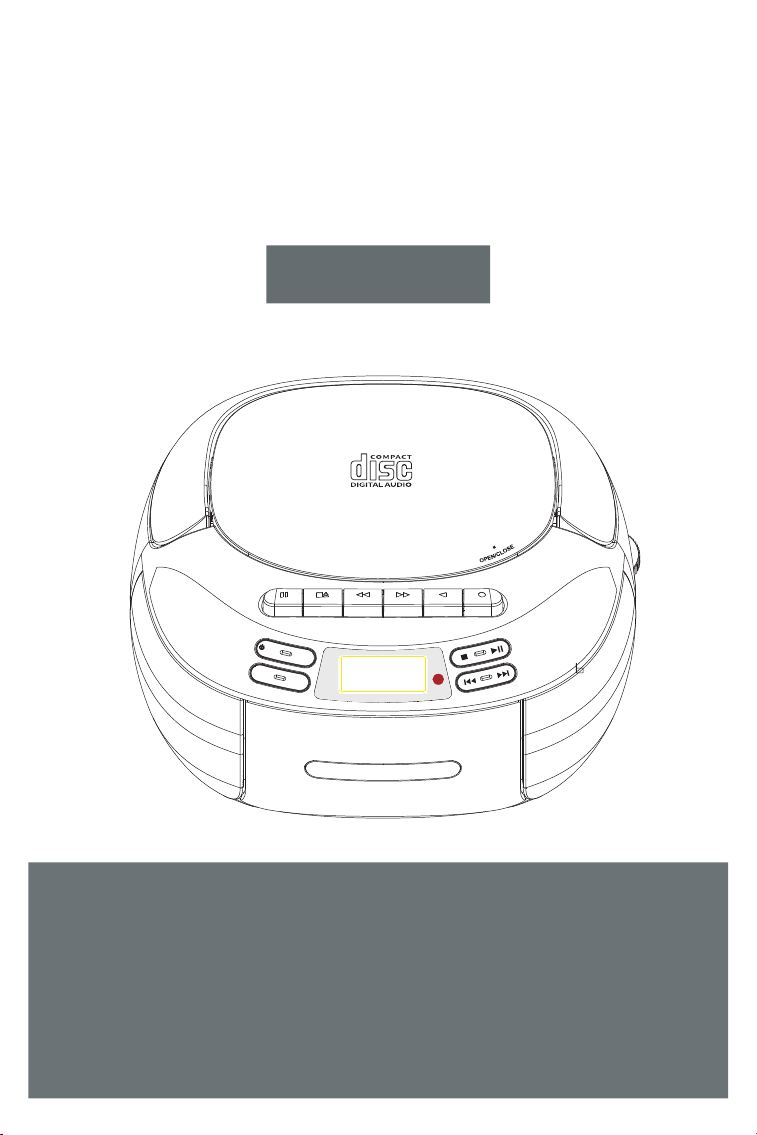
PORTABLE CD PLAYER
User Manual
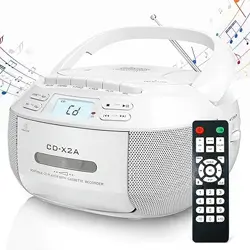
PORTABLE CD PLAYER WITH CASSETTE RECORDER
CD-X2A
Thank you for purchasing our personal audio
products. High-quality CD player is an electronic
acoustic technology product carefully designed
by our company. To obtain the perfect use effect
and prolong the service life of this product, correct
use and maintenance are very important, please
read this manual carefully before use it.
CONTENTS
VERY IMPORTANT TIPS
FUNCTION DESCRIPTION
REMOTE CONTROL DESCRIPTION
POWER SUPPLY
CD / MP3 DISC OPERATION
USB OPERATION
AUX OPERATION
TAPE OPERATION
BLUETOOTH OPERATION
RADIO OPERATION
SPECIFICATIONS
SAFETY INSTRUCTIONS
WARRANTY
PACKING LIST
— 1 —
VERY IMPORTANT TIPS
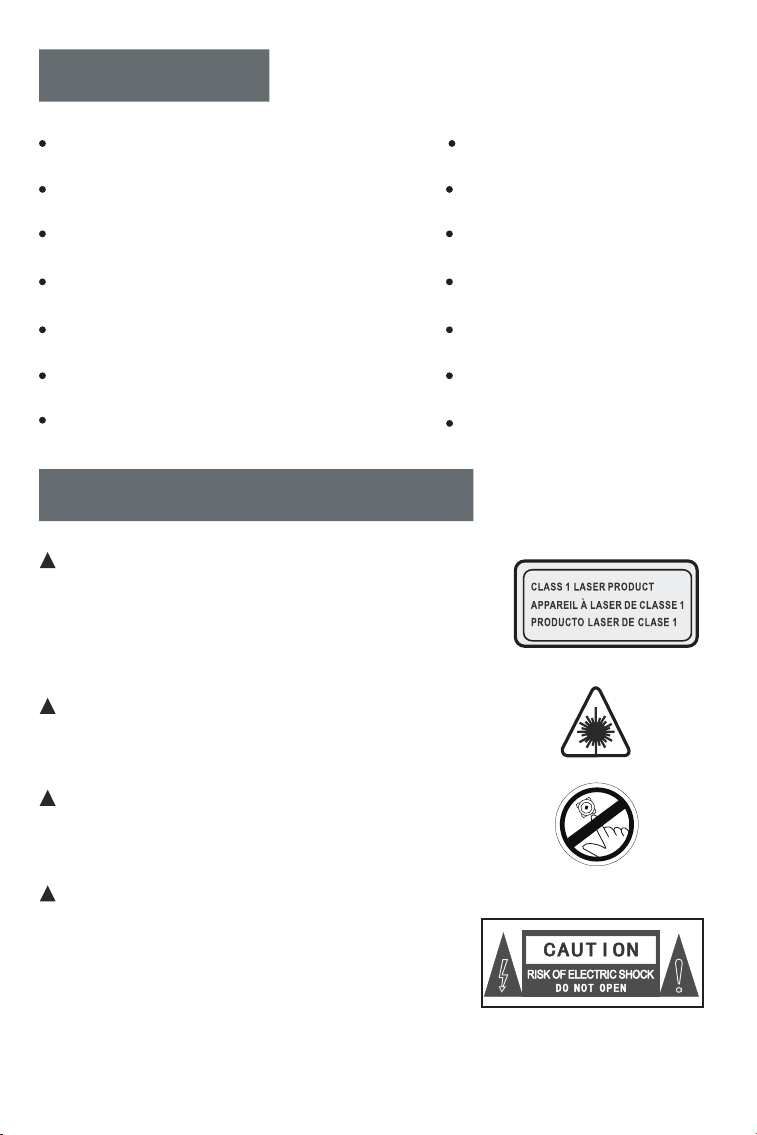
When using this product, please follow
the prescribed steps, otherwise you
may be exposed to harmful radiation.
This CD player is a CLASS 1 LASER
product.
When the CD cover is opened or
carelessly closed, an invisible laser
will be generated.
Please do not touch the bald head
at will, otherwise it will affect the
playback performance.
The lightning flash with arrowhead
symbol within an equilateral triangle
is intended to alert the user to the
presence of uninsulated “hazardous
voltage” within product's enclosure,
which may be sufficient to induce a
risk of electric shock to persons.
VERY IMPORTANT TIPS
Do not touch
FUNCTION DESCRIPTION
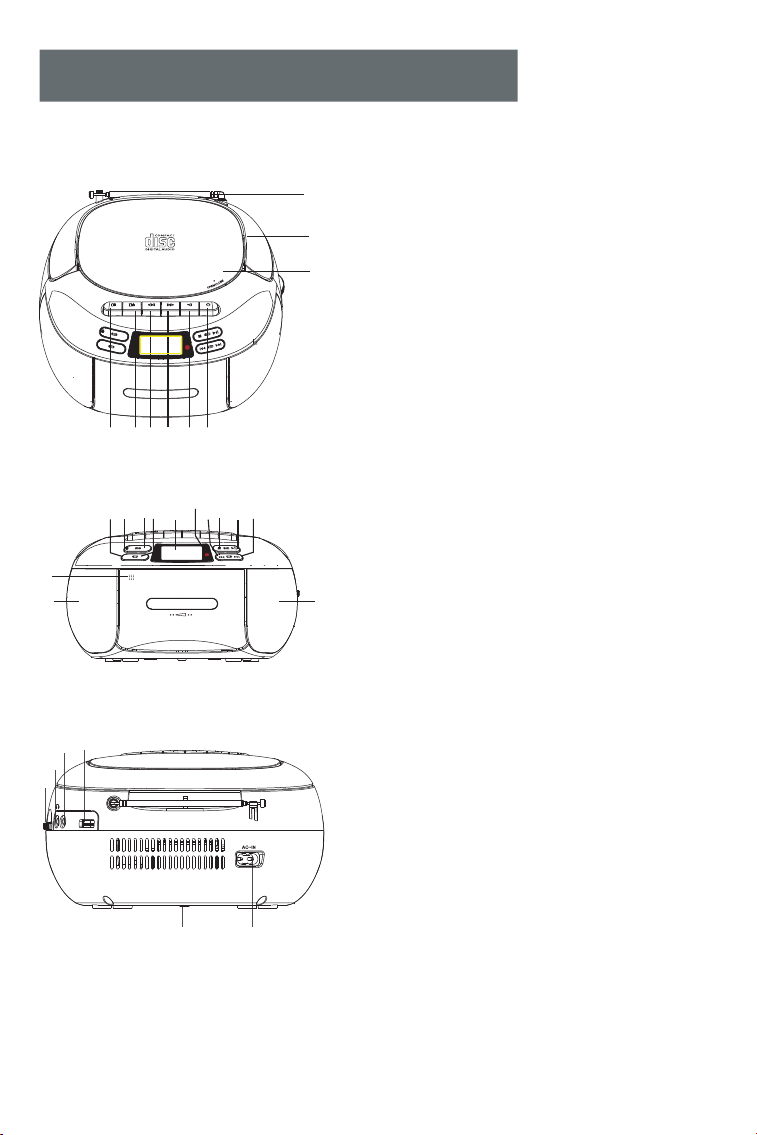
1.Antenna
Handle
CD Door Switch
Tape Pause Button
Tape Stop/Tape Door Open Button
Tape Fast Forward Button
Tape Fast Rewind Button
Tape Playback Button
Tape Record Button
Volume Decrease Button
Power On/Off/Function Selector Button
Repeat Button
Volume Increase Button
LCD Display
Previous Song/Fast Rewind Button
Stop Button
.Play/Pause Button
Next Song/Fast Forward Button
Tape Door Close
Speakers
21 hannel Tuning
Earphone Jack
Audio Input Interface
USB Socket
Battery Compartment
AC Outlet
Remote Control Receiving Point
2.
3.
4.
5.
6.
7.
8.
9.
10. -
11.
12.
13.
14.
15.
16.
17
18.
19.
20.
.C
22.
23.
24.
25.
26.
27.
4 5
9
8
6
7
2
1
3
F
U
NC
.
VOL-
VO
L+
R
EP
.
IR
19
13
16
10
11 12 14
15
17
20
18
20
REP.
F
U
N
C
.
V
OL
-
VO
L+
PORTABLE CD PLAYER WITH CASSETTE RECORDER
CD -X2 A
IR
27
26
22
24
21
25
23
AUX
USB
— —2
REMOTE CONTROL DESCRIPTION
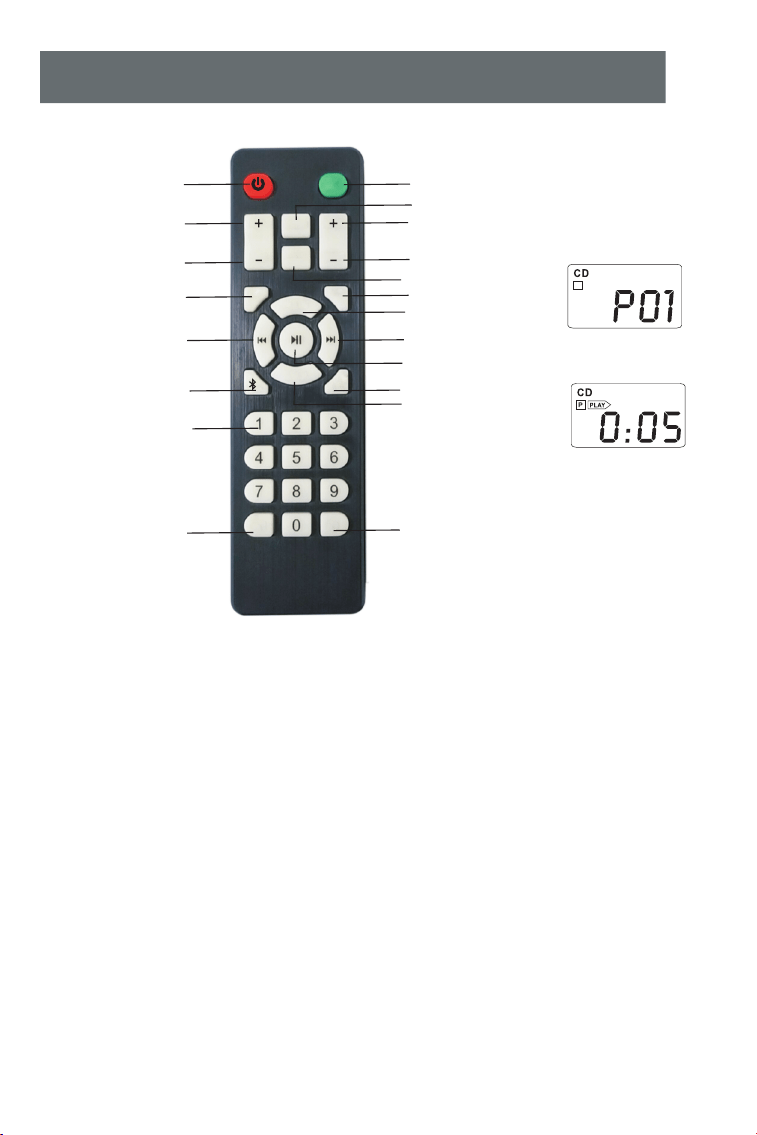
MUTE
REP.
PROG.
EQ
STOP
-10 +10
VOL
FOLDER
FUN.
CD PLAY
A-B
- 10
+ 10
Number 0-9
Bluetooth button
Previous
Programming
Vol -
Vol +
Power on / off
A-B play
Next
Folder -
Function
Mute
EQ
CD play
Play / pause
Folder +
Repeat
STOP
1.Power on / off: product on / off button.
2.Vol + / -: volume increase / decrease.
3.Function: in the power on status, press this function button
to select different functions. The sequence is: CD Play-USB-
Bluetooth-Radio-Aux Conversion.
4.Mute: product mute.
5.Folder + / -: select a folder to be played.
6.Repeat: repeat button to cycle through songs when playing
USB flash disk/CD/MP3 discs.
7.Programming: press the STOP button on the remote contro
to stop the CD/MP3 discs/USB, then press this PROG. button to
entry the programming interface (the LCD will flash and display
"P01" on the screen, like above figure 1). Press the previous or
P
Figure 1
Figure 2
— —3

next song button to select the track to be programmed, and then
press this PROG. button to confirm after programming. Press the
play/pause button to play in the sequence of the programmed
track(Screen will display like above figure 2). If you need to stop, just
press the STOP button.
8.EQ: when the product is working, press EQ button to change
different music effects, namely: FLA-CLA-ROC-POP-
JAZ(Flat - Classical - Rock - Pop - Jazz)
9.CD play: press this button to go to the CD play function.
10.Previous: short press to the previous song, long press to
fast rewind.
11.Next: short press to the next song, long press to fast forward.
12.Play / pause: song play and pause.
13.Stop: stop to play song.
14.Bluetooth button: press this button to go to Bluetooth mode.
15.A-B play: A-B repeat button .
16.Number 0-9: press the number button 0-9 to directly select
the song number when playing USB flash disk / CD / MP3 disc.
17.-10 / + 10: step back with 10 tracks per click, and step forward
with 10 tracks per click.
POWER SUPPLY
1. Using Battery: open the battery compartment door at the bottom,
correctly install 6 (1.5V “C” Size) batteries according to the direction
sho
wn in the battery room, then cover the cell door.
2. AC Power: plug one end of the AC power cord into the AC power
jac
k of this product, and plug the other end into the 110-120V
household power outlet.
NOTE:This product can only use the AC power supply voltage
indicated on the manual or the casing.
— 4 —
NOTE:
1. When unplugging the AC power cord, hold the plug by hand
instead of pulling the power cord.
2. Never touch the AC power plug when your hands are wet,
otherwise it may cause electric shock.
3. The power cord should be fixed to avoid twisting or trampling.
4. Do not use power sockets with too thin and extended wires.
If the Outlet is overloaded, it will cause fire or electric shock.
5. If the product is not used for a long time, Please unplug the
AC power plug from the socket and take out the dry battery to
prevent the battery from leaking and damaging the parts.
6.
As the product needs to consume power to monitor the
remote control state, it is recommend to use AC supply to power the
product in daily usage. Otherwise, it will run out the dry battery soon.
CD / MP3 DISC OPERATION
1. After power on, press the function selector button( ) to
select CD / MP3 mode.LCD shown as “ ”
2
. Press to open the CD compartment door, and place the disc
printing surface upward on the spindle of the CD movement.
Then close the CD compartment door, the song will be played
automatically in a few seconds, and the LCD will display the
serial number of your current song. The format of the disc, such
as "CD", "MP3", etc.
3
. Long press the Vol + button ( ) or Vol - button ( )
to adjust the volume appropriately.
4
. Press the play / pause button ( ) once to temporarilystop
playing, and press this button again to resume playing.
5
. If you need to stop playing halfway, press the stop button
( ) to stop playing.
FUNC
VOL+
VOL
CD
— 5 —
6. During playback, short press the previous/next button ( ) to
jump to the previous/next song; long press the previous/next button
( ) to fast rewind or fast forward.
7.Repeat function:
USB OPERATION
8.In the stop state ( ) , press the repeat button ( ) on the
machine to program songs. Press previous/next button ( ) to
select the song you want to program, then press repeat button ( )
to comfirm after programming. Press the play/pause button( ) to
play in the sequence of the programmed songs.
REP
REP
1.Insert the USB with MP3 format into the corresponding USB socket
press the function switch button ( ) on the unit or the remote
control to switch to USB play mode(LCD shown as " "), then
FUNC
USB
Figure 3
Single Cycle
PLAY
Figure 5
Whole Disc Repeat
PLAY
Figure 6
Random Play
PLAY
RAN D
Figure 4
Current Folder Repeat
PLAY
FOLOER
Mp3
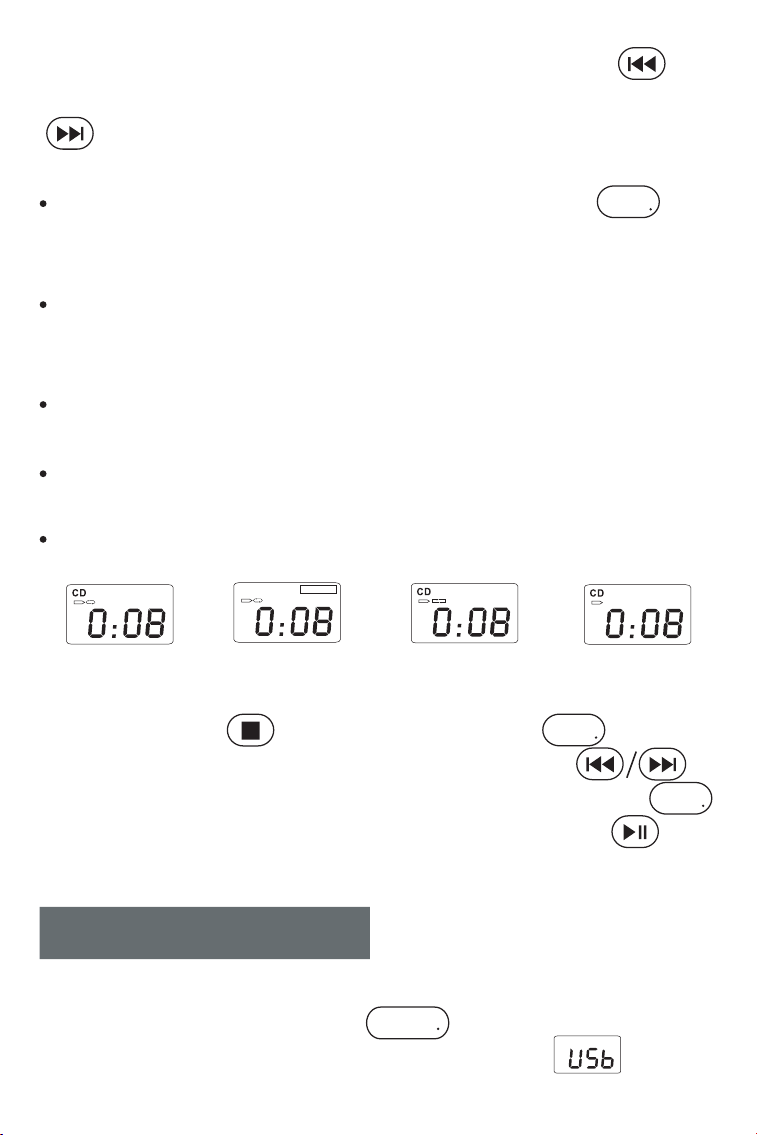
In the process of playing CD, press the repeat button ( )
once, the current song you listen to will entre into single cycle,
and displayed on the LCD as shown in figure 3;
Press the repeat button twice, if your MP3 disc contains a file
directory, it will repeat to play the current folder for you. Displayed
on the LCD as shown in figure 4;
Press the repeat button three times, the whole disc will be played
repeatedly, and displayed on the LCD as shown in figure 5;
Press the repeat button four times, the whole disc will be played
randomly. Displayed on the LCD as shown in figure 6;
Press the repeat button five times to resume normal playback.
REP
— 6 —
you can play song after the machine detects it.
2.USB playback operation method is the same as the section "CD/
MP3 Disc Operation."
AUX OPERATION
1.Short press the function selector button ( ), select the AUX
function,then connect the external sound source to this machine with
AUXcord, the song will be played after the machine detects it. (LCD
shown as " ")
2.The machine has the function of amplifying and outputting all
external sound sources (such as mobile phone, MP3 player, tape
Walkman, CD player, radio, etc.).
FUNC
TAPE OPERATION
TAPE PLAY
VOL+
1. Press the function selector button ( ) to select the TAPE
function. (LCD shown as " ") .
2. Press the tape stop / open button ( ) to open the tape door, place
the tape correctly and close the tape door.
3. Press the tape playback button ( ) to play, and press Vol + button
( ) or Vol - button ( ) to adjust the volume appropriately.
4. Press the tape pause button ( ) once to temporarily stop playing,
and press the tape pause button ( ) again to resume playing.
5. To fast forward or fast rewind the tape, just press the tape fast forward
button ( ) or the tape fast rewind button ( ), then press tape
playback ( ) button again to play
6. When the magnetic stripe in the tape reaches the end, the tape
playback will stop automatically.
FUNC
VOL
— 7 —
7. If you want to stop playback halfway and take out the tape, press the
Tape Stop/Tape Door Open Button once to stop, and press twice to
open the tape door.
TAPE RECORDING
1.This product has function of built-in microphone input tape. It can
record sound under CD/USB/Bluetooth/AUX/Radio mode,Note: voice
cannot be recorded.
2.Press to open the tape door and put in a tape on it. Then press to
choose one of the CD/USB/Bluetooth/AUX/Radio mode you want to
record. When it playing, press the tape playback button ( ) and
tape record button ( ) at the same time to start record.
3.Press the tape stop / open button ( ) to stop record, then press
the function selector button ( ) to select the TAPE function.
(LCD shown as " ").
4.Press the tape fast rewind button ( ) to back to the sound you
record, then press the tape playback( ) button to play.
BLUETOOTH OPERATION
1. Press the function selector button ( ) to select "BT" mode(LCD
shown as " "),at this time, Bluetooth works in pairing state.
2. Turn on the mobile phone or other Bluetooth device. When it searches
for the local Bluetooth device, the Bluetooth name "CD-X2A" will be
displayed. After successful pairing, you will hear a prompt tone.
3. When Bluetooth is playing, short press the play button to play / pause.
4. After Bluetooth pairing, long press the stop button to clear the Bluetooth
connection function.
FUNC
FUNC
RADIO OPERATION
— 8 —
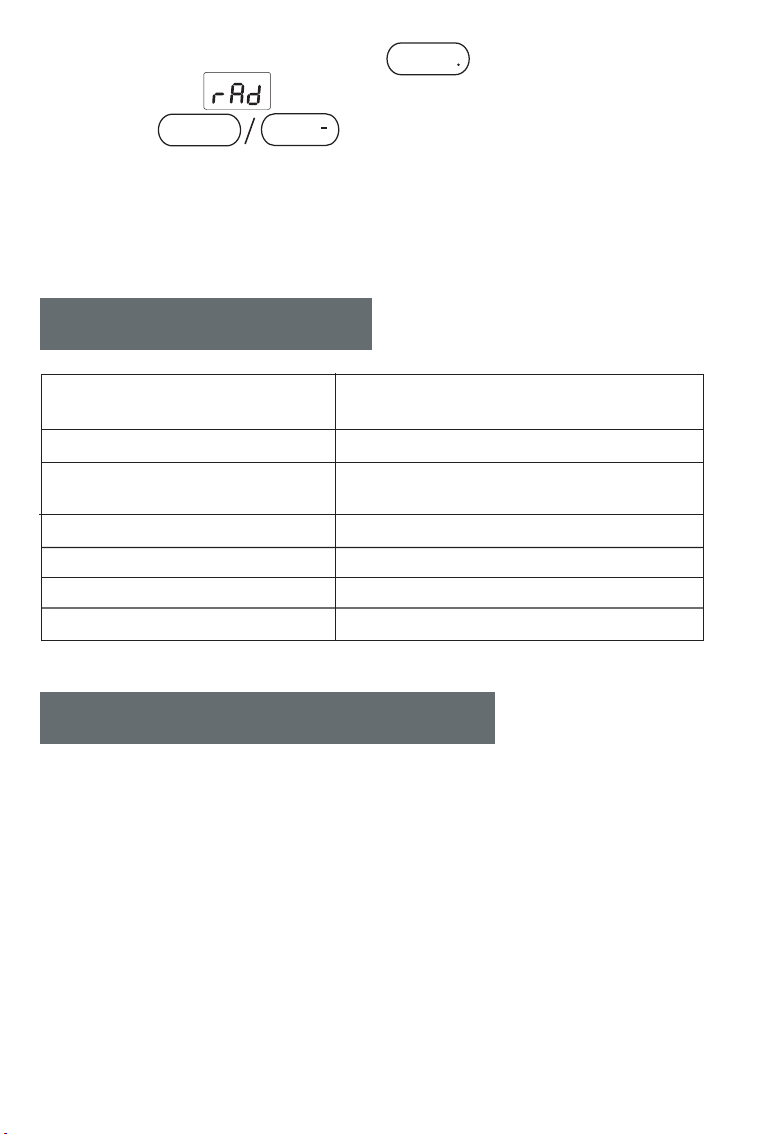
1. Press the function selector button ( ) to enter the radio state.
(LCD shown as " ")
2. Press the button to adjust it to the appropriate
volume.
3. Turn the channel selection button to select your favorite stations. The
LCD will display the corresponding radio frequency.
4. Pull out the antenna to get a good reception.
SPECIFICATIONS
Frequency range
Bluetooth
Power source
CD playback sound
FUNC
Maximum power consumption
Size
Weight
FM: 87.5-108MHZ
AM: 520-1720KHz
Bluetooth 5.1
AC110/120V~60Hz
DC 9V(1.5V x 6“C”)
31.5Hz-16kHz±3dB
15w
8.54x8.4*4.8in
3.3 lb (Not include batteries)
SAFETY INSTRUCTIONS
※Use Environment
1. Do not expose the machine to rain or damp places, and place and use
the machine away from bathtubs, washing boxes, swimming pools, etc
2. Do not put any source of danger on the device (for example, objects
filled with liquid, lighted candles).
3. Do not use the machine near heat sources, including radiator pipes,
heaters or other appliances that generate heat.
4. Put the machine on a flat surface to use.
VOL+
5. The machine should be placed in a location with sufficient ventilation
VOL
— 9 —

5. The machine should be placed in a location with sufficient ventilation
space around it, and there should be 5-10 cm of space around the front
and rear of the machine, so that the machine can have enough space for
ventilation.
-Do not place the machine on a bed, blanket or similar surface to prevent
the vents of the machine from being blocked, and do not cover the
machine with tablecloths, paper, etc.
6. Be careful not to let solids or liquids enter the body from the radio.
7. Water vapor may condense on the laser lens under the following
conditions:
-When the unit is moved from a cold place to a warm place;
-When the heating system has just opened;
-When the machine is used in a very humid room;
-When the unit is cooled by the air conditioning system.
When condensation occurs in the unit, the system cannot operate normally.
If this happens, you can temporarily stop using the unit for a few hours
before operating it again.
8. The machine should not be exposed to water droplets or splashes, and
objects filled with liquids such as vases should not be placed on the
equipment.
※Precautions
1. In the event of a thunderstorm and you will not use the machine for a
long time, you should unplug the AC power plug from the socket or take
out the battery to prevent battery fluid from leaking and damaging the
machine.
2. Different types of batteries, old and new batteries cannot be mixed, and
the batteries must not be charged or heated. When removing the exhausted
battery, if the battery leaks, remove the battery and wipe the liquid
thoroughly. Waste batteries should be placed in officially designated
recycling locations to avoid environmental pollution.
3. When playing, the battery life is limited, please use AC power as much
as possible.
— 10 —
4.When using a battery to supply power, the AC power cord must be
removed from the unit. When the volume is reduced or the sound is
distorted, please replace the battery.
5
.The battery (battery pack or battery pack) should not be used in an
overheated environment (such as direct sunlight, open flames or similar
environments) .
※Maintenance
Please place the machine in a well-ventilated place, not in the sun or
other places that generate high temperature and humidity. During
maintenance, please use a soft cloth moistened with a thinner
detergent to wipe the body. Do not use strong solvents such as alcohol,
stupid or thinner.
WARRANTY
This CD boombox has full 12-month warranty against manufacturing
defects.
The warranty period begins form the date of purchase.
PACKING LIST
CD Player
AC Power Cord
Remote Control
User Manual
1
1
1
1
1
AUX Cable

FCC Caution: Any changes or modifications not expressly approved by the party
responsible for compliance could void the user's authority to operate this equipm ent.
This device complies with Part 15 of the FCC Rules. Operation is subject to the following
two conditions:
(1) This device may not cause harmful interference, and
(2) this device must accept any interference received, includ ing interference that may
cause undesired operation.
This equipment should be insta
lled and operated with minimum distance 20cm between
the radiator and your body.
NOTE:
This equipment has been tested and found to comply with the limits for a Class B digital
device, pursuant to Part 15 of the FCC Rules.
These limits are designed to provide rea sonable protection against harmful interference
in a residential installation. This equipment generates, uses and can radiate radio
frequency energy and, if not installed and used in accordance with the instructio
ns,
may cause harmful interference to radio communications .
However, there is no guarantee that interference will not occur in a particular installation.
If this equipm ent does cause harmful interference to radio or television reception,
which can be determined by turning the equipment off and on, the user is enc ouraged to
try to correct the interference by one or more of the followingmeasures :
-- Reorient or relocate the receiving antenna.
-- Increase the separation b
etween the equipment and receiver.
-- Connect the equipment into an outlet on a circuit different from that to which the
receiver is connected.
-- Consult the dealer or an experienced radio/TV technician for help.