
Page 1
DOC: 545000-90A
GLOBAL BRIDGE TECHNOLOGY
GBT10
OEM USER MANUAL

DOC: 545000-90A
Table of Contents
1. Product Overview…………………………………………………………………………………………3
2. Product Models…………………………………………………………………………………………….3
3. External Interface…………………………………………………………………………………………3
3.1 M12 Connector………………………………….…………………………………………………..3
3.2 USB-C Communication…………………………………………………………………………….4
4. LED Indicators……………………………………………………………………………………………..4
4.1 Status LED…………………………………………………………………………………………….4
4.2 Power On LED………………………………………………………………………………………..5
5. WiFi & Bluetooth…………………………………………………………………………………………..5
5.1 WiFi………………………………………………………………………………………………………5
5.2 Bluetooth……………………………………………………………………………………………….5
6. GPS……………..……………………………………………………………………………………………..5
7. Accelerometer………………………………………………………………………………………………5
8. Power Supply……………………………………………………………………………………………….5
9. FCC Statement……………………………………………………………………………………………..6
9.1 Federal Communication Commission Interference Statement………………………6
9.2 FCC Caution…………………………………………………………………………………………..7
9.3 FCC Radiation Exposure Statement…………………………………………………………..7
9.4 OEM Notice……………………………………………………………………………………………7

Page 3
DOC: 545000-90A
1. Product Overview
Global Bridge Technology Model GBT10 is an IOT (Internet of Things) Device that can be used to
implement telematics application such as the Federal Motor Carrier Safety Administration (FMCSA)
Hours of Service (HOS) requirements. It connects to vehicle’s Electronic Control Module (ECM) based
on CAN Bus. It supports J1939 and OBDII standards. Included RS485 Bus supports PROFIBUS DP,
Modbus RTU and J1708/J1587 by appropriate firmware change. Digital I/Os, UARTand USB-C can also
interface with GBT10.
GT10 is designed based on Espressif Systems ESP32-S3-WROOM module and has integrated WiFi/BLE,
Memory, SPI, UART and GPIO interfaces. It also has GPS module that has integrated Antenna to collect
Location Data. An Accelerometer allows collection of Motion, Impact and Vibration data.
These Peripherals allow GBT10 to perform various functions with approprite firmware. Some of these
peripherals may not be installed if their function is not required without affecting the overall function,
performance and regulatory (FCC) requirements.
GT10 also has a USB Type-C and BC1.2 charging port controller that can source 5V@3A power to charge
external devices such as Phone, Tablet or a Computer.
2. Product Models
Without any change in Hardware and RF power output to the Base Model GBT10, with appropriate
firmware change, various Models Numbers with different functions can be realized as shown below..
Base Model: GBT10
Derived Model: GBT10-XXXXX
XXXX: Upto 5-digit alphanumeric
1. GBT10-ELD for FMCSA HOS requirements.
3. External Interfaces
3.1 M12 Connector
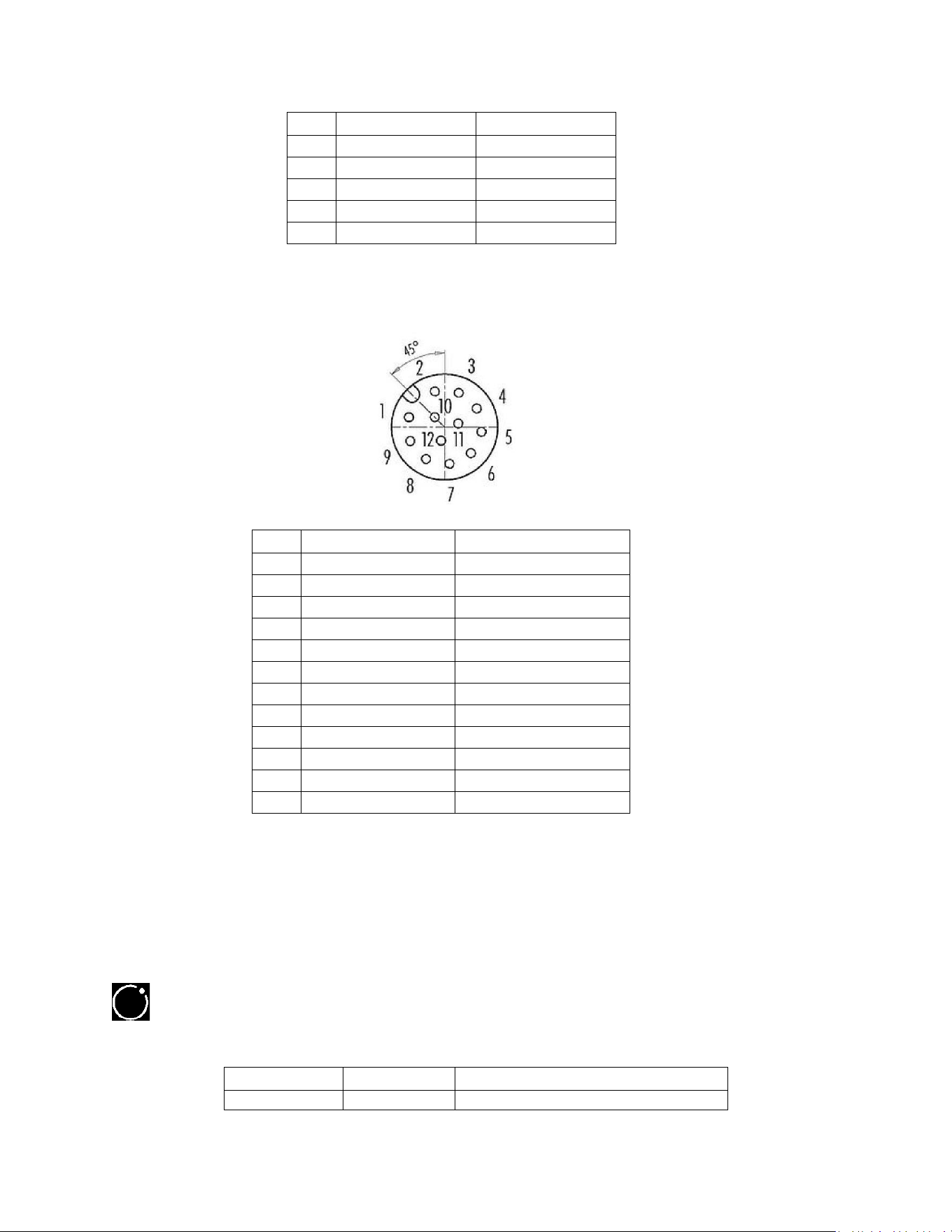
Depending on the required peripherals interface, M12 with 5, 6, 8 or 12 pins can be used. Check the
user manual for correct pin connections for the particular model.
a. Power & CAN BUS Connector
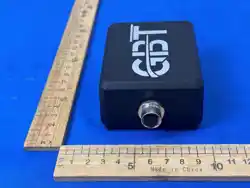
GBT10 uses a standard single 5 Pin M12, A-coded, Female connector for external CAN Bus interface
& Power Input.
DOC: 545000-90A
PIN
FUNCTION
DESCRIPTION
2
POWER IN
4 - 17V DC
3
POWER GROUND
0V
4
CAN HIGH
J1939/OBDII
5
CAN LOW
J1939/OBDII
1
DRAIN
CAN Bus Shield
b. Power, CAN & RS-485 BUS and D I/O Connector
If more interface pins are required for simultaneous access to multiple interfaces, 12 Pin M12, A-
coded, female connector can be used.
PIN
FUNCTION
DESCRIPTION
1
POWER IN 1
4 - 17V DC for SYSTEM
2
POWER GROUND 1
Ground for SYSTEM
3
CAN HIGH
J1939/OBDII
4
CAN LOW
J1939/OBDII
5
DRAIN
CAN Bus Shield
6
RS-485 A
Differential Serial BUS
7
RS-485 B
Differential Serial Bus
8
POWER IN 2
+5V DC for RS-485
9
POWER GROUND 2
Ground for RS-485
10
DIGITAL OUTPUT
Open Drain Output
11
DIGITAL INPUT
12V DC
12
DIGITAL I/O
Ground for System
3.2 USB-C Communication
For Programming and Debugging, a USB-C connector is provided to communicate with USB 2.0
compliant equipment such as Personal Computer, Laptop and Smart Phone. This connector can’t source
USB power to the connecting devices. This port is not accessible by the end user.
4. LED Indicators
4.1 Status
It is a multi-colored LED to indicate various operating conditions of GBT10.
LED COLOR
LED STATE
INDICATION
Yellow
On
GPS Signal Unavailable

Page 5
DOC: 545000-90A
Blue
On
No communication with a paired Device
Red
On
No communication on CAN BUS
Green
On
System Normal
White
On
Over-the-Air (OTA) Firmware Update
If multiple malfunctions exist, the Status LED will cycle through all the conditions every five second
interval.
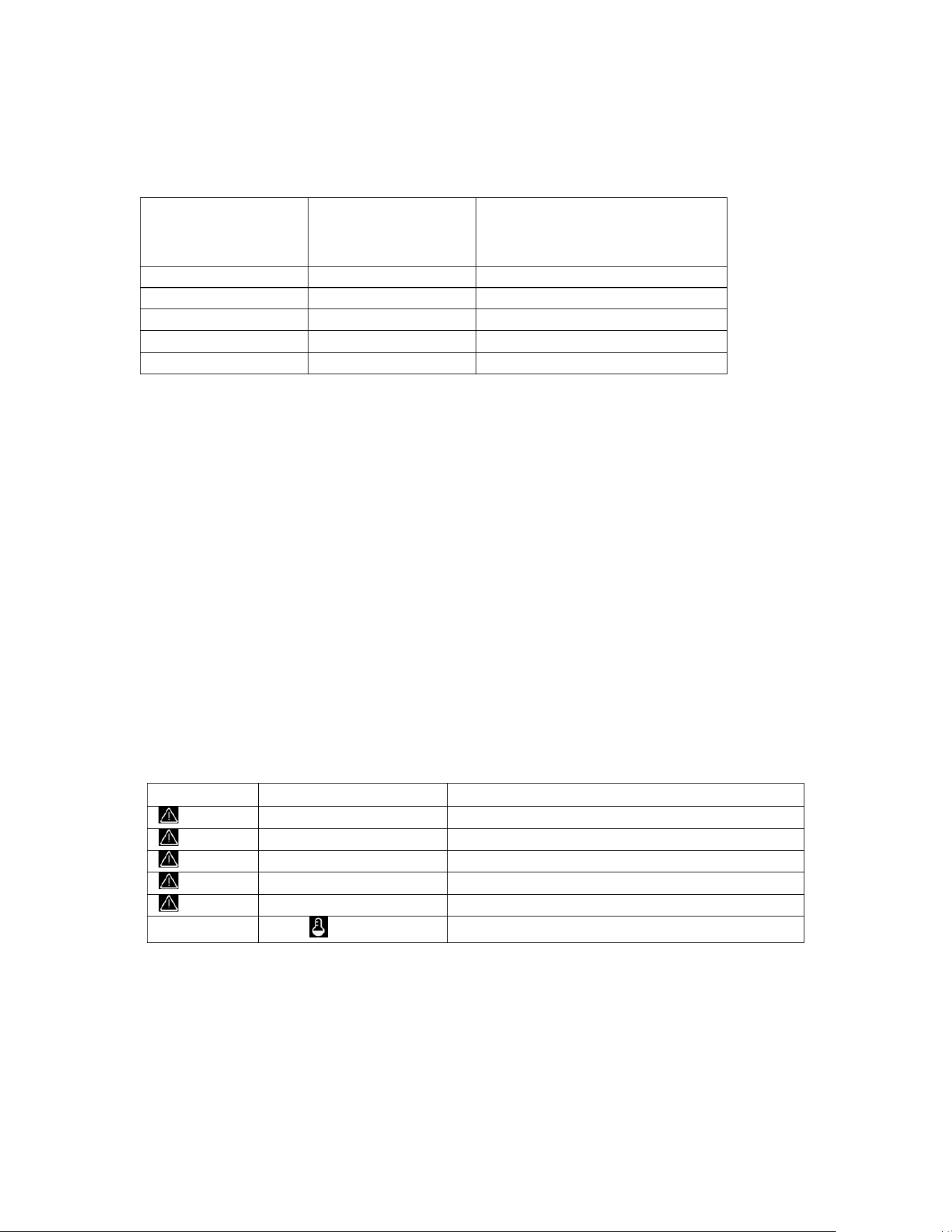
4.2 Power On
This LED is Green when System Power is on.
5. WiFi & Bluetooth
GBT 10 incorporates WiFi and Bluetooth for communication with external devices.
5.1 WiFi
Features:
• Complies with 802.11b/g/n.
• Bit rate: 802.11n up to 150Mbps.˗
• Center frequency range of operating channel: 2412 2484 MHz.
• WiFi RF Transmitter (TX) Power: 20.5dBm typical
5.2 Bluetooth
Features:
• Bluetooth LE: Bluetooth 5, Bluetooth Mesh.
• Speed: 125 Kbps, 500 Kbps, 1 Mbps, 2Mbps.
• Center frequency range of operating channel: 2412 2480 MHz.
• BLE RF Transmitter (TX) Power: 20dBm typical
6. GPS
GBT 10 incorporates GPS MODULE with an embedded antenna. Features:
• Multi-GNSS engine for GPS, GLONASS , BDS , Galileo and QZSS, ensuring fast and accurate fix in
any environment.
• Sensitivity: -166 dBm during tracking and -147 dBm during acquisition.
• Integrated patch antenna or external antenna.
7. Accelerometer
GBT10 incorporates an accelerometer with 2g/±4g/8g/16g dynamically selectable full scale and an
embedded temperature sensor. It can be used to monitor
• Motion activated functions
• Free-fall detection
• Impact recognition and logging
• Vibration monitoring and compensation
8. Power Supply
GBT10 has a standard USB Type-C port controller functionality including Configuration Channel (CC) logic
for 3-A and 1.5-A current advertisement. BC 1.2 integration provides the required electrical signatures
DOC: 545000-90A
necessary for non-Type-C, legacy USB devices that use USB data line signaling to determine USB port
current sourcing capabilities.
USB Operating Modes Table
PORT TYPE
SUPPORTS USB
2.0
COMMUNICATION
MAXIMUM ALLOWABLE
CURRENT DRAWN BY
PORTABLE EQUIPMENT (A)
SDP (USB 2.0)
YES
0.5
SDP (USB 3.0 and 3.1)
YES
0.9
CDP
YES
1.5
DCP
NO
1.5
TYPE-C
YES
3.0
Integrated protection features include
• Cycle-by-cycle current limit.
• Hiccup short-circuit protection.
• Under voltage lockout.
• VBUS overvoltage and overcurrent.
• CC overvoltage and overcurrent.
• Data line short-to-VBUS.
• Die over temperature protection. Two LEDs are provided to monitor the health of USB-C Power
Source.
• Reverse Polarity Protection.
• Over current protection with a resettable fuse.
• Power line noise filtration.
• Transient Voltage Suppression with a 7000 W peak pulse power capability at 10/1000 μs
waveform, repetition rate (duty cycles):0.01 %.
Two LEDs indicate various fault and warning conditions.
Fault and Warning Conditions
FAULT
THERMAL WARNING
EVENT
ON (RED)
Overcurrent on OUT
ON (RED)
Overvoltage on BUS
ON (RED)
Overvoltage on the data lines
ON (RED)
Overvoltage on CC lines
ON (RED)
Overcurrent on CC lines when supplying VCONN
ON (RED)
External over temperature detection
9. FCC Statement
9.1 Federal Communication Commission Interference Statement
This equipment has been tested and found to comply with the limits for a Class B digital device,
pursuant to Part 15 of the FCC rules. These limits are designed to provide reasonable protection against
harmful interference in a residential installation. This equipment generates, uses and can radiate radio
frequency energy and, if not installed and used in accordance with the instructions, may cause harmful

Page 7
DOC: 545000-90A
interference to radio communications. However, there is no guarantee that interference will not occur
in a particular installation. If this equipment does cause harmful interference to radio or television
reception, which can be determined by turning the equipment off and on, the user is encouraged to try
to correct the interference by one of the following measures:
• Reorient or relocate the receiving antenna.
• Increase the separation between the equipment and the receiver.
• Connect the equipment into an outlet on a circuit different from that to which the receiver is
connected.
• Consult the dealer or an experienced radio/TV technician for help.
9.2 FCC Caution
Any change or modification not expressly approved by the party responsible for compliance could void
the user’s authority to operate this equipment.
This device complies with part 15 of the FCC rules. Operation is subject to the following two conditions:
1. This device may not cause harmful interference.
2. This device must accept any interference received, including interference that may cause
Undesirable operation.
9.3 FCC Radiation Exposure Statement
This product complies with the US portable RF exposure limit set forth for an uncontrolled environment
and are safe for intended operation as described in this manual. The further RF exposure reduction can
be achieved if the product can be kept as far as possible from the user body or set the device to lower
output power if such function is available.
This transmitter must not be co-located or operating in conjunction with any other antenna or
transmitter.
This equipment should be installed and operated with a minimum distance of 20cm ( 8 in) between the
radiator and your body.
9.4 OEM Notice
This device is intended only for OEM integrators under the following conditions:
1. The transmitter module may not be co-located with any other transmitter or antenna.
As long as 1 condition above is met, further transmitter test will not be required. However, the OEM
integrator is still responsible for testing their end product for any additional compliance requirements
required with this module installed.
IMPORTANT NOTE
In the event that these conditions can’t be met (e.g. certain tablet, laptop or mobile phone
configurations or co-location with another transmitter), then the FCC authorization is no longer
considered valid and the FCC ID can’t be used on the final product. In these circumstances, the OEM
integrator will be responsible for re-evaluating the end product (including the transmitter) and obtaining
a separate FCC authorization.