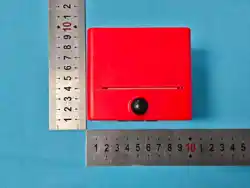
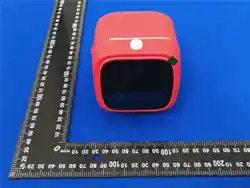
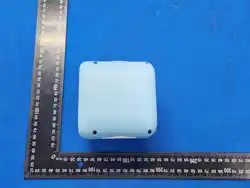
AI print camera
Scan All
OCR Pic Game Music
Se�ngs
Photo
Voice PicSty filt QA Pic Cam Rec
2.0
Speaker
Flash
Capture button
Print button
Lanyard hole
Power button
Screen
Down button
Right button
Left button
Up button
Charging
Indicator Light
TF card slot
Restart
Type-C charging port
data cable port
Power indicator light
Mic
8
7
1
3
2
4
5
6
Screen
210
1-2
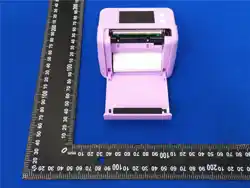
1.According to the direction indicated
by the arrow, manually push both sides
upward at the same time to open the
paper tray cover.
2. Remove the old paper roll and insert
the new paper roll (as shown in the picture
above) in the correct orientation. Make
sure the paper is placed straight, not crooked.
(Note: The new thermal paper should extend
2CM out of the paper compartment so that
the machine can automatically feed the paper
when installing the paper compartment box)
3. After covering the paper tray, it can be
used normally.
4. After the above steps are correct, the
machine can print normally.
Long press this button on the main inteace to go to the voice raw image page
with one click.
Press and hold the print button in photo and video mode to turn the flash on or off
FCC WARNING
This device complies with part 15 of the FCC Rules. Operation is subject to the
following two
conditions: (1) This device may not cause harmful interference, and (2) this device
must accept any interference received, including interference that may cause
undesired operation.
Note: This equipment has been tested and found to comply with the limits for a
Class B digital device, pursuant to part 15 of the FCC Rules. These limits are
designed to provide reasonable protection against harmful interference in a
residential installation. This equipment generates, uses and can radiate radio
frequency energy and, if not installed and used in accordance with the instructions,
may cause harmful interference to radio communications. However, there is no
guarantee that interference will not occur in a particular installation. If this
equipment does cause harmful interference to radio or television reception, which
can be determined by turning the equipment off and on, the user is encouraged to
try to correct the interference by one or more of the following measures:
—Reorient or relocate the receiving antenna.
—Increase the separation between the equipment and receiver.
—Connect the equipment into an outlet on a circuit different from that to which the
receiver is connected.
—Consult the dealer or an experienced radio/TV technician for help.
Note: The Grantee is not responsible for any changes or modifications not expressly
approved by the party responsible for compliance. such modifications could void the
user's authority to operate the equipment.
The device has been evaluated to meet general RF exposure requirement.
This equipment complies with FCC's RF radiation exposure limits set forth for an
uncontrolled environment. This device and its antenna(s) must not be co-located or
conjunction with any other antenna or transmitter.
The device can be used in portable exposure conditions without restriction.