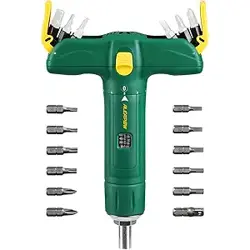

Torque Screwdriver
Model:ATSD01
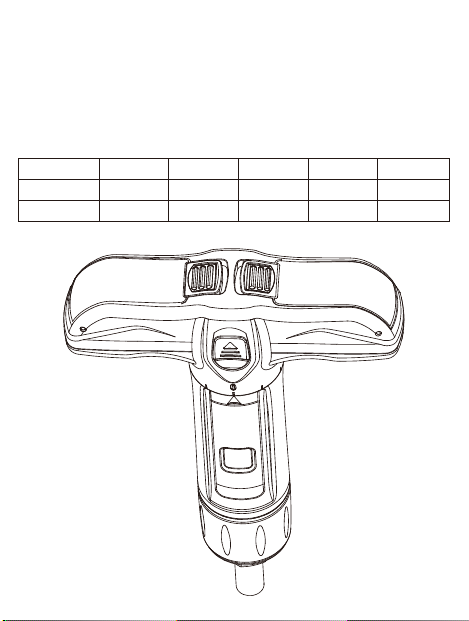
SCREEN SCALE T-HANDLE TORQUE SCREWDRIVER
Technical Data
Torque Range
2-8 N.M
15-75 IN.LB
Bit type
1/4”
1/4”
Fine scale
0.1 n.m
1 in.lb
Length
173 mm
7”
Width
122mm
5”
Height
37.5mm
1-1/2”

NOTE
1.
2.
3.
4.
Torque tools require regular calibration and servicing to assure its
accuracy and long term use. Please make sure your device is calibrated
and the operator has professional knowledge to set up the torque.
Otherwise, please kindly send your torque tool back to your dealer to
maintain its safety and accuracy.
It may damage the torque screwdriver’s internal mechanisms, resulting
in inaccurate torque adjustment if you leave it at a high torque setting for
long time ALWAYS ADJUST THIS DIVICE TO THE LOWEST TORQUE
SETTINGS AFTER EACH USE
Adjusting the torque wrench setting beyond its torque range may
damage the internal mechanisms, resulting in inaccurate torque
adjustments.
This devise is designed for +/-5% accuracy within full range of measure-
ment.
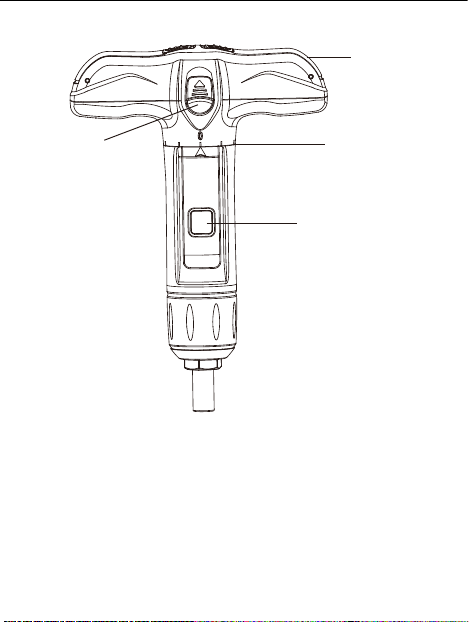
Lock Button
Bits Storage
Fine Increments
Torque Window
Operation Manual
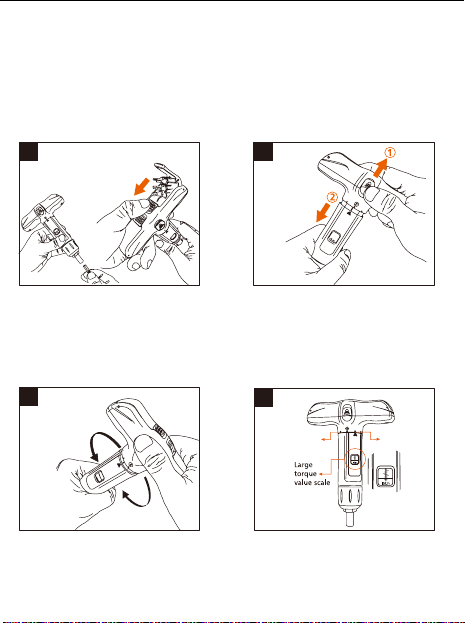
1.Pull the one of bits container
buckle to unlock the cover, then
6-bit seat pops up. There are total
12 bits stored in one tool. You can
keep bits inside for easy use.
3.While adjusting torque, you need
to hold the torque tube, and rotate
the T-handle to the expected torque
value. CW turn for torque increasing,C-
CW turn for torque decreasing.
4.You can check scale window for
integer torque value, and the scale
ring for fine increment. Each
indicator means 1 in.lb
2.To adjust the torque, use one
hand to hold the T-handle to pull up
the lock button, use another hand
to hold the torque tube on the
opposite direction.
1 2
3
4
15
20
30
40
50
21 In.lbf
1 In.lbf
9 In.lbf
15
20
30
40
50
TIPS FOR USING THIS DEVICE
FEATURE
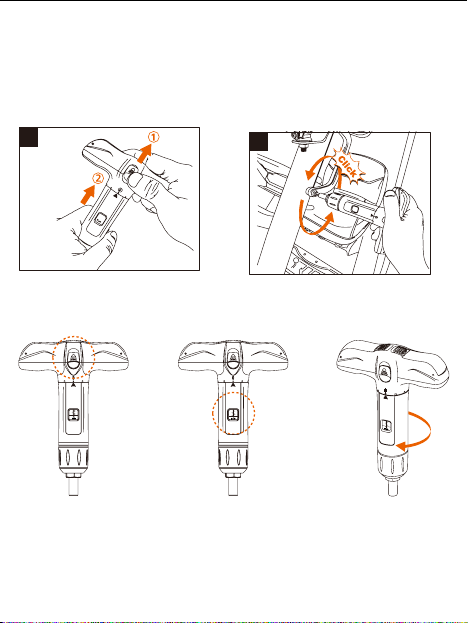
5.After torque adjusting, use one
hand to hold the T-handle and pull
up the lock button, another hand to
hold the torque tube and push up.
6.Then you can operate the torque
screwdriver. When the pre-set
torque value is reached, you will
hear audible “click” sound, the
slipper mechanism is activated.
5
6
Lock button Screen Scale One-way use
15
20
30
40
50
15
20
30
40
50
15
20
30
40
50
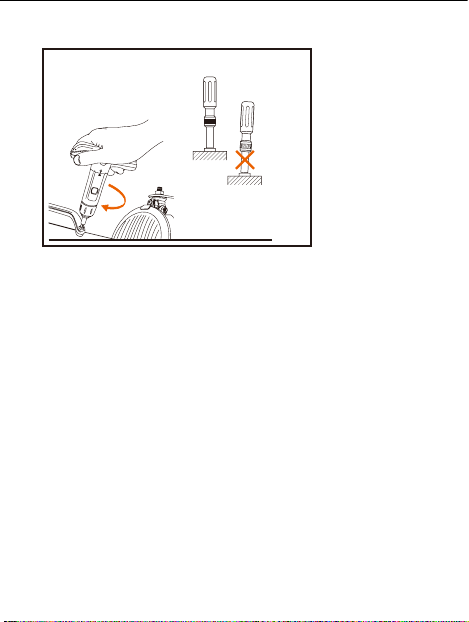
How to use this device
Spin the screwdriver with
clockwise direction
Insert the
screwdriver vertically
when operating