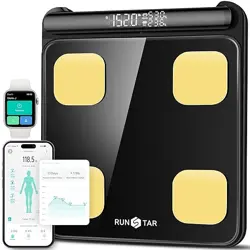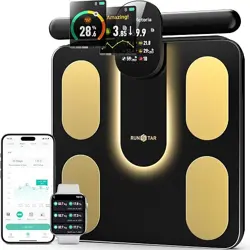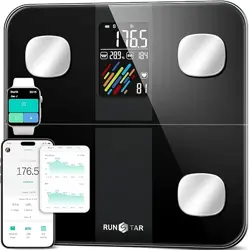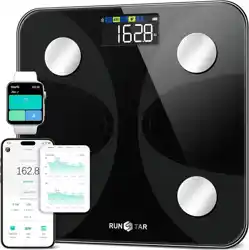
1
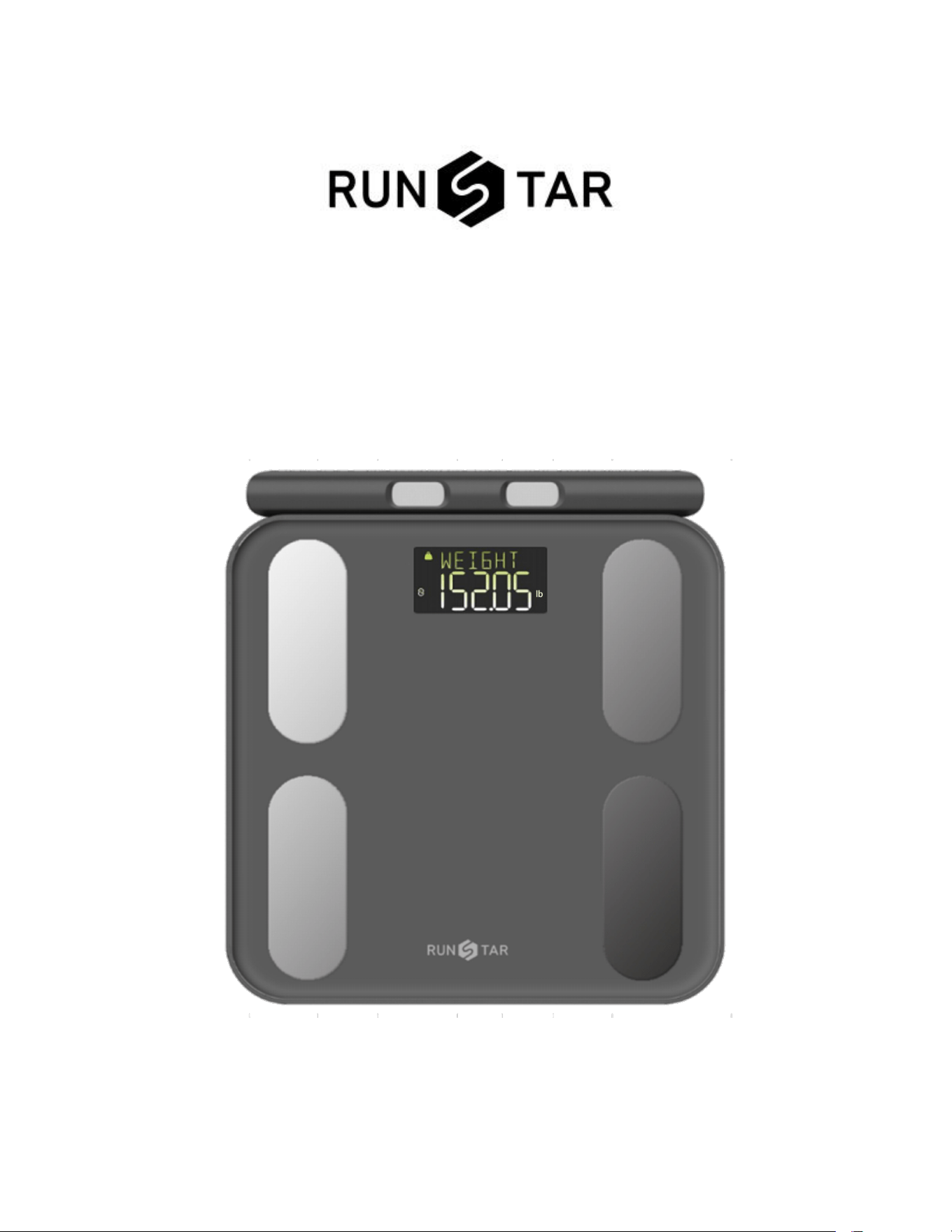
Smart Full Body Composition Scale
Instruction Manual
FCC ID: 2AP3Q-FG2211LB
2
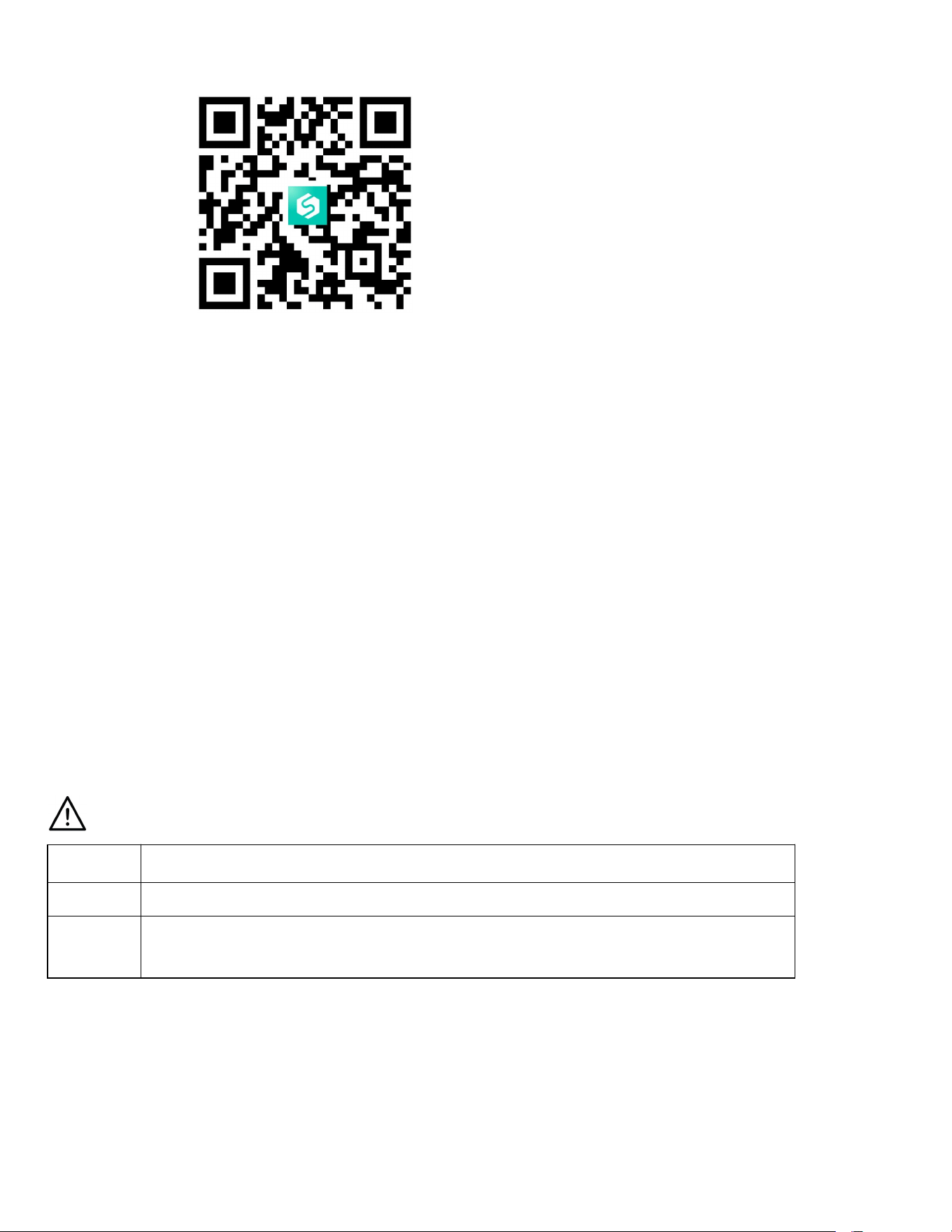
Scan the corresponding QR Code to download APP
Thank you for choosing Smart Body Scale, your ultimate choice for comprehensive body
analysis. This advanced scale provides unparalleled convenience by measuring an extensive
range of vital health indicators. With the Smart Body Scale, you can effortlessly monitor your
body weight, BMI, body fat rate, Fat-free body weight, subcutaneous fat, visceral fat, body
water, skeletal muscle rate, muscle mass, bone mass, protein levels, BMR, body age, and much
more. Experience a new level of precision and insight into your overall well-being with the
Smart Body Scale.
IMPORTANT: Prior to using the device, please carefully review the instructions in this manual.
Failure to follow the instructions or using the scale in ways not specified may lead to personal
injury or damage to the scale.
INDICATION SYMBOLS
LO
Low battery-Please replace new 4*AA batteries
Err
Overload
C
An error has occurred during measurement. Step off the scale and step
onto it again to repeat the measuring process.

3
WARNING
DO NOT use with medical implants such as pacemakers.
DO NOT stand on the edge of the scale or jump on it.
DO NOT overload the scale (Max.180kg)
DO NOT drop the scale or drop objects on it, as this may damage the sensors.
DO NOT immerse the scale in water or use chemical cleaning agents. Clean the scale
with a slightly damp cloth.
Not recommended for pregnant women.
Not recommended for infants, toddlers, and children under 10 years of age.
Any obtained measurement results from this device are for reference only and should
not be considered as a medical opinion.
Consult your primary care doctor or physician before making any changes to your diet,
exercise plan, or physical activities.
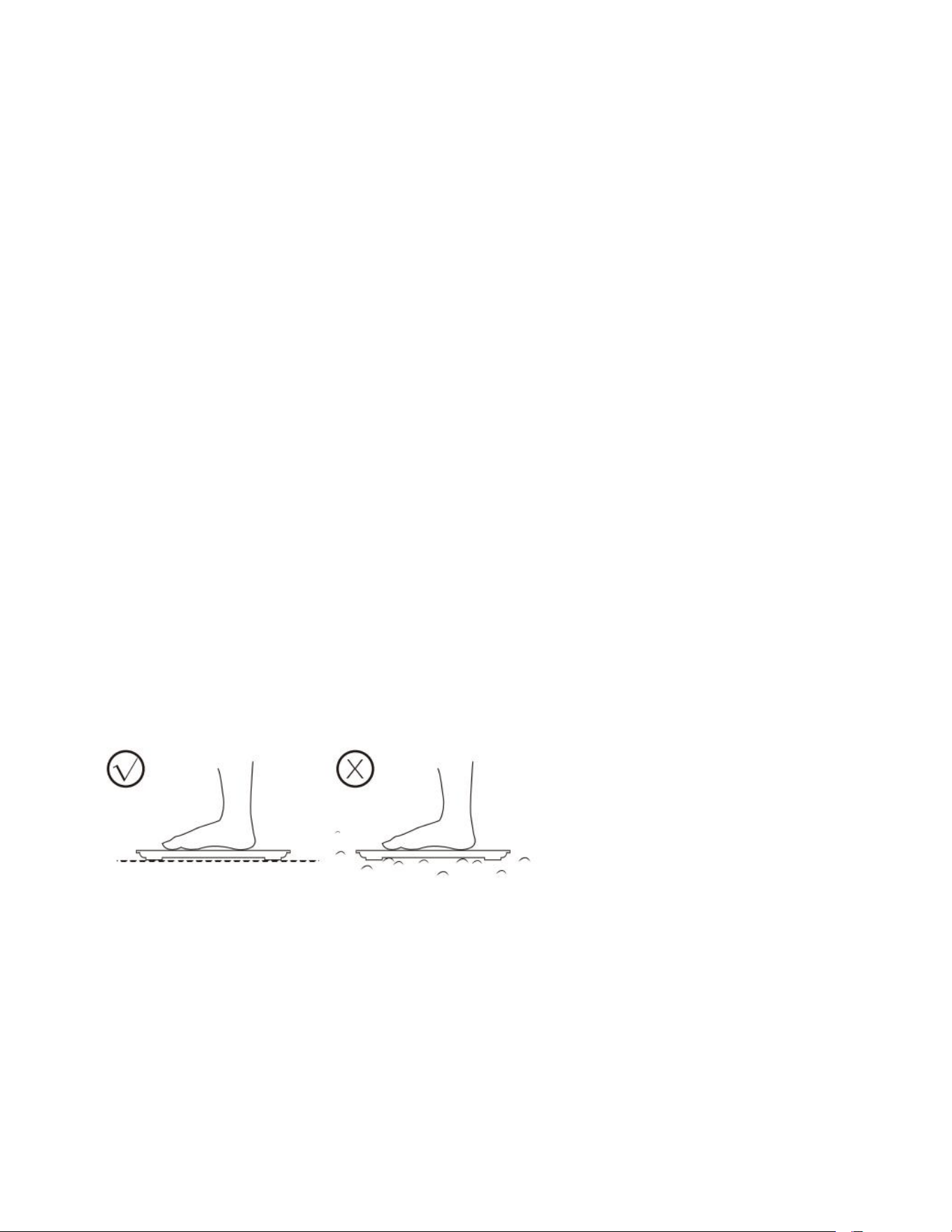
Always place the scale on a hard, dry, and flat surface before measurement.
Make sure your feet are dry before stepping on the scale.
Specifications
Size: 13.1*12.0*1.3 in / 333 x 305 x 33.5 mm
Weight: 4.85lb / 2.2kg
LCD display: 2.8 x 1.5 in / 86 x 36 mm
Weight unit: lb/st/kg (Support switch unit via APP)
Weight limit: 5kg-180kg
Power Supply: 4 x AA batteries
Baby mode: Allows you to scale the weight of a baby.
Operating temperature: 10-40
0
C
Operation humidity: 20%-90%
4
Support Devices:
iOS 8.0 or higher
Android 6.0 or higher
Install Starfit App
1.
Search “Starfit” in Apple Store or Google Play or scan the QR Code below:
2.
Download and install the App on your device.
3. The App icon will appear on your phone or tablet after the installation is completed.
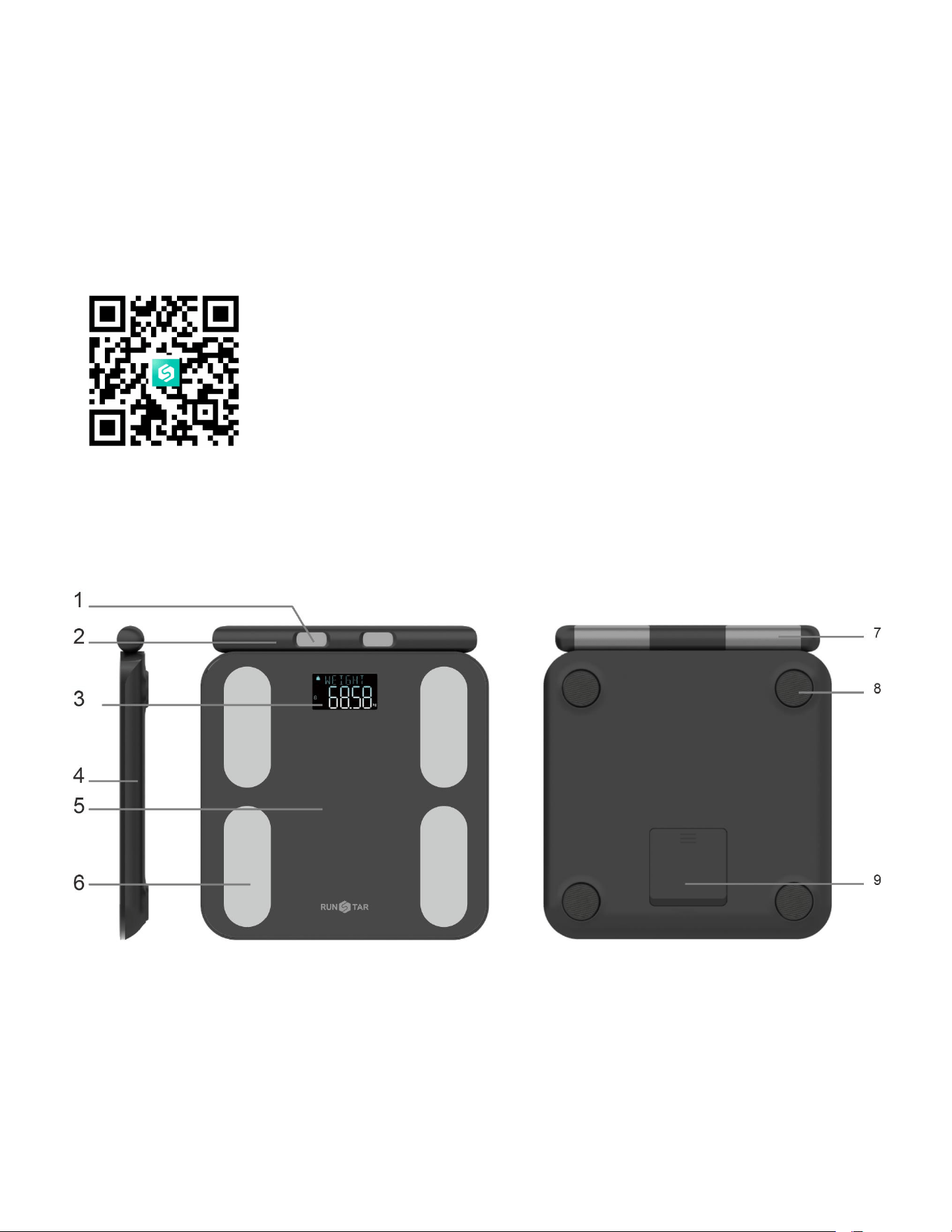
Product Structure
1. Thumb electrode for handlebar 2. Handlebar
3. Bright graduated color LCD display 4. Plastic shell
5. Tempered glass 6. Electrodes for feet
7. Handlebar electrodes for four fingers 8. Scale feet
9. Battery compartment cover
5
Special feature 1: Offline use
This model features a bright graduated color LCD display and offers offline functionality. Setting
up the scale and connecting it with the app is crucial for the initial use to analyze body fat and
other parameters. However, after the initial setup, you can conveniently measure body fat,
BMI, and body types without the need to connect with the app every time. The LCD display on
the scale allows you to view these measurements. It's important to note that offline
measurement will not be activated if there is a weight difference greater than 2kg compared to
the last measurement.
During offline mode, any successful measurement results will be automatically synchronized
with your app during the next connection between the scale and the app. This ensures that
your data is seamlessly updated and accessible for further analysis and tracking.
Special feature 2: Voice Assistant
During the measurement process, the scale incorporates a voice operation guide to provide
step-by-step instructions. This helpful feature assists users throughout the measurement
procedure. If no need, the voice function can be easily disabled by accessing the settings
within the accompanying app.
HOW TO USE STARFIT APP
1.
Place the scale on hard, flat ground.
2.
Turn on Bluetooth on your smartphone or tablet.
6
3.
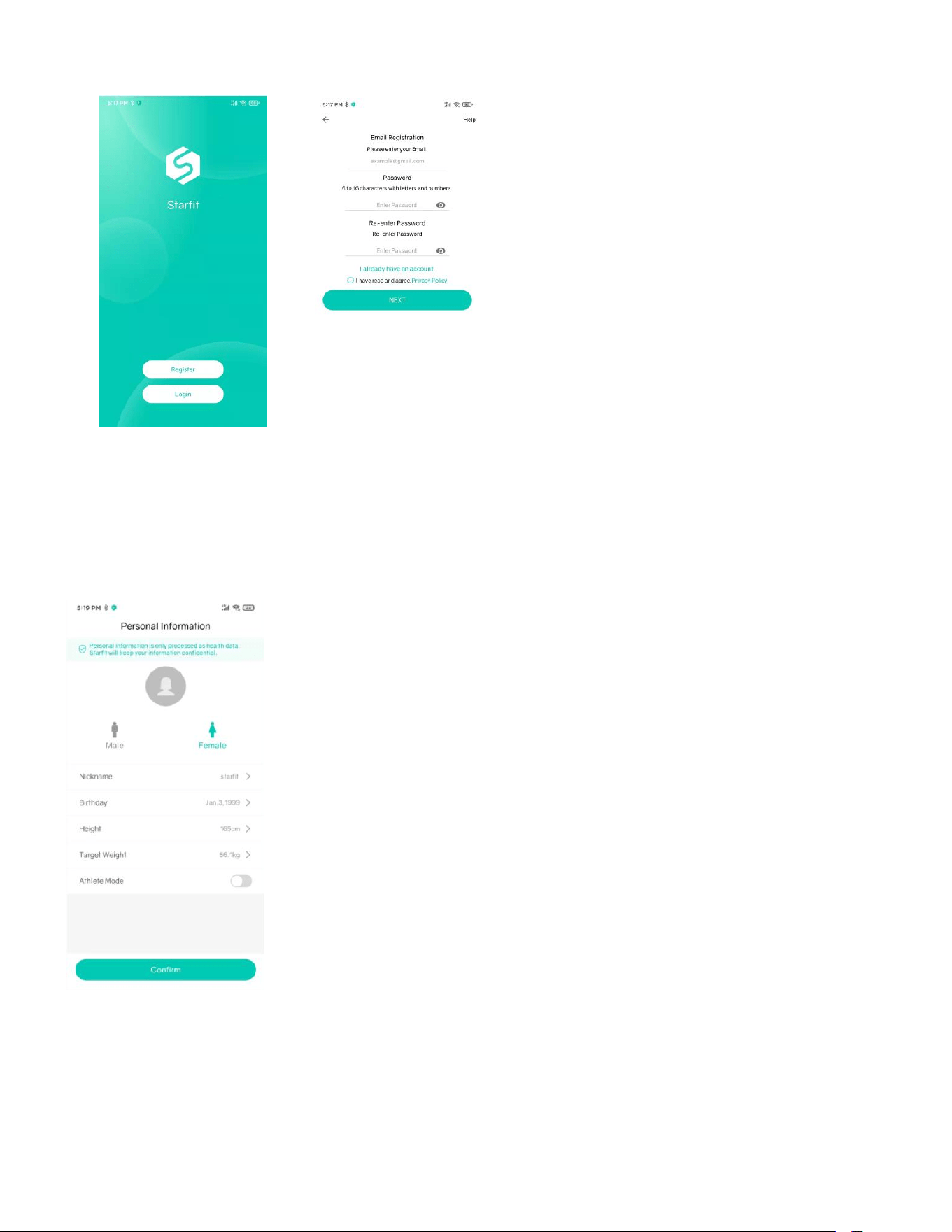
Register your own ID using an email or social media account.
4. Input the required personal data and click Confirm.
Note: It is important to ensure accurate input of personal information such as gender, age,
height, and other relevant details, as entering incorrect information may lead to inaccurate
measurements.
7
5.
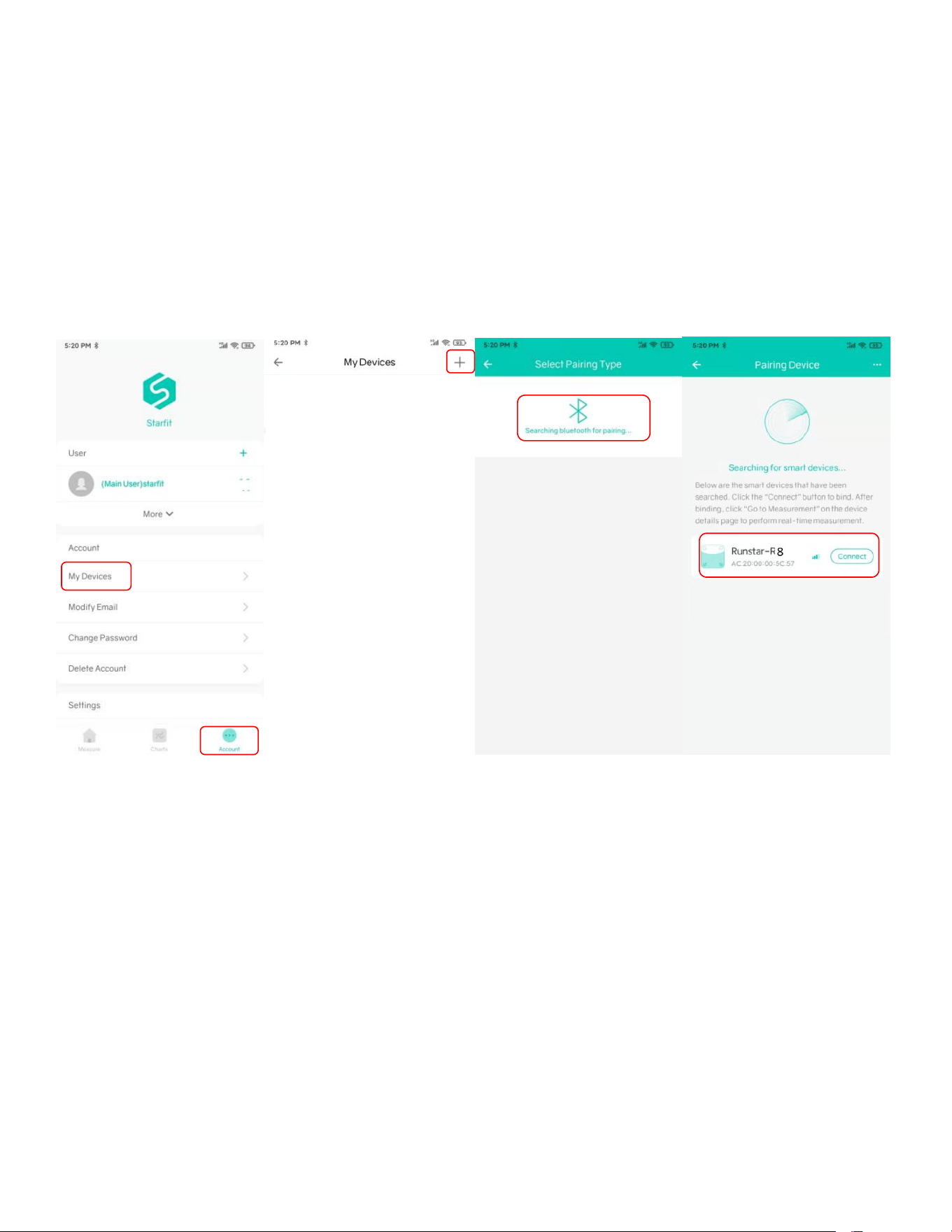
Pair the scale via Bluetooth. Click Account ----> My Devices ---> + to find and pair the scale
ID. (The Bluetooth Scale ID is: Runstar-R8)
Note: Once successfully connected, you will notice a Bluetooth icon displayed on the scale,
indicating a successful connection. Additionally, on the homepage of your app, the word
"Connected" will appear within the circle, confirming the established connection between the
scale and the app.
6. Tap your foot on the scale to activate the display. Wait until the display shows “0.00” lb.
7.
Stay Starfit App at the homepage and step on the scale with bare feet to start measuring.
Note:
- To ensure successful data synchronization, please avoid leaving the homepage of your
phone's app. Leaving the app's homepage may prevent the data from syncing to your phone.
- When stepping on the scale with socks, it will only measure weight and BMI. For a complete
analysis of body metrics, it is necessary to step on the scale bare foot.
8
8.
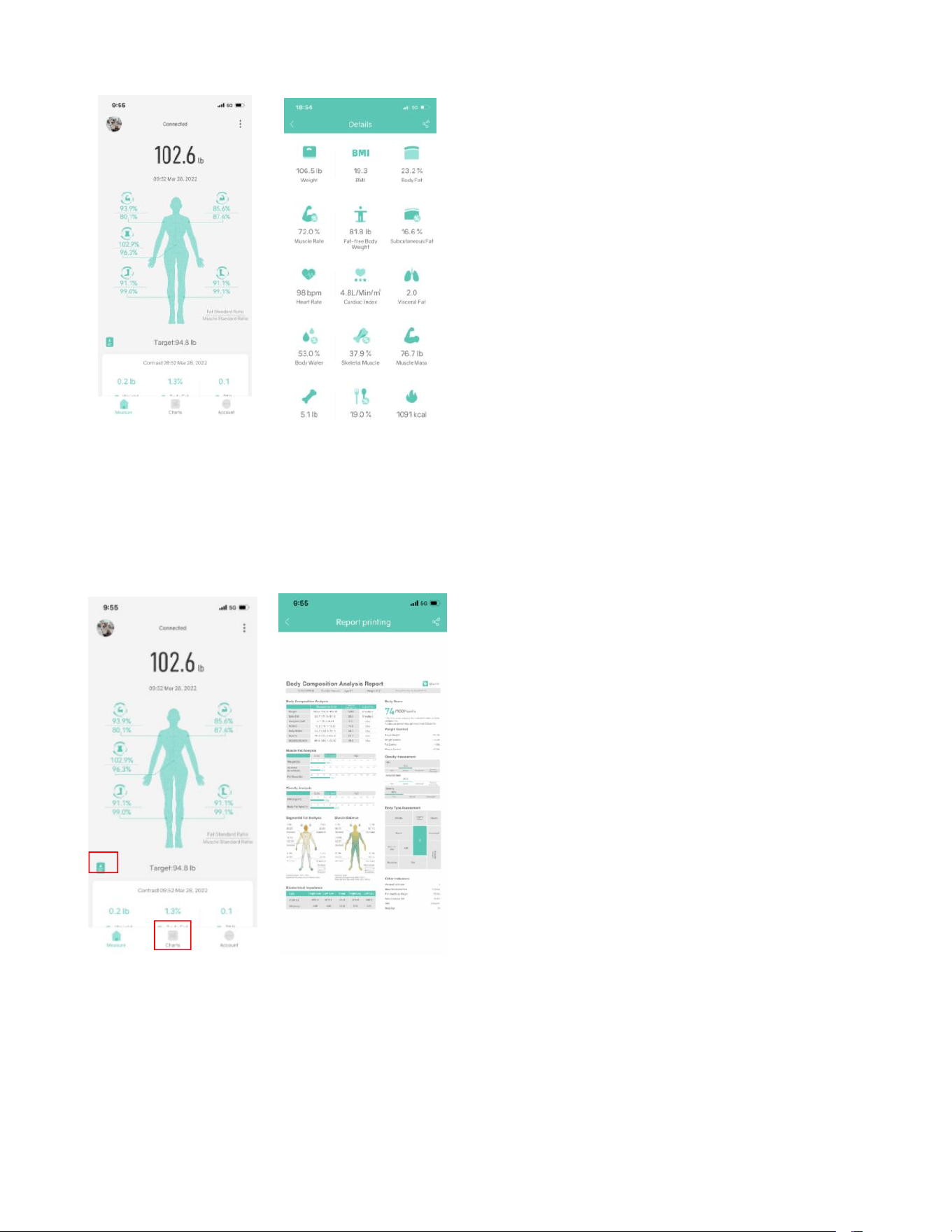
Once you have obtained all the measurement data, the weighing process is now finished.
9. You can now view the comprehensive analysis report, including your Body Weight, BMI, BFR,
Muscle, Bone Mass, and more. Simply scroll down the screen to access the full details.
Additionally, Click Chart in your app allows you to check the history chart for a visual
representation of your progress over time.
9
10.
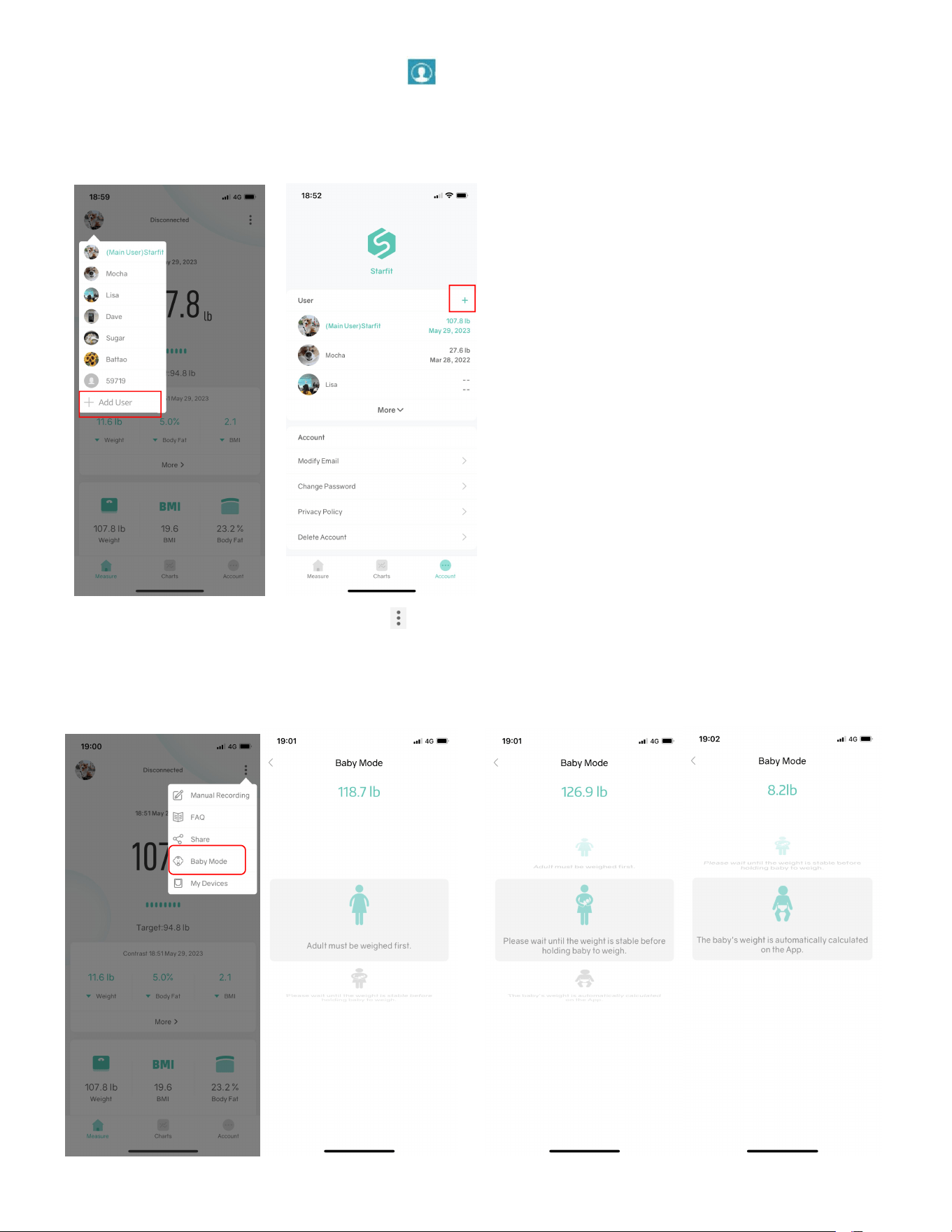
To Add and switch users just Tap > , or click Account--> User +, then add personal data.
The Smart Scale can recognize which user is stepping on the Scale and will remind the user to
switch to the correct profile.
11. Baby weight measurement: click --> Baby Mode. Adult steps on the scale to weigh first;
after the scale gets the weight, please step off the scale and hold the baby to weigh again;
Starfit will automatically calculate the baby’s weight.

10
Important Notes:
1- For the initial use, it is necessary to connect the scale with the app to access all the features
and measurements. Without connecting to the app, the scale will only display weight
information.
2- To obtain accurate measurements, it is important for the user to remove shoes and socks
during the measurement process. Failure to do so will result in the scale displaying only
weight and BMI information.
3- It is crucial to avoid mixing online use mode and offline use mode during the measurement
process. To prevent any potential data loss issues, it is recommended to either keep the
entire measurement in offline use mode or maintain the entire measurement in online use
mode. Mixing the two modes can lead to complications and the loss of data.
4- When using the scale with multiple users, it is important to select the appropriate user
account profile within the app. Failure to do so may result in the scale displaying only
weight and BMI information if it detects a significant difference compared to the last
measurement recorded under the current user's profile. To ensure accurate and
personalized measurements, make sure to select the correct user account before using the
scale.
Frequently Asked Questions
1. Bluetooth failed to connect
Make sure the scale and the Bluetooth on your phone are on.
Check the iOS version of your smartphone, it must be iOS 8.0 or higher/Android 6.0 or
higher.
Once successfully connected, you will notice a Bluetooth icon displayed on the scale,
indicating a successful connection. Additionally, on the homepage of your app, the word
"Connected" will appear within the circle, confirming the established connection between
the scale and the app
To connect manually, on your App, tap Account--->My Devices ---> then manually search
the scale ID on the list.

11
2.
No body fat data after weighing.
The user must step onto the scale with bare feet.
Make sure your feet and the scale are both dry.
To ensure accurate measurement results, please refrain from stepping off the scale before
the measurement is complete. It is important to remain standing on the scale for
approximately 30 seconds or until the number on the display stops flashing. This allows
sufficient time for the scale to finalize the measurement and provide accurate readings.
Bluetooth is paired with a different device.
3. Incorrect weight data.
To ensure accurate measurements, it is essential to place the scale on a hard and flat
surface. This provides a stable foundation for the scale and helps maintain measurement
precision.
Before using the scale, please inspect each foot sensor located on the back of the scale.
Ensure that there is no debris or obstructions stuck to the bottom of the sensors. It is
important to have clean and unobstructed foot sensors for accurate measurements.
Reset the Scale by pressing the dedicated reset button of the scale at the back.
4.
Incorrect fat-muscle ratio on App
Please review the body parameter settings to ensure that you have entered the accurate
gender, height, and age information. Incorrect input of these details may result in
inaccurate body parameter readings.
5. The scale will not turn on.
Please inspect the condition of the batteries and consider inserting new batteries if
needed.
6.
How to switch the unit
On your App, Select Account--->Setting--->Switch unit to change the unit on your phone.

12
FCC Statement
Operation is subject to the following two conditions:
(1) This device may not cause harmful interference.
(2) This device must accept any interference received, including interference that may cause
undesired operation.
Note: This equipment has been tested and found to comply with the limits for a Class B digital
device, pursuant to part 15 of the FCC Rules. These limits are designed to provide reasonable
protection against harmful interference in a residential installation.
This equipment generates, uses and can radiate radio frequency energy and, if not installed
and used in accordance with the instructions, may cause harmful interference to radio
communications. However, there is no guarantee that interference will not occur in a particular
installation. If this equipment does cause harmful interference to radio or television reception,
which can be determined by turning the equipment off and on, the user is encouraged to try to
correct the interference by one or more of the following measures:
Reorient or relocate the receiving antenna.
• Increase the separation between the equipment and receiver.
• Connect the equipment into an outlet on a circuit different from that
to which the receiver is connected.
• Consult the dealer or an experienced radio/TV technician for help.
13
Battery Advice
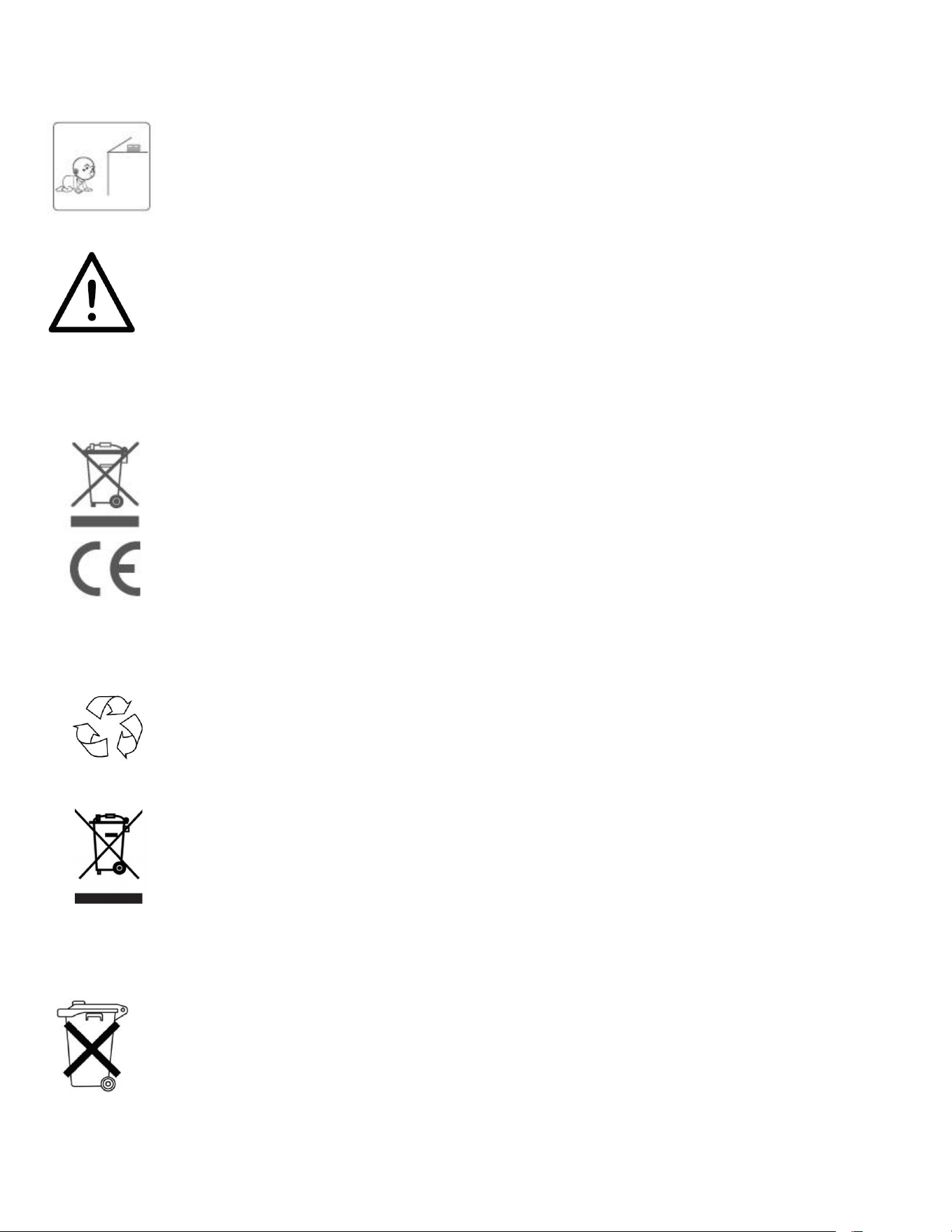
Keep the scale far away from children to keep them safe and prevent
accidents.
Keep the batteries and other small parts securely out of reach by children to
prevent the potentially fatal risk of accidental ingestion.
Do not expose the battery to heat or fire, which will easily cause an explosion.
For your safety, refrain from using the scale if you suspect or detect a battery
leakage.
Ensure responsible disposal of waste electrical products by refraining from
disposing of them with household waste. Instead, please prioritize recycling at
designated facilities, where available. For guidance on proper recycling
methods, kindly consult your local Authority or retailer for expert advice on
recycling procedures. Together, let's contribute to a sustainable future by
disposing of electrical products in an environmentally conscious manner.
Disposal
The packaging material is recyclable. Please dispose of it in an environmentally
protective way or take it to a recycling center.
Please dispose of the device in an environmentally protective way or take it to
The recycling center for used electrical and electronic devices. You can obtain more
information from your local authorities.
To protect the environment, the battery cannot be disposed of in normal
household waste. Please separate it from the device before disposing or take it to
a suitable collection area. For more information, please focus on the relevant
statutory regulations governing the disposal of batteries.