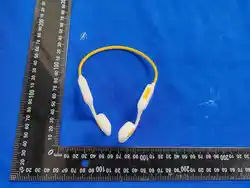
70mm
95mm
• The product cannot be soaked in water, otherwise it will short-circuit
and burn out.
• If not used for a long time, please fully charge it at least once a
month.
• Do not disassemble any part of the product without permission. If
you find that the earphone is defective, please stop using it.
• Keep the product away from fire, heat, freezing, and chemicals. Do
not immerse the earphone in water, and do not wipe it with
chemicals such as aromatherapy water.
• Store in a cool, dry place. Do not expose the product to direct
sunlight for a long time.
• Please charge the headset by a computer USB port or an approved charger
plug with a power output of 5V 1A or less.
Charging
Finished charging
Search for a match
Normally on red light
Normally on blue light
Red and blue lights flash alternately
Note: In the Bluetooth connection status, double-click ‘ ’. After hearing
the prompt, you can use voice control for your phone—saving you the time of
manual phone operation, fast and smart.
!Note
Product parameter
TroubleshootingSchematic diagram Instruction Indicator
Product maintenance records
Date SolutionBad phenomenon
Certificate of conformity
Q.C.Passed
Note
( Phone needs to support
voice wake-up function )
Voice control
Bluetooth connected
StatusFunction
Al intelligent voice control
Operation
Double-click ‘ ’
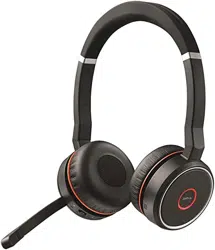
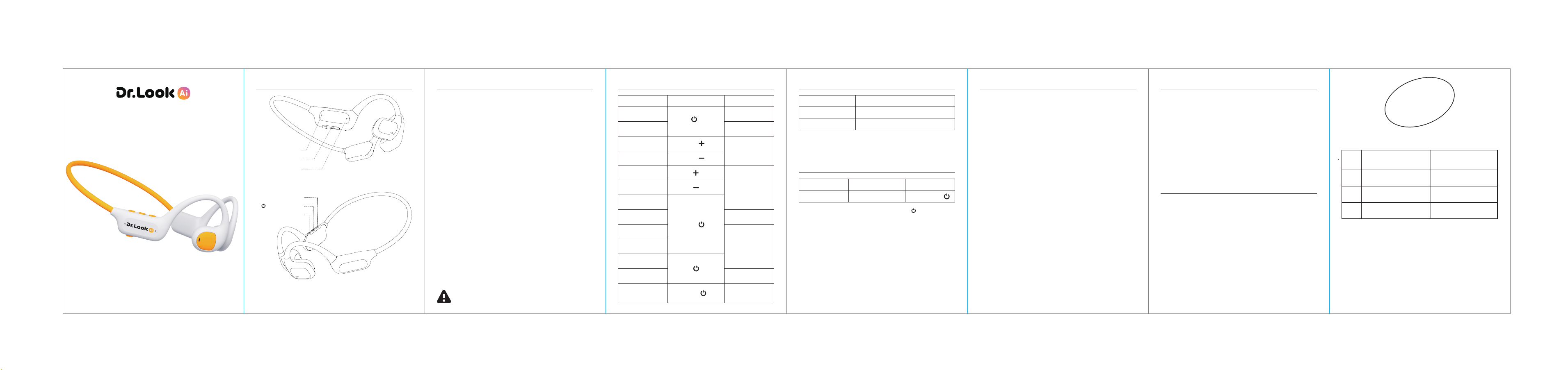
Kids Hearing-safe Bluetooth Headset
LK-HS01
Instruction Manual
Product List
Headset*1 Type-C charging cable*1 Instruction manual*1
Indicator light
Charging port
Microphone
Power / Mode key
Volume 十 / Next
Volume 一 / Previous
Operating instruction
StatusFunction Operation
Volume 十
Volume 一
Next song
Previous song
Pause
Resume
Answer the call
Hang up
Decline the call
Power on
Power off
Switch between
Game/Music mode
Call Audio Switch
Music playing
Phone calls in
On the phone
Music pause
Bluetooth connected
Bluetooth connected
The blue light
stays on for 1s.
The red light
stays on for 1s.
Click ‘ ’
Press ‘ ’ for 3-5s
Press ‘ ’ for 2s
Click ‘ ’
Click ‘ ’
Press ‘ ’ for 2s
Press ‘ ’ for 2s
4-click ‘ ’
Model:LK-HS01
Charging time:≈2h
Input:5V/150mA
Operating time:≈8h@60% Volume
Profile:HFP, A2DP, AVRCP
Bluetooth:6.0
Battery:180mAh
Distance:≈10m
Waterproof rating:IPX4
Please use a USB power adapter with an output of 5V less than 1A.
The rechargeable battery of this product must be properly disposed of for
recycling. Please do not place the battery in a fire to avoid explosion.
Bluetooth Pairing
Power on the headset, and it will automatically enter Bluetooth pairing mode.
Search for and select the device named "LK-HS01-XXXX" in your phone’s
Bluetooth settings. Upon successful connection, the indicator light will turn off.
Cannot turn on the headset.
Check if the headset are powered on, whether the buttons have been operated
mistakenly, and activate the charging function at the same time.
Bluetooth connection failed.
First, make sure the device is turned on. Then, check if the indicator light of the
headset is flashing alternately in red and blue. If the indicator light is in the
breathing state of the blue light, it indicates that the headset are already
connected to another device. In this case, you need to disconnect the currently
connected device.
Change pairing
Disconnect the Bluetooth of the current phone or cancel the pairing, the
indicator light will alternate between red and blue. Other phones can search for
"LK-HS01-XXXX" and click to connect.
Reconnect
This headset supports automatic reconnection of pairing. After a normal
power-on, it will automatically reconnect to the device that was last connected.
Please ensure that the front-end device (such as a phone) has Bluetooth
enabled.
Charging
When in normal Bluetooth connection mode, on the phone - Settings -
Bluetooth, the remaining battery level of the current headset will be displayed.
If the battery level is shown in red, it indicates that it needs to be charged.
Connect the headset to the computer or a certified 5V1A charging head using
the Type-C charging cable that comes with the headset, and the headset can
be charged. It takes 2 hours to fully charge. The charging state means that the
red light is constantly on, and when it is fully charged, the blue light is
constantly on.
Unable to reconnect.
Confirm whether the front-end (such as the mobile Bluetooth) is properly
turned on.
The volume of the headset is low.
First, make sure that the wearing method is correct. You can adjust the volume
using your mobile phone.

This device complies with part 15 of the FCC Rules. Operation is subject to the
following two conditions: (1) This device may not cause harmful interference, and (2)
this device must accept any interference received, including interference that may cause
undesired operation.
Any Changes or modifications not expressly approved by the party responsible for
compliance could void the user's authority to operate the equipment.
Note: This equipment has been tested and found to comply with the limits for a Class B
digital device, pursuant to part 15 of the FCC Rules. These limits are designed to
provide reasonable protection against harmful interference in a residential installation.
This equipment generates uses and can radiate radio frequency energy and, if not
installed and used in accordance with the instructions, may cause harmful interference
to radio communications. However, there is no guarantee that interference will not
occur in a particular installation. If this equipment does cause harmful interference to
radio or television reception, which can be determined by turning the equipment off and
on, the user is encouraged to try to correct the interference by one or more of the
following measures:
-Reorient or relocate the receiving antenna.
-Increase the separation between the equipment and receiver.
-Connect the equipment into an outlet on a circuit different from that to which the
receiver is connected.
-Consult the dealer or an experienced radio/TV technician for help.
FCC Radiation Exposure statement
The device has been evaluated to meet general RF exposure requirement. The
device can be used in portable exposure condition without restriction.